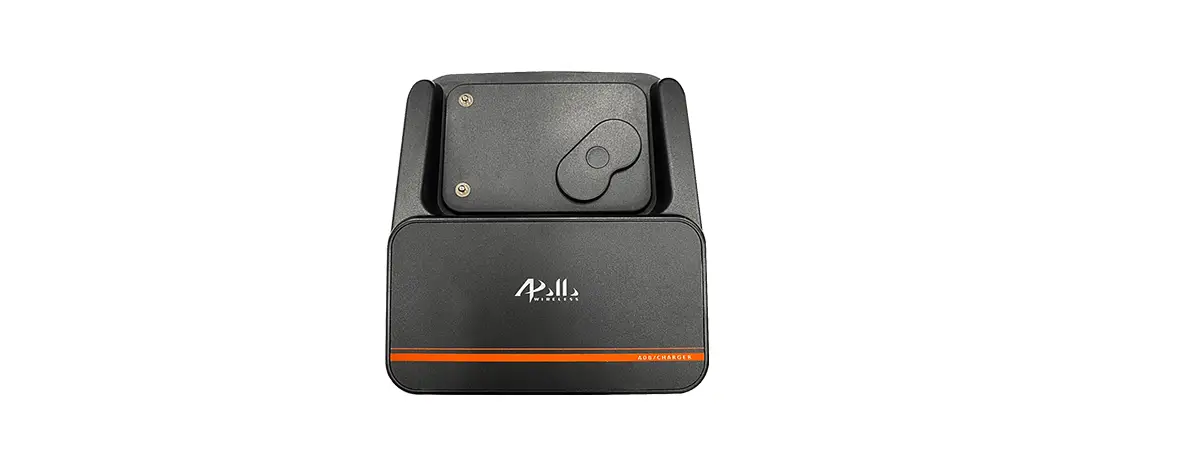

Gold Apollo AL-A08 Guest Calling System
- Do not operate this device in a hazardous atmosphere.
- Do not replace or change accessories in a hazardous atmosphere. Contact sparking may occur while installing or removing accessories and cause an explosion or fire.
- Do not disassemble this device in any way that exposed the internal electrical circuits of the unit.
- Make sure to read this manual before using the machine. Please keep it in hand for future reference.
- This device complies with Part 15 of the FCC Rules. Operation is subject to the following two conditions : (1) This device may not cause harmful interference, and (2) This device must accept any interference received, including interference that may cause undesired operation.
Overview
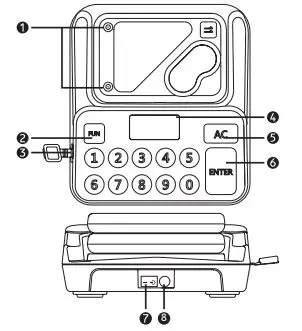
- Charging Contact
- Function
- Micro USB
- Display Screen
- Delete / Back
- Enter / Send
- Power Switch
- Power Supply
Frequency : 430~470 MHz
Coverage : 500~700 m
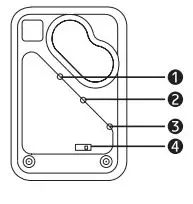
- LED Indicator 1
Flashing : air programming done - LED Indicator 2
Remain on : air programming - LED Indicator 3
Remain on : charging Flashing : standby mode
When the pager gets low battery, the alert (Beep+Vibrate+LED) will last for 8 secs. and then three LED indicators remain on. Please charge the pager as soon as possible. - Power Switch / Programming hole
If you want to use the other GA transmitters with A08 pagers, you can program the pagers via this programming hole. Besides, you can check on the capcode by pressing ” 8 ” in A08TCP programming mode.
Operation
Calling Pager
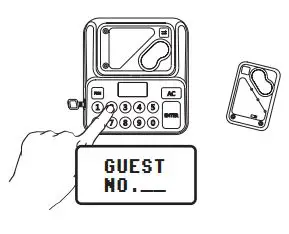
- Turn on the power, then you can call the pager that you would like to call.
- For example, to call the customer who is holding the No.9 pager, press ” 9 ” and ” ENTER ” .
- Maximum pagers that can be called are 99 pcs
Coverage : 500~700 m
Air Close
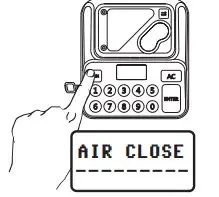
Press ” FUN “, the display will show ” Air Close ” and then press ” ENTER ” to turn off the pagers. The pagers will be turned on when they are put back to the charger.
Programming Mode
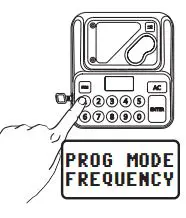 • Hold ” FUN ” and switch on the power
• The display shows ” PROG MODE ” which means it’s already in programming mode.
• Press corresponding number to set up the function.
• Press ” FUN ” to back to the ” PROG MODE ” .
• After finishing programming, please turn off and then turn on the device again to save the settings.
Set up frequency or channel
• Press ” 1 ” and then press ” ENTER ” to set up the frequency/channel.
• [ Frequency ] e.g ., 453.000 MHz, press 4-5-3-0-0-0-0 and press ” ENTER ” to save.
• [ Channel 1~36 ] e.g ., channel 5, press 0-5 and then press ” ENTER ” to save.
It can only be set in frequency OR channel mode.
Set up the button beep sound
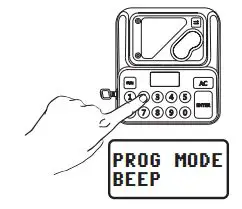
• Press ” 2 ” and then press ” ENTER ” to set up the button beep sound
• Press ” AC ” to turn on / off the beep sound.
• Press ” ENTER ” to save the setting.
Set up screen backlight
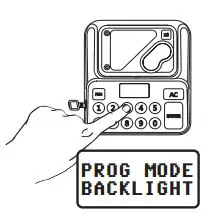
• Press ” 3 ” and then press ” ENTER ” to set up screen backlight.
• Press ” AC ” to turn on / off the screen backlight.
• Press ” ENTER ” to save the setting.
Set up HI / LO power
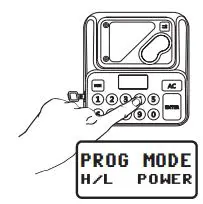
• Press ” 4 ” and then press ” ENTER ” to set up Hi / Lo power.
• Press ” AC ” to switch HIGH (100mw) / LOW (10mw).
• Choose one type and then press ” ENTER ” to save the setting.
Range test
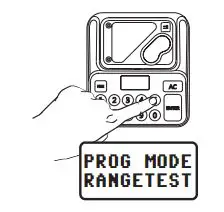
• Test the range with No.1 pager.
• Press ” 5 ” and then press ” ENTER ” to run a range test.
• Press ” ENTER ” to start the test, the A08 transmitter will transmit a signal every 15 seconds, the pager will alert until it cannot receive the signal, so that you can know the coverage.
Set up alert type
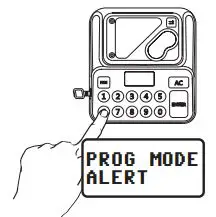
- Press ” 6 ” and then press ” ENTER ” to set up the alert type.
- Press ” AC ” to switch the alert type.
1. ALL : Flash+Vibrate+Beep
2. BEEP / LED : Beep+Flash
3. Motor / LED : Vibrate+Flash - Choose one type and then press ” ENTER ” to save the setting.
Air programming
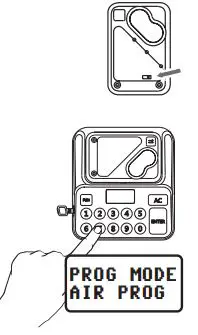
- Swtich on the pager and it will be programmed within 30 seconds. (The LED indicator 2 remains on)
- Press ” 7 ” and then press ” ENTER ” to do air programming. In this mode, the settings (such as alert type) can be loaded from A08TCP to A08 pager.
- Press the number (1-99) to set up the number of pager, then press ” ENTER ” to save the settings, you will hear two beeps when the pager is programmed successfully.
Set up LED sign (optional)
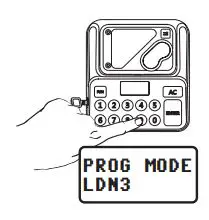
• Press ” 9 ” and then press ” ENTER ” to enter LEDsign LDN3 setting.
• Press ” AC ” to turn on / off the LDN3.
• Press ” ENTER ” to save the setting.
This function is available when the A08TCP works with LDN3.