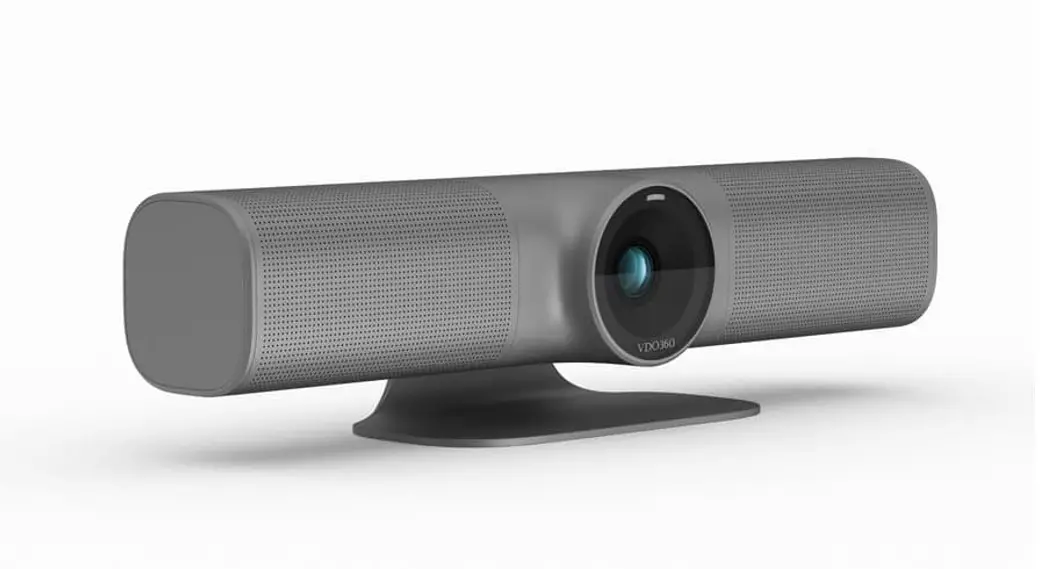
TrIdent AI
(V2.0)
J.BC.0205.0150
QUICK START
Trident Features:
- Advanced DSP, Sony 1/2.8 inch 8.42-megapixel sensor and high-quality 12-megapixel lens, Ultra high definition output,
- USB2.0 YUY2/NV12/MJPG/H.264/H.265 video format works with Windows, macOS, Android, Linux OS.
- Type-C port output.
- 120°FOV
- Lens distortion rate less than 2%
- Support WDR, 3DNR, Anti-flicker
Trident User Manual Reference
• Standard UVC protocol, compatible with most UCC platforms
• The low noise CMOS enables an ultra-high signal-to-noise ratio in the camera’s video output and allows for a clear and sharp image.
• Autoframe participants dynamically as they enter or exit the camera frame or change positions; Autoframing is selectable via remote, or desktop control.
• Backlight compensation to compensate for bright light sources, eliminating unnatural shadows and “light blooming”.
• Preset camera positions available when using manual mode.
• High Definition Audio with 16K pickup and 24K playback makes for a crystal clear connection. Utilizing the latest techniques in spatial audio mapping and sampling, the background noise is eliminated even in a noisy environment, it can make the voice sound clear. With 360° Omni-directional microphones, range is up to 5 meters.
Full Duplex capability.
384ms Acoustic Echo Cancelation (AEC)
Automatic Noise Suppression (ANS)
Automatic Gain Control (AGC)
The peak-limiting algorithm eliminates even momentary distortion.
PRODUCT SPEC
| Model | Trident | |
| Sensor | 1/2.8 inch, high quality, 8.42-megapixel SONY CMOS sensor | |
| Video Format | USB2.0 | YUY2, NV12: 1280*720@15; 1024*576@20; 640*480@30 |
Trident User Manual Reference
| MJPG: 3840’2160@30; 2560*1440@30; 1920–1080@30; 1280*720@30; 1024`576@30; 640*480@30 | ||
| 11.264, H.265: 3840’2160@20; 2560*1440@30; 1920`1080@30; 1280*720@30; 1024`576©30; 640*480@30 | ||
| RJ45 | Only for power (POE) | |
| Digital Zoom | 4X | |
| Field of View | 120° | |
| Sensor Resolution | 8.42 megapixel | |
| Control Port | USB2.0 (UVC/UAC) | |
| Video Port | Type-C (USB2.0) | |
| SM Ratio | >50dB | |
| Focal Length | f=2.20mm | |
| Minimum Lux. | 0.1 lux | |
| White Balance | Auto/Manual | |
| Iris | F 2.2 | |
| Anti-Flicker | 50HZ/60HZ/OFF | |
| WDR | Supported | |
| Edge Enhancement | Supported | |
| Digital Noise Reduction | 2D&3D | |
| Image Rip | Supported | |
| Electronic Pan/Tilt | Supported | |
| Auto frame | Supported | |
| Backlight Compensation | Supported | |
| Ideal Microphone range | 3-5 meters | |
| USB Audio | Supported | |
| Microphone | Omnidirectional microphone(100-16KHz) | |
| Sensitivity | -26±2dB RL=2.2K0 Vs=2.0V | |
| Input Voltage | DC port | |
| Speaker | 40/8W 100-24KHz 2inch Anti-magnetic speaker | |
Trident User Manual Reference
| POE | Supports IEEE802.3af |
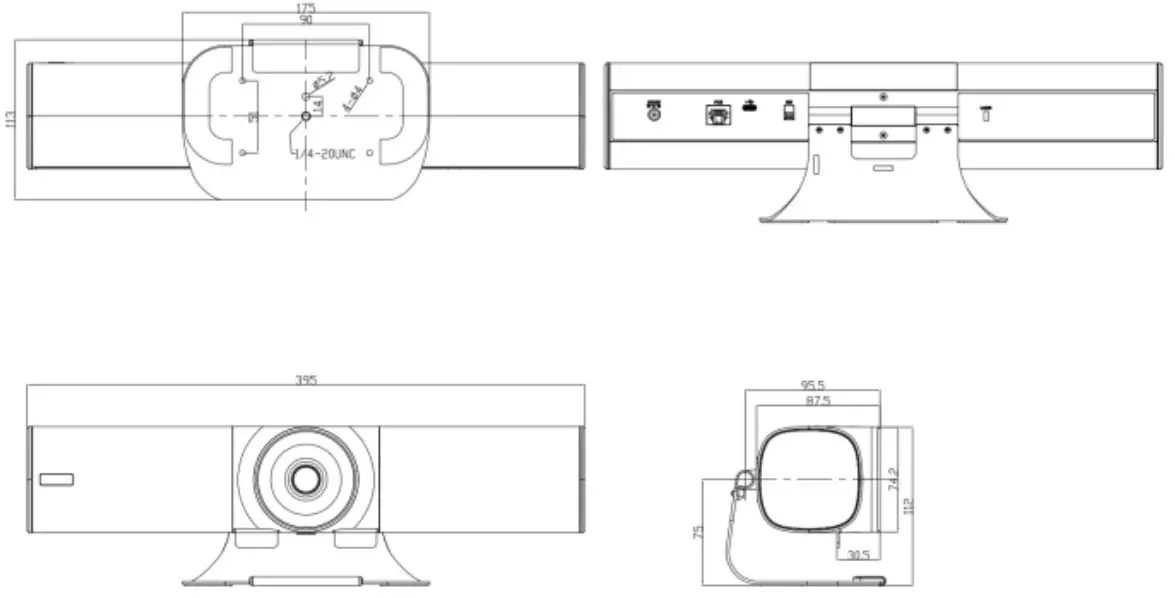
| Dimension (L × W × H) | 395mm×113mm×112mm/15.5”x4.5”x4.4” |
| Net Weight | 1 kg/2.2 lbs. |

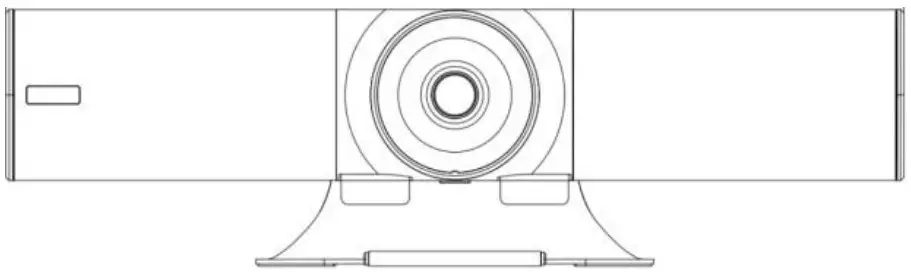
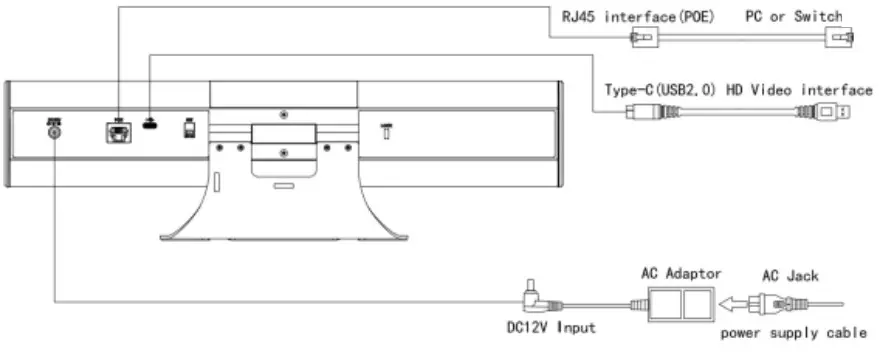
| 1. Speaker 2. Camera lens 3. Status indicator light 4. Multi-array microphone 5. DC12V power interface 6. RJ45 interface (POE) | 7. Type-C (USB2.0) interface 8. Dip switch for firmware upgrades 9. Adjustable spindle 10. Rotatable bracket 11. Kensington® type slot |
Trident User Manual Reference
INSTALLATION MODES:
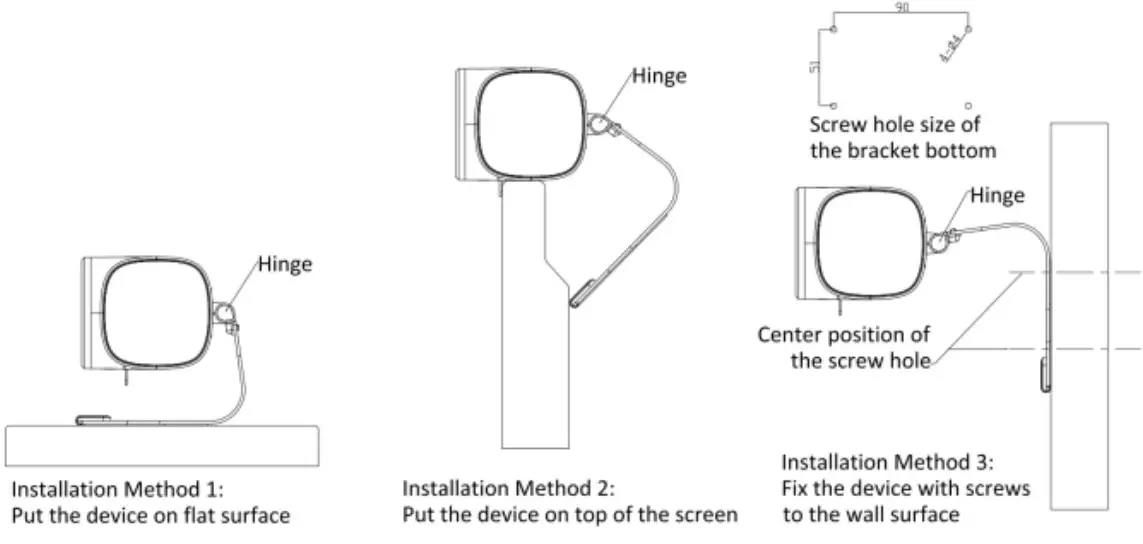
Trident User Manual Reference
REMOTE CONTROL:
LED indicator:
The remote control is unique in that a single control can operate up to three cameras.
Camera 1 operation is standard, and the LED will flash red when the commands are being sent to camera 1
Camera 2 operation is indicated by a green LED
Camera 3 operation shows as a blue LED
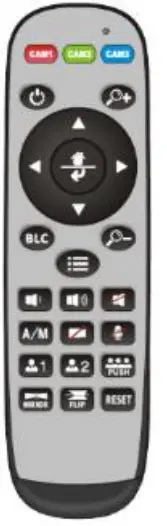
CAM1/CAM2/CAM3: A quick press of the colored key is all that is needed to select the camera.
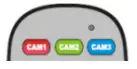
Zoom adjustment key: +/- Adjusts the electronic zoom, only available when manual control is selected over automatic framing.
Power key: Standby/start camera.
BLC: Set backlight compensation ON or OFF.
Navigation key: up, down, left and right In manual control mode, use to adjust the position of electronic pan or tilt. Also used to navigate the on-screen menu.

Mirror/Flip: Used to change mage orientation.
Reset: Press and hold for 3 seconds to reset the camera parameters to the factory settings.
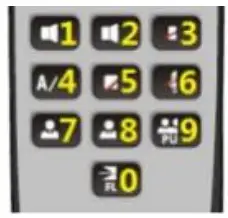
Digital key mapping:
As shown in the figure on the right, in non-menu mode, this part of the keypad is used for the function identified on the key; while in menu mode, this part of the keypad is used as numeric keys.
On-Screen Display (OSD) menu
- In normal mode, press the menu button
 on the RF remote, to enter the OSD menu; press the menu button again to exit and save modified parameters.
- Use the navigation button to select the main menu. As seen above, the main menu will change to a gray background, and the right column will show all parameters under the selected sub-menu.
- After entering the main menu, press the up/down navigation buttons to select the desired submenu, then use the left/right navigation button to set the parameter.
- To return to the upper-level menu, select the “return” and then press the left or right navigation button to return to the previous menu.

- Press the OSD button once again. to exit the menu.
Trident User Manual Reference - OSD Menu Layout:
 on the RF remote, to enter the OSD menu; press the menu button again to exit and save modified parameters.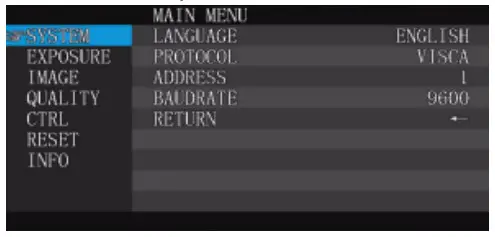
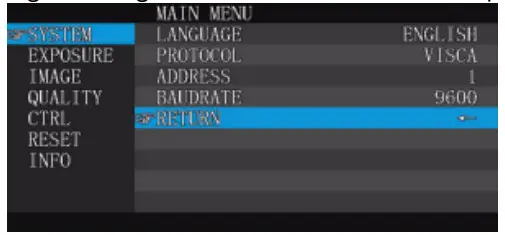
| SYSTEM | LANGUAGE | ENGLISH/CHINESE | |
| PROTOCOL | Optional item: VISCA | Default: VISCA | |
| ADDRESS | VISCA:1-7 | Default: 1 | |
| BAUDRATE | 2400.4800.9600.115200 optional | Default: 9600 | |
| RETURN | Back to the main menu |
| EXPOSURE | EXP.MODE | AUTO/MANU | Default: AUTO |
| SHUTTER | Shutter speed:1/30-1/10000, only valid under MANU mode | Default: 1/100 | |
| GAIN | Gain setting:0-15, only valid under MANU mode | Default: 0 | |
| FLICK | OFF/50HZ/60HZ | Default: 50HZ | |
| BACKLIGHT | ON/OFF | Default: OFF | |
| GAMMA | 0-15 | Default: 8 | |
| RETURN | Back to the main menu |
| IMAGE | WS MODE | Al ITO/MANti | Default. AUTO |
| B GAIN | Blue again Ievel:0-256. only valid under | Default: 100 | |
| R GAIN | Red qain leve1:0-256. only valid under | Default: 100 | |
| DEFOG | Set the image Permeability: OFF/1-15 | Default: OFF | |
| RETURN | Back to the main menu |
| QUALITY | 2D NR | Set 2D noise reduction level: ON/OFF | Default: OFF |
| 3D NR | Set 3D noise reduction | Default: AUTO | |
| SHARPNESS | Sharpness setting:0-15 | Default: 8 | |
| CONTRAST | Contrast setting:0-15 | Default: 8 | |
| SATURATION | Saturation setting:0-15 | Default: 8 | |
| BRIGHT | Bright setting:0-15 | Default: B | |
| RETURN | Back to the main menu |
| CTRL | MIRROR | Turn the screen left and right ON/OFF | Default: OFF |
| FLIP | Picture up and down ON/OFF | Default: OFF | |
| AUTO FRAME | AUTO/MANU | Default: AUTO | |
| RETURN | Back to the main menu |
| RESET | CAM RESET Reset camera parameter to default | |
| RETURN Back to the main menu |
| INFO | CTRL VER | Camera movement control program version |
| CTRL DATE | Release date of camera movement control program | |
| RETURN | Back to the main menu |
Trident User Manual Reference