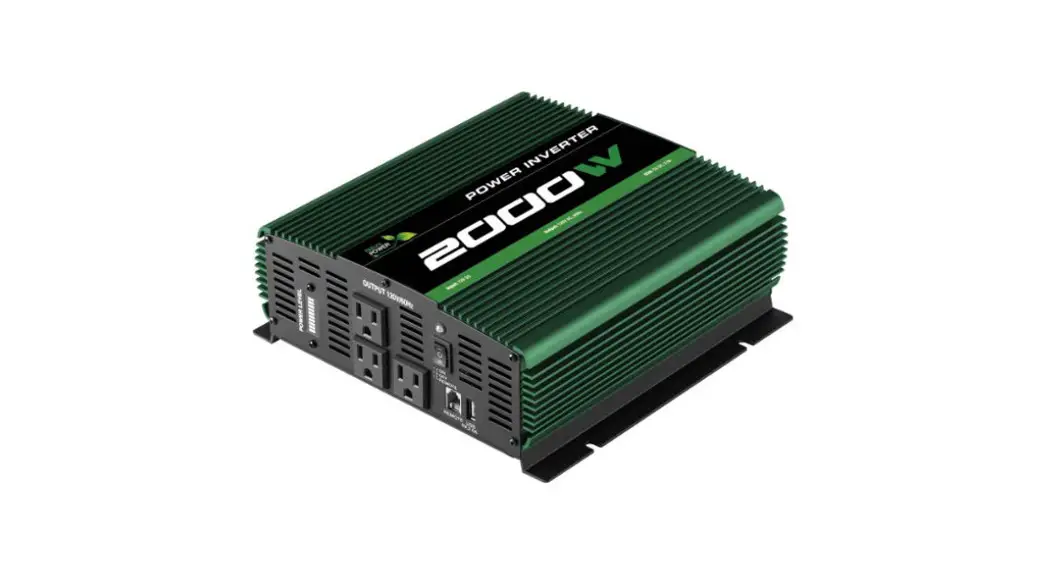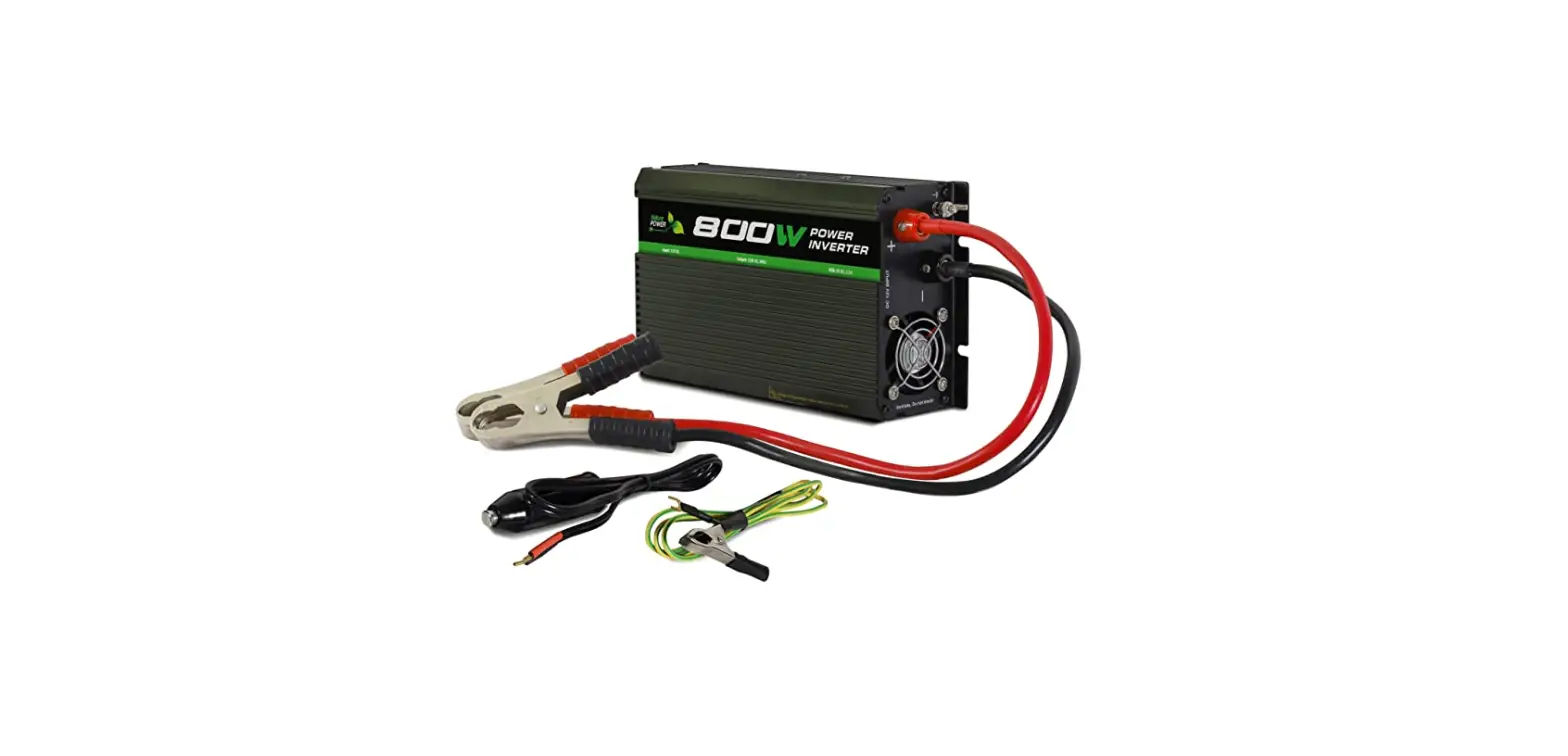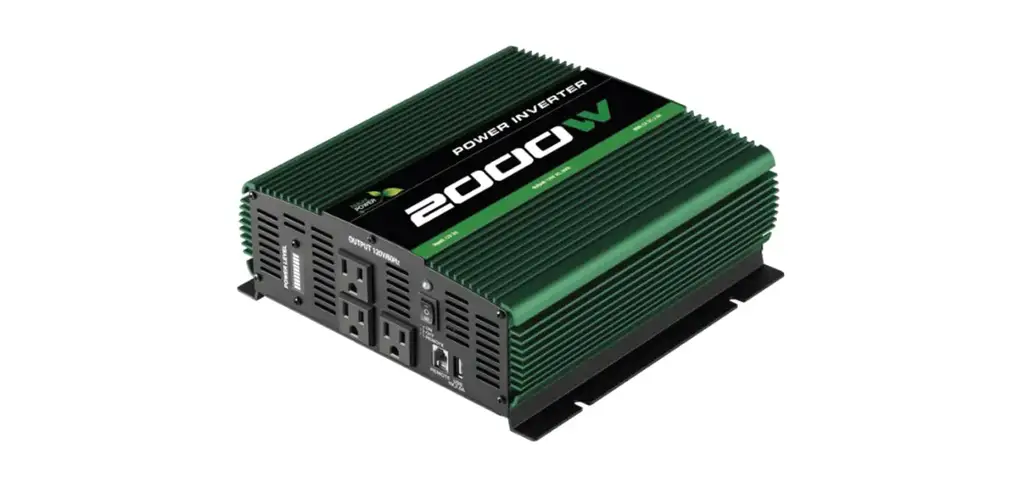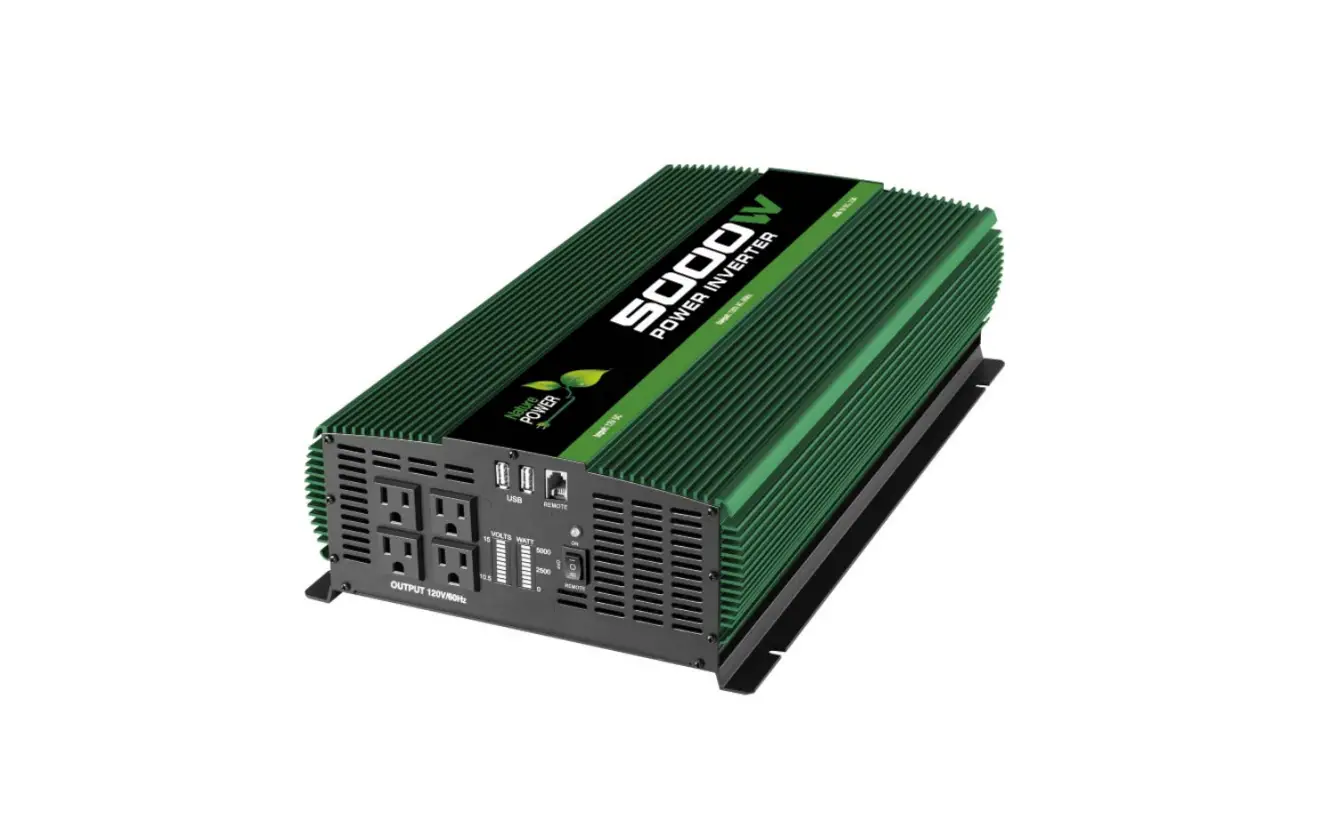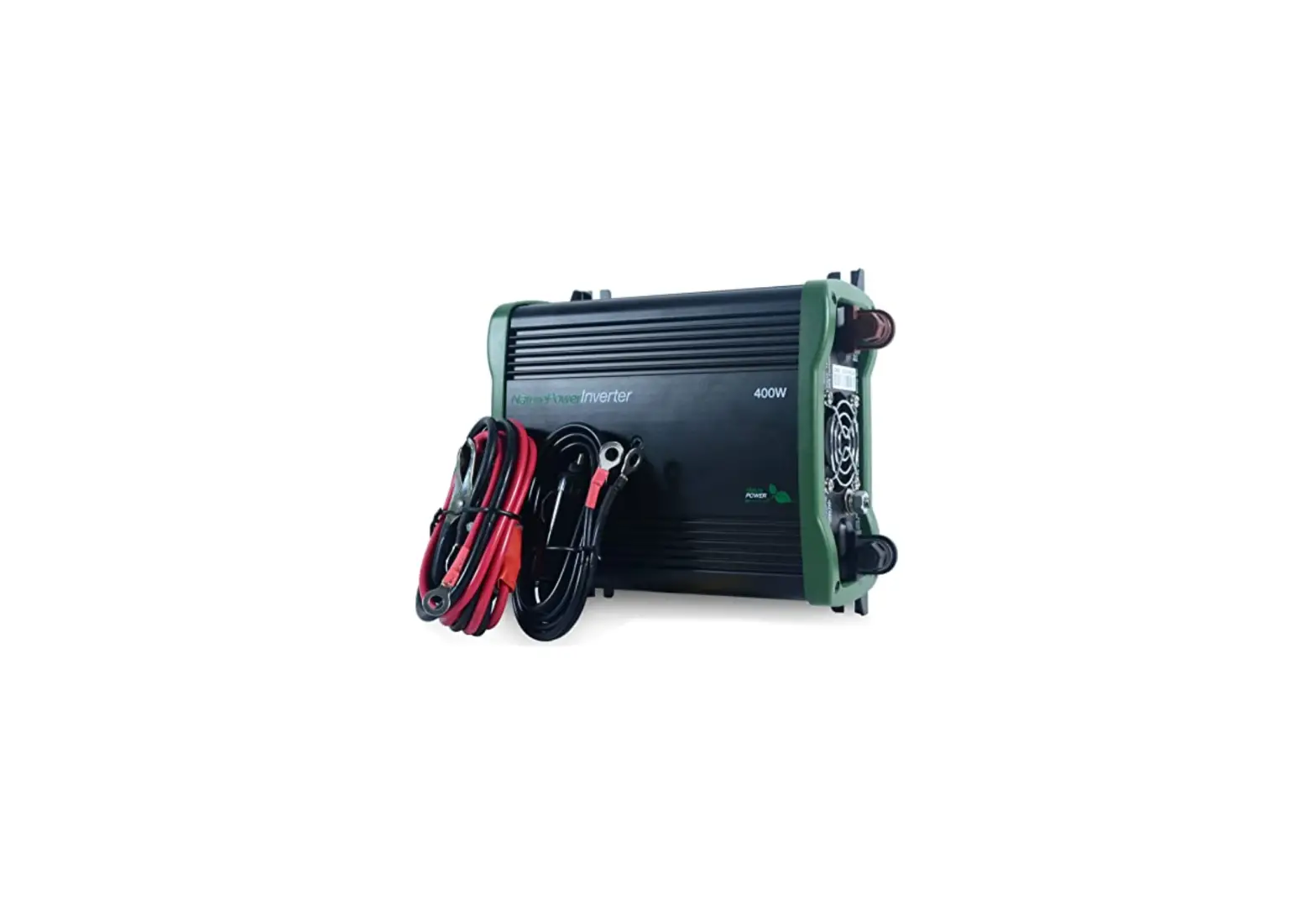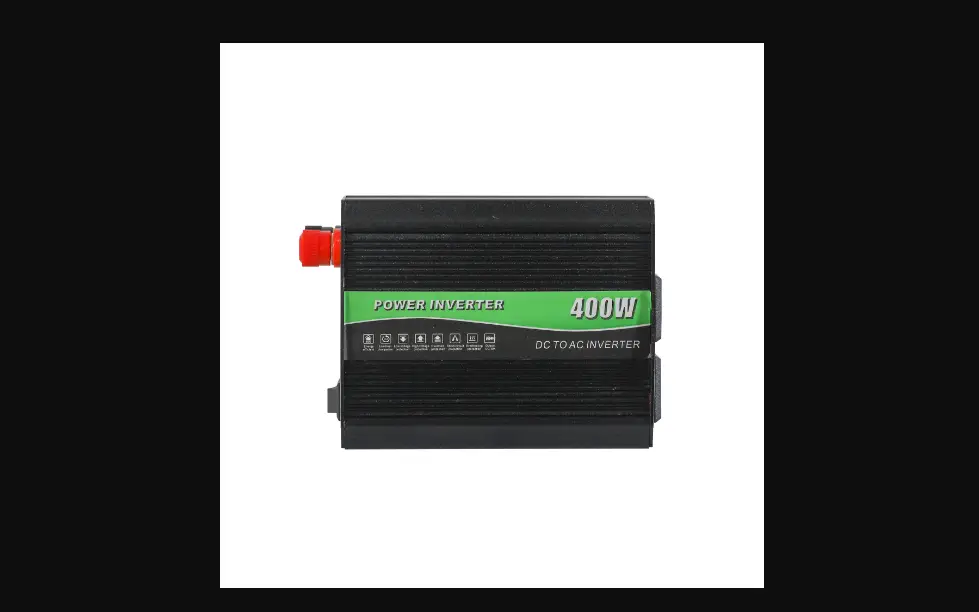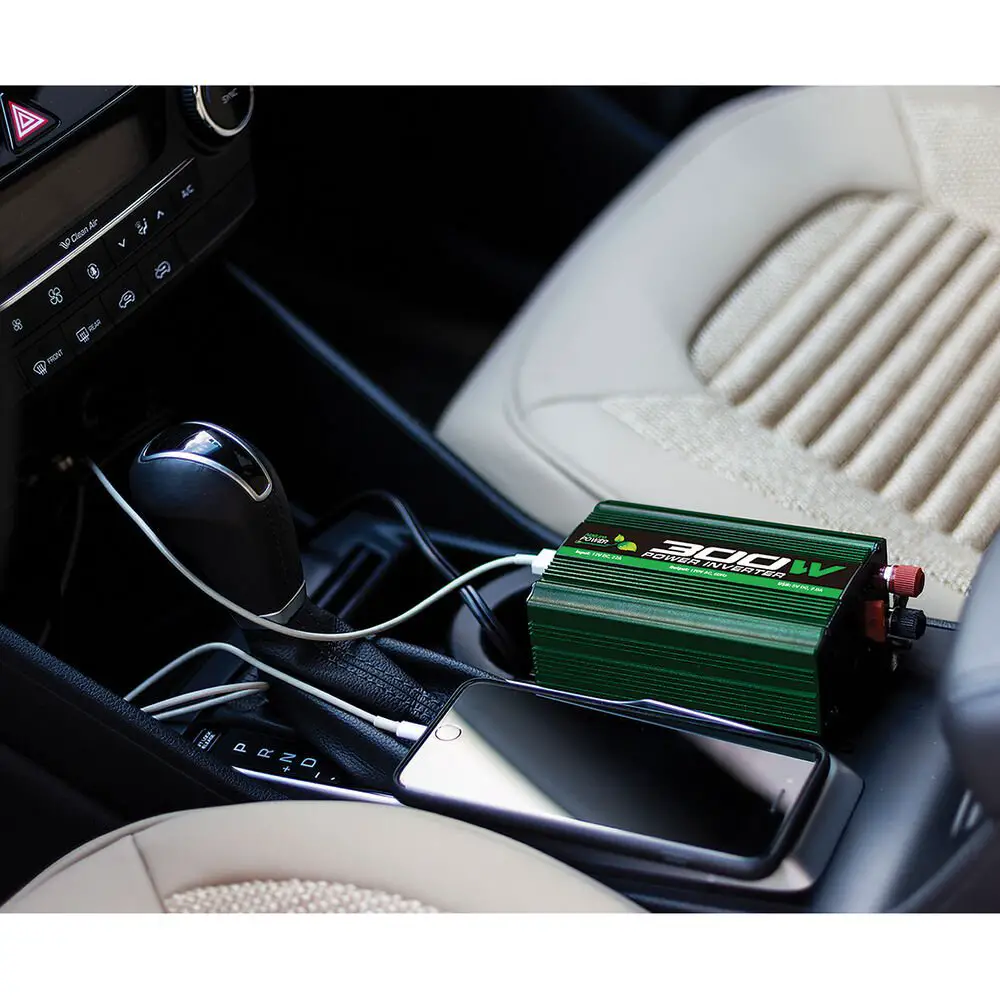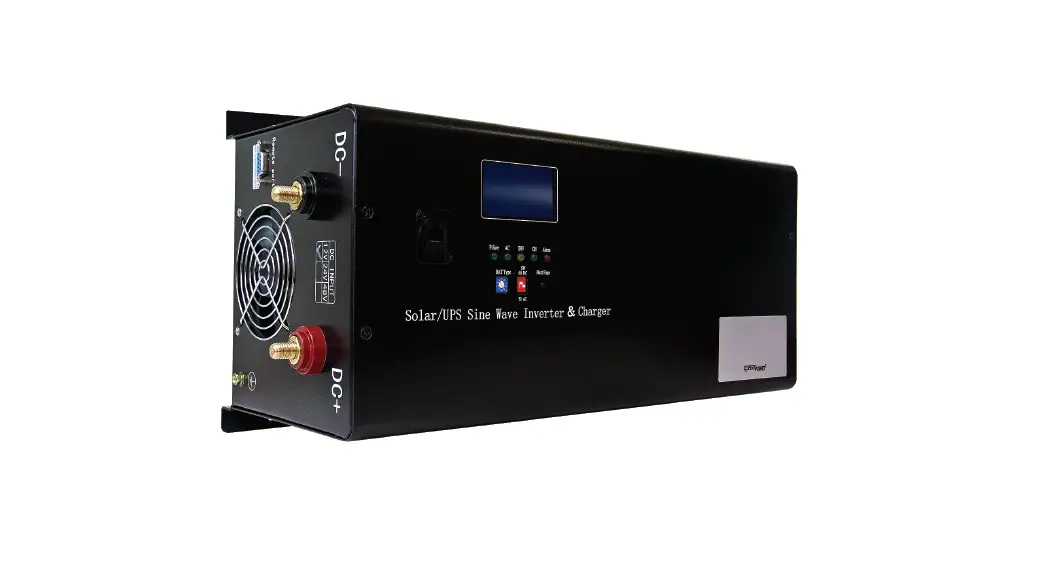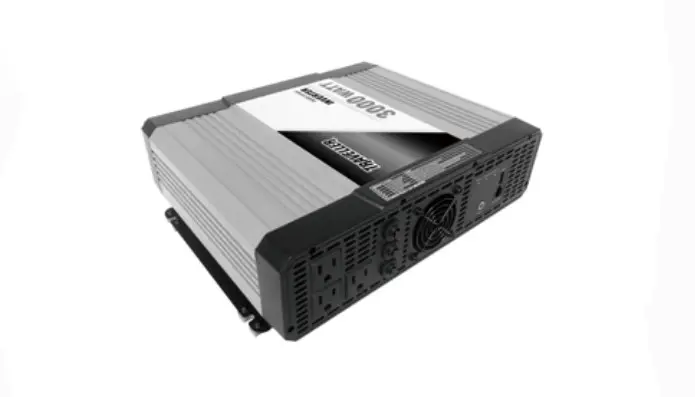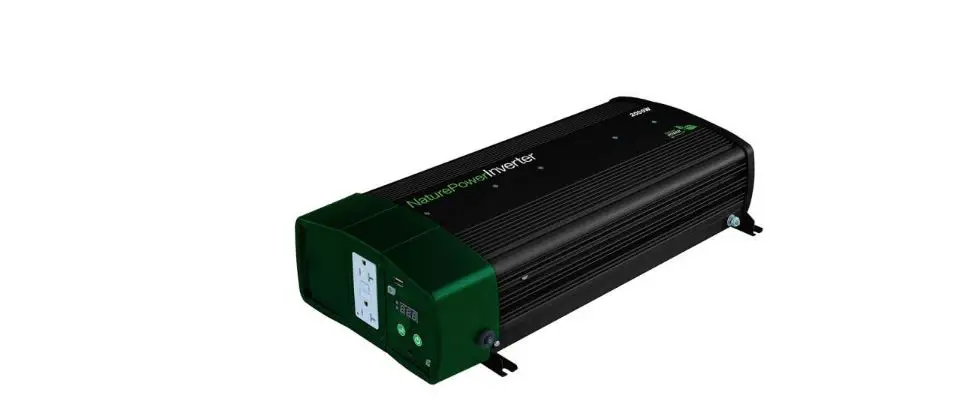

Nature POWER 38326 Inverter 2000W with 55Amp Inverter Charger
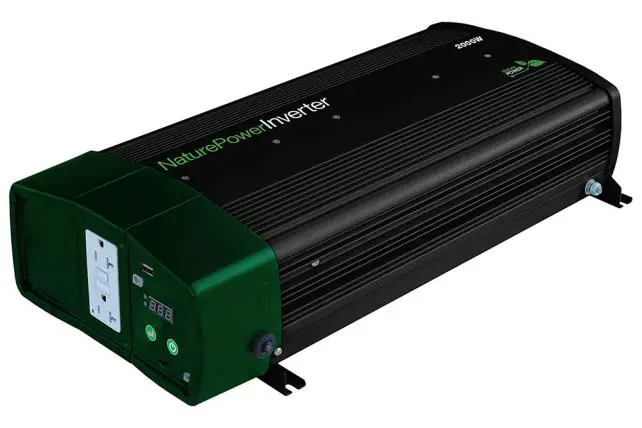
For safe and optimum performance, the Nature Power Inverter 2000W with 55Amp Inverter Charger must be used properly. Carefully read and follow all instructions and guidelines in this manual and give special attention to the CAUTION and WARNING statements.
PLEASE KEEP THIS MANUAL FOR FUTURE REFERENCE
Disclaimer
While every precaution has been taken to ensure the accuracy of the contents of this guide, Nature Power assumes no responsibility for errors or omissions. Note as well that specifications and product functionality may change without notice.
Important
Please be sure to read and save the entire manual before using your Nature Power Inverter-Charger. Misuse may result in damage to the unit and/or cause harm or serious injury. Read manual in its entirety before using the unit and save manual for future reference.
Product Numbers
32326: Inverter 2000W with 55Amp Inverter Charger
INTRODUCTION
Thank you for purchasing the Nature Power Inverter 2000W with 55Amp Inverter Charger. With our state of the art, easy to use design, this product will offer you reliable service by providing AC power and 5V USB power for your home, cabin, boat, RV or Trailer and recharge your battery automatically when utility AC is available. The Nature Power Inverter 2000W with 55Amp Inverter Charger can run many AC-powered appliances when you need AC power anywhere. The 5V USB power can charge many USB-powered devices. The multi-stage battery charger will charge different type of batteries.
This manual will explain how to use this unit safely and effectively. Please read and follow these instructions and precautions carefully.
IMPORTANT SAFETY INFORMATION
This section contains important safety information for the Nature Power Inverter 2000W with 55Amp Inverter Charger. Please read ALL instructions before use.
The Nature Power Inverter 2000W with 55Amp Inverter Charger contains no user-serviceable parts. See Warranty section for how to handle product issues.
WARNING: FIRE AND/OR CHEMICAL BURN HAZARD
- Do not cover or obstruct any air vent openings and/or install in a zero-clearance compartment. WARNING: FAILURE TO FOLLOW THESE INSTRUCTIONS CAN RESULT IN DEATH OR SERIOUS INJURY
- When working with electrical equipment or lead acid batteries, have someone nearby in case of an emergency.
- Study and follow all the battery manufacturer’s specific precautions when installing, using and servicing the battery connected to the inverter.
- Wear eye protection and gloves.
- Avoid touching your eyes while using this unit.
- Keep fresh water and soap on hand in the event battery acid comes in contact with eyes. If this occurs, cleanse right away with soap and water for a minimum of 15 minutes and seek medical attention.
- Batteries produce explosive gases. DO NOT smoke or have an open spark or fire near the system.
- Keep unit away from moist or damp areas.
- Avoid dropping any metal tool or object on the battery. Doing so could create a spark or short circuit which goes through the battery or another electrical tool that may create an explosion.
WARNING: Shock Hazard. Keep away from children! - Avoid moisture. Never expose unit to snow, water etc.
- Unit provides 120 Vac, treat the GFCI output socket the same as regular wall AC sockets at home.
WARNING: Explosion hazard! - DO NOT use the unit in the vicinity of flammable fumes or gases (such as propane tanks or large engines).
- AVOID covering the ventilation openings. Always operate unit in an open area.
- Prolonged contact to high heat or freezing temperatures will decrease the working life of the unit.
FCC INFORMATION
This equipment has been tested and found to comply with the limits for a Class B digital device, pursuant to part 15 of the FCC Rules. These limits are designed to provide reasonable protection against harmful interference in a residential installation. This equipment generate, uses and can radiate radio frequency energy and, if not installed and used in accordance with the instructions, may cause harmful interference to radio communications. However, there is no guarantee that interference will not occur in a particular installation. If this equipment does cause harmful interference to radio or television reception, which can be determined by turning the equipment off and on, the user is encouraged to try to correct the interference by one or more of the following measures:
- Reorient or relocate the receiving antenna.
- Increase the separation between the equipment and the receiver.
- Connect the equipment into an outlet on a circuit different from that to which the receiver is connected.
- Consult the dealer or an experienced radio/TV technician for help.
LIMITATIONS ON USE
Do not use in connection with life support systems or other medical equipment or devices.
PRODUCT DESCRIPTION
The Nature Power Sinewave Inverter-Charger includes the items list below. Inverter-Charger base unit (one of the following models) 32326: Inverter 2000W with 55Amp Inverter Charger Owner’s manual
3. INSTALLATION
WARNING: Nature Power recommends that all wiring be done by a certified technician or electrician to ensure adherence to the applicable electrical safety wiring regulations and installation codes. Failure to follow these instructions can damage the unit and could also result in personal injury or loss of life.
CAUTION:
Before beginning unit installation, please consider the following:
- The unit should be used or stored in an indoor area away from direct sunlight, heat, moisture or conductive contaminants.
- When placing the unit, allow a minimum of three inches of space around the unit for optimal ventilation.
Understanding the unit features
- AC Output Front Panel

- DC Input Rear Panel

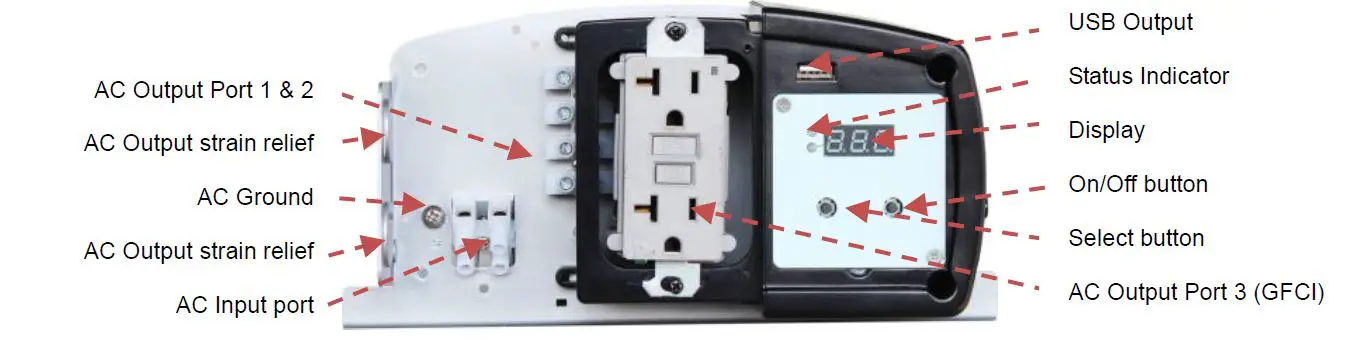
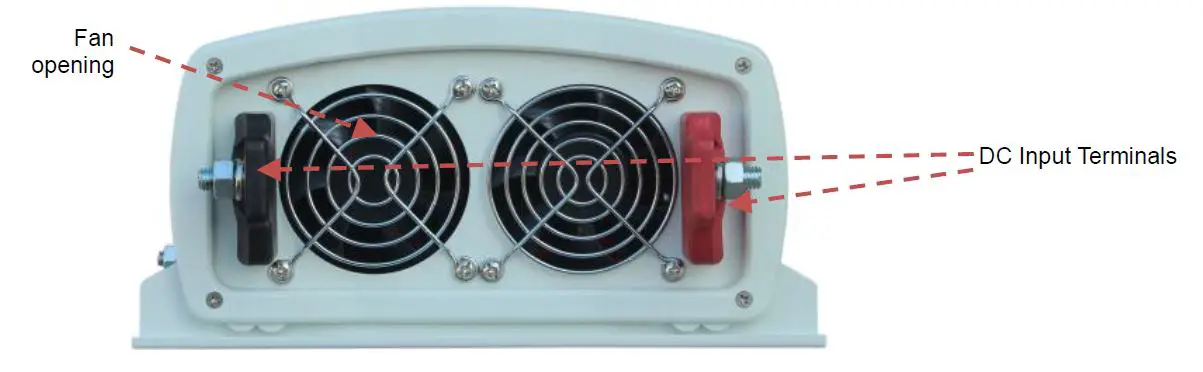
Preparing for Installation
Typical Wiring block diagram of the Power Inverter: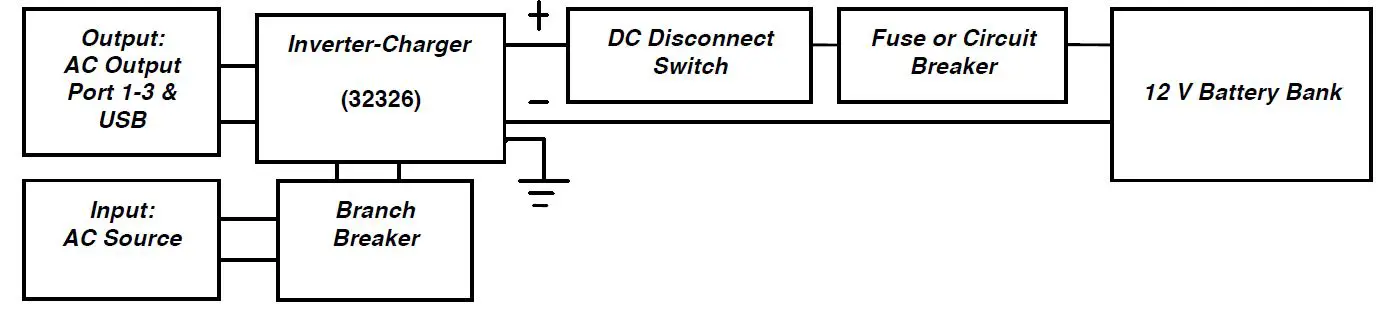
12V Battery Bank:
- The use of deep cycle battery is highly recommended for power inverter application
- For battery size, you need to identify what you wish to operate, and for how long. NATURE POWER recommends that you purchase as much battery capacity as possible. See more on Battery Run time and Load in Section 4.
Fuse or Circuit Breaker:
- DC-rated fuse or DC-rated circuit breaker connected along the DC positive line is required.
- For 32326, select a fuse or circuit breaker with a minimum of 300 Adc
- Based on the size of your 12V Battery Bank, determine the overall short circuit current rating of the battery bank from the battery manufacturer. The fuse or circuit breaker chosen has to be able to withstand the short circuit current that may be generated by the battery bank
Disconnect Switch:
- Select a DC Disconnect Switch with the same or higher rating of the selected fuse or circuit breaker.
- The DC Disconnect Switch is used to disconnect the DC power between the unit and the battery bank during service, maintenance or trouble shooting.
DC Input and Grounding Cable:
- Use of low resistance wire is required for all the DC connections between the unit and the battery bank.
- For 32326, use minimum #2/0 AWG wire with maximum cable length of 5 feet.
Important: The unit is grounded through the ground stud of the unit located near the DC Input terminal. - For the grounding cable connected between the unit’s chassis and the earth ground, use a matching cable size as used on the DC Input Cable section.
AC Input Source and Branch Breaker:
- Standard AC Input wire is required for all the AC connections between the AC source & the AC Input port, and the AC Output ports to load.
- A 30A branch circuit breaker is required to connect between AC Input source and unit’s AC Input port.
Important: Follow the electrical and or building code when you connect the unit to any AC source.
Installing the Inverter-Charger System
WARNING: Electrical Shock Hazard
The unit ‘On/Off’ switch does not disconnect the DC power from the battery. Use the DC
Disconnect Switch or disconnect the DC input cables connection to disconnect the DC power from the battery before working on any circuits connected to the unit. Failure to follow these instructions can result in death or serious injury.
Installation:
- Choose an appropriate mounting location.
- For indoor use, the unit can be mounted in any direction except with the DC Input panel facing downwards.
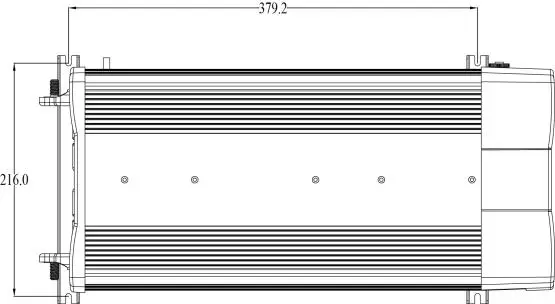
- Use the mounting template below to mark the positions of the mounting screws.
- Drill the 4 mounting holes and place the Inverter-Charger in position and fasten the unit to the mounting surface.

Chassis Grounding Connection:
DANGER: The unit chassis has to be grounded properly. Never operate the Inverter-Charger without proper grounding. Failure to do so will result in death or serious injury.
- Connect the grounding cable’s ring terminal to the unit ground screw.
- Connect the other side of the cable to the common grounding point.
DC Input Connection:
CAUTION: Reversing the DC Input terminal will damage the unit and it cannot be repaired. Damage caused by reverse polarity connection is not covered by the warranty.
- Connect one end of the negative DC input cable to the Inverter-Charger DC negative terminal. Connect the other end of the negative DC input cable to the battery negative terminal.
- Make sure the Disconnect Switch is in the OFF position.
- Connect one end of the positive DC input cable to the Power Inverter DC positive terminal. Connect the other end of the positive DC input cable to one of the terminals of the Disconnect Switch.
- Connect a DC input cable between the other terminal of the Disconnect Switch and one side of the terminal of the fuse holder.
- Connect a DC input cable between the other terminal of the fuse holder and the battery positive terminal.
- Install the selected fuse to the fuse holder.
- Turn Disconnect Switch to ON position.
AC Input Connections:
Warning: Please double check on the location of the AC input port located inside the wiring compartment. Misconnecting to the AC output port inside the same compartment will blow the unit and may catch fire. Before making any AC Input and output connection, please be sure the AC Input Source is not energized and the DC disconnect switch is OFF.
Important: A 30A branch breaker (not provided) is required to connect between the AC source and the Inverter-Charger.
- Remove AC compartment cover by unscrewing the two screws located at the front of the AC compartment cover.
- Connect the AC Input ‘L’ wire between the unit’s AC Input port and the branch breaker terminal. Connect the AC Input ‘N’ wire between the unit’s AC Input port and the AC source ‘N’ terminal.
AC Output Connections:
CAUTION: Please be sure that the AC Input source is not energized before making any AC Input and Output connection and that the DC disconnect switch is turned OFF.
The AC Output connection has three types of configurations:
- Use of the provided GFCI AC socket for AC load: This configuration does not require AC Output installation. Plug in the AC load to the provided GFCI output socket. During the by-pass mode, the AC output is limited to 20A for 2000W model (32326).
- Hardwire AC Output with GFCI protection:
This configuration is for AC hardwire connection with a load that requires GFCI protection. During by-pass mode, the AC output is limited to 20A for 2000W model (32326).- Remove AC compartment cover located on the front panel of the unit.
- Hardwire the AC load to the AC Output port 2. Please verify the ‘L’ and ‘N’ connection between the AC load and the AC Output port.
- Hardwire AC Output without GFCI protection: This configuration is for AC hardwire connection with a load that does not require GFCI protection and maximizes the by-pass mode current to the rating of the branch breaker installed (maximum 30A).
- Remove AC compartment cover located on the front panel of the unit.
- Hardwire the AC load to the AC Output port 1. Please verify the ‘L’ and ‘N’ connection between the AC load and the AC Output port.
Note: During Battery Power Mode, all AC output is limited to 16.6A for 2000W model (32326).
Remote Display Connection:
- The Remote Display on the unit is detachable. To install the remote to different location, an
optional 6 pin standard RJ12 cable (not provided) is required. - Remove the 2 screws at the front of the Display Panel and remove the small RJ12 cable
- Install the optional RJ12 standard cable to your desired location. Please note polarity.
- Connect one end of the RJ12 cable to the unit and the other end of the cable to the Display Panel. Please note polarity.
Test the Inverter-Charger connection:
- Switch DC disconnect switch to ON.
- Switch the Branch circuit breaker to ON.
- The LED on display will turn on. If AC input source is available, ‘Status’ LED turns green. This indicates the unit is running in by-pass mode meaning AC output is running from the AC input source.
- LED located at the GFCI will also turn ON
- Disconnecting the AC input source by turning OFF the 30A branch breaker will change the ‘Status’ LED on the Display to amber.
- Both AC output and 5V USB are now available.
- Plug in a small AC load like a 40W table lamp or small appliance to the AC socket to verify AC is available.
- The unit is successfully installed and functioning properly.
Test the GFCI monthly:
- Use the following instruction to perform a monthly test of the GFCI to ensure the GFCI is functioning properly.
- Turn unit on and plug a small AC load (e.g. 40W light bulb) to the GFCI.
- Check that the AC load is ON.
- Press ‘Test’ button and observe a clicking sound. Check that the AC load is turned off.
- Press ‘RESET’ button and check that the AC load is back ON again.
UNIT OPERATION
Auto Backup Mode (Factory default setting):
The unit is fully automatic. When utility power is available, the unit is running in AC bypass mode. AC output is supplied from the utility. The internal AC charger is ON and will automatically top up the battery bank that is connected to the unit. When there is a power failure from the utility or an AC source is not available, the unit will run on battery power and the unit will generate sinewave AC output to maintain and operate the load continuously.
Non-Backup Mode
Same as Auto Backup Mode but when there is a power failure of the utility or the AC input source is not available, the inverter will not turn ON automatically. You are required to manually turn ON the inverter.
Understanding the Display Function: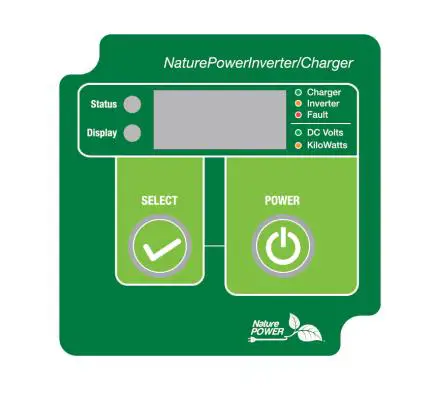
| Status LED | Display LED | Display | Function/Status |
| Green (solid) | Green | ‘Ful’ | By-Pass Mode. Battery is fully charged |
| Green (flashing) | OFF | ‘bul’ | By-Pass Mode. Battery charging in progress and is in ‘BULK’ mode |
| OFF | ‘abs’ | By-Pass Mode. Battery charging in progress and is in ‘ABSORPTION’ mode | |
| Amber (solid) | Green | ‘12.5’ | Battery Mode, inverter is running, display shows battery voltage in DC volts |
| Amber | ‘0.80’ | Battery Mode, inverter is running, display shows output power in kW (800W as shown) | |
| Amber (flashing) | Battery Mode and AC Input is detected and AC output will switch to By- Pass mode within 20 seconds | ||
| Red (solid) | OFF | E01-E12 | Unit has shutdown. Display shows error code (See error code reference chart below) |
Understanding the Power and Select push button function
A beep sound will occur every time when the ‘Power’ or ‘Select’ button is trigger.
‘Power’ button function:
- Turns unit On/Off. Press and hold for 1 second to turn unit ON or OFF ‘Select’ button function:
- Check unit setting: Press once to check or verify unit’s present set functions
Understanding the Error Code
| Code | Condition | Corrective Action |
| E01 | Input battery voltage is too low and unit has shutdown | Recharge battery immediately and restart unit |
| E02 | Input battery voltage is too high and unit has shutdown | Check battery voltage or determine if any external charger is connected to the battery bank |
| E03 | AC output is overloaded or short circuited and unit has shutdown | Check load connected to the output. Reduce load and restart the unit |
| E04 | Internal temperature is too high and unit has shutdown | Turn unit off and wait for 15 minutes before restarting. Check if any object has blocked the air flow of the unit |
| E05 | Input battery voltage is low and warning occurs | Recharge battery as unit will shutdown shortly |
| E06 | AC output has sensed high and is close to shutdown limit | Reduce load |
| E07 | Internal temperature is high and is close to shutdown limit | Reduce load and check if any ventilation of the unit is blocked |
| E08 | Not used | |
| E09 | Not used | |
| E10 | Battery Charging voltage too high | Check battery setting |
| E11 | Battery bad | Battery did not accept charge |
| E12 | Internal transfer switch temperature is high and shutdown occurs | Reduce load and check if any ventilation of the unit is blocked |
AC Load on Inverter
Although the Power Inverter can provide high surge power up to two times the rated output power, some high surge loads like sump-pumps, heavy duty motors etc. may still trigger the inverter protection system even though the load falls within the power rating of the inverter. A higher power Inverter-Charger is required for these appliances.
Estimate Run time on Load
Following run times are estimates for reference, based on using different battery bank sizes. Actual run times may vary.
| AC Load | Estimate run time on different 12V Battery Bank Size | ||||
| 60AH | 120AH | 180AH | 240AH | 300AH | |
| 50 W | 11 hrs. | 22 hrs. | 33 hrs. | 44 hrs. | 55 hrs. |
| 100 W | 5 hrs. | 11.5 hrs. | 17 hrs. | 23 hrs. | 29 hrs. |
| 200 W | 2.5 hrs. | 5 hrs. | 8 hrs. | 11 hrs. | 13.5 hrs. |
| 500 W | 49 mins | 2 hrs. | 3 hrs. | 4 hrs. | 5 hrs. |
| 1000 W | 15 mins | 49 mins | 1.5 hrs. | 2 hrs. | 2.5 hrs. |
| 1500 W | 8 mins | 27 mins | 49 mins | 1 hr | 1.5 hrs |
| 2000 W | N.R. | 15 mins | 34 mins | 49 mins | 1 hrs |
| 2500 W | N.R. | 11 mins | 25 mins | 37 mins | 49 mins |
| 3000 W | N.R. | N.R. | 17 mins | 27 mins | 37 mins |
| Note: N.R. – Not Recommended | |||||
FEATURE SETTING
To understand more about the unit features, read the following section and follow the instructions to make changes to the desired setting.
Default Factory Setting:
- In (Inverter): In1- inverter enabled in standby mode with load sense off Cu (Charger): 55A – charger enabled (55A for 32326)
- AL (Alarm): AL1 – alarm enabled
- Sd (UV shutdown): SdL – Under voltage shutdown set to low setting
- bAt (Battery type): FLo – Flooded typed
- Cb (Maximum current): Cb3 – Maximum Shore Power Current draw is 30A
Understanding the Unit Settings
| Inverter Setting | ||
| In0 | Inverter is disabled, unit will not provide backup function when utility power is not available | |
| In1 | Inverter is set to standby mode with power save mode OFF. Unit will provide backup function when utility power is not available | |
| In2 | Inverter is set to standby mode with power save mode ON. Unit will provide backup function only when utility power is not available AND the load connected to the output is >10W. Note: Unit will turns ON every 10 s to check on the power consumption. | |
| Charger Current Setting | ||
| 5A – 40A 5A – 55A | Bulk/Float current setting: 32326: 5A/1.5A, 15A/3A, 35A/4A, 55A/6A | |
| Battery Type and Voltage Setting (Bulk/Absorption/Float) | ||
| FLo | Flooded: 14.4V / 14.4V / 13.5V | |
| GEL | GEL: 14.2V / 14.2V / 13.8V | |
| AG | AGM: 14.3V / 14.3V / 13.4V | |
| Fi | Fixed: 13.5 Vdc fixed voltage | |
| Battery Under Voltage Setting | ||
| SdL | Battery under voltage setting is set to LOW (setting used for normal operation) Under voltage alarm: 11.0 Vdc Under voltage alarm recovery: 11.3 Vdc Under voltage shutdown: 10.5 Vdc Under voltage recovery: 12.0 Vdc | |
| SdH | Battery under voltage setting is set to HIGH (setting to avoid battery over discharge when connected to car start battery) Under voltage alarm: 12.1 Vdc Under voltage alarm recovery: 12.3 Vdc Under voltage shutdown: 11.8 Vdc Under voltage recovery: 12.6 Vdc | |
| Alarm Setting | ||
| AL0 | Fault and warning audible alarm is disabled. Display panel only shows error code and audible alarm will not sound. | |
| AL1 | Audible alarm will sound when fault or warning occurs. | |
| Maximum Shore Power Current Draw Setting | ||
| 32326 | ||
| AC Load Current | Charger Current | |
| Cb1 | Set the maximum current draw from shore power to 15A. The maximum current draw from unit is set to match with the shore power circuit breaker rating to avoid tripping of the shore power circuit breaker during the by-pass mode. Battery charging current will automatically reduce when there is a high demand on AC load during the by-pass mode. | |
| >11Aac | 5 Adc | |
| >6Aac and <11Aac | 15 Adc | |
| >1Aac and <6Aac | 35 Adc | |
| <1Aac | 55 Adc | |
| Cb2 | Same as above. Set the maximum current draw from shore power is 20A | |
| >16Aac | 5 Adc | |
| >11Aac and <16Aac | 15 Adc | |
| >6Aac and <11Aac | 35 Adc | |
| <6Aac | 55 Adc | |
| Cb3 | Same as above. Set the maximum current draw from shore power is 30A | |
| >26Aac | 5 Adc | |
| >21Aac and <26Aac | 15 Adc | |
| >16Aac and <21Aac | 35 Adc | |
| <16Aac | 55 Adc | |
| Manufacturing Default Setting | ||
| Fd | Reset all settings to manufacturing default settings (55A for 32326, In1, AL1, SdL, Flo, Cb3) | |
Understanding the Charger De-rating Current:
The charger current will be de-rated when the environment temperature reaches 60 °C (140 °F) or the internal temperature reaches the pre-set values.
| Unit | De-rated Values | |
| Internal Temperature | >90°C (194°F) | Maximum charger will de-rated to half |
| >95°C (203°F) | Charger current reduced to 5A | |
| <85°C (185°F) | Charger current recover back to set value | |
| Environment Temperature | >60°C (140°F) | Charger current reduced to 5A |
| >55°C (131°F) | Charger current recover back to set value | |
Enter Function Menu for unit setting:
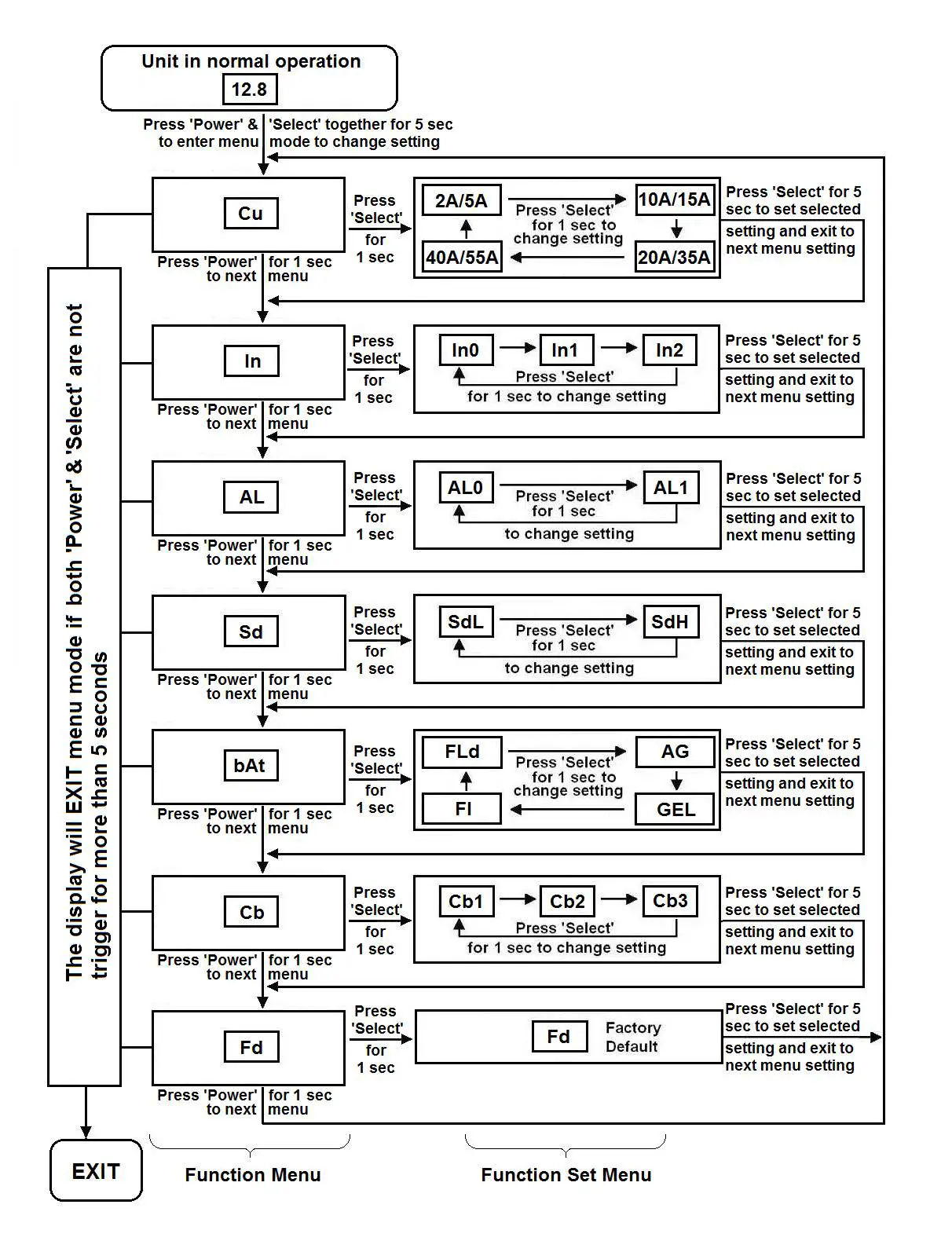
To enter unit Function Menu, press and hold “Power” and “Select” button together for about 5 seconds until a beep is sounded.
When you are in Function Menu:
- Press ‘Power’ button for 1 second to toggle between different Functions Menu like ‘Cu’, ‘In’,
‘AL’, ‘Sd’, ‘bAt’, ‘Cb’ and ‘Fd’ etc. - Press ‘Select’ button for 1 second to enter Individual Function Set Menu and you can
make change to the settings. - The unit will EXIT the Main Menu automatically if ‘Power’ and ‘Select’ buttons is not trigger for more than 5 seconds.
When you are in Individual Function Set Menu: - Press ‘Select’ button for 1 second to toggle between different setting values.
- Press ‘Select’ button for 5 seconds to set selected setting and exit to next Main Menu See more details on flow chart below.

TROUBLESHOOTING
To troubleshoot the unit, please note the error code displayed on the main unit and review “Understanding the Error Codes” in section 4.
| Problem | Symptom | Solution |
| No output voltage. And Status LED is off. | The unit is off | Turn unit ON by following the instruction in Section 4 to turn unit ON |
| No power to unit | Check DC fuse, Disconnect switch (if installed) and check if Branch breaker is either blown or turned OFF | |
| No AC output. Status LED is Green | GFCI is tripped | Check load and reset the GFCI |
| No Output. Status LED is in Amber | GFCI is tripped Check error code on display
Check AC Load Sense setting | Check load and reset the GFCI Verify the error condition and make correction AC Load connected must be below the AC Load sense setting |
SPECIFICATIONS
Note: Specifications are subject to change without notices.
| Specification | 38326 |
| Inverter | |
| AC Output Power | 2000W |
| AC Output Current | 16.6A |
| AC Surge Power (Peak) | 4000W |
| AC Output Voltage/Frequency | 120 VAC / 60 Hz |
| AC Output Waveform | Sinewave (<3% THD) |
| Nominal DC Input Voltage | 12.5 VDC |
| No Load battery draw | < 1.5 ADC |
| DC Input Voltage operating range | 10.5 – 15.5 VDC |
| Under Voltage Alarm | 11.0/12.1 VDC |
| Under Voltage Alarm Recovery | 11.3/12.3 VDC |
| Under Voltage Shutdown | 10.5/11.8 VDC |
| Under Voltage Recovery | 12.0/12.6 VDC |
| Over Voltage Shutdown | 15.5 VDC |
| USB | |
| USB Port | 5V, 750 mA |
| AC Transfer Switch | |
| Transfer Time | < 30 ms |
| Transfer Relay Rating | 30A |
| AC Input Source Setting | 15, 20, 30A |
| AC Output Port 1 (HW Connector) | 30A |
| AC Output Port 2 (HW Connector, GFCI, CB) | 20A |
| AC Output Port 3 (GFCI & CB) | 20A |
| Display | |
| Display Panel Port | RJ12 |
| Inverter Mode | Input Voltage, Output Power |
| Charger Mode | Status & Battery voltage |
| Charger | |
| Charging Voltage Range | 13.5 -14.4 VDC |
| Float Voltage Range | 13.4 – 13.8 VDC |
| Charger Current (max) | 55 ADC |
| Charger Current Setting | 5,15,35,55 |
| Battery Type | Gel, Flooded, AGM, Fixed |
| Charge Control | Bulk/Absorption/Flooded |
| Efficiency | >80% |
| Safety and Environmental | |
| Conformance | Conforms to UL 458 Certified to CSA C22.2 no. 107.1 |
| Agency Markings | cETLus |
| Operating Temperature | 0°C to 40°C (32°F to 104°F) |
| Storage Temperature | -20°C to 60°C (-4°F to 140°F) |
| Relative Humidity | 5-90% noncondensing |
| Operating Altitude | Up to 9,843ft (3000m) above sea level |
| Weights and Dimensions | |
| Weights | 38326: 14.5 lbs (6.6 kg) |
| Dimensions | 9.0 x 18.8 x 4.5” ( 230 x 478 x 114 mm) |
WARRANTY
One Year Limited Warranty
The limited warranty program is the only one that applies to this unit, and it sets forth all the responsibilities of Nature Power. There is no other warranty, other than those described herein. Any implied warranty of merchantability of fitness for a particular purpose on this unit is limited in duration to the duration of this warranty.
This unit is warranted, to the original purchaser only, to be free of defects in materials and workmanship for one year from the date of purchase without additional charge. The warranty does not extend to subsequent purchasers or users.
Manufacturer will not be responsible for any amount of damage in excess of the retail purchase price of the unit under any circumstances. Incidental and consequential damages are specifically excluded from coverage under this warranty.
This unit is not intended for commercial use. This warranty does not apply to damage to units from misuse or incorrect installation/connection. Misuse includes wiring or connecting to improper polarity power sources.
If you are experiencing any problems with your unit, please contact our customer service
department at [email protected] or Phone 1-800-588-0590 before returning product to retail store. After speaking to a customer service representative, if products are deemed non-working or malfunctioning, the product may be returned to the purchasing store.
If such a unit is returned less than one year from the purchase date, manufacturer will repair the unit or, at its discretion, replace it, free of charge. If the unit is repaired, new or reconditioned replacement parts may be used, at manufacturer’s discretion. A unit may be replaced with a new or reconditioned unit of the same or comparable design. The repaired or replaced unit will then be warranted under these terms for the remainder of the warranty period. The customer is responsible for the shipping charges on all returned items.
Limitations:
This warranty does not cover accessories, such as adapters and batteries, damage or defects result from normal wear and tear (including chips, scratches, abrasions, discoloration or fading due to usage or exposure to sunlight), accidents, damage during shipping to our service facility, alterations, unauthorized use or repair, neglect, misuse, abuse, failure to follow instructions for care and maintenance, fire and flood.
Nature Power Inverters are Made in China.
Customer Service: 1-800-588-0590
Email: [email protected]
Website: www.naturepowerproducts.com