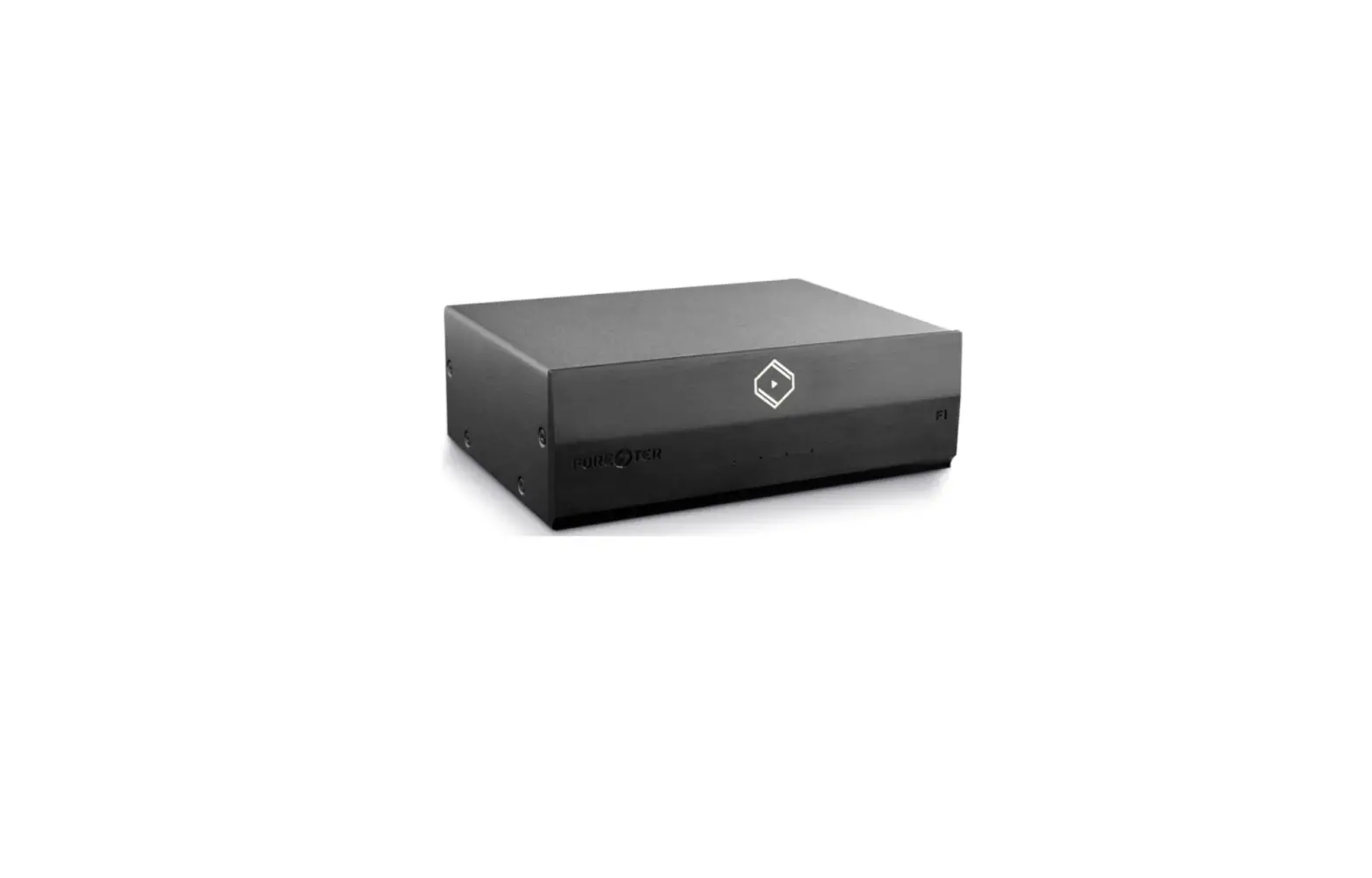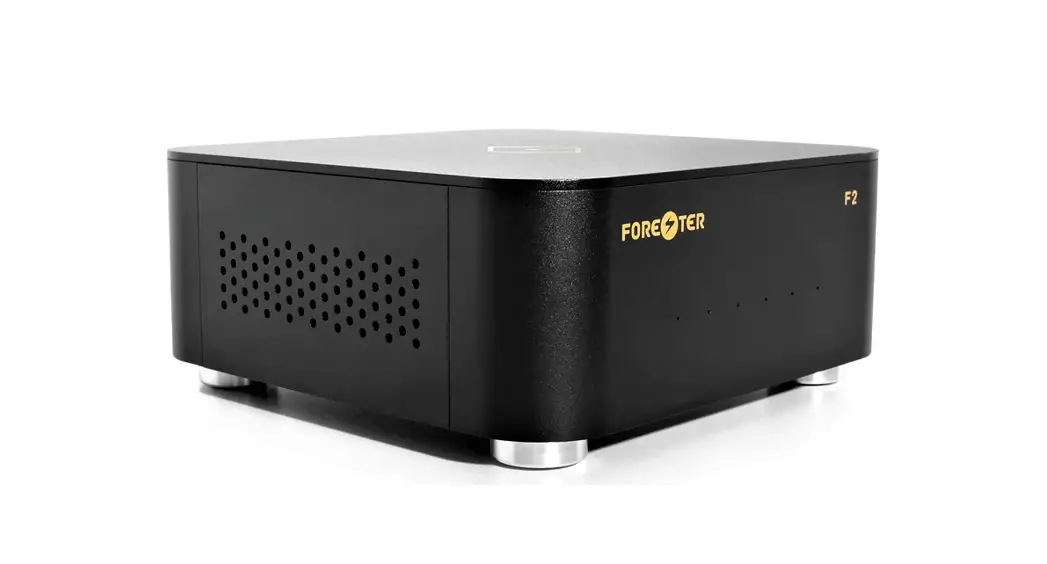
 audio F2 Forester Linear Power Supply
User Manual
package Contents

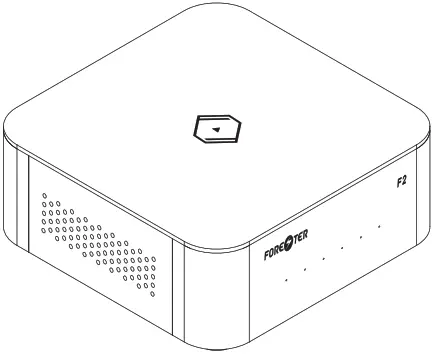
- Forester F2 x1
- Power Cord x1
- 5.5mm x 2.5mm DC Plug Cable x 2
- 5.5mm x 2.1mm DC Plug Cable x 2
- User Manual x1
- Warranty Card x1
Silent Angel
© 2021 Thunder Data Co. Ltd. All rights reserved.
[email protected]
http://www.silent-angel-audio.com/
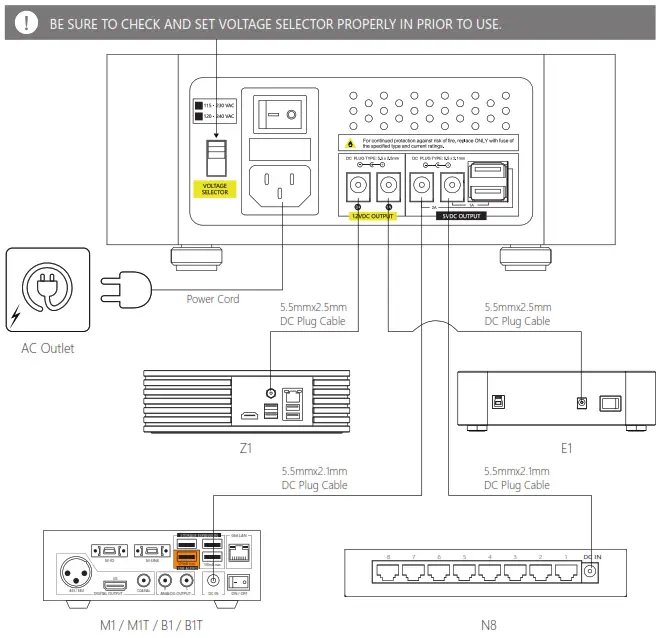
Connection Diagram

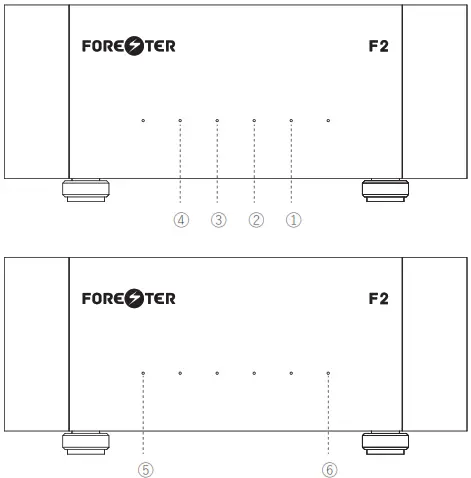
Front Panel
 Rear Panel

 Rear Panel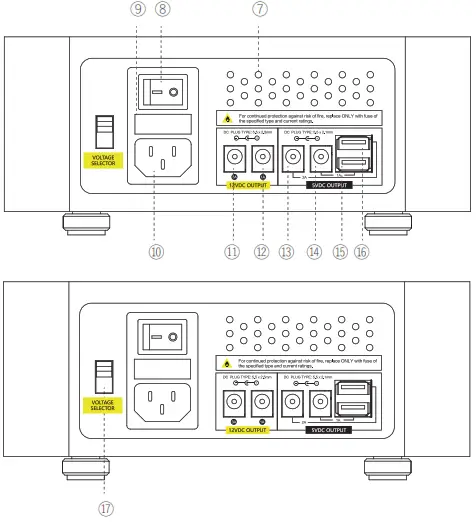
 Warnings
- The same set of USB ports and DC plugs of 5V output cannot be connected simultaneously. (The two sets share the same current output)
- The maximum current gross output of two 12V ports is 3A, which means if you connect a 12/a 3A port to a device that requires exactly 12/3A input, then the 12V/1A port cannot be used.
- The maximum current gross output of two 5V ports is 2A, which means if you connect 5V/2Aport to a device that requires exactly 5V/2A input, then the 5V/1A port can not be used.
 Power Output Status Indicator
 Power Output Status Indicator
① Output 1 Status(12V/3A)
When Output 1 is activated and in good connection, it shows Green Light.
When Output 1 is currently overloaded, stop the power output, and it shows Red Light
When the current load of Output 1 is over 90%, the power output remains normal, and it shows Red Light.
When no power signal, it shows no light.
② Output 2 Status(12V/1A)
When Output 2 is activated and in good connection, it shows Green Light.
When Output 2 is currently overloaded, stop the power output, and it shows Red Light
When the current load of Output 2 is over 90%, the power output remains normal, and it shows Red Light.
When no power signal, it shows no light.
③ Output 3 Status(5V/2A)
When Output 3 is activated and in good connection, it shows Green Light.
When Output 3 is currently overloaded, stop the power output, and it shows Red Light
When the current load of Output 3 is over 90%, the power output remains normal, and it shows Red Light.
When no power signal, it shows no light.
④ Output 4 Status(5V/1A)
When Output 4 is activated and in good connection, it shows Green Light.
When Output 4 is currently overloaded, stop the power output, and it shows Red Light.
When the current load of Output 4 is over 90%, the power output remains normal, and it shows Red Light.
When no power signal, it shows no light.
Operating Temperature Warning Status Indicator
⑤ Left Warning Indicator
When DC 5V output working temperature is overloaded, it shows Yellow Light.
When DC 5V output working temperature is normal or no power signal, it shows no light.
⑥ Left Warning Indicator
When DC 12V output working temperature is overloaded, it shows Yellow Light.
When DC 12V output working temperature is normal or no power signal, it shows no light.
⑦ Specially Designed Heat Dissipation Holes
Effectively optimize Forester F2’s heat dissipation performance.
AC Power Input
⑧ Power Switch
Power on/off control
⑨ Fuse Holder
Contain 2 fuses inside
⑩ AC Input
AC power input
DC Power Output
⑪ 12V DC Output Port 1
12V DC output,3A maximum current output(5.5mm x 2.5mm DC plug,middle + 12V)
⑫ 12V DC Output Port 2
12V DC output,1A maximum current output(5.5mm x 2.5mm DC plug,middle + 12V)
⑬ 5v DC Output Port 3
5V DC output,2A maximum current output(5.5mm x 2.5mm DC plug, middle + 5V)
⑭ 5v DC Output Port 4
5V DC output,1A maximum current output(5.5mm x 2.5mm DC plug, middle + 5V)
⑮ 5v DC Output Port 4
5V DC output,1A maximum current output(USB2.0, Type A – Female Connector)
⑯ 5v DC Output Port 3
5V DC output,2A maximum current output(USB2.0, Type A – Female Connector)
*DO NOT connect to USB and DC plug for the same port at the same time.
⑰ AC Voltage Selection Switch
Select the suitable AC power input voltage
 Accurate Business Information and Company Profiles from Leading Business Data - Data.com
 Silent Angel | Hi-Fi Audio Streaming Solution, Music Integrator, Audio Operating System, Network & Power Optimization, Digital Audio Source System.