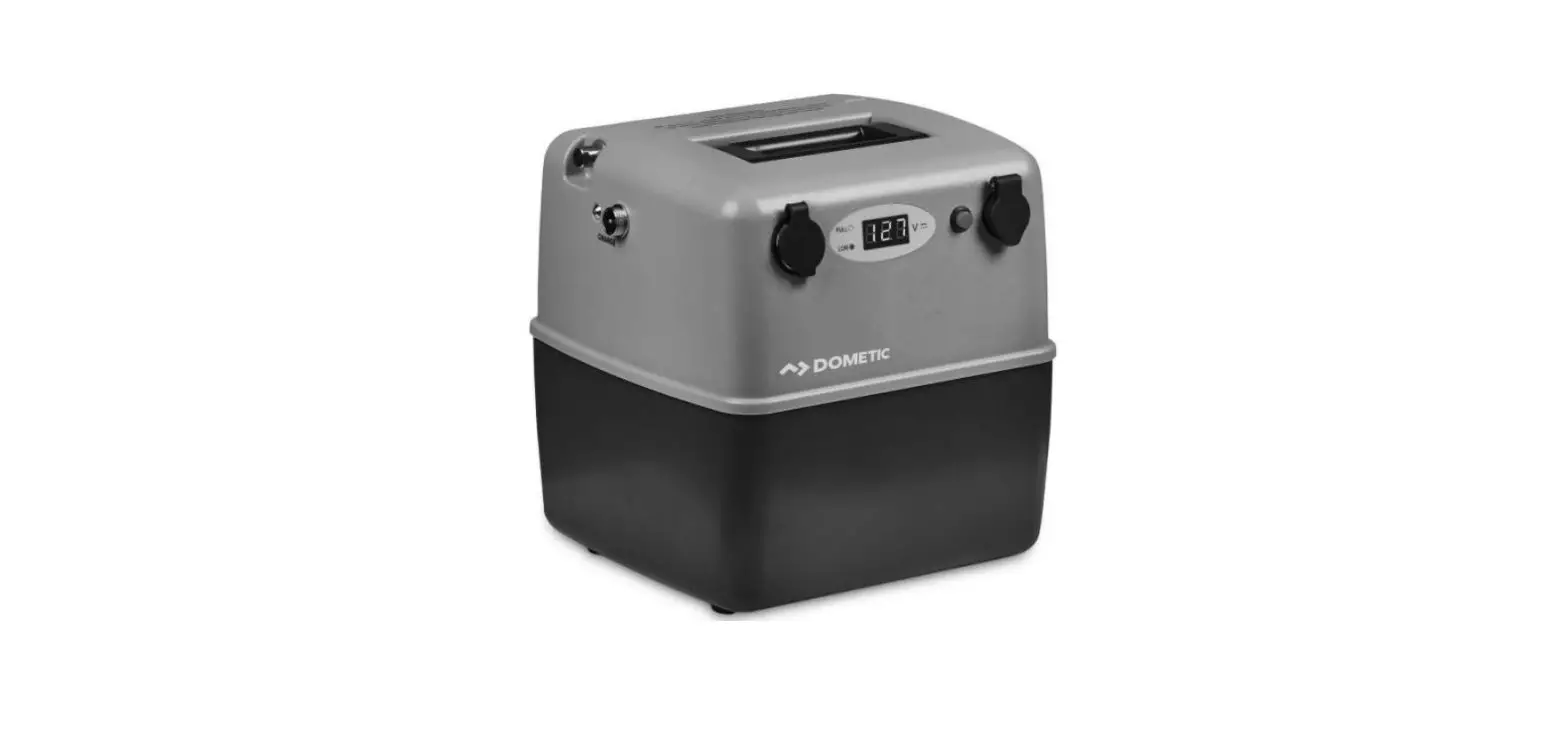
Outdoorbox ThrustMe Battery
Product Information:
Product Name: Outdoorbox ThrustMe
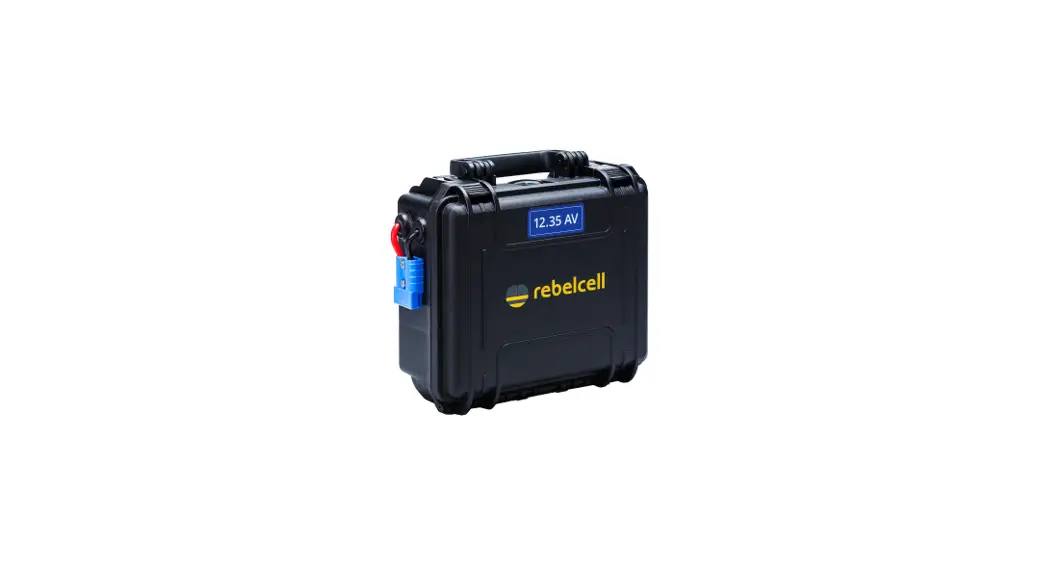
Description: The Outdoorbox ThrustMe is a lightweight, robust, and
waterproof (IP67) power source designed as an external battery pack
for the ThrustMe Kicker and Cruiser trolling engines. It comes with
an integrated li-ion battery pack (673Wh /18.5V36.4Ah) with a
battery management system (BMS), silicone wiring, green ANEN
connector, and Rebelcell BT app for monitoring power consumption,
battery capacity, and battery health.
Included Accessories: Quick Connect ODB ThrustMe cable
Warranty: 2 years from the date of purchase
Product Usage Instructions:
1. Before using the Outdoorbox ThrustMe (ODB), read the user manual
completely and retain it for future reference. 2. Charging the ODB:
– Connect the green connectors of the 21V10A fast charger and the
ODB to charge it. – Charging will activate the BMS in the ODB and
ensure its visibility in the Rebelcell BT app. 3. Install Rebelcell
BT app on your smartphone: – Download and install the Rebelcell BT
app on your smartphone. – Follow the instructions provided in the
app to connect it to the ODB. 4. Connecting the ODB to the ThrustMe
engine: – Use the Quick Connect ODB ThrustMe cable to connect the
ODB to the ThrustMe engine. – Connect the SD20 connector to the
ThrustMe engine and the green ANEN connector to the ODB. – The ODB
should be visible in the Rebelcell BT app, and the display on the
ThrustMe engine should indicate that an external battery is
connected. 5. Standby function: – If the ODB is not used for 7
days, the BMS will put it in “sleeper mode” to prevent accidental
discharge. – In sleeper mode, the ODB is not visible in the app and
cannot provide power to the ThrustMe engine. – To activate the ODB,
connect it to the charger. 6. Warranty: – The ODB comes with a
standard 2-year warranty from the date of purchase. – Retain and
store your purchase receipt as it is required for warranty claims.
Rebelcell Bluetooth App:
The Rebelcell BT app is a smartphone application that allows you to
monitor the power consumption, battery capacity, and battery health
of the Outdoorbox ThrustMe. It can be downloaded and installed on
compatible smartphones. Please follow the troubleshooting steps
provided in the user manual if you encounter any issues with the
app. Technical Specifications:
– Model: [Model Name] – Chemistry: [Chemistry Type] – Voltage:
[Voltage] – Capacity (C1-C20): [Capacity] – Compatible with:
[Compatible Devices] – Nominal Energy: [Nominal Energy] – Maximum
Continuous Discharge: [Maximum Continuous Discharge] – Service Life
(#charges) @100%DoD: [Service Life] – Dimensions: [Dimensions] –
Weight: [Weight] – Energy Density: [Energy Density]
OUTDOORBOX THRUSTME
USER MANUAL For safe operation please review the user manual completely before use and retain for future reference.
INTRODUCTION
Congratulations on the purchase of the Outdoorbox ThrustMe: the lightweight, robust, waterproof (IP67) power source specially designed as external battery pack for the ThrustMe Kicker and Cruiser trolling engines.
The Outdoorbox ThrustMe (hereafter ODB) comes with an integrated li-ion battery-pack (673Wh /18.5V36.4Ah) with battery management system (BMS), silicone wiring, green ANEN connector and Rebelcell BT app to monitor power consumption, battery capacity and battery health for a worry-free day on the water. Also included: Quick Connect ODB ThrustMe cable (hereafter QC cable) to easily connect the Outdoorbox to your ThrustMe engine.
SAFETY PRECAUTIONS AND WARNINGS
Your ODB has been engineered with a safe and long user life in mind. It is important to thoroughly review this instruction and follow the safety precautions. Not doing so may invalidate the warranty and result in the malfunctioning of your ODB and further damage.
· Your ODB has been designed as power source for ThrustMe Kicker and Cruiser trolling engines onlly. It is NOT suitable for other trolling engines or as starter battery for internal combustion engines (like in cars and outboards).
· Only use the QC cable (included) to connect your ThrustMe engine to the ODB. · The ODB is waterproof according to the IP67 standard and is thus suitable for use in rainy
conditions. · When used outside the permitted standards (e.g. high load) your ODB will automatically turn
off. No power will be available until the ODB can operate within standards. · Avoid damaging the ODB by dropping it. In case of external damage do not use your ODB but
have Rebelcell check for proper and safe operation. · Place the ODB in the coolest environment possible. Do not expose the ODB to sources of
direct heat such as (open) fire, heating or exposure to direct sunlight for extended periods of time. Long- term use in high temperatures (> 40° C) has a negative influence on service life. At a temperature of 55° C the ODB will shut down until a normal operating temperature is reached. · The ODB is classified as dangerous goods for transportation purposes (ADR Class 9). Review the Material Safety Data Sheet (MSDS) on our website for more information. · The battery-pack is situated below the coverplate in the ODB. Never remove the coverplate! This can be dangerous and will automatically void the warranty.
INSTALLATION AND GUIDELINES FOR USE
The ODB is charged around 30-40% in accordance with storage and transport regulations and is in standby mode. Please follow the following instructions to prepare your ODB for use:
1. Charge the ODB by connecting the green connectors of the 21V10A fast charger and the ODB. Charging will activate the BMS in the ODB and ensure it is visible in the Rebelcell BT app.
2. Install the Rebelcell BT app on your smartphone and connect the ODB to the App (see section on the Rebelcell BT app for instructions)
3. Connect the ODB to the ThrustMe engine with the QC cable (SD20 connector to ThrustMe and green ANEN to the ODB). c the ODB.
The ODB should be visible in the BT app and the display on the ThrustMe engine should indicate an external battery is connected.
Charging We recommend using the 21V10A fast charger with green ANEN connector to charge your ODB. If you use a different charger the warranty will be voided if any damage occurs. You can top-up or partly charge the ODB whenever you so desire, there is no so-called `memory effect’. The ODB cannot be charged at temperatures of 0 °C or lower.
Standby function If the ODB is not used for 7 days the BMS will put it in `sleeper mode’. This prevents accidental discharge by the BT function of the BMS in the ODB. When the ODB is in `sleeper mode’ it is not visible in the app nor can it provide power to your ThrustMe engine. You can activate the ODB by connecting your charger.
Storage When the ODB is not in use for extended periods of time charge it to 50% and disconnect all cables from equipment and store it in a dry location (above 0 °C). Due to low self-discharge (~ 3% per month) voltage may drop below critical levels and damage the battery irreversibly. Check charge status at least 1x per 3 months and charge when needed.
BMS and safety The BMS protects your ODB and contributes to a long service life. Functions of the BMS are protection against deep discharge, overcharge, high temperature, short circuit, high currents, bluetooth, sleep function and cell balancing. When certain safety thresholds are exceeded, the battery will shut down as a precaution and turn itself back on when the battery operates within specification. If this does not happen automatically you need to disconnect your equipment (and in some cases connect to your charger) to reset the battery. After a few minutes you can reconnect your equipment. The activation of the BMS may seem like a failure, but it is not. If it occurs repeatedly this can indicate a malfunction of a component in your electrical system or overheating of the battery. If this happens contact your electrician to check your electrical system.
Warranty Your ODB has a standard 2 year warranty from date of purchase. Refer to our general terms and conditions for detailed warranty conditions. Please retain and store your purchase receipt, as it is required for warranty claims.
REBELCELL BLUETOOTH APP
Installation: · Download and install the Rebelcell App from the Google Play
Store or App Store. The App is available for Android (from version 6.0) and Apple (from iOS version 11) devices. · Grant permission for location access and turn on location (GPS) on your device. · Open the Rebelcell App and make sure the battery is within 7 meters of the phone.
Connecting the app to the ODB · Tap the Bluetooth icon on the top right and all compatible
Rebelcell BT batteries in range will appear. · Tap on the battery you want to connect. You will now get the
message `Connecting’. · The Rebelcell App is now connected to the battery via
Bluetooth.
Available information · After a successful connection you will see an overview of the
battery: current voltage, capacity, active status and the battery health. · By swiping or tapping the other 2 icons you will move to the next screen. · The middle screen shows detailed information: number of charging cycles, temperature, and in/output currents. · The last screen contains a login page, intended for possible failure analysis.
TROUBLESHOOTING FOR REBELCELL APP
· My battery is not visible in the app and when I connect it to my engine it does now provide any power? If the ODB is not used for 7 days the BMS will put it in `sleeper mode’. It will not be visible in the app nor can it provide power to your engine. You can activate the ODB by connecting the charger. The charge current will wake up the BMS and it will then be visible in the app and provide power.
· When I use my device no batteries appear in the app? When installing the App on your device you may be asked to grant permission for location access. You must allow this feature or the App will not function properly. Also location (GPS) must be turned on.
· My battery is visible on the app but I cannot connect to my ODB / battery? Close the Rebelcell App completely and restart it. You can do this as follows:
Apple: Double-click the home button or (from iPhone 11 and up) swipe up slowly from the bottom of the screen and stop halfway down the screen. Then swipe the preview of the Rebelcell App up to close it completely. Android: Click the Overview button so all active Apps are visible and swipe the Rebelcell App up off the screen.
· What to do if the connection to the battery is lost? This can occur when you have not opened the App. To save energy, the App disconnects from the battery after some time. Also, if you are out of range of the battery, it will disconnect. Often the App will reconnect when you reopen the App. You can also reconnect to the battery using the Bluetooth icon in the top right of the screen.
· I am trying to connect to another device but this is not working? The app can only be connected to 1 device simultaneously. First close the connection and/or `kill’ the app before you connect to another device.
CAUTION! When installing the App on your device you may be asked to grant permission for location access. You must allow this featur or the App will not function properly. Also location (GPS) must be turned on!
TECHNICAL SPECIFICATIONS
Model Chemistry Voltage Capacity (C1-C20) Compatible with Nominal energy Maximum continuous discharge Service life (#charges) @100%DoD Dimensions Weight Energy density
Electronics & BMS Bandwidth voltage Charge profile Maximum charge current Charge temperature Discharge temperature Storage temperature Integrated cell balancing High temperature protection Low voltage protection Maximum discharge protection Battery capacity indicator Rebelcell Bluetooth app Sleeper function
Protection & Certification Security class (IEC 529) CE-certificate Warranty Shipping classfication
Outdoorbox ThrustMe Lithium ion 18.5V 36.4Ah ThrustMe Kicker and Cruiser only 673 Wh 50A ~1000 258 x 243 x 168 mm ~ 4.9 kg ~ 137 Wh/kg
15V – 21V CC/CV 15A 0 ~ 45 °C -20 ~ 60 °C -20 ~ 45 °C yes yes yes yes yes, via Rebelcell BT app yes yes, after 7 days of non use
IP67 yes 2 years UN3480 lithium ion batteries, class 9 ADR
W W W.REBEL- CELL .COM FOLLOW US ON FACEBOOK FOLLOW US ON INSTAGRAM
 Portable energy | Rebelcell | For angling, outdoors en marine