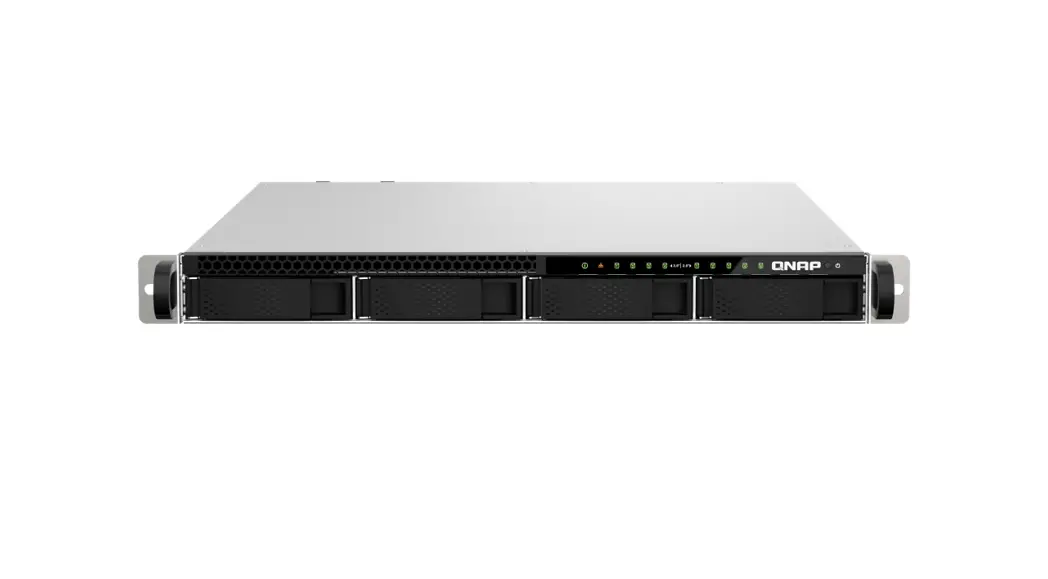
NAS Rack
NAS Quick Installation Guide
The NAS Quick Installation Guide provides instructions for
installing 2.5 SSD / HDD and 3.5 HDD on the NAS device. The guide
also includes information about an optional accessory, RAIL-B02 X2,
which can be used with the device. The user manual is available on
the official website of QNAP, www.qnap.com.
Compatibility
The compatibility of the SSD/HDD with the device can be checked
on the website, http://www.qnap.com/compatibility. It is important
to note that all the drive data will be cleared upon SSD/HDD
initialization.
Installation Instructions
During installation, it is important to tighten the screws to
prevent the tray from getting stuck to the chassis. The
language-specific instructions are provided in the manual for
English, German, French, Italian, Spanish, Dutch, Swedish, Finnish,
Danish, Norwegian, Portuguese, Russian, Traditional Chinese,
Simplified Chinese, Japanese, Korean, Thai, Turkish, Hungarian,
Czech, and Arabic.
2.5-inch SSD/HDD Installation
The installation of 2.5-inch SSD/HDD requires the following
steps:
- Attach the screws to the SSD/HDD
- Insert the SSD/HDD into the tray
- Tighten the screws to secure the SSD/HDD in place
The tray can then be inserted into the device.
3.5-inch HDD Installation
The installation of 3.5-inch HDD requires the following
steps:
- Attach the screws to the HDD
- Insert the HDD into the tray
- Tighten the screws to secure the HDD in place
The tray can then be inserted into the device.
Qfinder Pro
Qfinder Pro is a software tool that can be used to find and
connect to the NAS device on Windows, Mac or Linux. The tool can be
downloaded from the website, http://www.qnap.com/qfinderpro.
Support and Troubleshooting
The following options are available for support and
troubleshooting:
- Service Portal: Scan the QR code or visit
https://service.qnap.com/install to create a support ticket, set up
the device, or troubleshoot QNAP products - Download Center: Visit www.qnap.com/download for guides and
utilities related to the device
Regulatory Compliance
The device complies with Part 15 of the FCC Rules and CE
compliance Class A. The user information is provided for all
branded QNAP Electronics products subject to the WEEE directive.
The office locations for EU and UK are provided in the manual. The
device also complies with the UKCA requirements for products sold
in Great Britain.
NAS Quick Installation Guide
Guía de Instalación Rápida Hizli Kurulum Kilavuzu Gyors telepítési útmutató Instrukcja szybkiej instalacji Prvodce rychlou instala Kurzinstallationsanleitung Guida di installazione rapida Pika-asennusopas Snabbinstallationsguide Guia de Instalação Rápida Hurtiginstallasjonsveiledning Hurtig installationsvejlednin Pika-asennusopas Installatiegids Snelle Installatiegids Snelle Installatiegids
www.qnap.com
2.5″ SSD / HDD
3.5″ HDD
Optional Accessory
RAIL-B02 X2
SSD/HDD http://www.qnap.com/compatibility
All the drive data will be cleared upon SSD / HDD initialization
en
Alle Laufwerksdaten werden bei SSD/HDD-Initialisierung gelöscht
de
Toutes les données présentes sur les disques seront effacées lors de l’initialisation des SSD/HDD
fr
Tutti i dati presenti verranno cancellati durante l’inizializzazione degli SSD / HDD
it
Todos los datos del disco serán borrados con la inicialización del SSD / HDD
es
Alle gegevens worden gewist tijdens de initialisatie van de SSD / HDD’s
nl
All data kommer att raderas när SSD / HDD initieras
sv
SSD / HDD alustaminen poistaa kaikki tiedostot
fi
Alle data på drevet vil blive ryddet efter initialisering af SSD / HDD
da
All data vil bli slettet når SSD / HDD er initialisert
no
Todos os dados do SSD / HDD serão apagados com a inicialização do SSD / HDD
pt
SSD/HDD
ru
zh
SSD / HDD
cn
SSD/HDD
ja
SSD / HDD
ko
th
Kurulum baladiinda SSD / HDD disk üzerinde ki tüm veri silinecektir
tr
Minden korábbi adat törldik az SSD / HDD-rl az els rendszerindítás során
hu
Vsechna data na SSD / HDD budou smazána v dsledku inicializace
cs
Podczas instalacji wszystkie dane na dyskach SSD / HDD zostan usunite
pl
()SSD/()HDD
ar
Tighten the screws to prevent the tray from getting stuck to the chassis.
en
Ziehen Sie die Schrauben an, um zu verhindern, dass der Einschub am Gehäuse stecken bleibt.
de
Serrez les vis pour éviter que le plateau ne reste collé au châssis.
fr
Serrare le viti per evitare che il vano si blocchi nello chassis.
it
Apriete los tornillos para evitar que la bandeja quede atascada en el chasis.
es
Draai de schroeven vast om te voorkomen dat de lade bekneld raakt in het frame.
nl
Dra åt skruvarna för att förhindra att facket fastnar i chassina.
sv
Kiristä ruuvit, jotta alusta ei juutu runkoon.
fi
Spænd skruerne for at forhindre bakken i at sidde fast i kabinettet.
da
Trekk til skruene for å unngå at skuffen setter seg fast i kabinettet.
no
Aperte os parafusos para evitar que a bandeja fique travada no chassi.
pt
, .
ru
tw
cn
ja
.
ko
th
Tepsinin çerçeveye sikimasini önlemek için vidalari sikin.
tr
Húzza meg a csavarokat, hogy a tálca ne akadjon el a házban.
hu
Abyste zabránili zaklínní pihrádky k sasi, utáhnte srouby.
cs
Dokladnie dokr wkrty, aby kiesze nie zaklinowala si w obudowie.
pl
.
ar
3.5-inch HDD
1 3
01
2 4
02
2.5-inch HDD / SSD
1 3
2
4
2.5-inch SSD
1 2
4
3 6
5
03
04
1
2
3
2
3 1
Qf inder Pro Windows
Mac
Linux
http://www.qnap.com/qfinderpro
a
b
Scan the QR code Service Portal
Cloud Installation
Create Support Ticket
https://service.qnap.com/install
https://service.qnap.com/install Set up my device
Cloud Installation
Troubleshoot my QNAP products
Create Support Ticket
Reset
admin MAC Address #1
Login
Safe Shutdown
Beep !
Force Shutdown
Beep !
Status LED
Download Center www.qnap.com/download
Visit Download Center for our full guides and utilities.
en
Unsere vollständigen Handbücher und Dienstprogramme finden Sie im Download Center.
de
Visitez le Centre de téléchargement pour accéder à nos guides et utilitaires complets.
fr
Per le guide e le utilità complete, visitare il Centro download.
it
Visite el Centro de descargas para ver todas nuestras guías y utilidades.
es
Bezoek het downloadcentrum voor onze uitgebreide gidsen en hulpprogramma’s.
nl
Besök Nedladdningscenter för våra fullständiga guider och verktyg.
sv
Katso täydelliset oppaat ja apuohjelmat latauskeskuksestamme.
fi
Besøg Downloadcenter for at se alle vores vejledninger og hjælpeværktøjer.
da
Gå til Nedlastingssenter for fullstendige veiledninger og verktøy.
no
Visite a Central de Download para acessar nossos guias e utilitários completos.
pt
, .
ru
tw
“”
cn
ja
.
ko
th
Tam kilavuzumuz ve yardimci hizmetlerimiz için ndirme Merkezi’ni ziyaret edin.
tr
A teljes útmutatók és segédprogramok megtekintéséhez keresse fel a Letöltési központot.
hu
Kompletního prvodce a nástroje najdete na webu Centrum stahování.
cs
Odwied Centrum pobierania, aby uzyska kompletne przewodniki i narzdzia.
pl
.
ar
This device complies with Part 15 of the FCC Rules. Operation is subject to the following two conditions: (1) this device may not cause harmful interference, and (2) this device must accept any interference received, including interference that may cause undesired operation.
FCC Class A Notice: This equipment has been tested and found to comply with the limits for a Class A digital device, pursuant to Part 15 of the FCC Rules. These limits are designed to provide reasonable protection against harmful interference when the equipment is operated in a commercial environment. This equipment generates, uses, and can radiate radio frequency energy, and if not installed and used in accordance with the instruction manual, may cause harmful interference to radio communications. Operation of this equipment in a residential area is likely to cause harmful interference, in which case the user will be required to correct the interference at his own expense.
Modifications: Any modifications made to this device that are not approved by QNAP Systems, Inc. may void the authority granted to the user by the FCC to operate this equipment.
This device complies with CE compliance Class A.
According to the requirement of the WEEE legislation the following user information is provided to customers for all branded QNAP Electronics products subject to the WEEE directive.
This symbol on the product or on its packaging indicates that this product must not be disposed of with your other household waste. Instead, it is your responsibility to dispose of your waste equipment by handing it over to a designated collection point for the recycling of waste electrical and electronic equipment. The separate collection and recycling of your waste equipment at the time of disposal will help to conserve natural resources and ensure that it is recycled in a manner that protects human health and the environment. For more information about where you can drop off your waste equipment for recycling, please contact your local city office, your household waste disposal service or the shop where you purchased the product.
Office in EU; QNAP GmbH, Linsellesstrasse 109 47877 Willich, Germany
Office in UK; QNAP Ltd, 2 Drakes Meadow, Swindon SN3 3LL United Kingdom
This device complies with the UKCA requirements for products sold in Great Britain.
www.qnap.com/regulatory/
install.qnap.com service.qnap.com download.qnap.com
Printed in Taiwan P/N: 51000-065063-HF
 download.qnap.com
 Cloud Install
 Customer Service - QNAP
 Master your digital files for work and daily life | QNAP (US)