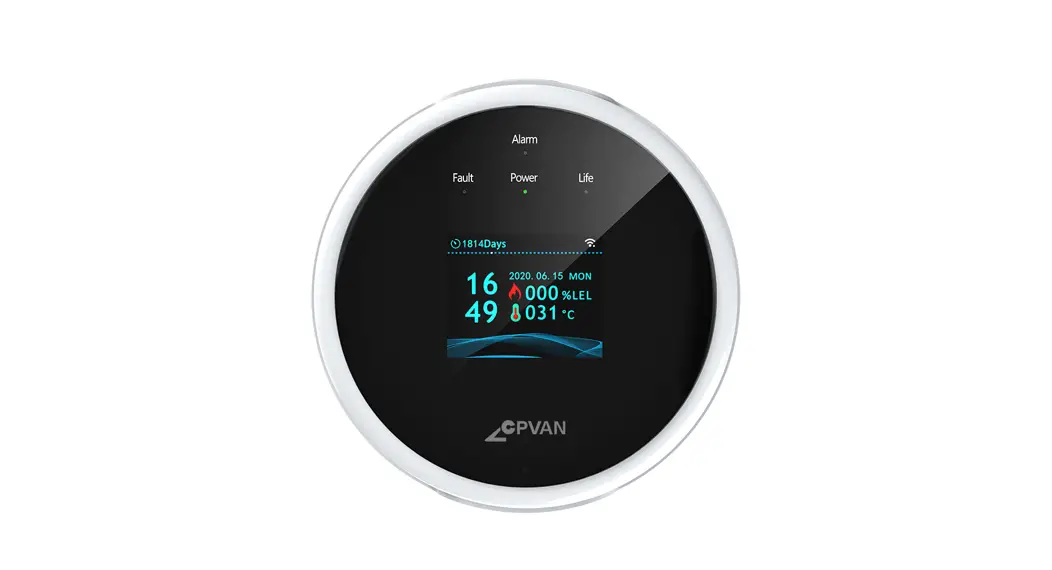

Range 0~100%LEL
Wi-Fi Gas Leak Detector
User Guide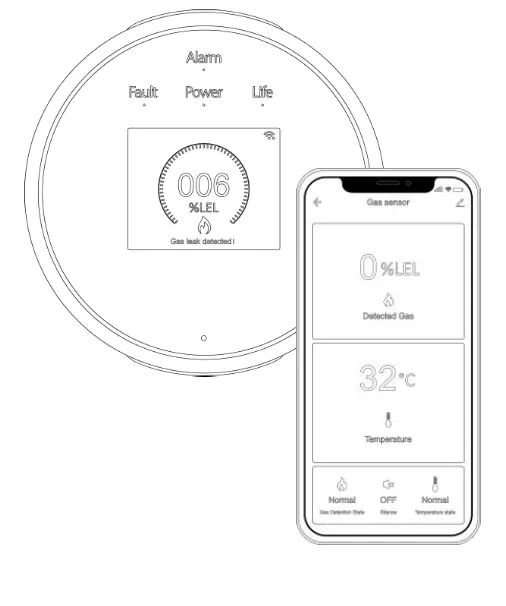
Introduction
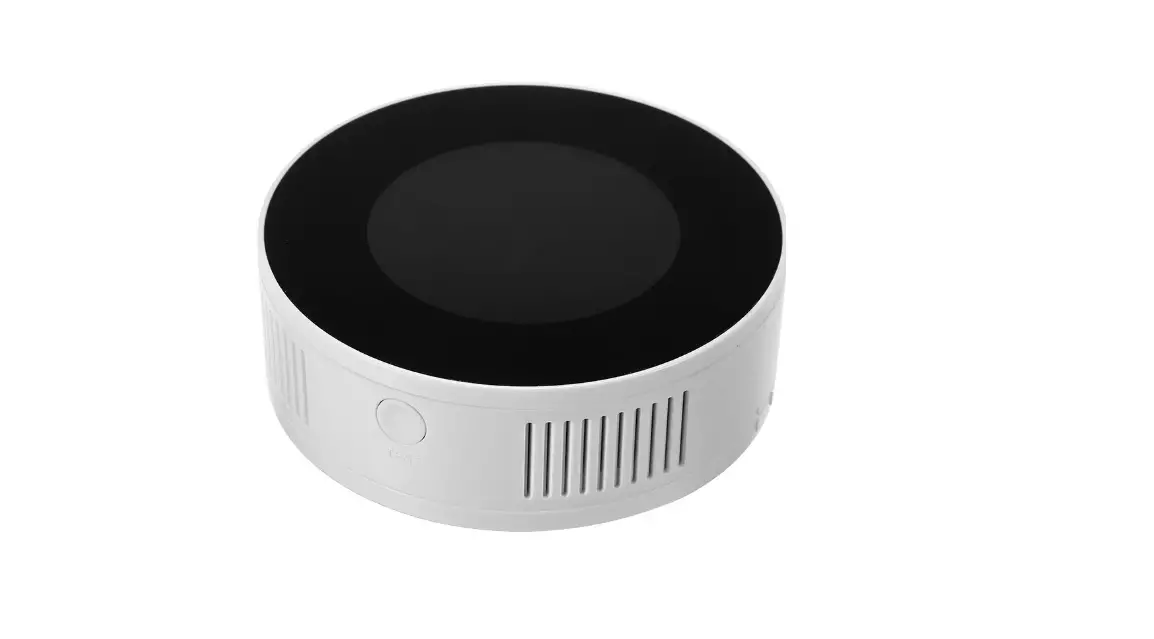
This product is designed to detect explosive gases(natural gas and LPG) in the air for houses, offices and similar places etc. In case of gas leak, it alarms sound with voice rompt, pushes text notification to your mobile, and drives the valve/manipulator to turn gas leak source off.
It is also a fire alarm device with a built-in heat sensor designed to respond when the convected thermal energy of a fire increases the temperature.
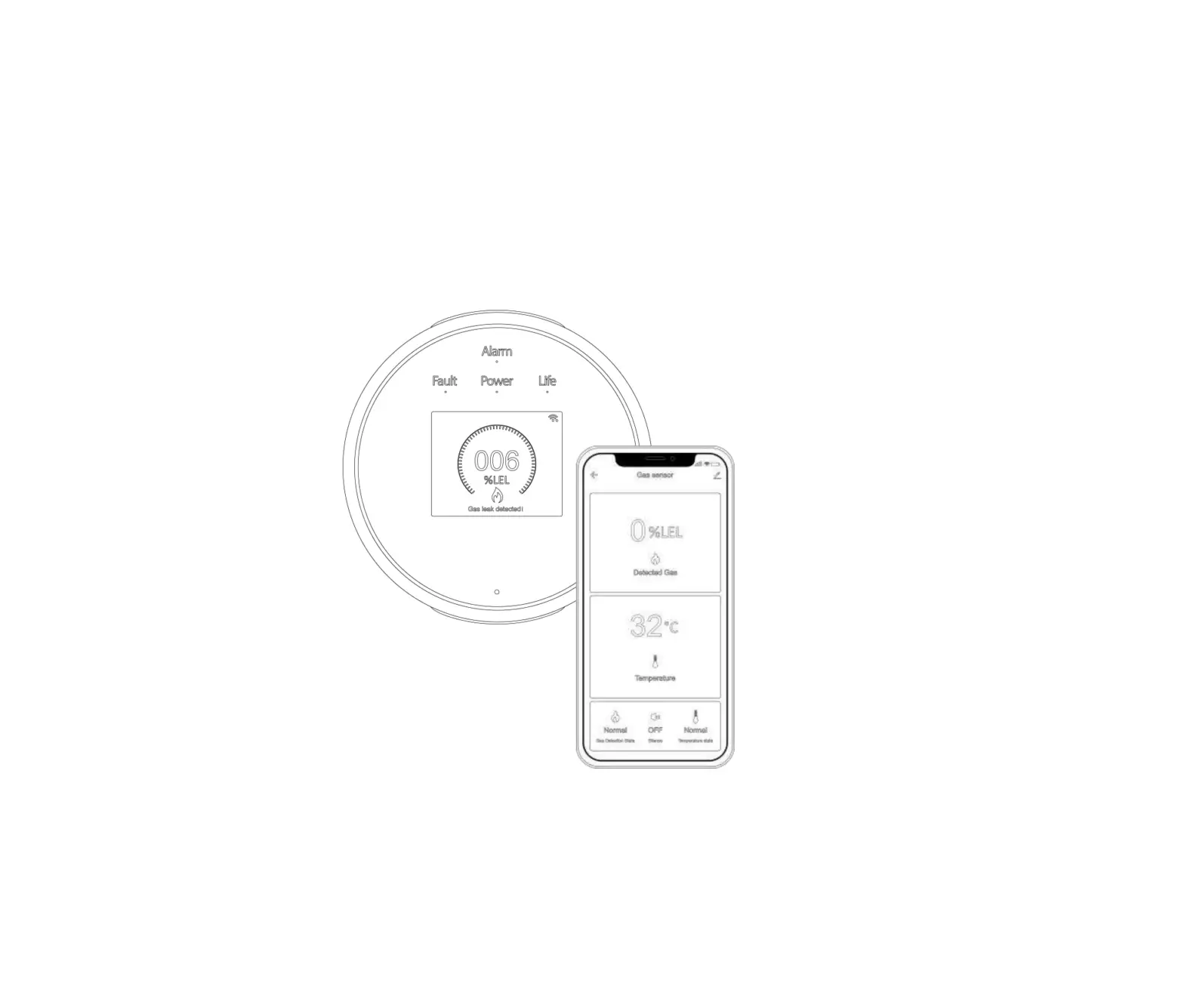
You can get the gas level and temperature via a mobile application from any point of the world, and an Internet connection via a Wi-Fi 802.11 b/g/n(2.4GHz) network is required for operation.TFT color LCD screen displays with date and time, gas level, temperature and life days remained
Specifications
| Power supply | Micro USB+5V/1A |
| Consumption | <200mA |
| Detecting gas | Natural gas(CH4), LPG |
| Working Environment | Temperature:-10~55℃ Humidity:<95%RH ( non-condensing ) |
| Sample | Diffusion |
| Range | 0~100%LEL |
| Alarm setting valu | 6%LEL |
| Tolerance | ±3%LEL |
| Response time | ≦30 seconds |
| Heat alarm value | 57℃ |
| Alarm volume | ≧70dB |
| Alarm with | Indicator, sound, voice prompt and APP notification push |
| Valve/manipulator drive output | 12V/300mA output for 15 seconds |
| Warm-up time | 180 seconds |
| Sensor life | 5 years |
| Wi-Fi | 2.4GHz IEEE802.11b/g/n |
| Dimensions | 86x86x24.5mm |
In the box
Gas leak detector x1
Power adapter x1
Mounting adhesive tap x1
Screws x2
User guide x1
At a glance
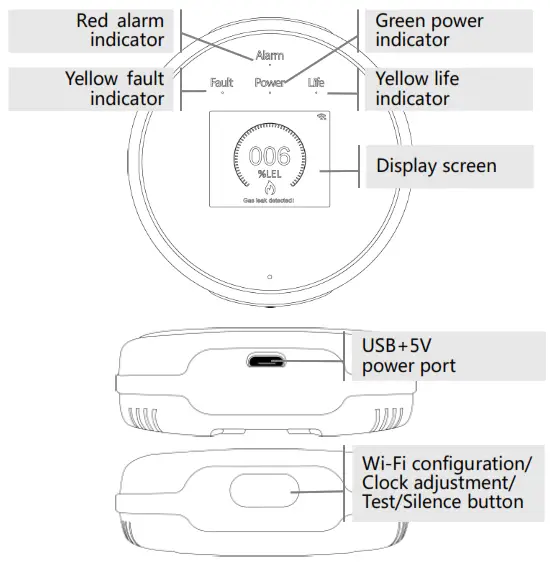
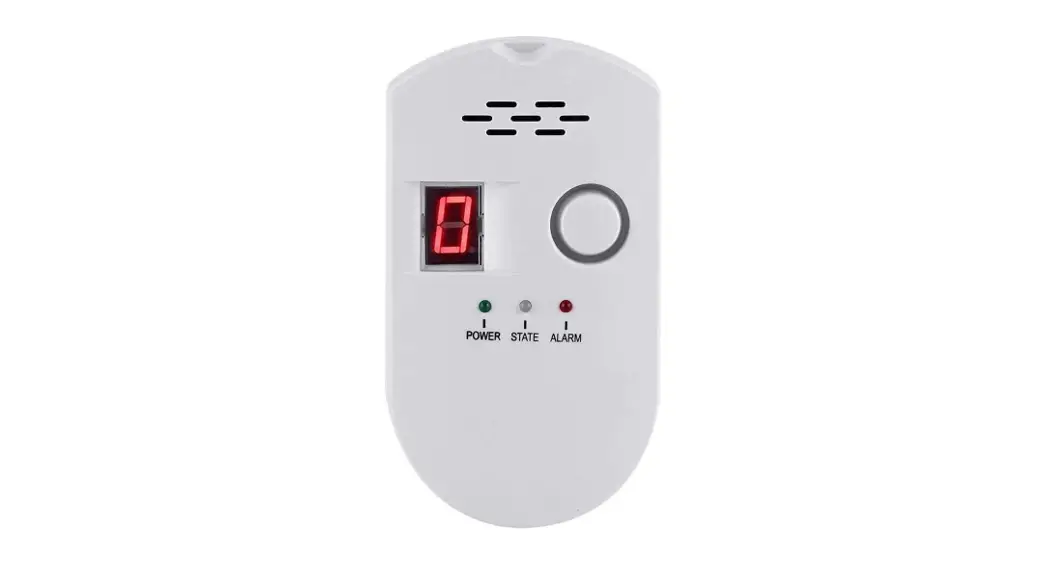
 Indicators
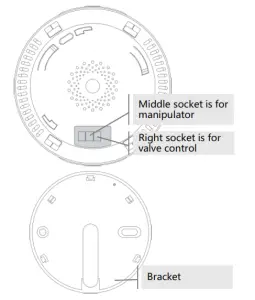 Indicators
| Indicator | What you see | hat it means |
| Power | Green | Power is ok |
| Alarm | Blinking red | Gas leak or heat alarm |
| Fault | Blinking yellow | Sensor is fault |
| Life | Blinking yellow | Sensor life is over |
APP

https://smartapp.tuya.com/smartlife
Scan the QR code or find “Smart Life” from GooglePlay/APP Store to get the free application for Android or iOS. Upon installation of APP on your phone, the app will guide you through registering, connecting the detector to the internet.
Add your detector
1) Smartlink(EZ) mode
- Tap Add Device or “+”, select Security & Sensors from Add Manually, then tap Gas Detector(Wi-Fi). Choose your local Wi-Fi and input password(Only 2.4GHz Wi-Fi network is supported).
- Power your detector off. Press and hold the button, then power your detector on, don’t release until the screen says “Smart Mode, Connecting”.
- Tap Fast flashing, wait for the configuration to finish. Tap
 to name your detector,then tap Done.
 to name your detector,then tap Done.
2) Soft AP Mode
Please change to Soft AP Mode if the configuration fails in
Starlink Mode.
- Power your detector off. Press and hold the button, then power your detector on, don’t release until the screen says “Smart Mode, Connecting”.Click the button again and the screen says “AP Mode, Connecting”.。
- Tap the top-right icon in APP to select “AP Mode”, then tap “Slow flashing”.
- Tap Confirm > Go to Connect, then choose the Wi-Fi hotspot named “Smartlife-XXXX” in your Wi-Fi list. Go back to your app to wait the Wi-Fi configuration finishes
Installation
Do not install the detector
- Where the temperature is under 0℃ and over +55℃ or outdoor
- Near to exhaust fan, vaporous, chimney hood, smelly places
- The location of the detector should not be very close to apertures and ventilation channels as the air stream may be greater and gas concentration may decrease.
Location
Natural gas that is comprised of methane gas is lighter than air, in case of gas leakage; gas rises towards the ceiling and accumulates in areas near the ceiling. Therefore, for natural gas, the alarm apparatus shall be located in a position of 30 cm under the ceiling and 1.5-4 meters (s) away from the gas supply. LPG is comprised of a mixture of propane and butane is heavier than air. In case of gas leakage, LPG falls down to the ground. Therefore, for LPG, the alarm apparatus shall be located in a position of 30 cm above the floor and 1.5-4 meters (s) away from the gas supply.
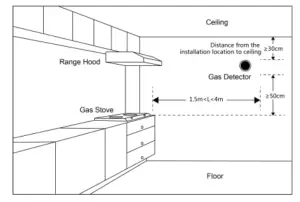
Installation
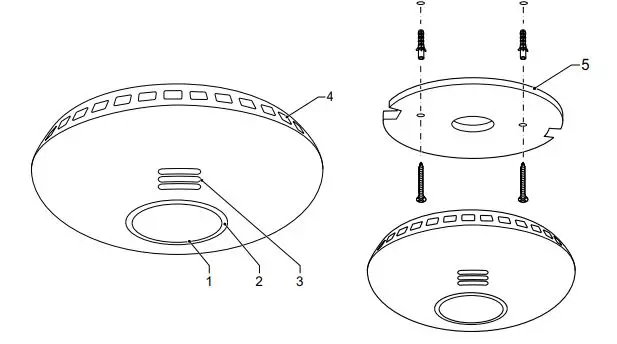
1) Using screws
Screw the bracket to the ceiling or wall with the included screws. Hold your detector against the bracket and turn it clockwise to fix it in the bracket.
2) Using adhesive tap
Tear off one side of the double-sided adhesive tape and stick it to the underside of the detector, tear off the other side and attach the detector to a flat surface.
Usage
Warm-up
After power on, the detector will warm up within 180 second and the screen says “Waiting” with a countdown ticking sound.
Working
The screen displays the working window and clock panel per 1 minute in turn.
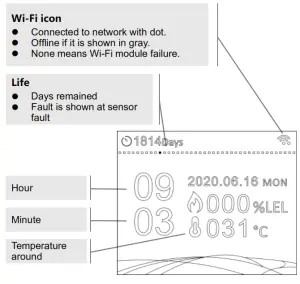
Gas leak alarm
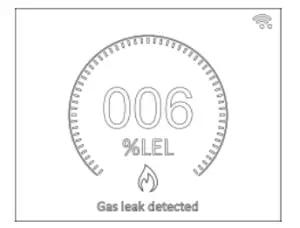
When a gas leak is detected,the level ring is displayed, and “There is a gas leak. Check now”is heard. When gas leak level raises continuously and preset level is reached, the detector alarms sound, the red alarm indicator flashes, you hear “Emergency. There is a gas leak. Don’t use any electrical switches and naked flames.Get out and call for help now”, a notification “Gas leak detected”is pushed to your mobile and valve/manipulator is drove to turn the gas source off.
Heat alarm
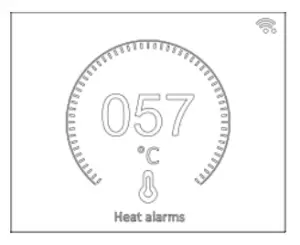
When the temperature around the detector increases to a preset value, the red alarm indicator flashes, the value ring is displayed,“Heat alarm. Check now” is heard and the same text notification is pushed to your mobile.
Silence
In case of alarm, click the button or  tap in APP to mute the alarm sound and the screen says “Alarm has been hushed” with the same voice prompt.
Restore to normal from alarm
The alarm is canceled automatically with clear air and the temperature around the detector is lower than the alarm setting value.
If sensor is fault
In case of sensor fault,the yellow fault indicator flashes and “Fault”is displayed on the screen.
Testing
Without an alarm, click the button or tap in APP to test the detector. The screen says “Ready for test” and you hear “This is a mere test. We’ll alarm a sound. The alarm is loud. The test starts” The detector starts to test low-level gas leak, high-level gas leak alarm, heat alarm, and valve/manipulator control. When the test is finished, the screen says “Test finished. Please reset valve”. If everything is OK, “The test is finished. Everything is OK” is heard and a same text notification “is pushed to your mobile. In case of sensor failure, you hear “The sensor failed. Check now” and your mobile get the same text notification”.
Clock adjustment
The date and time are usually updated automatically over the network if your detector is connected to a network via Wi-Fi. If NOT you can adjust the date and time by the button.
Without an alarm, press and hold the button until the date and time setting window is displayed. The digit is increased automatically with a loop from the year, click the button to enter the displaying digit you want and the screen skips to the next digit to be entered. When all data and time digits are entered, all digits are green and the screen says “Long click to save”, press and holds the button until you hear the tone. If no operation in 30 seconds, the detector exits the date and time adjustment, all digits that have been set are not be saved.
Considerations and Warnings
The vapor of alcohol and similar substances, spray, very intense cigarette smoke, torch gas, cleaning agents and chemical substances with very strong odors, very intense meal and water vapors may cause to alarm to malfunction by misleading the apparatus. This product is only used to reduce accident, cannot make sure everything. Except that use our detector in the right way, please pay more attention in your daily life and strengthen safety and security consciousness.