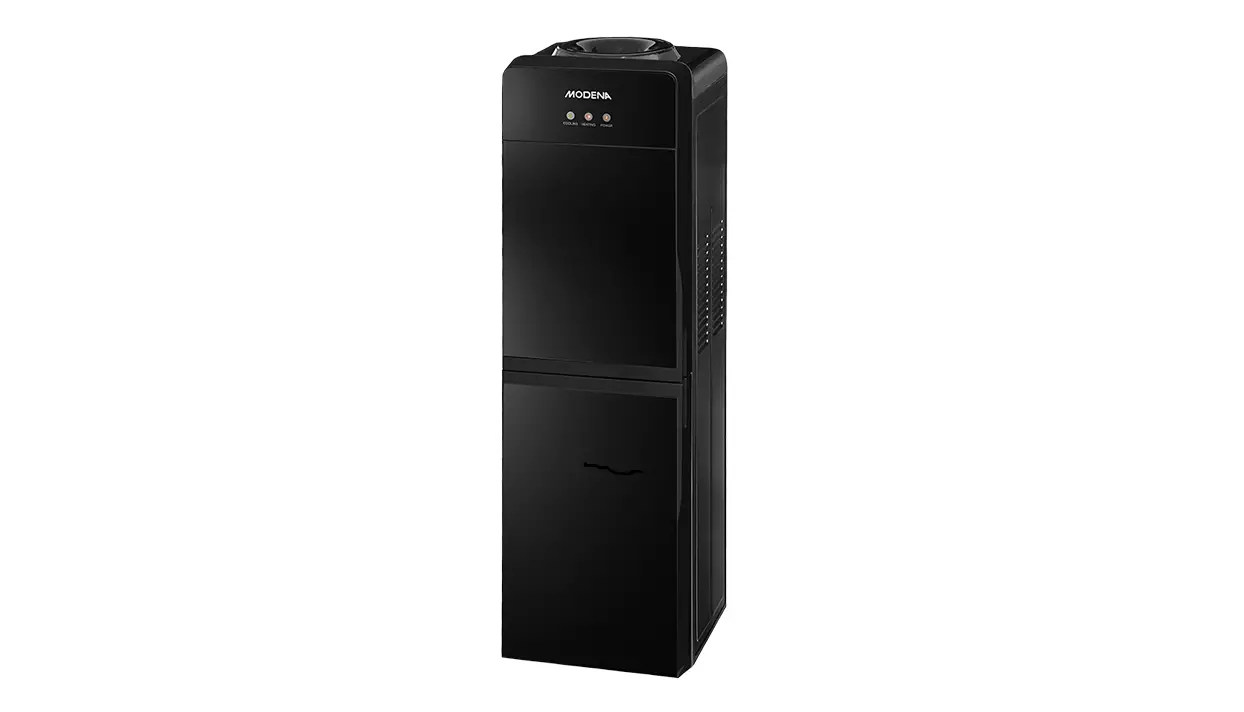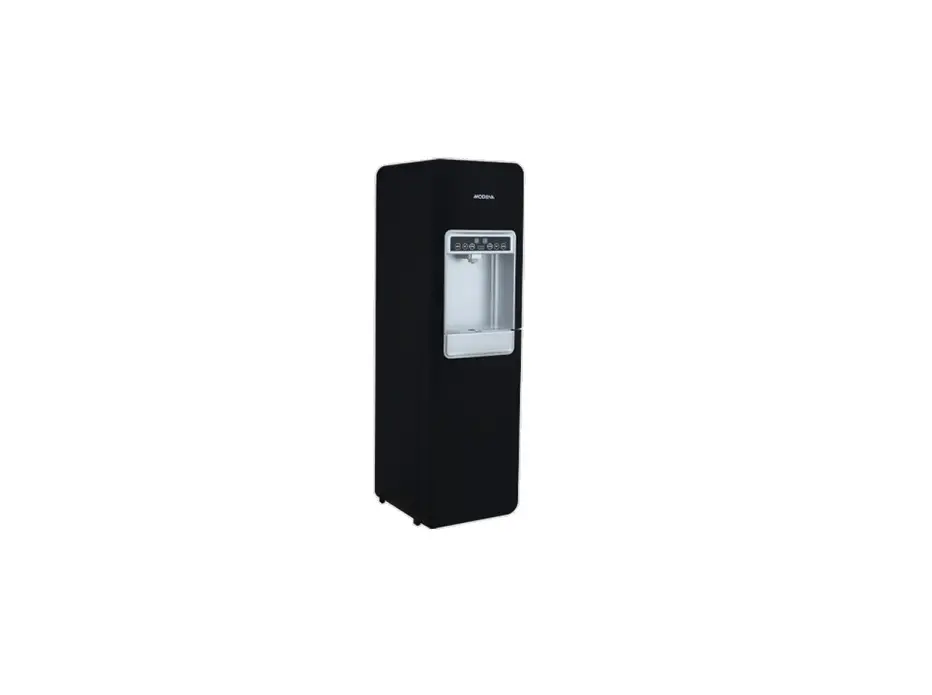
MODENA DD 68 L Water Dispenser User Manual

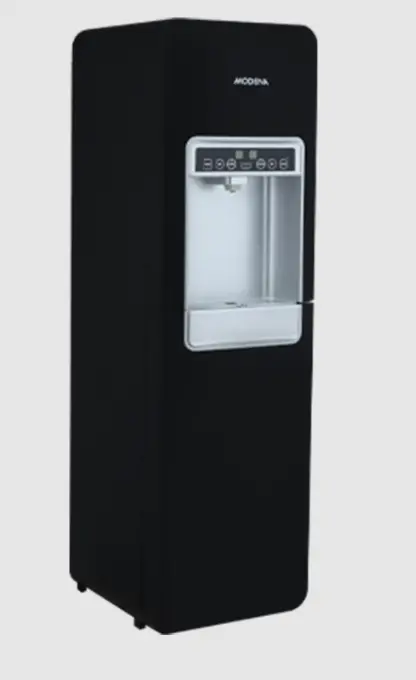
PART 1: NAME OF PARTS
* Features and specifications depend on the type of product
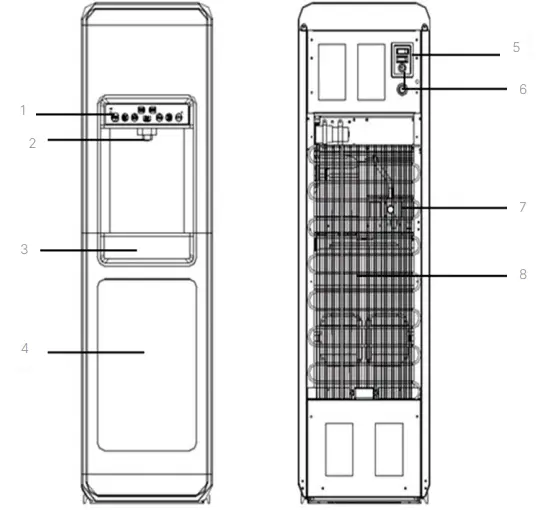
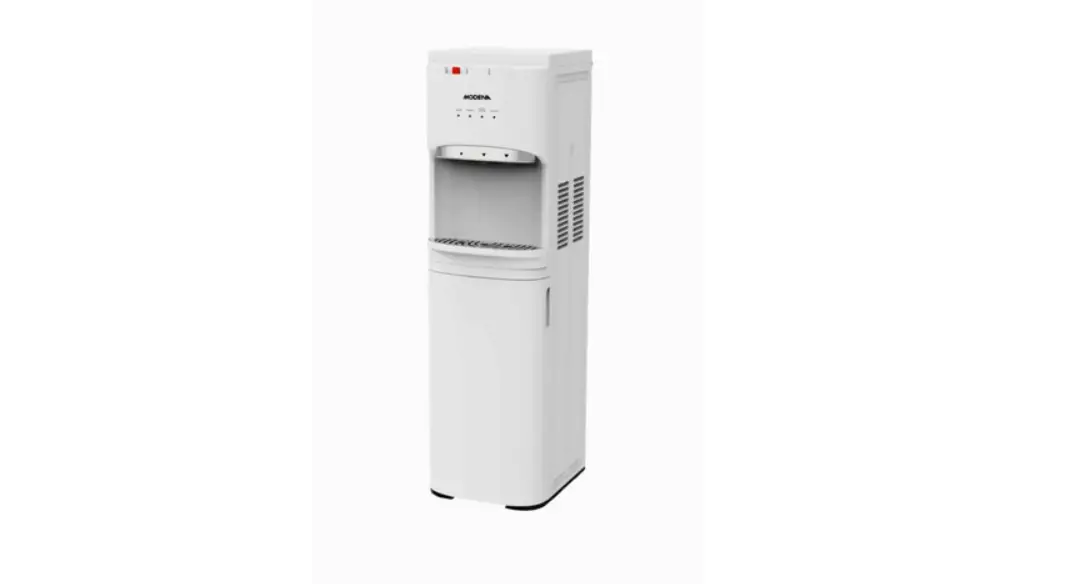
Front Side
- Control Panel
- Water Tap
- Drip Tray
- Cabinet Doo
Back Side
- Red Switch
- Fuse
- Drain Valve
- Condenser
PART 2: INSTALLATION
Please read this operation manual carefully before operating the
appliance in order to use the appliance properly and safely. Pay attention
to the entire sign or warning explained on the pictures or text.
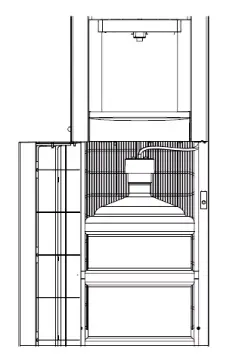
- Install the dispenser on an even and stable surface. A minimum distance of 20 cm from the wall must be provided.
- Leave the appliance for 1 hour to stabilize the refrigerant.
- Insert the Z-pipe into the gallon and then cover it with the lid.
- Insert the gallon into the cabinet. Make sure it is installed properly and close the door.
- Connect the power cord to the power socket, and turn on the red switch (heater) located behind the appliance. Make sure that the socket/electric source has been grounded to prevent electric leakage. Turn on the switch located behind the appliance.
- For initial use, the inside of the appliance must be cleaned. Press the hot and cold water button. Make sure the water dispenses out of the tap. After that, wait around 20 minutes, then remove the gallon and drain the water by opening the drain valve. Make sure the power cord is unplugged from the power source when draining the remaining water.
- If the gallon is empty, turn off the red switch (heater) before replacing it with a new one.
ATTENTION!
- This appliance is designed for indoor
- Avoid placing the appliance in a humid, wet, and poor electrical installation because it can cause an electric shock or
- Do not place flammable objects near the dispenser.
- Do not expose the appliance to direct sunlight and rain because it can degrade its performance and cause electrical leakage
- Do not connect this dispenser to the source of electric current or pressing the heating button if there is no water in the tank or no water flows from the hot water tap if the button is
- Do not modify the power cord on the appliance or connect using extension cord to prevent risks of short circuit and
- Do not touch the back or the condenser to avoid electric
- During a power outage, after the power returns, wait around 5 minutes before turning the appliance
PART 3: HOW TO USE
Control Panel Function
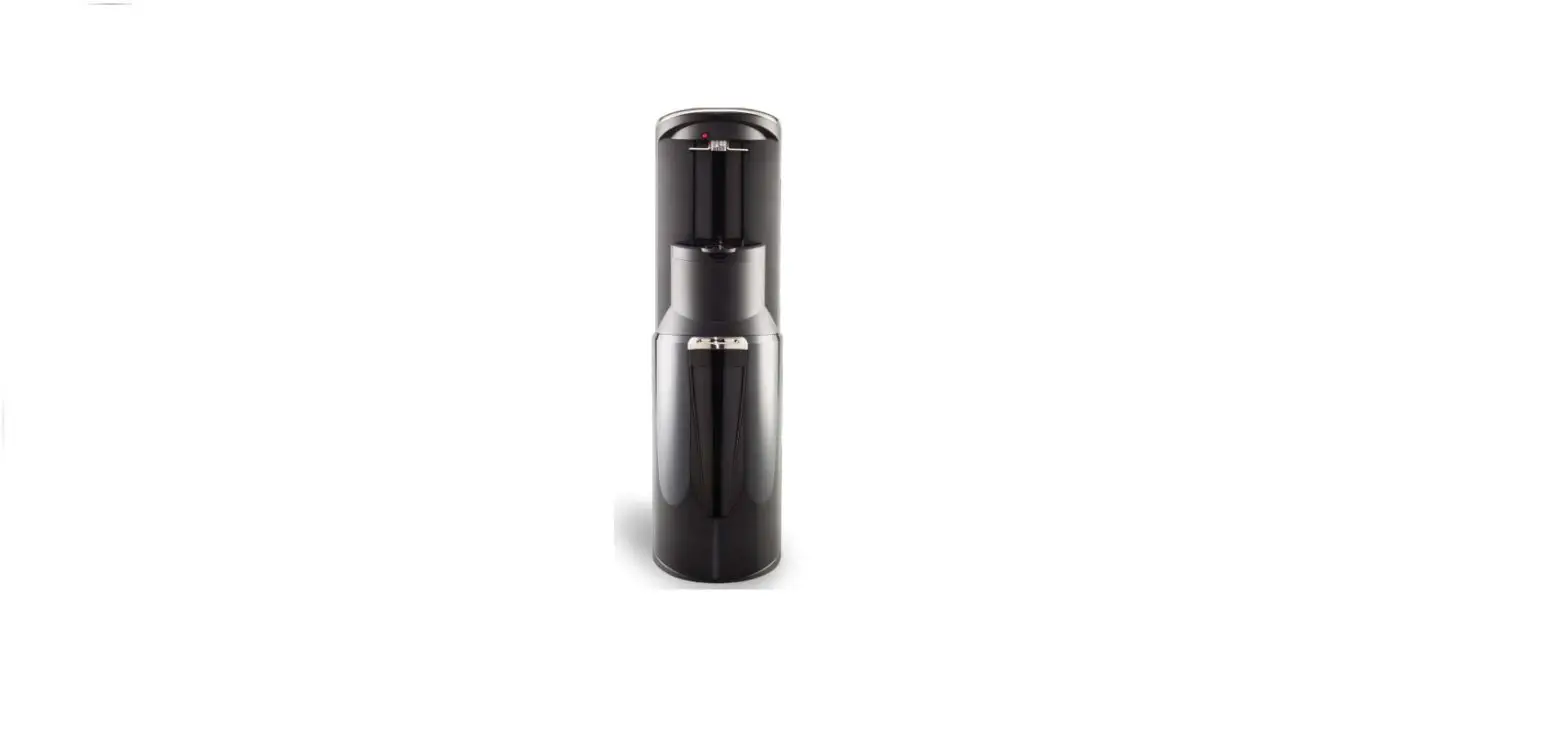
DD 68 L
Front view
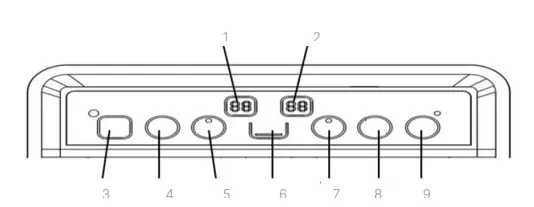
Top view
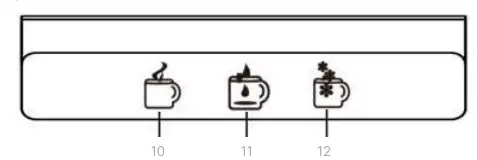
* Features and specifications depend on the type of product.
- Hot Water Temperature Digital Display
- Cold Water Temperatur Digital Display
- Reheating Button
- Hot Water Set Button
- Hot Water Indicator
- Water Level Indicator
- Cold Water Indicator
- Cold Water Set Button
- Cleaning Tank Program Button
- Hot Water Button
- Normal Water Button
- Cold Water Button
DD 68 W
Front view
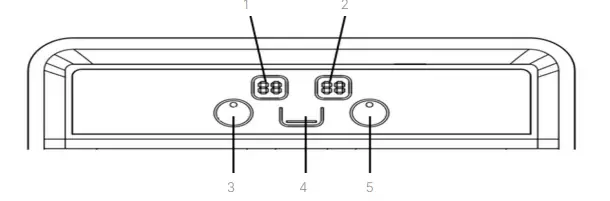
Top view
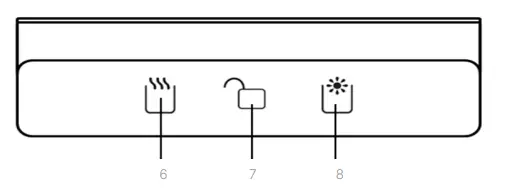
Features depend on the type of
- Hot Water Temperature Digital Display
- Cold Water Temperature Digital Display
- Hot Water Indicator
- Water Level Indicator
- Cold Water Indicator
- Hot Water Button
- Child Lock
- Cold Water Button
How to use the dispenser on DD 68 L
Using the cold water
Connect the power cord to the power source. The appliance will begin the cooling process until the temperature reaches 5 ℃ seen on the display. The appliance will automatically continue the cooling process if the temperature reaches 10 ℃ seen on the display. Cold water temperature can be set to 5 ℃, 8 ℃ and 12 ℃. Press the cold water button set until desired temperature is seen on the display. Wait for
several seconds until the display blinks 5 times. Press the button to dispense the cold water.
Using the hot water
To use the hot water, press the hot water set button and the indicator light will be on. The temperature of hot water will start until reached the factory setting temperature of 90 °C. When the temperature of the hot water decreases, the appliance will automatically raise or stabilize the temperature until it reaches the factory setting. Hot water temperature can be set to 70 ℃, 80 ℃ and 90 ℃. Press the hot water set button until desired temperature is seen on the display. Wait for several seconds until the display blinks 5 times. To rise the hot water temperature quickly, press the reheating button. The temperature of the appliance will rise.
rapidly until 95 °C. Press and hold the button for 3 seconds to dispense the hot water
Use the normal water
Press & hold the normal button  the hot water will come out alternately with cold water until the water is normal.
Use The Cleaning Tank Program.
This function is used to clean and disinfect the inside of the tank and pipelines. Hold the Cleaning Tank Button for 5 seconds to activate it. During this process, the heating and cooling function stop working. The hot water digital display will be off. Only the cold water digital display that will be on.
This process runs for 75 minutes and the indicator light will be on. During this process, do not use the appliance. It is recommended to run this function at night, especially before the children and parents rest. After the cleaning process completed, the appliance will cool down for 75 minutes before it runs normally. If you want to exit before the cleaning process completed, press and hold the Cleaning Tank Button for about 5 seconds
ATTENTION!
Do not use the water from that cleaning process. After the process is complete, dispose of the water in the tank by opening the drain valve.
How to use the dispenser on DD 68 W
Use the cold water
Connect the power cord to the power source. The appliance will begin the cooling process until the temperature reaches 5 ℃ seen on the display. The appliance will automatically continue the cooling process if the temperature reaches 10 ℃ seen on the display. Press the child lock button  and hold for 3 seconds until the buzzer beeps. Press the
  button to dispense the cold water. The cold water function will be locked automatically once the dispensing is done.
Use the hot water
The temperature of hot water will start until reached the factory setting temperature of 90 °C. When the temperature of the hot water decreases, the appliance will automatically raise or stabilize the temperature until it reaches the factory setting. The hot water temperature can not be set. To rise the hot water temperature quickly, press the reheating button. The temperature of the appliance will rise rapidly until 95 °C. Press the
child lock button and hold for 3 seconds until the buzzer beep. Press the button to dispense the hot water. The hot water function will be locked automatically once the dispensing is done
ATTENTION!
The temperature of the hot water may cause burns and scalds.
PART 4: MAINTENANCE
- In order to avoid unwanted incidents, always disconnect from the power cord from the power source before cleaning the
- This dispenser has been disinfected prior to
- Bottle support collar, water tube, and heating element must be cleaned by expert technician once a year to maintain the machine to its good condition and to extend the appliance’s Do not attempt to disassemble the machine in order to avoid damage to the machine.
- Use soft and wet cloth to clean the surface of the Use soft and dry cloth to dry the surface. Do not let water enter the appliance’s engine.
Make sure the power cord is unplugged from the power source when draining the remaining water or when in a maintenance or when not in use for a long time. Meanwhile, when the water from the hot tap is cold, open the drain valve until there is no water in the appliance.
PART 5: PRECAUTION ACTION
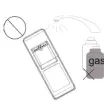
| a. Install the dispenser on even surface. Avoid placing it in a humid place. A minimum distance of 20 cm from the wall must be provided. Do not store flammable substances near the dispenser. | 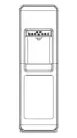 |
| b. To avoid damage to the machine, avoid connecting power cord or pressing the heating switch (red) until the hot water comes out of the hot water tap. |
|
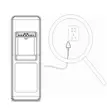
| c. If the dispenser won’t be used for a long period, turn off the heating and cooling switches and disconnect the cord from the power socket and drain the remaining water through the drainage. |
|
|
d. Do not use chemical substances or directly pour water to clean the dispenser. Use soft cloth instead. | 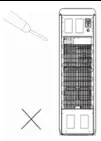 |
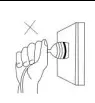
| e. Do not pull the cord to disconnect the power cord from the power socket. Hold and unplug it from the head with dry hand. |
|
| f. Do not put the dispenser upside down. The inclination should not be more than 45° to avoid damage to the compressor. | |
| The thermostat on the dispenser has been adjusted by the manufacturer. Do not attempt to modify the thermostat by yourself to avoid unwanted damage. | |
| h. This appliance is designed for use by adults. Do not allow children to play with the appliance or let them hang on the door. The appliance may fall over and harm them. Children should be supervised to ensure that they don’t play with the appliance. The appliance is not intended for use by individual (including children) with reduced physical, sensory or mental capabilities, or lack of experience and knowledge, unless they have been given supervision or instruction concerning the use of the appliance by a person who is responsible for their safety. |
|

If there is damage to the power cord, contact MODENA Call Center immediately to do a replacement. The replacement of
power cord must be done by experienced
Never replace the power cord on your own, due to the dangers that could lead to harm yourself and others.
 ATTENTION!
This appliance must not be disposed of with other household waste. To prevent possible harm to the environment or human health from uncontrolled waste disposal
PART 6: TROUBLESHOOTING
Please check these following before contacting the Call Center if any problem occurs:
| Problem | Possible Cause | Recommended Action |
|
Water is not hot or not cold. | – Excessive usage of hot water or cold water in a short period of time. – The appliance is not yet connected to electricity. | – Wait until the water becomes cold or hot. – Connect the cord to the power socket and press the heating and cooling switches. |
|
Water is not being dispensed out of the tap. | – Water gallon is empty. – The pipe is stuck or blocked by something. | – Replace the water gallon with a new one – Turn off the cooling switch. After 4 hours, turn it back on. |
| Leak on the water gallon support. | – Water gallon is leaking / damaged. | – Replace water gallon with a new one. |
| Loud noise during operation. | – Improper installation or placement of appliance. | – Install appliance on even and stable surface. |
PART 7: SPECIFICATION
| MODEL | DD 68 L | DD 68 W |
| Type | Cold, Normal & Hot | Cold & Hot |
| Lower chamber | Gallon storage | Gallon storage |
| Color | Black (L) | White (W) |
| Hot water output (liter/hour) | 5 | 5 |
| Cold water output(liter/hour) | 2 | 2 |
| Hot water tank capacity (liter) | 1.7 | 1.7 |
| Cold water tank capacity (liter) | 3.2 | 3.2 |
| High temperature (celcius) | ≥90 | ≥90 |
| Cold temperature (celcius) | ≤10 | ≤10 |
| Free-CFC compressor | Yes | Yes |
| Regulator of thermostat | Yes | Yes |
| Water tube material | Stainless | Stainless |
| Power (Hot) (watt) | 500 | 500 |
| Compressor power (watt) | 85 | 85 |
| Product dimension (L x W x H) mm | 320x355x1050 | 320x355x1050 |
| Product weight (Kg) | 19 | 19 |
L= Black V= Silver R= Red G-Gray D= Gold W =White
- Specifications of this unit may change without prior notice to improve the quality of the
Pictures in this manual are schematic and may be different from the actual product. Values stated on the machine labels or in the documentation accompanying it are obtained in laboratory in accordance with the relevant standards. Depending on operational and environmental conditions of the unit, values may vary.
 MODENA