
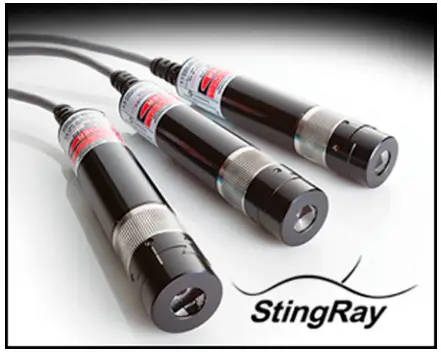
STINGRAY LASER DEVELOPER’S KIT
Quick Start Guide
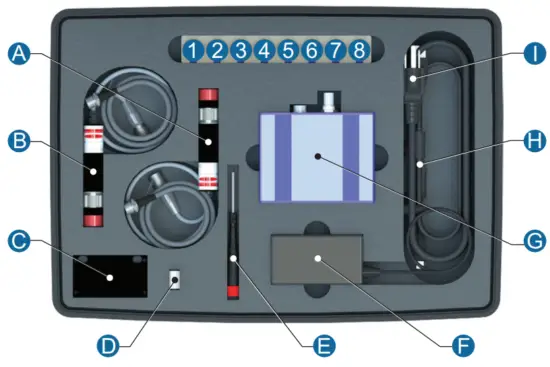
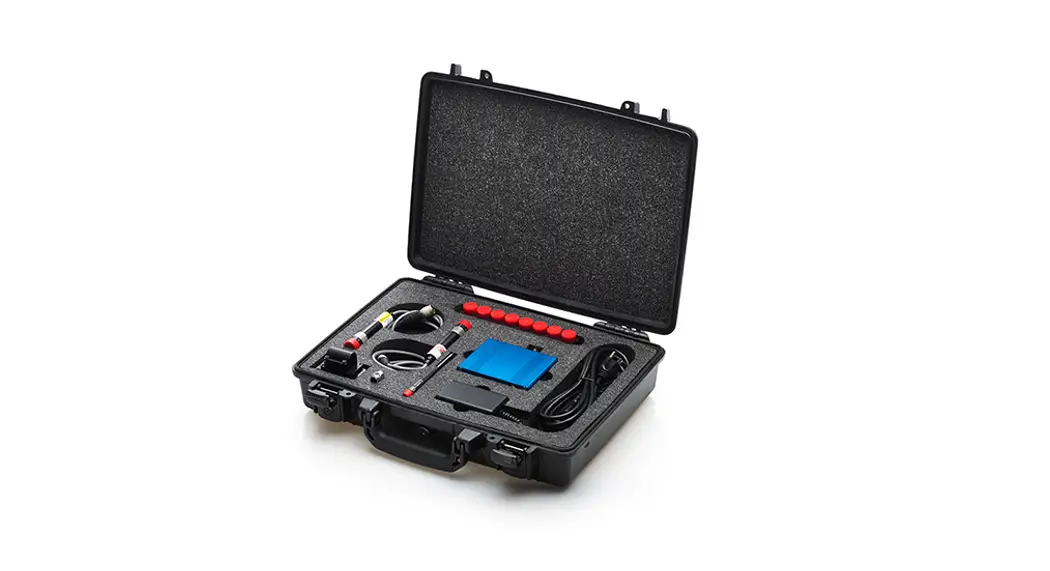
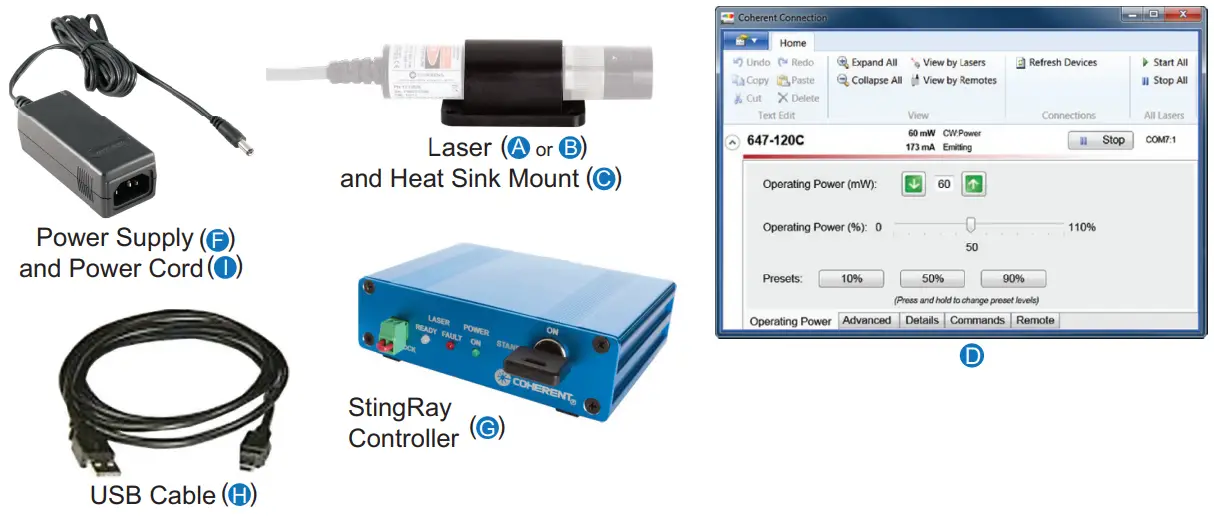
| Item Description | Label |
| 30 Degree Line, Standard Focus (Red) | 1 |
| 30 Degree Line, Extended Focus (Red) | 2 |
| 30 Degree Line, Standard Focus (Green) | 3 |
| 30 Degree Line, Extended Focus (Green) | 4 |
| 60 Degree Line, Standard Focus (Red) | 5 |
| 60 Degree Line, Extended Focus (Red) | 6 |
| 45 Degree Line, Standard Focus (Red) | 7 |
| 5 Degree Line, Standard Focus (Red) | 8 |
| StingRay Laser, CW, 520 nm, 50 mW | A |
| StingRay Laser, CW, 660 nm, 100 mW | B |
| StingRay Heat Sink Mount | C |
| USB Drive with Coherent Connection Software | D |
| Hex Wrench, 0.035 inch | E |
| Power Supply, StingRay Controller | F |
| StingRay Controller | G |
| USB Cable | H |
| Power Cord | I |
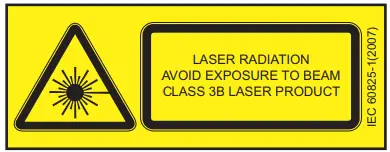
Optical Safety
Laser light, because of its special properties, poses safety hazards not associated with light from conventional sources. The safe use of lasers requires that all laser users, and everyone near the laser system, are aware of the dangers involved. The safe use of the laser depends upon the user being familiar with the instrument and the properties of coherent, intense beams of light.
 DANGER!
Direct eye contact with the output beam from the laser will cause serious damage and possible blindness.
Laser beams can ignite volatile substances such as alcohol, gasoline, ether, and other solvents, and can damage light-sensitive elements in video cameras, photomultipliers, and photodiodes. Reflected beams may also cause damage. For these reasons and others, follow these precautions:
- Observe all safety precautions in the StingRay Operator’s Manual.
- Exercise extreme caution when using solvents in the area of the laser.
- Limit access to the laser to qualified users who are familiar with laser safety practices and who are aware of the dangers involved.
- Never look directly into the laser light source or at scattered laser light from any reflective surface. Never sight down the beam into the source.
- Maintain experimental set-ups at low heights to prevent inadvertent beam-eye encounters at eye level.
WARNING!
Laser safety glasses can present a hazard as well as a benefit. While they protect the eye from potentially damaging exposure, safety glasses block light at the laser wavelengths; which prevents the operator from seeing the beam. Use extreme caution even when using safety glasses. - As a precaution against accidental exposure to the output beam or its reflection, individuals using the system should wear laser safety glasses as required by the wavelength being generated.
- Use the laser in an enclosed room. Laser light remains collimated over long distances and therefore presents a potential hazard if not confined.
- Post warning signs in the area of the laser beam to alert individuals present.
- Advise all individuals using the laser of these precautions. It is good practice to operate the laser in a room with controlled and restricted access.
Electrical Safety
The StingRay laser does not contain hazardous voltages. Do not disassemble the enclosure. There are no user-serviceable components inside. All units are designed to be operated as assembled. The warranty will be voided if the enclosure is disassembled.
Install a Laser System This section describes how to get the laser up and running in CW (Continuous Wave) mode with the laser controller. For more information—including specifics on modulation, interfacing, installation, and heat sinking—see the StingRay Operator’s Manual (P/N1369409), available in PDF format on the USB drive that shipped with your StingRay Laser Development Kit.
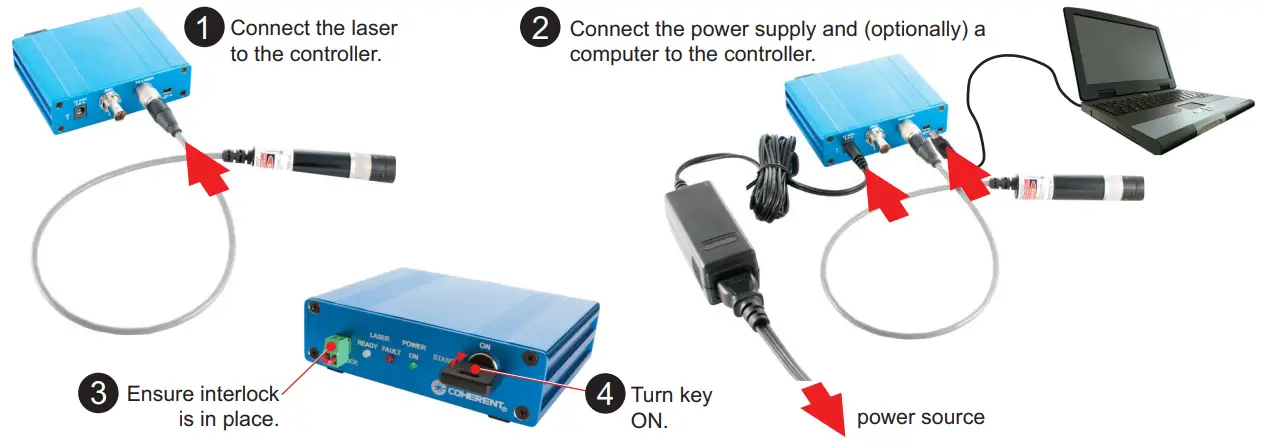
The laser does not start emission until the interlock and key switch are enabled and power is applied to the controller. After these conditions are met, the laser begins emitting in 5 seconds (a safety delay).
Installation Procedure
Before you begin, see the section about “Optical Safety” (page 2).
Install the Optional Coherent Connection Software
Close all programs. Insert the StingRay USB drive into a USB port on your computer. Double-click the Coherent_Connection_Setup.exe file to start the installation process; follow the on-screen instructions. For detailed information, refer to the StingRay Operator’s Manual (P/N1369409), available in PDF format on the USB drive that shipped with your Developer’s Kit or on the Coherent website at www.Coherent.com (search for “StingRay”).
Focus StingRay Lasers
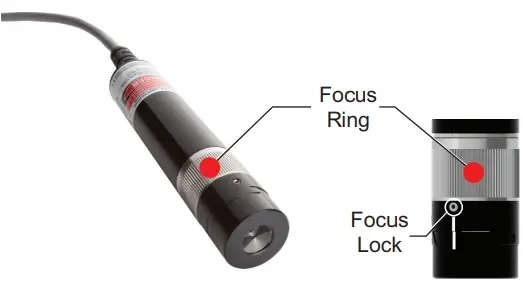
StingRay is equipped with a state-of-the-art translation focus mechanism. To focus the laser:
- Using the 0.035-inch hex wrench (provided—
E), loosen the focus lock. - Grasp the focus ring and rotate the focus until it reaches the desired minimum thickness at the working distance you are using the laser.
- Tighten the focus lock.
Install an Optical Head
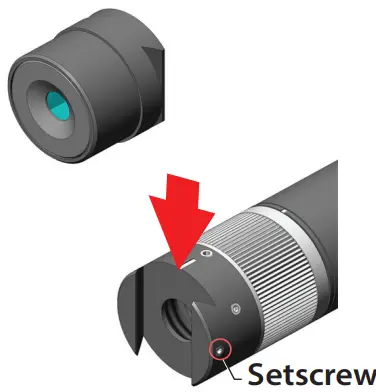
The StingRay lasers are designed to allow changing the optical head. This capability lets the user evaluate multiple optical configurations and identify the best solution for a given application. To change the optical head:
- Using the 0.035-inch hex wrench (provided—
E), loosen the setscrew. - Slide the head off.
- Replace with the selected head from the kit.
- Balance the line intensity by moving the optical head along the dovetail axis and watching the power distribution change as the head moves.
- Visually optimize the “balance” to make sure that the power is evenly distributed across the line.
- Tighten the setscrew to lock the head in place.
This procedure can be repeated for all appropriate heads included in the kit.
Questions? Call:
(USA) +1-800-343-4912
(Europe) +49-6071-968-0
(International) +1-503-454-5700 or visit the Coherent website and search for “StingRay” products.
www.Coherent.com
Shop.Coherent.com is the official e-commerce website for lasers, energy meters and sensors, fiber optics, and accessories.

StingRay Laser Developer’s Kit Quick Start Guide © Coherent, Inc., 04/2021, printed in the USA Part No. 1264074, Rev. AD
 Coherent | Coherent
 Leader in Laser Solutions and Photonics Technology | Coherent