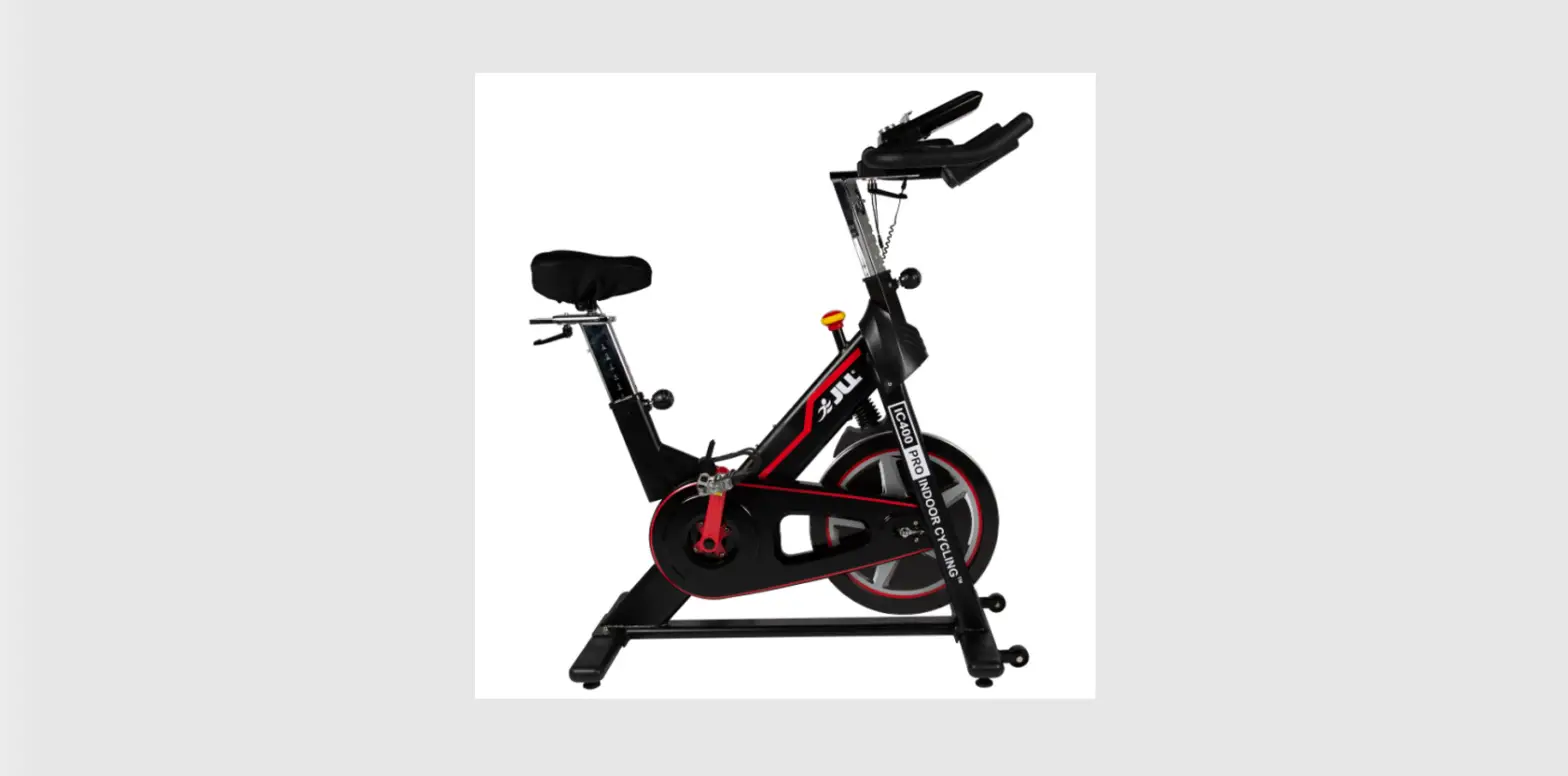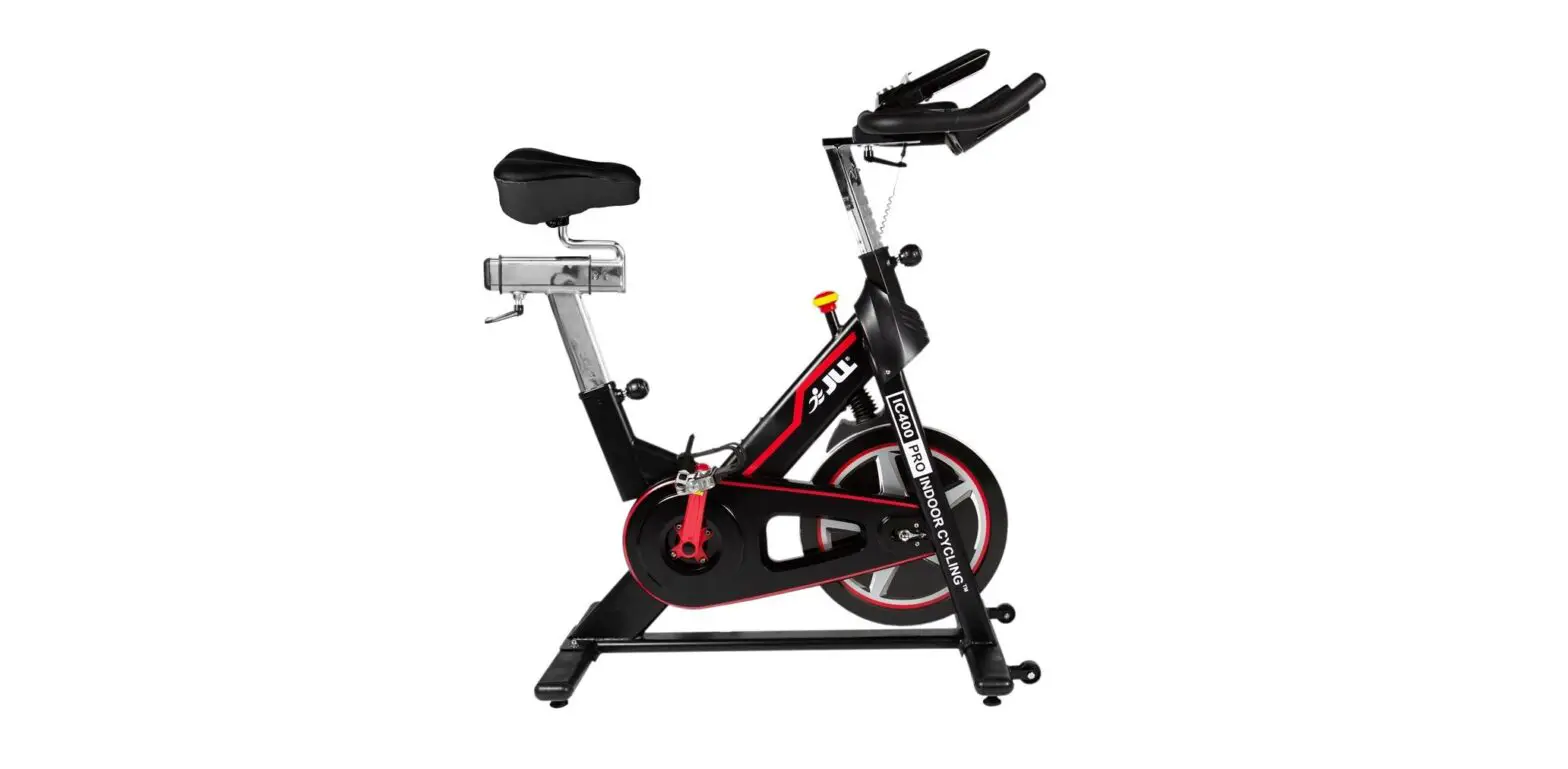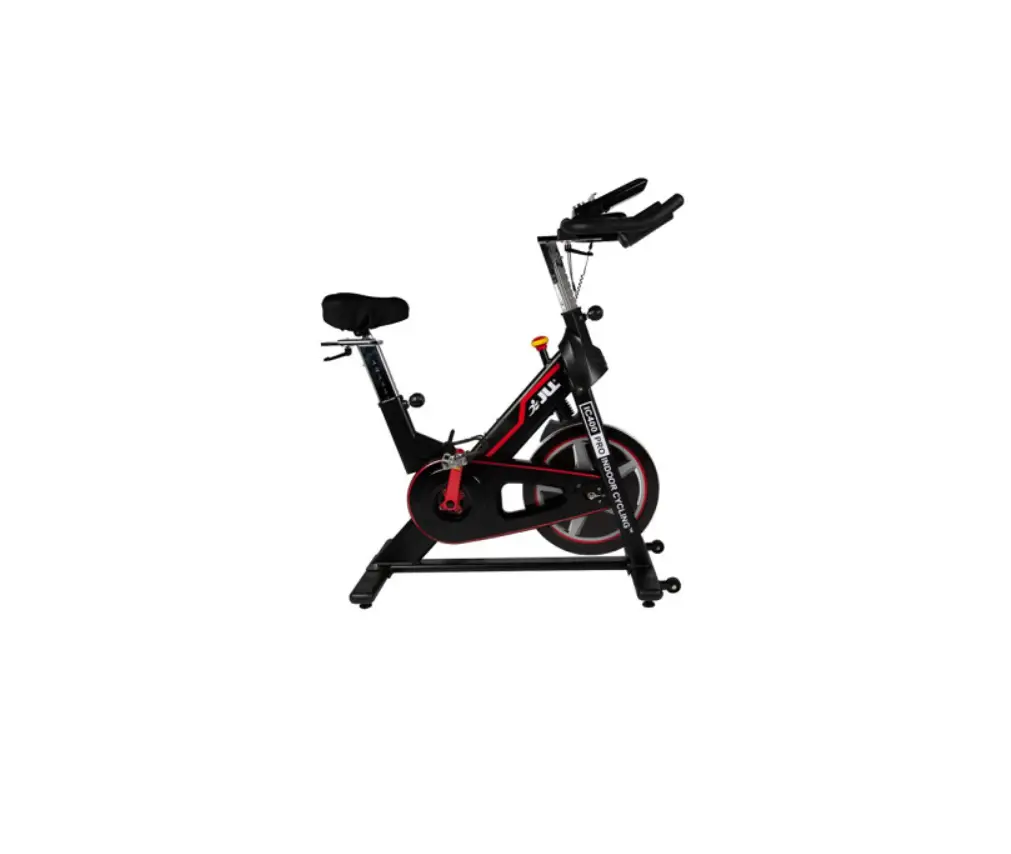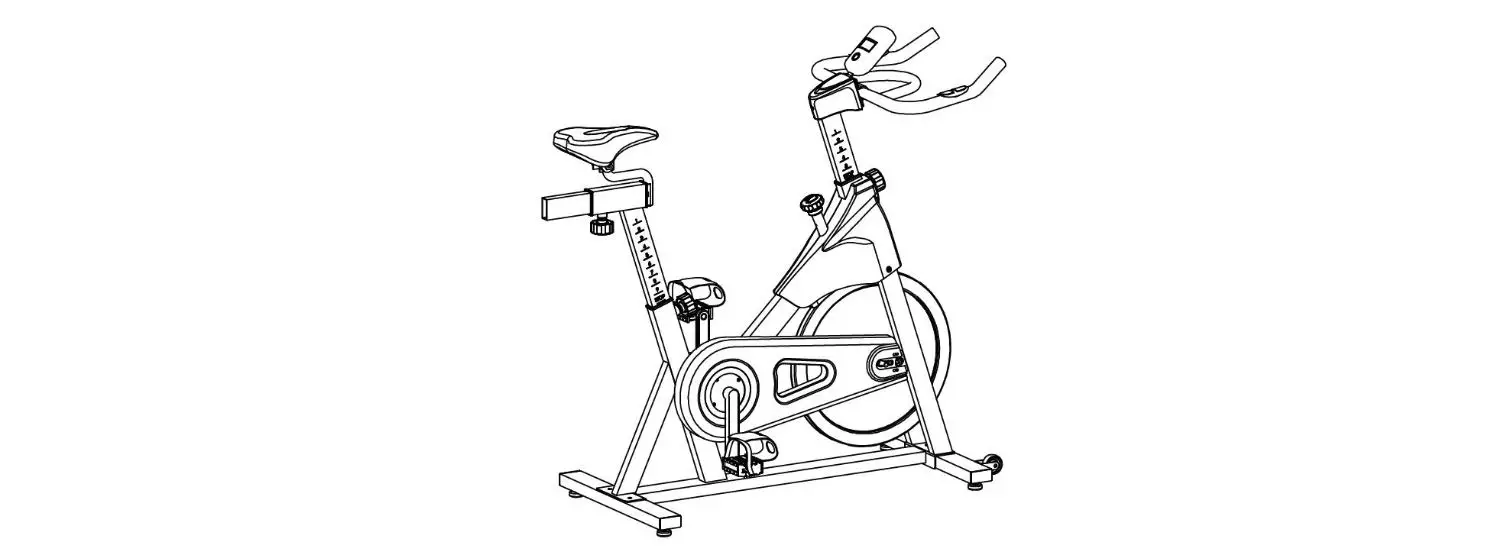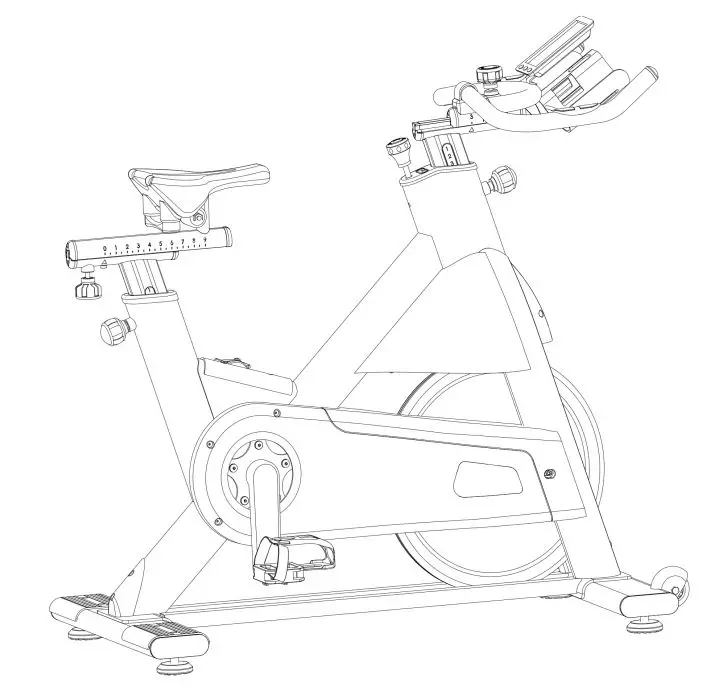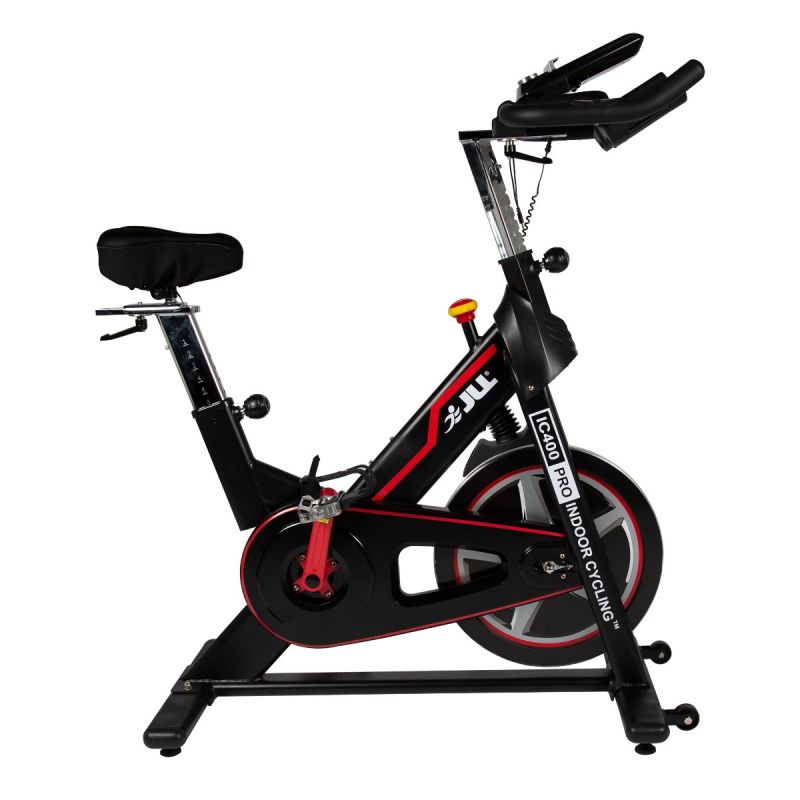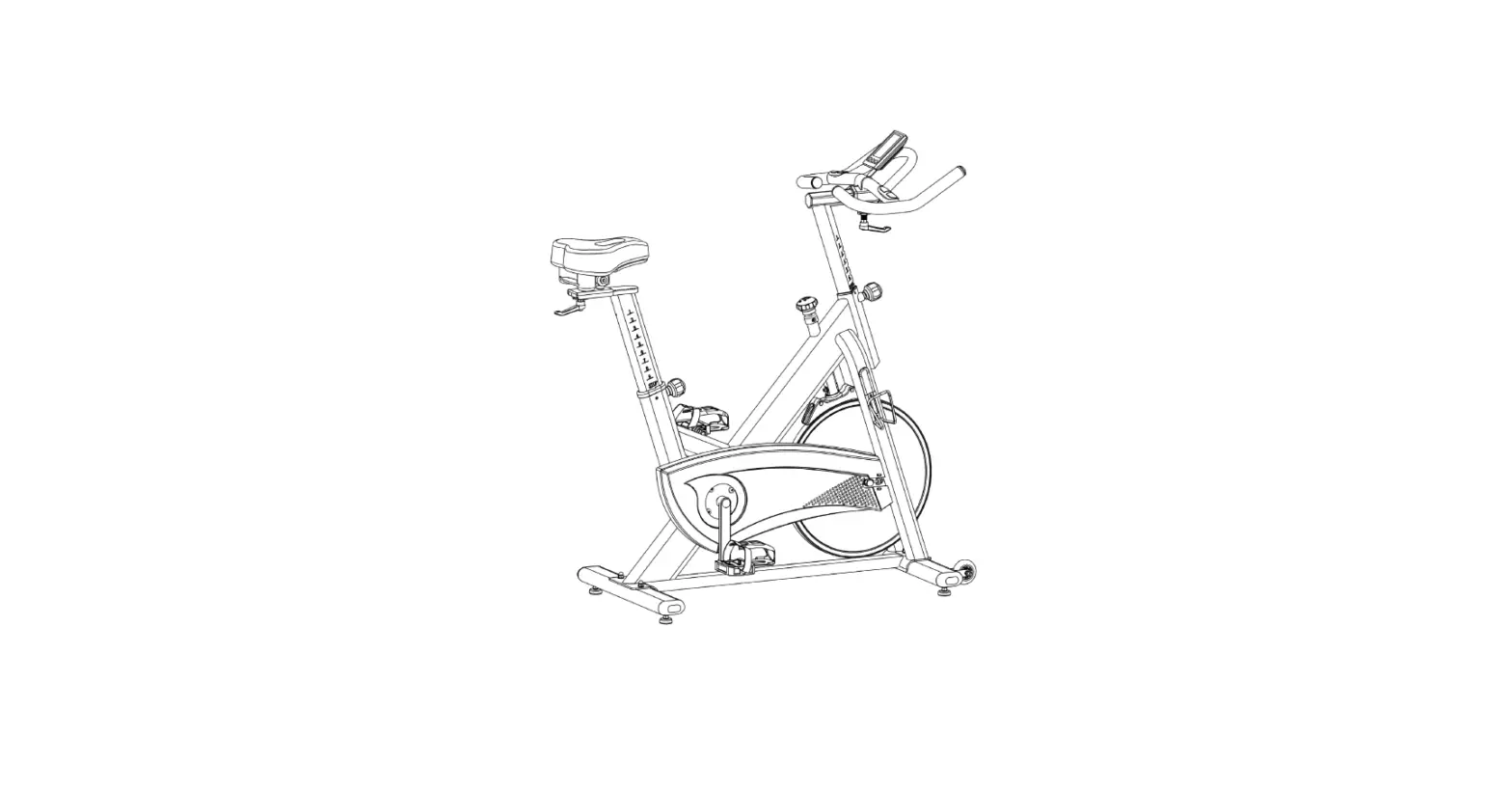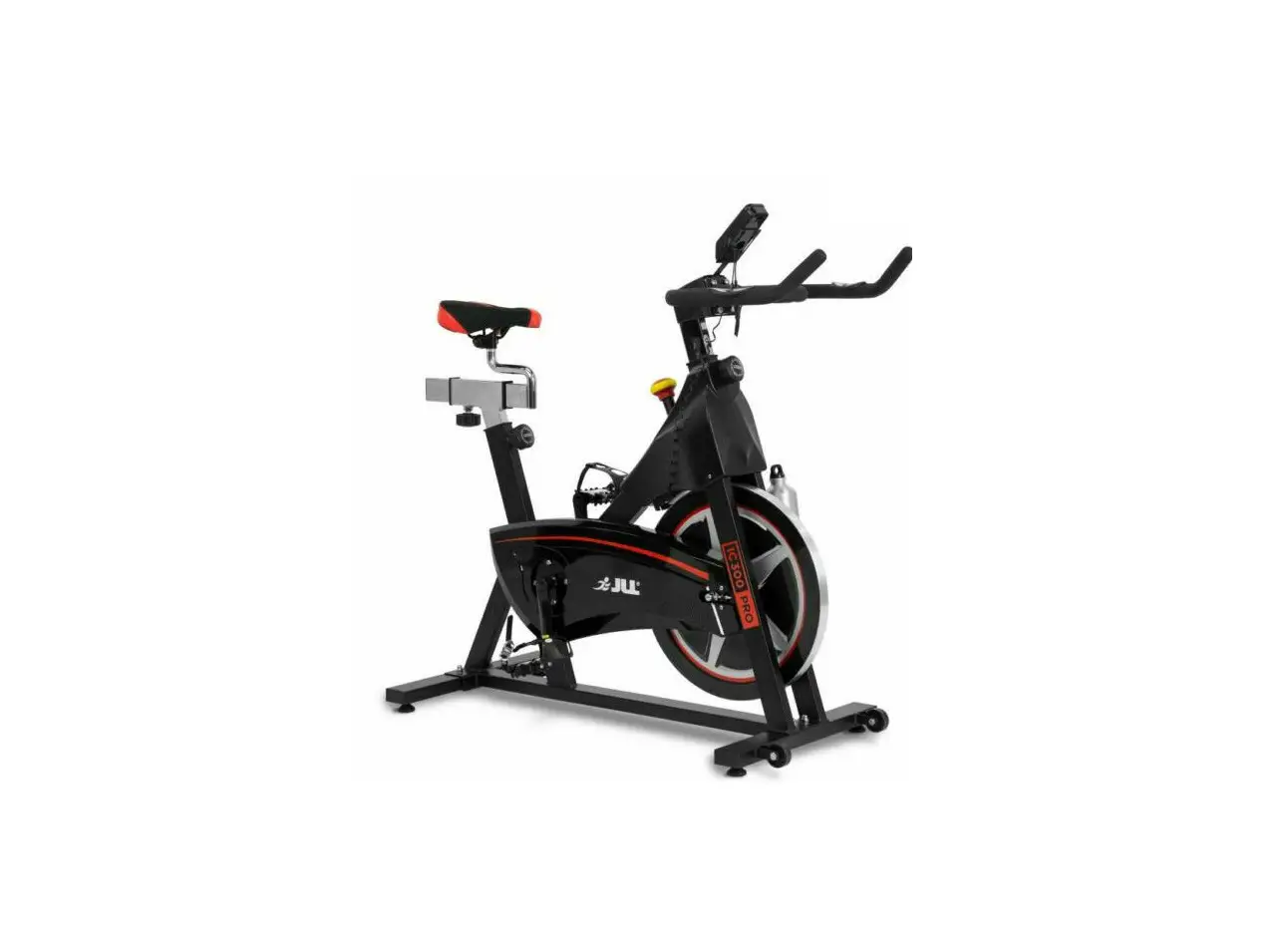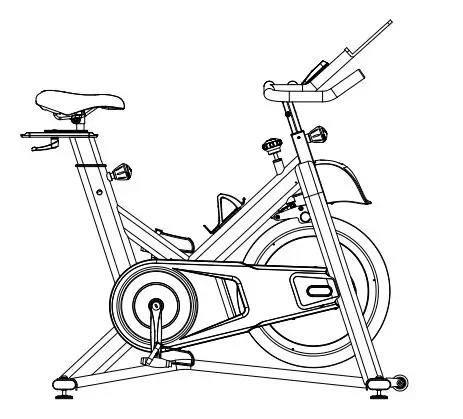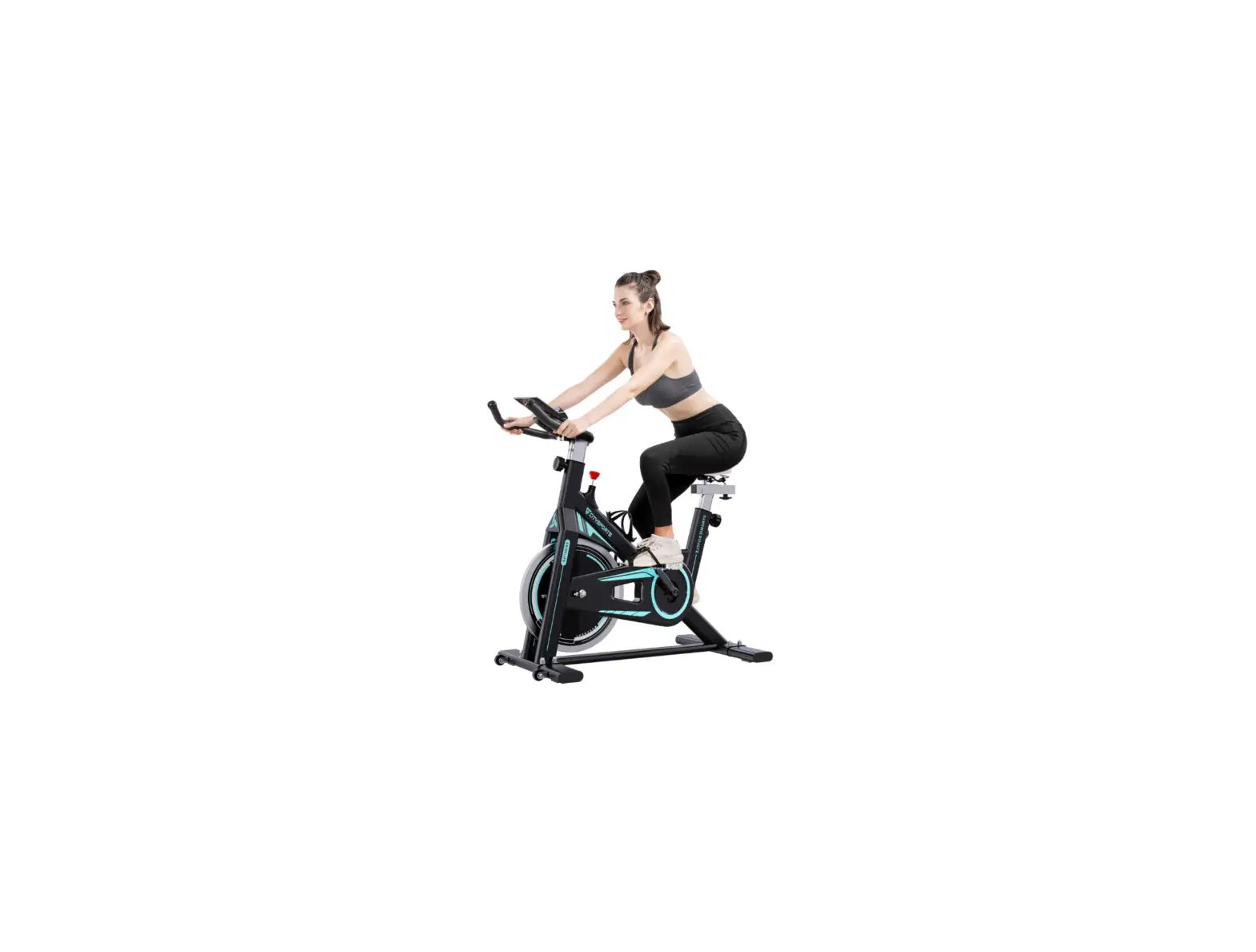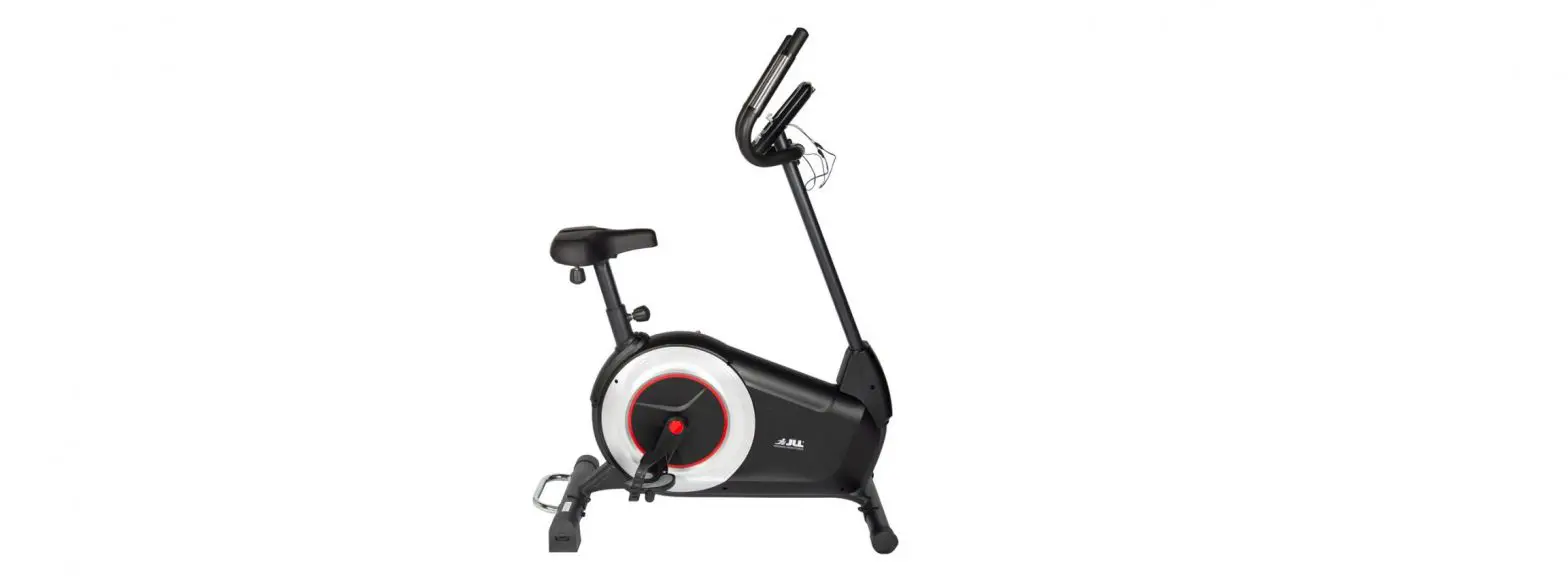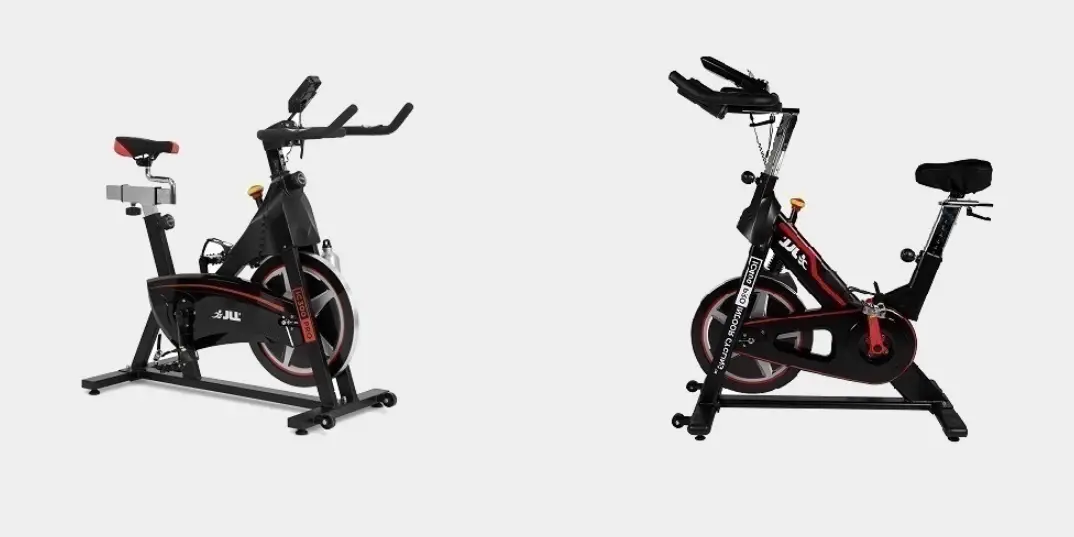

JU IC 250 PRO Indoor Cycling
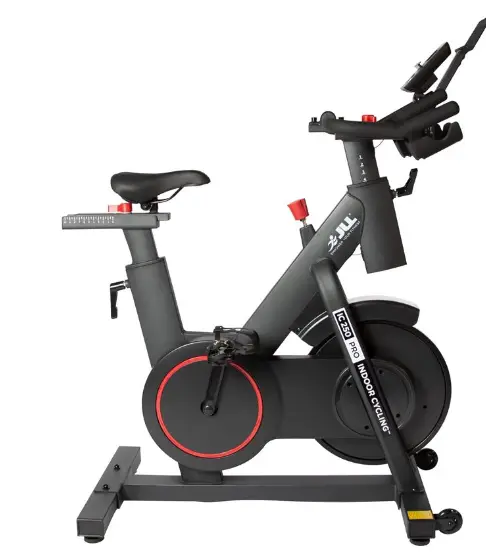
EXPLODED DIAGRAM
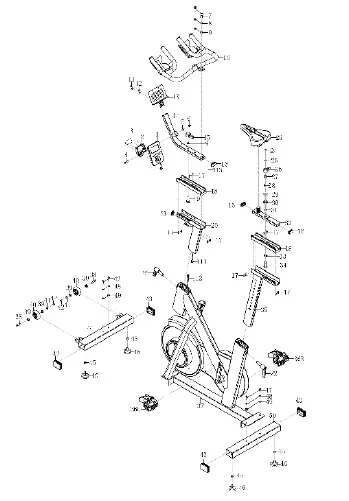
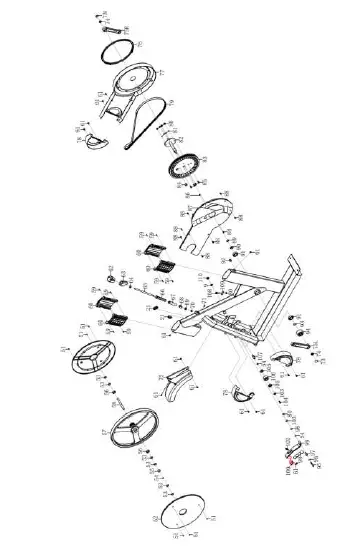
PARTS LIST
| No. | Description | Qty. | No. | Description | Qty. |
| 1 | Computer | 1 | 36L/R | Pedal | 2 |
| 2 | Computer Holder | 1 | 37 | Main frame | 1 |
| 3 | Bolt M5*20 | 4 | 38 | Bolt 7.8*30*M6*15*S5 | 2 |
| 4 | Bolt M8*35*S6 | 1 | 39 | bearing 608ZZ | 4 |
| 5 | Washer d8* 16*1.5 | 1 | 40 | Roller 71* 19*24 | 2 |
| 6 | Cap Nut M8*H16*S13 | 1 | 41 | Washer d6* 12*1.5 | 2 |
| 7 | Bolt M10*25*S8 | 2 | 42 | bolt M6*12*S5 | 2 |
| 8 | Spring washer d10 | 2 | 43 | End cap | 4 |
| 9 | washer d10* 20*2 | 4 | 44 | Front Stabilizer | 1 |
| 10 | Handlebar | 1 | 45 | nut M8*H5.5*S14 | 4 |
| 11 | Bolt M6*10*S5 | 2 | 46 | Adjustable Footpad | 4 |
| 12 | washer d6* 12*1 | 2 | 47 | bolt M8*20*S6 | 4 |
| 13 | IPAD holder | 1 | 48 | Spring washer d8 | 4 |
| 14 | Computer post | 1 | 49 | Washer d8* 20*2 | 4 |
| 15 | Knob | 1 | 50 | Rear Stabilizer | 1 |
| 16 | Square end cap J40*20*17 | 3 | 51 | bolt ST3*12* 6 | 6 |
| 17 | Bolt M5*18* 8 | 12 | 52 | Cover For Flywheel | 2 |
| 18 | Lower sliding plate | 2 | 53 | nut M12*1*H6*S19 | 6 |
| 19 | Handlebar Of Horizontal Tube | 1 | 54 | Wave washer d12* 15.5*0.3 | 3 |
| 20 | handlebar tube join | 1 | 55 | bushing 18* 12.1*12.5 | 1 |
| 21 | C-clip | 3 | 56 | bearing 6001Z | 2 |
| 22 | L type knob | 2 | 57 | Flywheel | 1 |
| 23 | Saddle | 1 | 58 | Flywheel shaft | 1 |
| 24 | Bolt M5*10* 10 | 1 | 59 | bolt ST3*16* 5.6 | 8 |
| 25 | washerd5* 14*2 | 1 | 60 | Bushing | 4 |
| 26 | Handle Of Horizontal Sad- dle Tube | 1 | 61 | bolt M5*10* 9.5 | 2 |
| 27 | Locking Core | 1 | 62 | Stationary knob | 1 |
| 28 | Limiter Pin | 63 | Brake Rod Cover | 1 | |
| 29 | bolt M4*12* 7 | 2 | 64 | nut M10*H7*S17 | 1 |
| 30 | Limiter | 1 | 65 | Knob | 1 |
| 31 | Rubber 11* 8*3 | 1 | 66 | Bushing 20*20*120 | 1 |
| 32 | Horizontal saddle tube | 1 | 67 | Brake tube cover | 1 |
| 33 | Rubber paste | 1 | 68 | nut 15*15*25*M10 | 1 |
| 34 | Fixed Plate of Horizontal saddle tube | 1 | 69 | nut M10*H19*S17 | 1 |
| 35 | Saddle Tube | 1 | 70 | Cap nut M6*H14*S10 | 1 |
| No. | Description | Qty. | No. | Description | Qty. |
| 71 | bolt M6*10*S10 | 1 | 94 | Axis cover | 1 |
| 72 | Front cover | 1 | 95 | bolt M6*45 | 1 |
| 73 | Crank cover | 2 | 96 | Washer D12 | 2 |
| 74 | nut M10*1.25*H7.5*S14 | 2 | 97 | Magnetic plate shaft | 1 |
| 75L/R | Crank | 2 | 98 | Round magnet | 4 |
| 76 | Ring | 1 | 99 | Magnetic plate | 1 |
| 77 | Out cover | 1 | 100 | Brake mat | 1 |
| 78 | Cover | 3 | 101 | bolt M5*10* 9.5 | 1 |
| 79 | Belt | 1 | 102 | Spring tension | 1 |
| 80 | Nylon nut M6*H6*S10 | 6 | 103 | washerd6* 16*1.5 | 2 |
| 81 | Spring washer d6 | 4 | 104 | Bolt M6*10*S10 | 1 |
| 82 | Axis | 1 | 105 | bearing 6001-2RZ | 2 |
| 83 | Belt plate | 1 | 106 | Idler | 1 |
| 84 | Round magnet | 1 | 107 | Idler shaft | 1 |
| 85 | bolt M6*16*S10 | 4 | 108 | Bolt M6*52* 10*2.5 | 1 |
| 86 | Bolt ST4.2*8* 8 | 1 | 109 | U seat | 1 |
| 87 | Inner Cover | 1 | 110 | Nylon nut M10*H9.5*S17 | 1 |
| 88 | bolt ST4.2*16* 8 | 8 | 111 | Trunk wire | 1 |
| 89 | Wave washer d20* 26*0.3 | 1 | 112 | Sensor | 1 |
| 90 | bushing 25 | 1 | A | Wrench S5 | 1 |
| 91 | bearing 6004-RZ | 2 | B | Wrench S6 | 1 |
| 92 | End cap 12.5 | 1 | C | Wrench S8 | 1 |
| 93 | C-clip d20 | 1 | D | Spanner S13-14-15 | 1 |
Safety Instructions
PRIOR TO USE
- Assemble the bike according to the instruction manual.
- Consult your doctor before beginning any exercise program.
- Read instructions.
- Read warning labels.
- Read emergency stop procedures.
- Maximum user weight is 130kg/ 20.47 St.
- Inspect unit. If damaged, DO NOT USE.
- Ensure every bolt and screw is securely tightened.
DURING USE
- DO NOT use for stretching and DO NOT attach straps or other devices.
- DO NOT allow children aged 12 or younger to be on or near the machine.
- Stop exercising if you feel faint, dizzy, or encounter pain.
- Keep all clothing and accessories clear of moving parts.
- DO NOT jump onto the exercise bike.
WARNING
- Keep water and liquids away from electrical parts.
FACILITY SAFETY PRECAUTIONS
- DO NOT operate this bike in damp or wet locations.
- Use caution when getting on or off the bike.
- Check the exercise bike for worn or loose components before each use. DO NOT use until worn or damaged parts are replaced.
- Maintain regularly. Refer to Preventive Maintenance chapter.
- DO NOT use the bike if: (1) the bike is not working adequately or (3) the bike has been dropped or damaged.
- DO NOT use the exercise bike outdoors.
- Read the instruction manual completely before using the bike.
- Ensure all users wear appropriate footwear on JLL® equipment.
- Set up and operate the bike on a level surface. DO NOT operate in small restricted areas or on plush carpet.
- As far as possible provide the following clearances: 0.5 m at each side and 2 m at the back. Be sure your exercise bike is clear of walls, equipment and other hard surfaces.
- Modifications can be made to the bike if necessary however, they must not damage the original bike itself. Any queries can be answered by our customer service team on 0121 328 7507 – 0800 6123 988.
- All the data displayed by the monitor is for reference purposes only.
WARNING STICKERS
- Warning stickers indicate a potentially hazardous situation which, if not avoided, could result in death or serious injury. Carefully read the following caution and warning labels before using the unit.
WARNING
- It is strictly forbidden to touch any moving parts of the bike.
WARNING
- Keep small children and pets a safe distance from bike when in use.
Assembly
PREPARING SITE
To find the ideal location to set up this bike, ensure that:
- Area is well illuminated and well ventilated.
- Surface is level.
- There is enough space to access the unit and emergency dismount. If it is possible, keep the following clearances: 0.5 m at each side and 2 m at the back.
- The bike is placed in an environment with a relative humidity range of 30-50%. Please ensure the temperature is kept constant. Do not use in a moist or damp environment as this may impact on the integrity and performance of the machine.
DIAGRAM
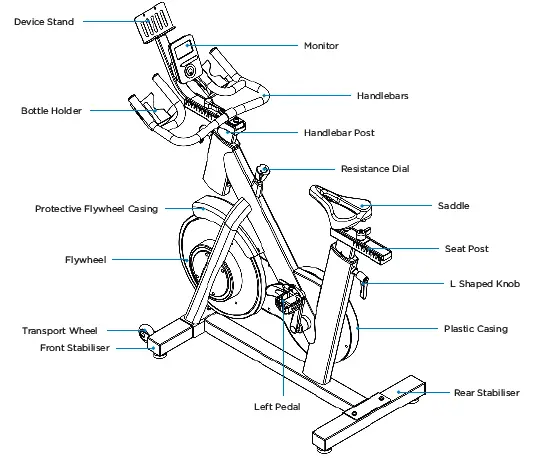
See diagram (left) and content listing (below) for the exercise bike box contents. See Customer Service chapter for contact information if any parts are missing.
BOX CONTENTS
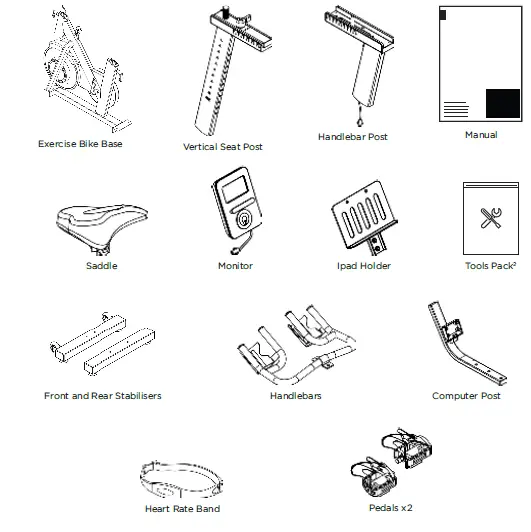
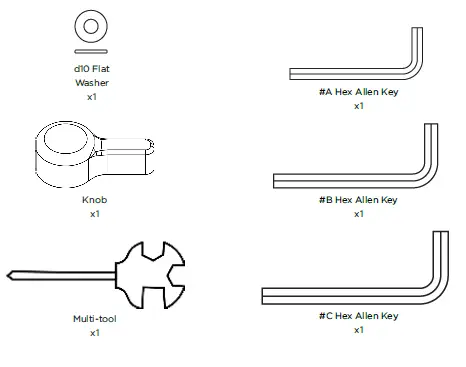
The bike has been assembled and tested at the factory, so you shouldn’t have any problems putting all the parts together. Components are designed to fit together, and only basic tools are required for the assembly process. Inside the box you will find a Tools Pack (Hex Allen Key, Multi-tool, Washers and Bolts). See previous page.
To assemble your JLL IC250 Pro please follow these easy steps:
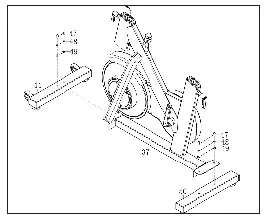
- STEP 1
Attach the front and rear stabilizers to the base using the bolts and washers already found within the stabilizers.
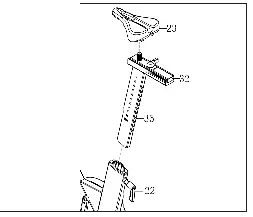
- STEP 2
Start by removing the L shaped knob from the base then slide the seat post in. Reattach the knob to secure at your desired height.
Next, add the saddle on top and tighten the bolts on both sides until the seat doesn’t move.
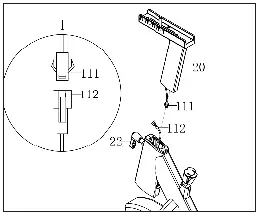
- STEP 3
Remove the L shaped knob from the front of the base and connect the sensor wire from the base to the handlebar post. Make sure the pins are aligned and you hear a click.
Slot the post into the base and secure using the knob at your desired height.
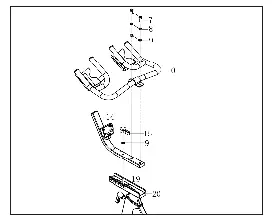
- STEP 4
Remove all the bolts and washers from the computer post and slot on top of the handlebar post.
To secure use one flat washer and the knob, making sure the holes align.
Add the handlebars on top again aligning the holes and securing using the bolts and washers previously removed.
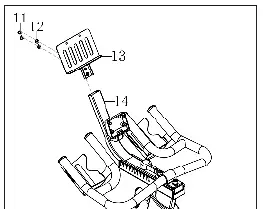
- STEP 5
Secure the Ipad holder to the top of the computer post using the bolts and washers already found in the Ipad holder.
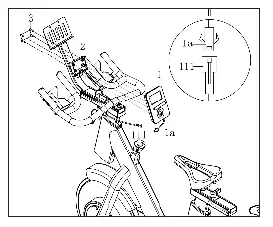
- STEP 6
pins and check you hear a click.
Place the monitor on the monitor holder and reattach the screws.
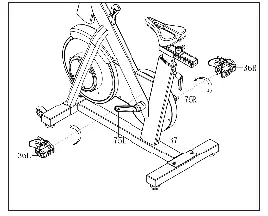
- STEP 7
Attach the right and left pedals to their corresponding cranks.
Turn the right pedal clockwise and the left anti-clockwise to avoid cross threading. Also, make sure to align the threads straight and not at an angle.
MONITOR CONFIGURATION
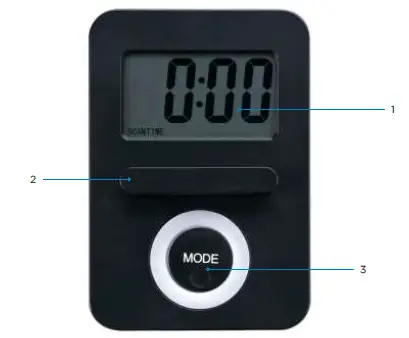
- LCD display
- Tablet Holder
- Mode Button
TESTING THE BIKE OPERATION
Use the following instructions to test the resistance and correct operation of the bike.
- Without anyone on the bike, turn the resistance dial both clockwise and
anti-clockwise and check to see if the magnets moves closer or further away from the flywheel. - Now sit on the bike and begin to pedal, again turn the resistance dial in both directions and check to feel the difficulty of pedalling changing.
- Whilst pedalling press down the resistance dial to check the emergency stop function.
- Whilst pedalling on the bike make sure there are no noise issues or wobbling coming from the bike.
TRANSPORTING THE BIKE
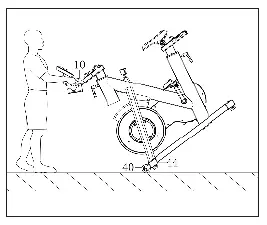
To transport your machine, stand in front of the handlebars and pull down until the wheels touch the ground. Roll the machine to your desired location.
LEVELLING THE BIKE
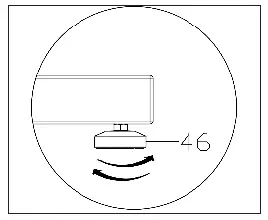
If you are exercising on an uneven surface use the rubber feet under the
stabilizers to adjust the height of the bike. Once all four rubber feet are secure on the ground with no wobble from the bike tighten the silver nuts up to the stabilizer to secure in place.
SPECIFICATIONS
| Display | LCD Displays: Speed, Time, Distance, Calories, Scan & Pulse |
| Transport | Built-in wheels. |
| Flywheel | 7kg bidirectional flywheel |
| Resistance | Adjustable levels of resistance. Easily adjusts with the turn of a knob. |
| Safety | Emergency stop feature. |
| Crank | 3 piece crank system on the pedals making it stronger and more reliable. |
| Seat | Fully adjustable seat can be moved up and down or forwards and backwards. |
| Pedals | Standard pedals with secure foot cage |
| Handlebars | Ergonomic adjustable handlebars able to move vertically and fore and aft position. |
| Maximum User Weight | 130 kg, 20.47 St or 286 lb |
| Occupying Area | 116cm (Length) x 51cm (Width) x 126.5cm (Height) |
| Packaging Dimensions | 106cm (length) x 22.5cm (width) x 101cm (height) |
| Gross Weight | 48.6kg |
| Net Weight | 43.2kg |
Operation
Read all instructions, warnings and safety procedures located in the Safety chapter before using the bike.
DATA READOUTS
As you exercise, the bike keeps track of the following data:
- Time: The total time you have been working out. Display time as minutes/seconds.
- Speed: Your current speed, displayed in kilometres per hour (km/h).
- Distance: The total accumulated distance, in kilometres during your workout.
- Calories: The total accumulated calories burned during your workout.
- Pulse: Displays your current heart rate in BPM.
- Scan: Shows each readout every few seconds in the main display.
MONITOR INSTRUCTIONS
POWER ON
Insert 1 x AAA battery into the back of the monitor, this will initiate the power along with a buzzer sound. After 8 minutes of no activity the monitor will power off.
MODE SELECTION
Once you begin your workout you can select which data you wish to see, press the mode button on your monitor until the desired digits show. Along the bottom of the screen you will see abbreviations for each display e.g. RPM, Dist.
When you first power on your monitor it will automatically be set in scan mode flicking between each data display every few seconds, to exit this simply press your mode button.
BLUETOOTH FUNCTION
This monitor is equipped with Bluetooth which is designed to connect to the Kinomap app which can be downloaded from the app store or google play on your device.
HEART RATE BAND
The heart rate band must be placed tightly around your chest with the sensor having skin contact consistently throughout any workout. Align the sensor approximately with your diaphram. There is no on/off switch, the band will connect automatically to the monitor once a pulse signal is read.
KINOMAP APP
This monitor is equipped with Bluetooth which is designed to connect to the Kinomap app. Once connected the monitor will power off and all readings will be displayed within the app. Make sure the machine has been used in the last 4 minutes for the app to automatically connect.
Maintenance
Maintenance must be performed on a regular basis. Performing maintenance actions can aid in providing safe and trouble-free operation of all JLL® equipment.
JLL® are not responsible for performing regular inspection and maintenance actions for your machine. JLL® representatives are available to answer any questions that you may have on +44 (0)800 6123 988.
PREVENTIVE MAINTENANCE ACTIVITIES
Every JLL® bike that comes from the factory is already maintained, however, you just need to follow simple steps to maintain it. Keeping the bike in a clean state will help to prolong its life. Perform regular preventive maintenance to ensure
normal operation of the unit. Keep a log of all maintenance actions to assist in staying current with all preventive maintenance activities. JLL® is not responsible for performing regular inspection or maintenance.
Read all instructions and warnings listed both in this chapter and in the
Safety chapter. Contact JLL® Customer Service on +44 (0)800 6123 988 for any maintenance or service concerns.
Requirements:
- Water
- Dry cloth
- Vacuum
WARNING
- Only use water to clean and dust. Do not use any cleaning product because they may damage the bike.
- Be careful not to spill or get excessive moisture between the edge of the monitor, as this might create an electrical hazard or cause failure of the electronics.
- Direct spraying could cause damage to the electronics and may void the warranty.
Depending on where the bike is placed, you may experience dry air, causing a common experience of static electricity. You can notice that by walking across a carpet and then touching a metal object. On your bike you may experience a shock due to the build-up of static electricity on your body and the discharge path of the bike.
If you experience this type of situation, you may want to increase the humidity to a comfortable level through the use of a humidifier.
Check your machine regularly for rust. If rust starts to appear on the screws it means the item is not housed in the correct environment and will need to be moved to a more suitable room. Any rust will indicate there may be moisture in the air and as a result this could impact on the integrity and performance of your machine.
WARNING
- Use only JLL® replacement parts.
- Keep water and liquids away from electrical parts.
- If you allow your machine to become rusty, this will affect your warranty.
EXERCISE BIKE CLEANING
Keep the pedals free of dust and debris for smooth running and preventing injuries. Dust/debris may cause damage to the chain and other moving parts.
After every workout use a neat, dry cloth for cleaning the bike and the handlebars to prevent the item of corrosion. Wipe away any sweat that may have dripped onto the bike. Avoid scratching the display by using a soft cloth.
Vacuum or sweep the floor underneath and around the bike. A treadmill mat can help to reduce dust.
For further cleaning, use a soft cloth or paper towel dampened with water. Do not use abrasive or chemical cleaning agents.
EXERCISE BIKE BALANCE
Place the bike on a level floor to avoid it being off-balance. If that is not possible, level the bike by adjusting the rubber feet located underneath the stabilisers.
Check if the bike is balanced:
- Stand in front of the unit with your hands on the handlebars.
- Gently rock the bike from side to side checking for any movement.
Additional Information
CONTACT INFORMATION
In case any issues arise, please do not hesitate to contact our Customer Service team on +44 (0)800 6123 988 or email us at [email protected]
You can also visit our support centre at SUPPORT.JLLFITNESS.CO.UK for maintenance and assembly articles & videos.
DISCLAIMER
- You should consult your physician, doctor or other health care professional before starting or taking part in any of our workout guides. It is your responsibility to evaluate your own health before taking part or performing any physical activity you may see associated with JLL Fitness Ltd.
- Always seek professional advice before changing your diet or starting any exercise program.
- JLL Fitness Ltd is not liable for any injuries or damages that may occur when assembling or using this exercise bike.
- By reading this you assume full responsibility for any injuries or changes to your physical well-being. You waive all rights and release JLL Fitness Ltd of blame from any injuries or damages to property that may occur whilst following our advice.
- This manual offers specific instructions on how to assemble and maintain your bike. Failure to follow these directions may result in your warranty being void.
 Support Centre | JLL Fitness