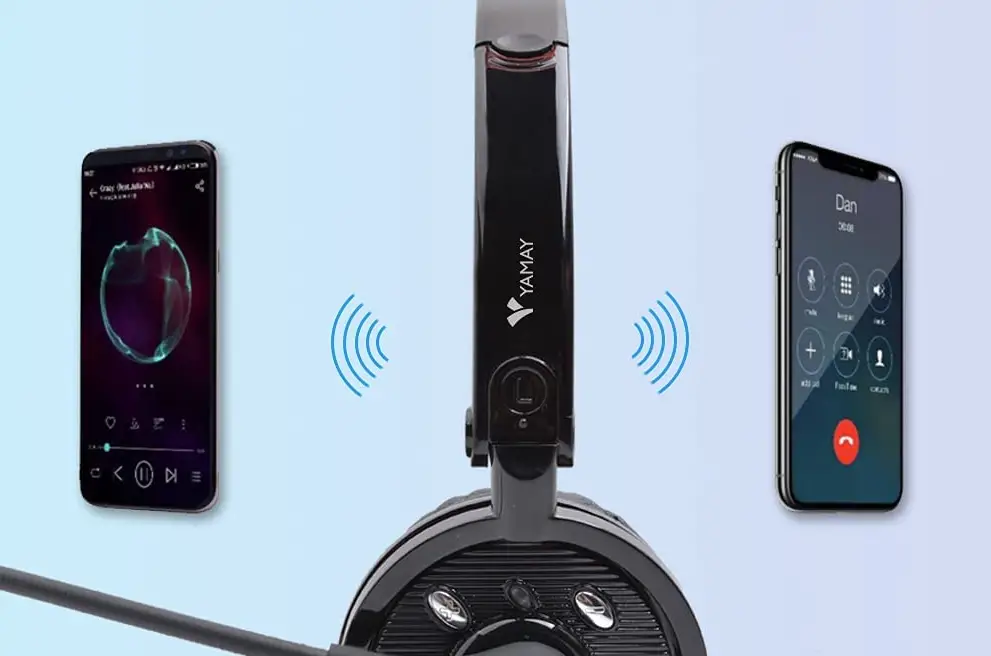
YAMAY PC with Windows OS connect to Bluetooth M20
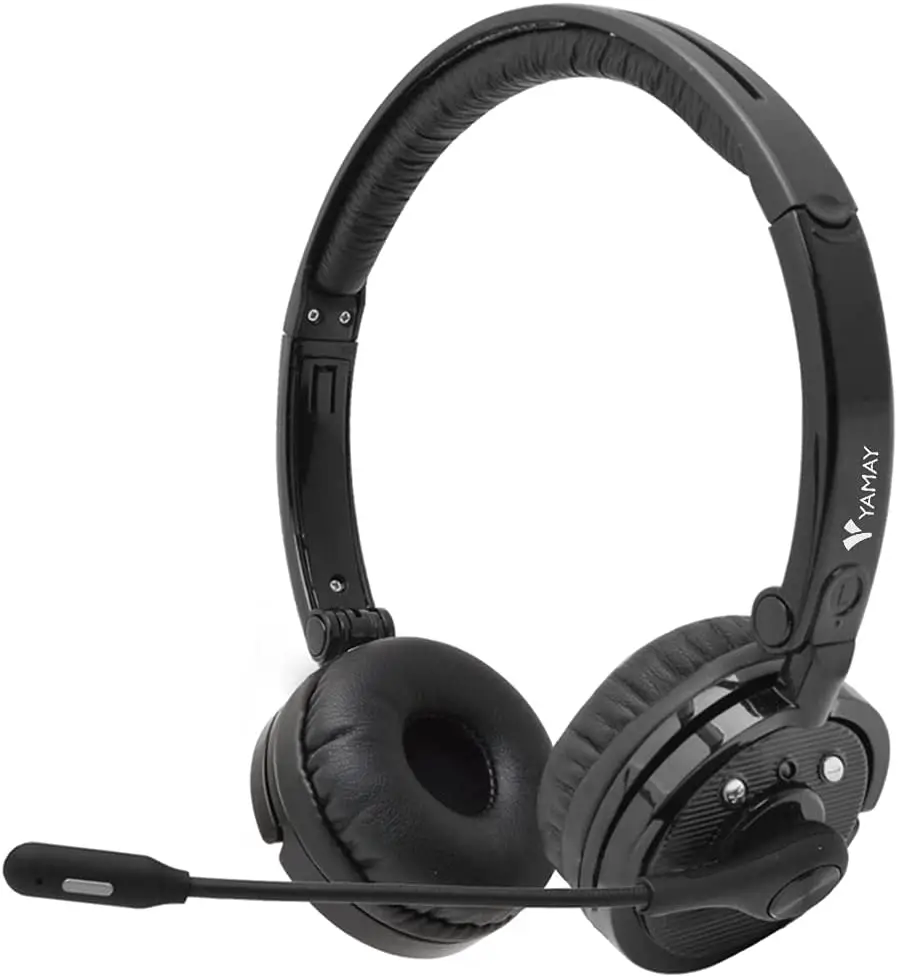
Fast Guide
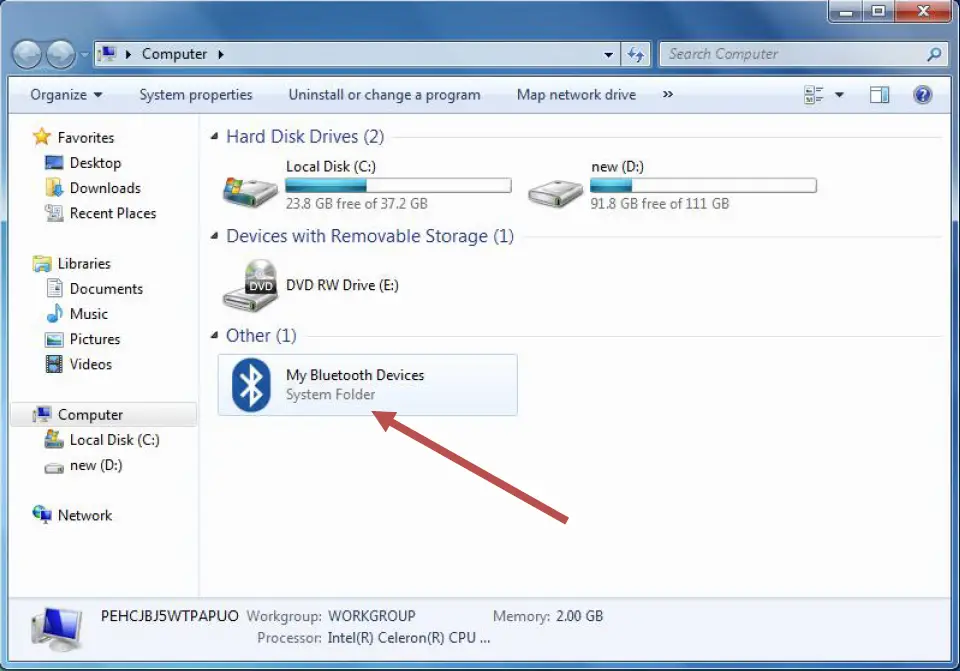
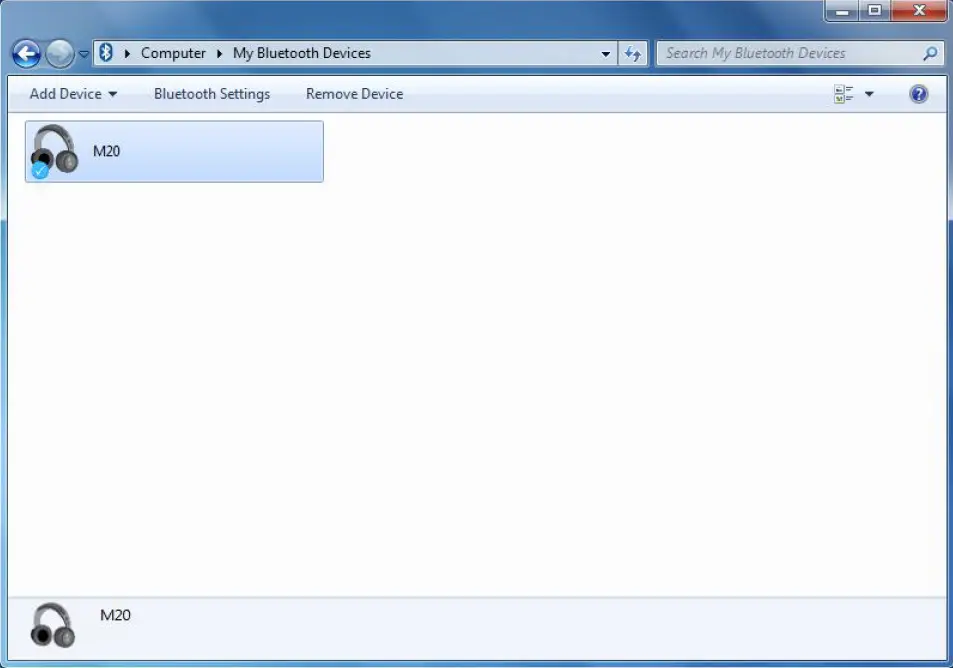
- Make sure your PC has Bluetooth function,, and click “my PC” to find Bluetooth Devices

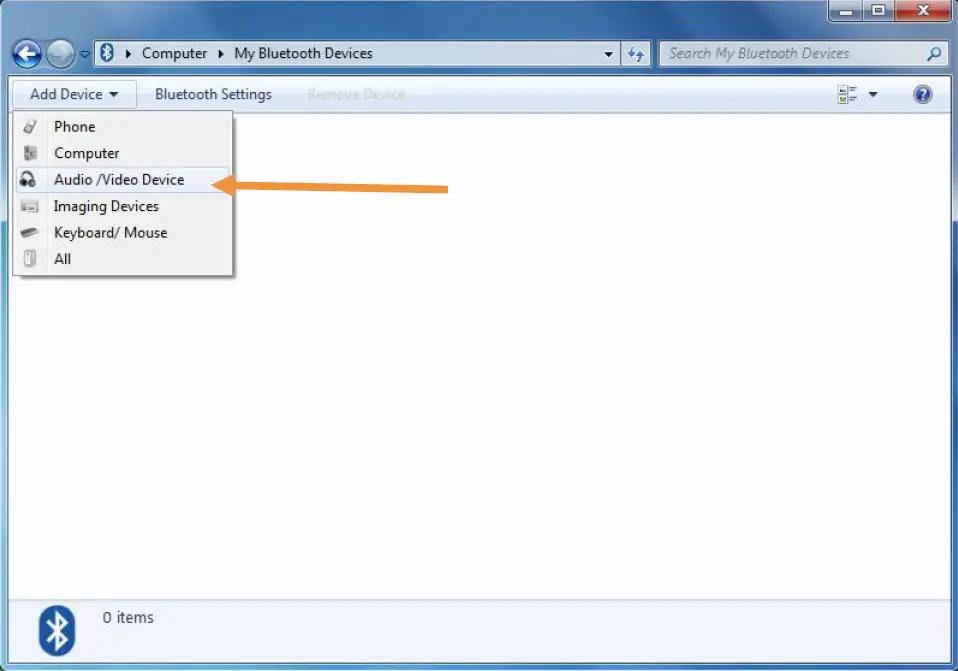
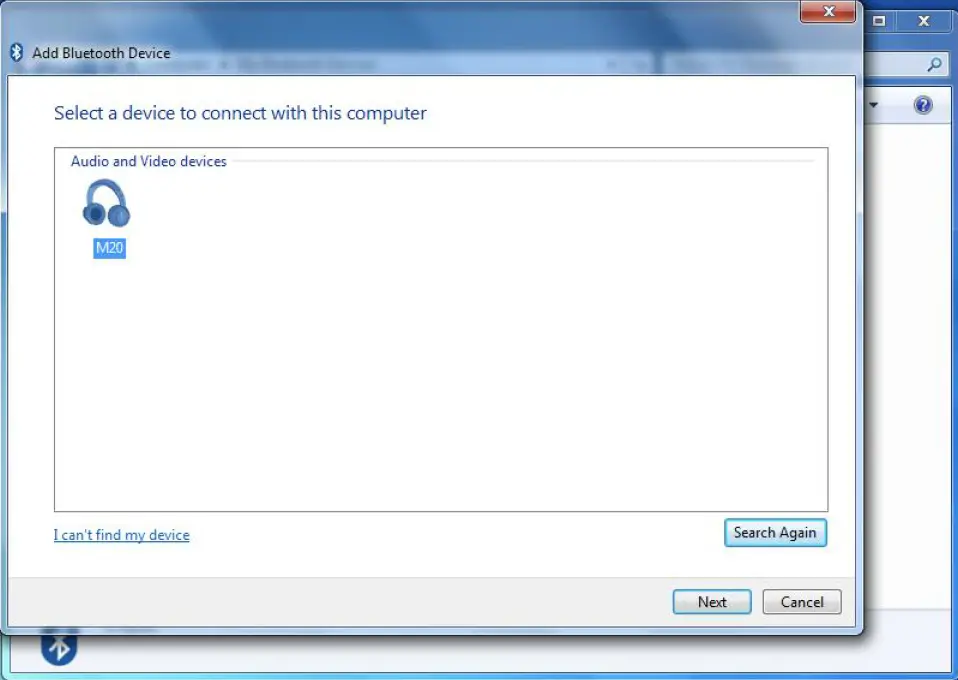
- Double click “My Bluetooth Devices”, and “Add Device”, and “Audio/Video Device”

- PC searches the Blueooth devices to connect, and it will find your Bluetooth headset M20

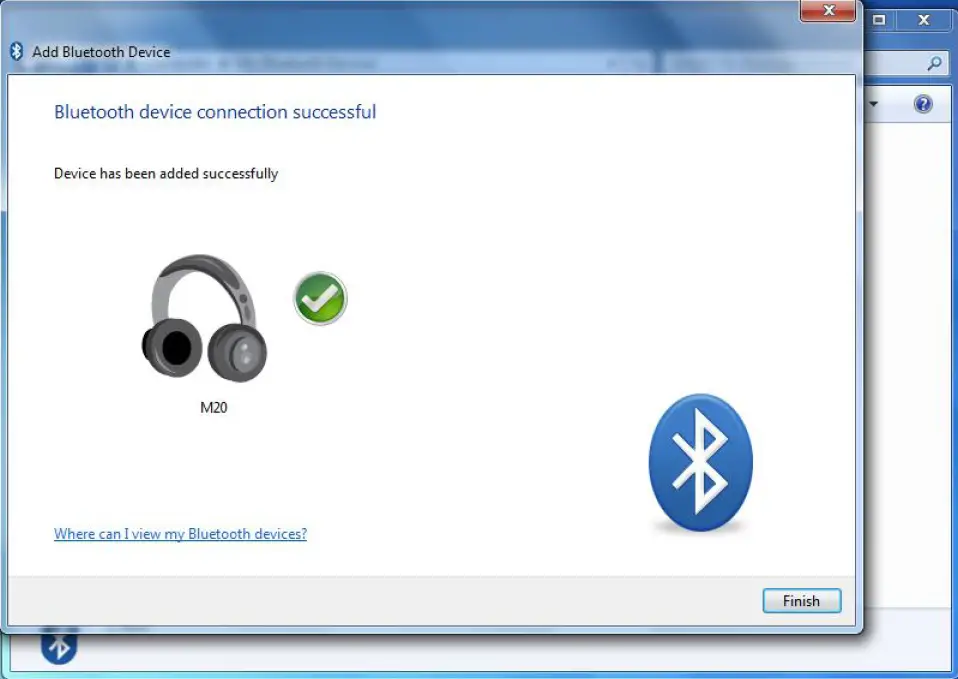
- Your PC and Bluetooth headset pairs successfully.

- Connect successfully

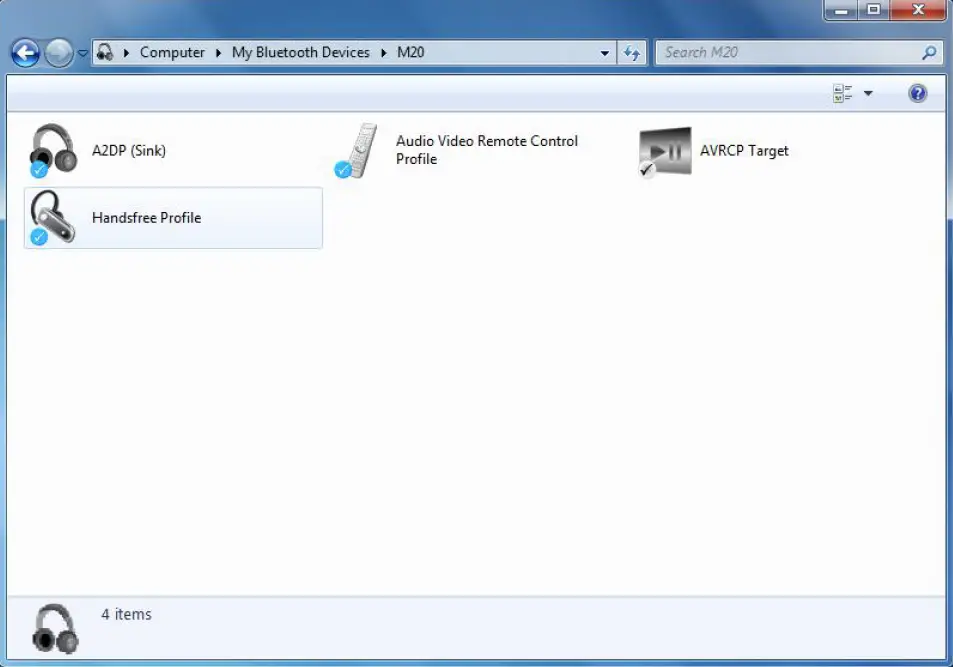
- All functions of M20 are ready

How to use it for internet audio? For example, SKYPE…
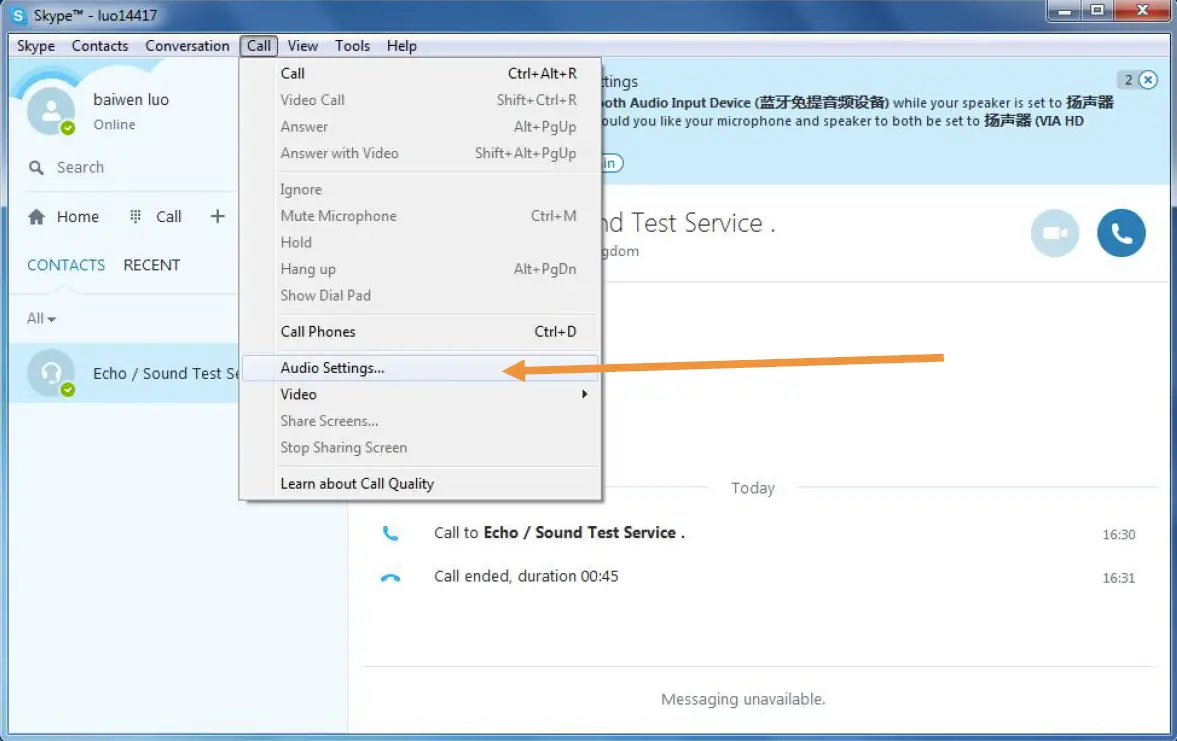
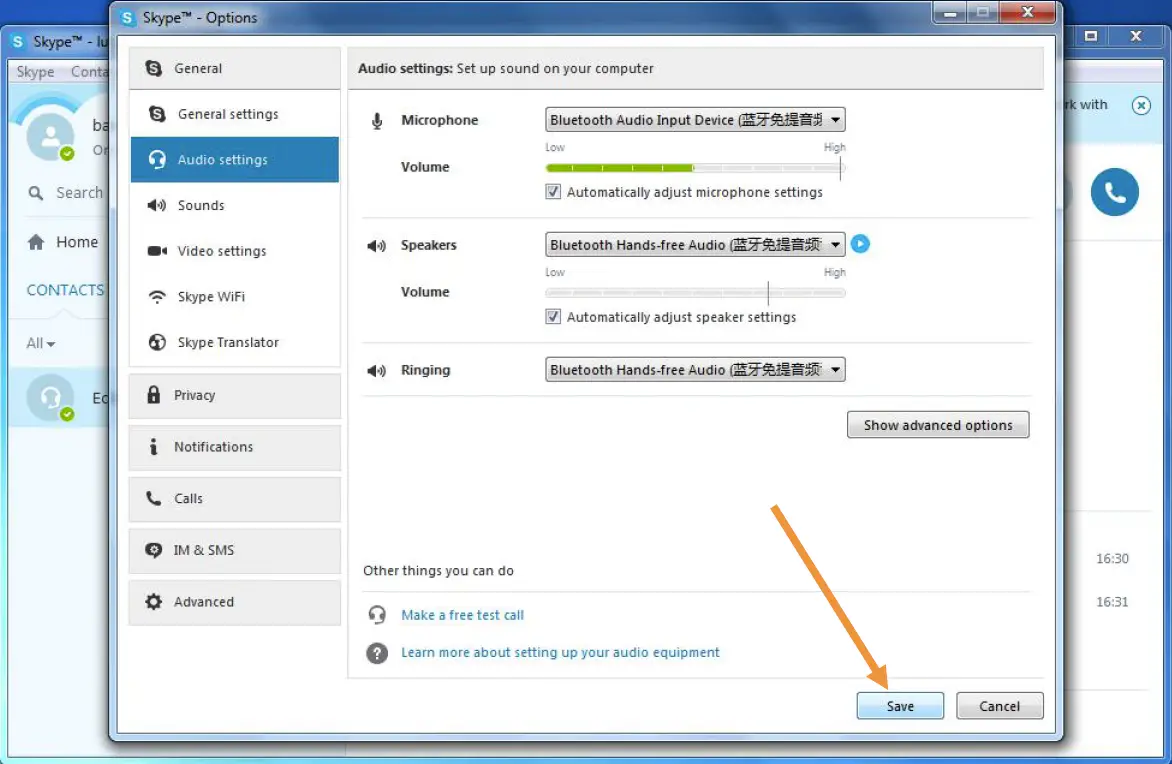
- Open Skype, choose “call”, then “Audio Settings…”

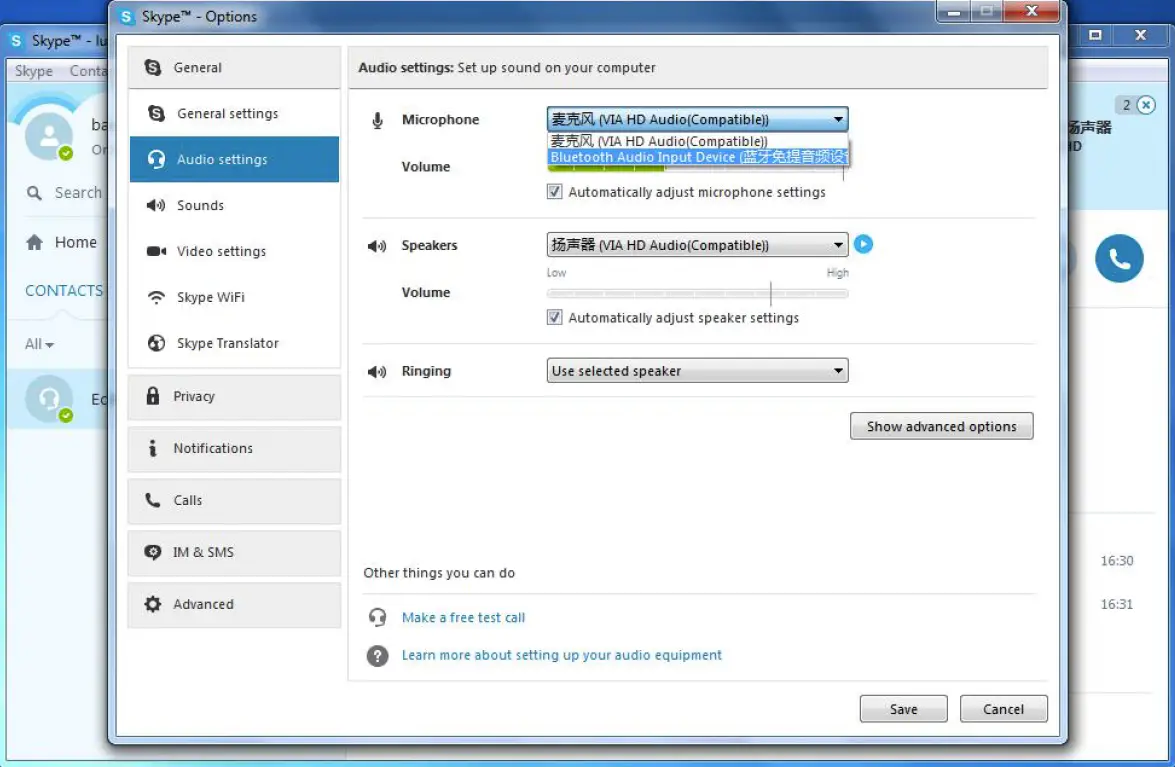
- The first item “Microphone” should choose “Bluetooth Audio Input Devices”

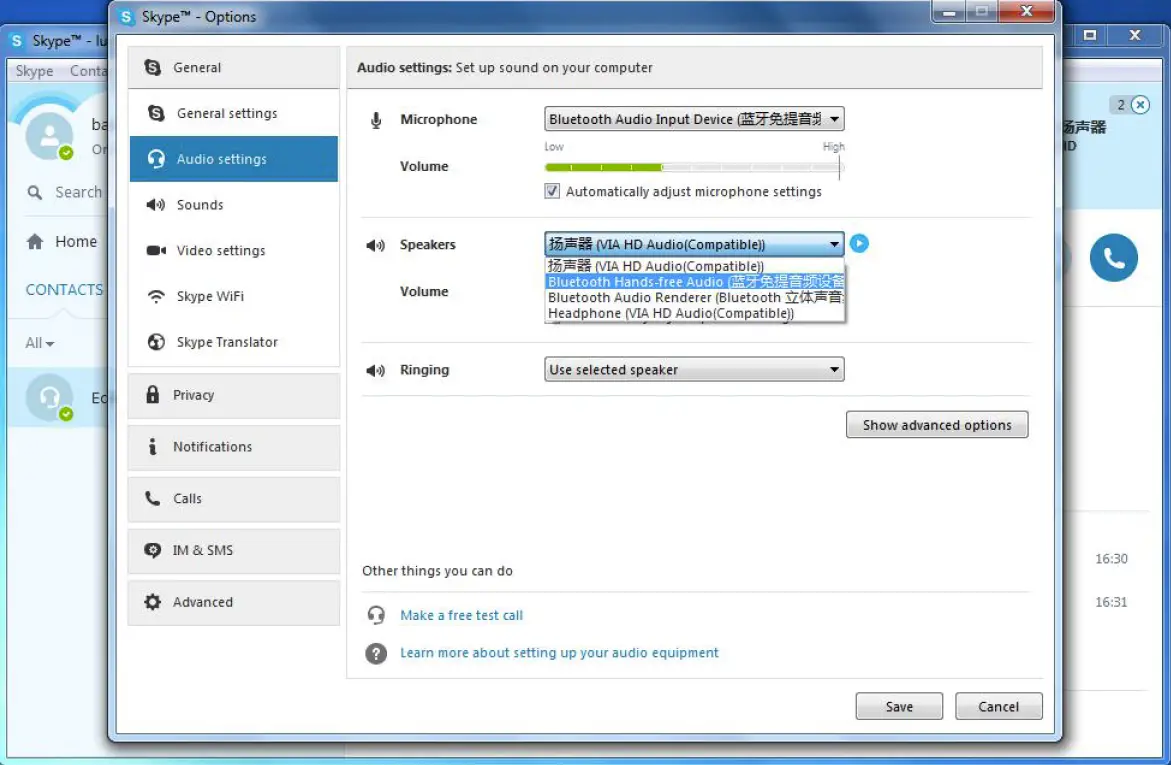
- The second item “Speakers” choose “Bluetooth Hands-free Audio”

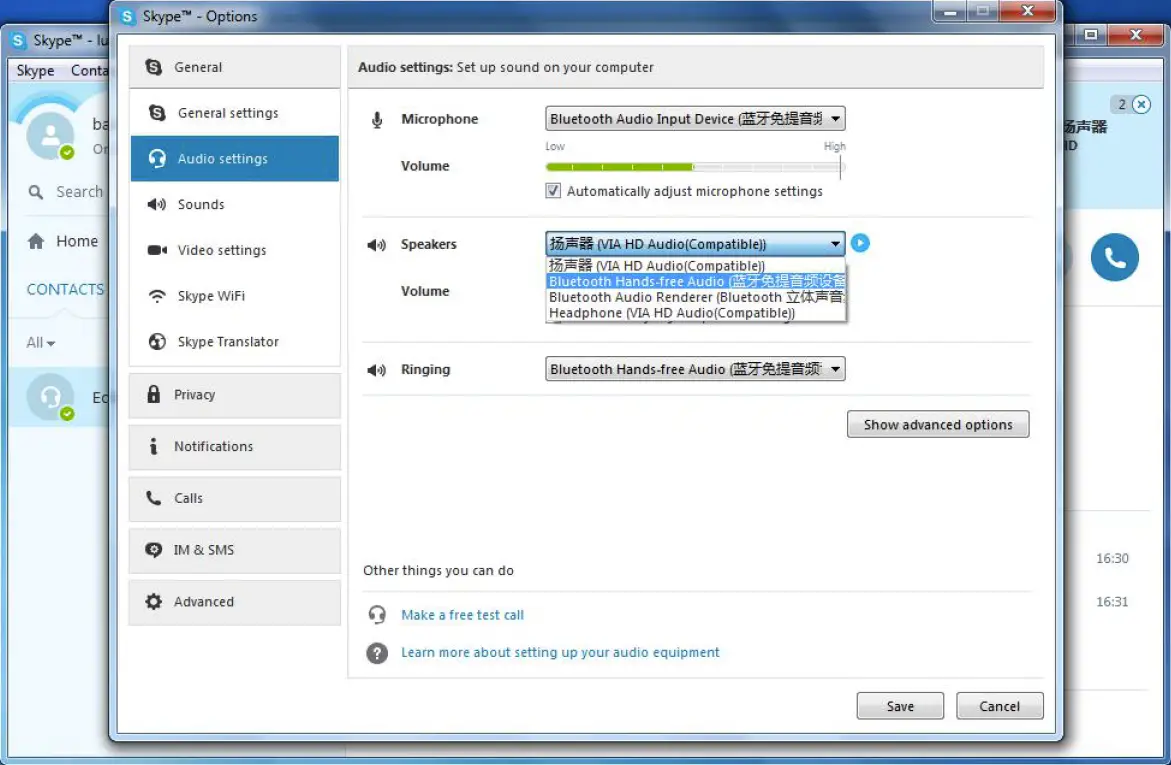
- The third item to choose “Bluetooth Hands-free Audio”
- Save the above choices

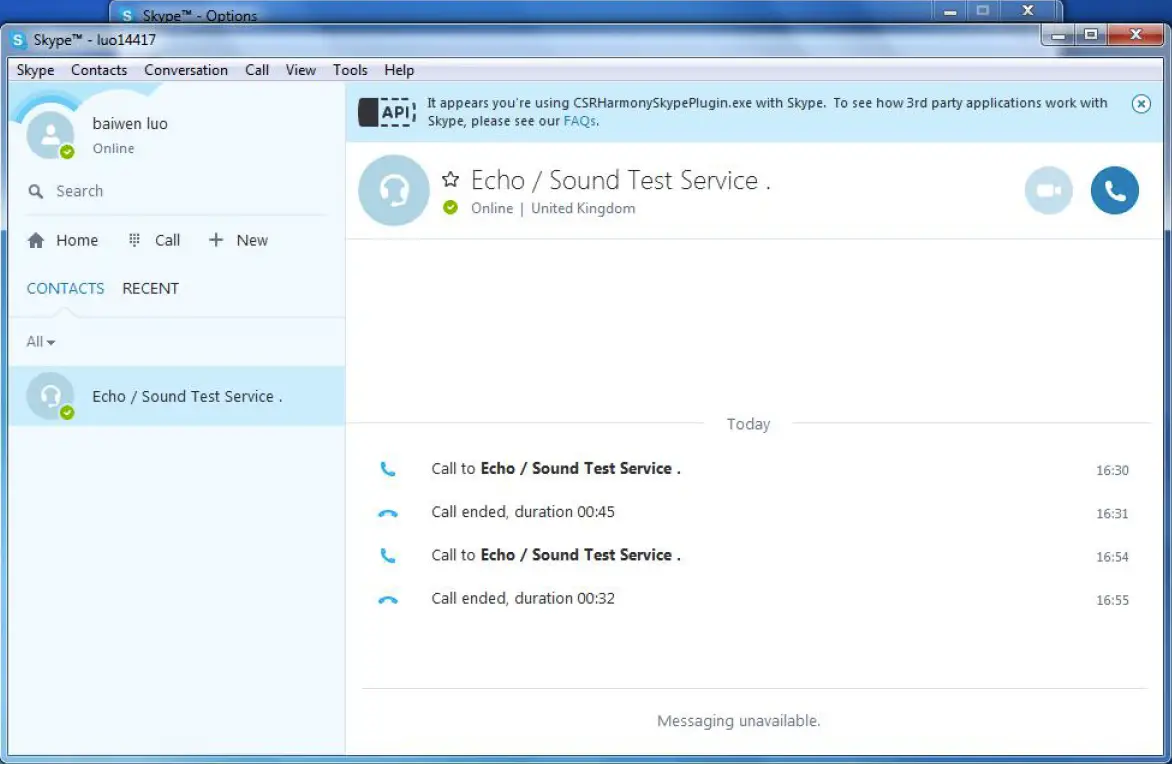
- Skype is ready with your Bluetooth headset M32
For testings
For other internet audio software/APP, the setting is similar.