
For Single Patient Use Only
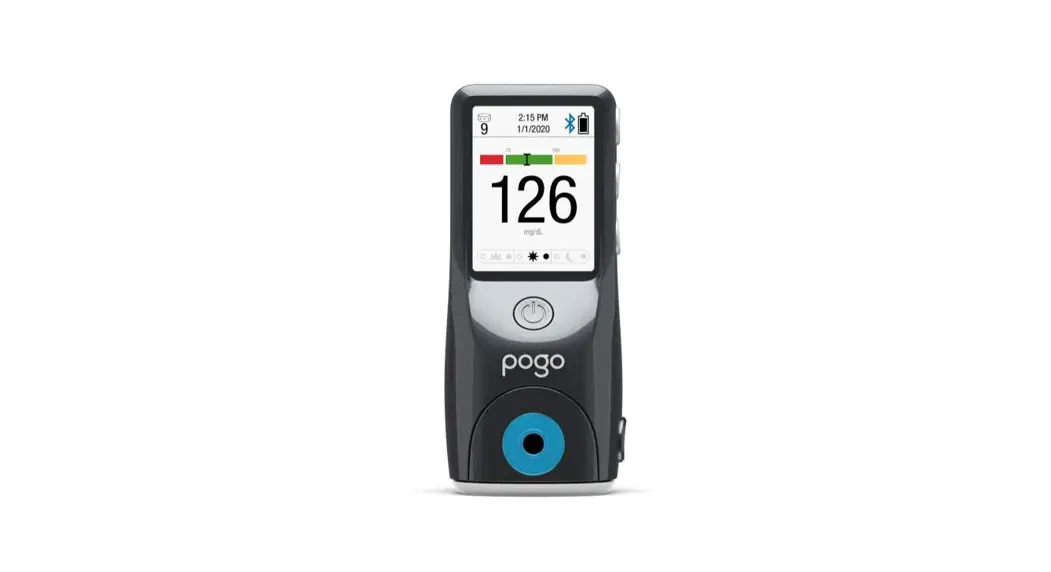
POGO Automatic®
Blood Glucose Monitoring System
Quick Start Guide
Hello, please start here.
If you are new to POGO Automatic, this guide will help you learn the basics of automatic blood glucose testing.
IMPORTANT: READ BEFORE TESTING
For more information, refer to pages 54–55 of your POGO Automatic Owner’s Manual. Owner’s Manual is located at the bottom of your meter box.
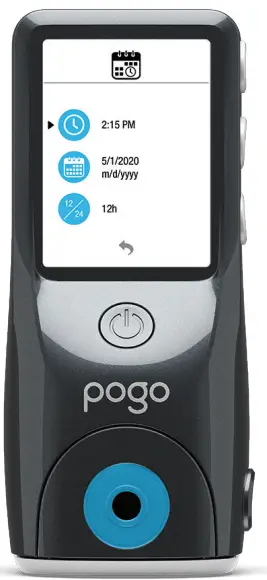
Immediately: Set Time and Date
Step 1: Remove the battery pull tab on the back of the meter to start using. Then Time and Date menu will appear.
Step 2: Set Time and Date. ou should always set the time and date so test results can be recorded with the correct information and averages can be correctly calculated.
- To change the time, make sure the blinking selection arrow is next to the clock symbol and press Mto select.
- Use the scroll buttons to adjust the time setting and press M to confirm.
- Use the same steps to change the day, month and year.
- Press the power button to continue.
Practice First
To fully understand POGO Automatic unique automated testing, it is recommended that you try a practice test.
- READ ALL INSTRUCTIONS, including PREPARE FINGER and ADD MORE BLOOD (if needed).
- PERFORM PRACTICE test.
Ready to test checklist I read all instructionsI carefully selected the right fingerI performed a successful practice test
Load Cartridge
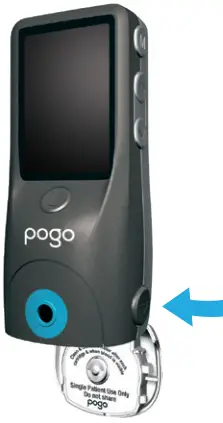
PRESS BUTTON to open cartridge door.
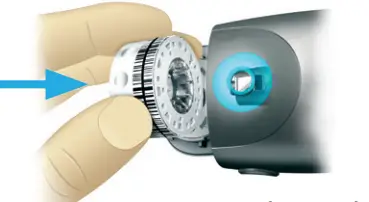
INSERT TEST CARTRIDGE and click door shut. Cartridge will spin into place.
Cartridge includes 10 complete tests
Prepare Finger to Test
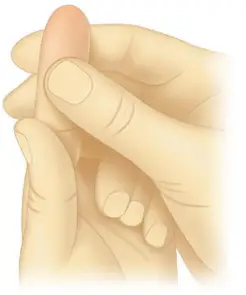
Choose finger for test : ONLY USE FINGERS YOU KNOW BLEED WELL. You can use the sides or tip of fingerAvoid calluses and fingernails. Increase circulation: Prepare fingertip for lancing by squeezing several times until it’s warm and reddish. COLD FINGERS SLOW BLOOD FLOW.
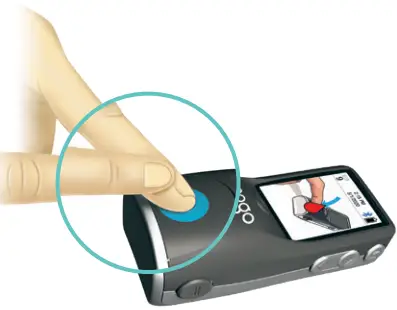
Until you are familiar with POGO Automatic testing, try placing afinger from opposite hand firmly on top of test finger for added pressure. This is best if you have calluses or thick, hardened skin. It is also helpful to test with meter flat on table.
Test Your Blood
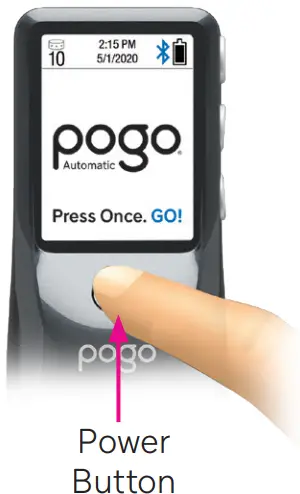
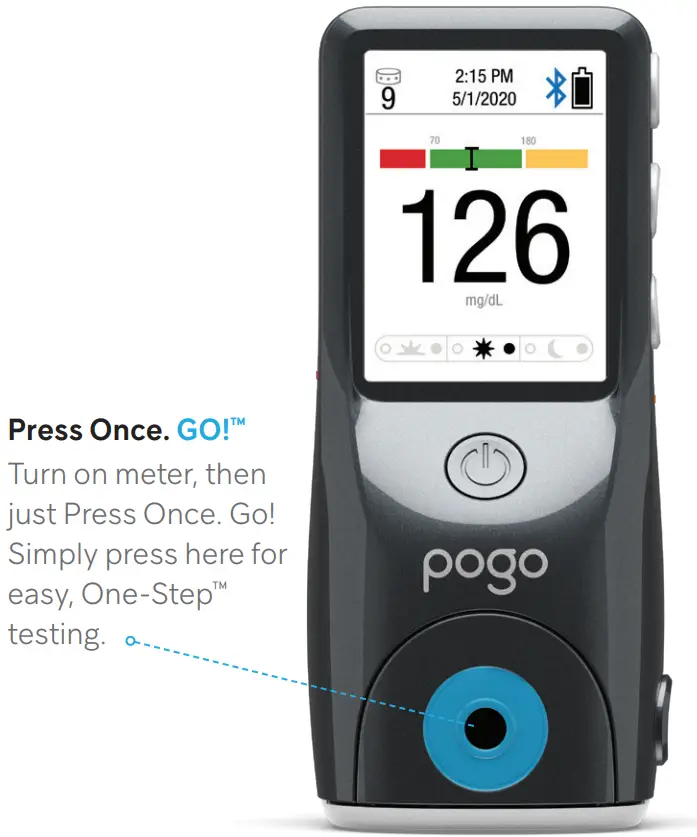
TURN ON METER by pressing power button under display. IMPORTANT: DO NOT PLACE FINGER ON TEST PORT until meter is ready.
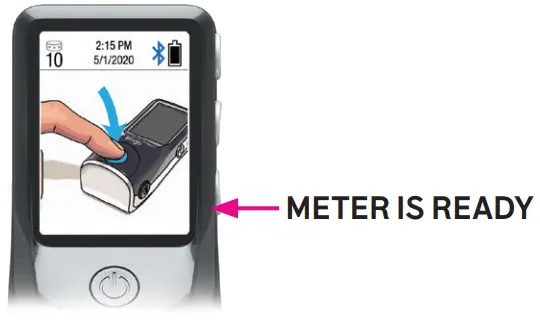 WAIT for the image of the finger on the test port to appear
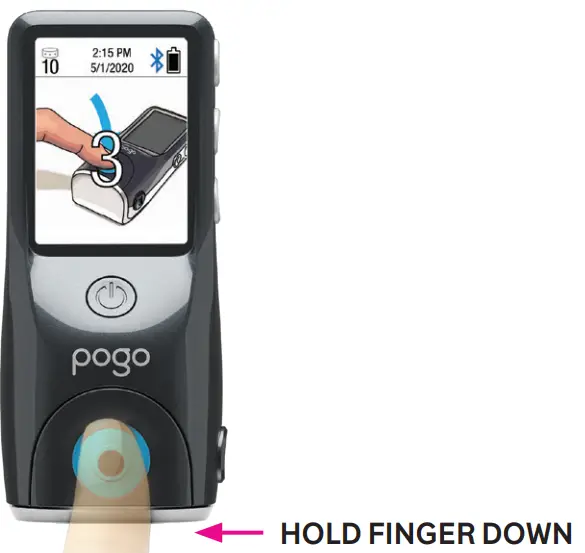
Make sure you PREPARE FINGER. PRESS FINGER DOWN on test port to be lanced and a 3-2-1 countdown will begin IMPORTANT: At the end of the countdown, you will be lanced.
DO NOT LIFT FINGER until meter displays an up arrow
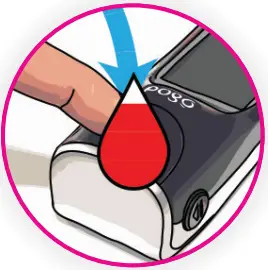
HOLD FINGER IN PLACE while blood is collected.
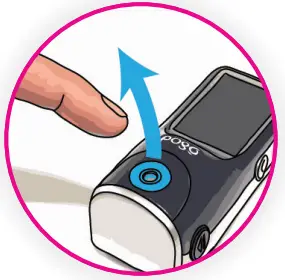
LIFT FINGER when you see this. Blood has been collected. OK to remove your finger
Get Results
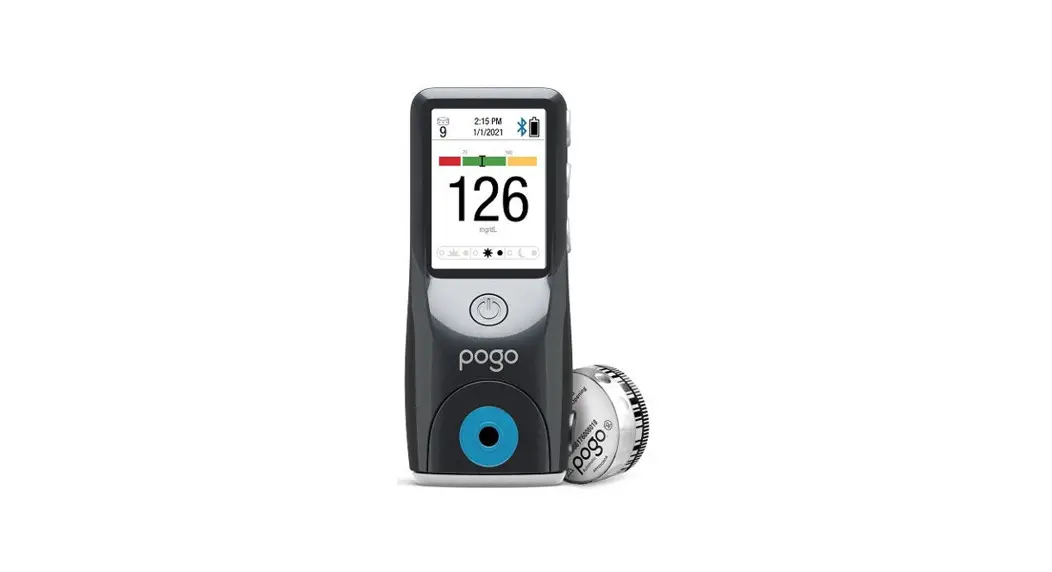
Your result will appear after a 4-second countdown.
TURN OFF METER or allow to turn off after 30 seconds.
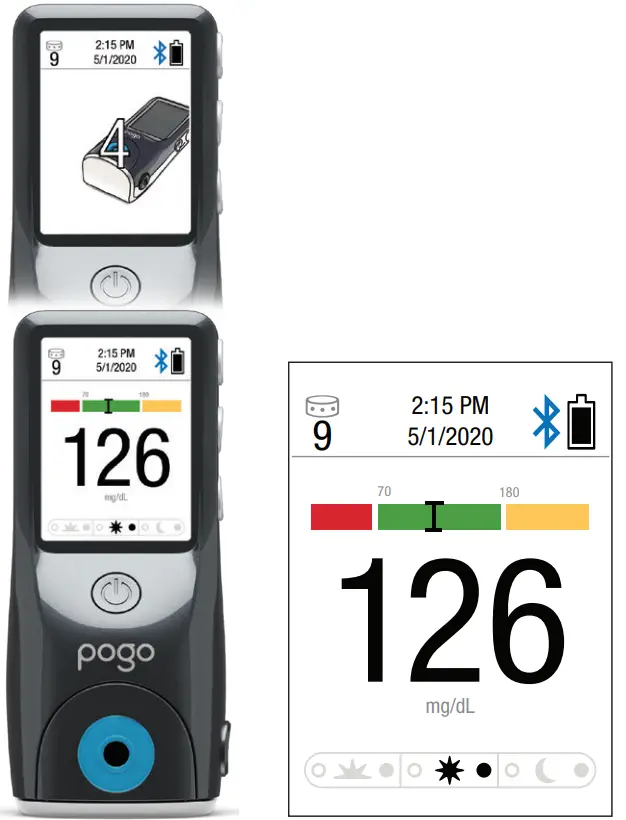
Quick graph
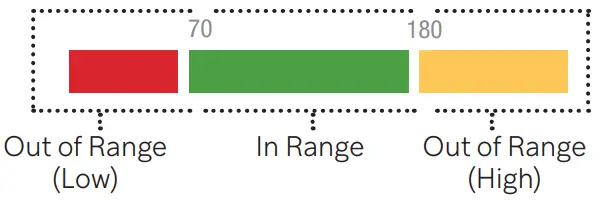
A color bar shown above the result indicates whether your result is in or out of your target range.
See Owner’s Manual for More Information
Add More Blood (if needed)
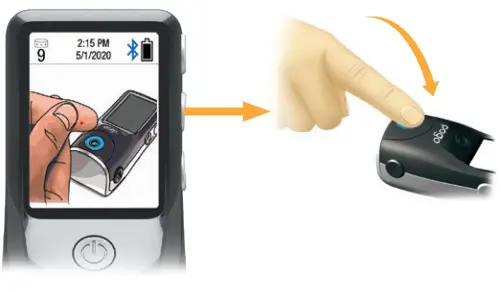
When the meter displays these pictures, you should lift your fingerand squeeze to get more blood. You have 90 seconds to finish the test. You will not be relanced during this step.
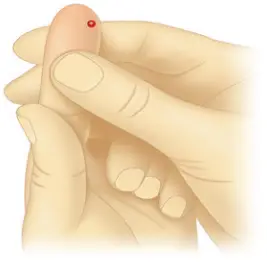 | 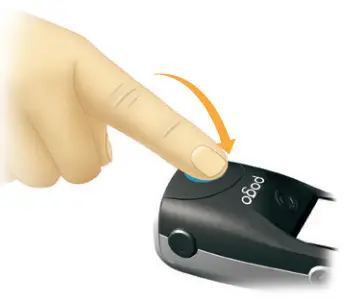 |
REMOVE FINGER from test port.
GENTLY SQUEEZE to form a blood droplet.
CENTER DROPLET over hole. Try not to smear on test port.
PRESS ALL THE WAY DOWN into cartridge.
You may need to REPEAT until you see on screen.
YOU MUST START A NEW TEST if either an E-4 or NO message appear on screen, or you have no wound.
Meal Marking (Optional)
NOTE: To understand the effects that meals have on your blood glucose, it is important to test in “pairs” — 1 hour before and 2 hours after you eat. The American Diabetes Association (ADA) also recommends testing prior to exercise and bedtime or when hypoglycemia is suspected.
After a test, the meter displays a glucose result with a blinking pre- or post-meal symbol.
If you CHOOSE NOT TO MARK your result:
- You are done. Turn off meter or allow it to turn off automatically.
If you CHOOSE TO MARK your result: - Press the
 scroll buttons until the (
 ) marking dot appears before or after the appropriate meal symbol.
 - To confirm, turn off meter or allow it to turn off automatically.

 ) marking dot appears before or after the appropriate meal symbol.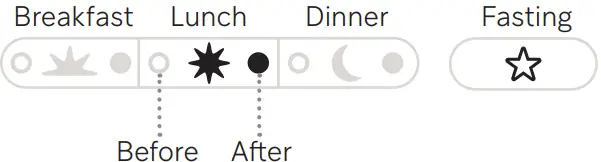
Key Display Messages
This is a list of common meter errors or alerts and what to do when they occur.
| Refer to your Owner’s Manual for more information. |
 | No Cartridge Open door and insert new cartridge. |
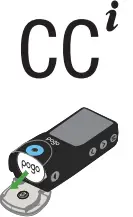 | Check Cartridge Remove and re-insert cartridge. DO NOT put finger on test port until appears. 2:15 PM 02/10/2019 10 |
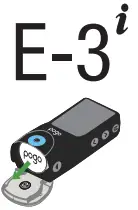 | Meter Error: • Remove and re-insert test cartridge. • Try testing with a new cartridge • Remove and re-insert batteries. |
 | Not Enough Blood: See Prepare Finger and repeat test. |
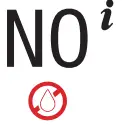 | No Blood Seen: See Prepare Finger and repeat test. |
Pair POGO Automatic® With Your Phone
To view and securely share your blood glucose results and health trend information in the Patterns® app, you must pair the POGO Automatic Meter with your smartphone.
Before pairing, download the Patterns app at the Apple and Android app stores. Or use your iPhone or Android camera to scan below.
 | SCAN HERE to download the Patterns User Guide for more information |  | SCAN HERE to download the FREE Patterns Mobile App |
| https://qrco.de/bbZiWY | https://qrco.de/POGO | ||
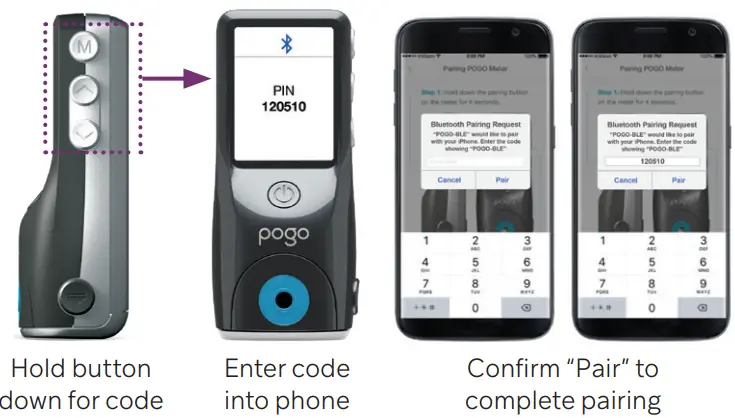
How to Pair
Step 1: Push the  button for 4 seconds.
Step 2: Enter the 6-digit code shown on the meter into your smartphone when prompted.
Step 3: Press “Pair” on phone to confirm. Your POGO Automatic Meter and phone should now be connected for automatic transfer of your results.
For Bluetooth pairing help, consult your POGO Automatic Owner’s Manual.
If you need assistance, call Intuity Medical Customer Support, Monday to Saturday, 8AM to 8PM Eastern Time (ET), at 1-855-IMI-POGO (464-7646) or visit www.presspogo.com
Important Warnings and Limitations of the POGO Automatic System:
• POGO Automatic Meters and test cartridges are for single patient use only. Do not share them with anyone, including other family members! Do not use on multiple patients!
• All POGO Automatic testing supplies are considered biohazardous and can potentially transmit infectious diseases, even after you have performed cleaning and disinfection. Wash hands with soap and water immediately after use.
• Please refer to your POGO Automatic Blood Glucose Monitoring System Owner’s Manual for complete cleaning and disinfection instructions.
Interfering Substance Information:
• If you have certain conditions that may cause your blood level of uric acid to rise, such as gout or kidney disease (>9 mg/dL uric acid) then your blood glucose results may be inaccurate. If you are unsure, then ask your doctor.
• If you are taking acetaminophen containing drugs (e.g. Tylenol, certain cold and flu remedies, etc.) in excess of the recommended levels (>20 mg/dL) then you may get inaccurate results with this system. If you are unsure, then ask your doctor.
• If you are taking vitamin C (ascorbic acid) in excess of the recommended levels (>3 mg/dL) then your glucose results may be inaccurate with this system. If you are unsure, then ask your doctor.
POGO, POGO AUTOMATIC, PATTERNS, INTUITY MEDICAL, INTUITY MEDICAL SIMPLIFYING DIABETES, the I LOGO and POGO PRESS. TEST. GO. are registered trademarks of Intuity Medical, Inc.
The Bluetooth word mark and logos are registered trademarks owned by Bluetooth SIG, Inc., and any use of such marks by Intuity Medical, Inc. is under license. APPLE
logo, APP STORE are trademarks of Apple, Inc. GOOGLE PLAY is a trademark of Google Inc.

3500 West Warren Avenue, Fremont, CA 94538
Designed by Intuity Medical, Inc. in California.
Manufactured for Intuity Medical, Inc. in Mexico.
1-855-IMI-POGO (464-7646) www.presspogo.com
© 2020 Intuity Medical, Inc. All Rights Reserved.
Printed in the U.S.A. ART-03197 Rev B

![Livongo Blood Glucose Monitoring System [pl00497] User Manual](https://static-data1.manualsee.com/1/img/99/20028/2020/12/Livongo-Blood-Glucose-Monitoring-System.png "Livongo Blood Glucose Monitoring System [pl00497] User Manual")