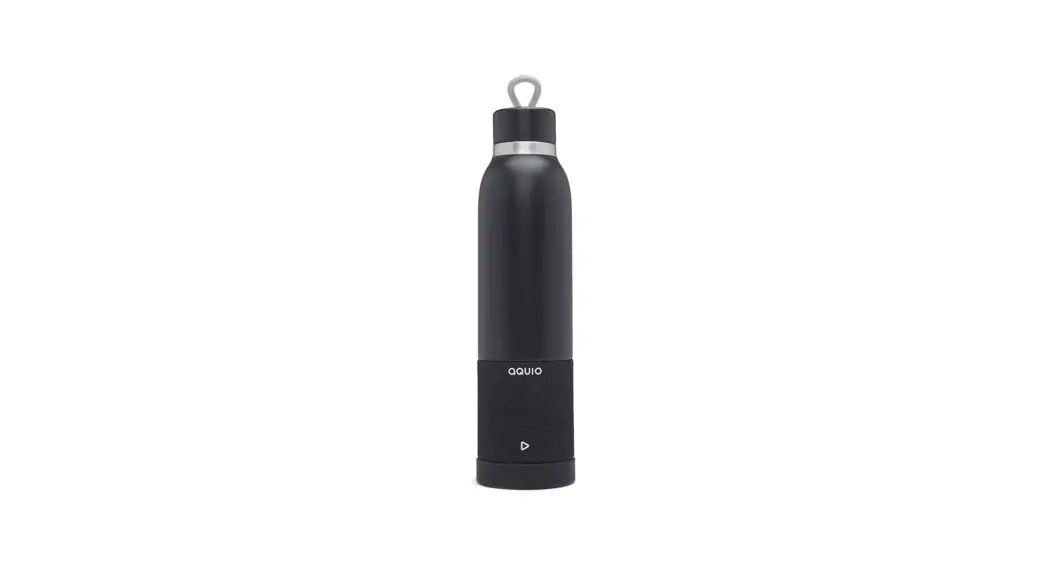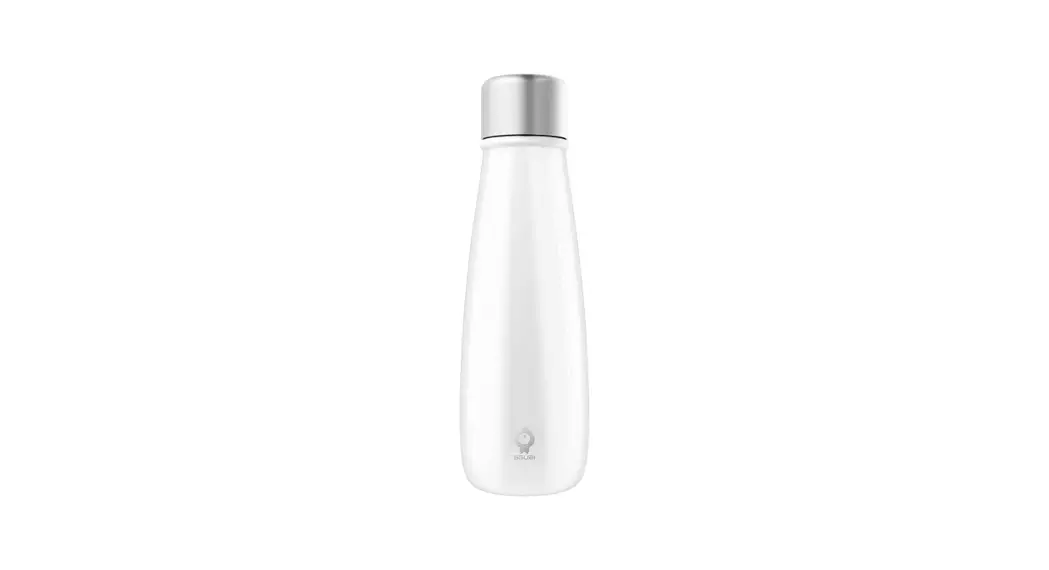
 T30 Smart Water Bottle
User Manual Innovative brand for smart water bottles
T30 Smart Water Bottle
 CAUSION
Please read this guide carefully before use.
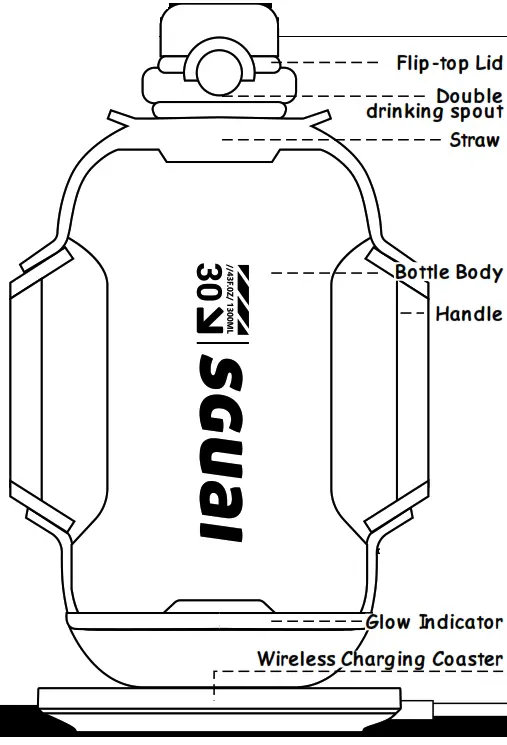
Charging Method
Place the bottle on the wireless base and connect it to the power supply to start charging Remember to keep the surface dry to avoid damage.
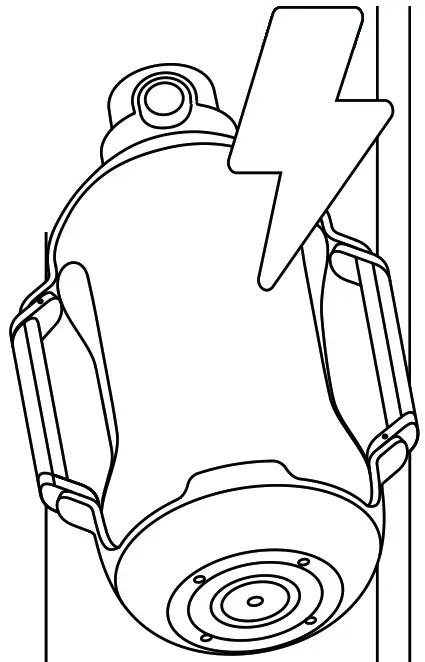
Green light on  Fully Charged
Green light flashing  In charging
Red light flashing  Low battery
Before using, please check if the accessories are complete first.
Package Included
- Charging Coaster
- Carrying Strap
- User Manual
- Smart Bottle
For the first time use:
ATTENTION 
 Clean your SGUAI Smart Water Bottle with soap and hot water before first use.
 Activate the bottle by connecting it to the charging coaster, and make sure the phone Bluetooth has been turned on.
 Please dry the water stains and ensure that the bottom of the bottle and the surface of the coaster are dry to avoid damage.
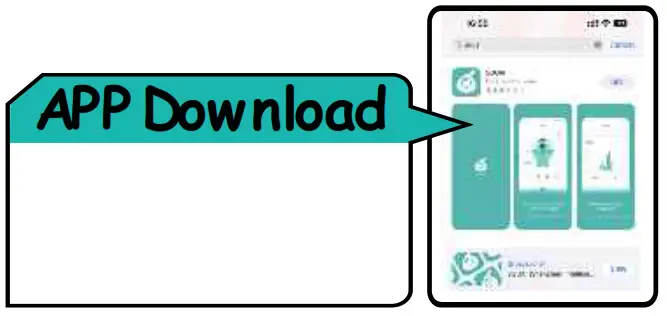
 Download our free SGUAI app to discover its smart features. The app will guide you through the set up and installation.
In use Avoid falling and touching
Avoid heavily impact, damage and replaced the part by yourself.
 Clear excess water
When the bottle is idle for a long time, remember to pour out the remaining water in the bottle.
Android/Apple users must meet the following conditions when binding a water cup: the phone’s hardware supports Bluetooth 4.0 or above; The Android operating system must be based on Android 8.0 or above; The iOS operating system must be based on 10.0 or above;
Innovative brand for smart water bottles

- DO NOT overfill. Fill liquids to the fill line or below to avoid accidental spilling.
- DO NOT microwave or freeze.
STEP
APP Login Page Introduction
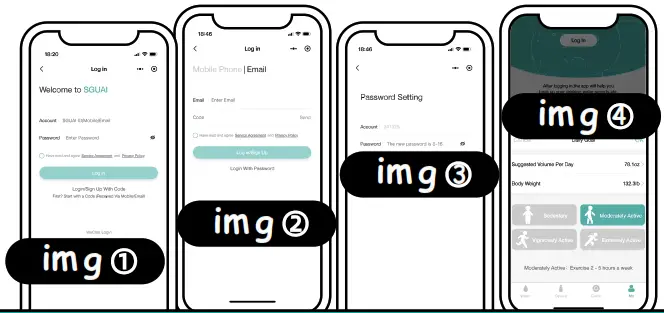
- If first time using, please select “Login/Sign up with Code” to access the sign-up page.(see img 2)
- Enter your email address or mobile phone number and click ”Send” to receive a verification code.
- Once received the code, and fill it in the designated field and click ”Sign Up. ”This will take you to the password setting page. (see img 3)
- On the password setting page, set your password and click “Submit” to complete your registration.
- After creating the account, please set parameters for a personalized hydration goal, to discover its smart features. (see img4)
REMINDER
Interface
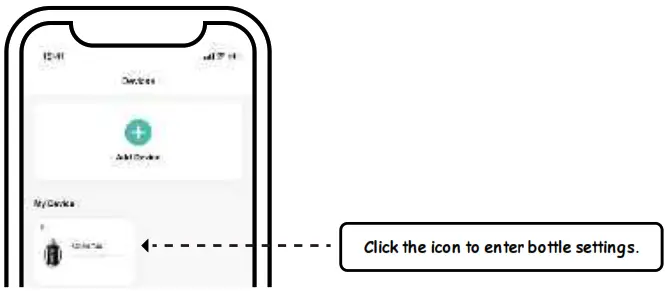
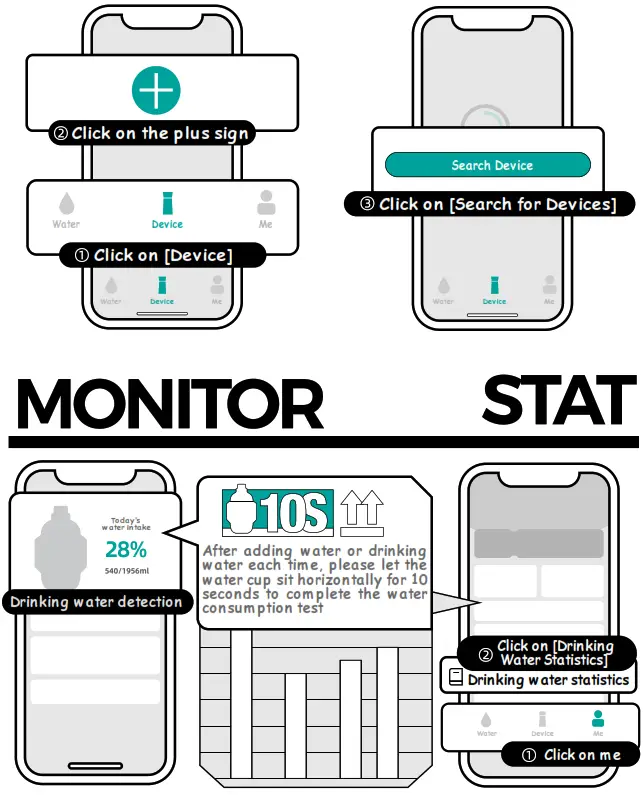
Click the plus sign, enter” Discover the Device”, then it will display the bottle to be bound, and confirm.
BLUETOOTH & CONNECTIVITY
Connect
Please ensure that your phone’s Bluetooth is turned on
Water Consumption Detection
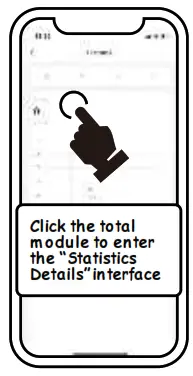
- You can track how much water you had through the APP[Device]-[Statistic] page, once you start following your water intake you will find that on the days when you reach your daily goal, you look and feel more energized.
- Fill your bottle completely with water. Make sure the sensor stick is attached to the lid securely. Screw on the bottle lid and let sit on a flat stable surface for 10 seconds to calibrate.
- Set down your bottle after every refill and drink. Remember to sync the app near the bottle each day so your water is tracked correctly.
Water Drinking Reminder
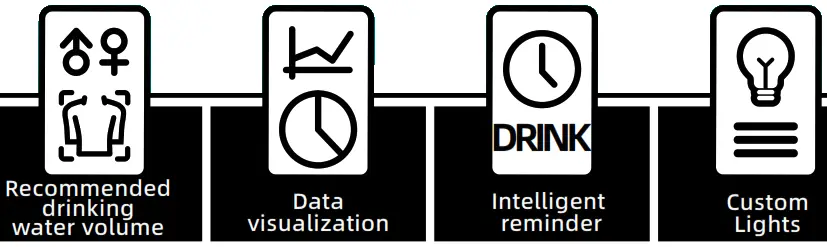
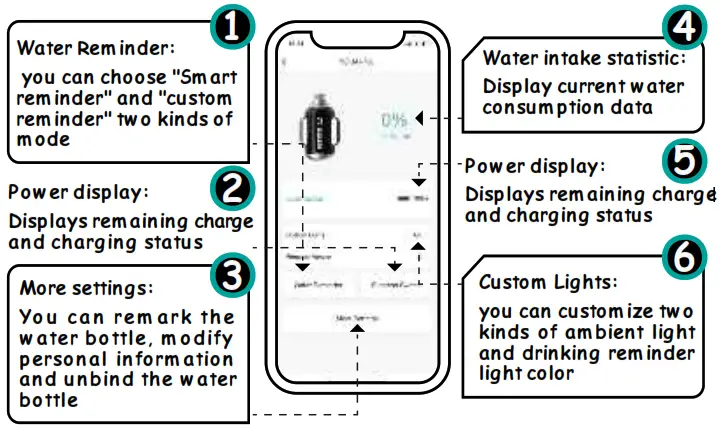
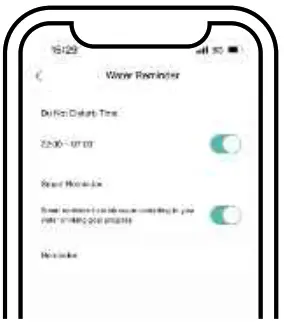
You can access your settings through the APP[Device]-[Water Reminder] to enter the page. There are “smart reminder” and “Scheduled reminder” two kinds of drinking water reminder mode.
Smart Reminder Mode
According to your actual water consumption, weight, activity level to design a scientific and reasonable drinking time, and through the flashing light to remind you to drink water.
Based on your last water drinking time, recalculate the next reminder time.
You can set 8 scheduled groups of drinking alarm (from 6:30AM to 22:30PM) to remind drinking regularly.
Custom Lights Setting
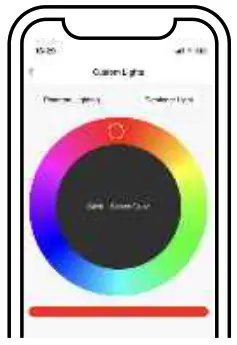
- You can access your settings through the APP[Device]-[Custom Lights] to enter the setting page.
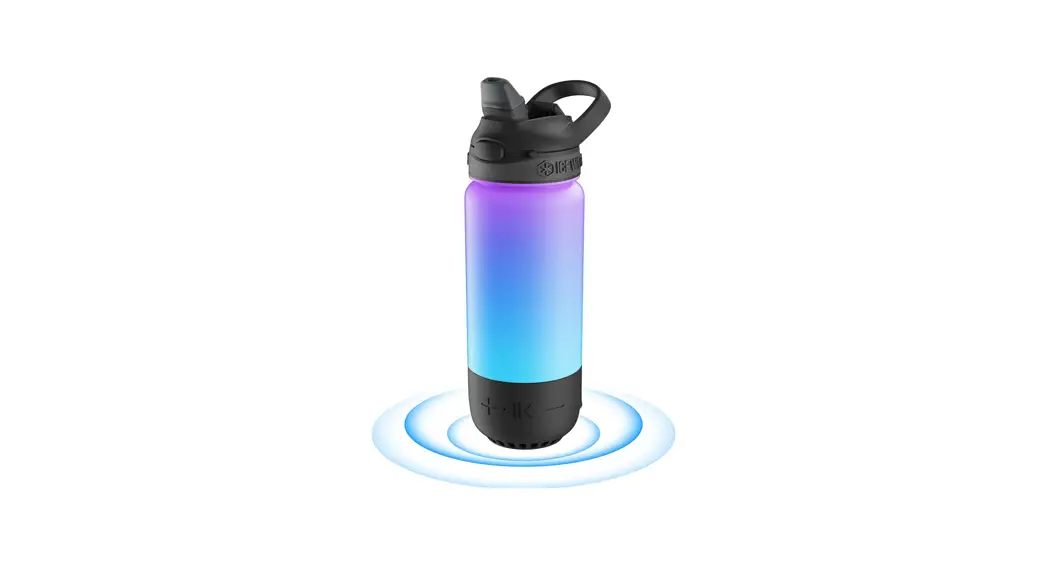
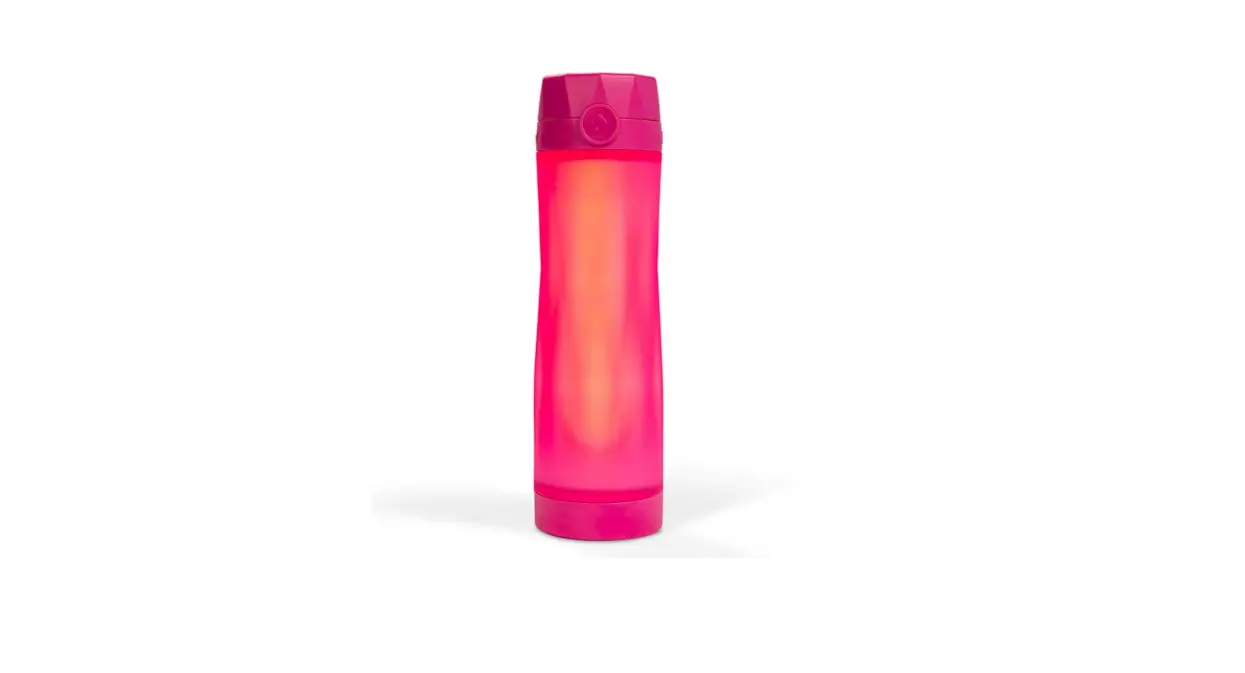
- Customize to Match Your Style: Make it your own by picking the perfect color, then choose from custom glow colors and exciting light patterns available in the app.
Three light modes
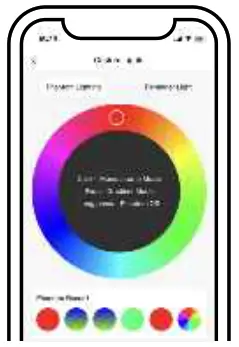 a. Monochrome Mode: click on the color plate area lights up monochrome light Search Device
b. Gradient light: slide the color plate area to light up the illumination light
c. Reminder light: remind to drink water when the light is on
Built-in dynamic sensor module, when you pick up the water bottle, the lights up, the length of the lighting mode can be adjusted.
SPECIFICATIONS
| Model | SGUAI-T30 |
| Capacity | 44 oz/1300 ml |
| Battery | 430mAh |
| Weight | 0.88 lb/400 g |
| Dimension | 6.1*4.3*9.9 inches |
| Waterproof | IPX6 |
| Lid Material | Food grade PP + Silicone |
| Charging Method | Charging Coaster |
| Charging Time | 1.5 H |
| Lasting Time | 7~15 Days |
| Rated voltage | 3.7V |
| Input Parameter | 5V/1A |
| Connectivity | Bluetooth |
| Body Material | Food grade Tritan |
CLEANING INSTRUCTIONS
- Wash thoroughly before first use.
- Do not wash the cap using the dishwasher.
- Hand wash the cap under the faucet, use a cleaning sponge if necessary.
- Also, clean the closing cap that protects the mouthpiece.
- ALWAYS allow parts to dry completely before storage.
WARRANTY & SERVICE
- 30 days free return and quickly unconditional refund.
- 6-month free replacement for product quality issue
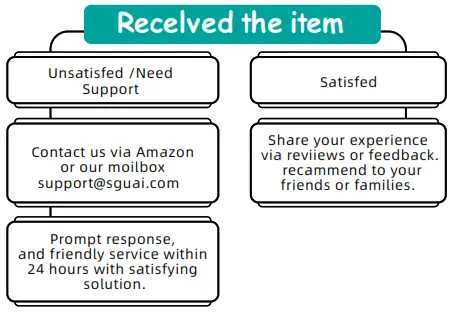
- Lifetime prompt buyer support and friendly customer service. Customer’s satisfaction is our first priority please contact us first when you have any questions we will try our best to give you a 100% satisfying solution.
Hazardous substance description: The content of hazardous substance elements in the materials used in our products has complied with the limit requirements of GB/26572, where the part “X” indicates that the development of the global technical level cannot replace the content of hazardous substance elements. Our company will strive to achieve the substitution of hazardous substances based on the development of global technology, and will not be notified in case of technological development and environmental protection upgrades of hazardous substances in materials.
ATTENTION
- Do not connect the charging coaster with water stains on the cup body·
- Do not use heating equipment such as microwaves to heat the product
- Do not use a dishwasher for cleaning;
- When filled with hot water, please place the product out of reach of children to avoid injury/scalding;
- Do not expose to sunlight;
- Non professionals are not allowed to disassemble the cup body for repair or replacement of components
- This product has passed the IPX6 waterproof grade test and can be rinsed with confidence;
- The cup body is equipped with electronic components, please do not immerse it in water for a long time and do not boil it in water;
- Before the product is discarded, the appliance is powered off and the battery is safely disposed of by relevant professionals.
CERTIFICATE
| Brand | SGUAI | Model | T30 |
| Manufacturer | SGUAI (Shenzhen) Intelligent Technology Co., Ltd | ||
| Telephone | 400 888 7516 | ||
| Address | 2nd floor, Building 11, Zhiheng Industrial Park, Guankou Second Road Nantou Street, Nanshan District, Shenzhen City, Guangdong Province. | ||
EXECUTIVE STANDARDS
| Executive standards | GB4706.1-2005 | Scope of application | For food contact | |
| Standard Name | Safety of household and similar electrical appliances | |||
| Safety standard | GB4806.7-2016 GB4806.11-2016 | |||
| Inspector | 001 | Date | 2023.05.05 | |
 www.twitter.com/sguaioffcial
 www.facebook.com/sguaioffcial
 [email protected]
 www.instagram.com/sguaioffcial
 www.sguai.com
FCC Warning
This device complies with part 15 of the FCC Rules. Operation is subject to the following two conditions:
- This device may not cause harmful interference, and
- This device must accept any interference received, including interference that may cause undesired operation.
Any Changes or modifications not expressly approved by the party responsible for compliance could void the user’s authority to operate the equipment.
Note: This equipment has been tested and found to comply with the limits for a Class B digital device, pursuant to part 15 of the FCC Rules. These limits are designed to provide reasonable protection against harmful interference in a residential installation. This equipment generates uses and can radiate radio frequency energy and, if not installed and used in accordance with the instructions, may cause harmful interference to radio communications. However, there is no guarantee that interference will not occur in a particular installation. If this equipment does cause harmful interference to radio or television reception, which can be determined by turning the equipment off and on, the user is encouraged to try to correct the interference by one or more of the following measures:
- Reorient or relocate the receiving antenna.
- Increase the separation between the equipment and receiver.
- Connect the equipment into an outlet on a circuit different from that to which the receiver is connected.
- Consult the dealer or an experienced radio/TV technician for help.
The device has been evaluated to meet general RF exposure requirement. The device can be used in portable exposure condition without restriction.
Manufacturer: SGUAI (Shenzhen) Intelligent Technology Co., Ltd
Address: 2nd floor, Building 11,Zhiheng Industrial Park, Guankou Second
Road Nantou Street, Nanshan District, Shenzhen City, Guangdong Prowince.