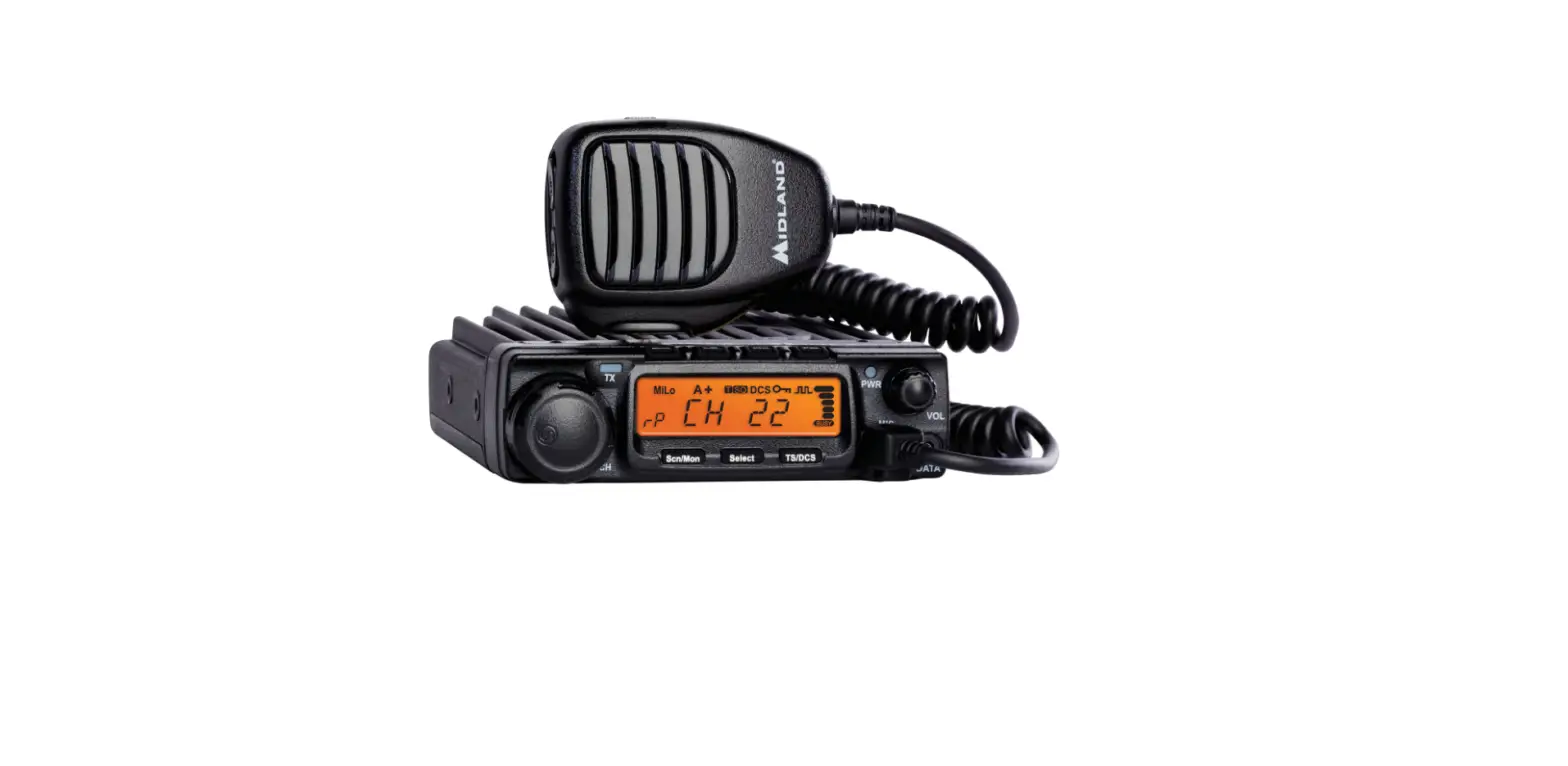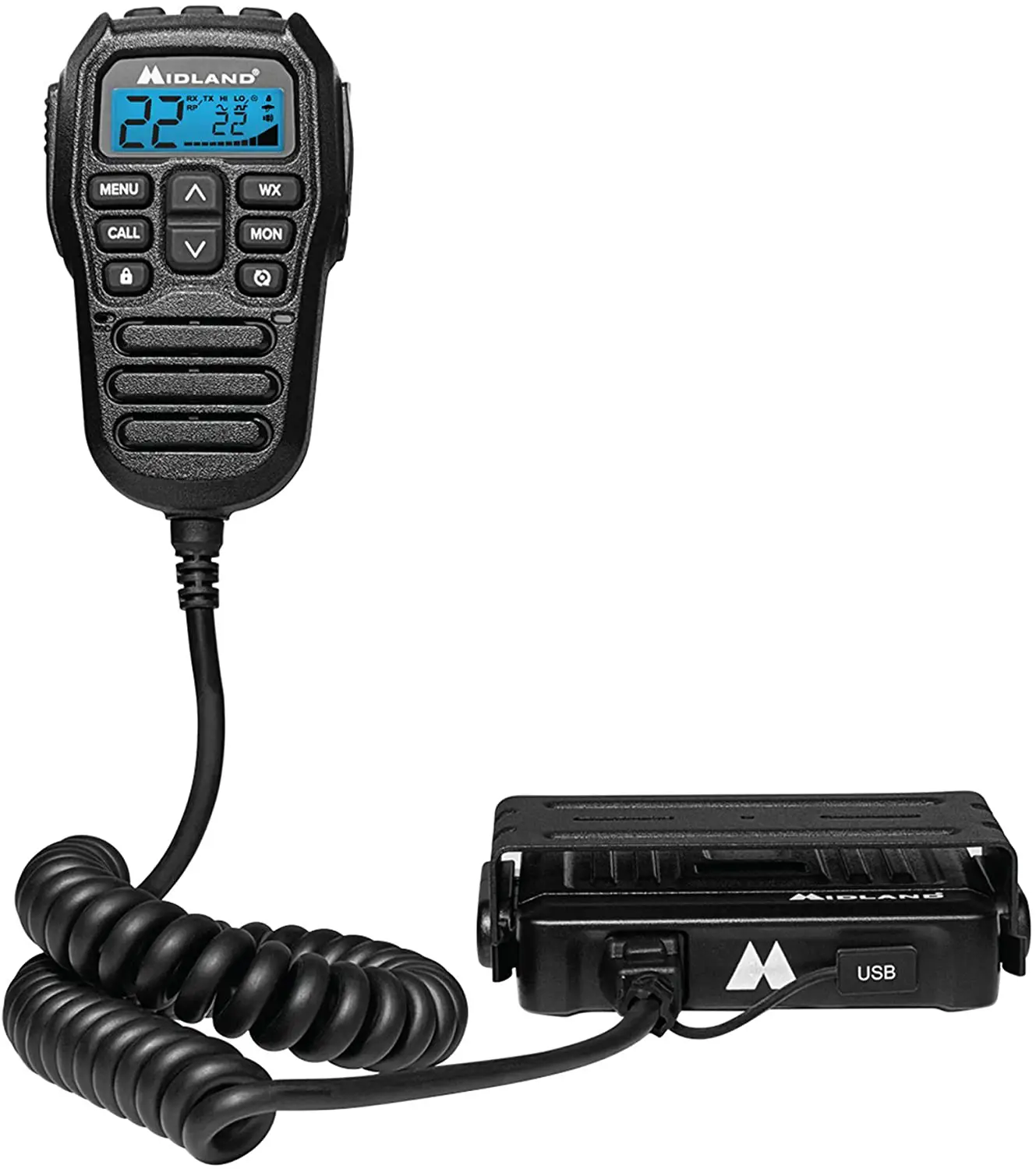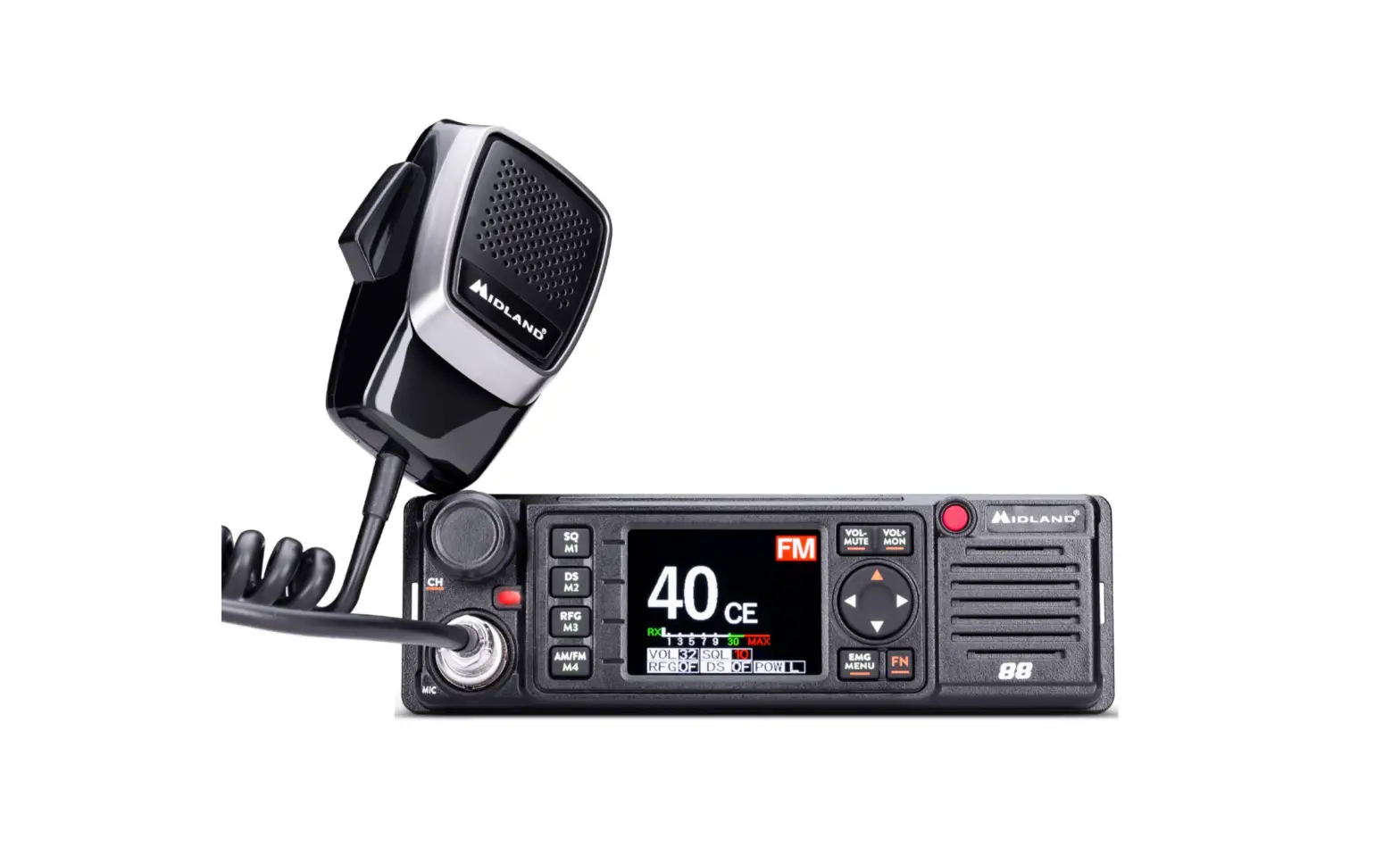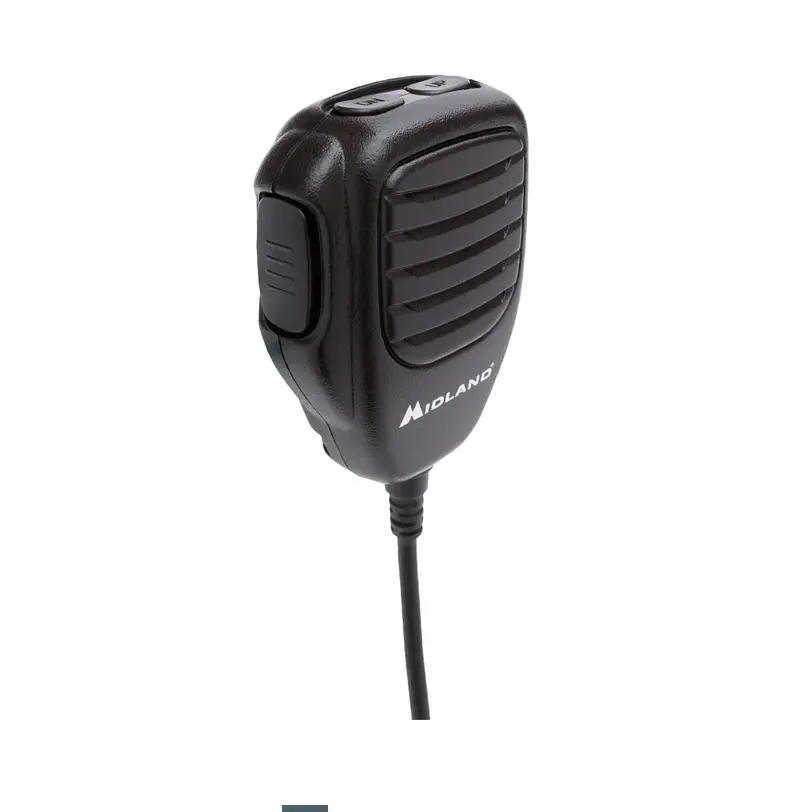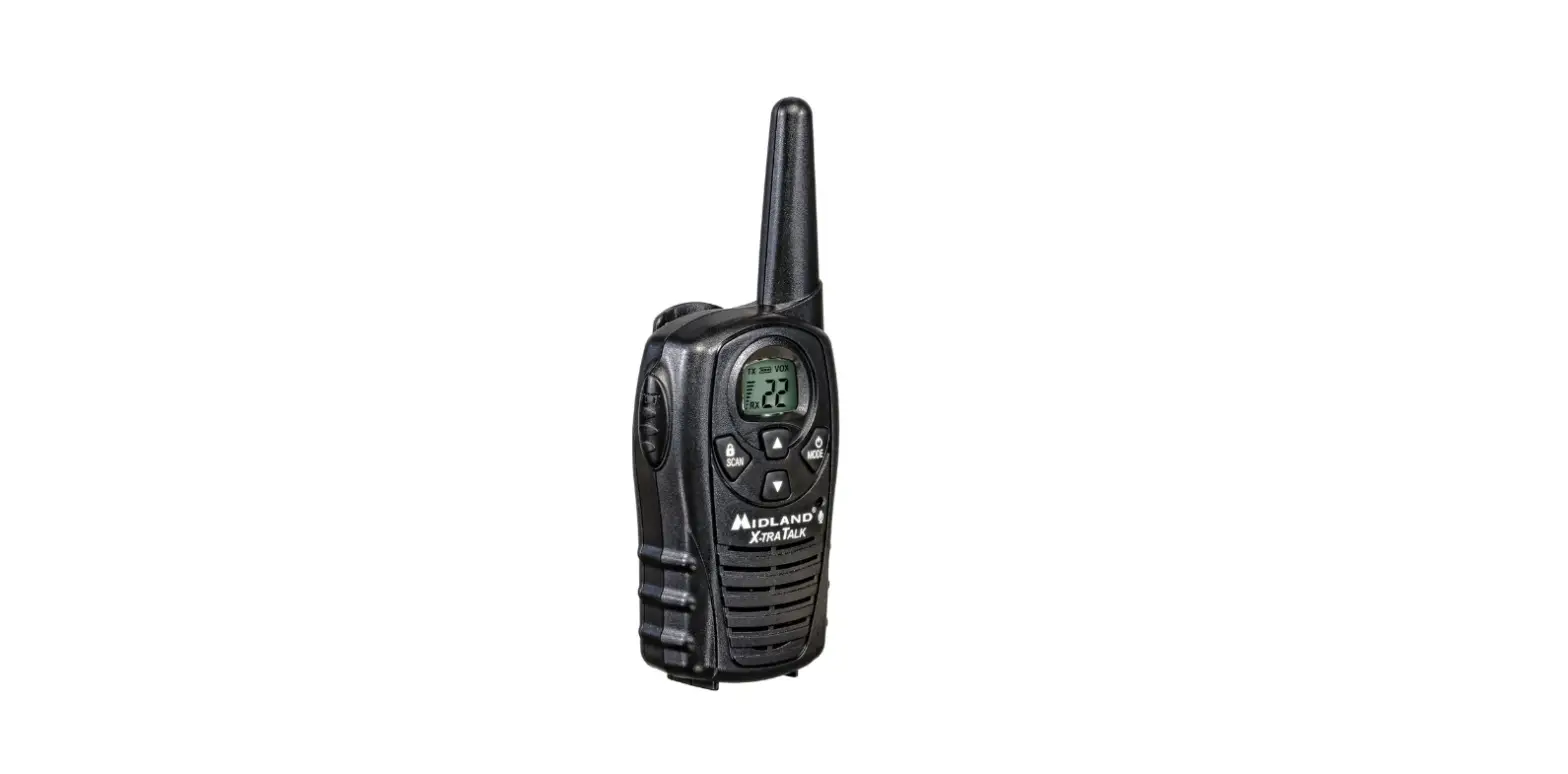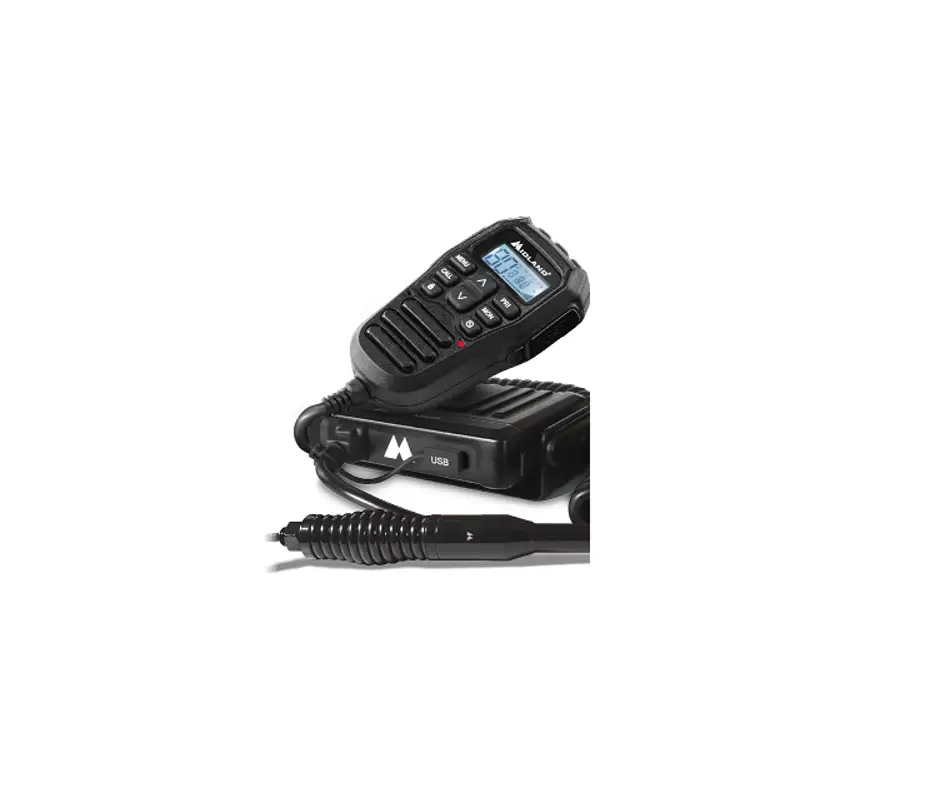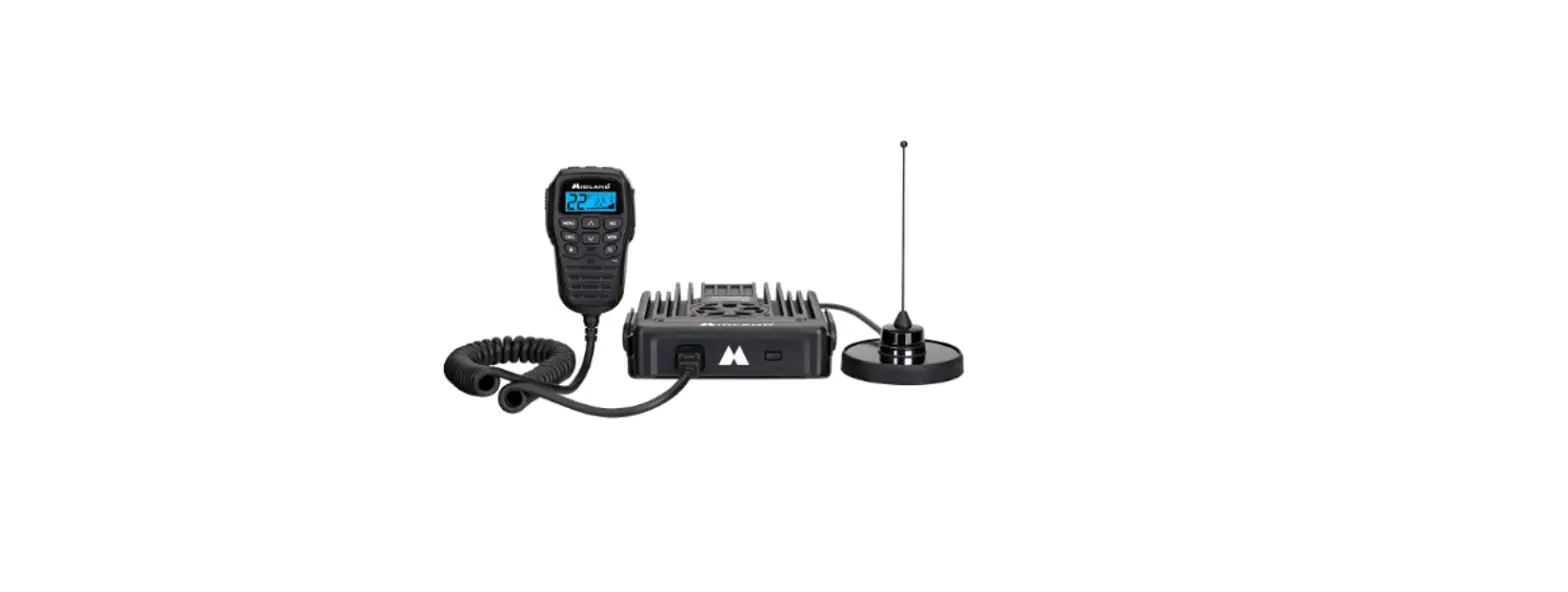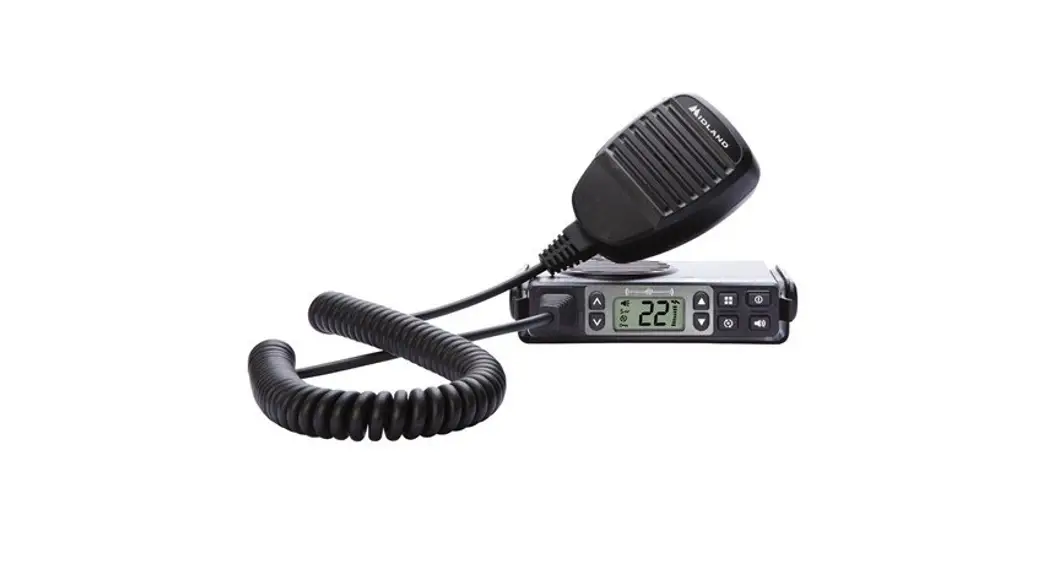
 MXT105B Mobile GMRS Transceiver
User Manual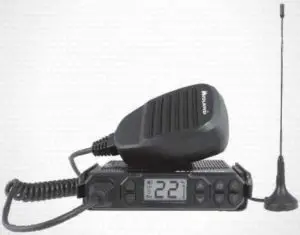
MICRO MOBILE ®GMRS 2-WAY RADIO
WELCOME TO THE WORLD OF MIDLAND RADIO
MXT105BCongratulations on your purchase of a high-quality MIDLAND product. Your 2-way radio represents state-of-the-art high-tech engineering. Designed for General Mobile Radio Service (GMRS) operation, this compact package is big on performance. It is a quality piece of electronic equipment, skillfully constructed with the finest components. The circuitry is all solid-state and mounted on a rugged printed circuit board. Your radio is designed for reliable and trouble-free performance for years to come.
FEATURES
- 5 GMRS Channels
- 10 NOAA Weather Channels
- 142 Privacy Codes (38 CTCSS / 104 DCS)
- Monitor Function
- Keypad Lock
- Power HI/LO Settings
- External Speaker Jack
IMPORTANT!
Changes or modifications to this unit not expressly approved by MIDLAND RADIO CORPORATION could void your right to operate this unit. Your radio is set up to transmit a regulated signal on an assigned frequency. It is against the law to alter or adjust the settings inside the COMMUNICATOR to exceed those limitations. Any adjustment to your radio must be made by qualified technicians.
FCC NOTICE
The MXT105B operates on GMRS (General Mobile Radio Service) frequencies, which require a Federal Communications Commission (FCC) license. You must be licensed prior to operating on channels 1-7 or 15-22, which comprise the GMRS channels of the MXT105B . Serious penalties may result from unlicensed use of GMRS channels, in violation of FCC rules, as stipulated in the Communications Act’s Sections 501 and 502 (amended). You will be issued a call sign by the FCC that should be used for station identification when operating your radio on GMRS channels. You should also cooperate by engaging in permissible transmissions only, avoiding channel interference with other GMRS users, and being prudent with the length of your transmission time. To obtain a license or ask questions about the license application, contact the FCC at 1-888-CALL FCC or go to the FCC’s website: http:// www.fcc.gov and request form 605.
Exposure To Radio Frequency Energy
Your Midland radio is designed to comply with the following national and international standards and guidelines regarding the exposure of human beings to radiofrequency electromagnetic energy.
- United States Federal Communications Commission, Code of Federal Regulations: 47 CFR part 2 subpart J
- American National Standards Institute (ANSI)/lnstitute of Electrical & Electronics Engineers (IEEE) C95. 1-1992
- Institute of Electrical and Electronics Engineers (IEEE) C95. 1-1999 Edition
- National Council on Radiation Protection and Measurements (NCRP) of the United States, Report 86, 1986
- International Commission on Non-Ionizing Radiation Protection (ICNIRP) 1998
- To control your exposure and ensure compliance with the general popu lation or uncontrolled environment exposure limits, transmit no more than 50% of the time. The radio generates measurable RF energy exposure only when transmitting.
- The consumer must maintain a minimum safe separation distance of 42.8cm from the antenna.
INSTALLING YOUR RADIO
Preparation for Installation This radio may be installed in any 12-volt negative ground system vehicle Most current U.S. and Foreign vehicles use a negative ground system,
but some older models and some newer large trucks may have a positive ground. Check the specifications for your vehicle before beginning installation. Generally, you have a negative-ground system if the negative (-) battery terminal is connected to the motor block. Contact your dealer if you are unable to determine your vehicle’s polarity system.
- Read these instructions completely before beginning installation
- Read and follow all safety precautions in your vehicle’s Service Manual.
- Make sure all necessary tools, materials, and parts are on hand.
- Disconnect the negative(-) battery cable before installing your radio. Be sure to reconnect the cable when installation is complete.
- Determine a mounting location for your radio. The MXT105B is designed to be installed under the dash or vertically on the center console. Choose a location that does not impair visibility or interfere with driving. Also take into consideration the routing and length of the lead wires and cables to the power source, antenna, and/or optional external speaker.
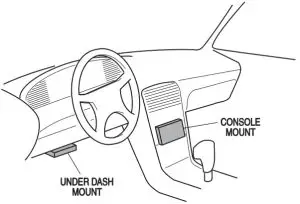
CAUTION: Extreme care should be exercised when drilling into the dash to avoid damage to under dash electronic ignition, cruise control, instrument and/or accessory wiring.
Installing the Mounting Bracket
- Using the mounting bracket as a template, mark the location of each screw hole under the dash. Use a nail or other sharp-pointed object to mark the hole locations.

- Attach the bracket to the dash with the Phillips head sheet metal screws provided. Tighten the screws securely. DO NOT OVER-TIGHTEN.

- Slide the radio into the mounting bracket. BE SURE the mounting bracket retainers engage the slots in the sides of the radio to prevent movement while driving.
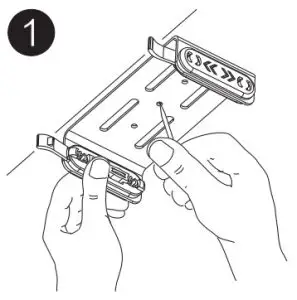
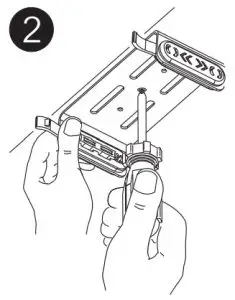
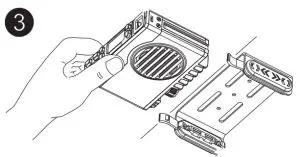
Installing the Antenna
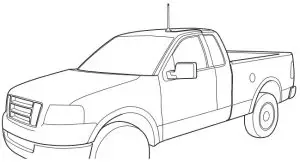
The MXT105B includes a “magnetic mount” antenna, intended to be attached to the vehicle’s roof, trunk, or similar location. Specific installation requirements vary between vehicles. Use the following guidelines to install the antenna.
*Where you locate your antenna does make a difference.*
- Some general rules for antenna location that can aid radio performance.
- Metal surfaces covered by fiberglass or vinyl may affect radio range.
Avoid these locations. - Mount the antenna as high on the vehicle as possible. The higher the better.
- If possible, mount the antenna in the center of whatever surface you choose.
- The antenna cable is 19.7 feet (6 meters) long. Be sure the mounting ocation will allow for connection of the cable to the radio.
- Be sure the mounting location is clean and dry before installing the antenna.
- Route the antenna cable through an accessible entry point, such as a rear door or trunk opening.
- When routing the antenna cable inside the vehicle, keep the cable away from noise sources, such as the ignition system, gauges, etc.
- Exercise care to prevent cable damage. Make use of existing gaskets, grommets and weather stripping to protect the cable along its route.
Electrical and Rear Panel Connections
Refer to Rear Panel Connections for rear panel connector locations
NOTE: Radio antenna is installed separately
- The power cord supplied with the MXT105B is equipped with a cigarette lighter adapter for easy installation. Simply plug the connector into the vehicle’s cigarette lighter. If a “hard-wired” installation is desired, connect the power cord to the vehicle’s electrical system as follows:
• Cut the power cord just after the cigarette lighter adapter.
• Connect the positive lead (RED wire with in-line fuse holder) to either (a) the fuse block or (b) directly to the positive post of the vehicle’s battery.
NOTE: The fuse block is usually the most convenient connection point. The power cord positive lead can also be connected to the Accessory terminal on the fuse block or ignition switch, so the radio automatically turns off when the ignition is turned off.
• Securely connect the ground lead (BLACK wire) directly to the vehicle’s metal frame. A good direct metal-to-metal ground is essential for optimum performance. - Connect the 2-pin plug-in connector of the power cable to the 13.8V DC jack on the rear panel.
- Attach the antenna cable to the ANT jack on the rear panel.
- If desired, an optional external speaker (purchased separately) can be connected to the EXT SPKR jack (see Using an External Speaker).
Connecting the Microphone
Insert the RJ11 connector into the front of the MXT105B. Once the microphone is connected, use a small tool to insert the strain relief. The microphone bracket can then be attached to the vehicle dash or other convenient location in a manner similar to the mounting bracket.
Using an External Speaker
TheMXT105B provides a rear-panel jack for the connection of an optional external speaker (purchased separately). When selecting an external speaker, ensure the speaker has an 8-ohm impedance and is rated for 4.0 watts.
NOTE: When an external speaker is connected, the radio’s internal speaker is automatically disabled.
CONTROLS AND INDICATORS
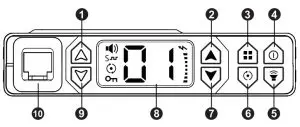
Operating Controls
 Volume Up
 Channel Up
 Menu and
  Lock
Lock Power On/Off and Display Brightness
 Monitor and
  Weather Channel
 Scan
Scan- Channel Down
- LCD Display
 Volume Down
- Microphone Jack
 Channel Up
 Menu and
  Lock
Lock Power On/Off and Display Brightness
 Weather Channel
 Channel Down
LCD Display
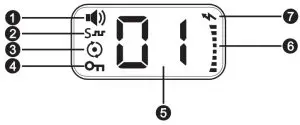
- Receiving Icon – Indicates the radio is receiving a transmission from another user.
 – CTCSS /
 DCS Icon – Indicates a Continuous Tone Coded Squelch System (CTCSS) or Digitally Coded Squelch (DCS) Privacy Code has been enabled for the currently selected channel.
- Scanning Icon – Indicates the “auto-scan” function is active.
- Keypad Lock Icon – Indicates the keypad lock is currently enabled.
- Channel Icon – Shows the selected transmit/receive channel.
- RXITX Icon – Indicates the strength of the current transmit or receive signal.
 Transmitting Icon – Indicates the radio is transmitting to another user.
 – CTCSS /
 DCS Icon – Indicates a Continuous Tone Coded Squelch System (CTCSS) or Digitally Coded Squelch (DCS) Privacy Code has been enabled for the currently selected channel.
 Transmitting Icon – Indicates the radio is transmitting to another user.
Rear Panel Connections
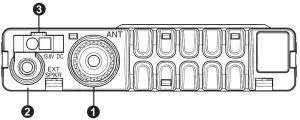
- ANT Jack – SO-239 UHF connector for external antenna (included)
- EXT SPKR Jack – 3.5mm Audio connector for the optional external speaker (purchased separately) (see Using an External Speaker for specifications).
- 13.8V DC Jack – 2-pin DC connector for 12V DC nominal input power connection
OPERATING YOUR RADIO
About Range
Your MXT105B is designed to give you maximum operating range under optimum conditions.
 Maximum Range I No Sight Obstruction
 Medium Range I Partial Obstruction to Line of Sight
 Medium Range I Partial Obstruction to Line of Sight
Optimum conditions for the maximum operating range are:
- Overwater
- In open rural areas without obstructions
- On flat areas where you can see the other radio user
To ensure you get maximum range:
- Be sure to mount the antenna (included) as high as possible on your vehicle
- Be sure to set your radio to use Hi-power (see Selecting the Transmit (TX) Power Level)
Power On/Off To turn the radio on and off:
- With the radio off, press and hold the Power On/Off
 button for two seconds to turn the radio on.
• The LCD display will show all icons for one second and then display the most recently selected channel. - With the radio on, press and hold the Power On/Off button for two seconds to turn the radio off.
• The LCD display will go blank when the radio turns off.
 button for two seconds to turn the radio on.
Selecting the Active Channel
IMPORTANT! To communicate between two MXT105B radios, both radios must be set to the same channel and Privacy Code (see Selecting a Privacy Code) selections.
To select the active channel:
- Be sure the radio is turned on (see Power On/Off)
- Press the Channel Up button to scroll forward through the
available channels. Press the Channel Downbutton to scroll backward through the available channels.
•The Channel icon on the LCD display will show the currently selected channel.
Transmitting and Receiving a Call
IMPORTANT! To communicate between two MXT105B radios, both radios must be set to the same channel (see Selecting a Privacy Code) selections.
To transmit and receive a call:
- Be sure the radio is turned on (see Power On/Off)
- To transmit a call, press and hold the PTT button on the microphone, and speak into the microphone in a normal voice.
NOTE: For maximum clarity, hold the microphone 2 to 3 inches from your mouth when speaking.
• The RX/TX ] icon will show continuously on the LCD display while transmitting. - To receive a call, release the PTT button on the microphone.
•The RX/TX icon will show on the LCD display when your radio is receiving a transmission. - If necessary, press the Volume Up or Volume Down button to increase or decrease radio volume.
UTILITY FUNCTIONS
Utility functions let you configure several operational parameters of the MXT105B to suit your personal preferences. For additional utility functions,
“MENU” MODE FUNCTIONS.
Locking the Keypad
You can use the keypad “lock” function to prevent accidentally changing your radio’s settings. When the function is enabled, the current radio settings are “locked” in place.
NOTE: When the “lock” function is enabled, the PTT button on the microphone and the Volume Up  / Volume Down
  buttons on the radio remain active.
To “lock” and “unlock” the keypad:
- Be sure the radio is turned on (see Power On/Off)
- Press and hold the Menubutton for two seconds.
• The Keypad Lockicon will show on the LCD display when the keypad is “locked.” - Repeat steps 1 and 2 to “unlock” the keypad.
• The Keypad Lock icon will turn off when the keypad is “unlocked”
Adjusting the Display Illumination
You can adjust the illumination of the LCD display to ensure optimum visibility under various daytime and night-time lighting conditions. There are 6 levels of illumination, from dark to full brightness.
To adjust display brightness:
- Be sure the radio is turned on (see Power On/Off)
- Briefly press and release the Power On/Off button.
•Each time the button is pressed and released, the display illumination increases to the next brightness level.
• When the maximum brightness level is reached and the button is pressed and released, the display illumination turns off.
Using Monitor Mode
Monitor mode lets you check for activity on the currently active channel. You can also use Monitor mode to adjust the volume of your radio when not receiving a signal.
To enter and exit Monitor mode:
- Be sure the radio is turned on (see Power On/Off)
- Be sure you have selected the desired channel (see Selecting the Active Channel)
- Briefly press and release the Monitor/Quiet Channelbutton to enter Monitor mode.
•You will hear any activity on the currently selected channel. - Press the Volume Upor Volume Downbutton to increase or decrease radio volume.
- Once the radio volume has been adjusted to the desired level, briefly press and release the Monitor/Quiet Channelbutton to exit Monitor mode.
NOAA Weather Radio/Scan
Your MXT105B has an NOAA Weather Radio function, to enable the user to receive weather reports from designated NOAA stations. Your radio also has a NOAA Weather Scan function, to enable the user to scan all 10 channels of the NOAA Weather Radio.
To turn the NOAA Weather Band on, Long press the Monitor  button while in GMRS mode.
• The radio will go to WX Band mode and start scanning all 10 channels and stop on any active channel.
• When the channel becomes inactive for seconds the radio will resume scanning.
•To have radio re-scan all weather channels press and release the Scan button
To exit the Weather band, press the PTT button or press and hold the Monitorbutton.
Scanning for Active Channels
Your MXT105B includes an “auto-scan” mode that continuously scans all 15 available channels for activity. Additionally, if desired, you can remove one or more channels from the list of scanned channels.
To enter and exit “auto-scan” mode:
- Be sure the radio is turned on (see Power On/Off)
- Quickly press and release the Scanbutton to enter “auto-scan” mode.
•The Scanningicon will show on the LCD display when the radio is in “auto-scan” mode
• Your radio will rapidly scan through the 15 available channels and will pause on any active channel.
• “Auto-scan” will resume when there has been no activity on the current channel for four seconds. - To transmit during “auto scan,” press and hold the PTT button on the microphone while the radio is paused on the desired channel.
•The radio will exit Auto Scan after the PTT button is released. - To exit the “auto-scan” mode, quickly press and release the Scanbutton.
The Scanningicon will turn off when the radio is no longer in “auto-scan” mode.
To remove a channel from “auto-scan” mode:
- Be sure the radio is turned on (see Power On/Off)
- Use the Channel Upor Channel Downbutton to scroll forward
or backward through the available channels until the Channel icon for
the channel you wish to remove shows on the LCD display. - Press and hold the Scanbutton.
The selected channel is removed from the list of “scanned” channels and will not be included in the “auto-scan.” - Repeat steps 1 through 3 to return a removed channel to the list of “scanned” channels.
The “Menu” mode provides access to the features and functions shown in the chart below. For additional utility functions, see UTILITY FUNCTIONS.
MXT105B “Menu” Mode Quick Reference Chart

F1- CTCSS Codes. Use this option to select and assign a Continuous Tone Coded Squelch System (CTCSS) Privacy Code for the currently active channel.
F2- DCS Codes. Use this option to select and assign a Digitally Coded Squelch (DCS) Privacy Code for the currently active channel.
F3 – Squelch Sensitivity. Use this option to adjust squelch sensitivity.
F4 – Silent Operation. Use this option to set the option for the keypad audible “beep” tones.
F5 – Transmit Power Level. Use this option to change the transmit power level to HI or LO.
Selecting a Privacy Code
Continuous Tone Coded Squelch System (CTCSS) and Digitally Coded Squelch (DCS) are systems that allow several users to share the same channel without disturbing each other. When CTCSS or DCS are enabled for a selected channel, the channel is muted to all incoming signals unless they carry the correct CTCSS or DCS tone. When a transmission with the correct tone is received, the mute is removed and the voice audio can be heard. When the transmission ends the channel is muted again. Transmissions that do not have the correct tone are not heard. The MXT105B has 142 Privacy Codes (38 CTCSS codes and 104 DCS codes), which can be applied to any channel. If desired, you can select a different Privacy Code for each channel. See CTCSS Privacy Codes Frequency Chart and DCS Privacy Codes Chart for lists of available Privacy Codes.
IMPORTANT! To communicate between two MXT105B radios, both radios must be set to the same channel (see Selecting the Active Channel) and Privacy Code selections.
- Press the Menubutton to place the radio in “Menu” mode.
- Use the Channel Upor Channel Downbutton to scroll the menu options until the LCD display shows (for CTCSS) or (for DCS), DC CT as desired.
- Press the Menubutton again to confirm your selection.
• The S (for CTCSS) or(for DCS) icon will show on the LCD display, according to your selection. - Use the Channel Upor Channel Downbutton to scroll forward or backward through the available Privacy Codes until the desired Privacy Code is shown on the LCD display.
NOTE: DCS Privacy Codes 100-104 are shown on the LCD display as A0-A4.
NOTE: Selecting a Privacy Code of “oF” will disable the Privacy feature. - When the desired Privacy Code is shown on the LCD display, press the Menubutton to confirm your selection. YOU MUST PRESS THE MENUBUTTON TO CONFIRM YOUR SELECTION OR THE PRIVACY CODE WILL NOT BE CHANGED.
NOTE: If you select a CTCSS Privacy Code, any pre-selected DCS Privacy Code will be canceled, and vice-versa.
Adjusting Squelch Sensitivity
The MXT105B has adjustable squelch sensitivity. The minimum squelch level of 00 is the most sensitive, which allows the squelch to open on very weak signals. Setting the squelch to the maximum setting of 09 requires very strong signals to open the squelch.
To adjust the squelch sensitivity:
- Press the Menubutton to place the radio in “Menu” mode.
- Use the Channel Upor Channel Downbutton to scroll the menu options until the LCD display shows SQ
- Press the Menubutton again to confirm your selection.
- Use the Channel Upor Channel Downbutton to scroll forward or backward to select the desired squelch level, from 00 to 09.
•The default squelch setting is 05, which generally provides reliable squelch operation for most applications. - When the desired squelch level is shown on the LCD display, press the Menubutton to confirm your selection. YOU MUST PRESS THE MENUBUTTON TO CONFIRM YOUR SELECTION OR THE SQUELCH SENSITIVITY WILL NOT BE CHANGED.
Silent Operation
- Press the Menubutton to place the radio in “Menu” mode.
- Use the Channel Upor Channel Downbutton to scroll the menu options until the LCD display shows BP
- Press the Menubutton again to confirm your selection.
- Select “on” or “oF” by pressing the Channel Upor Channel Down
- When your selection is made, press the Menubutton (or wait 3 seconds) to confirm your selection.
Selecting the Transmit (TX) Power Level
The MXT105B provides two transmit power levels; HI and Lo. the Lo power level is generally suitable when operating under optimum conditions (see About Range). The HI power level is recommended to ensure you get the maximum range from your radio.
To adjust the transmit power level:
- Press the Menubutton to place the radio in “Menu” mode.
- Use the Channel Upor Channel Downto scroll the menu options until the LCD display shows
- press the Menubutton again to confirm your selection.
- Use the Channel Up or Channel Downbutton to toggle the transmit power setting between HI and
- When the desired transmit power level is shown on the LCD display, press the Menubutton to confirm your selection. YOU MUST PRESS THE MENUBUTTON TO CONFIRM YOUR SELECTION OR THE POWER LEVEL WILL NOT BE CHANGED.
RESTORING THE DEFAULT SETTINGS
You can restore the original (factory default) settings for your MXT105B at any time.
To restore the default settings:
- Be sure the radio is turned off (see Power On/Off).
- Press and hold the Channel Down Button
- Press and hold the Power On/Offbutton for two seconds to turn the radio on.
- Release both buttons.
•The radio will enter “standby” mode at channel 1, with no Privacy Code selected.
CARE AND MAINTENANCE
CAUTION: DO NOT use alcohol or cleaning solutions to clean the radio. DO NOT immerse the radio in water.
- Use a soft cloth moistened with water to clean the radio.
- Dry the radio with a dry lint-free cloth should it get wet.
TROUBLESHOOTING GUIDE
If you experience difficulties using your MXT105B, refer to the following chart to correct common operation problems. If you have a problem that you believe requires service, please call first and speak with a service technician at 816-241-8500. Many problems can be remedied over the phone without returning the unit for service.
PROBLEM | SOLUTION |
| No Power | Check vehicle power source (battery); replace as needed. |
| Check input power connection and/or wires to a vehicle power source. | |
| Cannot Receive Messages | Verify both radios have the same channel selection and Privacy Code settings. |
| Make sure you are within range of the other radio. | |
| Confirm communication is not affected by buildings and other structures ( see About Range) | |
| Keypad is not Responding | Make sure the keypad “lock” is not on (see Locking the Keypad) |
| Reset the radio ( turn the radio off then back on) | |
| Display Backlight is Dim | Adjust the display illumination (see Adjusting the Display Illumination) |
SPECIFICATIONS
| Channels: | 15 GMRS Channels and 10 NOAA Weather Channels |
| Privacy Codes: | 38 CTCSS; 104 DCS |
| Operating Frequency: | UHF; 462.5500 ~ 462.725 MHz |
| Power Source: | 13.8 VDC Nominal |
GMRS Frequency Chart
| Ch. No. | Ch. Freq. (MHz) | Ch. No. | Ch. Freq. (MHz) |
| 1 | 462.5625 | 15 | 462.550 |
| 2 | 462.5875 | 16 | 462.575 |
| 3 | 462.6125 | 17 | 462.600 |
| 4 | 462.6375 | 18 | 462.625 |
| 5 | 462.6625 | 19 | 462.650 |
| 6 | 462.6875 | 20 | 462.675 |
| 7 | 462.7125 | 21 | 462.700 |
| Ch 8 – 14 Reserved for FRS | 22 | 462.725 | |
WX Band Channels
| Channel Number | Frequency (MHz) |
| 1 | 162.550 |
| 2 | 162.400 |
| 3 | 162.475 |
| 4 | 162.425 |
| 5 | 162.450 |
| 6 | 162.500 |
| 7 | 162.525 |
| 8 | 161.650 |
| 9 | 161.775 |
| 10 | 163.275 |
CTCSS Privacy Codes Frequency Chart
| Code | Freq. | Code | Freq. | Code | Freq. | Code | Freq. | Code | Freq. |
| 1 | 67.0 | 9 | 915 | 17 | 119. | 25 | 157. | 33 | 211. |
| 2 | 72. | 10 | 95. | 18 | 123.0 | 26 | 162. | 34 | 218. |
| 3 | 74. | 11 | 97. | 19 | 127. | 27 | 168. | 35 | 226. |
| 4 | 77.0 | 12 | 100.0 | 20 | 132. | 28 | 174. | 36 | 234. |
| 5 | 80. | 13 | 104. | 21 | 137. | 29 | 180. | 37 | 242. |
| 6 | 83. | 14 | 107. | 22 | 141. | 30 | 186. | 38 | 250. |
| 7 | 85. | 15 | 111. | 23 | 146. | 31 | 193. | ||
| 8 | 89. | 16 | 115. | 24 | 151. | 32 | 204. | ||
DCS Privacy Codes Chart
| No. | Code | No. | Code | No. | Code | No. | Code |
| 1 | 23 | 27 | 165 | 53 | 413 | 79 | 731 |
| 2 | 25 | 28 | 172 | 54 | 423 | 80 | 732 |
| 3 | 26 | 29 | 174 | 55 | 431 | 81 | 734 |
| 4 | 31 | 30 | 205 | 56 | 432 | 82 | 743 |
| 5 | 32 | 31 | 223 | 57 | 445 | 83 | 754 |
| 6 | 43 | 32 | 226 | 58 | 464 | 84 | 36 |
| 7 | 47 | 33 | 243 | 59 | 465 | 85 | 53 |
| 8 | 51 | 34 | 244 | 60 | 466 | 86 | 122 |
| 9 | 54 | 35 | 245 | 61 | 503 | 87 | 145 |
| 10 | 65 | 36 | 251 | 62 | 506 | 88 | 212 |
| 11 | 71 | 37 | 261 | 63 | 516 | 89 | 225 |
| 12 | 72 | 38 | 263 | 64 | 532 | 90 | 246 |
| 13 | 73 | 39 | 265 | 65 | 546 | 91 | 252 |
| 14 | 74 | 40 | 271 | 66 | 565 | 92 | 255 |
| 15 | 114 | 41 | 306 | 67 | 606 | 93 | 266 |
| 16 | 115 | 42 | 311 | 68 | 612 | 94 | 274 |
| 17 | 116 | 43 | 315 | 69 | 624 | 95 | 325 |
| 18 | 125 | 44 | 331 | 70 | 627 | 96 | 332 |
| 19 | 131 | 45 | 343 | 71 | 631 | 97 | 356 |
| 20 | 132 | 46 | 346 | 72 | 632 | 98 | 446 |
| 21 | 134 | 47 | 351 | 73 | 654 | 99 | 452 |
| 22 | 143 | 48 | 364 | 74 | 662 | 100 | 454 |
| 23 | 152 | 49 | 365 | 75 | 664 | 101 | 455 |
| 24 | 155 | 50 | 371 | 76 | 703 | 102 | 462 |
| 25 | 156 | 51 | 411 | 77 | 712 | 103 | 523 |
| 26 | 162 | 52 | 412 | 78 | 723 | 104 | 526 |
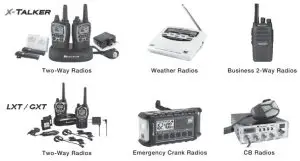
ACCESSORIES
Accessories can be purchased at midlandusa.com
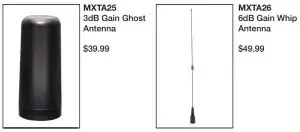
For more MicroMobiles and accessories, please visit our website at midlandusa.com
LIMITED WARRANTY (United States)
Subject to the exclusions set forth below, Midland Radio Corporation will repair or replace, at its option without charge, any Midland FRS/GMRS which fails due to a defect in
material or workmanship within One Year following the initial consumer purchase.
This warranty does not apply to water damage, battery leak, abuse or misuse of unauthorized accessories, unauthorized service or modification, or altered products. Accessories have a 90-day warranty from the date of purchase, including any charge cables or batteries.
ANY IMPLIED WARRANTIES, INCLUDING, WITHOUT LIMITATION THE IMPLIED WARRANTIES OF MERCHANTABILITY AND FITNESS FOR A PARTICULAR PURPOSE, SHALL BE LIMITED AS SET FORTH HEREIN AND TO THE DURATION OF THE LIMITED WARRANTY, OTHERWISE, THE REPAIR OR REPLACEMENT AS PROVIDED UNDER THIS EXPRESS LIMITED WARRANTY IS THE EXCLUSIVE REMEDY OF THE CONSUMER AND IS PROVIDED IN LIEU OF ALL OTHER WARRANTIES, EXPRESS OR IMPLIED. IN NO EVENT SHALL MIDLAND BE LIABLE, WHETHER IN CONTRACT OR TORT (INCLUDING BUT NOT LIMITED TO NEGLIGENCE, GROSS NEGLIGENCE, BODILY INJURY, PROPERTY DAMAGE, AND DEATH) FOR DAMAGES IN EXCESS OF THE PURCHASE PRICE OF THE PRODUCT OR ACCESSORY, OR FOR ANY INDIRECT, INCIDENTAL, SPECIAL OR CONSEQUENTIAL DAMAGES OF ANY KIND, OR LOSS OF REVENUE OR PROFITS, LOSS OF BUSINESS, LOSS OF INFORMATION OR DATA OR OTHER FINANCIAL LOSS ARISING OUT OF OR IN CONNECTION WITH THE ABILITY OR INABILITY TO USE THE PRODUCTS OR ACCESSORIES TO THE FULL EXTENT THESE DAMAGES MAY BE DISCLAIMED BY LAW.
MIDLAND RADIO CORPORATION
5900 Perretta Drive
Kansas City, MO 64120
Call 816.241.8500
Wedlow to hr fro out Let u know what you think of your new Mid product at
or by visiting at: midlandusa.com
Note Featured Specifications abject to change without notice, MOLAND RADO CORPORATION l not responsible for unintentional errors or omission on it packaging