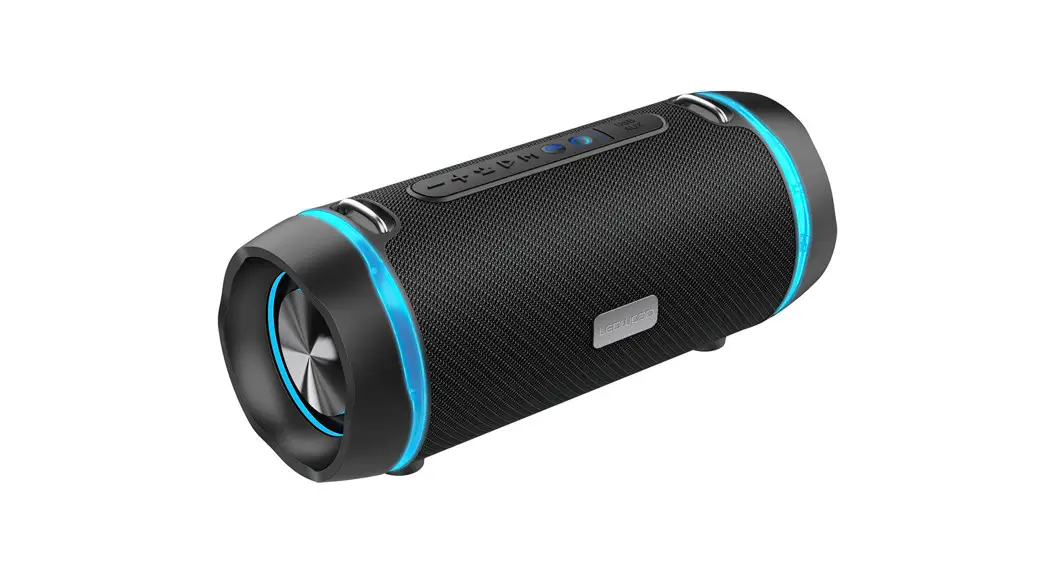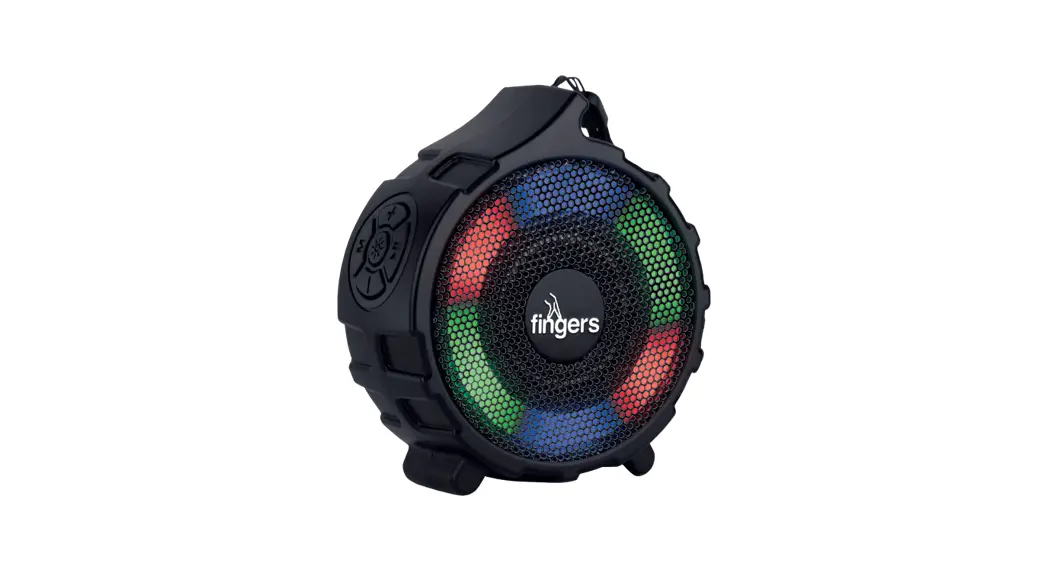
 RGB-Gem Portable Speaker
User Guide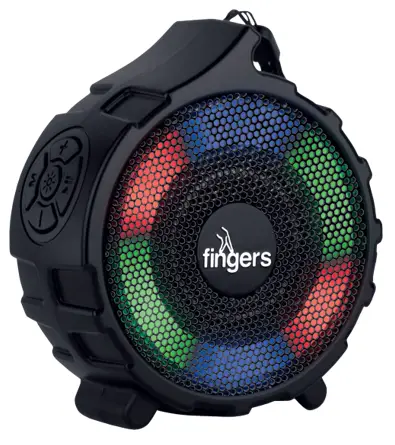 Quick Start Guide
RGB-Gem Portable Speaker
Important – Warnings and Safety
- Do not place the speaker near heat sources such as fire, radiators, stoves and other apparatus that produce heat.
- Use only accessories supplied by FINGERS.
- Unplug the speaker once it is fully charged, when unused for long periods of time or during lightning/thunderstorms.
- It is recommended to refer all servicing to qualified personnel. Servicing is required when the speaker has been damaged in any way. Any evidence of any attempt to open and/or alter the device, including any scratch, peeling, puncturing, or removal of any of the labels, will void the Limited Warranty.
In the box
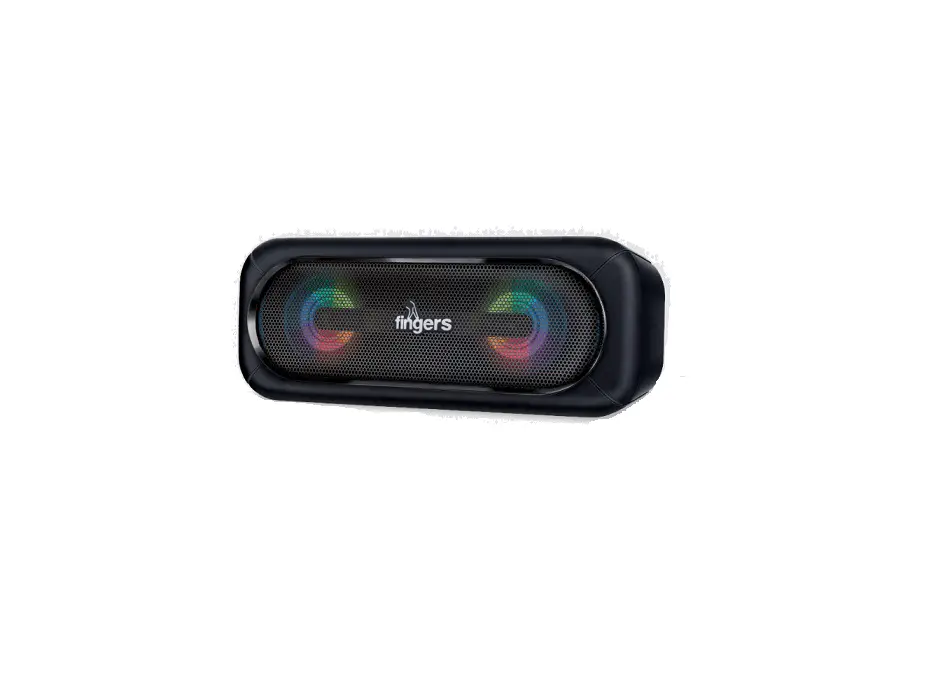
1 x FINGERS RGB-Gem
1 x USB Charging Cable
1 x Quick Start Guide
1 x Brand Note
On-board Controls
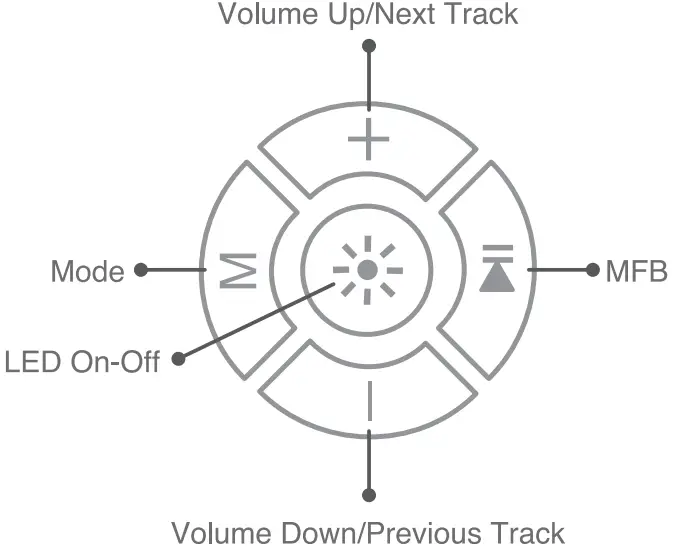
| Function | What to do |
| 1.Volume Up/Next Track Increase Volume Next Track | Long Press Short Press |
| 2.MFB (Muill-function Button) Play/Pause During Calls Receive Call End Call Reject incoming call Redial Last called number | Short Press Short Press Again Short Press Long Press Double Press |
| 3.Mode Switch modes from BT/FM/USB/MicroSD | Short Press |
| 4.Volume Down/Previous Track Decrease Volume Previous Track | Long Press Short Press |
| 5.LED On-Off LED On-Off Switch between RGB LED animations | Long Press Short Press |
Connections
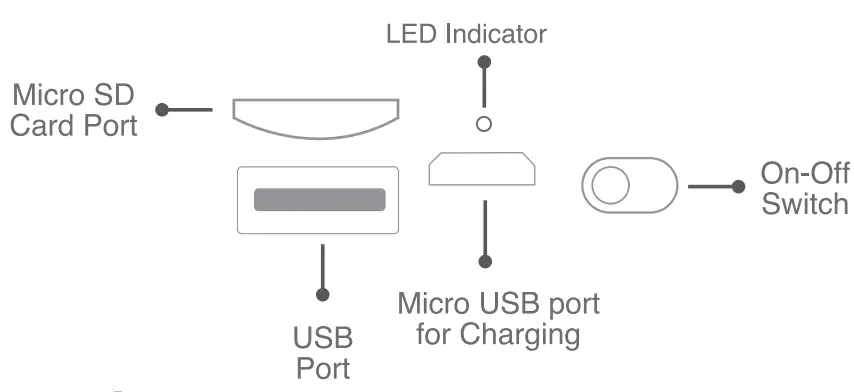
Charging
A red light indicates that it is in charging mode. Once it is completely charged, the red LED glow disappears.
Modes
You can enjoy your music in the following ways
i. BT ii. FM Radio iii. MicroSD iv. USB i.
BT
- When the device is switched on, it automatically goes to BT mode.
- If any source is connected (USB, MicroSD or FM), press ” M ” till BT Mode is heard.
- The LED indicator starts flashing in blue, signifying that it isready to pair a device.
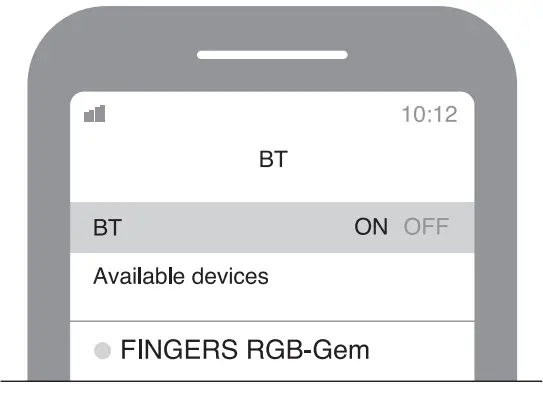
- As it flashes blue, make sure that BT is enabled on your device. Find the device list and select FINGERS RGB-Gem.

- The LED indicator turns solid blue for a moment, a sound prompt of “Connected” is heard and it is ready to play.
Manage calls
Can receive/end calls from the speaker, if your mobile device is connected to the speaker.
Connect 2 BT devices using Multi-Point Technology
a. Turn off BT function of first connected device, and search FINGERS RGB-Gem in 2nd device.
b. Repeat above steps (3, 4, 5) to pair another device.
c. Turn off FINGERS RGB-Gem portable speaker, once 2nd device is connected successfully.
d . Turn on BT function in 1m device and FINGERS RGB-Gem portable speaker.
e. As speaker remembers previously connected devices
– When switched on, it attempts to reconnect both previously paired devices.
f. Now the Speaker is ready to use, by both the paired devices
ii. FM Radio
– Short Press on the mode button till the voice prompt of the word “FM Mode” is heard.
– Long press  to scan the stations automatically. You can again press the same button to stop the scan.
– Once FM radio is tuned, you can short press + and — to select the desired FM channel.
– Short press to mute FM.
iii. MicroSD
– Insert the MicroSD card in the provided port.
– You can then play your favourite tracks directly from the MicroSD Card.
v. USB
– Insert the USB card in the provided port.
– You can then play your favourite tracks directly from the USB
Care and Maintenance
- Switch off the speaker before cleaning it.
- Use soft, damp cloth to clean the surface.
- Do not use any chemicals, solvents, or cleaning solutions containing alcohol, ammonia or abrasives.
- Do not allow any liquid to enter into any of the openings.
‘Tested under ideal conditions and in BT playback mode.
Playback time may vary depending on usage, playback mode and volume levels.
- Images shown may vary from actual product.
- Specifications, features and appearance are subject to change without notice.
- All logos, brands, trademarks and product names are properties of their respective owners.
- Product warranty is governed by warranty terms mentioned on www.fingers.co.in
- This product falls under s-waste (Management & Handling) Rules, 2011. For proper disposal method. visit our website www.fingers.co.in
Product Specifications
| Wireless Protocol | Bluetooth v5.0 + EDR |
| Output Power | 5 Wx 1130 |
| Peak Output Power | 5W |
| Power Rating | 5 V / 500 mA |
| Driver unit | 3 Ø 5 W,1 x Ø 52 mm |
| Effective Range | Wireless range up to 10 m |
| Battery | 1200 mAh / 3.7 V |
| Charging Time | Up to 2.5 hours |
| Playback Time | Up to 8 hours when RGB light is off Up to 7 hours when RGB light is on |
| Playback Options | Bluetooth’ I FM Radio! USB 1 MicroSD |
| Microphone | Built-in |
| Dimensions | 112(H)*100(H)*53(W)mm |
| Weight | 250 g |
| Supplementary Features | – RGB lights – Built-in Mic – Multi-point Technology Connect 2 devices simultaneously |
Ver.: 1.0.01 fingers.co.in
Stay connected with us @fingers.co.in
 @FingersIndia
 @Fingerslndia
Customer Service
• Support email: [email protected]
• 022-4938 7600: Mon – Fri (9.30 am to 6.30 pm)
For further information, please visit www.fingers.co.in