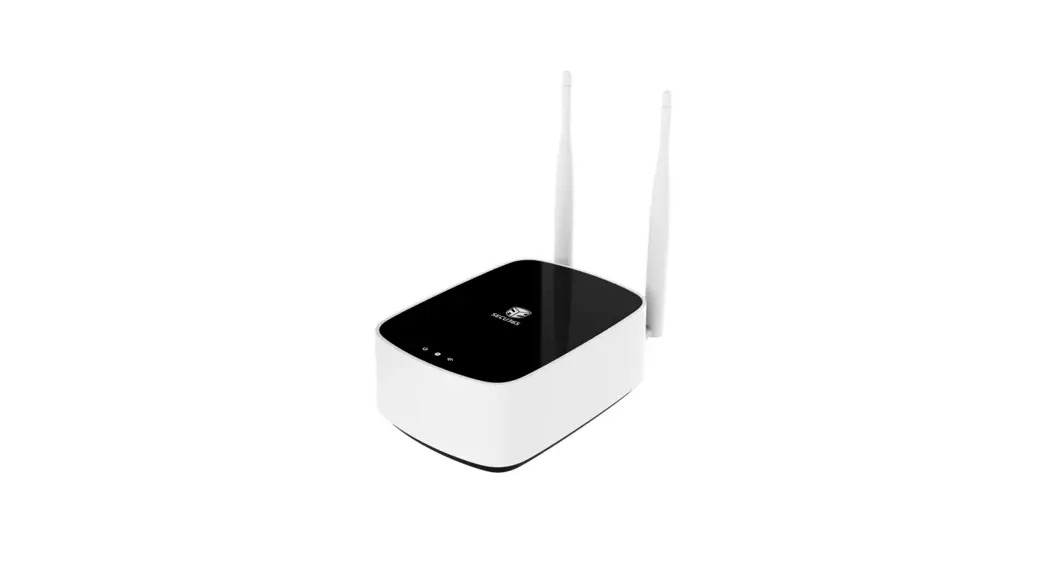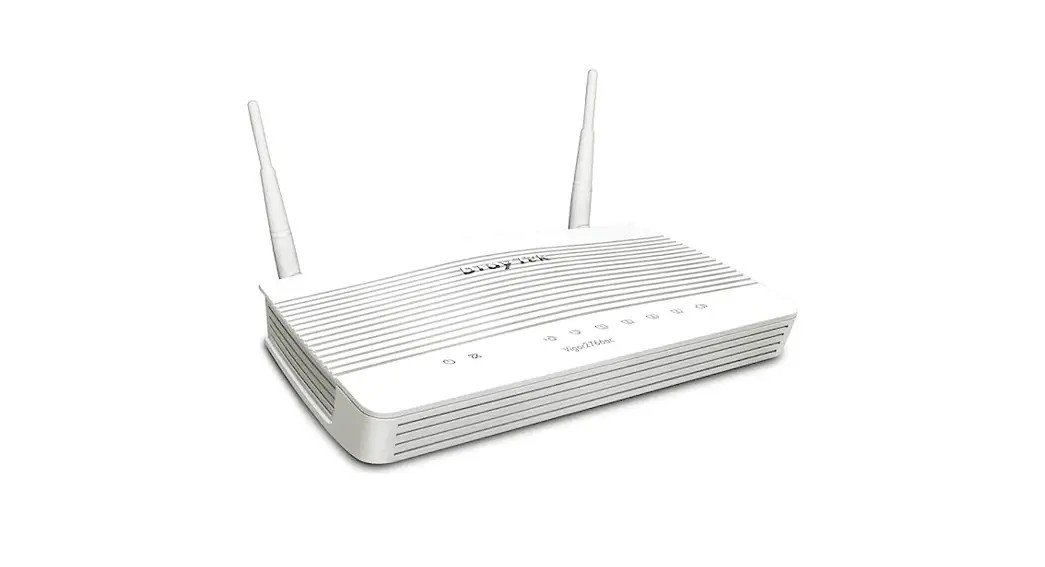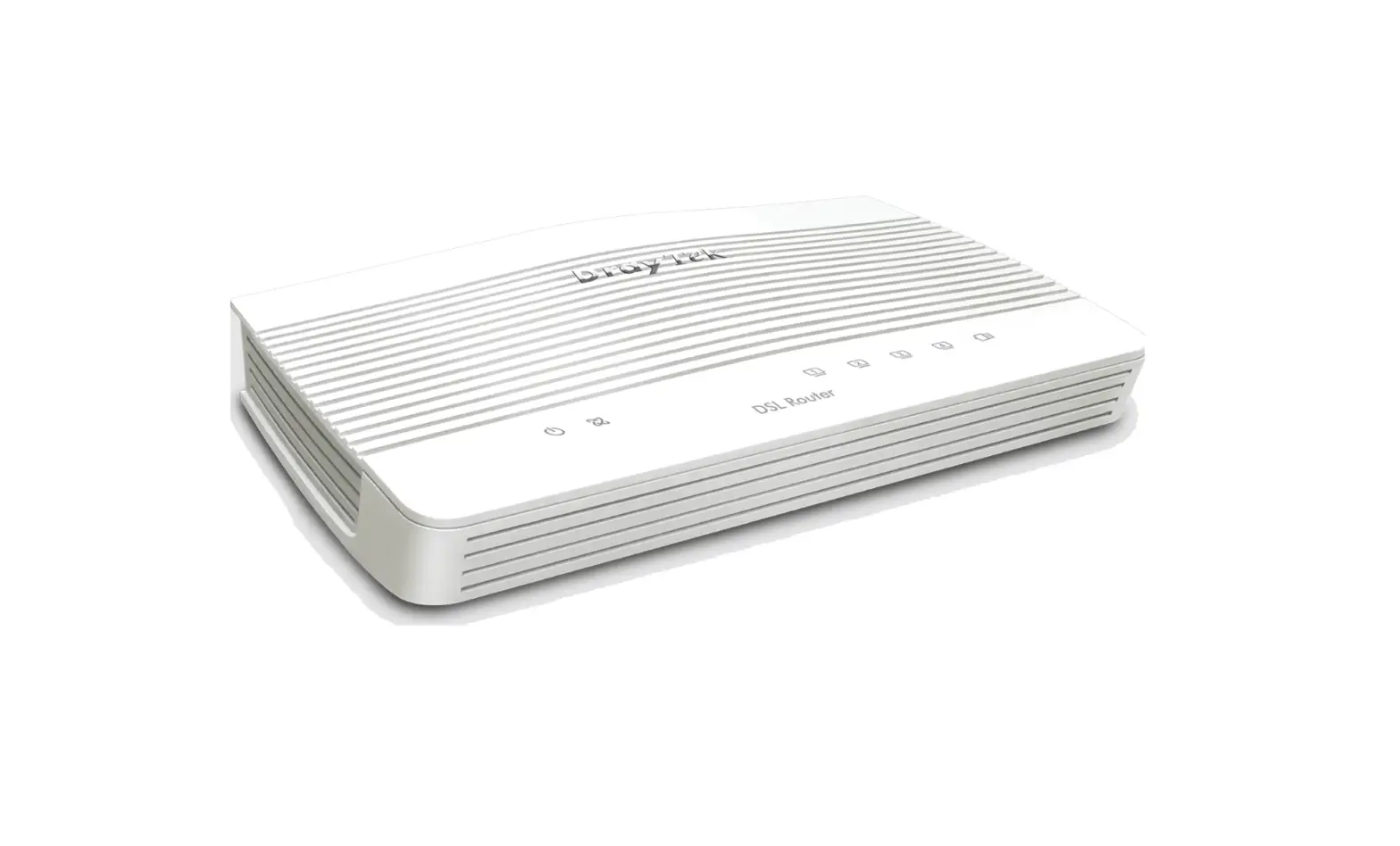
 AT365 MSR-W6-V1 User Guide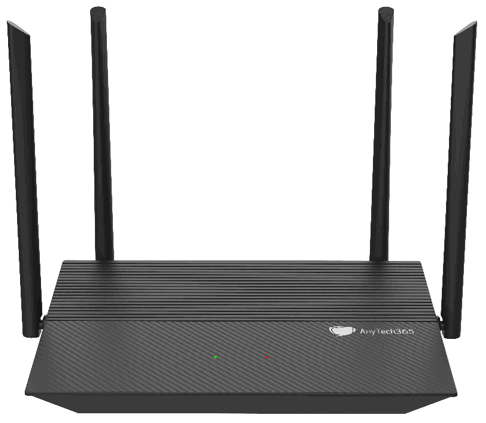
HARDWARE
Package contents
- AT365 MSR-W6-V1
- Ethernet cable
- 12V/1.5A power adapter
- User guide
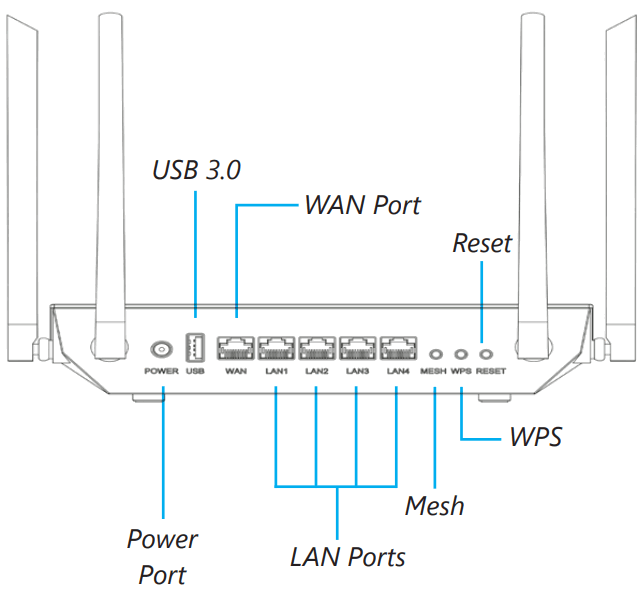 | 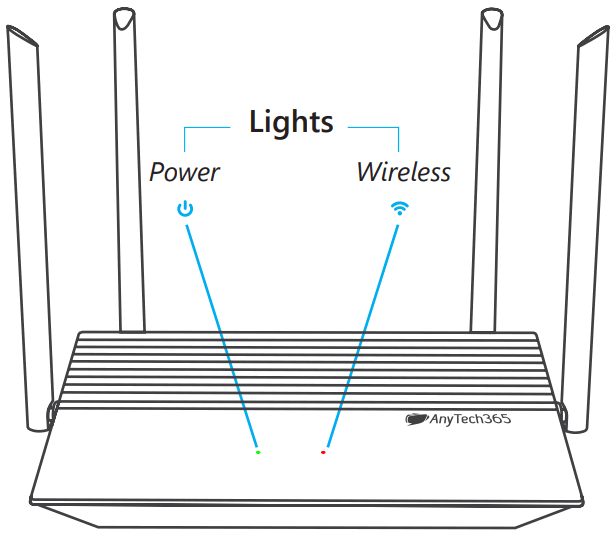 |
FIRST-TIME SETTINGS
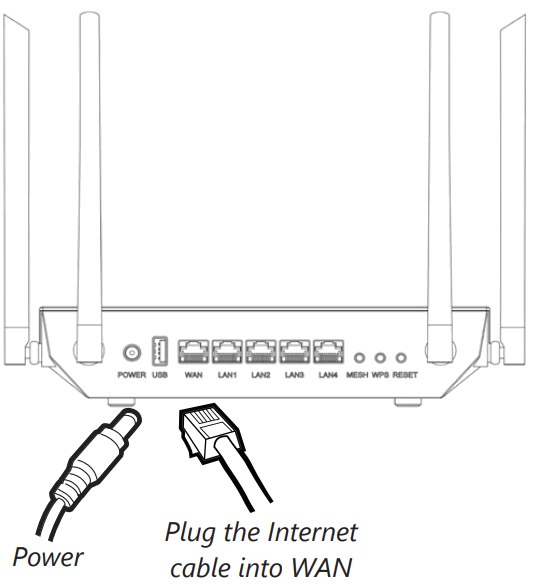
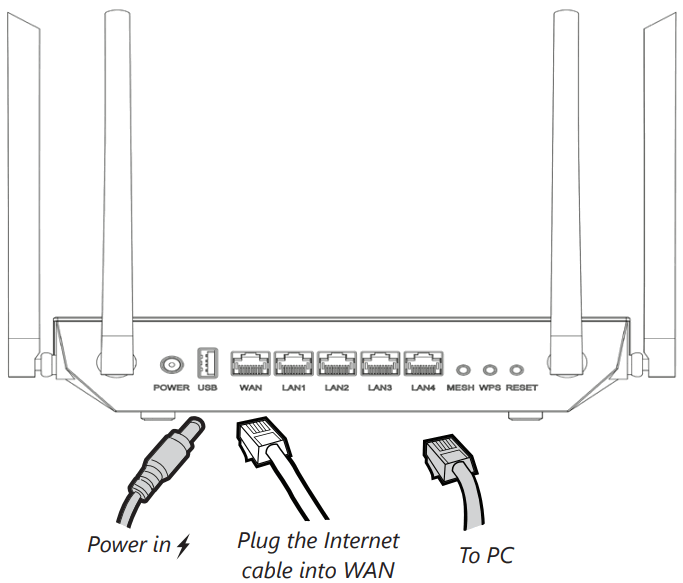
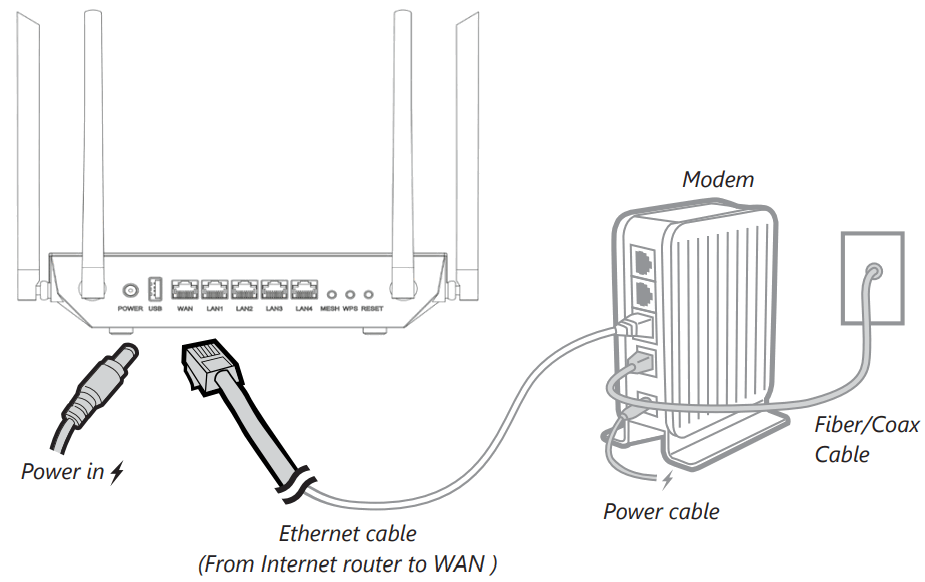
- Plug-in power & Internet cable
When powered up, your router will broadcast the following SSIDs:
Open network: AnyTech365-2G-Unencrypted
Open network: AnyTech365-5G-Unencrypted
Encrypted network: AnyTech365-2G-Encrypted
Encrypted network: AnyTech365-5G-Encrypted - Connect via Wi-Fi
The default Wi-Fi password is your routers SN number, and it is printed on the bottom of the router
Encrypted Wi-Fi networks
(will not work unless activated by AnyTech365 Support)
All your traffic will be encrypted when connected to these Wi-Fi networks:
AnyTech365-2G-Encrypted
AnyTech365-5G-Encrypted Wi-Fi configuration
If you would like to change the name of the Wi-Fi networks or the passwords, please get in touch with our support line.
Unencrypted Wi-Fi networks
When connected to these networks, your traffic will not be encrypted:
AnyTech365-2G-Unencrypted
AnyTech365-5G-Unencrypted - Connect via LAN networks
Any device connected to any LAN ports will have all traffic encrypted. You can consult the Router App via your mobile or contact support if you require your data unencrypted via LAN ports.
LAN DHCP range
192.168.10.100 – 254 http://192.168.10.1
Router LAN IP Address
 Wi-Fi configuration
INTERNET SETTINGS
As soon as you have connected the router, you must call our support department to activate it.
DHCP/Static
The default WAN protocol is DHCP. If your network needs a static IP address, you must call our support line
| Interface | 1x WAN Gigabit port 4x LAN Gigabit port 1x Green LED 1x RGB LED |
| CPU | Qualcomm 64bit |
| Memory / Storage | DDR 512MB+16MB Nor Flash and 128MB Nand Flash |
| Antennas | External |
| Protocol | IEEE 802.11a/b/g/n/ac/ax |
| Wi-Fi Speed | 3000Mbps Combined |
| Ethernet Port | 5x 10/100/1000M |
| Power Input | 12V/1.5A |
| Power Consumption | <16.3W |
| Working Temperature | 0~40°C |
| Storage Temperature | -20~70°C |
| Weight | 505g |
SUPPORT & WARRANTY
SUPPORT
Warranty
- Each router has a Two-year warranty
- Please use a standard power adapter, 12V / 1.5A.
- Any damage to the router caused by not following the instructions will render this warranty null and void.
- Any damage to the router caused by modifying the PCB, components, or case will render this warranty null and void.
- Issues caused by the use of third-party firmware may not get official support from us.
- Any damage to the router caused by inappropriate use, e.g. inappropriate voltage input, high temperature, dropping in the water, or on the ground will render this warranty null and void.
- Pictures on the instructions are only for reference. We reserve the right to change or modify these materials without further notice.
Technical Support & General Enquiry
- For more details and updated instructions, please visit our website: www.anytech365.com
- For further questions, you can get help in the following ways:
- Send us an email at: [email protected]
- Call the number you can find on our website this way you can call your own country
AnyTech365 Spain Office
Antico Systems S.L.
Edificio Los Pinos, Local 3, CN-340, Km-189
29604 – Marbella – Malaga – Spain
IoT Security Group SL – CALLE PEZ DORADO Nº 27, TORREMOLINOS, MALAGA
FCC Radiation Exposure Statement
This equipment complies with FCC radiation exposure limits set forth for an uncontrolled environment. This equipment should be installed and operated with a minimum distance of 20cm between the radiator & your body.
FCC Warning
This device complies with Part 15 of the FCC Rules. Operation is subject to the following two conditions:
- This device may not cause harmful interference, and
- This device must accept any interference received, including interference that may cause undesired operation.
NOTE 1: This equipment has been tested and found to comply with the limits for a Class B digital device, pursuant to part 15 of the FCC Rules. These limits are designed to provide reasonable protection against harmful interference in a residential installation. This equipment generates uses and can radiate radio frequency energy and, if not installed and used in accordance with the instructions, may cause harmful interference to radio communications. However, there is no guarantee that interference will not occur in a particular installation. If this equipment does cause harmful interference to radio or television reception, which can be determined by turning the equipment off and on, the user is encouraged to try to correct the interference by one or more of the following measures:
- Reorient or relocate the receiving antenna.
- Increase the separation between the equipment and receiver.
- Connect the equipment into an outlet on a circuit different from that to which the receiver is connected.
- Consult the dealer or an experienced radio/TV technician for help.
NOTE 2: Any changes or modifications to this unit not expressly approved by the party responsible for compliance could void the user’s authority to operate the equipment.
Hereby, IoT Security Group SL declares that the radio equipment type MSR-W6-V1 is in compliance with the essential requirements and other relevant provisions of Directive 2014/53/EU.
Caution:
This product uses WiFi 2.4GHz Operating Frequency is 2400~2483.5MHz/20dBm; 5GHz Operating Frequency is 5150~5250MHz/23dBm.
Restriction Statement:
The device is restricted to indoor use only when operating in the 5150 ~5250 MHz frequency range.
The restriction is BE, BG, CH, CZ, DK, DE, EE, IE, EL, ES, FR, HR, IT, CY, LV, LT, LU, HU, MT, NL, AT, PL, PT, RO, SI, SK, FI, SE, UK(NI).
 AT365 MSR-W6-V1 User Guide
 Home Office & Small Business Security, Help and Support