

ninja 200
Professionelles LED-Dauerlicht
Professional Continuous LED Light
www.rollei.de
Explanation of Symbols
The following symbols are used in this manual, on the LED light or on the packaging.
 | Products marked with this symbol comply with all relevant community regulations of the European Economic Area. |
 | Products marked with this symbol are operated with direct current. |
∼ | Products marked with this symbol are operated with alternating current. |
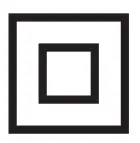 | Products with this symbol have additional or reinforced insulation and comply with protection class II. |
 | For indoor use only. Devices with this symbol may only be operated indoors (dry environment). |
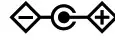 | Products marked with this symbol have a positive polarity. They may only be connected to products that also have a positive polarity. |
Safety Instructions
Danger from electric current!
- Faulty electrical installations or excessive mains voltage can cause electric shock.
- Only connect the product if the mains voltage of the socket corresponds to the specifications on the type plate.
- Connect the product to an easily accessible power outlet so that you can quickly disconnect it from the mains in case of problems.
- Use only the supplied AC/DC adapter and power cable.
- Before disconnecting the power supply, switch off the device at the main switch.
- Do not use the product if it is visibly damaged or if the cable is defective.
- If the product or its accessories are damaged, they must be replaced or repaired by the manufacturer, its service department, or a similarly qualified person to prevent hazards.
- The housing must not be opened and repairs must only be carried out by a qualified technician. To do this, contact a specialist workshop. Any liability and all warranty claims are excluded in the event of repairs by the user, improper connection, or incorrect operation.
- If you do not use the product for a long period of time, always disconnect it from the power source .
- Protect the product from moisture. Do not touch the product with wet/damp hands or immerse it in water.
- This product is not waterproof! Do not use this product in the rain or in wet environments.
Never touch the product during a thunderstorm. - Only use the product with suitable, high-quality NP-F960/970 batteries.
- Before disconnecting the power or battery, switch off the unit at the main switch.
Caution!
- Never use the AC/DC adapter and the attached cable as a carrying handle.
- Keep the product and accessories away from naked flames, hot surfaces, and easily flammable materials.
- Lay the AC/DC adapter and the attached cable in such a way that it does not present a tripping hazard.
- Do not bend the cable or lay it over sharp edges.
Caution!
The danger for children and persons with limited physical, sensory or mental abilities (e.g. partially disabled, elderly persons with limited physical and mental abilities) or lack of experience and know-how (e.g. older children).
- This product may be used by persons with reduced physical, sensory or mental abilities or lack of experience and know-how, provided that they are supervised or have received instructions for the safe use of the product and understand the potential hazards arising from its use. Children must not play with the product. The product must not be cleaned or maintained by children. Keep children under eight years of age away from the product and its accessories .
- Do not insert any objects into the product.
- Stop using the product if the plastic or metal parts of the product are cracked, or deformed.
- Handle the product carefully. Impacts, drops or knocks can damage the product.
- Do not leave the product unattended during operation.
- The product is not a toy. Keep the product, accessories, and packaging materials away from children and pets to prevent accidents and suffocation.
- For photographic lighting purposes only. Not suitable for permanent room lighting.
- Do not film car, buses, bicycles, motorbikes or train drivers while driving this product. The driver may be blinded and cause an accident. This also applies to unlisted persons or groups if possible glare could cause an accident.
- Do not shine directly into the eyes of people or animals as this may cause damage to the retina, visual disturbances, and even blindness.
- Ensure adequate ventilation during operation. Never cover the product while in use .
- If you are not using the device, clean it or if a fault occurs, always switch the device off, remove the battery and disconnect all connections.
- Do not use or store the unit in high temperatures or in closed rooms exposed to direct sunlight. The product should not be used in ambient temperatures above 40°C.
Functions
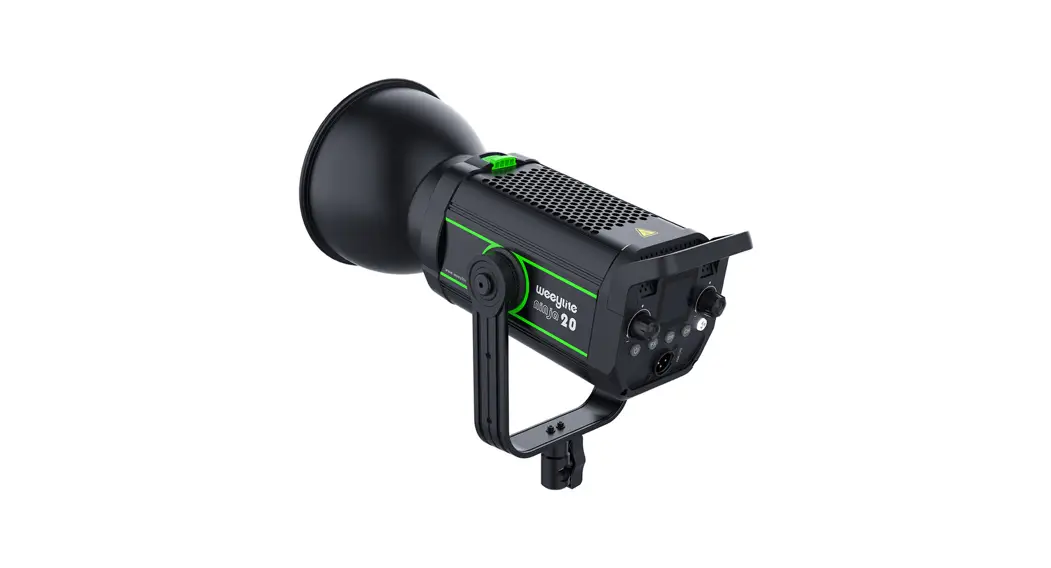
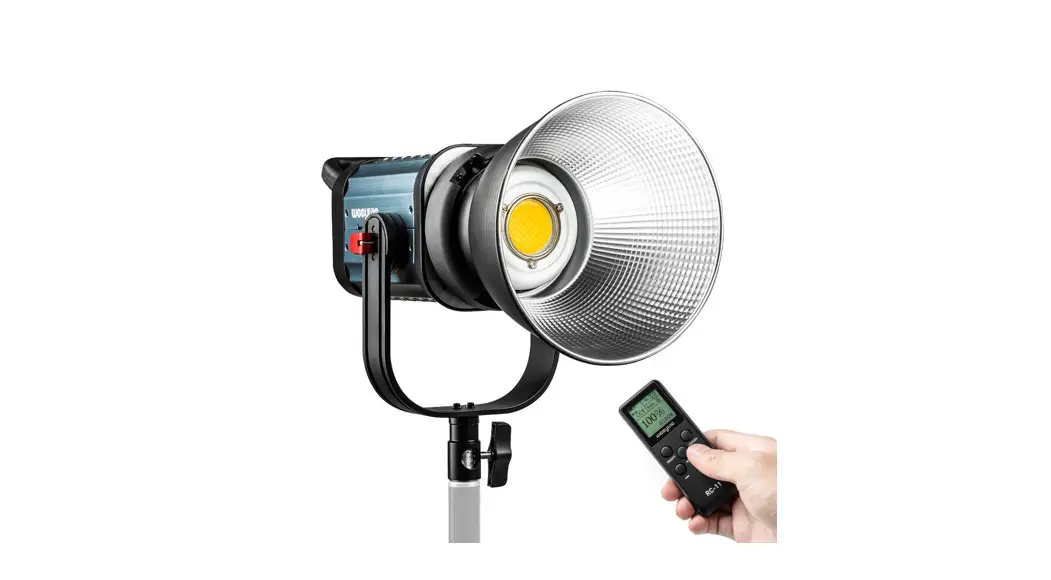
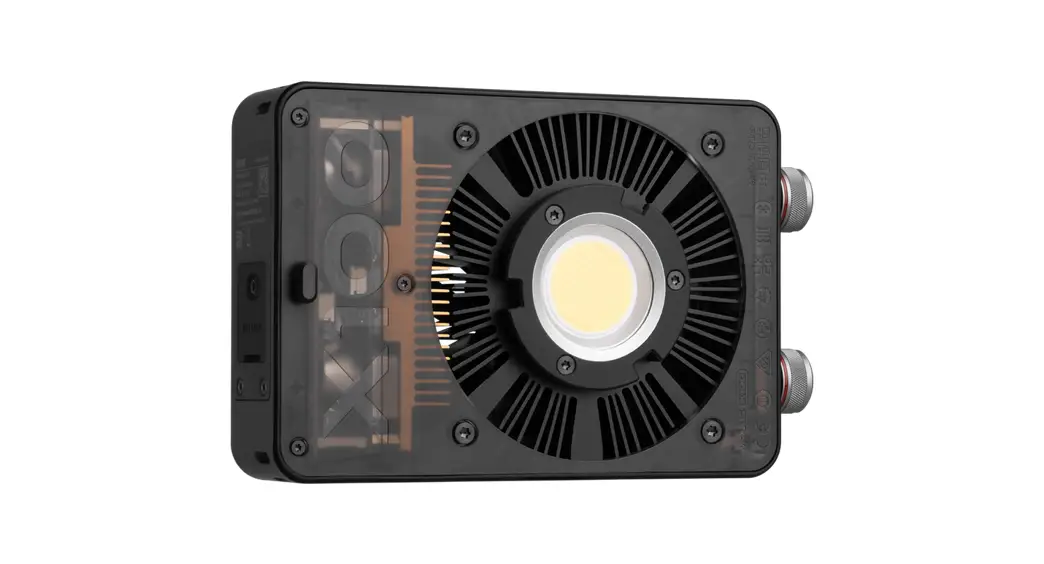
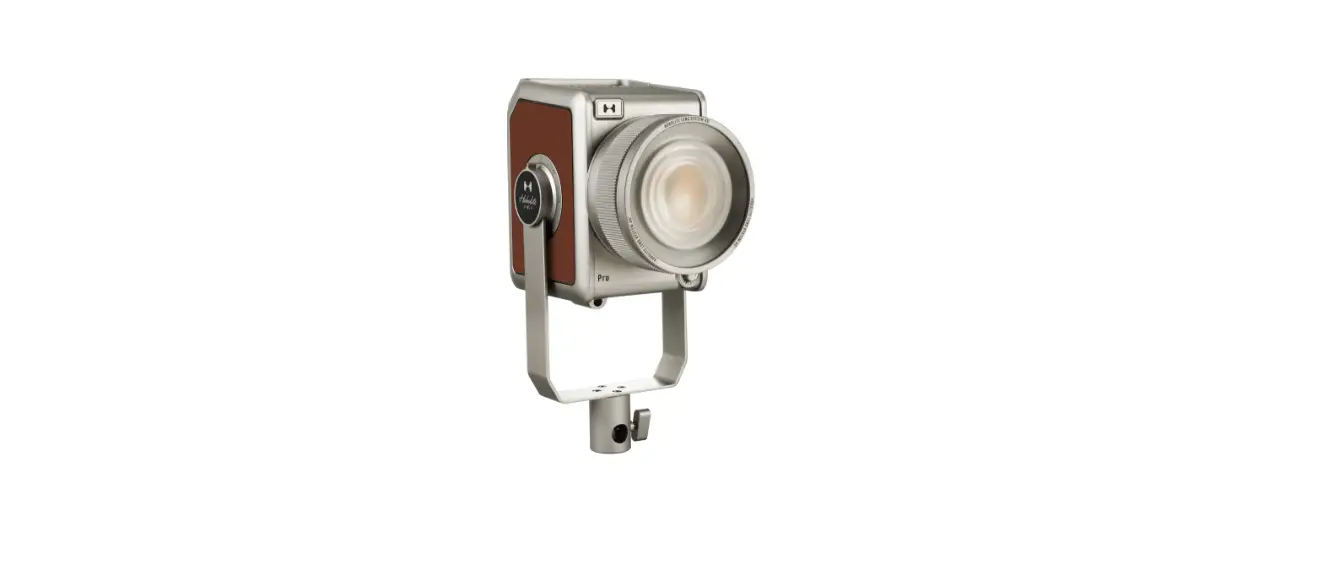
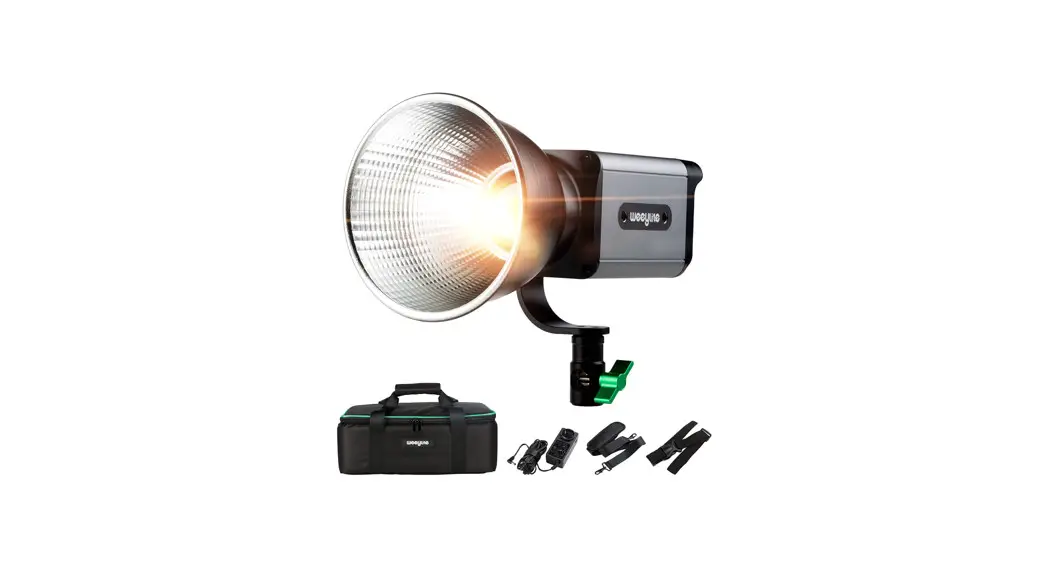
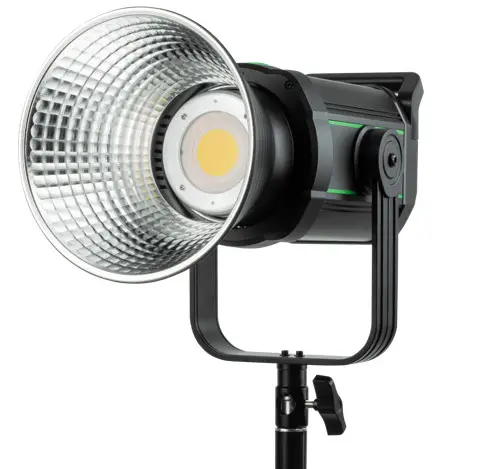
Weeylite ninja 200, a small and exquisite powerful LED light. It adopts high CRI dual COB bulbs, the perfect light effect, accurate color temperature and high power. Perfect for photography, videography, studio, exhibition, makeup or other settings which need high demand for light source.
– High CRI dual COB bulbs
– Small and exquisite shape, with 60W power
– Dual power supply: Lithium-Ion battery or AC/DC adapter
– LCD screen, display more intuitive
– Adjustment methods: on the Weeylite ninja, via Weeylite app or RC-11 remote control
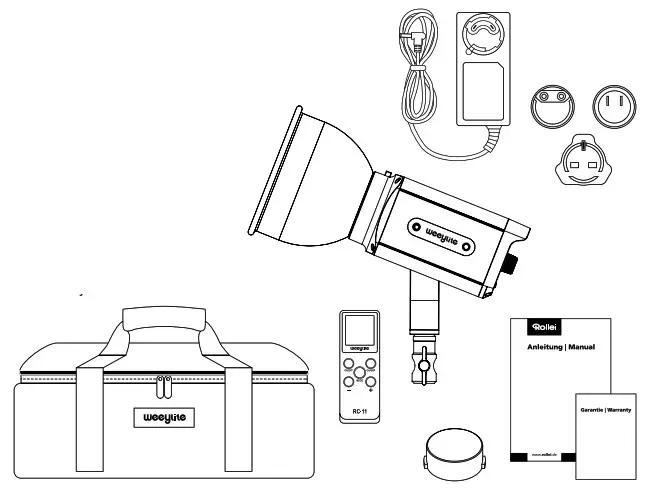
What‘s in the Box
– Weeylite ninja 200
– Protection cap
– Reflector 55°
– Bracket
– RC-11 remote control
– AC/DC adapter with cable (4 .5 m)
– 3x socket adapter for
AC/DC adapter
– Carrying bag with straps
– User manual
– Warranty card
Product Overview
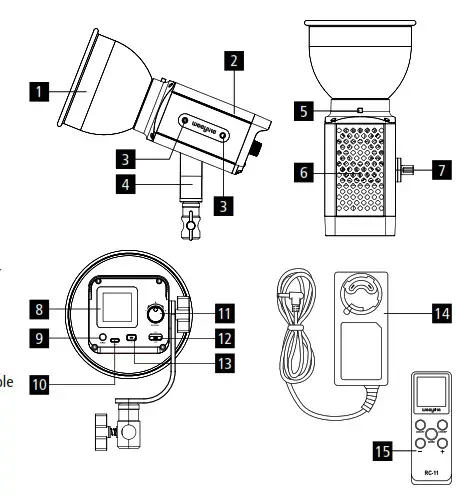
- Reflector 55°
- Housing
- ¼“ thread for
Weeylite WB2 Battery Adapter - Bracket
- Release Weeylite Mini Port
- Fan
- Tilt lock
- Display
- Power supply connector
- USB-C input
- Setting wheel
- On/Off switch
- Mode button
- AC/DC adapter with cable
- RC-11 remote control
Display
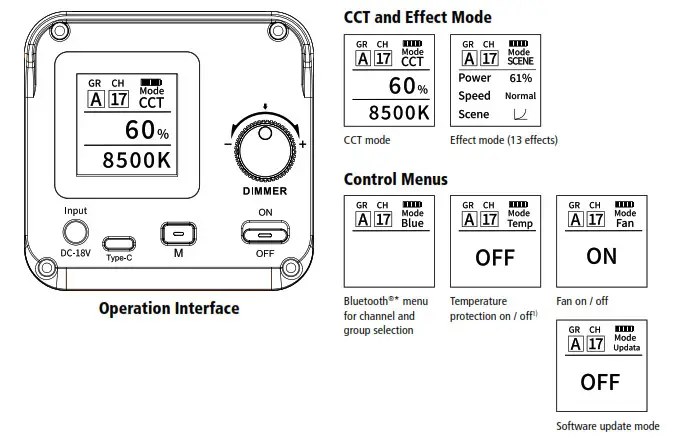
1) When activated, the Weeylite ninja automatically reduces power if the temperature is too high.
Operation on the Device
Dimming via the setting wheel [11]
– Clockwise rotation: the value is increased
– Turning counterclockwise: the value is decreased
– Press: Change the value to be set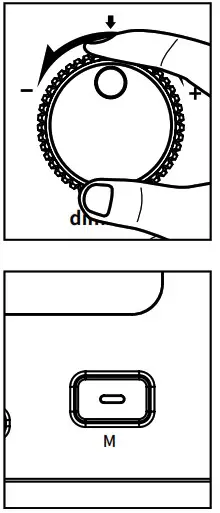
Mode button [13]
– Short press: Change CCT and effect mode
– Long press: Change to the control menus
– In the control menu: Short press: Change within the control menus
Software upgrade via USB-C input [10]
Long press the mode button to switch to the control menus. Then press the mode button briefly again to switch to the system menu ”Software update mode“ . Connect the device to your computer via a USB-C cable. Download the upgrade file from the Weeylite website (www.weeylite.com) to the Weeylite ninja. The Weeylite ninja restarts automatically after the upgrade. The system is upgraded after the reboot.
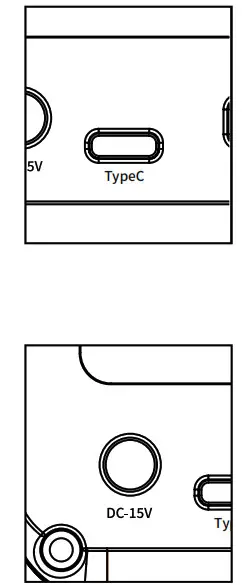
Power supply connection [9]
Connect the Weeylite ninja to the AC/DC adapter here.
Operation with the Weeylite App
Download the Weeylite app from the App Store or Google Play Store and install it on your smartphone.
Switch on Bluetooth ® * on your smartphone and start the Weeylite app. Set the channel and group of the app to the same values as those of the Weeylite ninja so that both devices are synchronized.
In the Weeylite app, set the channel in the top left corner using the ”CH“ icon (1 – 19). On the Weeylite ninja, set the channel via the „Bluetooth ®* Menu“ control menu. Press the setting wheel [11] so that the set channel (number 1 – 19) flashes. You can change the channel by turning the setting wheel [11].
https://apps.apple.com/cn/app/weeylite/id1476227098
Scan the QR code to download the Weeylite app from the Apple App Store.
https://a.app.qq.com/o/simple.jsp?pkgname=com.ruitianzhixin.weeylite
Scan the QR code to download the Weeylite app fromthe Google Play Store.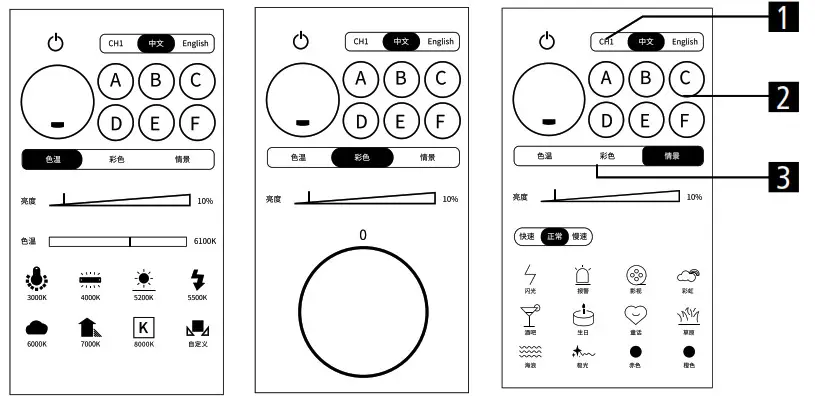
- Channel selection
- Group selection
- CCT and effect mode selection
(HSI mode not available with Weeylite ninja)
Then synchronize the group between the Weeylite app and Weeylite ninja. To do this, you can choose between groups A – F in the upper area of the app. On the Weeylite ninja, set the group in the Bluetooth® * menu by pressing the setting
wheel [11] again. The currently set group flashes and can be changed by turning the setting wheel [11] (A – F) .
Note: Channel and group selection must be identical on the Weeylite ninja and on the Weeylite app to ensure syn coronation.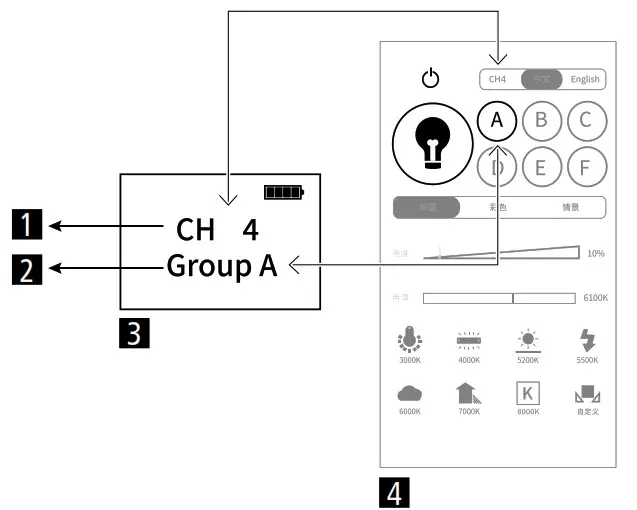
- Channel
- Group
- Display view Weeylite ninja
- Display view smartphone
Overview RC-11 Remote Control
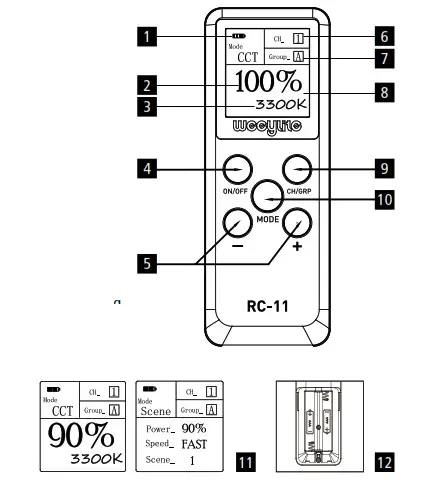
- Battery level
- Brightness
- Color temperature
- Long press: power switch
Short press: connected lights on the current channel switch off - Long press: continuous and fast increase of parameters
Short press: parameter increase/decrease by one number - Channel
- Group
- LCD screen
- Channel / Group button – Long press: Channel setting
Short press: Group setting - Mode button – Long press: Mode switching
Short press: Brightness/color temperature switching - Display CCT / effect mode
- Battery slot
Connection with RC-11 Remote Control
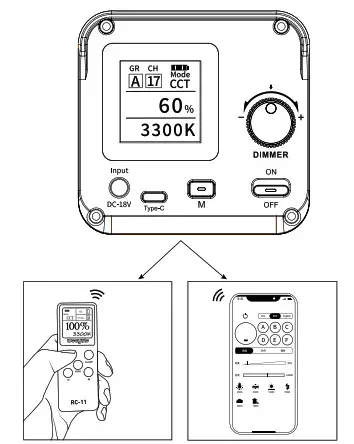
RC-11 remote control (for information on operation, see RC-11 remote control overview and connection with RC-11 remote control).
Weeylite app for the smartphone (for information on operation, see Operation with the Weeylite app).
- Long press on/off button for 2 seconds to turn on the RC-11 remote control.
- Set the Weeylite ninja and the remote control to the same channel and group (if the channel or group is different, the Weeylite ninja cannot be controlled via the RC-11 remote control) . Channel setting: press the CH/GR button [9] for 2 seconds, select the desired channel 1 – 19 with + / – and then press the Mode button [10] to confirm . Group setting: Press the CH/GR button [9] briefly, select group A – F .
- Long press the MODE button [10] to switch between CCT and SCENE (effect mode) .
- Short press the MODE button [10] to switch between power and color temperature adjustments. Press + / – to adjust the desired values.
- The RC-11 remote control switches off automatically after 30 minutes of inactivity.
Precautions: Please remove the battery when the remote control is not used for a long time to avoid leaking .
Technical Data RC-11 Remote Control
| Material | Plastic |
| Control distance (in open air) | 30 meters |
| Groups | A – F |
| Channels | 1 – 19 |
| Operating temperature | -10 – 50°C |
| Power | 2x AAA batteries 1 .5 V (not included) |
| Bluetooth®* version | 4 .0 |
| Frequency range | 2 .400 – 2 .483 GHz |
| Max. transmission power | 10 dBm |
| Dimensions | 10 .1 x 3 .8 x 1 .8 cm |
| Weight | 37 g (excl . batteries) |
Technical details are subject to change without notice. Misprints and errors excepted. Reproduction of these operating instructions – even in part – is not permitted . *The Bluetooth ® word mark and logos are registered trademarks of Bluetooth SIG, Inc . and any use of such marks by Rollei is under license. Other trademarks and trade names are the property of their respective owners.
Weeylite WB2 Battery Adapter and Batteries (not included)
- Battery release button
- Charging mode: Insert batteries of type NP-F960/970 into the battery connectors and slide the control to ”IN“ to charge the batteries. Always charge two batteries in parallel.
- Insert batteries of type NP-F960/970 into the battery connectors and slide the control to ”OUT“ to operate the Weeylite Ninja with the batteries. Always use two batteries for operation.
- Display
- Conversion cable
- Assembly sketch: Weeylite WB2 Battery
Adapter mounted on Weeylite ninja
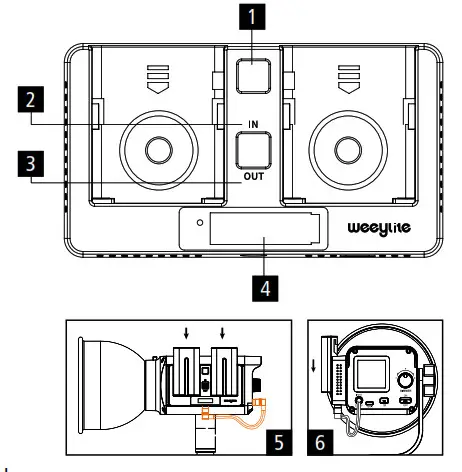
Note: For the charging model, fast charging and normal charging may be affected by the charging power. Product changes will not be communicated further, so the current product will prevail.
Technical Data Weeylite ninja 200
| Power LED | 60 W |
| Color temperature | 2 .800 – 8 .500 K +/- 300 K, adjustable in 100 K steps |
| Color Consistency Index | 95+ (CRI) |
| Television Lighting Consistency Index | 95+ (TLCI) |
| Power adjustment | 0 – 100%, in 1% steps |
| Illuminance | Without reflector: 13,310 lx (0 .5 m at 5,500 K), with reflector: 118,320 lx (0 .5 m at 5,500 K) |
| Illumination angle | 120° (without reflector) |
| Groups | Channels | 6 | 19 |
| Effects | 13, power adjustment 0 – 100% in 1% steps as well as speed in 3 steps |
| Bowens S-Type Mount | No, Weeylite Mini Port |
| Remote Control | Yes, via RC-11 remote control or Weeylite app |
| Bluetooth® * version | 4 .0 |
| Frequency range | 2 .400 – 2 .483 GHz |
| Max. transmission power | No transmission – just reception |
| Reception power | -93 dBm, 20 m |
| Power supply | AC/DC adapter: Input: 100 – 240 V ~ 50/60 Hz; Output: DC 18 V 3 .5 A; 63 W | Battery operation with 2 batteries of type NP-F960/970 (max . 7,4 V) – not included |
| Connections | Weeylite Mini Port, 3x ¼“ thread, light stand connection |
| Dimensions | Weight | 17 .5 x 9 .2 x 8 .5 cm | 989 .8 g (excl . reflector, bracket, remote control) |
Reflector
| Reflection angle | 55° |
| Bowens S-type bayonet | No, Weeylite Mini Port |
| Dimensions | Weight | 14 .3 x 14 .3 x 11 cm | 131 g |
Box content
Weeylite ninja 200, RC-11 remote control, 55° reflector, bracket, AC/DC adapter with cable (4,5 m), socket adapter for AC/DC adapter, transportation case, user manual, guarantee card Technical details are subject to change without notice. Errors and omissions excepted. No part of this manual may be reproduced in any form or by any means.
*The Bluetooth ® word mark and logos are registered trademarks of the Bluetooth SIG, Inc . and any use of such marks by Rollei is under license. Other trademarks and trade names are the property of their respective owners.
Disposal Dispose of the packaging according to its type. Use the local possibilities for collecting paper, cardboard and other materials . (Applicable in the European Union and other European countries with systems for the separate collection of recyclable materials .)
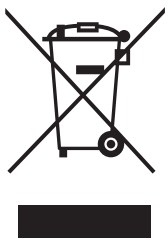 Devices that are marked with this symbol must not be disposed of with household waste! You are legally obliged to dispose of old devices separately from to dispose of household waste. Information on collection points that accept old appliances free of charge can be obtained from your local authority or town council.
Conformity Hereby the Rollei GmbH & Co . KG hereby declares that the radio system type ”Weeylite ninja 200“ is in conformity with Directive 2014/53/EU.
The full text of the EU Declaration of Conformity is available at the following Internet address: www.rollei.com/egk/weeyliteninja200
Rollei GmbH & Co . KG, In de Tarpen 42, 22848 Norderstedt, Germany
Rollei GmbH & Co. KG
In de Tarpon 42
22848 Norderstedt
Service-Hotline:
+49 40 270750277 /rollei.foto.de
 @rollei_de
www.rollei.com