
Rockville RHPA4 4 Channel Professional Headphone Amplifier
Specifications
- INPUT IMPEDANCE: 22K ohm
- INPUT LEVEL: +22dB
OUTPUT IMPEDANCE: Min. 16 ohm - GAIN: 20d8/Channel
- S/N RATIO: >98d8
- FREQUENCY RESPONSE: 20 – 20KHz
- S/N RATIO: >90d8 (ref 0dBu)
- THD: <0.01%
- POWER SUPPLY: SV DC, >=1000mA via USB Power Adaptor
- DIMENSIONS:6” x 3” x 2.36:”
- WEIGHT: 85 LBS
- 0DBU = 0.775Vrms
Introduction
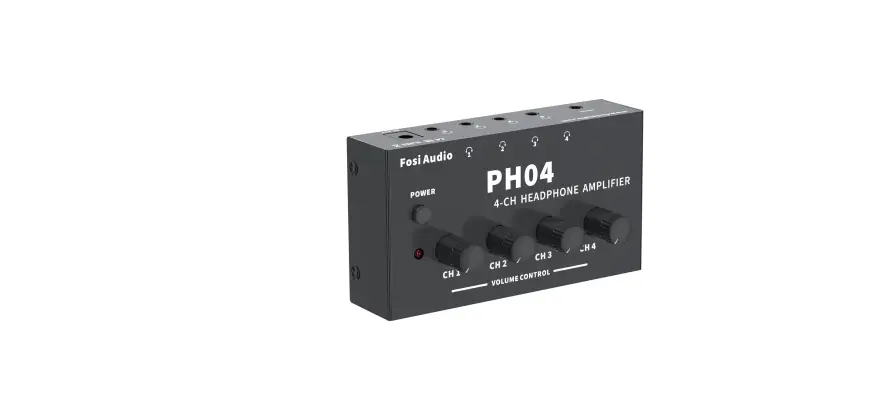
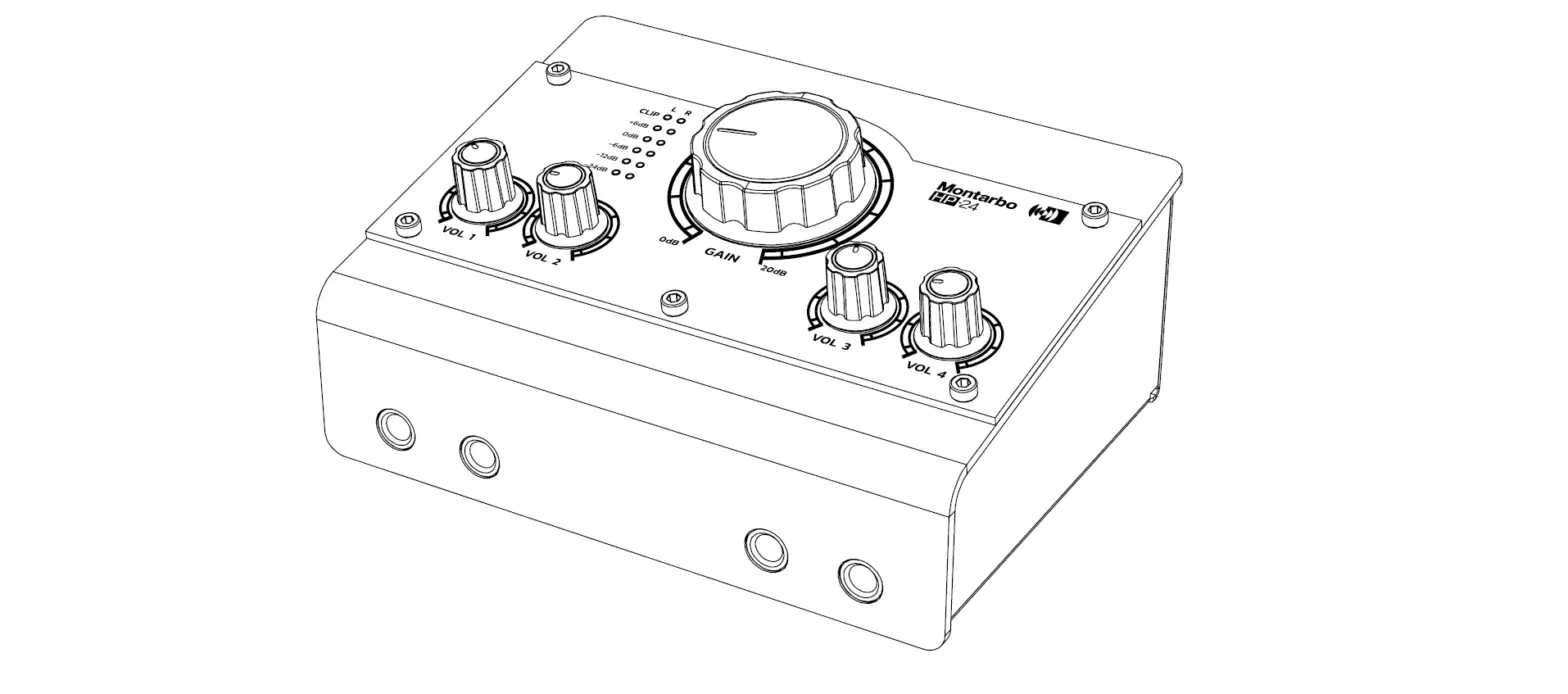
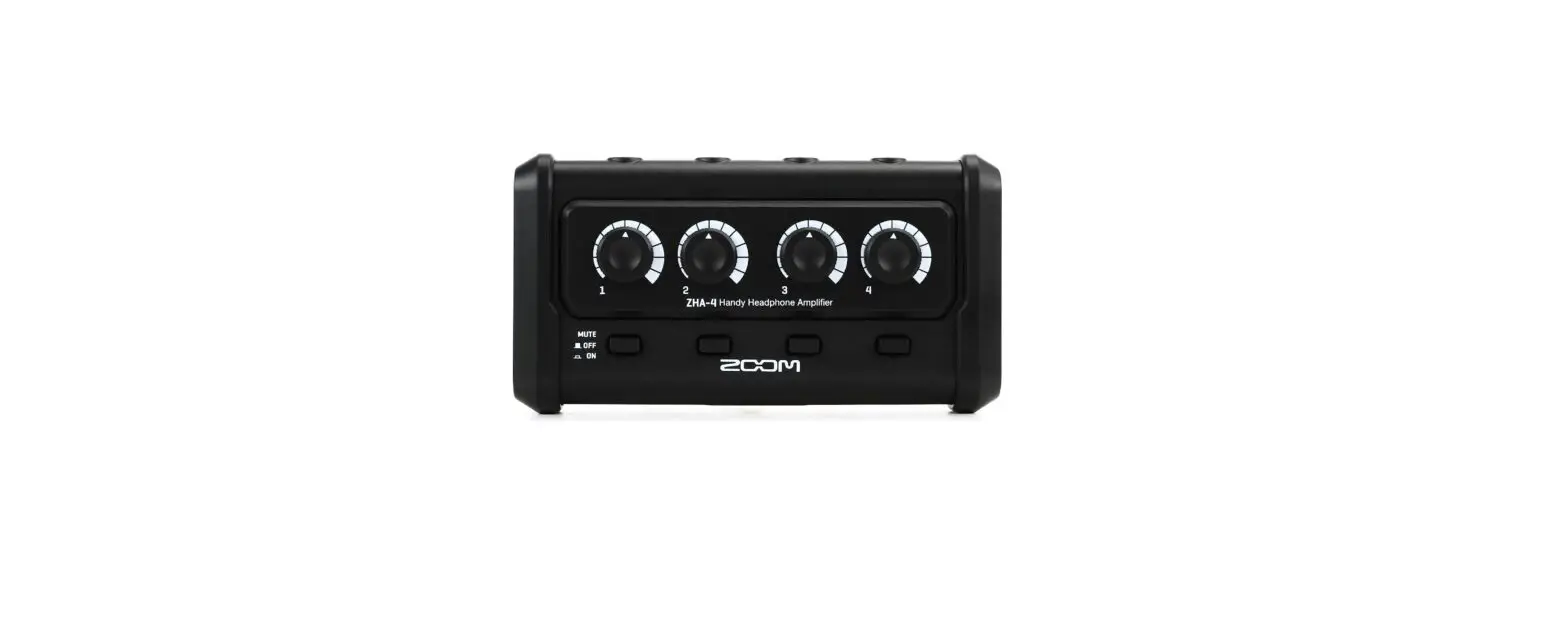
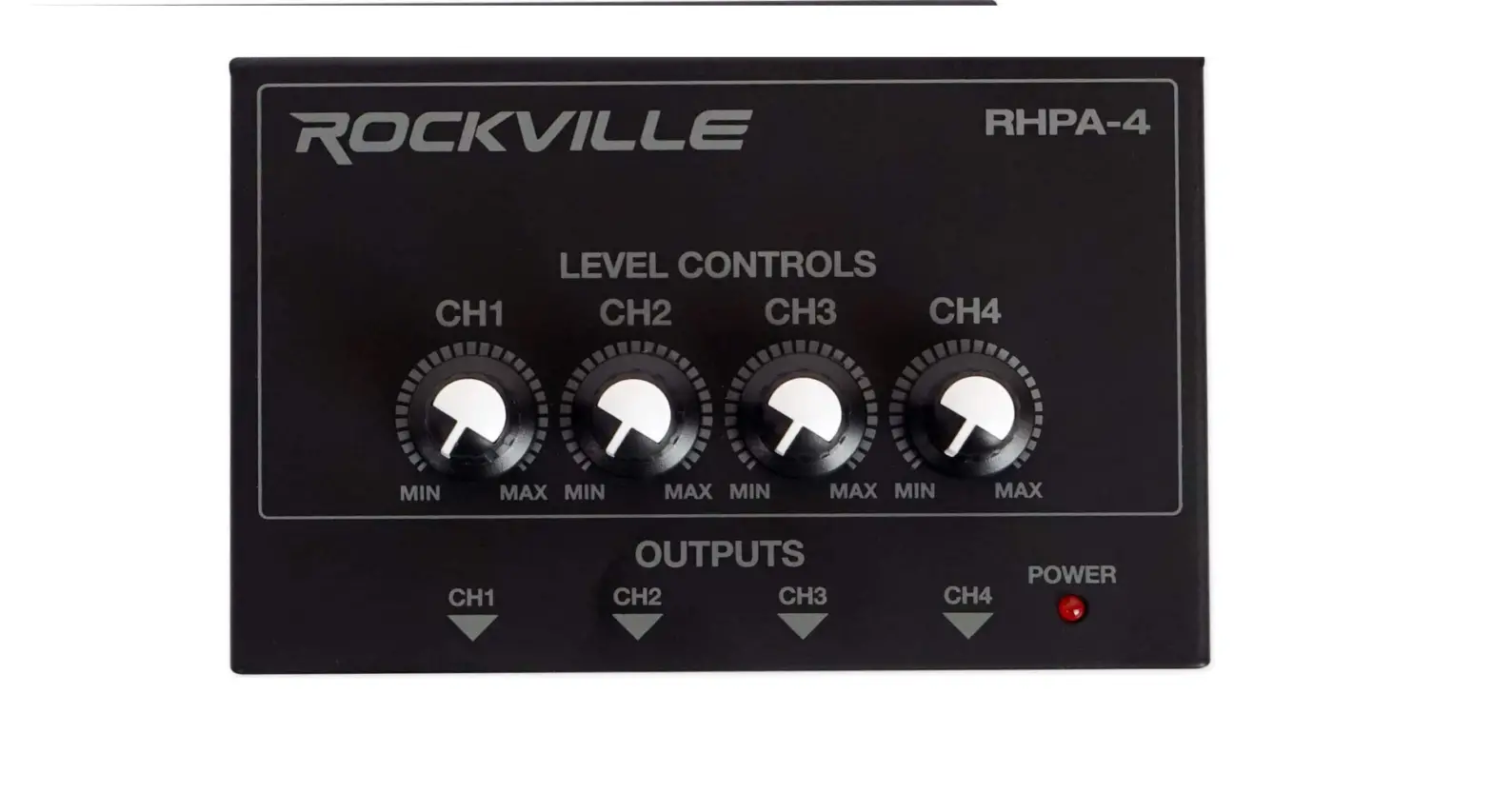
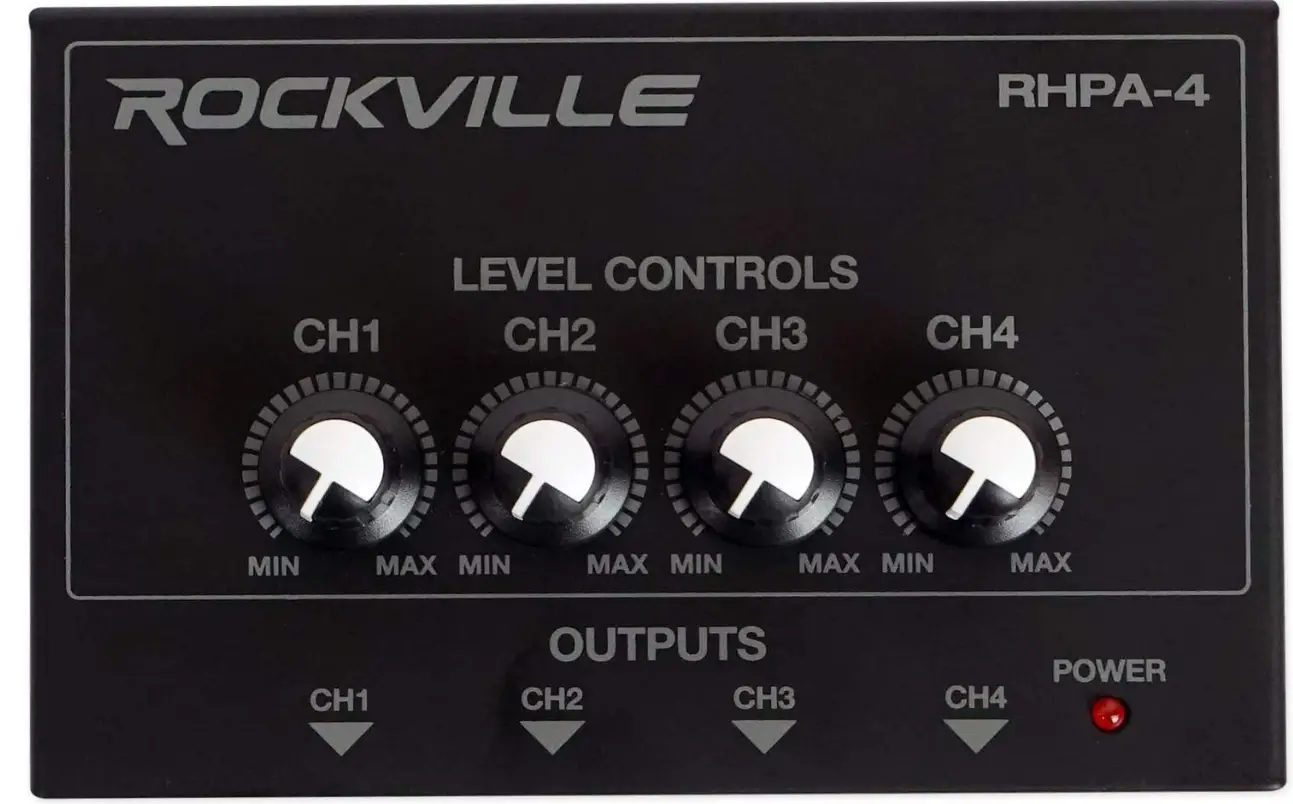
Rockville RHPA4 4-channel professional headphone amplifier comes with 2 different inputs of ¼ inches and 3.5mm input, stereo or mono switch. It has 4 outputs and each has its individual volume controls. This amp stereo comes in a thick metal shell casing with high-quality knobs for each channel. This mono amp has a power supply of 5V DC and consumes very low power. It also has an LED indicator that tells when the stereo is on.
INCLUDES
- Headphone amplifier
- USB power cable with charging dock
- Owner’s manual
- Warranty card
- Do not open: There are no user-serviceable parts inside. Refer any service work to qualified technical personnel only.
- Power sources: Only connect the unit to mains power of the type described in this user guide or marked on the rear panel. The power source must provide a good ground connection.
- Power cord: Use the power cord with a sealed mains plug appropriate for your local main supply as provided with the equipment. If the provided plug does not fit into you outlet consult your service agent. Route the power cord so that it is not likely to be walked on, stretched or pinched by items placed upon or against it.
- Moisture: To reduce the risk of fire or electrical shock, do not expose the unit to rain, moisture or use in damp or wet conditions. Do not place a container of liquid on it, which may spill into any openings
- Heat: Do not locate the unit in a place close to excessive heat or direct sunlight. Locate the unit away from any equipment, which produces heat such as: power supplies, power amplifiers and heaters.
- Environment: Protect from excessive dirt, dust, heat, and vibration when operating and storing.
WARNING
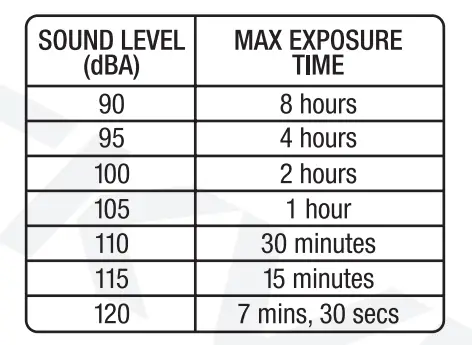
The RHPA4 can cause permanent damage to your hearing when used at excessive volumes. Please refer to the guidelines established by OSHA regarding max time exposure at various sound pressure levels. We do not recommend listening at levels greater than 120dB.
QuickStart Instructions
- Connect the USB power cable to the RHPA4 unit. Plug the power block into an appropriate AC power outlet. Alternatively, you can connect the USB power cord to any USB port with 5V power output.
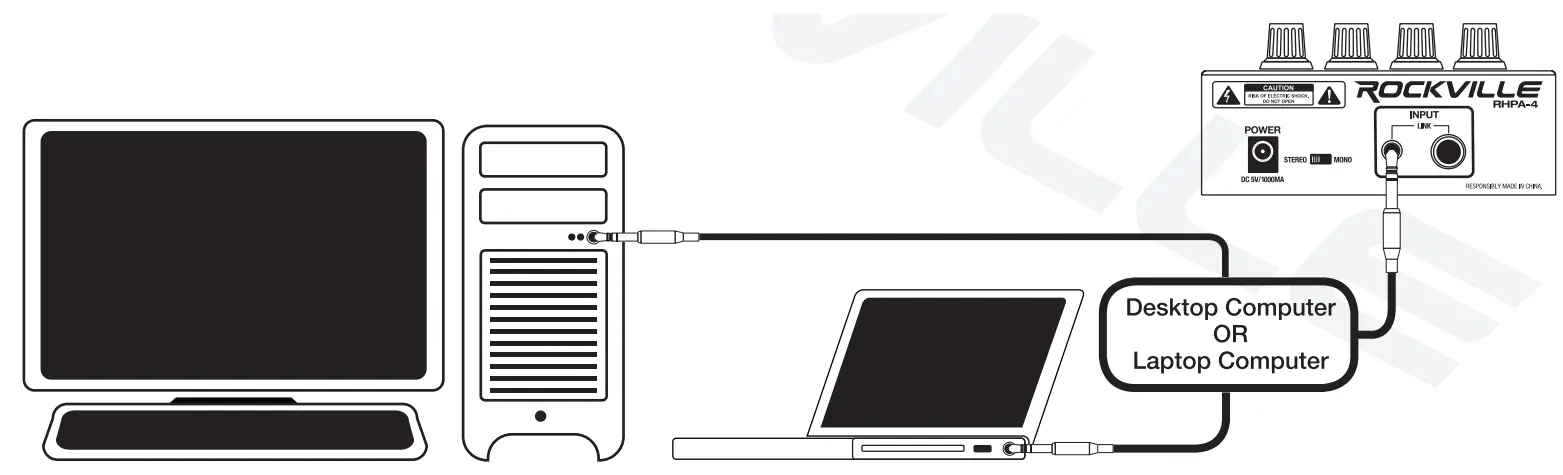
- Connect your output source to the RHPA4 via the ¼- or 3.5mm inputs on the back of the unit using a TRS to TRS cable. If your input is coming from a monoaural source, use a TS to TRS cable.
- If the input signal is in stereo, set the STEREO/MONO switch to STEREO. For a mono input signal, set the switch to MONO.
- Set the channel level control(s) to MIN.
- Connect your headphone(s) to the output jack(s). Slowly adjust the appropriate channel level control(s).
Functions
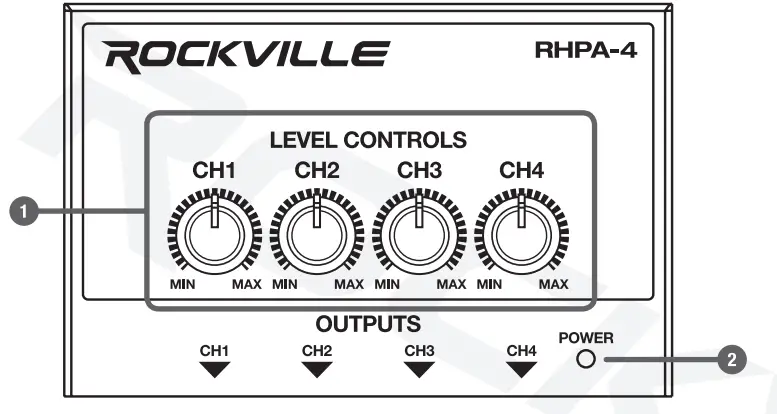
- Individual channel level controls: controls the volume of the specific channel’s headphone outputs.
- LED power indicator: Will be illuminated red when the unit is powered on.
- DC 5V Power input: Use the included USB power cable and charging block or you can plug the unit directly to any USB port with 5 volt power output.
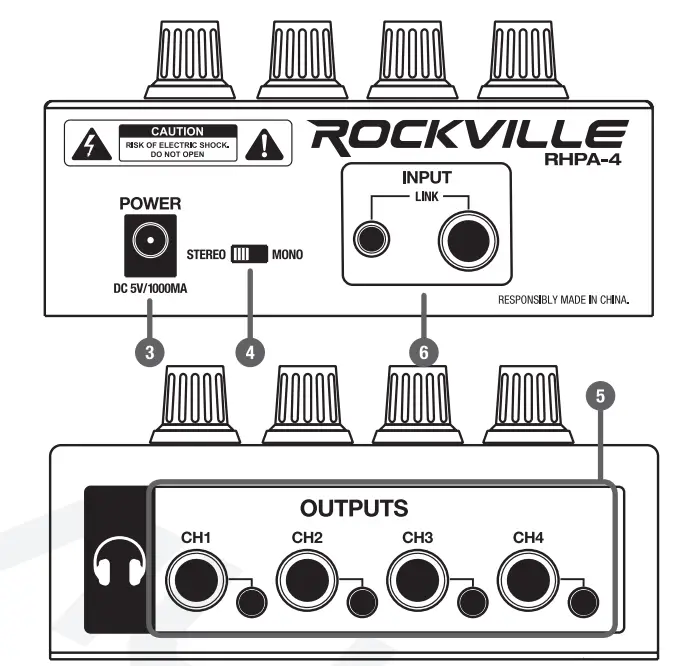
- Stereo/Mono switch: Determines what type of signal is sent to the output channels. It is especially useful for studio mixing/recording applications where it is common to listen to a music mix in mono in order to check for phase cancellation. Another application is If a customer is outputting from an interface that has a ¼” output for the left channel and a ¼” output for the right channel (stereo signal). Since the RHPA4 only has one ¼” input, they have to pick one of the output channels on the interface. In STEREO mode, there will only be output to one ear. Moving the switch to MONO will allow the customer to hear the output in both ears.
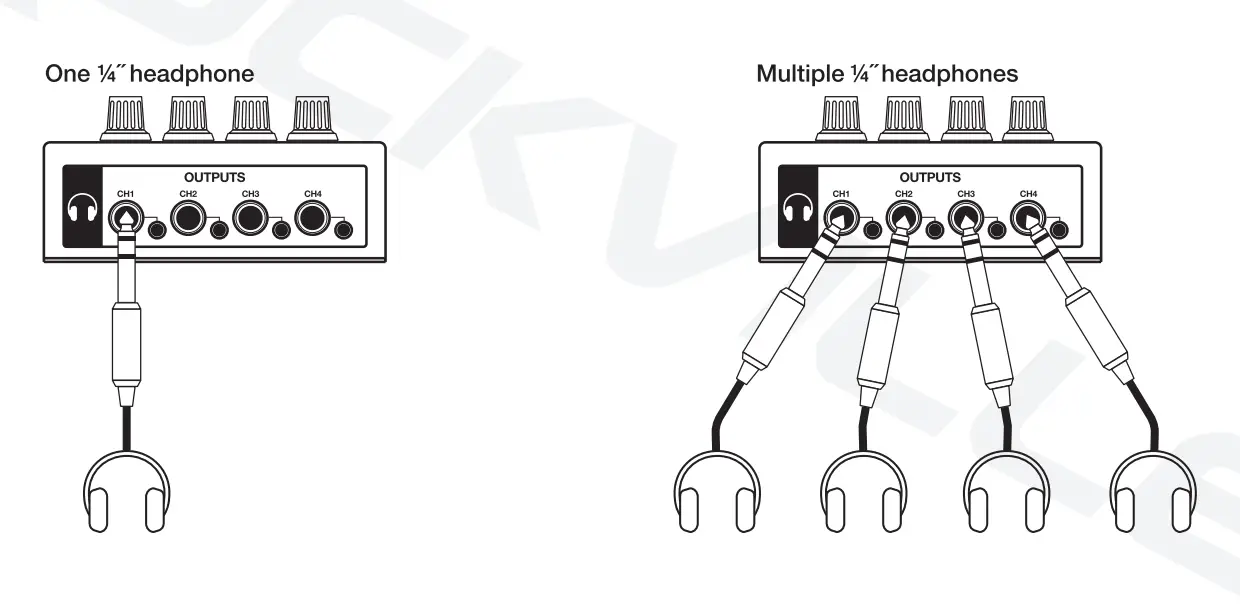
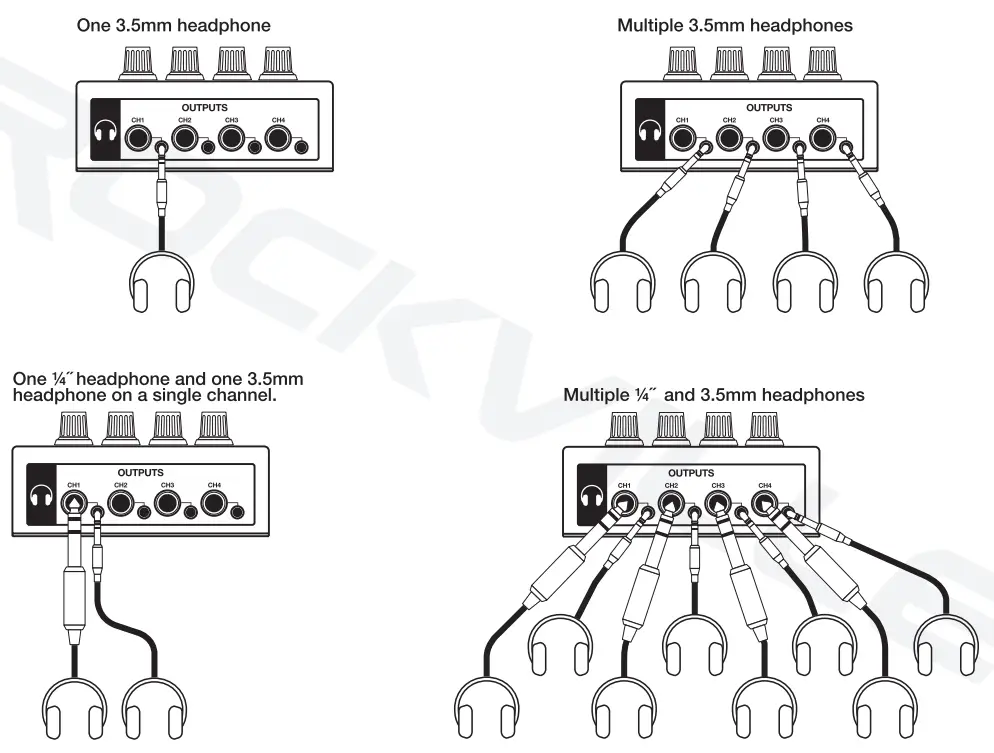
- Independent headphone outputs: All ¼” and 3.5mm jacks can be used simultaneously. The volume of each set of outputs will be controlled by the corresponding level knob. Both outputs support headphones with an impedance of 16 ohms or greater and are suitable for high impedance headphones. Please note: You may experience slightly lower output when using both headphone outputs on a single channel. This is due to the fact that the outputs are wired in parallel.
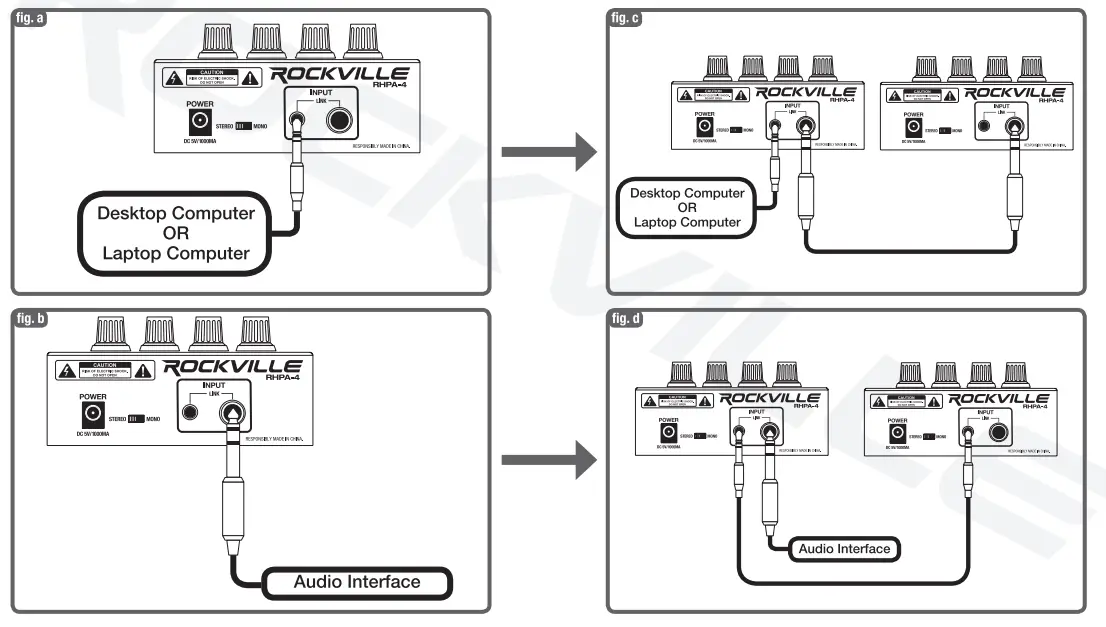
- ¼” and 3.5mm inputs: These can also serve as outputs to connect a second RHPA4 unit or another headphone amp (LINK). Basically, the unused input channel becomes an output.
Input Configurations
Audio interface to Amp
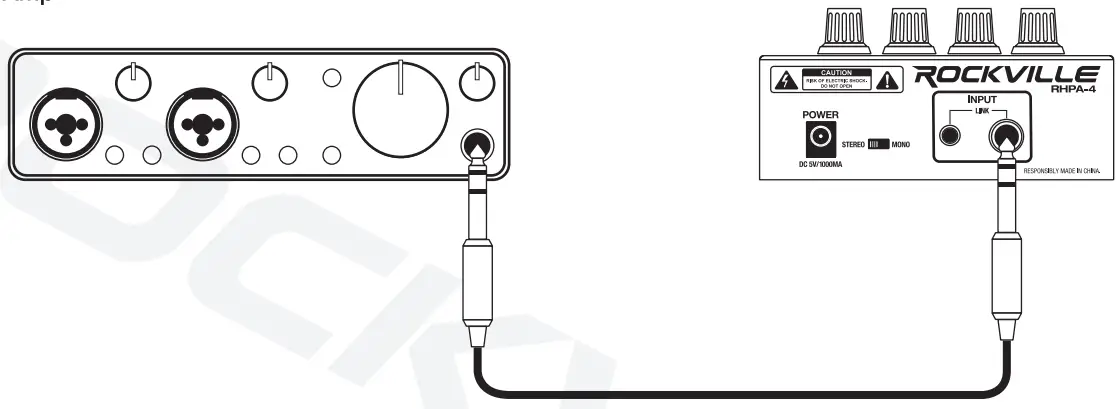
Computer to Amp
Output Configurations
All ¼” and 3.5mm jacks can be used individually or simultaneously. Below you will find all the possible configurations. When using both headphone outputs on a single channel, you may experience slightly lower output due to the fact that they are wired in parallel. Both outputs support headphones with an impedance of 16 ohms or greater and are suitable for high impedance headphones. When connecting your headphones, make sure the level controls are set to MIN. Once you have connected your headphones, slowly increase the output to a reasonable level. Please note that prolonged listening at high volume can cause permanent hearing loss. Be sure to refer to the OSHA sound exposure guidelines on page 2 for maximum time exposure at specific listening levels.
Link Function
The ¼” and 3.5mm inputs can be used to daisy chain (link) multiple RHPA4 units or other headphone amps.
- Connect your signal source to either one of the RHPA4’s input ports (figs. a and b).
- The unused input port becomes an output (figs. c and d).
Features
- Inputs: ¼” and 3.SMM input
- Stereo or Mono switch
- We include (4) ¼-TRS and (4) 3.SMM headphone outputs run in parallel which means you can actually run 8 headphones (2 per channel)
- 4 Outputs each output has individual volume controls
- Thick metal shell casing
- High-quality potentiometer knobs for each channel
- Power “On” LED.
- DC 5V USB power supply has low power consumption
- BUS powered means you can get power to the unit from a power bank or through the USB on a computer or laptop
- Rubber feet
Troubleshooting
NO POWER
Make sure the USB power cable is properly plugged into the unit as well as the charging dock or the computer’s USB port.
NO SOUND
- Make sure that the input cable(¼- or 3.5mm) is properly connected.
- Check the channel level knobs as well as the input source’s volume control.
- Be sure your headphones are properly plugged in.
FREQUENTLY ASKED QUESTIONS
- Is it really an amplifier or is it just a splitter?
It is an amplifier. - Can I use it for streaming audio to my phone?
No, you can’t use this for streaming audio to your phone. - Is Rockville a good amp?
Yes, RHPA4 is a decent amplifier. - What is the output impedance of this amplifier?
This amplifier has an output impedance of a minimum of 16 ohms. - What is the weight of this amplifier?
The amplifier has a weight of 0.85 lbs. only. - Does it come with a power cord?
Yes, the amplifier comes with a power cord. - What if there is no power?
If your amplifier doesn’t turn on there is a high chance that the USB power cable isn’t properly plugged in. - Is it safe to use?
Yes, the amplifier is safe to use, however it can cause permanent damage to the ears if used at high volumes for excessive periods of time.