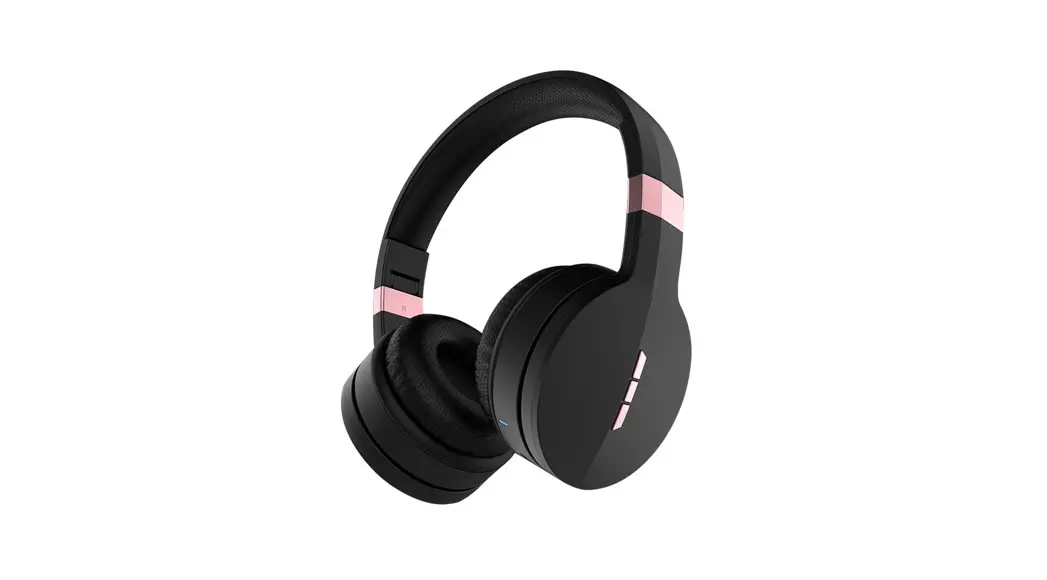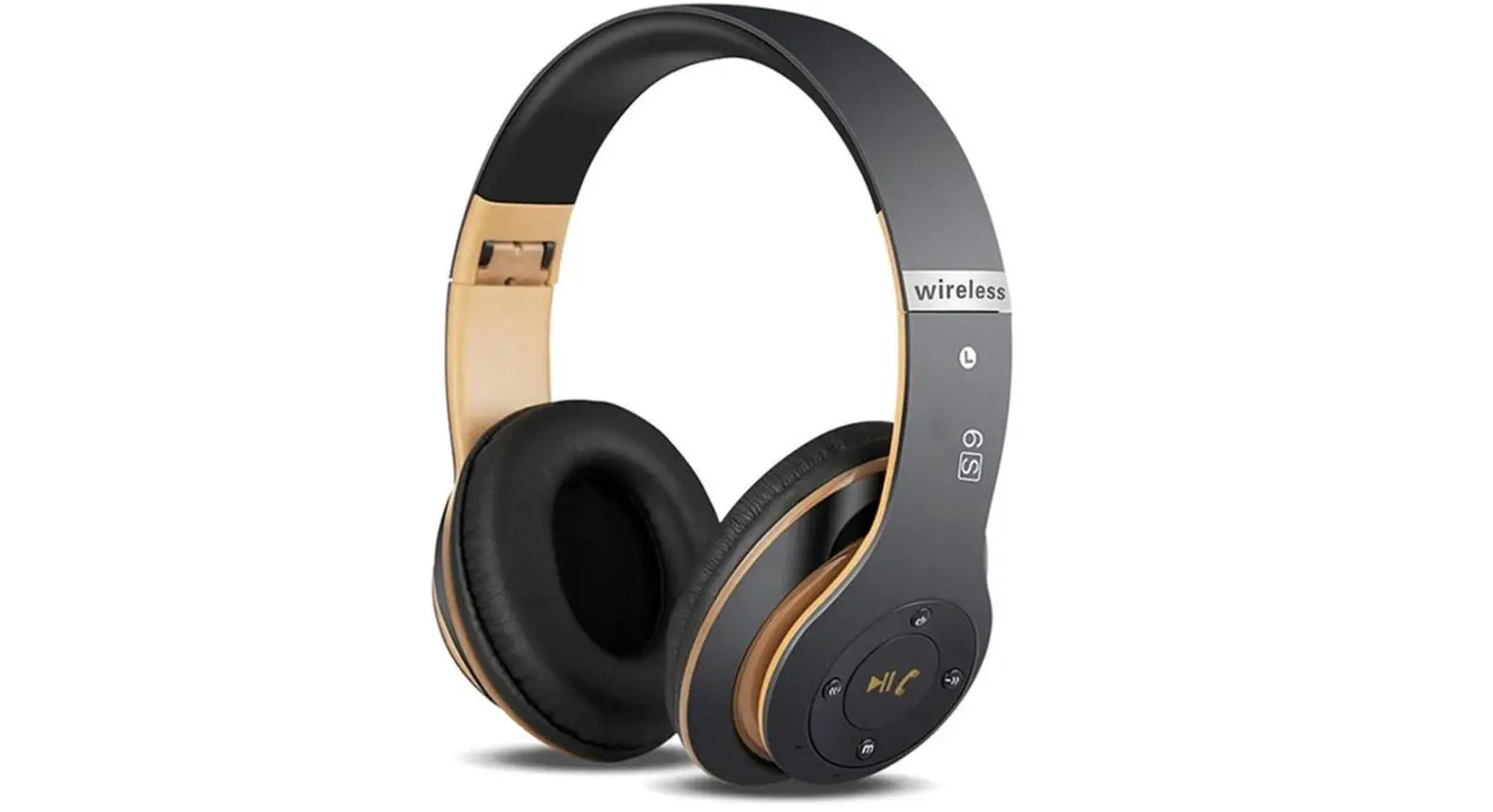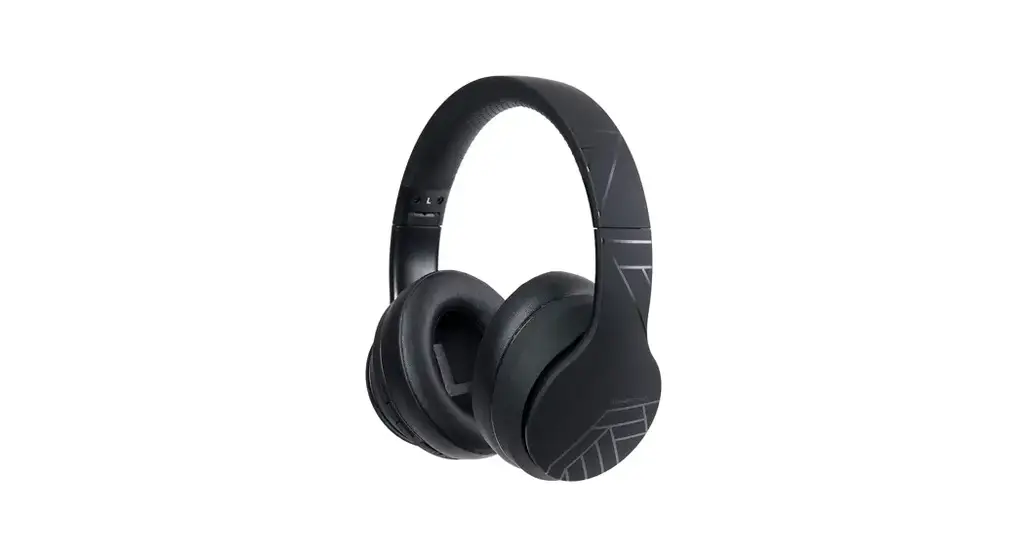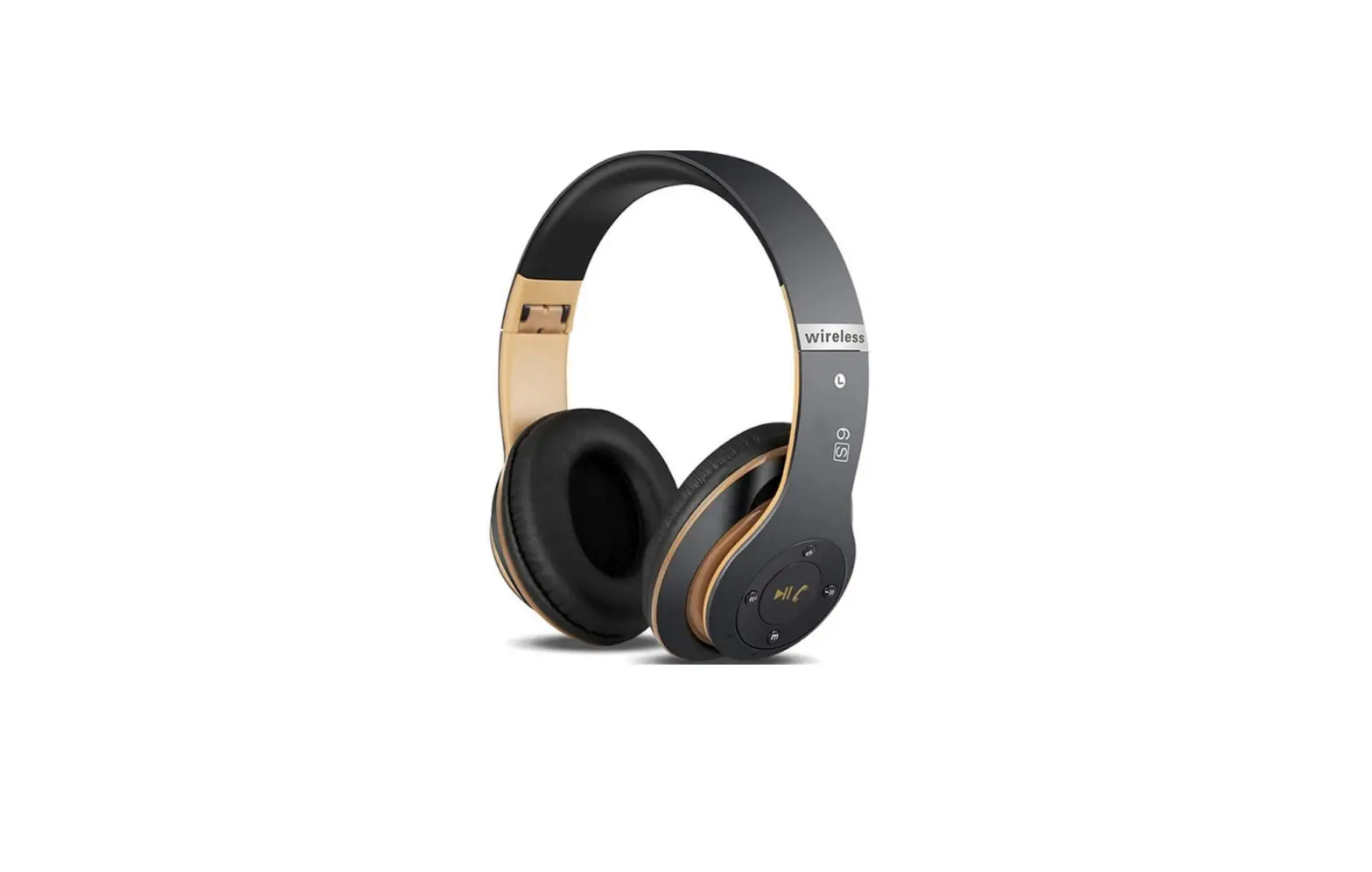

Pyle PHBT6R Sound 6 Wireless Stereo Headphones
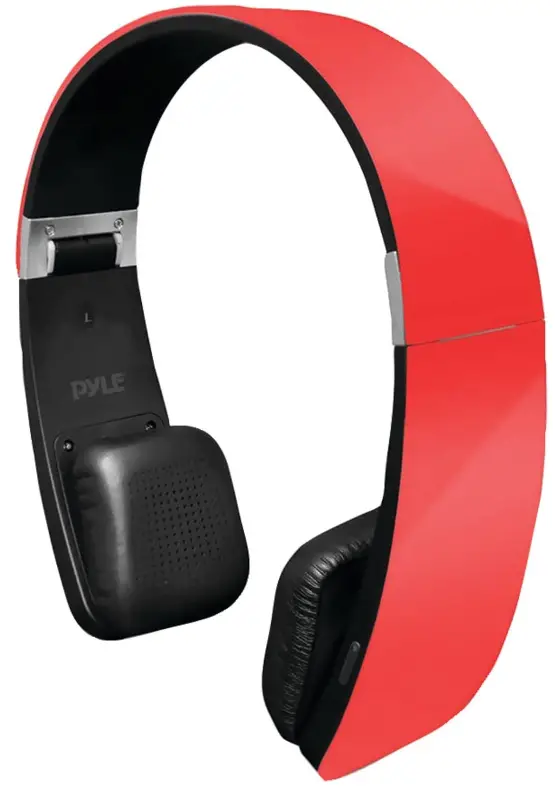
PHBT6 with the latest technology is a stereo Bluetooth headphone with high sensitive touch control panel. It supports the following profiles:
- HSP – Headset profile
- HFP – Hands-free profile
- A2DP – Advanced audio distribution profile
- AVRCP – Audio / video remote control profile
Overview
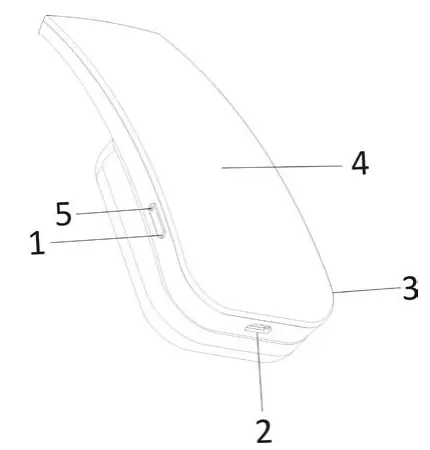
- MFB (Multifunction button): Switch on / off, pairing, make /answer / end/ reject call.
- Micro USB charging port
- Built-in microphone
- Touch panel: volume up / down, last / next tracking, play / pause,
Charging the battery
When the headset is nearly exhausted, the Led flashes in red and “ beep” sound is heard. You will need to charge it according to the following two steps.
Step 1: Plug the USB charging cable into USB port of PC.
Step 2: Connect charging cable with the micro USB charge port of the headset.
Note:
- Before using this headset for the first time, please charge the battery fully.
- It takes about 3 hours for a full charge of the headset.
- The LED keeps in red when the headset is charging and will turn off when fully charged.
Switch on / off the headset
- To switch on the headset
Press and hold the MFB button (1) for 2 seconds and the LED (5) flashes in red. Afterwards the LED flashes in red and blue alternatively, the headset enters into pairing mode automatically.
- To switch off the headset
Press and hold the MFB button (1) for 6 seconds until the LED flashes red and a “beep” sound is heard.
Pairing the headset with your phone
- Ensure the headset is turned off.
- Place the headset and the mobile phone where they are easily viewable and no more than one meter apart.
- Press and hold the MFB for 3 seconds until the LED quick flashes blue and red alternatively, and a “beep” is heard.
- Activate your mobile phones’ Bluetooth function; please refer to your mobile phone user guide for details.
- Set the mobile phone to search for Bluetooth devices within range and select “ PHBT6” from the list of devices shown.
- Enter pass code “0000” and press “OK” to pair your headset with mobile phone, when the pairing is completed, the LED will flash blue regularly and the headset in standby mode.
- Go back to your mobile phone’s main menu.
Note:
- The pairing mode will last for 5 minutes. If the pairing failed, the headset will automatically turn off.
- After the initial connection, each time the headset is turned on it will seek the last device it was connected to. If the device is turned on and in range, it will connect automatically.
- The battery meter will display automatically at the status bar of iPhone, iPad and iPod once it is connected successfully. The headset will automatically power off if no paired device is in range for 5 minutes.
Wearing the headset
The headband of the headset is retractable. Please adjust the headset according to the actual use. Mark “ L” of headset represents left ear. Mark “R” represents right ear. Please wear the headset according to the indication of the marks.
Playing music
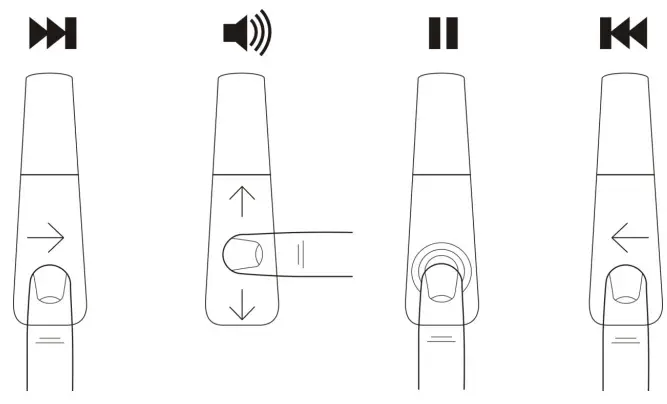
Thanks to the sensitive touch panel (4) on the right side of PHBT6, it is possible to play/stop, control the music selection on your device, and adjust the volume as well, simply by touch.
- To play / stop music, tap the middle area of the touch panel once.
- Slide your finger vertically on the touch panel (4) to adjust the volume of your music or the caller voice. You will hear a “beep” when the volume reaches to its maximum / minimum.
- Sliding your finger horizontally on the touch sensitive control panel to play the next track or return to the previous one.
- It is even possible to use the control of all the functions previously explained through the paired device, if supported.
- While you are listening to the music the LED (2) keeps blue.
Warning
Before using the headset to play music without wearing it to be sure that the volume is not too loud, in order to avoid ear damage.
Make and receive calls
Thanks to the internal microphone (3), if PHBT6 is paired to a mobile phone, it is possible to make and receive calls.
- Answer a call.
When a call is coming, the LED flashes blue and “beep” sound heard. To answer a call, press briefly the MFB button (1). - End a call.
To end a call, press briefly the MFB button (1) during the call. - Reject an incoming call.
To reject an incoming call hold the MFB button (1) for 3 seconds until you hear a long tone, then release the MFB button. The incoming call is rejected. - Activate voice dialing / voiceover / Siri.
If your phone supports voice dialing / voiceover / Siri you can activate it when no call is in progress. To activate voice dialing / voiceover / Siri hold button (1) for 3 seconds until you hear a tone from the PHBT6; When you hear the second tone you can say the command. - Call the last selected number.
Press twice (double click) the MFB button (1). - Transferring a Call
While speaking, press and hold the MFB button (1) for 3 seconds to transfer a call from your headset to your mobile phone (Please check if your mobile phone has this function), repeat the above procedure to transfer the call from your mobile phone to your headset.
Note:
- If the paired device supports it, you can perform all the functions described in this chapter while you are listening to the music.
- The LED flashes blue during the call.
- You can move your finger on the touch panel (4) upward or downward to adjust the volume during the call.
Specifications
- Bluetooth version: 4.0
- Frequency: 2.4GHz
- Audio impedance: 32 Ohm
- Battery life: 10-13 hours (Music Play Time) 15-20 hours (Talk Time)
- Battery duration on standby: 350 hours
- Charging Time: about 3.0 hours
- Charging: Micro USB
- Operating range: 33′ feet
- Dimension: 7″x 6″x 1.1″ inches
- Weight: 5.2 ounces
Troubleshooting
If you are unable to connect your headset with your mobile phone, please try the following:
- Ensure your headset is turned off and is properly charged.
- Ensure the headset is paired with your mobile phone.
- Ensure your mobile phone’s Bluetooth feature is activated. Please refer to your mobile phone user guide for specific instruction.
- Ensure the headset is within a 33′ foot range of your mobile phone and there are no obstructions, such as walls or other electronic devices in between.
- If the above steps do not solve your problem, please recharge the headset and remove your mobile phone battery for a short time.
Safety Information
- Avoid listening to the music at loud volume for a long time: risk of ear damage.
- Follow the local rules about mobile phones usage and their accessories while driving.
- Keep PHBT6 out of the reach of small children to avoid choking hazard.
- Switch off PHBT6 before a flight. Do not use it on a plane if not permitted by the airline.
- Keep PHBT6 dry and avoid humidity.
- Disconnect PHBT6 from charging cable before cleaning or polishing it.
- Do not use PHBT6 if it does get wet.
- Do not try to open, disassemble or overcharging the lithium-ion battery of PHBT6 : danger of explosion.
- At the end of battery lifecycle do not dispose it as household waste. Dispose of batteries according to local regulations. Please recycle when possible.
FAQs
Wireless audio sources provide signals to their linked audio sources, which wireless headphones receive. The source device encodes these signals, which are then sent across radio frequencies or less frequently over infrared carriers. The RF or IR signal is received by the headphones, which decode it into audio.
Put the pairing mode on your headphones. Put your earbuds in pairing mode as a first step. On your phone, go to Bluetooth Settings. Find any new Bluetooth devices by scanning the category. Connect using your device of choice. Put on your preferred music.
less distractions To begin with, the math involved in using two earbuds instead of a cable is far simpler than it has been in the past. Convenience. Additional Battery Life. Battery pack. Utilize before bed.
Instead of an internet connection, short-range radio waves are how Bluetooth operates. This means you don’t need a data plan or even a cellular connection for Bluetooth to function anywhere you have two compatible devices.
Wireless headphones function by radio or infrared signal pairing with the device you want to use. To facilitate connections for users, Bluetooth technology is used by many gadgets. Bluetooth-enabled devices may communicate and share data across incredibly short distances utilising radio signals.
True wireless headphones typically have a battery life of 3 hours or less before they run out of juice. Charger cases come in handy in this situation. A good charging case can extend the listening period of your headphones by at least 5 to 6 hours.
Each time, you can charge it for two to three hours. It often has a red charging indicator light. The battery is fully charged when the light goes off, indicating.
Not Nearly As Reliable As Wired Headphones for Audio Transmission. Weight: Compared to Regular Headphones, Bluetooth Headphones Have More Components. Battery Life: Chargers for headphones are not always available and are required. Compatibility – Devices Must Share The Same Codecs and Bluetooth Profiles and Be Bluetooth-enabled.
Better than a full charge is partial charging. If you can, try to keep the level at 80% or less. Charge nothing overnight. Try not to overheat the battery. While your headphones are charging, try not to use them. When not in use, turn off your headphones.
The method of connecting the headphones to a media player is the main distinction. Wireless headphones can use radio waves, infrared, internal memory, or KleerNet to send audio signals, as opposed to Bluetooth headphones, which do so across short distances.
There are three different ways to charge wireless earbuds. The most popular method is the first one, using a USB cord. The second method, which uses a charging case, is the most intriguing and useful one available. Thirdly, there is a wireless charger.
Between the volume control buttons, there is a circular button. Once pressed to pause audio, twice pressed to toggle on or off. Hold the button down after turning it on to pair Bluetooth. There was a problem.
While using the USB charging wire to charge your headset, you can still use it. If a cable—such as an audio or charging cable—is attached to the headset’s USB port, you might notice a modest increase in warmth there.
Since Bluetooth is a non-ionizing EMR, it is generally harmless for people and won’t harm them. In fact, Bluetooth has low specific absorption rates (SAR), further demonstrating that it is safe for people to use.