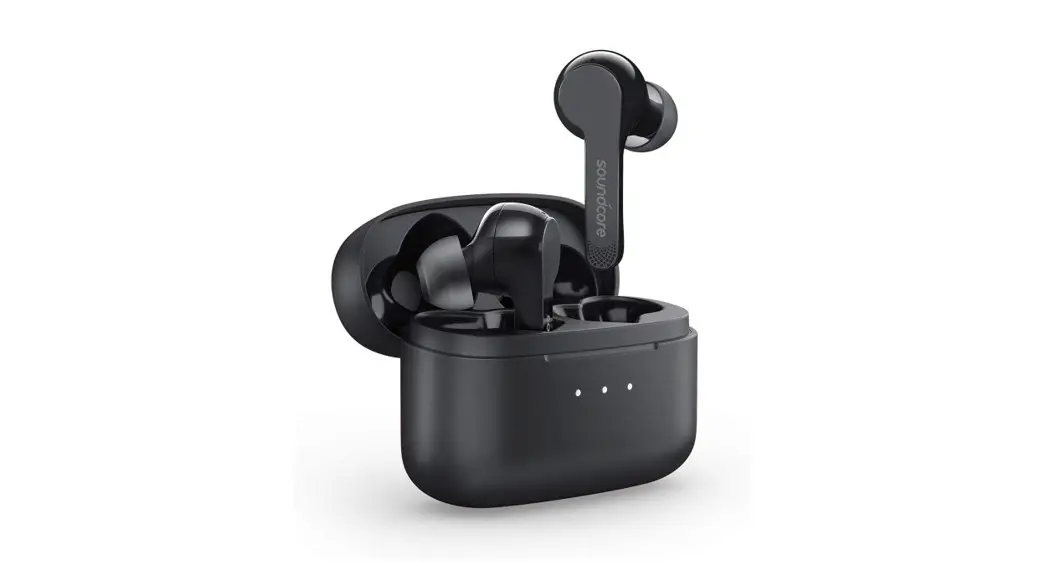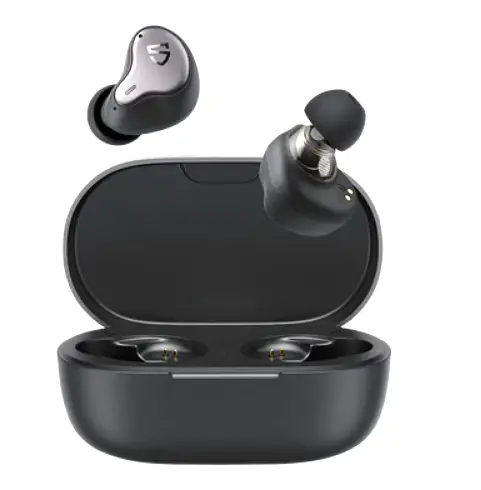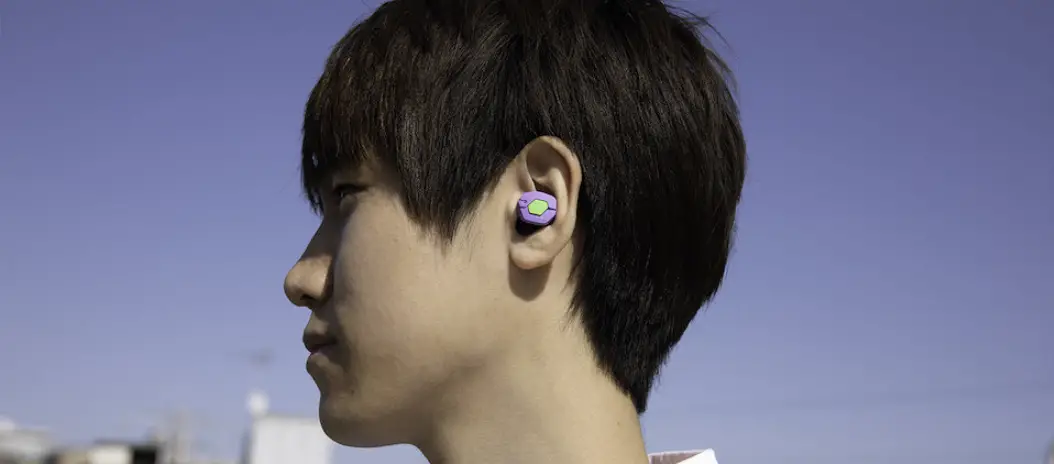
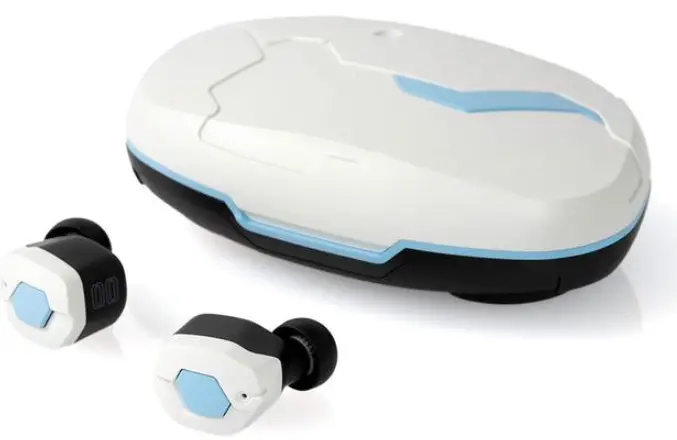
HYPERVEAST Evangelion x Final Audio Earbuds
User’s Manual
- produc1 Bluebottle Earphone
- Modal number: FL EV/\TW
- I CC IU:2AX2f-H I-LVAIW
Changes or modifications not expressly approved by the party responsible for compliance Could void the user’s authority to operate the equipment. This equipment has been tested and found to comply with the limits for a Class B digital device, pursuant to Part 15 of the FCC Rules. These limits are designed to provide reasonable protection against harmful interference in a residential installation. This equipment generates uses and can radiate radio frequency energy and, it not installed and used in accordance with the instructions, may cause harmful interference to radio communications. However, there is no guarantee that interference will not occur in a particular installation. If this equipment does cause harmful interference to radio or television reception, which can be determined by turning the equipment off and on, the user is encouraged to try to correct the interference by one or more of the following measures
- Reorient or relocate the receiving antenna.
- Increase the separation between the equipment and receiver.
- Connect the equipment into an outlet on a circuit different from that to which the receiver is Connected.
- Consult the dealer or an experienced radio/IV technician for help
This device complies with part 15 of the FC© rules. Operation is subject to the following two conditions (1 this device may not cause harmful interference, and (2) this device must accept any interference received, including interference that may cause undesired operation.
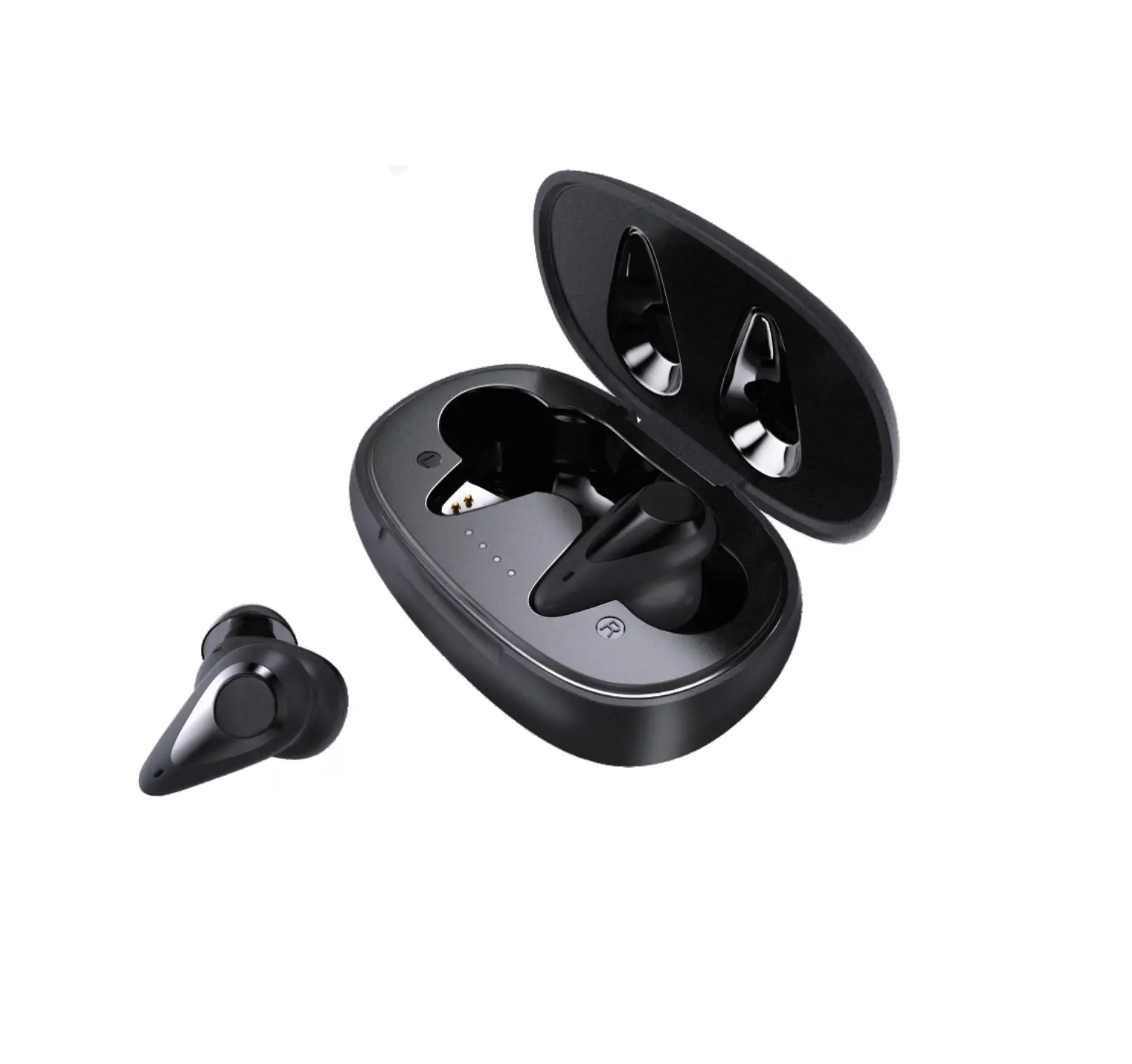
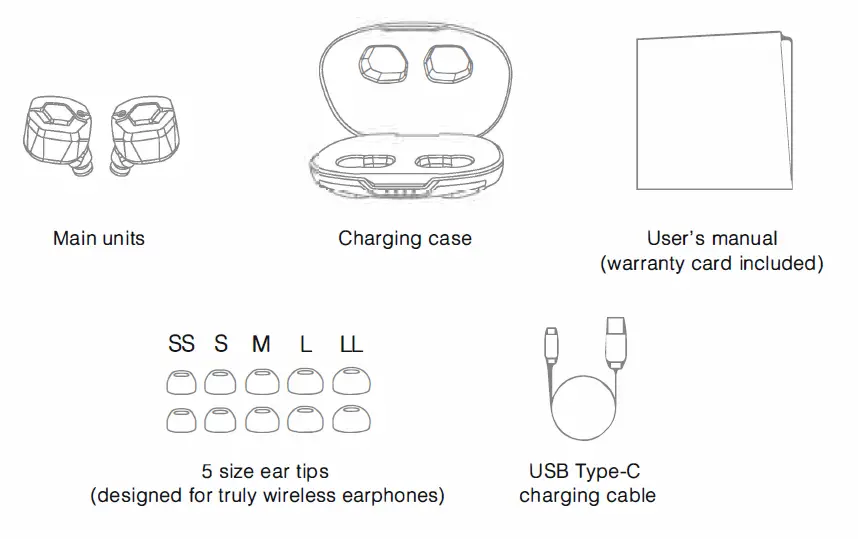
Package contents
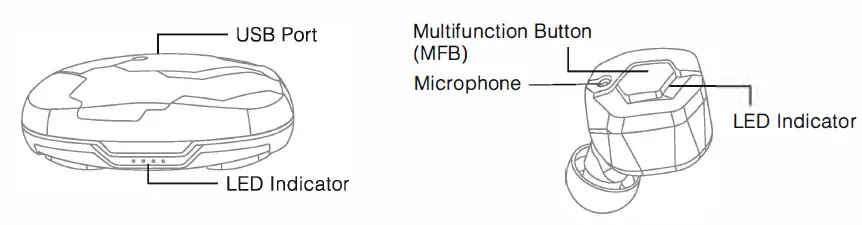
Part name
Power/Charging
Charging the charging case:
Connect the accessory USB charging cable (C) connector to the USB port on the charging case and connect the USB (A) connector to an electrical appliance or adapter with the same shape of connector and the internal battery within the charging case will begin to charge. While charging, the LED indicator light will flash.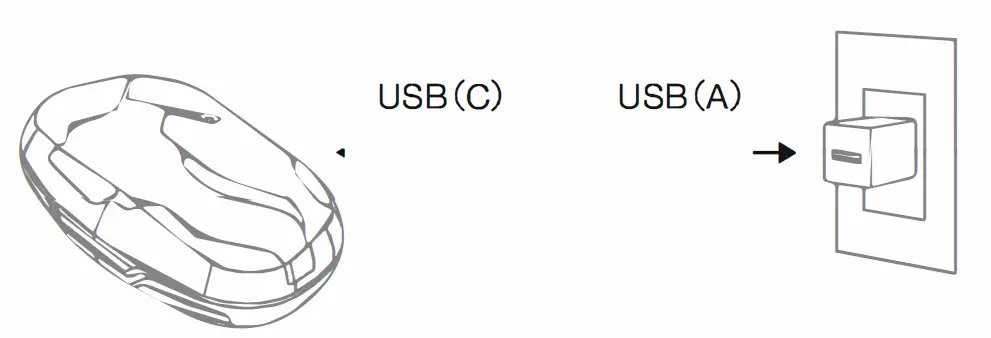
| LED • | Battery Remaining |
| • • • | 0%-25% |
| • • • | 25%-50% |
| • • • • | 50%-75% |
| 75%-100% |
Charging the earphones:
Insert the earphone units into the charging case and they will begin to charge.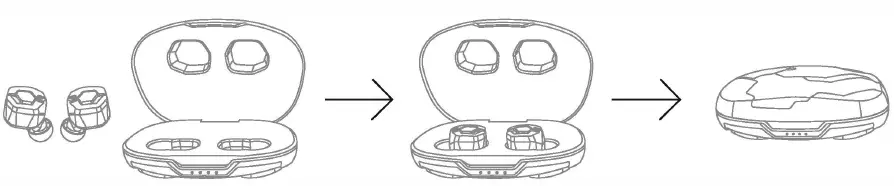
| Charging | Charging the charging case White LED flashes | Charging the earphones Orange LED lights up |
| Charging completed | All LEDs light up | Orange LED turns off |
Turning on the earphones
After charging, remove the earphones from the charging case and the power will automatically switch ON. {When the LED indicator lights up for 1 second, the power is ON.)
When the power is OFF, press the MFB button one time to switch the power ON. 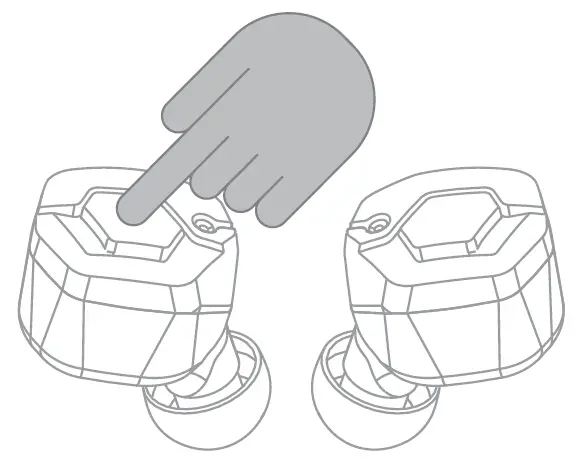
Turning off the earphones
Continuously press the MFB button for about 3 seconds until two types of beep sound emanate, and the power will switch OFF. When the charging case is adequately charged, returning the earphones to the charging case will automatically switch the power OFF and charging will begin.
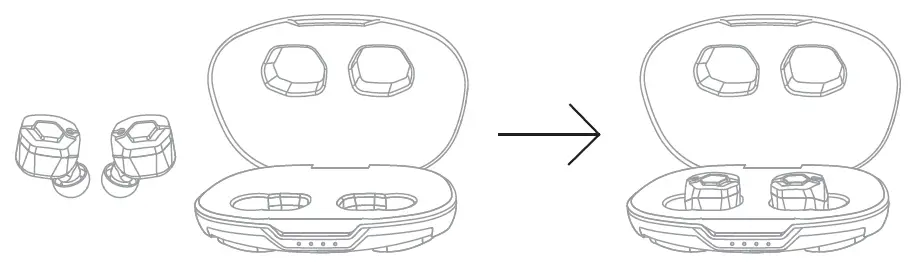
Performing device pairing
To connect to your smartphone or other device initially, it is necessary to perform pairing. For devices which have already completed pairing, a connection will automatically be established the next time the power is switched ON.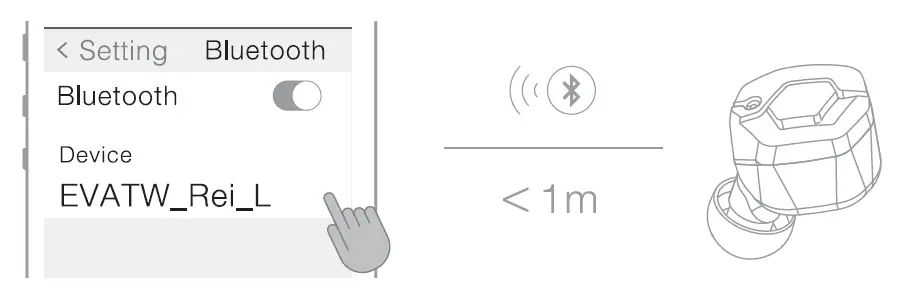
The first time the earphones are used:
- Remove the left and right earphones from the charging case, and they will automatically be in pairing mode. {The LED indicator at left flashes between orange and white.)
- Switch the Bluetooth function on the smartphone or other device ON and select either [EVATW_ Rei _L] or [EVATW _Rei _R] on the display.
- A [Bluetooth pairing request] from the other side earphone will appear on the display, so please select [pairing] or [OK]. {The display varies depending on the smartphone or other device to which it is connected.) When the following appears on the display of the device being connected, left/right pairing has been completed.
| EVATW _Rei _L | Connected | • If Connected is displayed for either side or both sides, pairing is complete. • The side for which connected is displayed ,s the parent earphone. |
| EVATW_R ei _R | Not connected |
Performing device pairing
To reestablish pairing or to perform pairing with a second or subsequent device:
- Remove the earphones from the charging case and the LED indicator will light up white for 1 second as the power automatically switches ON.
- Press the MFB button on one side of the earphones to switch to pairing mode. (LED indicator flashes between orange and white.)
- Switch the Bluetooth function on the smartphone or other device ON, and select either [EVATW _Rei _L] or [EVATW _Rei _R] once it appears on the display.
- A [Bluetooth Pairing Request] from the other side earphone will appear on the display, so please select [Pairing] or [OK]. (Varies depending on the smartphone or other device to which it is being connected.) Left and right pairing has been completed when any of the messages below have been displayed.
| EVATW_ Rei _L | Connected | • If Connected is displayed for either side or both sides, pairing is complete. • The side for which connected is displayed is the parent earphone. |
| EVATW _Rei _R | Not connected |
- Before performing pairing with a new device, please disconnect the device to which it has already been paired or switch the Bluetooth function OFF on the device to which it has already been paired.
When pairing has not been successfully completed (Reset Method):
- Insert the left and right earphones into an adequately charged charging case and press the MFB button on both sides simultaneously for 10 or more seconds and the LED indicator will first turn off, then light up in orange.
- Next, remove the left and right earphones, and the LED indicator will flash white as pairing is performed between the left and right earphones.
- After a certain amount of time, the earphones will automatically switch to pairing mode with the smartphone or other device. In this situation, the reset has been completed. Once the reset has been completed, please attempt another pairing operation.
| L | R | |||
| Music | Playback | Press Once | ||
| Pause | Press Once | |||
| Next Track | Press until beep sound emanates once, then release | |||
| Beginning of the current track/ previous track·1 | Press until beep sound emanates once, then release | |||
| Raise Sound Volume | Press Twice | |||
| Lower Sound Volume | Press Twice | |||
| Incoming Calls | Receive Call | Press Once | ||
| End Call | Press Once or insert into the charging case | |||
| Refuse Call | Press Twice | |||
| Siri/ Google Assistant | initialize*2 | Press Twice (Parent earphone, only while music is stopped) | ||
- If you perform the touch control right after the start of a track, you will return to the previous track. If you perform the touch control in the middle of a track, you will return to the beginning of the current track. In order to return to the previous track while you are currently in the middle of a track, please perform the touch control twice in succession.
- Depending on the device to which connected, this function may not be available.
Voice guidance
| Situation in which Voice Guidance is provi | ded | Version A | Version B |
| When power to the earphones is switched ON | Degen ON (Power ON) | Krishi shims (Activated) | |
| When power to the earphones is switched OFF | Dengen OFF (Power OFF) | Shuryo shimasu (Shutting down) | |
| When pairing mode is initiated | Pearling shims (Pairing) | Kabure setsuzokushimasu (Umbilical cable connected) | |
| When pairing has been successfully completed | Pearingu shimashita (Pairing Comp le ted) | Keburu setsuzoku wo kakunin {Connection confirmed) | |
| When pairing is complete and usage becomes possible | Setsuzoku saremashita {Connected) | Tsushin kanou desu {Communication established) | |
| When pairing has been disconnected | Ka gist c ! iota | Kabure kaiju (Umbilical cable disconnected) | |
Changing voice guidance version:
- Please disconnect pairing of this product to smartphone or other devices.
- After removing the left and right earphones from the charging case, pressing the MFB button on either side of the earphones continuously for 15 seconds until 3 types of beep sound emanate and the version of the voice guidance is now switched. Once switching the voice guidance on one side has been completed, the other side will automatically switch as well.
About the ear tips
When bass is difficult to hear and high range sound jars the ear, there is a possibility that the ear tip fit is not appropriate. In order to enjoy music in accordance with the design of the earphone, it is important that the ear tip fits properly and there is a means of sealing the ear canal. In order to achieve the proper fit, please try the following method:
- Please try various sizes, not just M size.
- In case of small ears, please try not just S and SS size, conversely try larger sizes as well. Even if the size of the ear canal is the same, the left and right ears may be different, so please also try different sizes for left and right.
Safety Precautions
The following descriptions are provided to explain matters that must be observed in order to prevent harm to the user as well as other people, along with damages to property. Please be sure to observe this before using the product.
| &DANGER | Failure to observe the precautions indicated by this label will result in death or serious injury to the user. |
| &WARNING | Failure to observe the precautions indicated by this label may result in death or serious injury to the user. |
| &CAUTION | Failure to observe the precautions indicated by this label may result in personal injury or property damage. |
| &DANGER |
| Fire, electric shock, overheat, ignition, leakage, rupture, or accidental ingestion may cause death, blindness, or serious injury. |
| 0 Do not use, store, or leave the product in 0 Do not connect to a fast charging power PROHI a humid or dusty place, or in a car where PROHI adapter with a maximum power output BITED it will be exposed to high temperatures, BITED exceeding 20W per port. or places exposed to direct sunlight. Doing so may cause rupture, battery Doing so may cause overheat, leakage, leakage, or overheat and consequently or rupture of the product. result in fire, burn mark, or injury. (9 Do not use other than the supplied USB 0 Do not charge the battery when the PROH –I cable. Doing so may cause rupture, PROHI charging case or USB cable is wet. reteed battery leakage, or overheat and BITED Doing so may cause abnormal heating or consequently result in fire, burn mark, or malfunction due to short circuit . injury. |
| &DANGER |
| Fire, electric shock, overheat, ignition, leakage, rupture, or accidental ingestion may cause death, blindness, or serious injury . |
| (S) Do not put it in a fire. Doing so may cause 0If you find that liquid is leaking from the ••o H1- leakage or rupture and consequently PROHI • earphones or charging case, or if there is SITED BITED result in injury or burn mark. an unusual odor or overheat, do not touch the liquid and stop using the earphones @ Do not disassemble the product. Doing so immediately. Besides that, move all oo NOT may cause product malfunctions. combustible materials nearby away from DI S ASSEMBLE the earphones or charging case. |
| &WARNING |
| Fire, electric shock, overheat, ignition may cause burn or serious injury. |
| 0 Do not use the product while driving a car, 0 Do not allow water or foreign matter to get PROHI motorcycle, bicycle, etc. |
| &WARNING |
| Fire, electric shock, overheat, ignition may cause burn or serious injury. |
| 0 Do not use the product while driving a car, 0 Do not allow water or foreign matter to get PROHI motorcycle, bicycle, etc. PROHI inside the charging case. The charging BITED Doing so may cause a traffic accident. BITED case is not waterproof. Water or foreign matter may cause fire or electric shock. 0 Do not use the product in places where it If water or foreign matter should enter the PROHI would be dangerous if the surrounding charging case, stop using it immediately. BITED sound is not audible. Listening at high Regularly check and ensure that no foreign volume makes it difficult to hear matter adheres to the terminals of the surrounding sounds. Use at railroad charging case as it may cause overheat or crossings, pedestrian crossings, station ire. platforms, etc. may cause accidents or injuries. 0 Do not charge the charging case while it is PROHI • covered by bedding or other covering. SITED The heat buildup may cause abnormal overheat, which may result in a fire. |
Troubleshooting: When you think, “Is it broken?”
| Problem | Cause | Remedy |
| Earphones will not turn ON | (Immediately after purchasing) Battery charge is low | For safety of transportation from overseas, laws and regulations do not allow the internal battery to be fully charged at the trine of shipping. For that reason , voltage ray fall below the level required for operation at the time the customer opens the package. Fully charging the battery before use may relieve this inconvenience. Please refer to “Power/Charging” on P.3 regarding the method for charging. |
| Earphone batteries are depleted | Please place the earphones in the charging case and charge them. (In case the charge in the charging case has run out, first charge the charging case.) Please refer to “Power/Charging” on P. 3 regarding the method for charging. | |
| MFB has not been pressed for adequate time | Please press the MFB button long enough for the earphone to turn ON. Please refer to “Turning on the earphones” on P. 4 regarding the method for turning the earphones ON. | |
| Earphones will not turn OFF | An error has occurred due to improper operation | In some cases, performing a reset operation may fix the problem. Please refer to “When pairing has not been successfully completed (Reset Method)” on P.6 regarding the reset method. |
| MFB has not been pressed for adequate time | Please press the MFB button long enough for the earphone to turn OFF. Please refer to “Turning off the earphones” on P.4 regarding the method for turning the earphones OFF. |
| Problem | Cause | Remedy |
| Earphones will not turn OFF | Charging case battery charge is low | In some cases, the battery remaining in the charging case drops before you notice. After once charging the charging case, place the earphones in the charging case and check that the LED indicator illuminates. Please refer to “Power /Charging ” on P. 3 regarding the method for charging. |
| Using ear tips other than those included as accessories | When ear tips other than those included as accessories are used, there are cases in which they may interfere with the charging case and make satisfactory charging impossible. Please check to see whether proper charging is possible using original ear tips. | |
| Earphones cannot be charged | Metal contact on earphone is not touching the pins on the charging case | Please check that there is adequate contact between the metal contacts and the pins on the charging case. |
| Charging case battery charge is low | In some cases, the battery remaining in the charging case drops before you notice. After once charging the charging case, place the earphones in the charging case and check that the LED indicator illuminates. Please refer to “Power/Charging ” on P. 3 regarding the method for charging. | |
| Using ear tips other than an accessory | When ear tips other than those included as accessories are used, there are cases in which they may interfere with the charging case and make satisfactory charging impossible. Please check to see whether proper charging is possible using original ear tips. |
| Problem | Cause | Remedy |
| Earphones cannot be detected/ paired | Earphones are not in the pairing mode | In some cases, performing a reset operation may fix the problem. Please refer to “Performing device pairing (When pairing has not been successfully completed (reset method))” on P.6. |
| (Once pairing has been performed) Has automatically been connected to a previously connected device | Please try performing the pairing operation again after having deleted the pairing information from a previously paired device. | |
| Bluetooth communicates using the 2.4GHz band. This band is used by other wireless standards such as Wi-Fi, etc., and so there is a possibility of | ||
| receiving interference. | ||
| While playing music, sound (connection) is interrupted | Receives interference from external factor, and an impact on the connection status results | Moreover, this 2.4GHz band does not penetrate liquids. There is impact from humidity and rain, and the human body also contains liquid, so there are individual differences in connectivity. Furthermore, it depends on the specifications of smart phones and other devices. For that reason , switching OFF unused Wi-Fi/Bluetooth settings on surrounding devices, etc. |
| is a countermeasure. | ||
| While outside, there is a possibility that moving a smartphone from inside a bag to a breast pocket, etc. or otherwise reducing the distance between devices may improve the connection status. |
| Problem | Cause | Remedy |
| Sound only comes out from one side | The left/right earphone pairing has been released | In some cases, performing a reset operation may fix the problem . Please refer to “Performing device pairing (When pairing has not been successfully completed (reset method))” on P.6. |
| The battery of one side of the earphones has depleted | Please place the earphones in an adequately charged charging case and charge the earphones. Please refer to “Power / Charging” on P. 3 regarding the method for charging. | |
| In case it takes time to charge | The output of the USB adapter being used for charging is low | In case you are using the USB port on a PC, etc., there are cases in which the output is low and it may take more time to charge than the publicly listed value. As such, please use a 5V/1A USB adapter when charging this product |
| Battery consumption is fast for one side of the earphones only | Based on the design specification, one side is the parent and the other side is the child, so the burden between left and right is different | Under the specification for Bluetooth earphones, communication generally takes place with one side as the parent and the other as the child. As such, the child only communicates with the parent, but the parent communicates with the smartphone or other device and communicates with the child as well, and so there is a difference in the level of burden borne by the left and right earphone. As a result, a difference in the battery consumption between the left and right may occur. |
Maintenance
Gently remove any build-up from the mesh filter with the tip of a cotton swab. Please take care to ensure that no foreign particles fall inside when doing so.
Warranty and after service
The warranty for this product is valid for 1 year from the date of purchase. During the warranty period, we will repair the product based on the provisions below. The warranty is only valid in the country in which the product was purchased. Regarding questions pertaining to repairs, please contact the store you purchased the product from or contact us by visiting our “Contact” page.
- During the warranty period, we will repair the product free of charge if the product failed even though it was used in accordance with the instructions in the user’s manual and the point of caution sections.
- In the following cases, repairs to the product will be subject to a fee even during the warranty period:
- Warranty card, original purchase receipt or other documentation showing the date of purchase are failed to be presented.
- The product is identified to be modified, disassembled, or repaired by a third party or customer other than our company or our authorized organizations.
- The earphones were subjected to a strong impact or were allowed to get wet. Product failure resulting from an excessive use of force on the product.
- Failure of the product or damage caused as a result of fire, earthquake, storm or flood damage, lightning strike or other natural disaster.
- Repair of scratches on the surface of the housing or repair of the housing itself.
- The warranty card located on the last page of this user manual is necessary in the event that the warranty is utilized. Please store the card along with a receipt or other documentation showing the date of purchase in a safe place.
Disposal Regulation
The rechargeable batteries built into the equipment are recyclable. During disposal, please follow the instructions from your local municipal government and do not attempt to disassemble the product.
Contacting Us
Please contact us by visiting our official “CONTACT” page by scanning the QR code below.
https://final-inc.com/pages/lang-contact
Manufacturer:
final Inc.
There is a possibility of a change in the specification, so please scan this QR code below for the latest user’s manual.