207829 Photo Effects Ball
Product Information
The Photo Effects Ball is a photography accessory that allows
you to create wide-angle and fish-eye photos with any digital
camera or mobile device. By placing this crystal ball in front of
your lens, you can make unique, artistic photos using the
principles of light refraction.
Features:
- Compatible with any digital camera or mobile device
- Creates wide-angle and fish-eye photos
- Made of high-quality crystal
- Easy to use
What is Refraction Photography?
Refraction occurs when light passes through an object of denser
mass, such as water or glass. When light is refracted through a
sphere, the image becomes inverted (upside down). The Photo Effects
Ball utilizes this phenomenon to create unique and artistic
photos.
Product Usage Instructions
- Attach the Photo Effects Ball to the lens of your digital
camera or mobile device. - Ensure that the ball is securely attached and centered in front
of the lens. - Position your subject and compose your shot.
- Experiment with different angles and positions to achieve the
desired effect. - Move the camera and/or the Photo Effects Ball to capture the
perfect image. - Take a photo using your smartphone or digital camera.
- The light passing through the Photo Effects Ball will be
refracted, creating an inverted image. - Your smartphone or digital camera will capture the inverted
image, resulting in a unique and artistic photo.
If you have any further questions or need assistance, please
contact our Customer Service department at 1 (877) 2103449. Our
agents are available Monday through Friday, 9:00 a.m. to 6:00 p.m.
ET.
PHOTO EFFECTS BALL
Item No. 207829 User Guide
Thank you for purchasing the Photo Effects Ball. Please take a moment to read this guide and store it for future use.
– 1 –
INTRODUCTION
Photo Effects Ball photography allows you to create wide-angle and fish-eye photos with any digital camera or mobile device. By placing this crystal ball in front of your lens, you can make unique, artistic photos using the principles of light refraction.
FEATURES
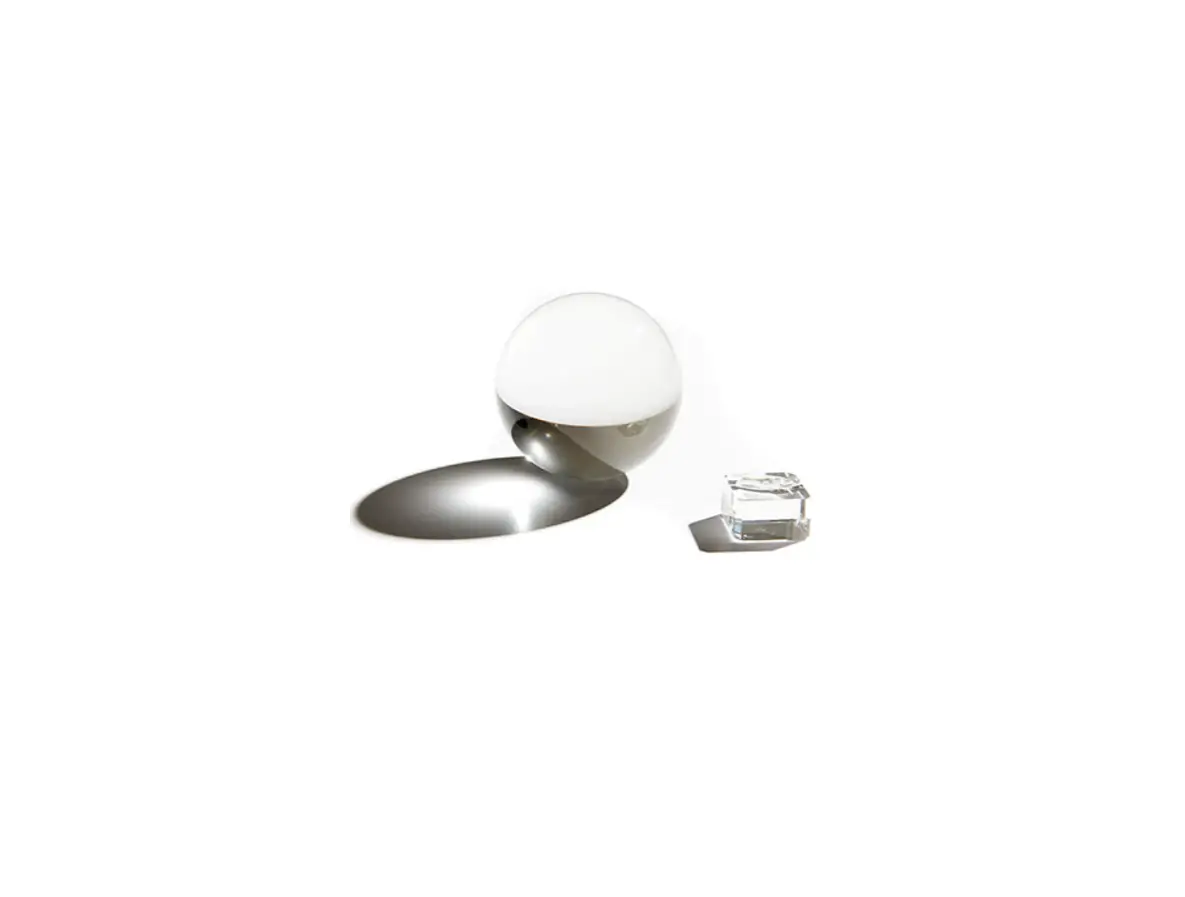
· 3.1″ (80mm) crystal ball · Bubble-free clarity · Works with any camera · Provides wide-angle/fish-eye images without an expensive lens · Creates a natural frame for your photos · Gives photos an artistic feel · Includes carrying pouch, cleaning cloth and a matching stand
WHAT IS REFRACTION PHOTOGRAPHY?
Refraction happens when light passes through an object of denser mass, such as water or glass. When light is refracted through a sphere, the image becomes inverted (upside down). Try moving the camera and/or moving the Photo Effects Ball to capture the perfect image.
REFRACTION PHOTOGRAPHY
PHOTO SUBJECT
LIGHT PASSES THROUGH THE PHOTO EFFECTS BALL
PHOTO EFFECTS BALL
LIGHT IS REFRACTED AND IMAGE
BECOMES INVERTED
SMARTPHONE TAKES A PHOTO OF INVERTED IMAGE
PHOTO EFFECTS BALL PHOTO TIPS
1. Photograph large subjects such as landscapes, skylines, beaches, etc. 2. Shoot in bright light. 3. Center your subject. 4. Get close and focus on the Photo Effects Ball. 5. Elevate the Photo Effects Ball off the ground so it’s level with the subject. 6. Find a place to rest the Photo Effects Ball or have a friend hold it for you. 7. Keep your Photo Effects Ball clean (fingerprint free) with the included cloth. 8. Rotate and flip the final image so that it is right-side-up. 9. Try shooting video (especially slow motion) for a unique effect. 10. Experiment with different positions, subjects and camera settings.
WARRANTY / CUSTOMER SERVICE
This item from SharperImage.com includes a 1-year limited replacement warranty. If you have any questions not covered in this guide, please call our Customer Service department at 1 (877) 2103449. Customer Service agents are available Monday through Friday, 9:00 a.m. to 6:00 p.m. ET.
– 2 –
 The Sharper Image - Official Site @ SharperImage.com