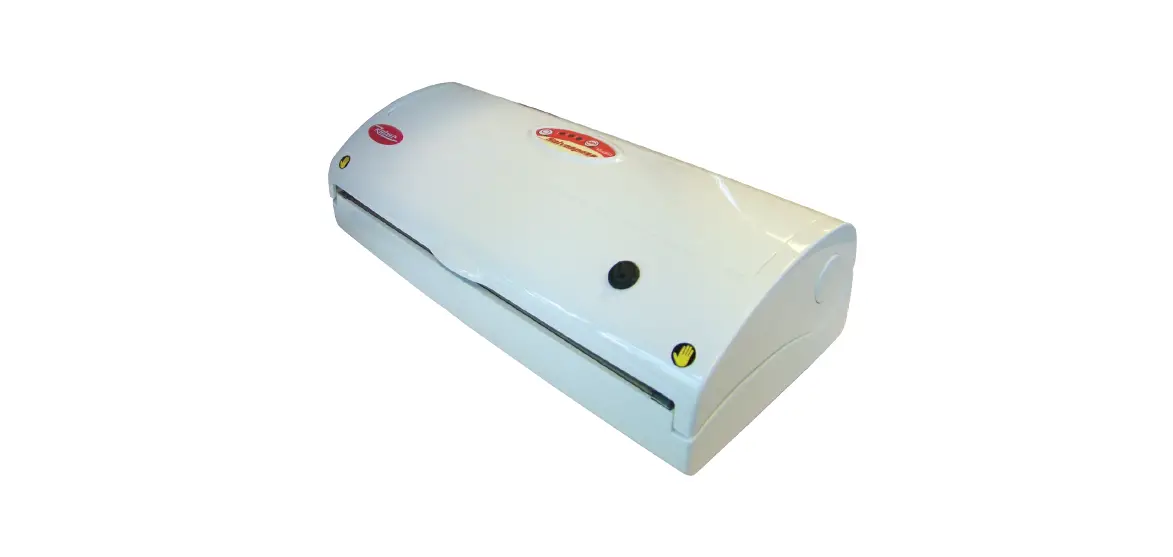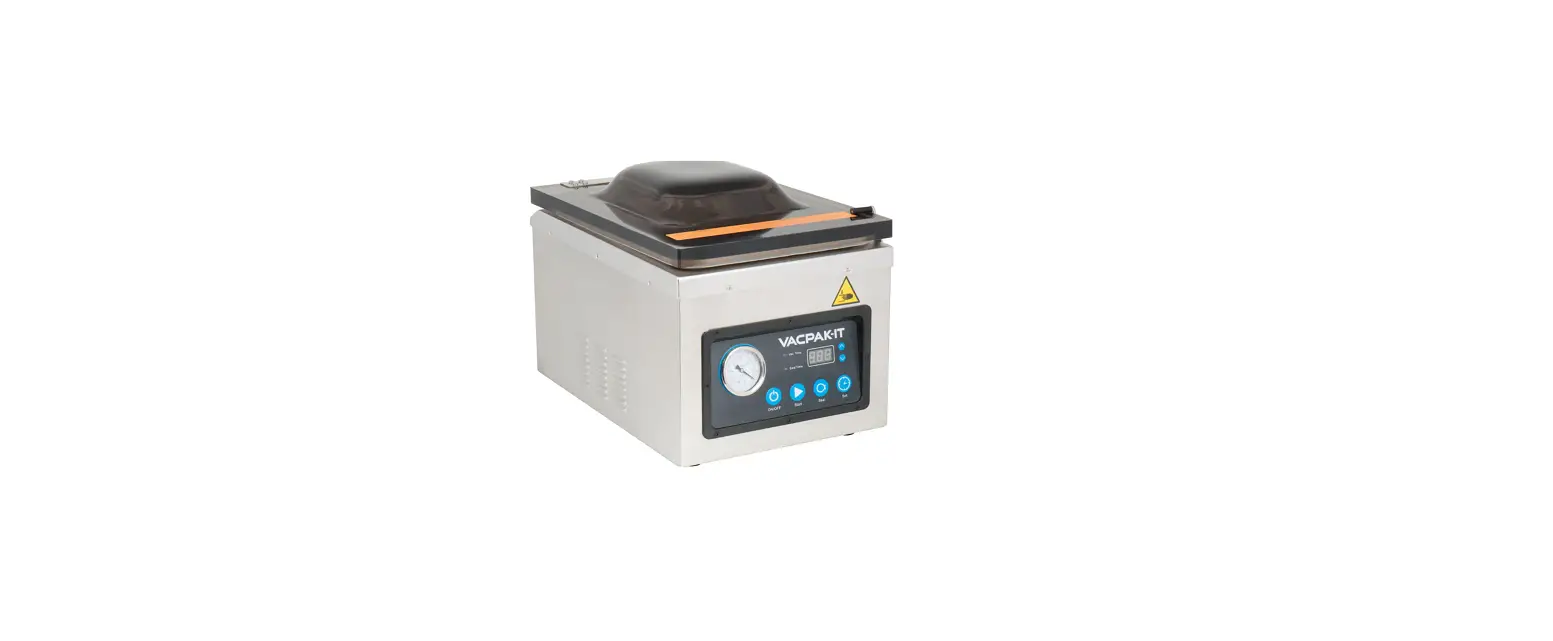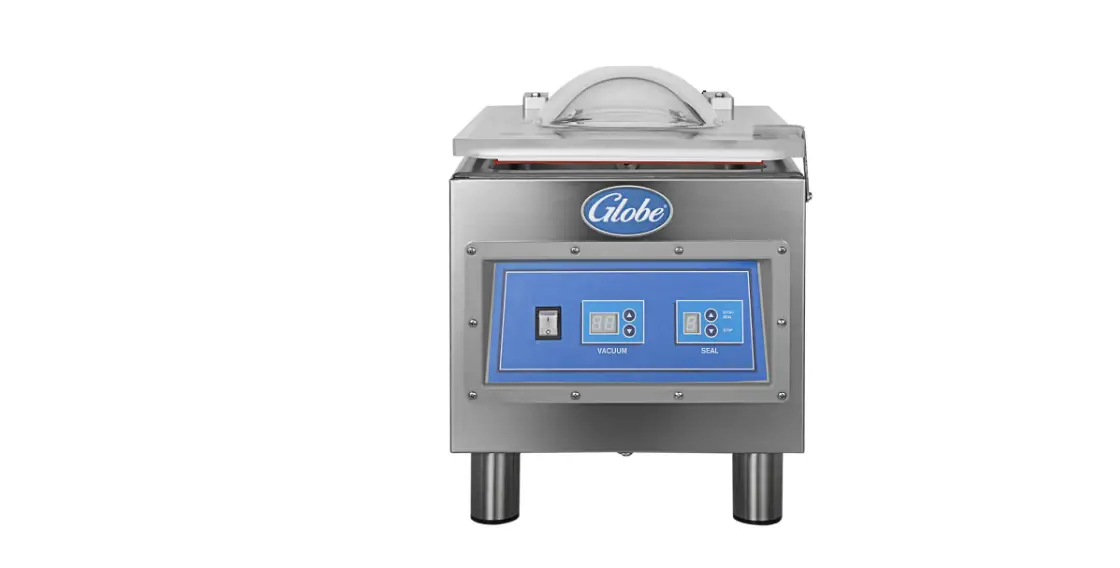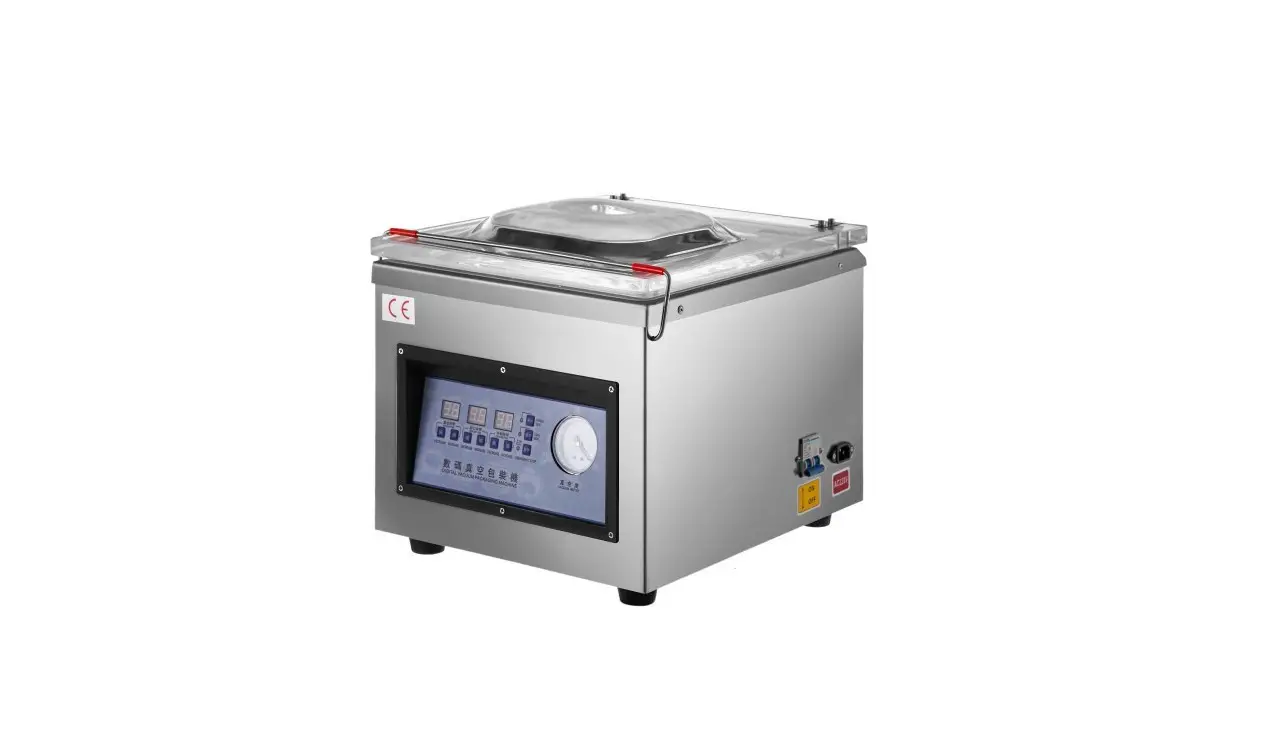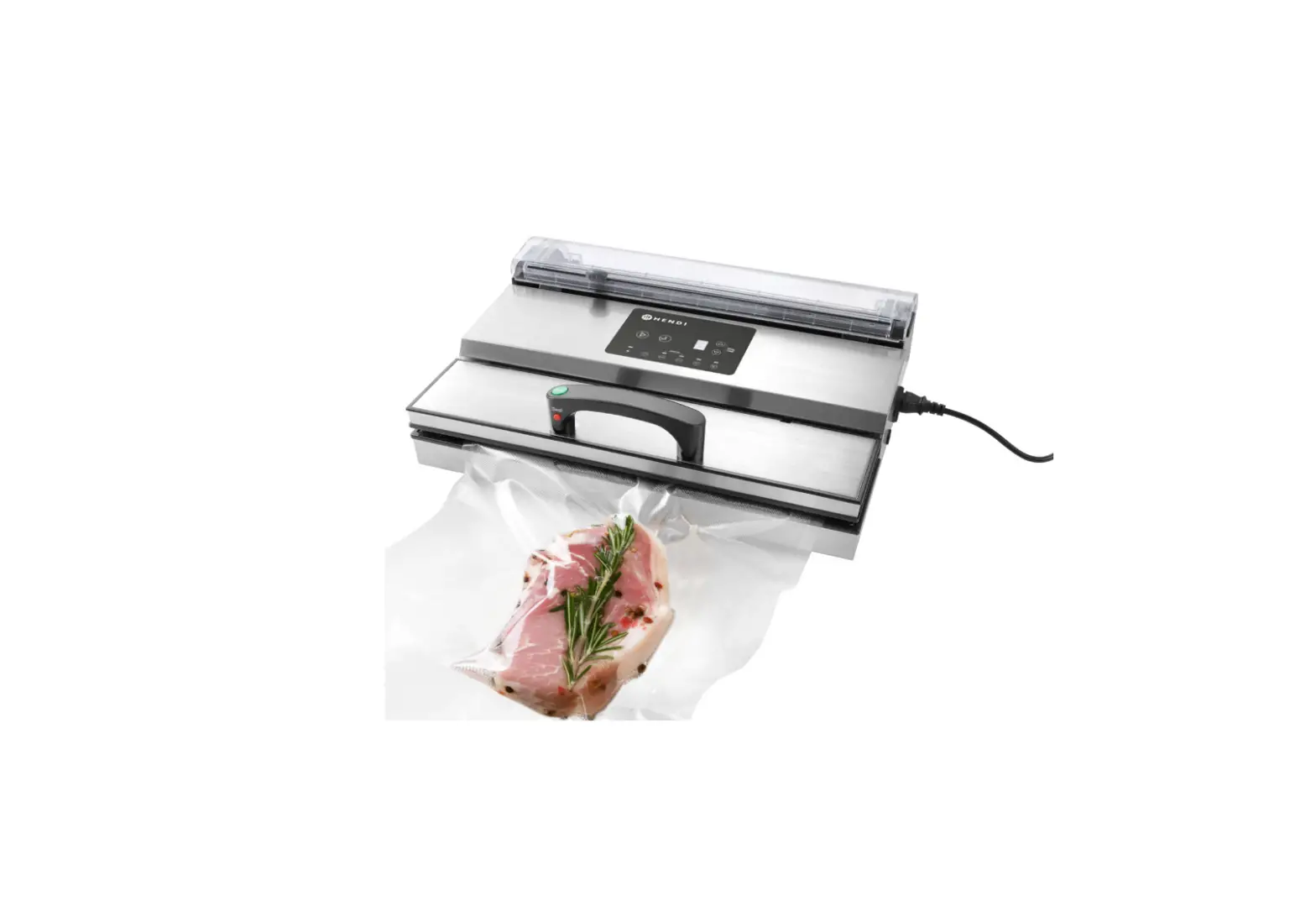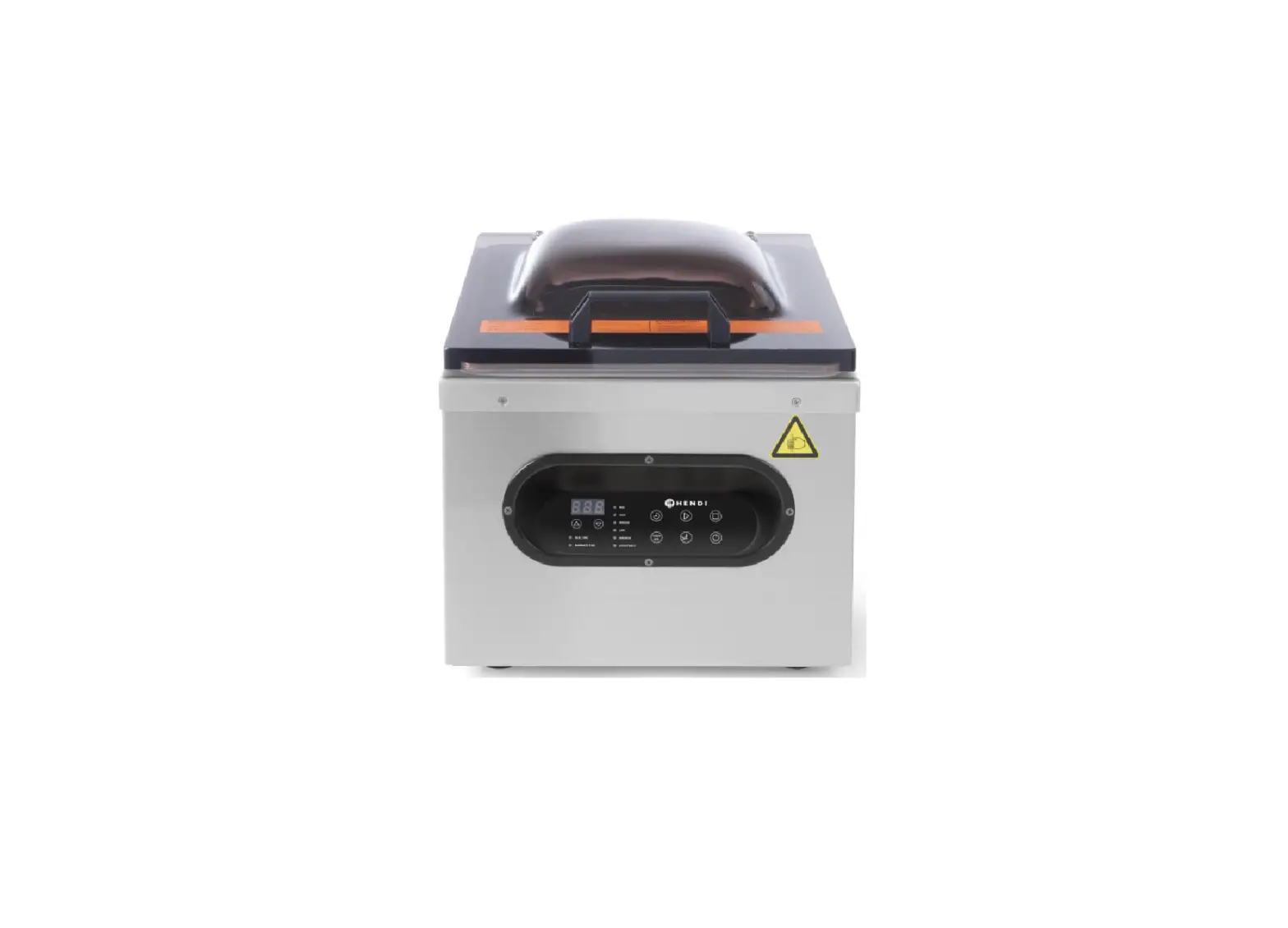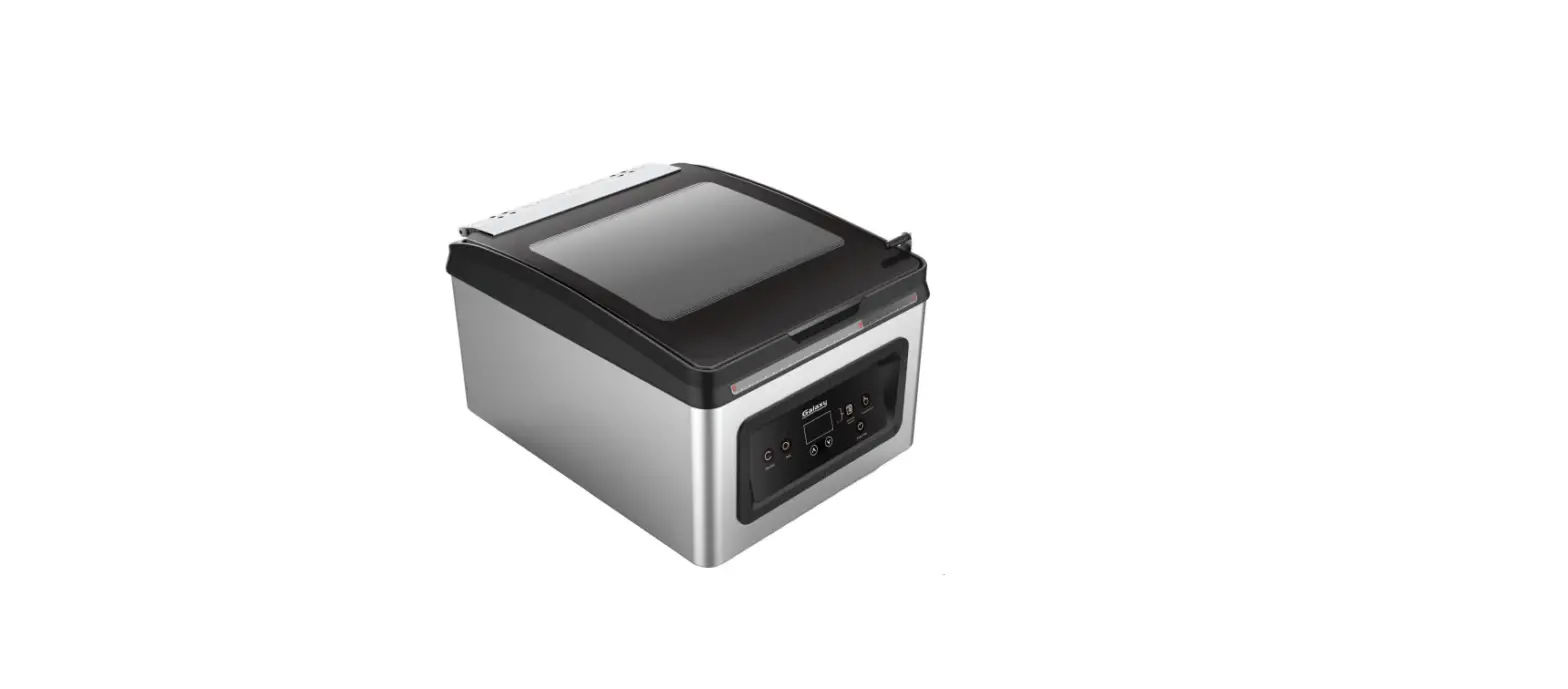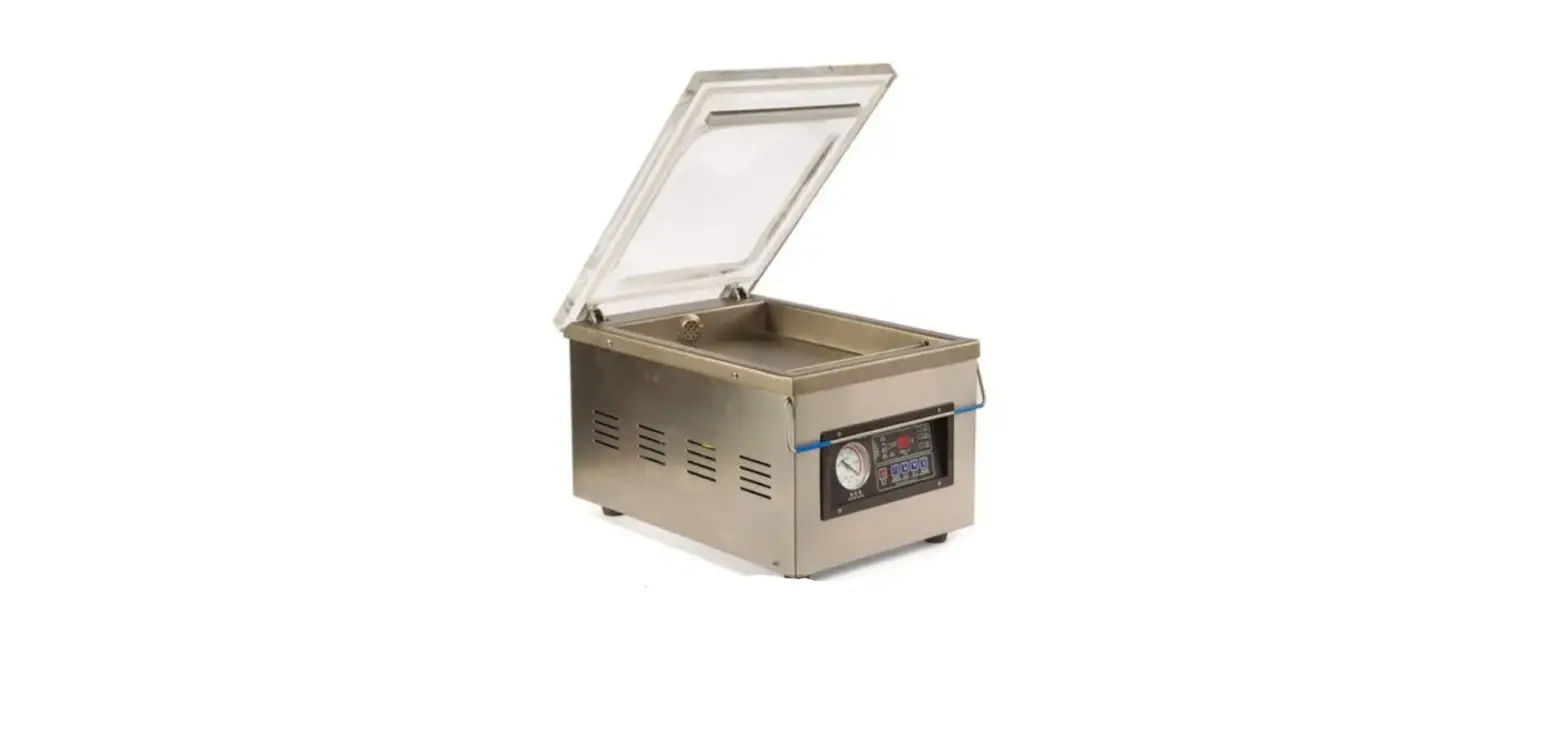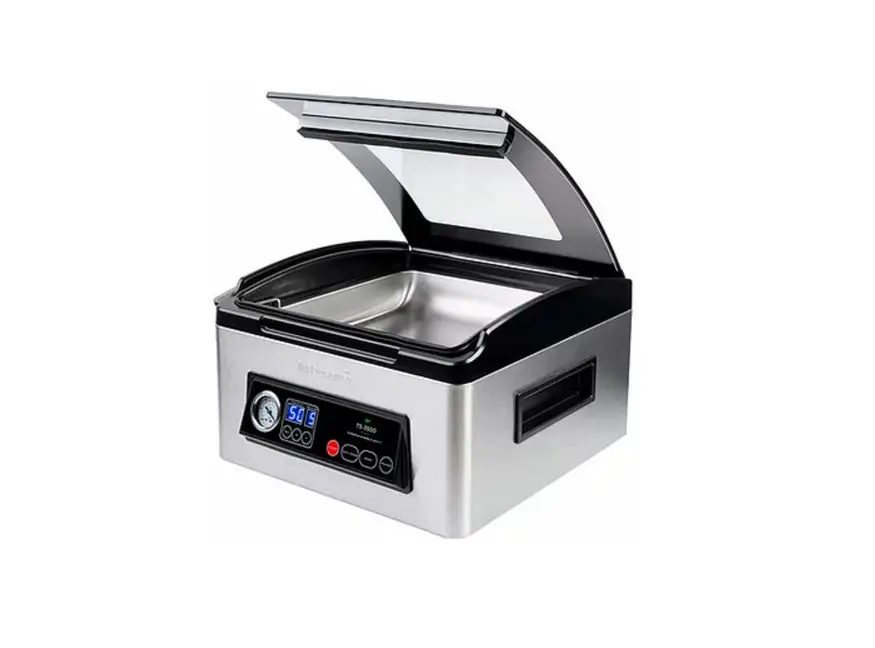
 OMCAN VP-CN-0971 Vacuum Packaging Machines
 OMCAN VP-CN-0971 Vacuum Packaging Machines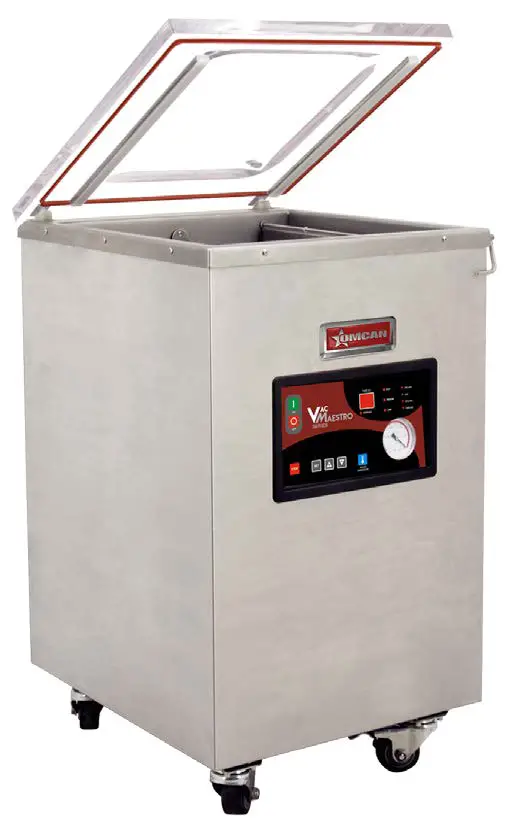
General Information
Since 1951 Omcan has grown to become a leading distributor of equipment and supplies to the North American foodservice industry. Our success over these many years can be attributed to our commitment to strengthening and developing new and existing relationships with our valued customers and manufacturers. Today with partners in North America, Europe, Asia and South America, we continually work to improve and grow the company. We strive to offer customers exceptional value through our qualified local sales and service representatives who provide convenient access to over 5,000 globally sourced products.
Omcan Manufacturing and Distributing Company Inc., Food Machinery of America, Inc. dba Omcan and Omcan Inc. are not responsible for any harm or injury caused due to any person’s improper or negligent use of this equipment. The product shall only be operated by someone over the age of 18, of sound mind, and not under the influence of any drugs or alcohol, who has been trained in the correct operation of this machine and is wearing authorized proper safety clothing. Any modification to the machine voids any warranty, and may cause harm to individuals using the machine or in the vicinity of the machine while in operation.
CHECK PACKAGE UPON ARRIVAL
Upon receipt of an Omcan shipment please inspect for external damage. If no damage is evident on the external packaging, open carton to ensure all ordered items are within the box, and there is no concealed damage to the machine. If the package has suffered rough handling, bumps or damage (visible or concealed), please note it on the bill of lading before accepting the delivery and contact Omcan within 24 hours, so we may initiate a claim with the carrier. A detailed report on the extent of the damage caused to the machine must be filled out within three days, from the delivery date shown in the shipping documents. Omcan has no recourse for damaged products that were shipped collect or third party.
Before operating any equipment, always read and familiarize yourself with all operation and safety instructions.
Omcan would like to thank you for purchasing this machine. It’s of the utmost importance to save these instructions for future reference. Also save the original box and packaging for shipping the equipment if servicing or returning of the machine is required.
Safety and Warranty
- Before the operation, please read through the user guide about each operation’s rules and safety precautions.
- You must fill the vacuum pump with pump oil before use (when the machine is placed at a horizontal position, the oil should keep at 1/3-1/2 of the oil window). When running, the oil level should not be lower than 1/3 of the oil window. Do not fill with too much oil to avoid overflow.
- The machine should be placed horizontally in good ventilation and light without corrosive gas and heavy dust.
- The power connection position may be located on a different side, be sure that there is proper grounding protection before use.
- Always ensure top cover is open before turning the power on. Start the machine by pressing the top cover and the process start automatically. For 3-Phase units, please be sure the vacuum pump is running in the correct direction. If the direction is wrong, simply switch the phase of the power.
- Preheat of vacuum pump must be done in a low-temperature working area. Turn off the heater selection switch at the control panel to off position. This is to prevent the heating process and cut down wear and tear losses.
Note: Do not block the air hole in the chamber.
RESIDENTIAL USERS: The vendor assumes no liability for parts or labor coverage for component failure or other damages resulting from installation in non-commercial or residential applications. The right is reserved to deny shipment for residential usage; if this occurs, you will be notified as soon as possible.
1 YEAR PARTS AND LABOUR WARRANTYWithin the warranty period, contact Omcan Inc. at 1-800-465-0234 to schedule an Omcan authorized service technician to repair the equipment locally.
Unauthorized maintenance will void the warranty. The warranty covers electrical and part failures, not improper use.
Please see https://omcan.com/disclaimer for complete info.
WARNING:
The packaging components are classified as normal solid urban waste and can therefore be disposed of without difficulty.
In any case, for suitable recycling, we suggest disposing of the products separately (differentiated waste) according to the current norms.
DO NOT DISCARD ANY PACKAGING MATERIALS IN THE ENVIRONMENT!
Technical Specifications
| Model | VP-CN-0971 | VP-CN-1220 | VP-CN-1060 | VP-CN-1273 |
| Power | 1.2 HP / 0.9 kW | 1.47 HP / 1.1 kW | ||
| Seal Bar | (16.5” x 0.31”) x 2 (419 x 8mm) x 2 | 15.7” x 0.31” 399 x 8mm | (20.5” x 0.31”) x 2 (521 x 8mm) x 2 | |
| Cycle Time | 23 seconds | 26 seconds | 25 seconds | 28 seconds |
| Pump Power | 20 m³/h | 45 m³/h | ||
| Chamber Size | 17.3” x 16.5” x 3” 439 x 419 x 76mm | 23” x 16.5” x 4” 584 x 419 x 102mm | 17” x 16.5” x 6” 432 x 419 x 152mm | 21.3” x 20.5” x 6” 541 x 521 x 152mm |
| Approximate Capacity | 26.5 lbs. / 12 kgs. | 66.1 lbs. / 30 kgs. | 55.1 lbs. / 25 kgs. | 77.2 lbs. / 35 kgs. |
| Electrical | 220V / 60Hz / 3 | 110V / 60Hz / 1 | 220V / 60Hz / 3 | |
| Dimensions | 22” x 18.7” x 39” 559 x 475 x 991mm | 28.5” x 19” x 38” 724 x 483 x 965mm | 22” x 18.7” x 41” 559 x 475 x 1041mm | 26.8” x 23.2” x 37.8” 681 x 589 x 960mm |
| Weight | 176 lbs. / 79.8 kgs. | 200.8 lbs. / 91.1 kgs. | 187 lbs. / 84.8 kgs. | 253 lbs. / 114.8 kgs. |
| Packaging Dimensions | 25” x 20.5” x 40” 635 x 521 x 1016mm | 30” x 22” x 44” 762 x 559 x 1118mm | 24” x 21” x 47” 610 x 533 x 1194mm | 29” x 27” x 45” 737 x 686 x 1143mm |
| Packaging Weight | 220 lbs. / 99.8 kgs. | 252 lbs. / 114.3 kgs. | 211 lbs. / 95.7 kgs. | 366 lbs. / 166 kgs. |
| Item Number | 24081 | 24082 | 24083 | 31824 |
Installation
Please set every parameter before starting the machine.
- Turn on the power supply, check through the settings on the panel and make sure “–” must be shown after setting is done, otherwise the operation of this machine cannot be conducted.
- Press the setting button, the indicator lamp of vacuum lights to enter into the setting state of vacuum timing. Press the upward or downward key to increase or decrease vacuum time in the range of 0-99 seconds.
- Press the setting button, and sealing indicator lamp lights to enter the sealing setting state. Press the upward or downward key to increase or decrease sealing time in the range of 0-3.5 seconds.
- Press the setting button, and cooling indicator lamp lights to enter the cooling setting state. Press the upward or downward key to increase or decrease cooling time in the range of 0-9.9 seconds.
- After the cooling time is set, press the setting button to finish the parameter setting and “ED” is shown on the panel.
- Press the sealing temperature button, and temperature indicator lamp lights to enter the temperature setting state. You may choose between high temperature, middle temperature and low temperature.
Operation
- Turn on the power supply and select a suitable vacuum packaging bag for the product.
- Set the processing parameter and select the sealing temperature, see the installation.
- Place the vacuum bag in the chamber with the opening end on top of the sealing bar. Clamp it with a pressing stick.
- Close the acrylic cover and the machine will complete the procedure automatically.
- During processing, the vacuum chamber will form a vacuum self-lock state, the whole heating and sealing procedure are completed in a vacuum environment and the LED display shows the flow process.
- When the vacuum indicator on the panel lights, the equipment is under a vacuum state, the LED display shows the vacuum time and will automatically enter the next work state when the time completes.
- When the sealing indicator on the panel lights, the equipment is an undersealing state, the LED display shows the sealing time and will automatically enter the next work state when the time completes.
- According to the time setting, the machine doesn’t act when cooling, the panel shows “□□” till the timing is finished, air is returned, the cover opens automatically, and the whole process is finished. Then prepare the next cycle.
Note: Press the E-Stop button in the event of an unexpected issue during the operation
- Disconnect from the power supply when not in use.
- Do not run the machine without vacuum bags.
Maintenance
FILLING THE OIL
Remove the rear board and unscrew the bottom board to drain the old oil. Once drained, screw the bottom board back then unscrew the oil filling section, use a bottle to fill with the new oil and screw closed. See the below examples of locations for the oil tank.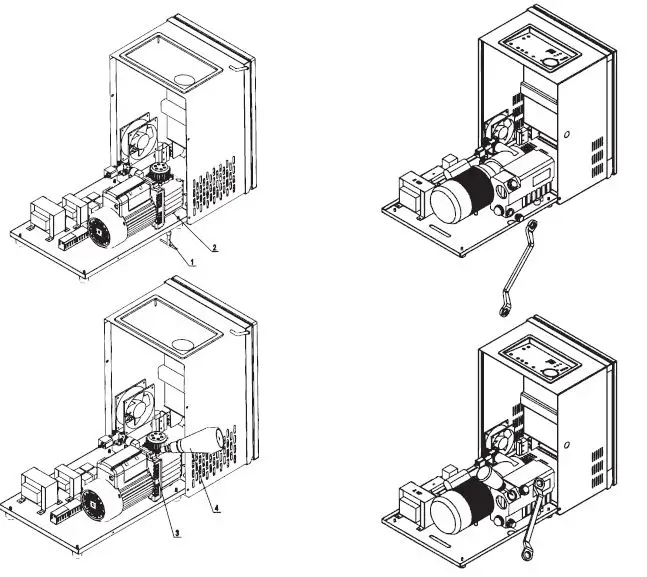
NOTE: FILL WITH NEW FOOD-GRADE OIL.
Maintenance
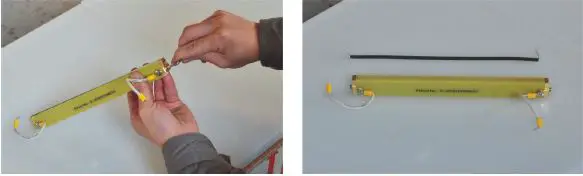
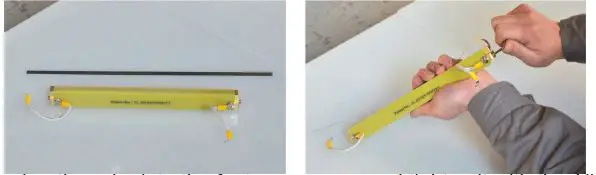
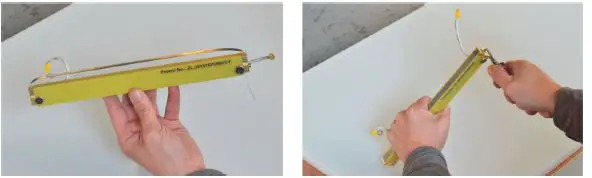
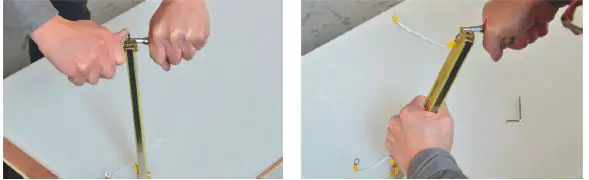
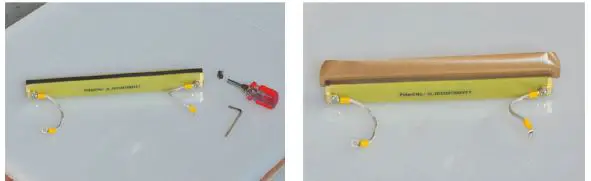
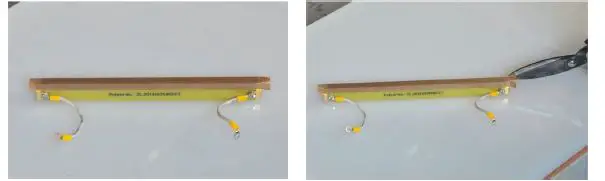
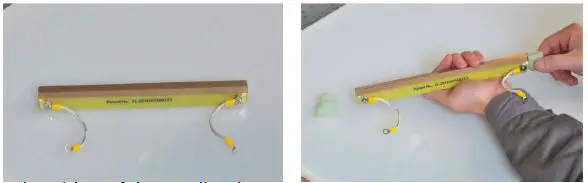
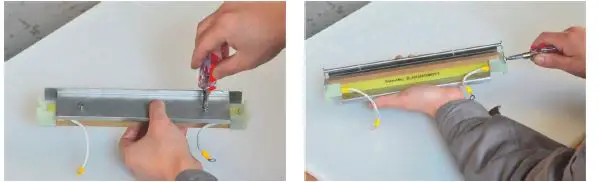
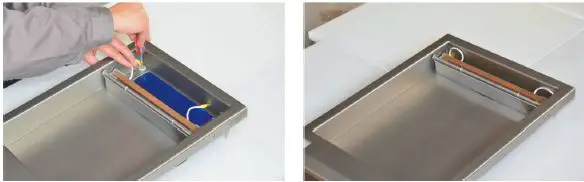
REPLACING THE SEALING TAPE AND HEATING WIRE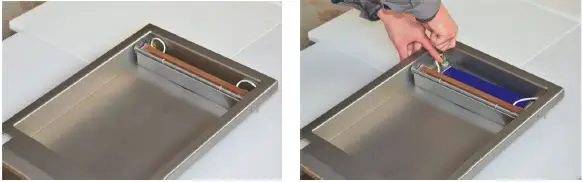
- Disconnect the cable from the pin, then pick the complete sealing bar up from the vacuum chamber.

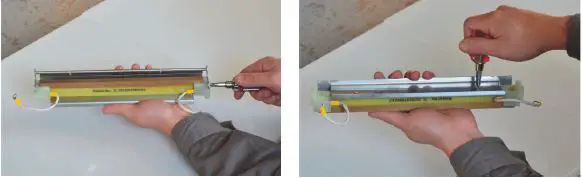
- Remove the pressing stick from the complete sealing bar with a cross screwdriver, then remove the stainless

- Pull the plastic parts out from the two sides of the sealing bar by hand, then tear off the sealing tape.

- Remove the forcing screws from the two sides of the sealing bar with an Allen Key, then remove the heating wire.

- Put one side of a new heating wire into the fastener groove and tighten it with the Allen Key.

- Put the other side of the heating wire into the other side fastener groove, then screw it with the Allen Key.

- Fasten the heating wire, then cut the excess heating wire.

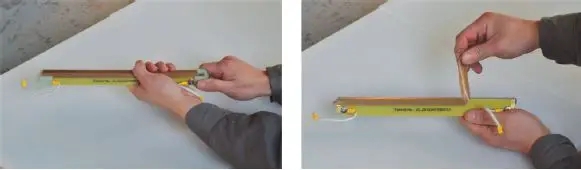
- Take the new sealing tape at a proper length and stick it on the heating wire.

- Cut the remaining sealing tape on the ends to allow them to fold over.

- Put plastic clamps on the sides of the sealing bar.

- Install the stainless steel base and pressing stick.

- Connect the cable of the complete sealing bar to the pin, then put the sealing bar back in the vacuum chamber to complete the installation.
Troubleshooting
| Problem | Cause | Solution |
| Vacuum pump does not work. | Limit switch is not pressed on. | Close the machine cover and adjust the limit switch. |
| Limit switch is broken. | Replace. | |
| Contactor is broken. | Replace. | |
| Pump motor is broken. | Replace. |
| Vacuum chamber cannot reach the vacuum degree. | The vacuum pump is worn or damaged. | Replace. |
| Loose air pipe joint, broken pip, damaged sealing ring of vacuum chamber or damaged valve. | Tighten or replace. | |
| Insufficient oil in vacuum pump. | Add more oil. | |
| Vacuum time is not enough. | Increase the vacuum time. | |
| Cover cannot be opened. | Air release valve is not turned on. | Turn on the air release valve. |
| Air remains in bag after operation is finished. | Wrong position resting on sealing bar. | Reposition. |
| Pressing stick presses the bag open. | Replace the pressing stick. | |
| Abnormal sound or tripping when running, black smoke or oil drop. | Abnormal sound of fan of pump motor. | Call Omcan. |
| Blockage in air intake and/or pip. | Unblock. | |
| Insufficient oil, or non standard oil used. | Add more oil, or replace with food grade oil. | |
| Overheating of pump. | Lessen the operating time. | |
| Faulty vacuum pump motor or valve of vacuum pump. | Replace. | |
| Not able to seal. | The temperature is not selected. | Select the temperature. |
| The heating wire is damaged or connecting wire is cut off. | Replace the wire or reconnect. | |
| The sealing time is at 0. | Increase the sealing time. | |
| The relay is damaged. | Replace the relay. | |
| The sealing valve does not operate. | Call Omcan. | |
| Uneven sealing veins, air bubbles, or not sealing properly. | Silicon sealer is dirty. | Clean the sealer. |
| Sealing time is too short. | Increase sealing time. | |
| Temperature is too low. | Increase the temperature. | |
| Cooling time insufficient. | Increase the cooling time. | |
| Sealing tape is damaged. | Replace the sealing tape. |
Parts Breakdown
Model VP-CN-0971 24081
Model VP-CN-1220 24082
Model VP-CN-1060 24083
Model VP-CN-1273 31824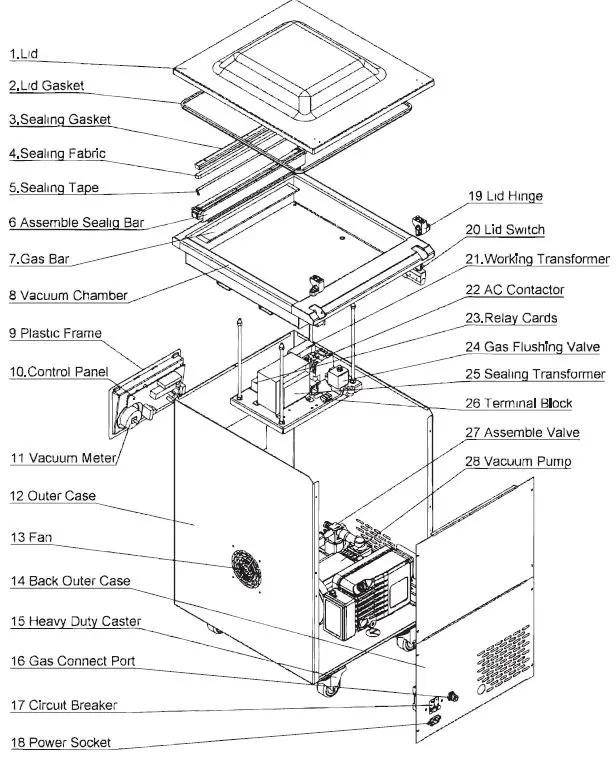
Parts Breakdown
Model VP-CN-0971 24081
| Item No. | Description | Position | Item No. | Description | Position | Item No. | Description | Position |
| AE448 | Lid for 24081 | 1 | AE454 | Vacuum Meter for 24081 | 11 | AE466 | Gas Flushing Valve for 24081 | 24 |
| AE449 | Lid Gasket for 24081 | 2 | AE462 | Fan for 24081 | 13 | AE470 | Sealing Transformer for 24081 | 25 |
| AE450 | Sealing Gasket for 24081 | 3 | AE463 | Gas Connect Port for 24081 | 16 | AE458 | Assemble Valve for 24081 | 27 |
| AE451 | Sealing Fabric (10m/Roll) for 24081 | 4 | AE467 | Circuit Breaker for 24081 | 17 | AE459 | Vacuum Pump for 24081 | 28 |
| AE452 | Sealing Tape for 24081 | 5 | AE464 | Power Socket for 24081 | 18 | AE457 | Filter for 24081 | |
| AE156 | Assemble Sealing Bar for 24081 | 6 | AE460 | Lid Hinge for 24081 | 19 | AE465 | Power Switch for 24081 | |
| AE453 | Gas Bag for 24081 | 7 | AE461 | Lid Switch for 24081 | 20 | AE471 | PP Plate for 24081 | |
| AE455 | Plastic Frame for 24081 | 9 | AE469 | Working Transformer for 24081 | 21 | AG793 | Power Cord for 24081 | |
| AE456 | Control Panel for 24081 | 10 | AE468 | Relay Cards for 24081 | 23 | |||
| Mode | l VP-CN-12 | 82 | ||||||
| Item No. | Description | Position | Item No. | Description | Position | Item No. | Description | Position |
| AE472 | Lid for 24082 | 1 | AE479 | Vacuum Meter for 24082 | 11 | AE491 | Gas Flushing Valve for 24082 | 24 |
| AE473 | Lid Gasket for 24082 | 2 | AE487 | Fan for 24082 | 13 | AE495 | Sealing Transformer for 24082 | 25 |
| AE474 | Sealing Gasket for 24082 | 3 | AE488 | Gas Connect Port for 24082 | 16 | AE483 | Assemble Valve for 24082 | 27 |
| AE475 | Sealing Fabric (10M/Roll) for 24082 | 4 | AE492 | Circuit Breaker for 24082 | 17 | AE484 | Vacuum Pump for 24082 | 28 |
| AE476 | Sealing Tape for 24082 | 5 | AE489 | Power Socket for 24082 | 18 | AE482 | Filter for 24082 | |
| AE477 | Assemble Sealing Bar for 24082 | 6 | AE485 | Lid Hinge for 24082 | 19 | AE490 | Power Switch for 24082 | |
| AE478 | Gas Bag for 24082 | 7 | AE486 | Lid Switch for 24082 | 20 | AE496 | PP Plate for 24082 | |
| AE480 | Plastic Frame for 24082 | 9 | AE494 | Working Transformer for 24082 | 21 | AG794 | Power Cord for 24082 | |
| AE481 | Control Panel for 24082 | 10 | AE493 | Relay Cards for 24082 | 23 | |||
Model VP-CN-1060 24083
| Item No. | Description | Position | Item No. | Description | Position | Item No. | Description | Position |
| AE497 | Lid for 24083 | 1 | AE504 | Vacuum Meter for 24083 | 11 | AE516 | Gas Flushing Valve for 24083 | 24 |
| AE498 | Lid Gasket for 24083 | 2 | AE512 | Fan for 24083 | 13 | AE520 | Sealing Transformer for 24083 | 25 |
| AE499 | Sealing Gasket for 24083 | 3 | AE513 | Gas Connect Port for 24083 | 16 | AE508 | Assemble Valve for 24083 | 27 |
| AE500 | Sealing Fabric (10M/Roll) for 24083 | 4 | AE517 | Circuit Breaker for 24083 | 17 | AE509 | Vacuum Pump for 24083 | 28 |
| AE501 | Sealing Tape for 24083 | 5 | AE514 | Power Socket for 24083 | 18 | AE507 | Filter for 24083 | |
| AE502 | Assemble Sealing Bar for 24083 | 6 | AE510 | Lid Hinge for 24083 | 19 | AE515 | Power Switch for 24083 | |
| AE503 | Gas Bag for 24083 | 7 | AE511 | Lid Switch for 24083 | 20 | AE521 | PP Plate for 24083 | |
| AE505 | Plastic Frame for 24083 | 9 | AE519 | Working Transformer for 24083 | 21 | AG795 | Power Cord for 24083 | |
| AE506 | Control Panel for 24083 | 10 | AE518 | Relay Cards for 24083 | 23 | |||
| Mode | l VP-CN-12 | 24 | ||||||
| Item No. | Description | Position | Item No. | Description | Position | Item No. | Description | Position |
| AE522 | Lid for 31824 | 1 | AE528 | Vacuum Meter for 31824 | 11 | AE540 | Gas Flushing Valve for 31824 | 24 |
| AE523 | Lid Gasket for 31824 | 2 | AE536 | Fan for 31824 | 13 | AE544 | Sealing Transformer for 31824 | 25 |
| AE524 | Sealing Gasket for 31824 | 3 | AE537 | Gas Connect Port for 31824 | 16 | AE532 | Assemble Valve for 31824 | 27 |
| AE525 | Sealing Fabric (10m/Roll) for 31824 | 4 | AE541 | Circuit Breaker for 31824 | 17 | AE533 | Vacuum Pump for 31824 | 28 |
| AE526 | Sealing Tape for 31824 | 5 | AE538 | Power Socket for 31824 | 18 | AE531 | Filter for 31824 | |
| AC190 | Complete Sealing Bar for 31824 | 6 | AE534 | Lid Hinge for 31824 | 19 | AE539 | Power Switch for 31824 | |
| AE527 | Gas Bag for 31824 | 7 | AE535 | Lid Switch for 31824 | 20 | AE545 | PP Plate for 31824 | |
| AE529 | Plastic Frame for 31824 | 9 | AE543 | Working Transformer for 31824 | 21 | AG796 | Power Cord for 31824 | |
| AE530 | Control Panel for 31824 | 10 | AE542 | Relay Cards for 31824 | 23 | |||
Electrical Schematics
Model VP-CN-0971 24081
Model VP-CN-1220 24082
Model VP-CN-1060 24083
Model VP-CN-1273 31824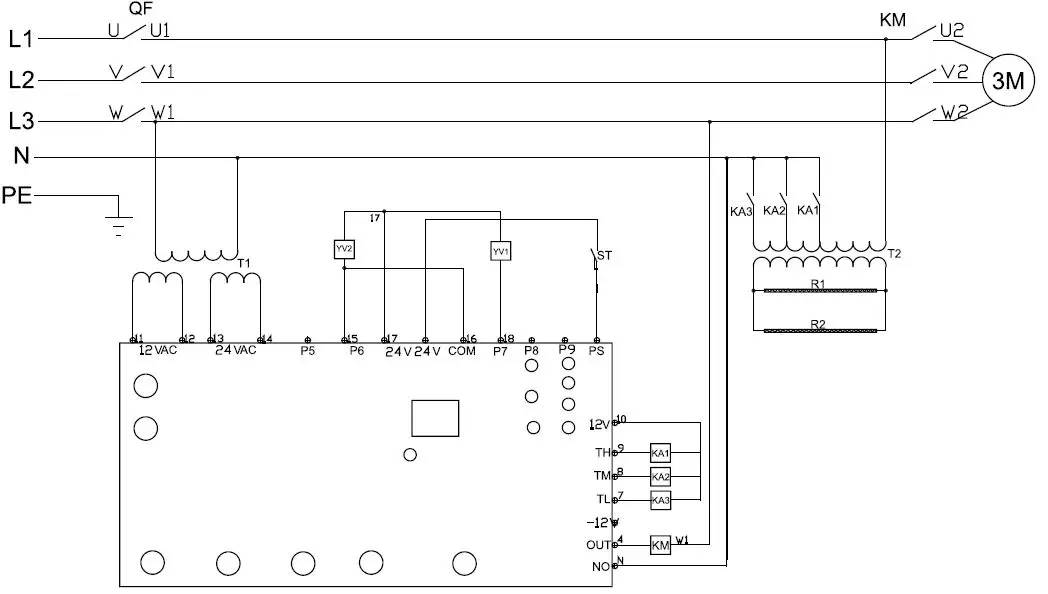
Warranty Registration
Thank you for purchasing an Omcan product. To register your warranty for this product, complete the information below, tear off the card at the perforation and then send to the address specified below. You can also register online by visiting:
https://omcan.com/warranty-registration/
For mailing in Canada
OMCAN
PRODUCT WARRANTY REGISTRATION 3115 Pepper Mill Court,
Mississauga, Ontario Canada, L5L 4X5
or email to: [email protected]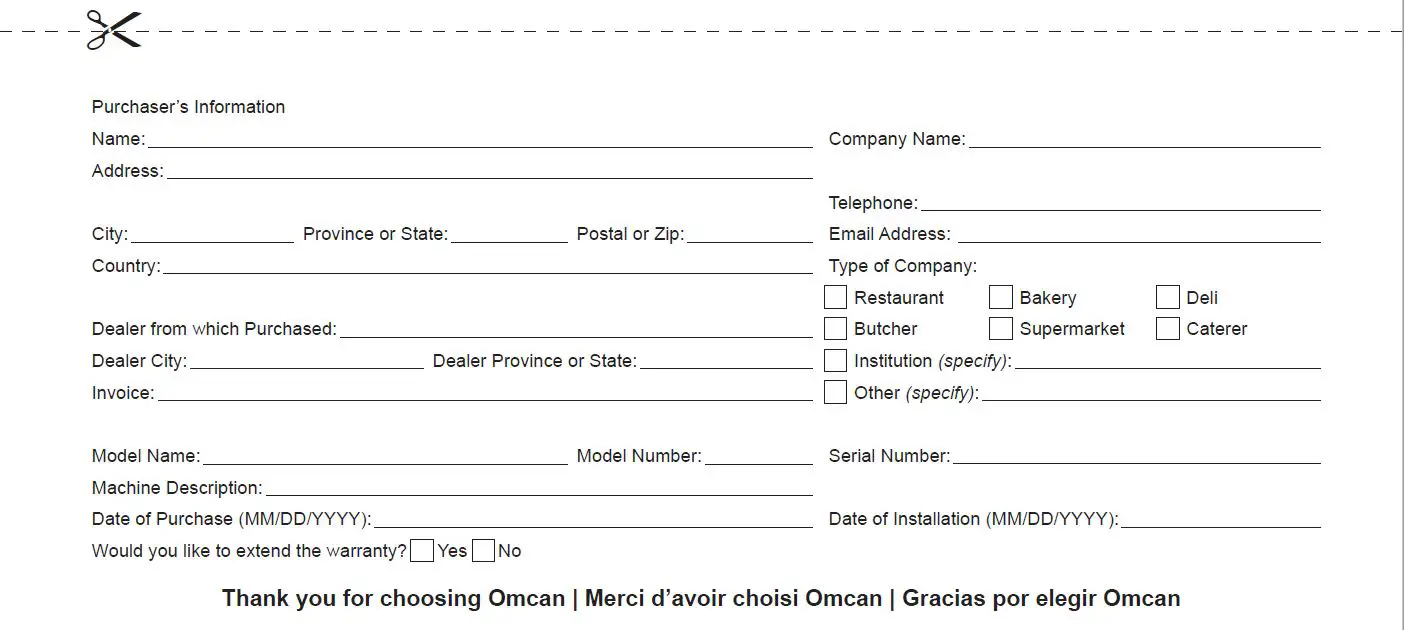
 Omcan
Omcan Disclaimer – Omcan