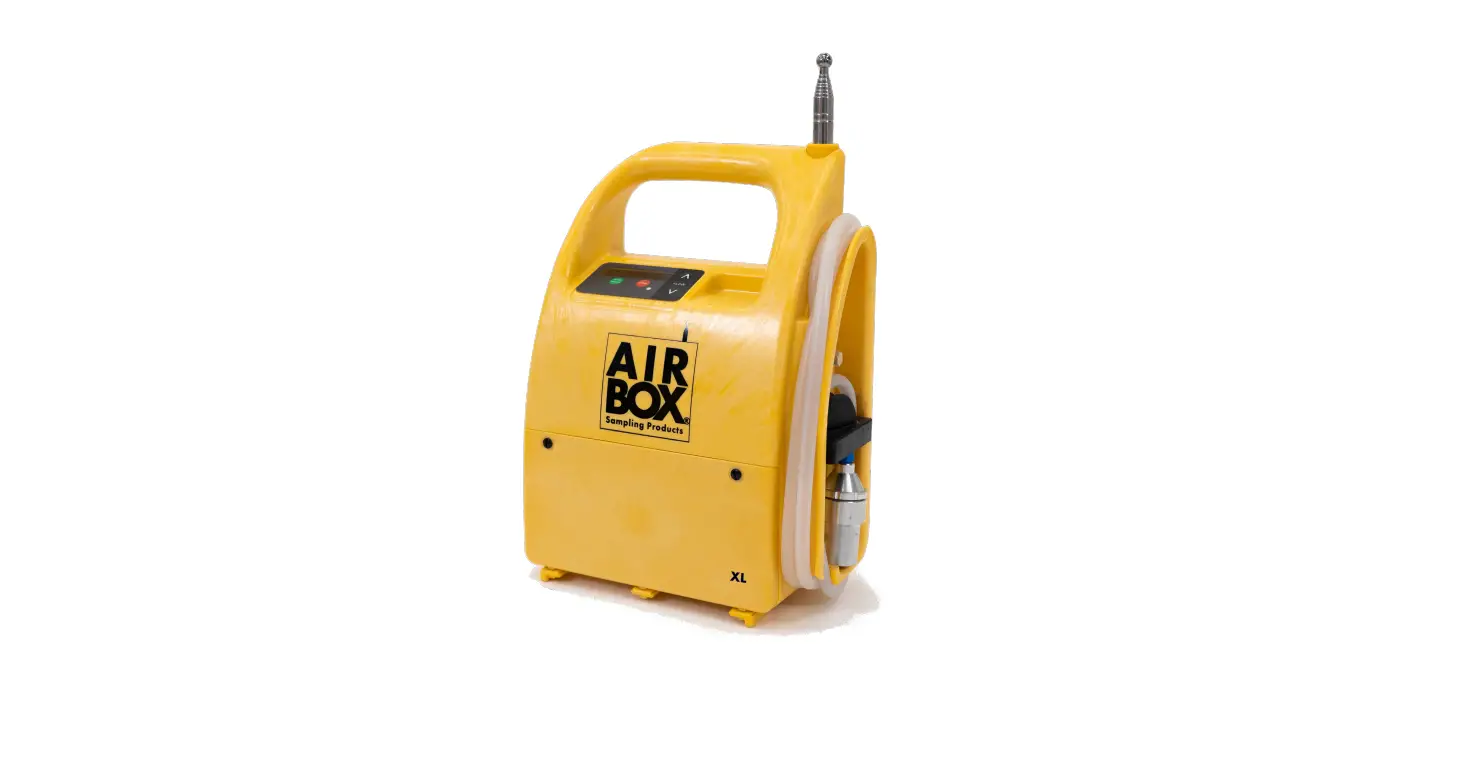
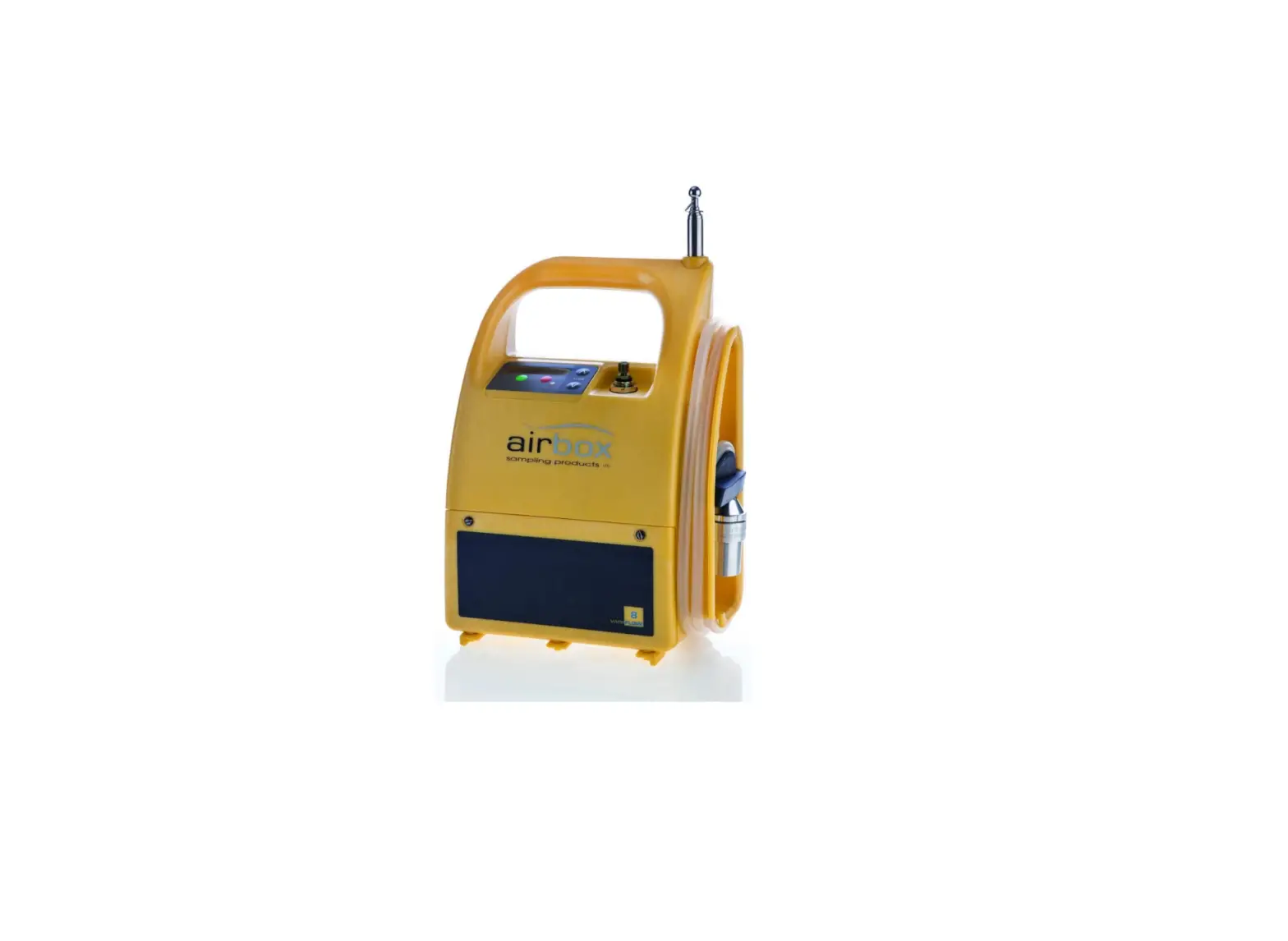
Variflow 8 Pump
Product Information
- Flow Range: Adjustable 5 -10 l/min
- Battery Pack: Battery for Variflow/V8/Lowflow – Lead acid 12V
9Ah Recharge - Charge Time: 6-8 hours
- Duration: 8+ Hours @ 8 l/min
- Display: OLED, elapsed run time and battery indicator
- Material: HF ABS
- Waterproof: IP65
- Dimensions: H38cm x W24cm x D12cm
- Mast extends: (Up to 2 meters)
- Weight: 4.6kg
- CE Marked
Product Usage Instructions
1. Setting up and using the V8 pump
Before you use the Variflow 8 pump make sure it is fully
charged. A battery level indicator shows the available power when
the unit is first switched on.
1.1 Charging the battery
When the charger is plugged into the charging socket a red LED
will be illuminated. The LED will change to green when the battery
is fully charged. It takes approximately 6-8 hours to completely
charge the battery.
1.2 Removing the waterproof covers
IMPORTANT: Before switching the unit on, ensure the gold air
outlet and sampling head are not covered.
2. Switching on and setting the flow rate
IMPORTANT: If pump is shutdown between setting the flow and
starting the test, flow will have to be re-calibrated by repeating
the steps above.
2.1 Setting test mode
Press start/pause the display will show `Set test mode’. Press
arrows to select `Free Running’ or `Timed test’.
2.2 If Free Running is selected
Adjust the flow rate using the arrows.
2.3 If Timed Test is selected
Adjust the flow rate using the arrows. Set test duration using
arrows.
3. Maintenance
3.1 Replacing the battery
The V8 pump has been specifically designed to make replacing the
battery a quick and easy task. Simply undo the two screws on the
front of the battery housing, pull off the terminal connectors,
remove the battery and replace. NOTE: This process is made easier
if pump is lying on it’s back. IMPORTANT: The terminals on the
battery are colour coded red and black to match the red and black
wires of the unit. When fitting a new battery make sure that these
match up correctly.
User Manual
Specifications:- (tested with 8.0µm MCE filter)
Flow Range: Adjustable 5 -10 l/min Battery Pack: Battery for Variflow/V8/Lowflow – Lead acid 12V 9Ah Recharge Charge Time: 6-8 hours Duration: 8+ Hours @ 8 l/min Display: OLED, elapsed run time and battery indicator Material: HF ABS Waterproof: IP65 Dimensions: H38cm x W24cm x D12cm Mast extends: (Up to 2 meters) Weight: 4.6kg CE Marked
Issue 1 220223
V8
Warranty Registration Don’t forget to register your new Airbox product by filling in the registration form provided and returning it to us at the address below. Alternatively you can do this online at: www.airboxsp.com
Technical support For all technical support or customer service enquiries please contact us: telephone: +44(0)1903 524 600 email: [email protected]
Airbox Sampling Products , Technology Centre, Easting Close, Worthing, West Sussex BN14 8HQ
Thank you for choosing this Airbox product. To ensure that you get the best possible use from it, please read this manual carefully.
Airbox Sampling Products is part of the FermionX Group
Table of contents
1. Setting up and using the pump……………………………………………………………………………….3 1.1 Charging the battery…………………………………………………………………………………………..3 1.2 Removing the waterproof covers………………………………………………………………………3
2. Switching on and setting the flow rate – V8…………………………………………………………..3 2.1 Setting test mode………………………………………………………………………………………………..4 2.2 If Free Running is selected…………………………………………………………………………………4 2.3 If Timed Test’ is selected……………………………………………………………………………………..4
3. Maintenance……………………………………………………………………………………………………………….5 3.1 Replacing the battery………………………………………………………………………………………….5 3.2 Replacing the mast……………………………………………………………………………………………..5 3.3 Cleaning the unit ………………………………………………………………………………………………..6 3.4 Servicing & Warranty…………………………………………………………………………………………..7
4. Troubleshooting…………………………………………………………………………………………………………7
5. Parts……………………………………………………………………………………………………………………………..8
1
2
1. Setting up and using the V8 pump
Before you use the Variflow 8 pump make sure it is fully charged. A battery level indicator shows the available power when the unit is first switched on.
1.1 Charging the battery
When the charger is plugged into the charging socket a red LED will be illuminated. The LED will change to green when the battery is fully charged. It takes approximately 6-8 hours to completely charge the battery.
1.2 Removing the waterproof covers
IMPORTANT: Before switching the unit on, ensure the gold air outlet and sampling head are not covered.
2. Switching on and setting the flow rate
Before switching on the V8 connect a flow meter to the air sampling head. Press start/pause to switch on the unit. The display will show, in this order, the serial number, the current firmware version and the battery status. If start/pause is pressed the display shows `Flow not set’. Press either arrow to open and start Calibration Mode and to Set Flow. The pump is set at aprox 8 l/min as a default, to fine tune this:Press start/pause to start calibration. NOTE: Run for 45 seconds to allow to stabilise. Press up/down arrows to adjust flow rate. (A single press advances the display by one increment, holding while pressing advances the display by 10 increments). Check the flow rate against the flow meter and adjust acording to flow requirements. (Any increment changes will be saved for the post test flow check, see 2.3). To confirm and set the flow rate press stop.
IMPORTANT: If pump is shutdown between setting the flow and starting the test, flow will have to be re-calibrated by repeating the steps above.
3
2.1 Setting test mode
Press start/pause the display will show `Set test mode’. Press arrows to select `Free Running’ or `Timed test’.
2.2 If Free Running is selected
Press start/pause the pump runs and the timer starts counting, (you can pause during the test by pressing start/pause) Press stop during test and the display shows `Test Stop? Are you sure?’ If you are not sure, press start/pause to continue test, if you are sure:Press stop display shows `Test completed – Check Flow’. Press stop display shows `Connect flow meter’ (now reconnect your flow meter to check the flow rate). Press start/pause, display shows `Flow Check’ (any increment changes made when setting the flow rate (see 2) will be shown). NOTE: Wait 45 seconds for flow rate to stabilise. Press stop display shows `Flow Check Complete’. Press stop to shutdown.
2.3 If Timed Test is selected
Press start/pause the display shows `Enter Run Time’ Press arrows to adjust time:Press start/pause to move between (Hrs) 00 (Mins) 00 (Sec) 00. Press start/pause the pump runs and the timer starts. When the time has elapsed the display shows `Test Completed – Check Flow’. Press stop display shows `Test completed – Check Flow’. Press stop display shows `Connect flow meter’ (now reconnect your flow meter to check the flow rate). Press start/pause display shows `Flow Check’ (any increment changes made when setting the flow rate (see 2) will be shown. NOTE: Wait 45 seconds for flow rate to stabilise. Press stop display shows `Flow Check Complete’ Press stop to shutdown.
Note: If the pump switches itself off during either Free Running or Timed Test (i.e if the battery dies or the sampling head gets blocked) on restart it will either show:1. `Test Incomplete, Restart Test?’. Press start/pause to resume the test and see where the previous test got to. 2. `Test Completed Check Flow’, in which case continue as instructions above. 3. `Low battery’, in which case either replace battery (within 10 minutes of disconnecting old one) or charge pump directly from the mains for a short time to complete the flow check.
4
3. Maintenance
3.1 Replacing the battery
The V8 pump has been specifically designed to make replacing the battery a quick and easy task. Simply undo the two screws on the front of the battery housing, pull off the terminal connectors, remove the battery and replace. NOTE: This process is made easier if pump is lying on it’s back. IMPORTANT: The terminals on the battery are colour coded red and black to match the red and black wires of the unit. When fitting a new battery make sure that these match up correctly.
3.2 Replacing the mast
The mast is secured on the unit in a threaded housing, so to replace just unscrew and remove. We would also recommend removing the mast when cleaning the unit (3.3).
3.3 Cleaning the unit
The casing of the V8 pump is made from a hard wearing ABS structural foam, making it incredibly rugged and also very easy to clean. Tested to IP65 standards (`Protected against low pressure water jets from any direction.’) the unit can be cleaned under a shower hose.
NOTE: Do NOT submerge the product fully in water.
5
6
3.4 Servicing & Warranty
The Variflow 8 pump is covered by our exclusive warranty and in the event that the unit fails we will undertake the repair free of charge for up to 2 years from the date of purchase. The warranty covers the costs of materials and labour (with the shipping costs to be covered by the customer) and is valid under the following conditions:-
a) Please complete and return the warranty registration card. b) The defect must not have been caused by improper handling or misuse. c) Return the unit to us in the decontamination bag provided by Airbox. We will not
assume responsibility for transport damage under any circumstances. d) A short description of the defect must be included with the returned unit. A full warranty statement is available on our website or from our customer service team.
4. Troubleshooting
Pump will not start, red LED illuminated Battery voltage may be too low, check the battery level and recharge the battery. If the pump still doesn’t start, contact the Airbox service department. Pump will not start, no display Flat battery, recharge or replace the battery. Flow rate doesn’t reach required level Ensure any yellow waterproof safety caps have been removed. Check tube for kinks and that the sampling head is not blocked. If flow rate is still insufficient, contact the Airbox service department. Pump stops while running, red LED illuminated Check tube for kinks and that the sampling head is not blocked. Check the battery level and recharge if required. Replace the battery if necessary. If the flow rate is still insufficient, contact the Airbox service department. Pump fails to run for specified duration Check the battery level and recharge if required. Replace the battery if necessary.
5. Parts
Product Code Name
Description
P01764 P01764/KIT P01839 P029347LF PT27259
Variflow 8 (V8)
Variflow 8 (V8) KIT
Sampling head Charger for Variflow 1Ah Battery for Variflow/ V8/Lowflow
V8 Air Sampling Pump (with UK/EU charger)
V8 Air Sampling Pump (with UK/EU charger, sampling head & spare mast)
AIRBOX SAMPLING HEAD + 2x O-rings + 2x Filter support pads
Charger for P029347LF – 12V 1Ah Lead acid SLA – (Choose lead)
Battery for Variflow/V8/Lowflow – Lead acid 12V 9Ah Recharge
PT29482LF Variflow mast
Telescopic mast for VARIFLOW -2m
PT28297LFKIT Cap & Plug Kit (x10)
Sampling head cap & plug kit (pack of 10)
7
8
 Airbox - Airbox