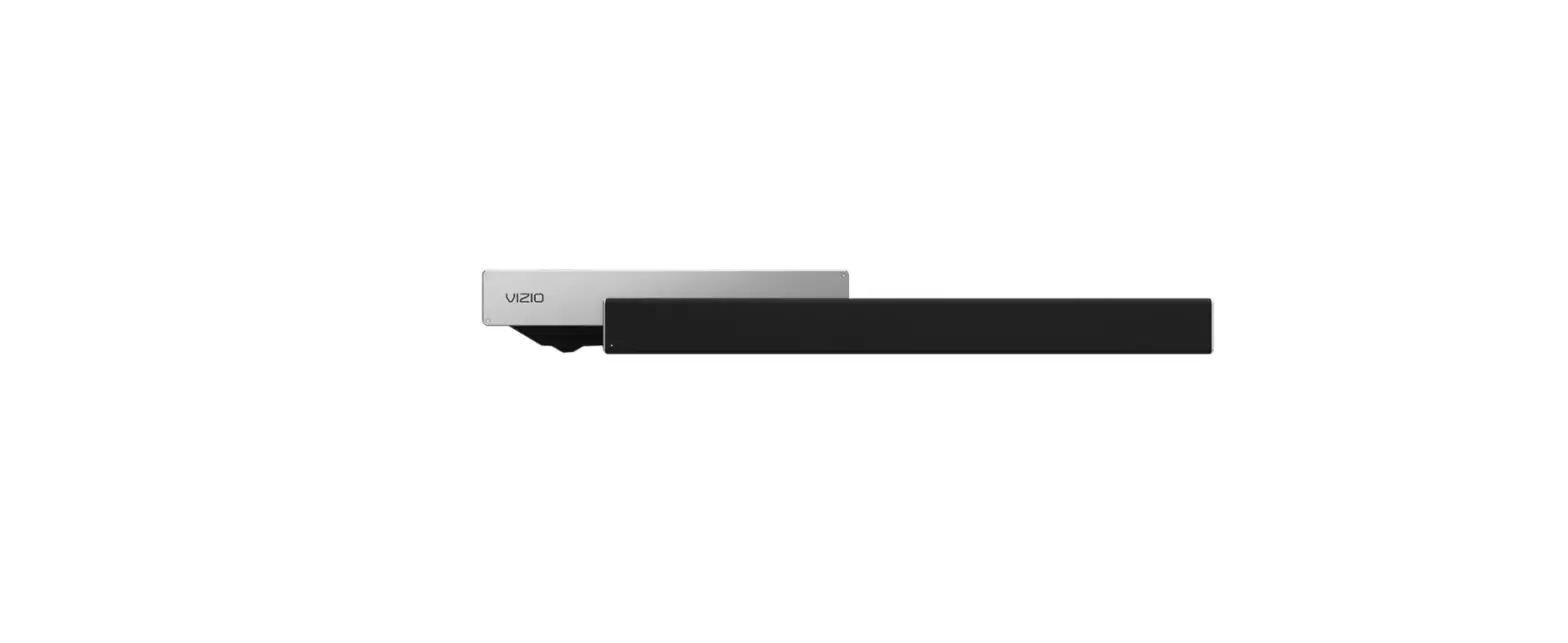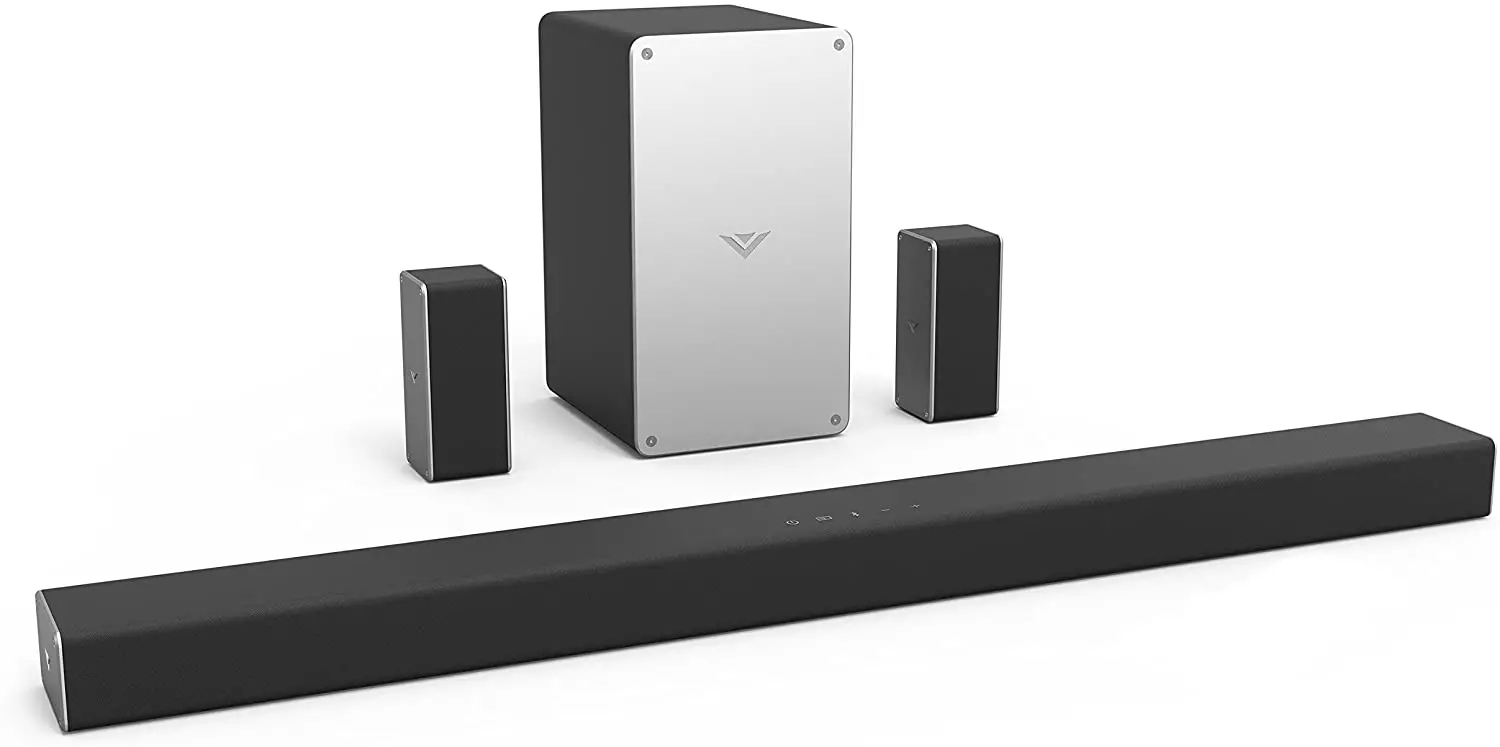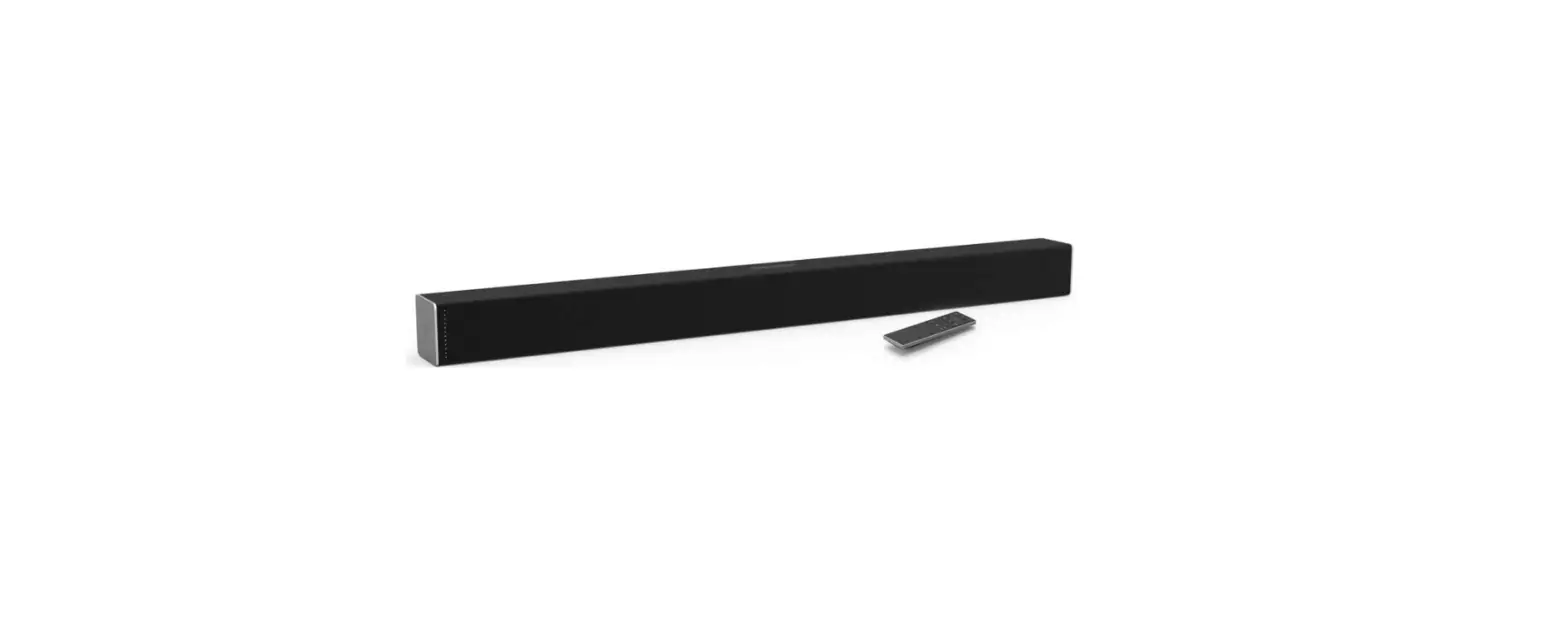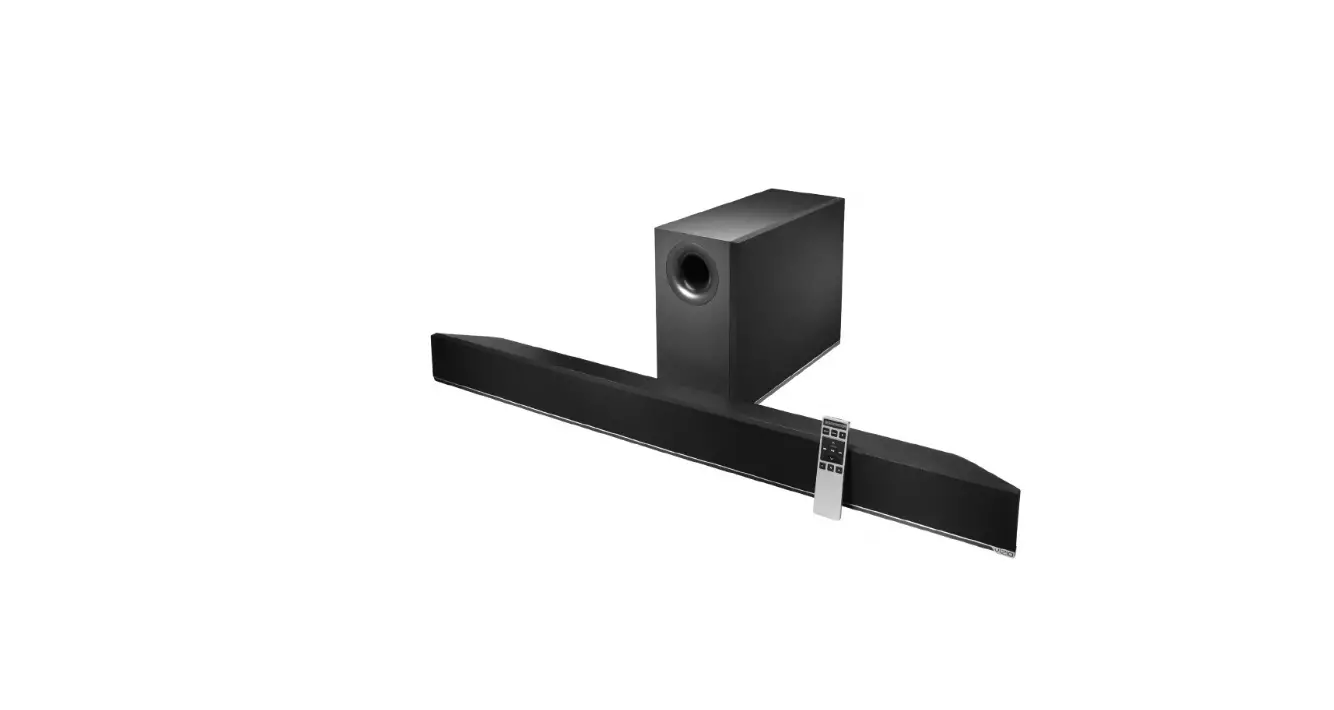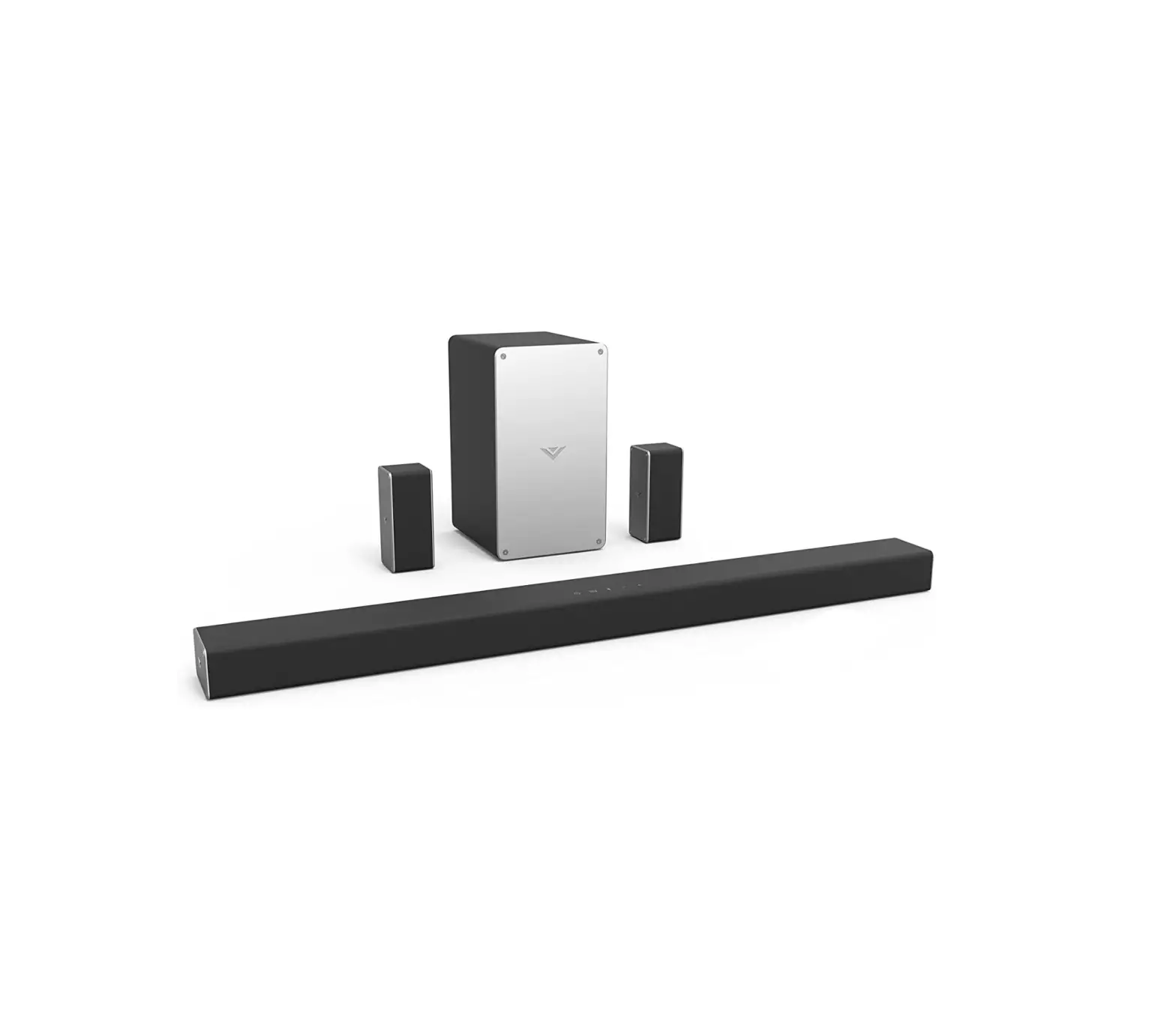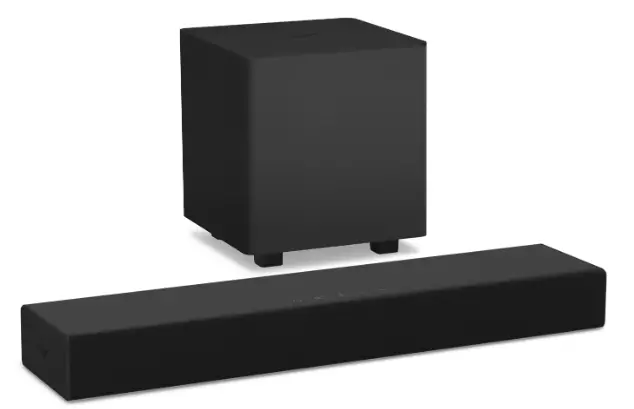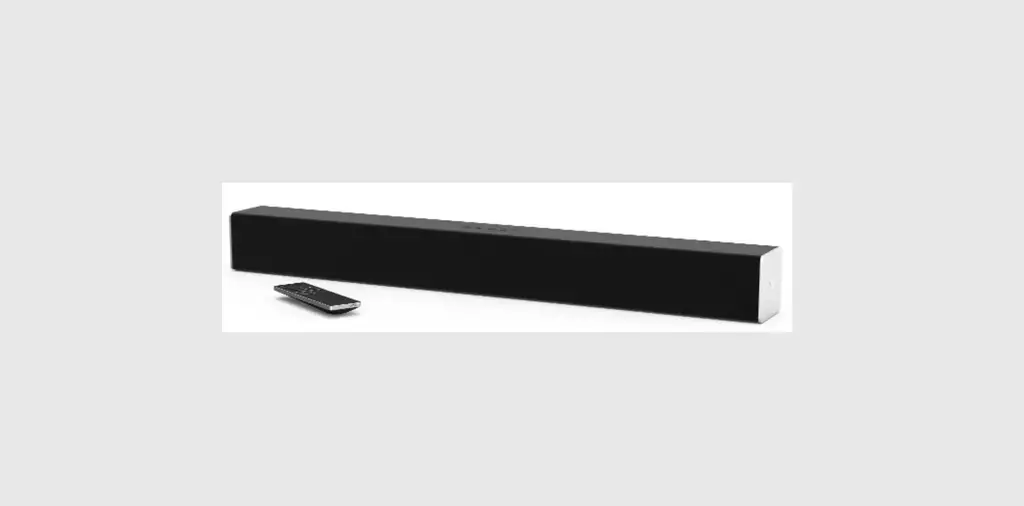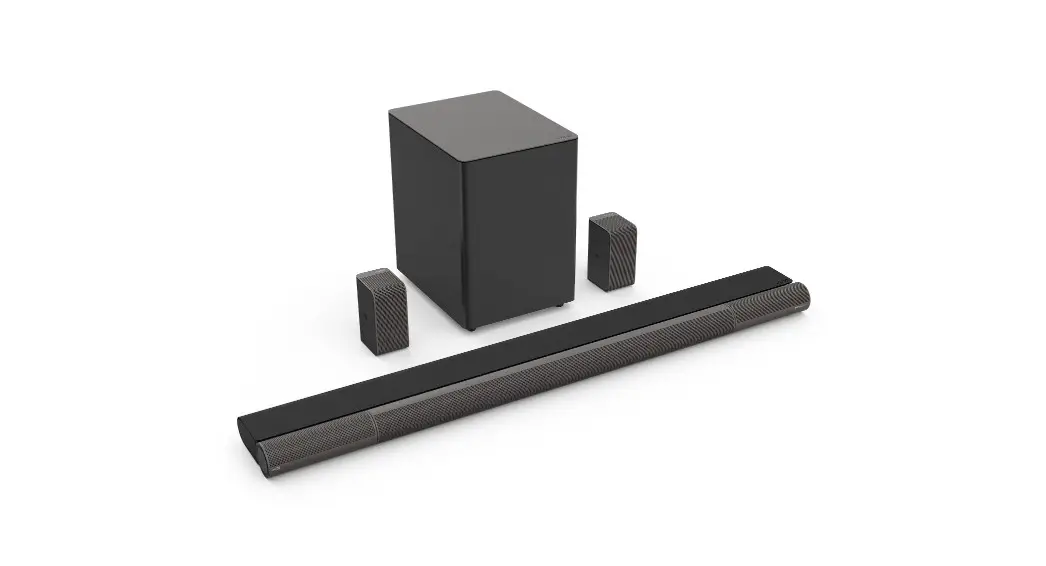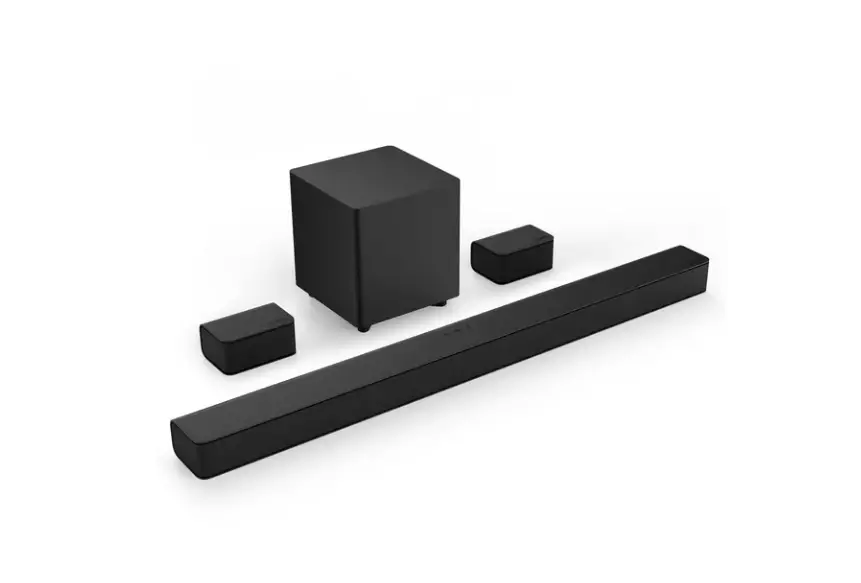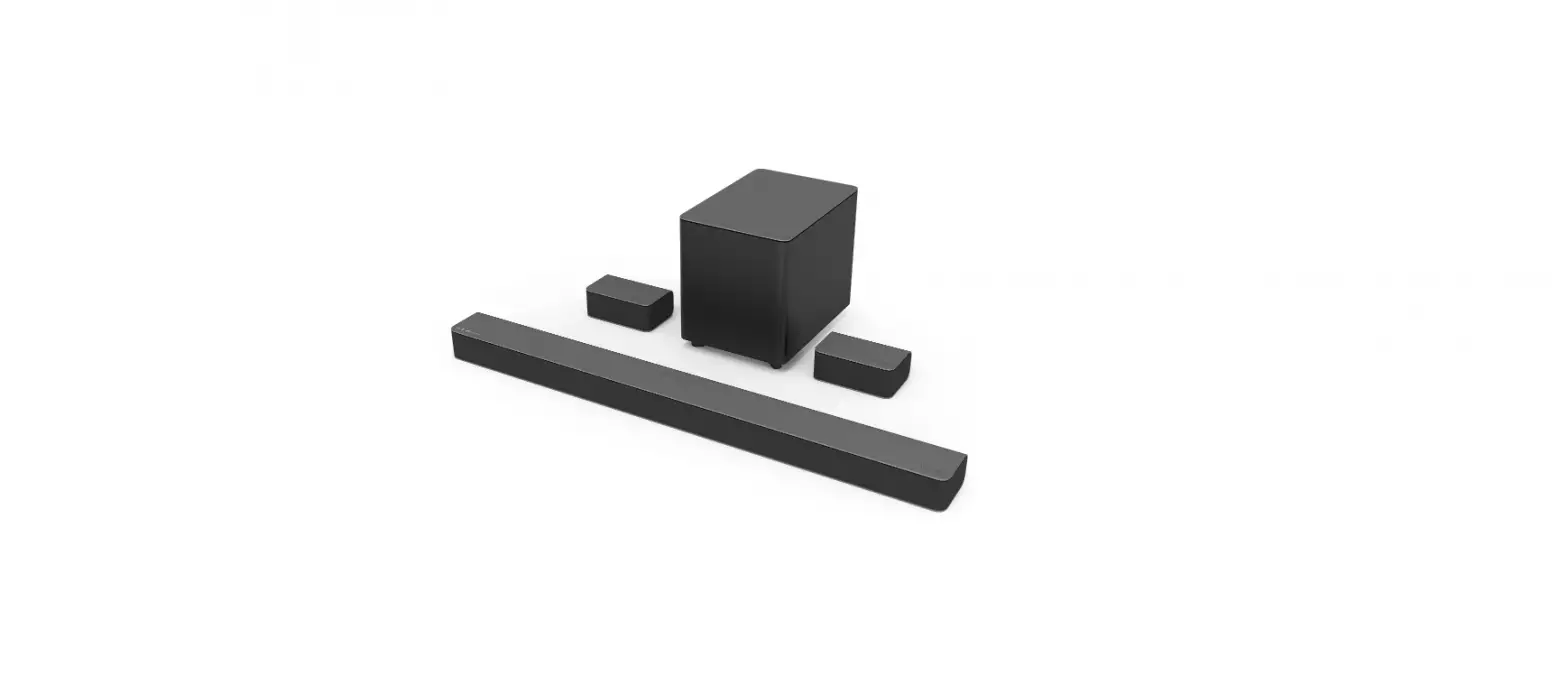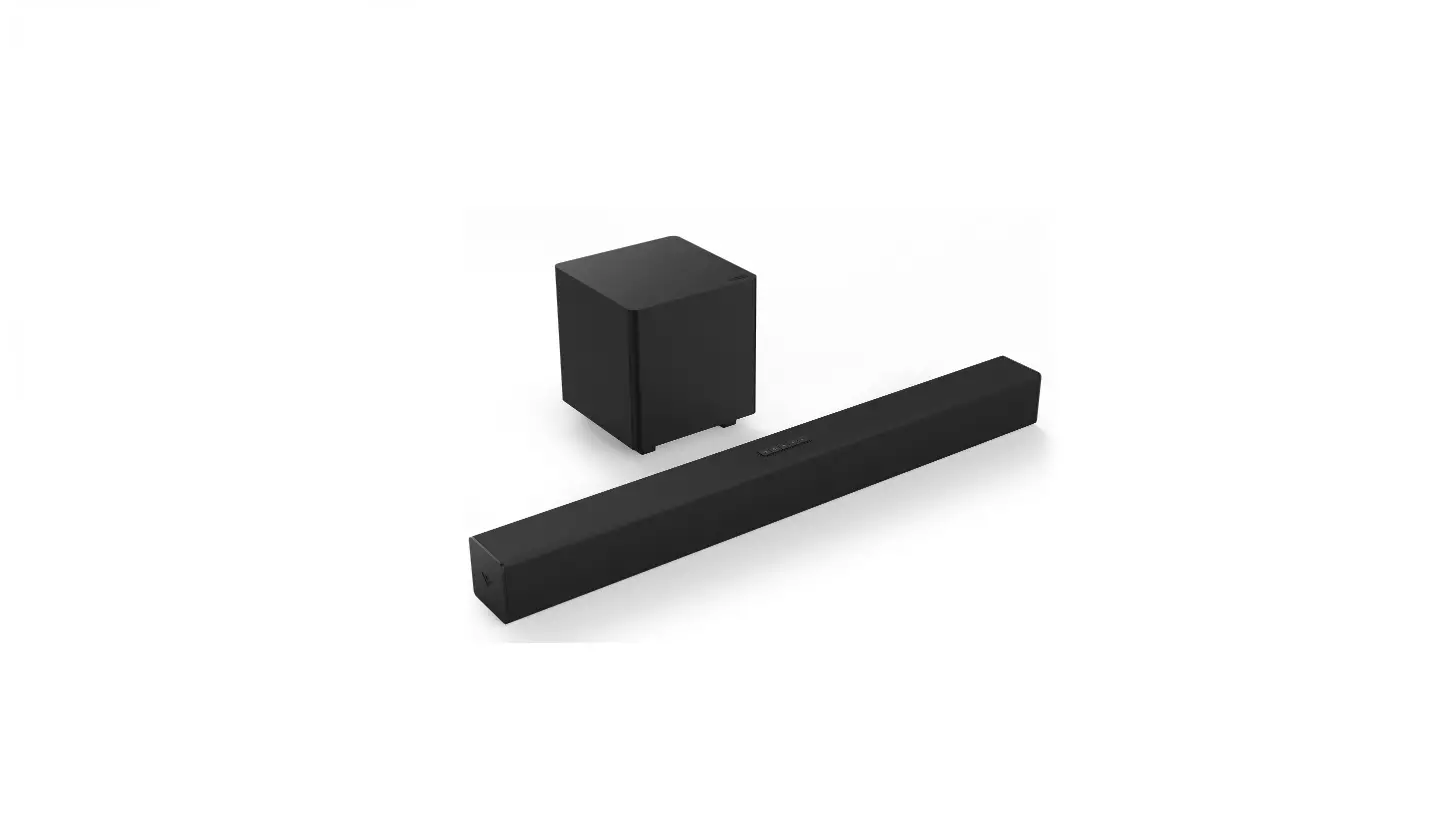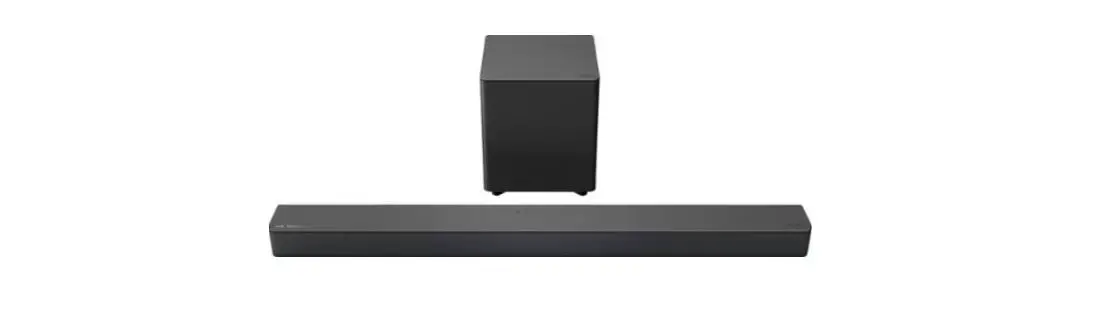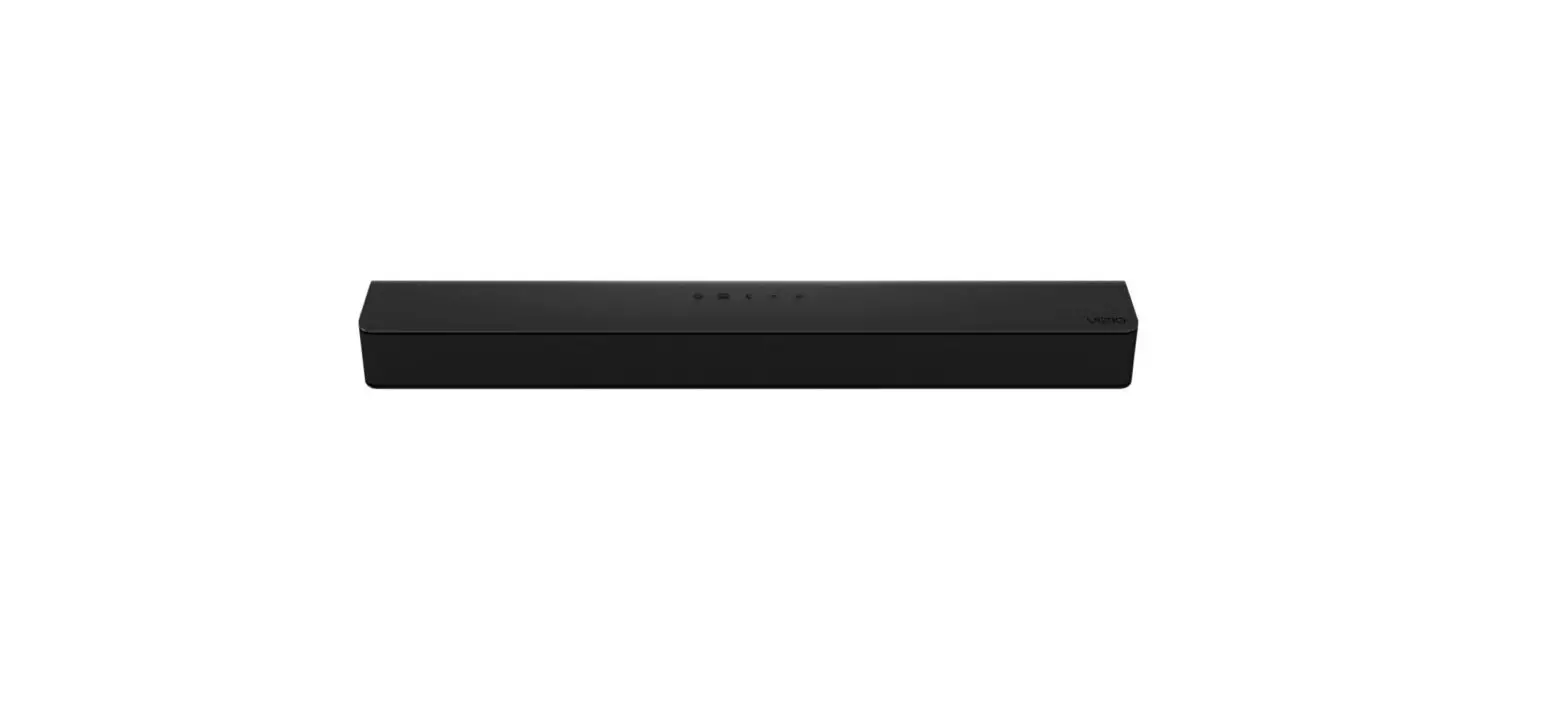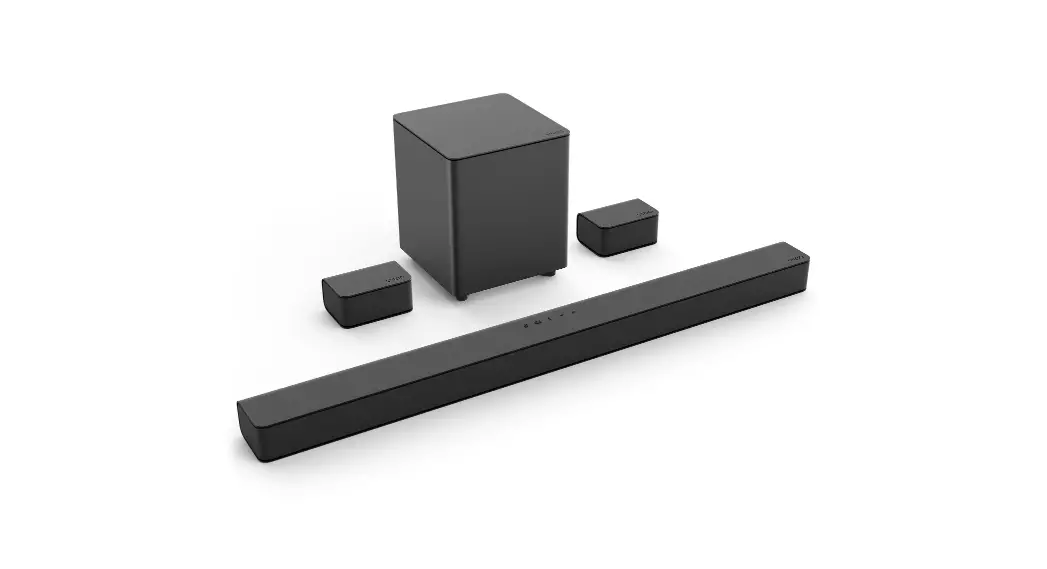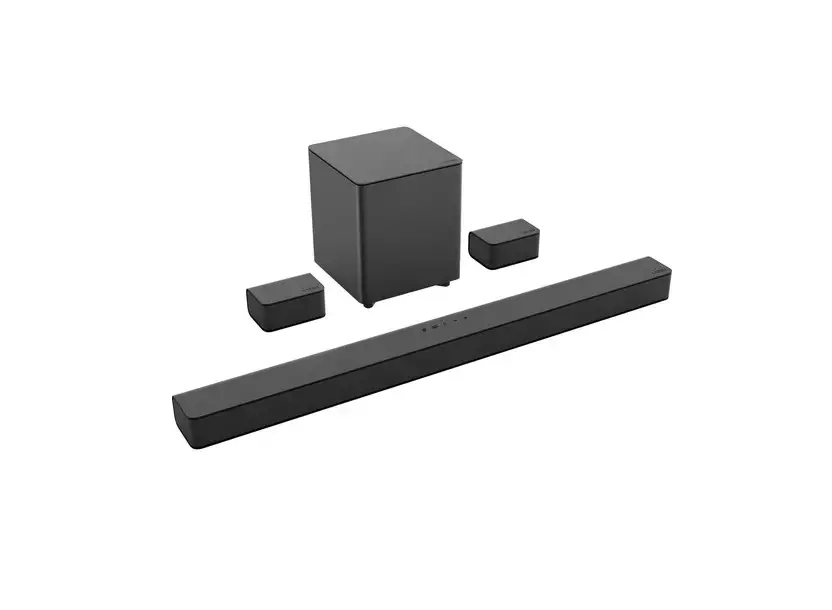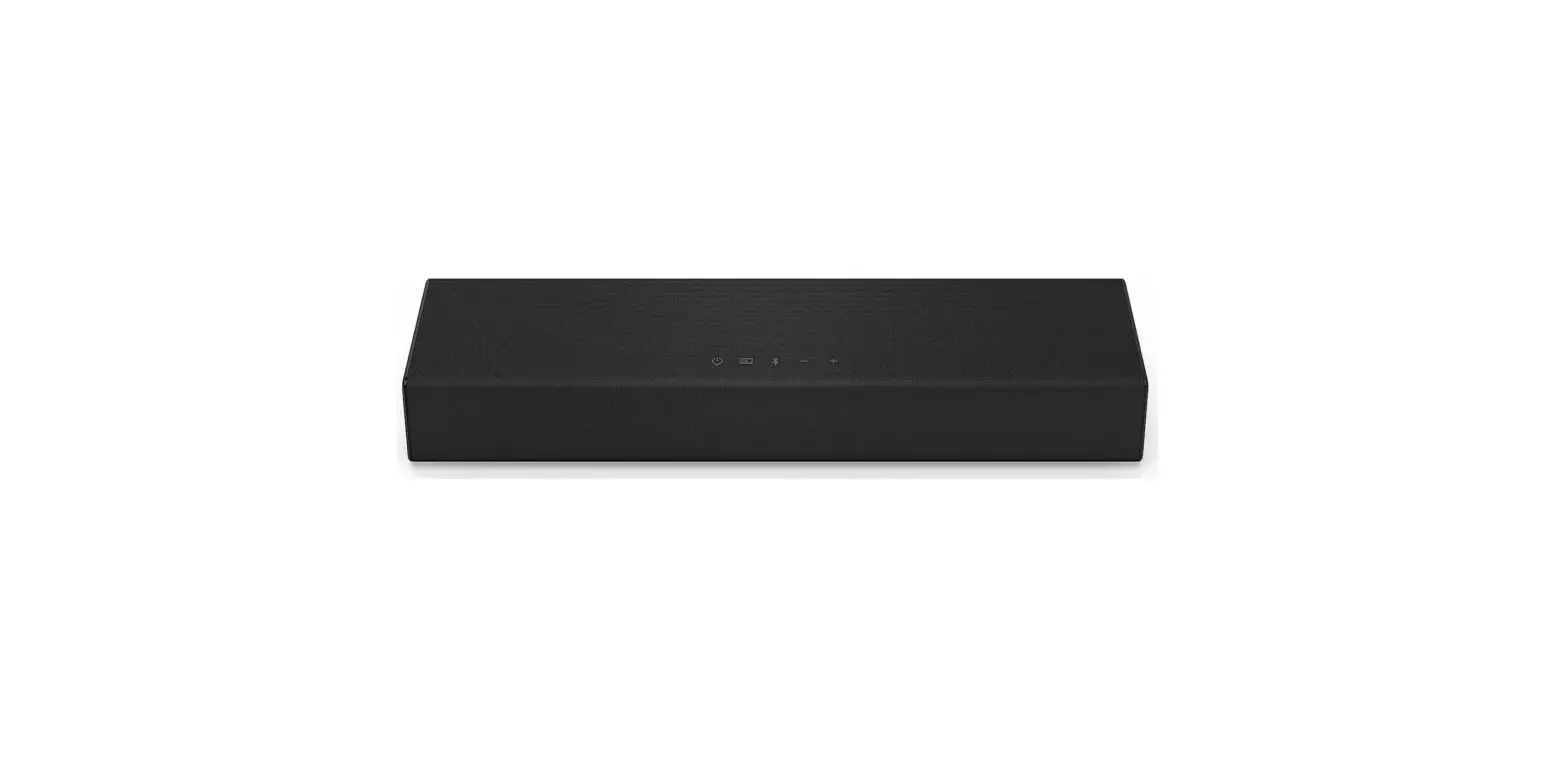

VIZIO SB4051-C0 40-Inch 5.1 Sound Bar System

IMPORTANT SAFETY INSTRUCTIONS
Your Unit is designed and manufactured to operate within defined design limits, and misuse may result in electric shock or fire. To prevent your Unit from being damaged, the following rules should be observed for its installation, use, and maintenance. Please read the following safety instructions before operating your Unit. Keep these instructions in a safe place for future reference.
- Read these instructions.
- Keep these instructions.
- Heed all warnings.
- Follow all instructions.
- Do not use this apparatus near water.
- Clean only with a dry cloth.
- Do not block any ventilation openings. Install in accordance with the manufacturer’s instructions.
- Do not install near any heat sources such as radiators, heat registers, stoves, or other apparatus (including amplifiers) that produce heat.
- Do not defeat the safety purpose of the polarized or grounding-type plug. A polarized plug has two blades with one wider than the other. A grounding type plug has two blades and a third grounding prong. The wide blade or the third prong are provided for your safety. If the provided plug does not fit into your outlet, consult an electrician for replacement of the obsolete outlet.
- Protect the power cord from being walked on or pinched, particularly at plugs, convenience receptacles, and the point where they exit from the apparatus.
- Only use attachments/accessories specified by the manufacturer.
- Use only with the cart, stand, tripod, bracket, or table specified by the manufacturer, or sold with the apparatus. When a cart is used, use caution when moving the cart/apparatus combination to avoid injury from tip-over.
- Unplug this apparatus during lightning storms or when unused for long periods of time.
- Refer all servicing to qualified service personnel. Servicing is required when the apparatus has been damaged in any way, such as when the power supply cord or plug is damaged, liquid has been spilled or objects have fallen into the apparatus, the apparatus has been exposed to rain or moisture, does not operate normally, or has been dropped.
- To reduce the risk of electric shock or component damage, switch off the power before connecting other components to your Unit.
- Unplug the power cord before cleaning your Unit. A damp cloth is sufficient for cleaning. Do not use a liquid or a spray cleaner on your Unit. Do not use abrasive cleaners.
- Always use the accessories recommended by the manufacturer to insure compatibility.
- When moving your Unit from an area of low temperature to an area of high temperature, condensation may form in the housing. Wait before turning on your Unit to avoid causing fire, electric shock, or component damage.
- Slots and openings in the back and bottom of the cabinet are provided for ventilation. To ensure reliable operation of your Unit and to protect it from overheating, be sure these openings are not blocked or covered. Do not place your Unit in a bookcase or cabinet unless proper ventilation is provided.
- Never push any object into the slots and openings on your Unit enclosure. Do not place any objects on the top of your Unit. Doing so could short circuit parts causing a fire or electric shock. Never spill liquids on your Unit.
- When connected to a power outlet, power is always flowing into your Unit. To totally disconnect power, unplug the power cord.
- Do not overload power strips and extension cords. Overloading can result in fire or electric shock.
- The wall socket should be located near your Unit and be easily accessible
- Keep your Unit away from moisture. Do not expose your Unit to rain or moisture. If water penetrates into your Unit, unplug the power cord and contact your dealer. Continuous use in this case may result in fire or electric shock.
- Do not use your Unit if any abnormality occurs. If any smoke or odor becomes apparent, unplug the power cord and contact your dealer immediately. Do not try to repair your
unit yourself. - Avoid using dropped or damaged appliances. If your Unit is dropped and the housing is damaged, the internal components may function abnormally. Unplug the power cord immediately and contact your dealer for repair. Continued use of your Unit may cause fire or electric shock.
- Do not install your Unit in an area with heavy dust or high humidity. Operating your Unit in environments with heavy dust or high humidity may cause fire or electric shock.
- Ensure that the power cord and any other cables are unplugged before moving your Unit.
- When unplugging your Unit, hold the power plug, not the cord. Pulling on the power cord may damage the wires inside the cord and cause fire or electric shock. When your Unit will not be used for an extended period of time, unplug the power cord.
- To reduce risk of electric shock, do not touch the connector with wet hands.
- Insert the remote control batteries in accordance with instructions. Incorrect polarity may cause the battery to leak which can damage the remote control or injure the operator.
- See the important note and rating located on the back of the unit.
- WARNING – This equipment is not waterproof. To prevent a fire or shock hazard, do not place any container filled with liquid near the equipment (such as a vase or flower pot) or expose it to dripping, splashing, rain, or moisture.
- CAUTION – Danger of explosion or fire if batteries are mistreated. Replace only with the same or specified type.
- Do not leave the batteries exposed to direct sunlight for a long period of time with doors and windows closed. Do not disassemble the batteries or dispose of it in the fire.
- Where the MAINS plug or appliance coupler is used as the disconnect device, the disconnect device shall remain readily operable.
WARNING: To reduce the risk of fire or electric shock, do not expose this apparatus to rain or moisture.
The lightning flash with the arrowhead symbol within an equilateral triangle is intended to alert the user to the presence of not isolated dangerous voltage within the product that may be sufficient magnitude to constitute a risk of shock to persons.
The exclamation point within an equilateral triangle is intended to alert the user to the presence of important operating and servicing instructions in the literature accompanying the appliance.
Warning: This equipment is a Class II or double-insulated electrical appliance. It has been designed in such a way that it does not require a safety connection to the electrical earth.
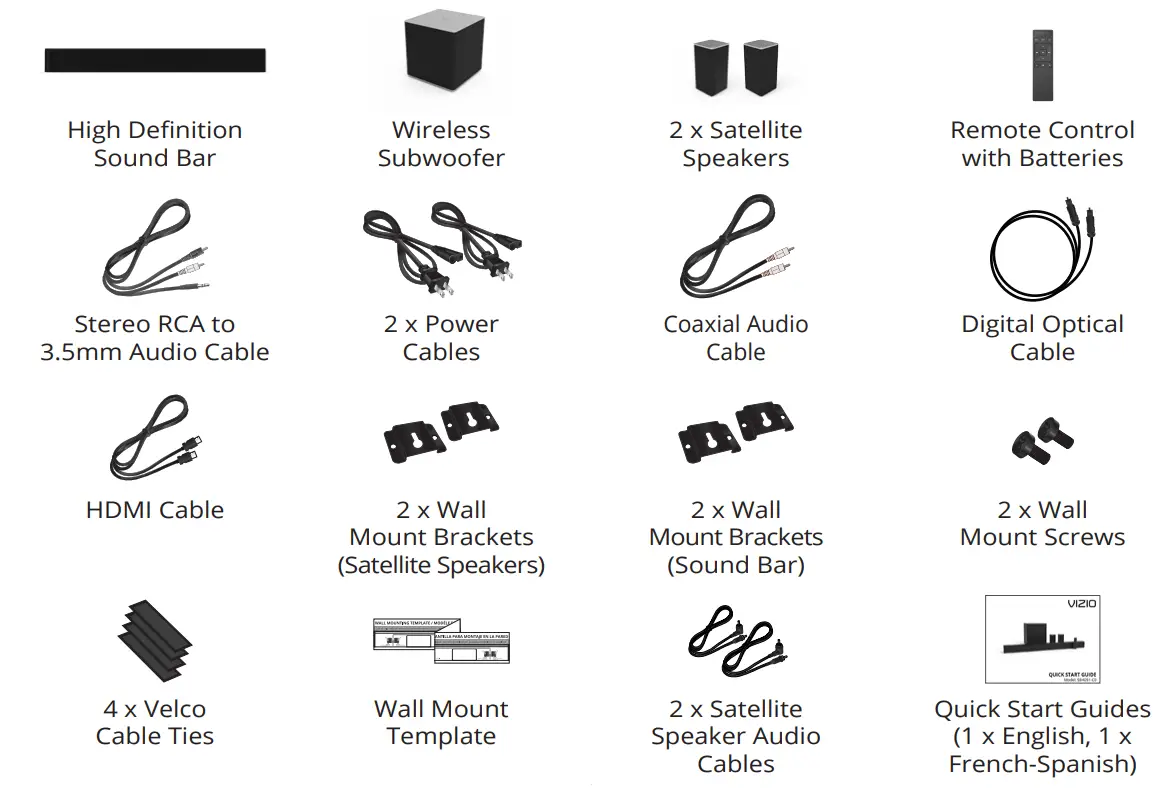
PACKAGE CONTENTS
 CONTROLS & CONNECTIONS

 FIRST-TIME SETUP
 CONTROLS & CONNECTIONS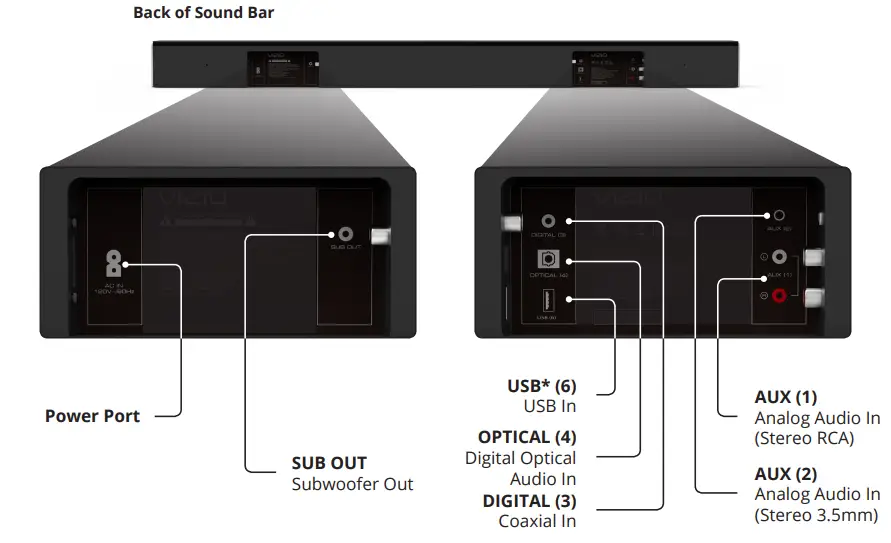
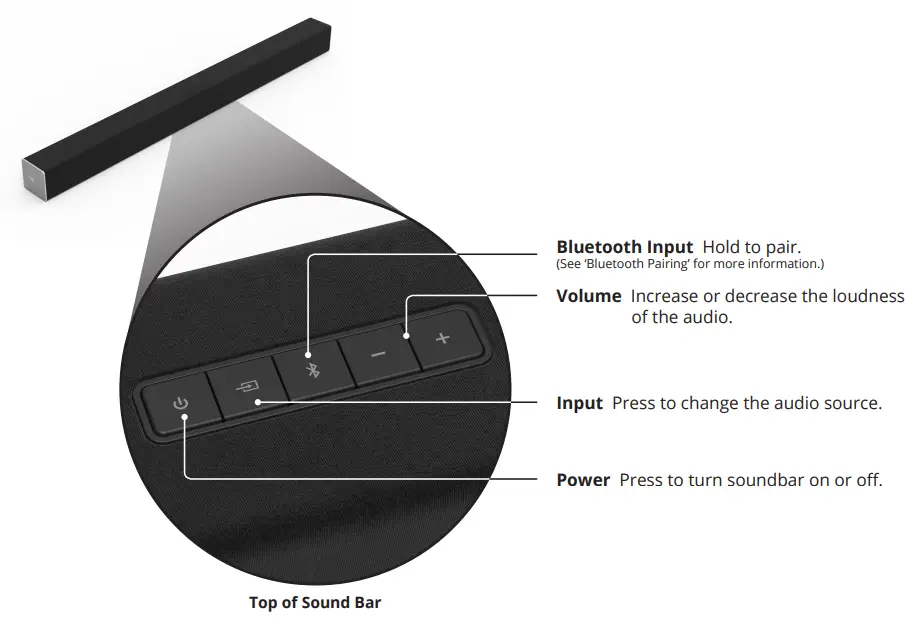
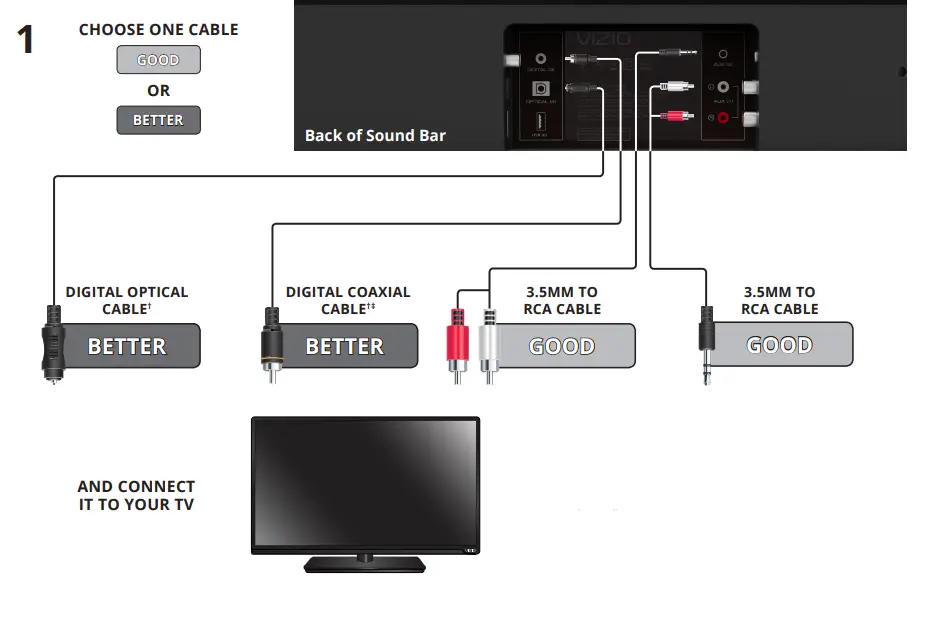
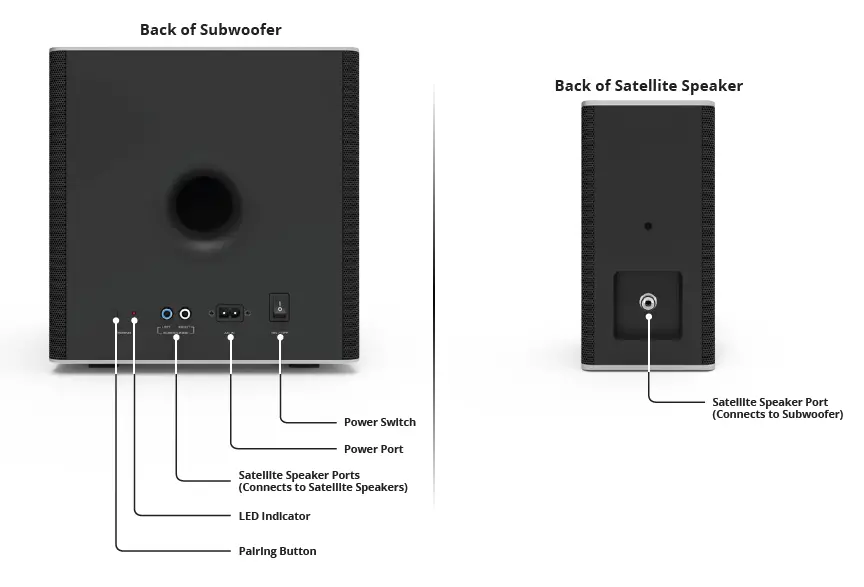 FIRST-TIME SETUP
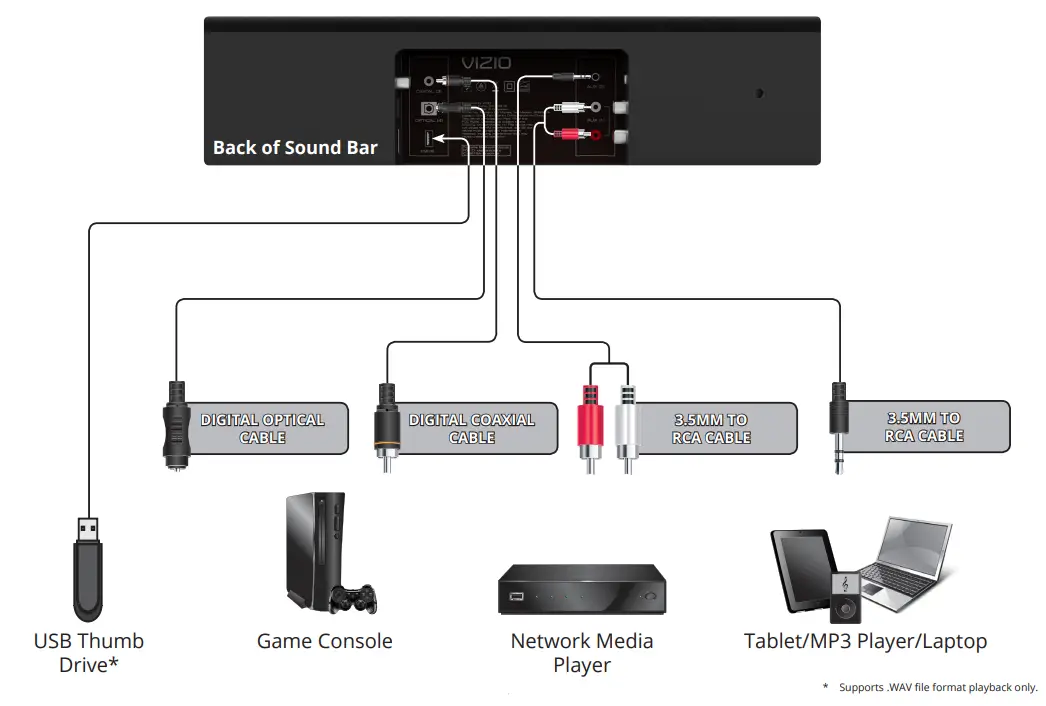
- CHOOSE ONE CABLE

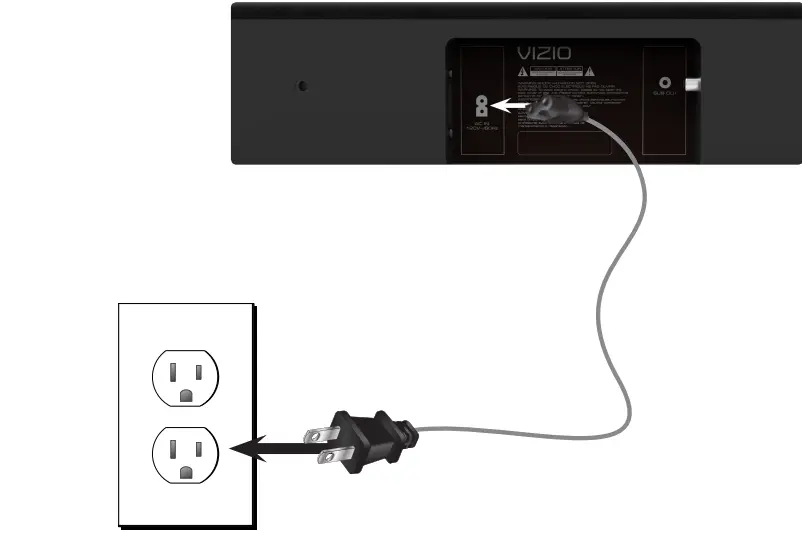
- Connect the power cable to the Sound Bar AC IN as shown. Plug the power cable into an electrical outlet.

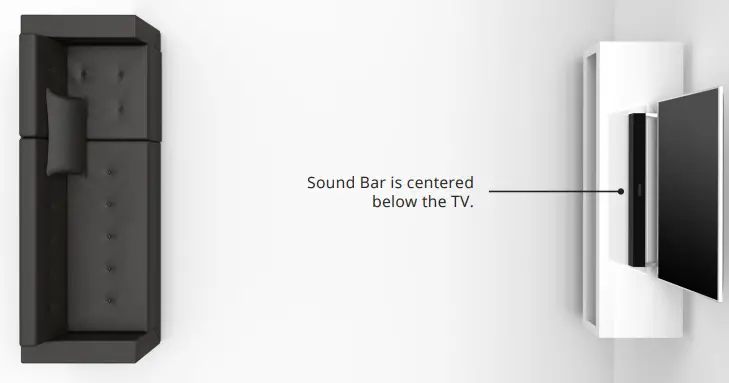
- For the best surround sound experience, position the Sound Bar as shown.
The Sound Bar should be close to ear level.
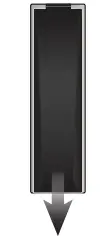
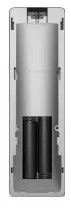
- Remove the battery cover by gently sliding it away from the remote.

- Insert the included batteries and gently slide the battery cover back into place.

- Turn your TV on, the Sound Bar will automatically turn on and begin searching for an active input.
The LED indicators on the front of the Sound Bar will begin cycling in pairs through inputs until an audio source is detected.*
Tip: Pressing the INPUT button will stop the auto-detect function.
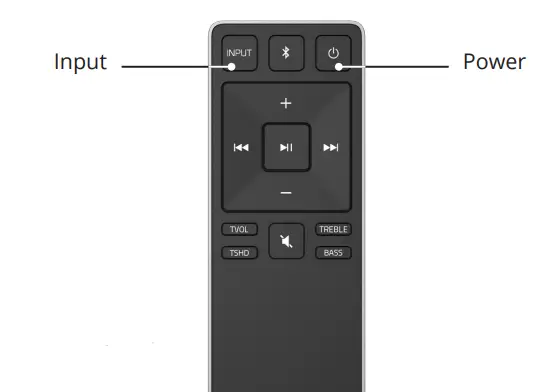
You can press the INPUT button to switch between audio sources. For example, if you connected your TV to Input 1, set the Sound Bar to Input 1.
USING THE REMOTE
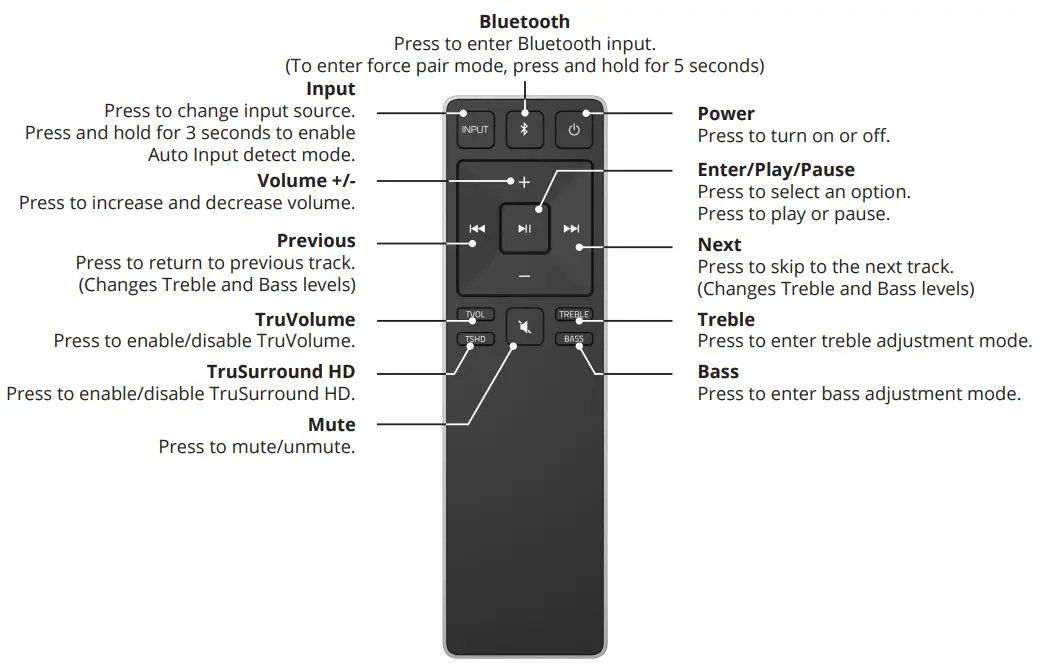
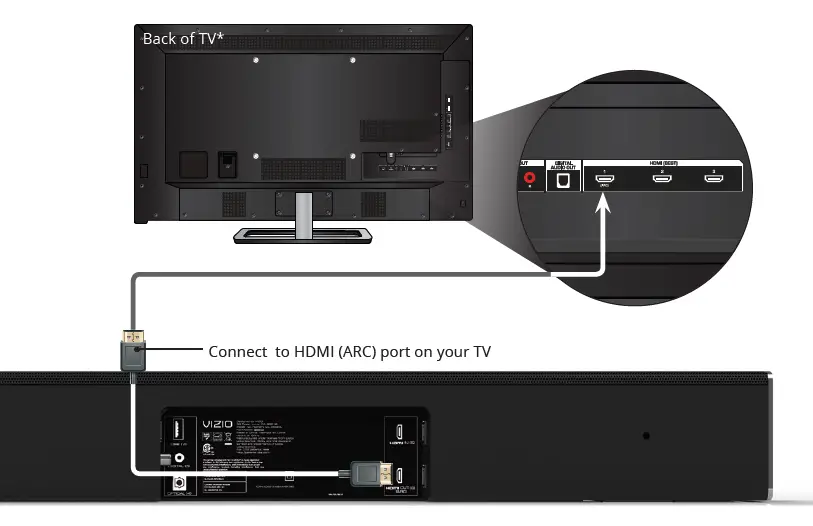
CONNECTING WITH HDMI
What is HDMI Audio Return Channel (ARC)?
Using HDMI ARC, your TV can send audio to the sound bar using an HDMI cable.
You will need to connect your sound bar to your TV’s HDMI ARC port using an HDMI cable that is ARC compatible.
To connect using HDMI*:
- Connect one end of the HDMI cable to the HDMI 1 (ARC) port on the back of your TV.
- Connect the other end to the HDMI OUT (ARC) port on your VIZIO sound bar.
- From the AUDIO menu on your TV, change the Digital Audio Setting to Dolby Digital or Bitstream.
- From the SYSTEM menu, enable CEC and ARC (SAC)† functions.
- From the CEC menu, select Device Discovery to register the sound bar with the TV.

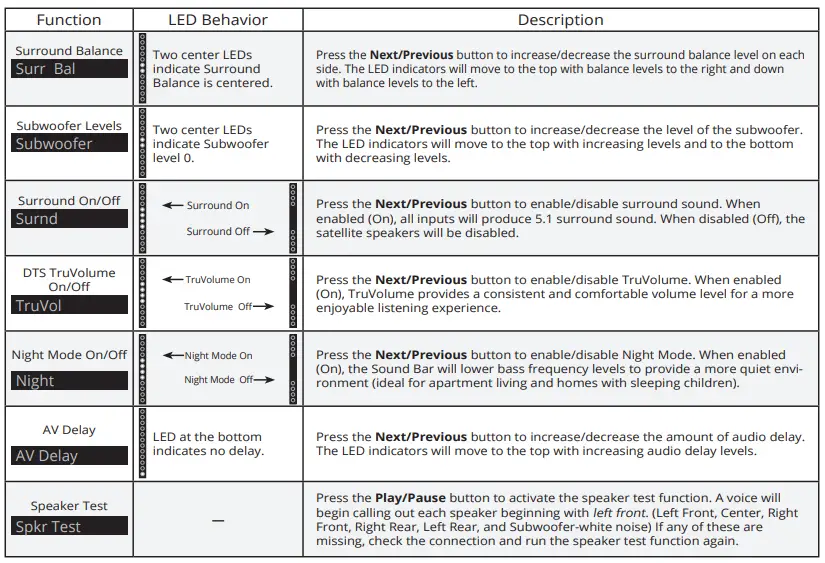
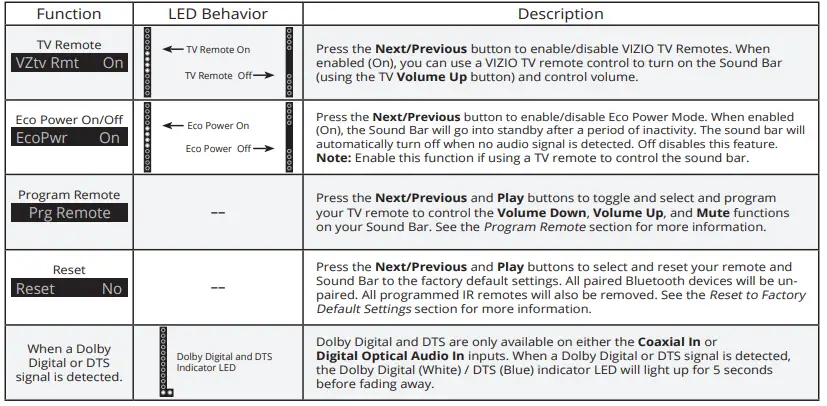
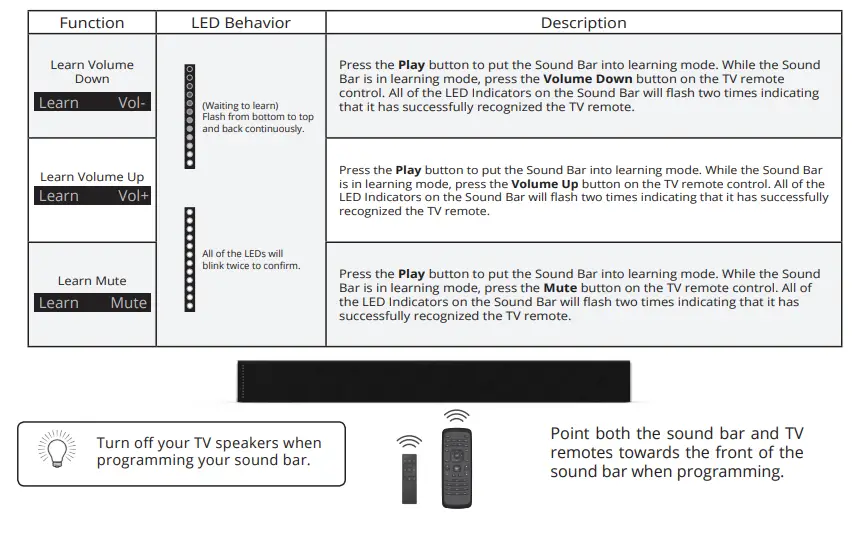
LED INDICATORS
The LED Indicators will behave differently with each button on t he remote control.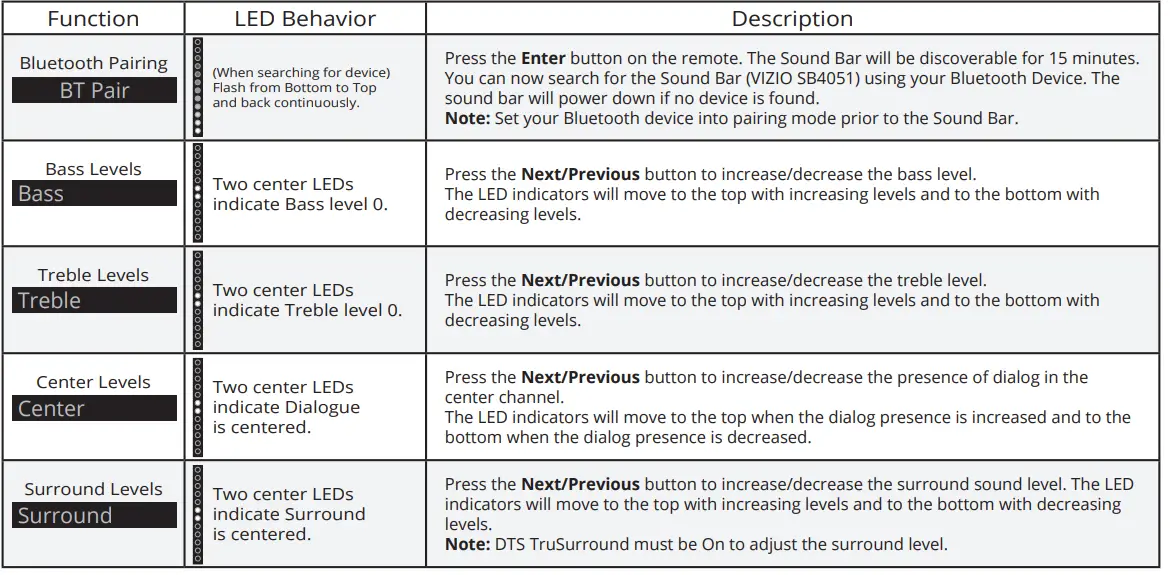
BLUETOOTH PAIRING
To pair the Sound Bar with a Bluetooth device:
- Press and hold the Bluetooth button
 on the Sound Bar or the Bluetooth button on the remote for five (5) seconds. When the Sound Bar is in Bluetooth
Pairing Mode, the LED Indicators on the Display Panel on the front of the Sound Bar will light sequentially from bottom to top and back again. Once the device is paired, the LED Indicators will stop flashing. - You can now search for the Sound Bar (VIZIO SB3820) using your Bluetooth device. For more information, refer to the user documentation that came with the device.
- Play audio from your Bluetooth device. Volume can be controlled on your source device and the Sound Bar.


 on the Sound Bar or the Bluetooth button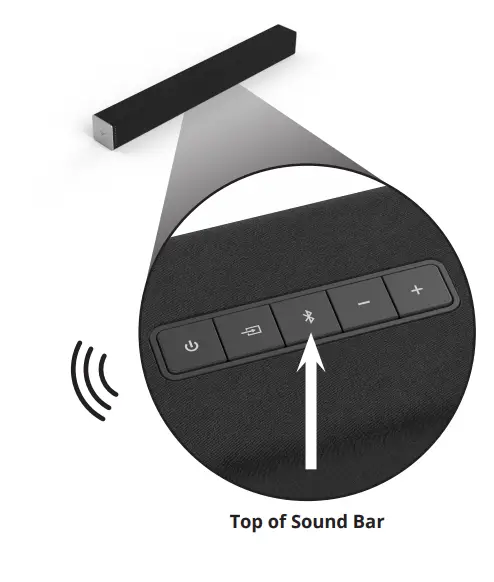
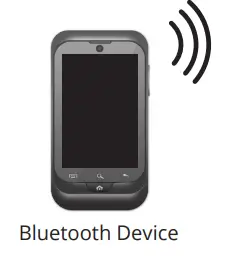
USING BLUETOOTH MODE
Your Sound Bar supports music streaming from smartphones, tablets, and computers with Bluetooth capability. Device compatibility will vary, see your device’s documentation for more information. Once you have paired your source device to the Sound Bar, as long as you stay within range of the Sound Bar, your device should remain paired, even if you change the input on the Sound Bar.
Maximizing Signal
A Bluetooth signal has a range of up to 30 feet. Keep in mind that Bluetooth is a compressed audio format, so streamed music may lose some integrity when compared to a wired connection. Try the following if your sound quality is less than optimal:
- If you hear any break-up or disconnect while streaming music from your device, move the source device closer to the Sound Bar.
- Be sure that there are no solid obstructions in the line-of-sight between the Sound Bar and the source device.
- Other wireless devices can affect Bluetooth range, including wireless security cameras, wireless video baby monitors, cordless phones, and microwave ovens. Turning off or moving these devices may improve Bluetooth range.
Your Sound Bar is not equipped with a microphone, so it cannot operate as a hands-free device for a smartphone.
Reduce the volume levels on your device and on the Sound Bar before pressing Play. High volume levels can damage your hearing.
ADVANCED SETUP
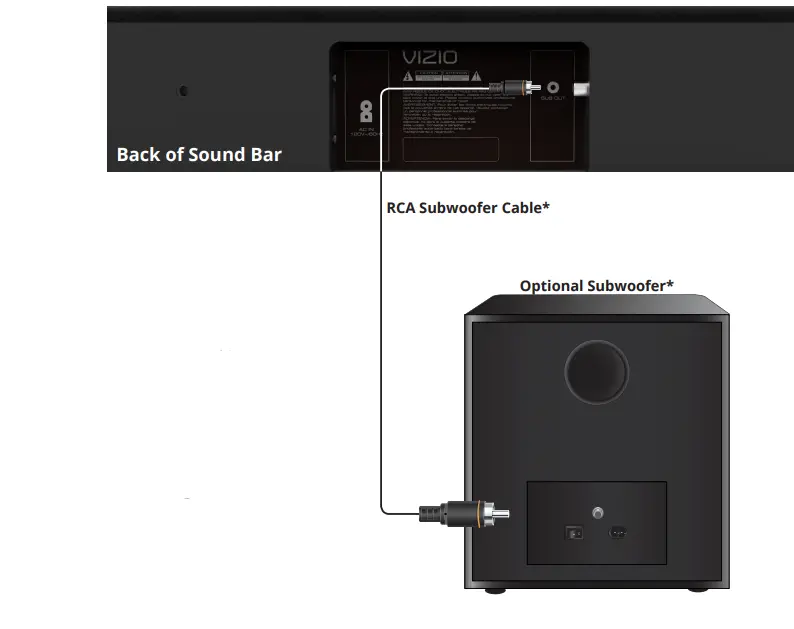
CONNECTING A SUBWOOFER
To connect a subwoofer:
- Press the BASS button on the remote control to enter bass adjustment mode.
- Use the Previous/Next buttons to adjust the bass level to the center position.
- Power Off the Sound Bar and Subwoofer. Connect an RCA cable from the Sound Bar to the Subwoofer.
- Power On the Sound Bar and Subwoofer.
- Manually adjust the SUB gain (Volume) and phase to your preference. See your subwoofer’s user manual for more information.
- Use the BASS button on the remote control to adjust the subwoofer’s output.

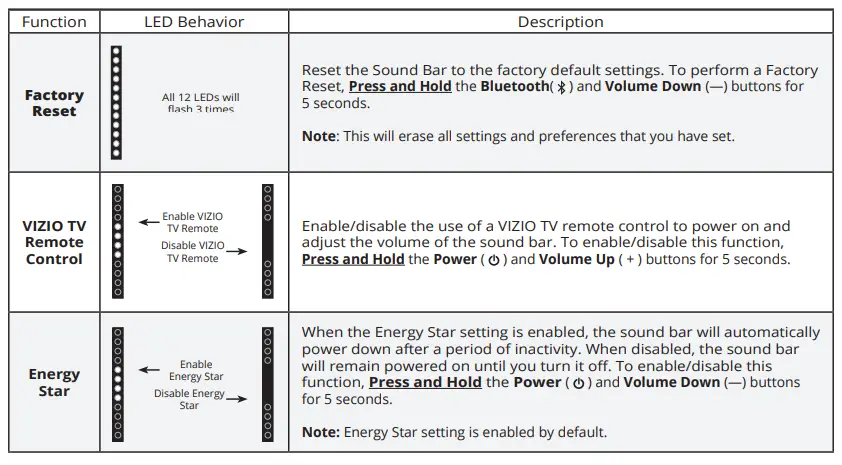
USING BUTTON COMBINATIONS 
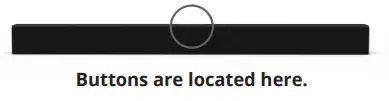
There are 3 functions that are triggered by 3 different button c ombinations on the Sound Bar. 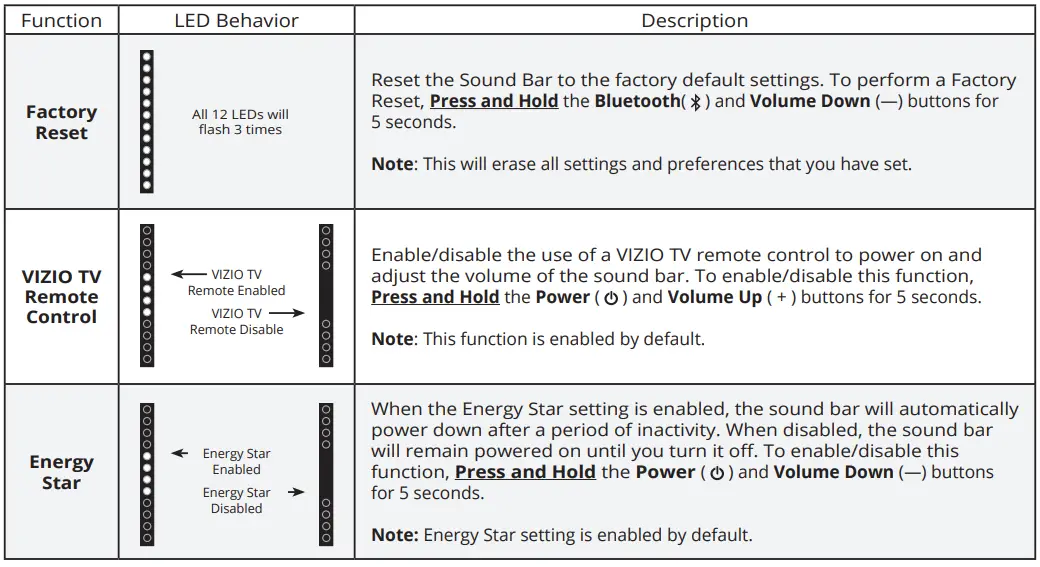
WALL-MOUNTING THE SOUND BAR
- Back of Sound Bar

- Place the included wall mounting template against the wall under your TV. Mark the four bracket holes using a pencil.

- Be sure your screws are attached to wood studs, drywall anchors (for drywall), or concrete anchors (for brick/concrete walls). Screws for attaching the brackets to the wall are not included. Choose the screw type and length appropriate to your home’s construction. If in doubt, consult a professional installer.

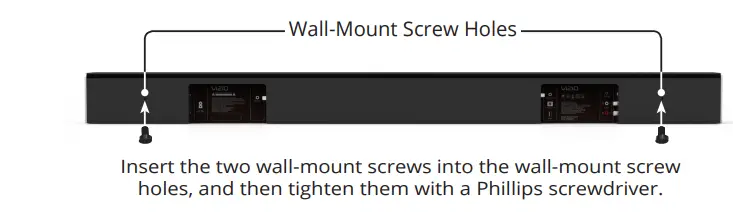

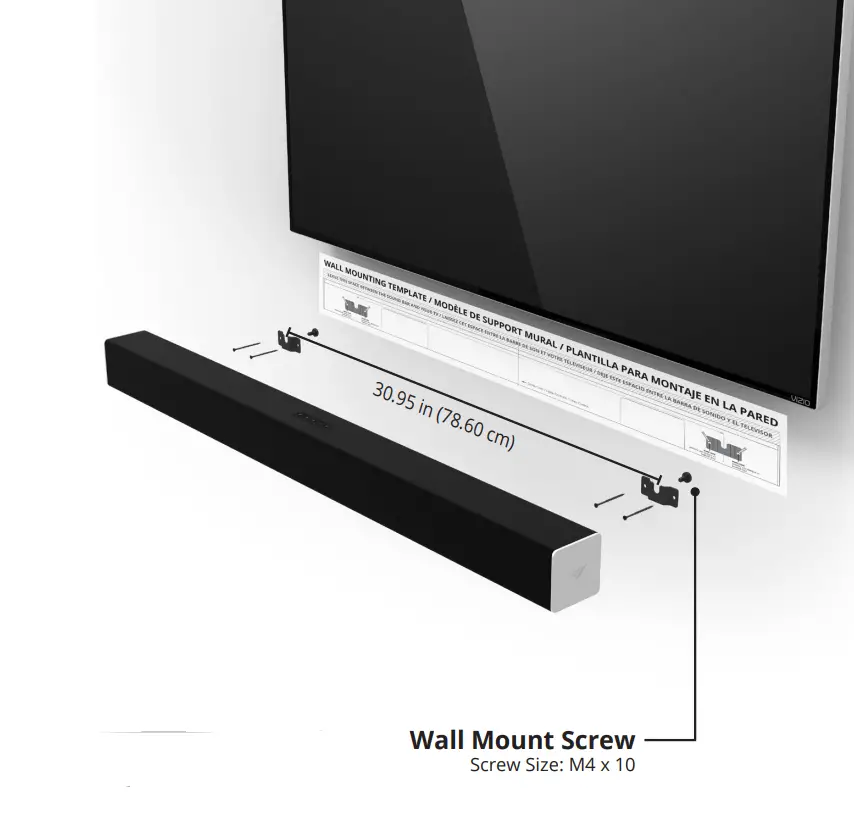
If you are unfamiliar with power tools or the layout of electrical wiring in the walls of your home, consult a professional installer.
VIZIO RECOMMENDS 
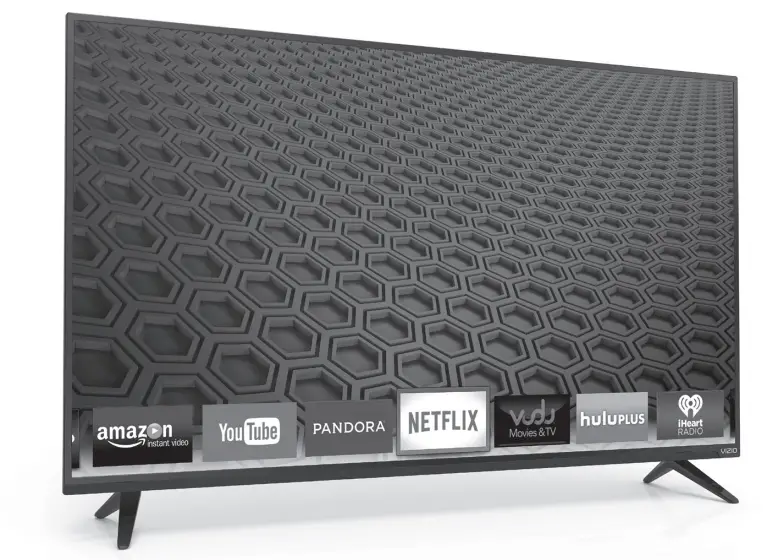
Picture Perfect. Simply Smart.
All-new for 2015, the E-Series is packaged in a sleek new design. Experience more vibrant colors, more pronounced darks, more premium apps, and truly epic entertainment at an unbeatable value on the all-new, beautifully redesigned E-Series.
VIZIO RECOMMENDS
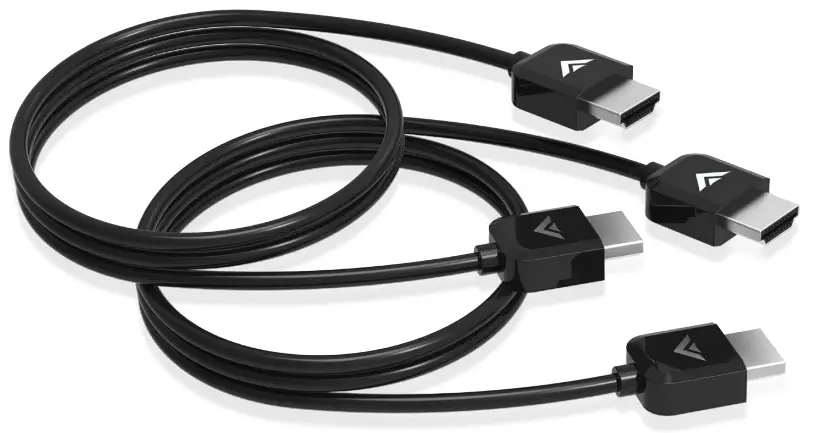
VIZIO High-Speed HDMI® Cable
This high-speed HDMI® cable is ideal for HDTVs. Supporting 1080p and 4k x 2k Ultra High Definition resolutions, the E-Series HDMI cable provides picture-perfect HD video, 3D, and superior audio, all at up to 18 Gbps. This all-in-one cable also supports advanced 7.1 surround sound and Audio Return Channel, eliminating the need for additional cables.
Specifications
- Sound Bar:
Two 2¾” Full-Range Drivers
Two Passive Radiators - Inputs:
One 3.5mm Stereo Audio
One RCA Stereo Audio
One Optical (Toslink)
One Digital Coaxial Audio
Bluetooth (Wireless) One USB - Sound Pressure Level (System): 100 dB
- Frequency Response (System):60 Hz to 19 kHz
- Voltage: 120 VAC, 60 Hz
- Compliances: UL, FCC, cUL, NRCAN, NOM
HELP & TROUBLESHOOTING
There is no power.
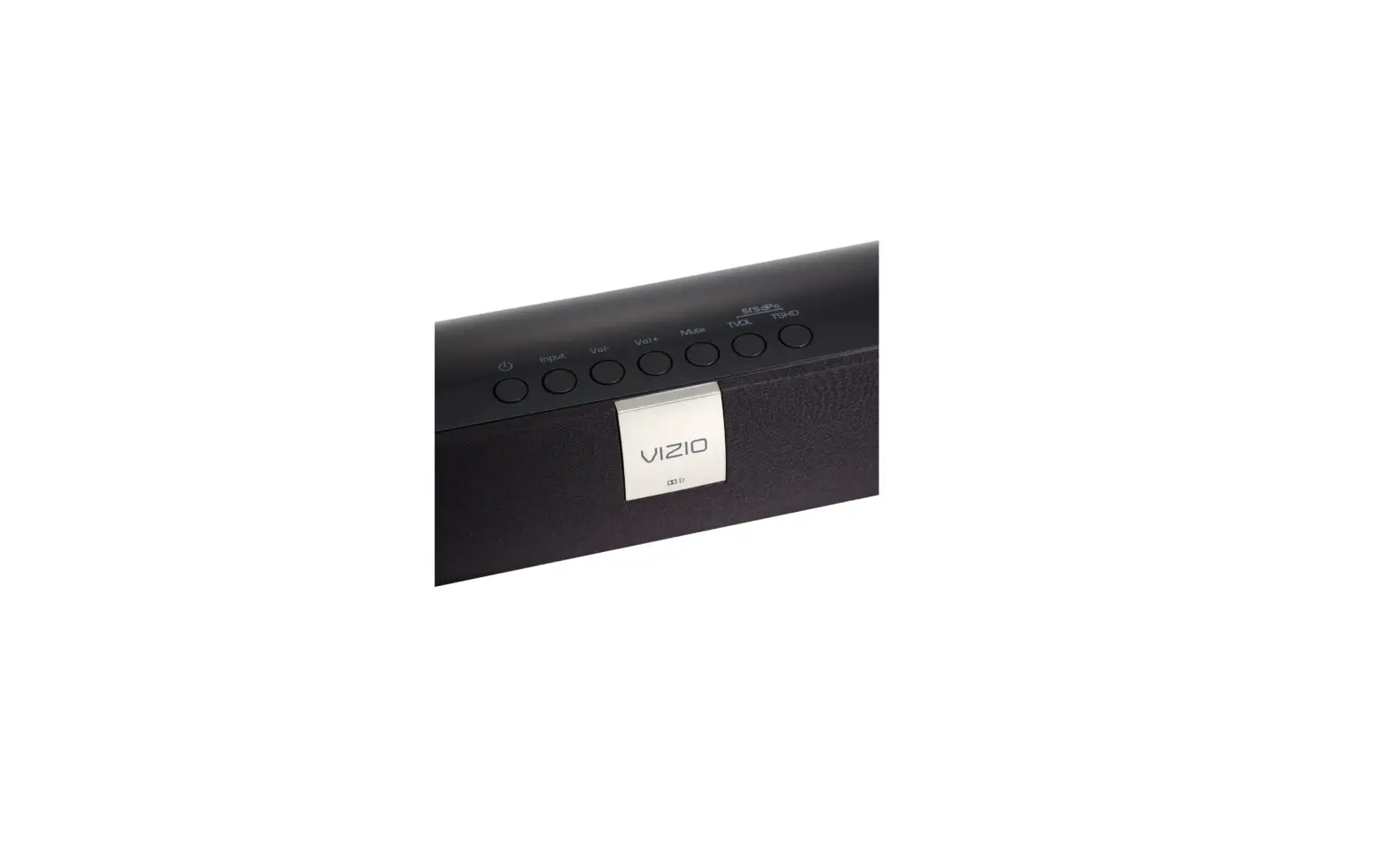
- Press the POWER button on the remote control or on the top of your Sound Bar.
- Ensure the power cord is securely connected.
- Plug a different device into the electrical outlet to verify that the outlet is working correctly.
There is no sound.
- Increase the volume. Press Volume Up on the remote control or on the top of your Sound Bar.
- Press MUTE on the remote to ensure the Sound Bar is not muted.
- Press INPUT on the remote or on the top of your Sound Bar to select a different input source.
- When using either of the Digital Inputs, if there is no audio: (A) Try setting the TV output to PCM or (B) Connect directly to your Blu-ray/other source, some TVs do not pass through digital audio.
- On digital inputs, the input LEDs will flash rapidly if an unsupported format is present. Set the source to output PCM.
- Your TV may be set to variable audio output. Confirm that the audio output setting is set to FIXED or STANDARD, not VARIABLE. Consult your TV’s user manual for more detailed information.
- If using Bluetooth, ensure that the volume on your source device is turned up and that the device is not muted.
I hear buzzing or humming.
- Ensure all cables and wires are securely connected.
- Connect a different source device (TV, Blu-ray player, etc) to see if the buzzing persists. If it does not, the problem may be with the original device.
- Connect your device to a different input on the Sound Bar.
The remote isn’t working.
- Replace the remote batteries with new ones.
- Point the remote directly at the center of the Sound Bar when pressing a button.
- If using a Bluetooth connection, some of the buttons on the remote may not be supported by the streaming application. (e.g., Pandora doesn’t support the Back button.)
Take A Moment To Register Your Product At VIZIO.COM/PRODUCT-REGISTRATION
Why Register?
- Customized Support
Get assistance quickly with your information on-hand. - News & Offers
Take advantage of the latest news and special offers from VIZIO. - Safety & Satisfaction
Stay up to date with important product updates and notifications.
REGISTER YOUR VIZIO PRODUCT NOW
Do You Have Questions? Find Answers At SUPPORT.VIZIO.COM
Find help with:
- New Product Setup
- Connecting Your Devices
- Technical Problems
- Product Updates
- And More
Live Chat
Support Available
You can also contact our award-winning support team at:
Phone: (877) 878-4946 (TOLL-FREE)
Email:[email protected]
Hours Of Operation:
Monday – Friday: 7 am to 11 pm (CST)
Saturday – Sunday: 9 am to 6 pm (CST)
Live Chat
Support Available
ONE-YEAR LIMITED WARRANTY
ON PARTS AND LABOR
Covers units purchased as new in United States and Puerto Rico Only
VIZIO provides a warranty to the original purchaser of a new Product against defects in materials and workmanship for a period of one year of non-commercial usage and ninety (90) days of commercial use. If a Product covered by this warranty is determined to be defective within the warranty period, VIZIO will either repair or replace the Product at its sole option and discretion.
To obtain warranty service, contact VIZIO Technical Support via email: [email protected] or via phone at 877 MY VIZIO (877.698.4946) from 7:00AM to 11:00PM Monday through Friday and 9:00AM to 6:00PM Saturday and Sunday, Central Time, or visit www.VIZIO.com. PRE-AUTHORIZATION MUST BE OBTAINED BEFORE SENDING ANY PRODUCT TO A VIZIO SERVICE CENTER. Proof of purchase in the form of a purchase receipt or copy thereof is required to show that a Product is within the warranty period.
Parts and Labor
There will be no charge for parts or labor during the warranty period. Replacement parts and Products may be new or recertified at VIZIO’s option and sole discretion. Replacement parts and Products are warranted for the remaining portion of the original warranty or for ninety (90) days from warranty service or replacement, whichever is greater.
Type of Service
Defective Products must be sent to a VIZIO service center to obtain warranty service. VIZIO is not responsible for transportation costs to the service center, but VIZIO will cover return shipping to the customer. PRE-AUTHORIZATION IS REQUIRED BEFORE SENDING ANY PRODUCT TO A VIZIO SERVICE CENTER FOR WARRANTY SERVICE.
Product returns to VIZIO’s service centers must utilize either the original carton box and shipping material or packaging that affords an equal degree of protection. VIZIO Technical Support will provide instructions for packing and shipping the covered Product to the VIZIO service center.
Limitations and Exclusions
VIZIO’s one-year limited warranty only covers defects in materials and workmanship. This warranty does not cover, for example cosmetic damage, normal wear and tear, improper operation, improper voltage supply or power surges, signal issues, damages from shipping, acts of God, any type of customer misuse, modifications or adjustments, as well as installation and set-up issues or any repairs attempted by anyone other than by a VIZIO authorized service center. Products with unreadable or removed serial numbers, or requiring routine maintenance are not covered. This one year limited warranty does not cover Products sold “AS IS”, “FACTORY RECERTIFIED”, or by a non-authorized reseller.
THERE ARE NO EXPRESS WARRANTIES OTHER THAN THOSE LISTED OR DESCRIBED ABOVE. ANY IMPLIED WARRANTIES, INCLUDING ANY IMPLIED WARRANTY OF MERCHANTABILITY AND FITNESS FOR A PARTICULAR PURPOSE, SHALL BE LIMITED IN DURATION TO THE PERIOD OF TIME SET FORTH ABOVE. VIZIO’S TOTAL LIABILITY FOR ANY AND ALL LOSSES AND DAMAGES RESULTING FROM ANY CAUSE WHATSOEVER INCLUDING VIZIO’S NEGLIGENCE, ALLEGED DAMAGE, OR DEFECTIVE GOODS, WHETHER SUCH DEFECTS ARE DISCOVERABLE OR LATENT, SHALL IN NO EVENT EXCEED THE PURCHASE PRICE OF THE PRODUCT. VIZIO SHALL NOT BE RESPONSIBLE FOR LOSS OF USE, LOSS OF INFORMATION OR DATA, COMMERCIAL LOSS, LOST REVENUE OR LOST PROFITS, OR OTHER INCIDENTAL OR CONSEQUENTIAL DAMAGES. SOME STATES DO NOT ALLOW LIMITATIONS ON HOW LONG AN IMPLIED WARRANTY LASTS OR THE EXCLUSION OF INCIDENTAL OR CONSEQUENTIAL DAMAGES, SO THE ABOVE LIMITATIONS OR EXCLUSIONS MAY NOT APPLY TO YOU. THIS WARRANTY GIVES YOU SPECIFIC LEGAL RIGHTS, AND YOU MAY ALSO HAVE OTHER RIGHTS, WHICH VARY FROM STATE TO STATE. THIS WARRANTY IS SUBJECT TO CHANGE WITHOUT NOTICE.
CHECK www.VIZIO.com FOR THE MOST CURRENT VERSION.
LEGAL & COMPLIANCE
FCC Class B Radio Interference Statement
NOTE: This equipment has been tested and found to comply with the limits for a Class B digital device, pursuant to Part 15 of the FCC Rules. These limits are designed to provide reasonable protection against harmful interference in a residential installation. This equipment generates, uses and can radiate radio frequency energy, and if not installed and used in accordance with the instructions, may cause harmful interference to radio communications. However, there is no guarantee that interference will not occur in a particular installation. If this equipment does cause harmful interference to radio or television reception, which can be determined by turning the equipment off and on, the user is encouraged to try to correct the interference by one or more of the following measures:
- Reorient or relocate the receiving antenna.
- Increase the separation between the equipment and receiver.
- Connect the equipment into an outlet on a circuit different from that to which the receiver is connected.
- Consult the dealer or an experienced radio/TV technician for help.
This device complies with Part 15 of the FCC Rules. Operation is subject to the following two conditions: (1) this device may not cause harmful interference, and (2) this device must accept any interference received, including interference that may cause undesired operation.
Notice:
- The changes or modifications not expressly approved by the party responsible for compliance could void the user’s authority to operate the equipment.
- Shielded interface cables and AC power cord, if any, must be used in order to comply with the emission limits.
- The manufacturer is not responsible for any radio or TV interference caused by unauthorized modification to this equipment. It is the responsibilities of the user to correct such interference.
RF Exposure Information
This device meets the government’s requirements for exposure to radio waves. This device is designed and manufactured not to exceed the emission limits for exposure to radio frequency (RF) energy set by the Federal Communications Commission of the U.S. Government. This device complies with FCC radiation exposure limits set forth for an uncontrolled environment.
IC Statement
- This device complies with Industry Canada licence-exempt RSS standard(s). Operation is subject to the following two conditions:
- this device may not cause interference, and
- this device must accept any interference, including interference that may cause undesired operation of the device.
- Changes or modifications not expressly approved by the party responsible for compliance could void the user’s authority to operate the equipment.
IC Radiation Exposure Statement
This equipment complies with IC RSS-102 radiation exposure limits set forth for an uncontrolled environment. This equipment should be installed and operated with minimum distance 20cm between the radiator & your body.
Disposal and Recycling
You must dispose of this product properly, according to local laws and regulations. Because this product contains electronic components and a battery, it must be disposed of separately from household waste. Contact local authorities to learn about disposal and recycling options.
Other:
Image(s) used under license from Shutterstock.com
Manufactured under license from Dolby Laboratories. Dolby and the double-D symbol are trademarks of Dolby Laboratories.
For DTS patents, see http://patents.dts.com. Manufactured under license from DTS Licensing Limited. DTS, the Symbol, & DTS and the Symbol together are registered trademarks, and DTS TruSurround is a trademark of DTS, Inc. DTS, Inc. All Rights Reserved.
For DTS patents, see http://patents.dts.com. Manufactured under license from DTS Licensing Limited. DTS, the Symbol, & DTS and the Symbol together are registered trademarks, and DTS TruVolume is a trademark of DTS, Inc. © DTS, Inc. All Rights Reserved.
This product qualifies for ENERGY STAR in the “factory default” setting and this is the setting in which power savings will be achieved. Changing the factory default settings or enabling other features will increase power consumption that could exceed the limits necessary to qualify for an ENERGY STAR rating.
We want to help you save energy.
FAQS
Does this have a Ac power cord or just the batteries?
Ac Powe cord
What actually comes in the box?
optical cable remote. plus the cable to hook to TV & sound bar. every thing you need. the optical cable is from sound bar to DVD port on TV. Our son hooked that part up for us.
Does this unit have hdmi input?
no HDMI input only USB,Optical digital,Ac type plug….the optical input is what we use off the cable box with a HDMI going to tv from box…the volume on tv is not used when sound bar is used….the optical gives you the best sound quality
Will this work with a 60′ Sharp TV?
The amount of sound has more to do with the size of your room than your screen. This sound bar in a 12′ x 12′ room will sound exactly the same paired with a 37″ TV or a 60″ TV in the same space. My experience with the 38″ is that it gives excellent sound for the $. If you want to improve the output, buy a good powered sub. The sub will extend the bass down and add overall sound pressure level. If you are not looking to rattle your windows with movie sound effects and you have a small room, this is a good choice. In a medium-sized room get a powered sub with greater than an 8″ drive unit. That should give you enough sound for a moderate room with a bunch of people in it. If you want more than that, you’ll just have to buy a real 5-7 piece home theater audio system and get ready to spend about $1k to get anything worth the jump in price.
Which Vizio sound bar would be most suitable for a 55″ tv? It seems that most of the sound bars offered for sale by Amazon are in the 36″ to 38″ size.
We just purchased a 50 inch TV. When I reviewed the Visio sound bar at the Visio website, the information available from Visio indicated that the 38 inch sound at was suitable for any 50 to 65 inch TV. The sound quality has been very good, so I would suggest the 38 inch sound bar for your 55 inch TV.
is this compatible with vizio tv model D55-D1?
should be compatible since both are Vizio
Can this bar connect wirelessly to my smart TV?
No, it has to have a hard connection.
You can use this wired (without the bluetooth) right? Bc my 6 yr old tv doesn’t have bluetooth.
Wired meaning connecting the soundbar to the TV via optical, etc then yes.
increase center channel?
This unit does not have a center speaker. This is a stereo left right system.
Does your tv have to have bluetooth for this to work?
Blue tooth works with the soundbar itself, independent of the TV. We are able to connect via blue tooth from our
phones to the sound bar. We feel the sound is good.
hook up to cable box?
Normally hooks from TV to sound bar. And AC plug as separate power need. Joey