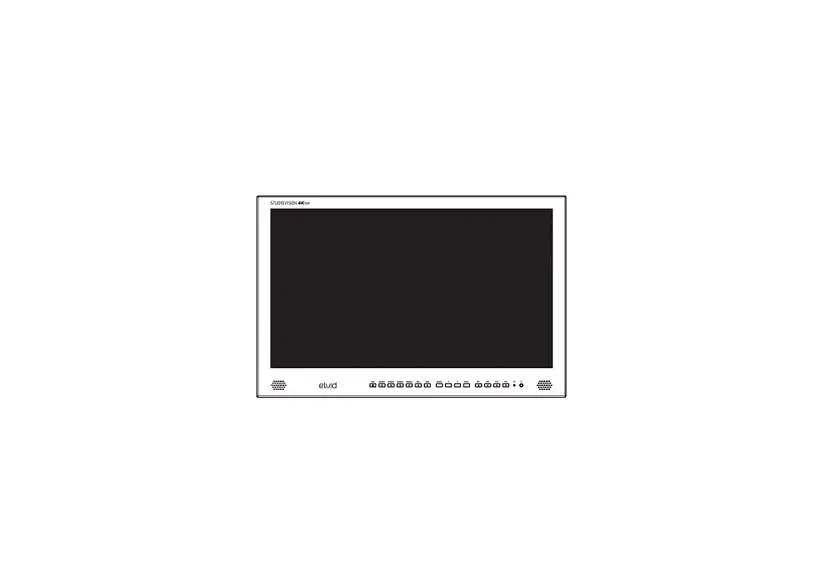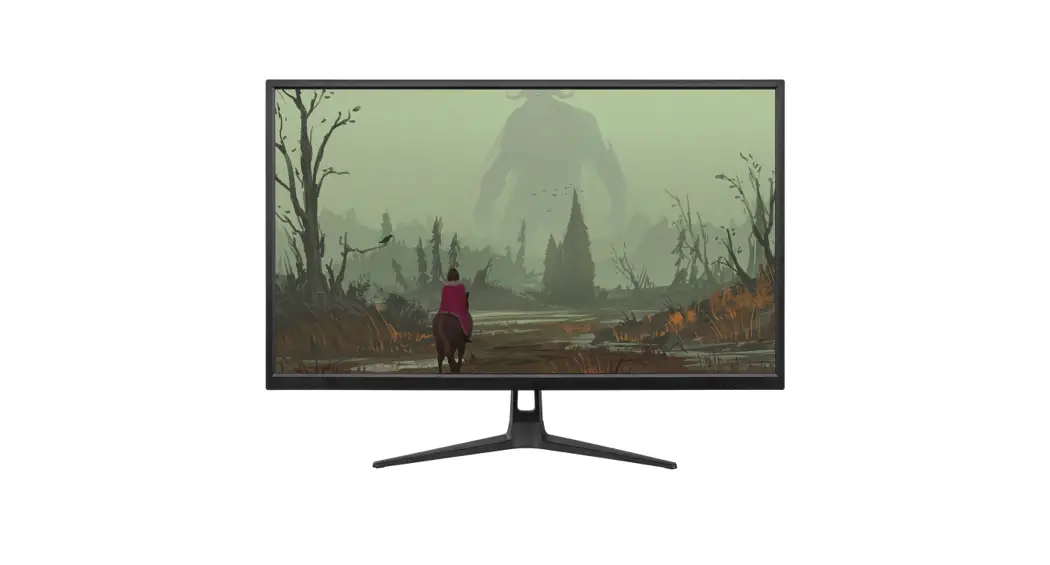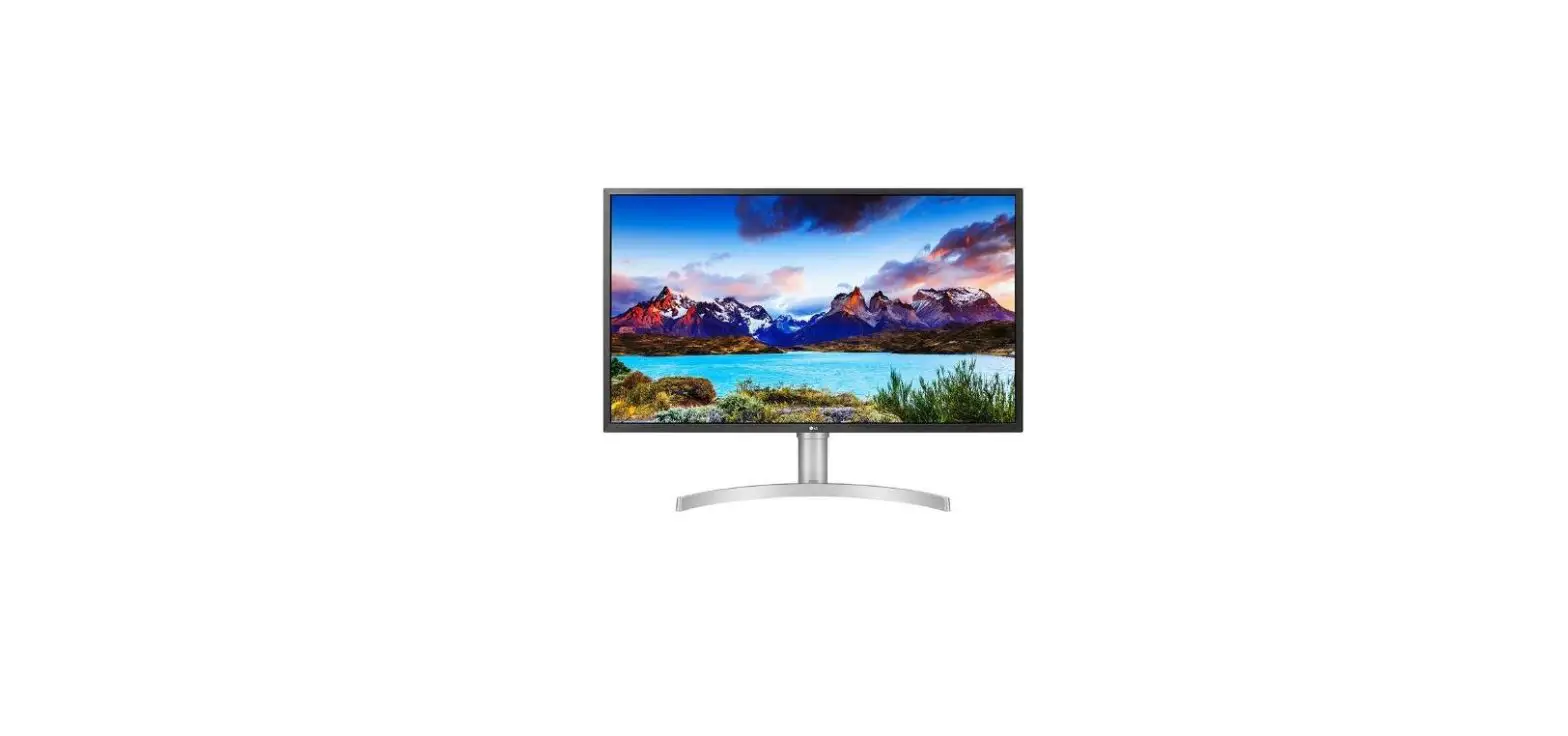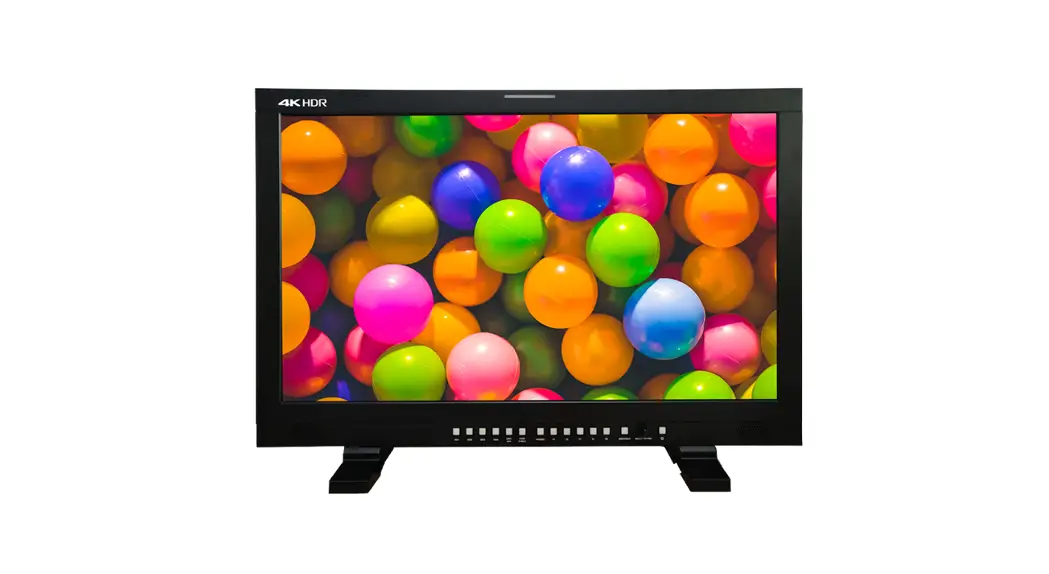

 RMS 2380U/RMS 2700U/RMS 3200U
12G-SDI 4K HDR Monitor
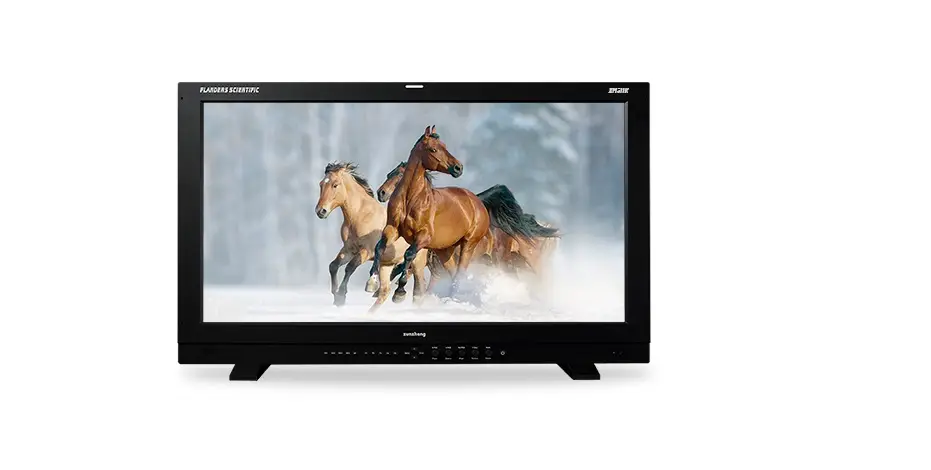
RMS 2380U 12G-SDI 4K HDR Monitor
Thank you for choosing our product!
This User Manual is designed to show you how to use this monitor quickly and make use of all the features.
Please read all directions and instructions carefully before using this product.
Declarations
FCC/Warranty
Federal Communications Commission (FCC) Statement
This equipment has been tested and found to comply with the limits for a class A digital device, pursuant to Part 15 of the FCC rules. These limits are designed to provide reasonable protection against harmful interference when the equipment is operated in a commercial environment. This equipment generates, uses, and can radiate radio frequency energy and, if not installed and used in accordance with the instruction manual, may cause harmful interference to radio communications. Operation of this equipment in a residential area may cause harmful interference, in which case the user will be responsible for correcting any interference.
Guarantee and Compensation
We provide a guarantee relating to perfect manufacturing as part of the legally stipulated terms of guarantee.
On receipt, the purchaser must immediately inspect all delivered goods for damage incurred during transport, as well as for material and manufacturing faults.
The period of guarantee begins on the date of transfer of risks, in the case of special systems and software on the date of commissioning, at latest 30 days after the transfer of risks. In the event of justified notice of compliant, we can repair the fault or provide a replacement at its own discretion within an appropriate period. If this measure proves to be impossible or unsuccessful, the purchaser can demand a reduction in the purchase price or cancellation of the contract. All other claims, in particular those relating to compensation for direct or indirect damage, and also damage attributed to the operation of software as well as to other service provided by us, being a component of the system or independent service, will be deemed invalid provided the damage is not proven to be attributed to the absence of properties guaranteed in writing or due to the intent or gross negligence or part of our company.
If the purchaser or a third party carries out modifications or repairs on goods delivered by us, or if the goods are handled incorrectly, in particular if the systems are commissioned operated incorrectly or if, after the transfer of risks, the goods are subject to influences not agreed upon in the contract, all guarantee claims of the purchaser will be rendered invalid. Not included in the guarantee coverage are system failures which are attributed to programs or special electronic circuitry provided by the purchaser, e.g. interfaces. Normal wear as well as normal maintenance are not subject to the guarantee provided by us either.
The environmental conditions as well as the servicing and maintenance regulations specified in this manual must be complied with by the customer.
Operators Safety Summary
The general safety information in this summary is for operating personnel.
Do Not Remove Covers or Panels
There are no user-serviceable parts within the unit. Removal of the top cover will expose dangerous voltages. To avoid personal injury, do not remove the top cover. Do not operate the unit without the cover installed.
Power Source
This product is intended to operate from a power source that will not apply more than 230 volts rms between the supply conductors or between both supply conductor and ground. A protective ground connection by way of grounding conductor in the power cord is essential for safe operation.
Do Not Operate in Explosive Atmospheres
To avoid explosion, do not operate this product in an explosive atmosphere.
Installation Safety Summary
Safety Precautions
For all product installation procedures, please observe the following important safety and handling rules to avoid damage to yourself and the equipment.
To protect users from electric shock, ensure that the chassis connects to earth via the ground wire provided in the AC power Cord.
The AC Socket-outlet should be installed near the equipment and be easily accessible.
Unpacking and Inspection
Before opening product shipping box, inspect it for damage. If you find any damage, notify the shipping carrier immediately for all claims adjustments. As you open the box, compare its contents against the packing slip. If you find any shortages, contact your sales representative.
Once you have removed all the components from their packaging and checked that all the listed components are present, visually inspect the system to ensure there was no damage during shipping. If there is damage, notify the shipping carrier immediately for all claims adjustments.
Site Preparation
The environment in which you install your product should be clean, properly lit, free from static, and have adequate power, ventilation, and space for all components.
Chapter 1 Your Product
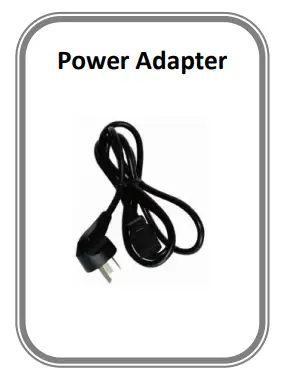
1.1 In the Box
1.2 Product Overview
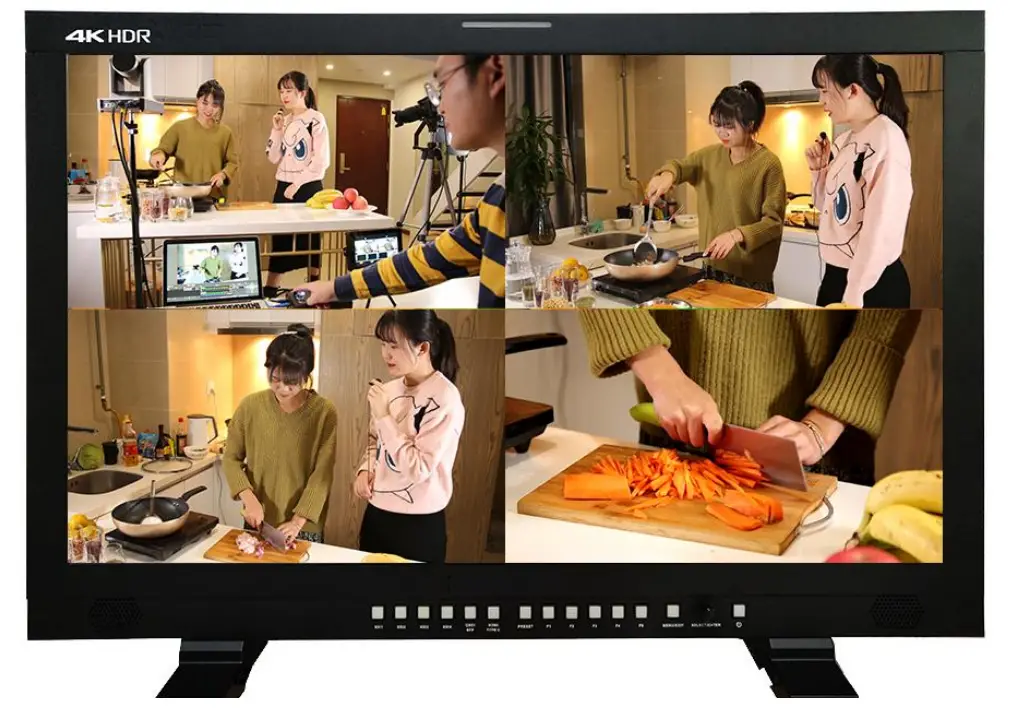
RGBlink UHD series of model RMS 2380U/RMS 2700U/RMS 3200U is 12G SDI 4K/8K monitor, equipped with 4*12G SDI input , support up to 8K on native 3840 x 2160 pixels LCD screen, 16:9 aspect ratio, 98% DCI-P3 wide color gamut, custom 3D LUT import, designed for professional production and post production workflow. RMS UHD series provide precise color reproduction and the unique and supports various HDR gamma curves, such as PQ, HLG, S-Log3.
1.2.1 Front Panel
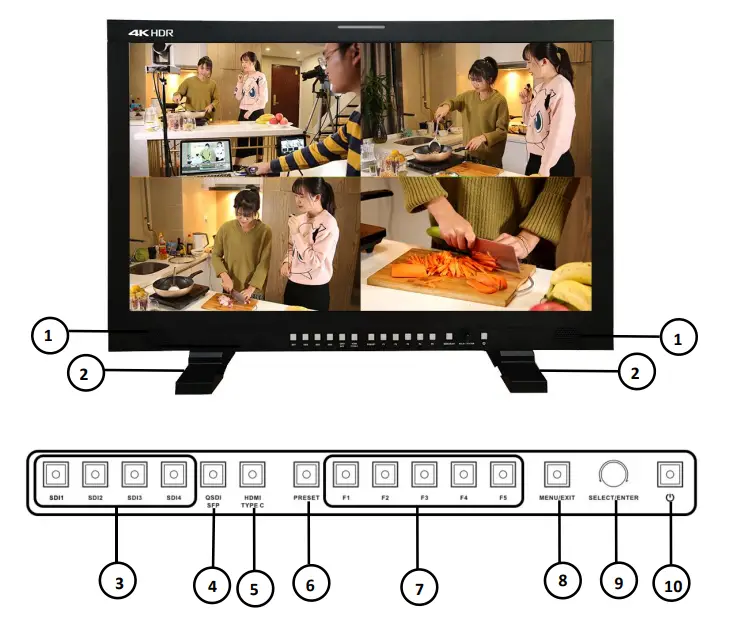
| ① | Speaker | 2-channel speaker with HDMI and SDI embedded audio. |
| ② | Base | Detachable. |
| ③ | SDI 1 to SDI 4 Buttons | For SDI 1-4 signal selection. |
| ④ | QSDI/SFP Button | Switch between 4-image division mode and optical fiber signal. |
| ⑤ | HDMUType C Button | For switch between HDMI and Type C signal. |
| ⑥ | Preset Button | Preset Mode. |
| ⑦ | F1 to F5 Buttons | Soft Keys. |
| ⑧ | MENU/EXIT Button | Open/close OSD menu, or go back to previous menu. |
| ⑨ | SELECT/ENTER Button | Rotate to select, and press to confirm. |
| ⑩ | Power Key | For turn-on (blue light) or turn-off (red light) , 3-second long press for turn-off, short press for turn-on. |
1.2.2 Rear Panel
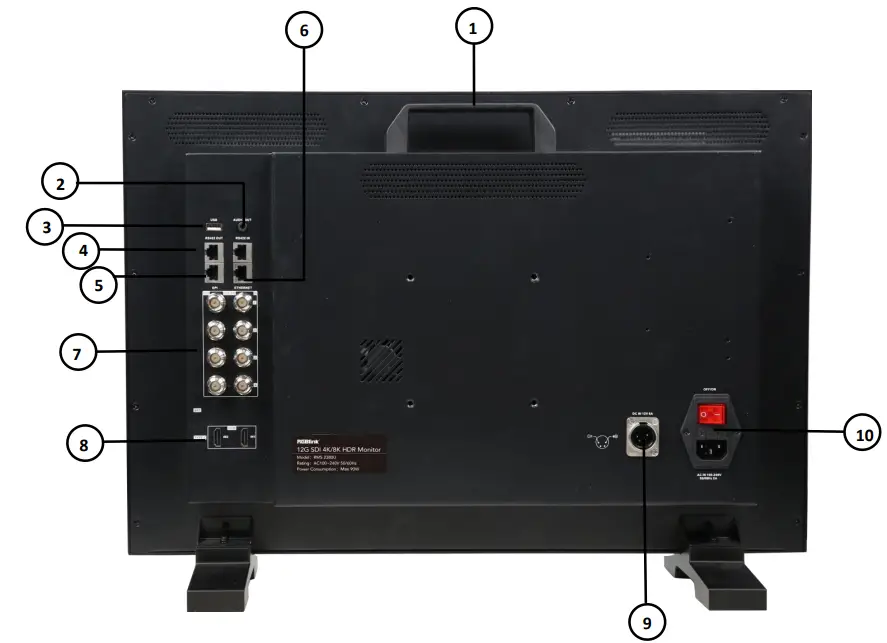
| ① | Handle | For carrying. |
| ② | 3.5mm Earphone Jack | The speaker will be turned off when earphone is connected. |
| ③ | USB Interface | For software upgrade. |
| ④ | RS422 Interface | In and Loop. |
| ⑤ | GPI | GPI interface to achieve remote control. |
| ⑥ | Network Port | For connecting network cable. |
| ⑦ | 12G-SDI Interface | Quad 12G-SDI ( In | Loop). |
| ⑧ | HDMI Interface | Dual HDMI inputs. |
| ⑨ | DC input terminal | 4-Pin Cannon interface. |
| ⑩ | AC input terminal | 220V interface with power switch. |
RS422 In/Out Interface Definition :
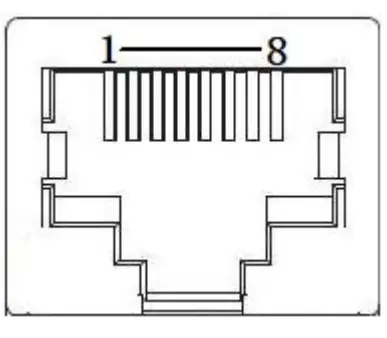 | PIN | Name | Description |
| 1 | GND | GND | |
| 2 | GND | GND | |
| 3 | TX- | Data transmission (-) | |
| 4 | RX+ | Data reception (+) | |
| 5 | RX- | Data reception (-) | |
| 6 | TX+ | Data transmission (+) | |
| 7 | NC | Not Connected | |
| 8 | NC | Not Connected |
GPI Interface Definition:
| PIN | Name | Description |
| 1 | GPI1 | Low level trigger;preset functions in menu. | |
| 2 | GPI2 | Low level trigger;preset functions in menu. | |
| 3 | GPI3 | Low level trigger;preset functions in menu. | |
| 4 | GPI4 | Low level trigger;preset functions in menu. | |
| 5 | GPI5 | Low level trigger;preset functions in menu. | |
| 6 | NC | Not Connected | |
| 7 | NC | Not Connected | |
| 8 | GND | GND |
1.2.3 Side Panel
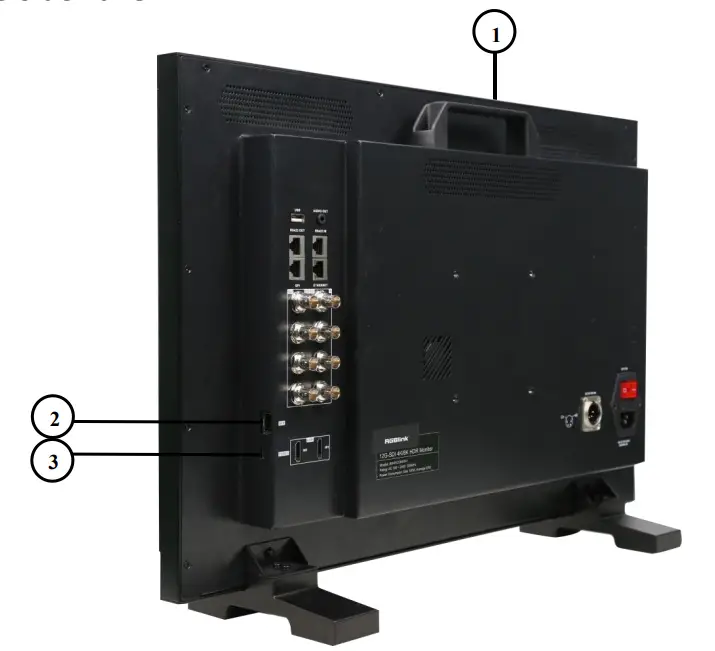
| ① | Handle | For carrying. |
| ② | SFP Interface | Insert optical fiber module (module is optional). |
| ③ | Thunderbolt 3/Type C Input Interface | Compatible with Thunderbolt 3/Type-C. |
1.2.4 Dimensions
Following is the dimension of monitor for your reference:
RMS 2380U
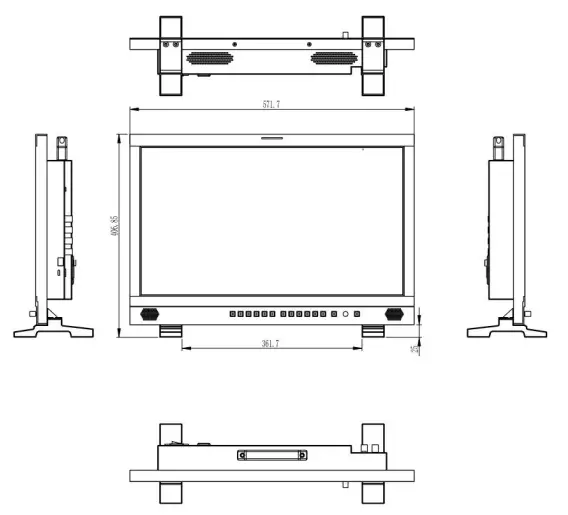
Net Weight:8.6kg
Dimension :572mm×407mm×160mm
RMS 2700U
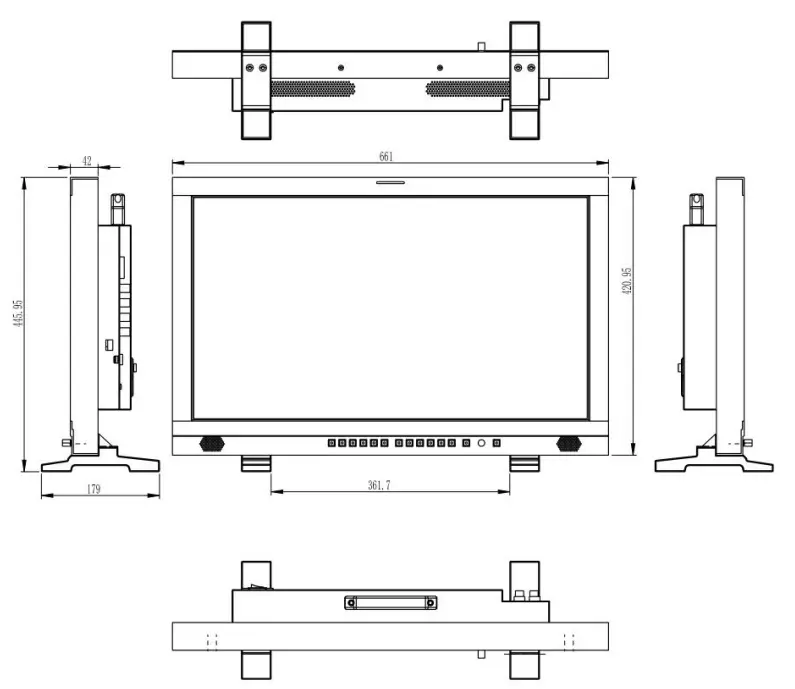
Net Weight:11.4kg
Dimension :661mm×179mm×420mm
RMS 3200U
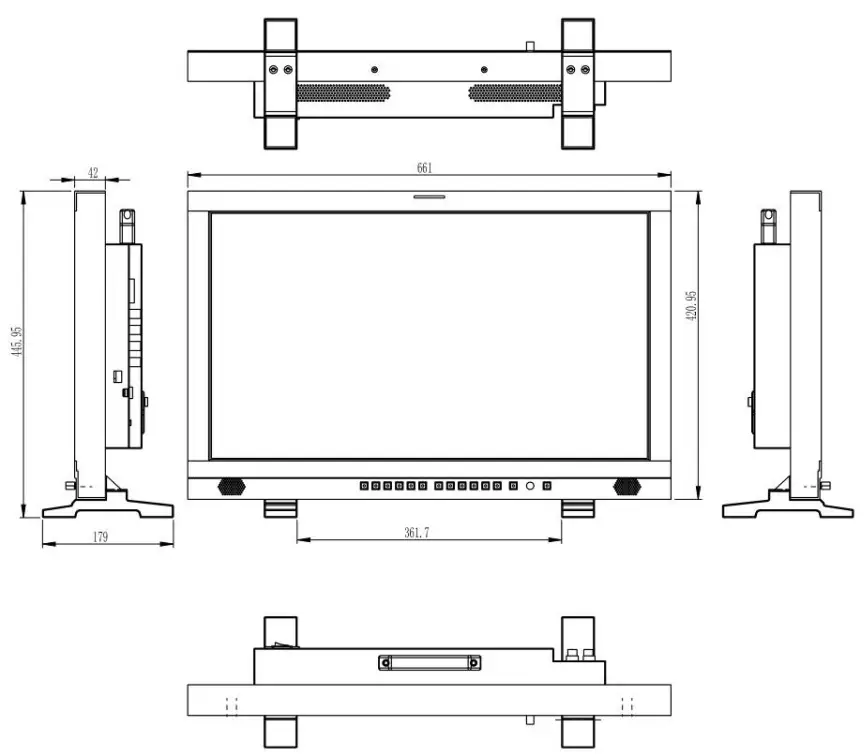
Net Weight:15.3kg
Gross Weight:751mm×179mm×502mm
Chapter 2 Use Your Product
2.1 Menu
Main Menu
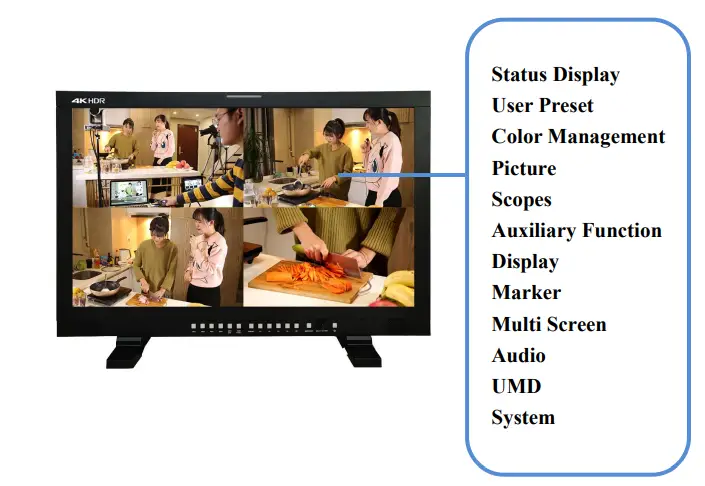
The monitor comes with OSD menu for parameters adjustment and setting, such as image quality adjustment, input signal setting and more.
Use the MENU/EXIT button on the front panel for specific operations of menu.
2.1.1 Status Display
Status Display: Show current settings and status information of monitor.
| Status Display User Preset Color Management Picture Scopes Auxiliary Function Display Marker Multi Screen | Audio UMD System Basic Color Info Scopes & Auxiliary SDI Info Hardware Info |
Basic Information
Show Input Source, Resolution, Image Division, Scan Mode, Aspect Ratio, Zoom Mode, Freeze, Flip Mode, Multi Screen Mode, Key Lock, Audio Source, Volume.
Color Information
Show Color Preset Mode, Color Temp, Color Gamut, Gamma (EOTF), HDR Auto Setting, Backlight, Input Range, Contrast, Brightness, Chroma, Aperture.
Scopes & Auxiliary Information
Show Waveform, Histogram, Vector Scope , False Color, Zebra, Test Signal, SDI Eye Diagram, Blue Only/Mono ,Screen Saver.
SDI Info
Show SDI Input, Payload ID, Video Standard, Sampling, Picture Rate, Scanning Mode, Bit Depth, Link Assignment, Colorimetry, Transfer Type.
Hardware Information
Show Hardware Version, Software Version, FPGA Version, Serial Number, Model Name, IP address, Subnet Mask, Gateway and Port Number.
2.1.2 User Preset
User Preset: Preset function keys and GPI, and store, load and restore the preset values.
| Status Display | F1 Button |
| User Preset | F2 Button |
| Color Management | F3 Button |
| Picture | F4 Button |
| Scopes | F5 Button |
| Auxiliary Function | GPI Preset |
| Display | GPI1 |
| Marker | GPI2 |
| Multi Screen | GPI3 |
| Audio | GPI4 |
| UMD | GPI5 |
| System | All Data Load |
| F Button Preset | All Data Save |
F Button Preset
Five modes with different functions, which are corresponding to the F1-F5 shortcut keys on the front panel. Users can also modify the five preset modes.
F1 to F5 Button
Functions of F1 to F5 buttons can be set as following:
Color preset mode, gamut, gamut contrast, gamut warning, camera log, color temperature, black level expansion, window selection, flip mode, static frame, waveform, single-line waveform, vector, histogram, audio table, auxiliary focus, false color, zebra, UMD, marker display, cross hatch, all-blue/black-white mode, time code, audio signal source, and so on.
GPI Preset
5 presets available, which can achieve distant control, storage and load.
GPI1 to GPI5
Functions of GPI1 to GPI5 can be set as following:
SFP, SDI1-4, 4XSDI(SQD), 4XSDI(2SI), HDMI, UMD, marker display, cross hatching, red Tally, green Tally, yellow Tally, time code, static frame, flip mode, auxiliary focus, false color, zebra crossing, waveform, single-line waveform , histogram, vector, audio signal source, audio table.
Data Load
Load data of preset F1-F5.
2.1.3 Color Management
Color Management: For color setting and adjustment.
| Status Display | Gamma(EOTF) |
| User Preset | PQ Option |
| Color Management | HLG System Gamma |
| Picture | Color Gamut |
| Scopes | Color Gamut Warning |
| Auxiliary Function | Color Gamut Clipping |
| Display | Luminance Warning |
| Marker | EETF |
| Multi Screen | Camera Log |
| Audio | User Camera Log |
| UMD | HDR Auto Setting |
| System | Gamut Comparison |
| Color Preset Mode | Left Color Gamut |
| Backlight | Right Color Gamut |
Color Preset Mode
Show BT.709, BT.2020, DCI-P3, PQ_DCI-P3, PQ_BT.2100, HLG_BT.2100, User 1-5
Backlight
0~100 adjustable.
Gamma(EOTF)
Set Gamma (EOTF)as following :
Gamma2.0, Gamma2.2, Gamma2.4, Gamma2.6, SMPTE ST 2084(PQ), ITU-R BT.2100(HLG), S-Log3, Canon Log, User Gamma LUT1-4
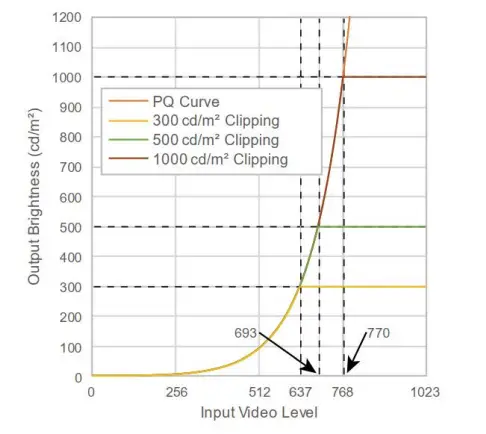
PQ Option
Show different brightness value:
PQ-300, PQ-500, PQ-1000
HLG System Gamma :
1.0, 1.1, 1.2, 1.3, 1.4, 1.5
Color Gamut:
Choose from:
Origian, ITU-R BT.709,SMPTE-C,EBU,DCI-P3,ITU-R BT.2020,User 1-5
Gamut Warning: ON/OFF
This function will show image beyond BT.709 in magenta, reminding that the image will not be able to display the color of the part beyond the monitor screen when editing with Rec.709. This function is only effective under BT.2020 color gamut.
Luminance Warming: ON/OFF
Maximum brightness shows in magenta.(Only can be chosen under PQ_BT.2100,HLG_BT.2100)
EETF:ON/OFF
This is a conversion function of HDR signal, which can display the HDR information of the monitor’s actual brightness.
When this function is turned on, the highest brightness of HDR is automatically mapped to the highest brightness of the monitor, and the details of the image will be preserved. When this function is turned off, the part of the image that exceeds the real brightness of the monitor will be saturated. This function is only available in PQ mode.
Camera Log
Choose from:
OFF
SLog3 To LC-709TypeA
SLog3 To SLog2-709
SLog3 To Cine+709
SLog3 to Rec709
SLog2 to Rec709
Canon Log to Rec709
Canon Log to Cineon
Arri LogC to Rec709
V-Log to V-709
User Log
User Camera Log
Log1-8 can be customized, which can be achieved via network or USB.
HDR Auto Setting: ON/OFF
The monitor will automatically select the color gamut and EOTF(PQ or HLG) curve according to the payload id of SDI signal source.
Gamut Comparison: ON/OFF
Can achieve comparison between left and right windows of different color gamut.
Left/Right Color Gamut
Choose from:
Original,ITU-R BT.709,SMPTE-C,EBU,DCI-P3,ITU-R BT.2020,User 1-5.
2.1.4 Picture
Picture:For adjustment of picture parameter.
| Status Display | Input Range |
| User Preset | Brightness |
| Color Management | Contrast |
| Picture | Chroma |
| Scopes | Aperture |
| Auxiliary Function | Black Stretch |
| Display | Stretch Intensity |
| Marker | Color Temp |
| Multi Screen | Green Gain |
| Audio | Blue Gain |
| UMD | Red Bias |
| System | Green Bias |
| Status Display | Blue Bias |
| Red Gain | Copy |
Input Range
Limited: 64-940
Full Range: 0-1023
SDI Range 4-1019
Extension: 64-1019
Brightness:-1024~1023 (Default:0)
Contrast:-1024~1023 (Default:1024)
Chroma: -50~50 (Default:0)
Aperture: 0~100 (Default:50)
Black Stretch: ON/OFF
This function can enhance contrast
Stretch Intensity: 0~1023 (Default:512)
Color Temp: Choose from D55,D65 (default ),D93,DCI-P3,User 1-3(Set the color temperature to save and load.)
Red, Green, Blue Gain: 0~2047 (Default:1024)
Red, Green, Blue Bias: –512~511 (Default:0)
Copy: For copy of white balance data of selected color temperature.
Choose from: D55,D65,D93,DCI-P3,User 1-3
2.1.5 Scopes
Scopes:To monitor, analyze and adjust video signals.
| Status Display | Waveform |
| User Preset | Waveform Color |
| Color Management | WFM Single Line |
| Picture | WFM Line Count |
| Scopes | Vertical Height |
| Auxiliary Function | Vector Scope |
| Display | Vector Color |
| Marker | Histogram |
| Multi Screen | BG Transparency |
| Audio | Scopes Position |
| UMD | System |
Waveform: OFF/Brightness Waveform/Component Waveform, RGB Waveform, RGB Superimposed Waveform
Waveform Color: white, green, yellow
WFM Single Line: ON/OFF
WFM Line Count:
Adjust the waveform with specific lines when displaying single-line waveform. (Only available under single-line waveform, and the range of line number depends on the current signal format.)
Vertical Height:
Display height of single-line waveform, choose from 128-lines, 256-lines and 512-line.
Vector Scope: ON/OFF
The color and saturation of the image are represented by waveform in a vector oscilloscope. The higher the saturation, the more stretched the waveform.
Vector Color: white or green
Histogram:
Choose from:OFF,Brightness Histogram, RGB Histogram, RGB Superposition Histogram.
BG Transparency: Dark, low and high
Scopes Position: low, medium and high
2.1.6 Auxiliary Function
Auxiliary Function: To monitor, analyze and adjust video signals.
| Status Display | False Color |
| User Preset | Full-Blue/Black-White Mo |
| Color Management | Auxiliary Focus |
| Picture | Focus Intensity |
| Scopes | Zebra Crossing |
| Auxiliary Function | Zebra Crossing Intensity |
| Display | Time Code |
| Marker | Test Signal |
| Multi Screen | UMD |
| Audio | System |
False Color: ON/OFF
Different false-color images are displayed when there are different exposure pictures in the image.
Blue Only/Mono:
Monochrome Mode Setting :OFF, All-Blue, Black-White, All-Red, All-Green
Focus Assist:
Choose from: OFF, Red, Blue, Green
Focus Intensity: Set auxiliary focus intensity
Zebra: ON/OFF
Count the display area in the image where the Y value is greater than the set value, and mark it with a white slash.
Zebra Intensity:
Adjust zebra crossing intensity
Time Code:
Set the time code format. :OFF,LTC,VITC
Test Signal: OFF, Color Bar, White, Red, Green, Blue
This function can directly display the stored color bar or solid color picture without external signal input, serving as the standard reference color or detecting the monitor screen.
2.1.7 Display
Display: Settings of various display modes.
| Status Display | Aspect Ratio |
| User Preset | Scan Mode |
| Color Management | Zoom Mode |
| Picture | Flip Mode |
| Scopes | Freeze |
| Auxiliary Function | Cross Hatch |
| Display | Audio |
| Marker | UMD |
| Multi Screen | System |
Aspect Ratio
Choose from:AUTO,1:1,16:9,4:3,2.35:1,1.85:1,15:9,16:10
Scan Mode
Choose from: Zero Scan, Overscan.
Zoom Mode: Achieve a partial amplification of the image.
Choose from: OFF, Upper Left, Top, Upper Right, Left, Right, Bottom, Bottom Left, Bottom Right, Middle
Flip Mode
Choose from:OFF, Horizontal Flip, Vertical Flip, Simultaneous Flip
Freeze
ON: To capture and display a current image.
OFF: Continue to play the video.
Cross Hatch: OFF/ON
This function can display grid lines to help focus different objects.
2.1.8 Marker
Marker :Settings of various marking lines.
| Status Display | Marker Display |
| User Preset | Aspect Marker |
| Color Management | Center Marker |
| Picture | Safety Area |
| Scopes | Fit Marker |
| Auxiliary Function | Marker Outside |
| Display | Line Color |
| Marker | Line Thickness |
| Multi Screen | UMD |
| Audio | System |
Mark Display:ON/OFF
Aspect Marker :
Choose from:OFF,16:9,15:9,14:9,13:9,4:3,2.35:1,1.85:1
Center Mark: OFF,Type 1,Type 2
Safety Area
Choose from: OFF,80%,85%,88%,90%,93%
Fit Marker: ON/OFF
ON: Safe area with aspect ratio
OFF: Safe area with screen ratio
Marker Outside:
Choose from: OFF, Black, Gray, Translucent
Line Color
Choose from:White, Red, Green, Blue, Black, Gray
Line Thickness
Choose from:2 pixels, 4 pixels, 6 pixels, 8 pixels
2.1.9 Multi Screen
Multi Screen:Simultaneous monitoring of multiple screens.
| Status Display | Multi Screen Mode |
| User Preset | Screen A Input |
| Color Management | Screen B Input |
| Picture | Screen C Input |
| Scopes | Screen D Input |
| Auxiliary Functio | Screen A Color Mode |
| Display | Screen B Color Mode |
| Marker | Screen C Color Mode |
| Multi Screen | Screen D Color Mode |
| Audio | Screen Border |
| UMD | Screen A Border Color |
| System | Screen B Border Color |
| Screen C Border Color | Screen D Border Color |
Multi Screen Mode: Display multiple signal sources on the same screen
Choose from: OFF, Side 3-Split, Bottom 3-Split, Live Broadcast Mode, PBP, PAP
Screen A-D Input:
Input signal can be chosen from: SDI1,SDI2,SDI3,SDI4,HDMI,SFP,HDMI2,TYPE C
(Note: Screen C can only display HDMI2 and TYPE C.)
Screen Color Mode: Choose color mode of Screen A-D.
Screen Border:
Border thickness of screen can be chosen from: OFF, 2 pixels, 4 pixels, 6 pixels, 8 pixels
Border Color
Choose from: Red, Green, Blue, White, Yellow
2.1.10 Audio
Audio: Settings of audio and audio meter table.
| Status Display | Audio Source |
| User Preset | Speaker Out Left |
| Color Management | Speaker Out Right |
| Picture | Volume |
| Scopes | Audio Level Meter |
| Auxiliary Function | Meter Direction |
| Display | Audio |
| Marker | UMD |
| Multi Screen | System |
Audio Source
Choose from :Undefined, embedded audio
Speaker Out Left/Right :
Choose from CH1,CH2,CH3,CH4,CH5,CH6,CH7,CH8,CH9,CH10,CH11,CH12,CH13,CH14,CH15,CH16
Volume: 0~100 (Default:30)
Audio Level Meter: OFF,G1
Meter Direction
Choose from: vertical and horizontal.
2.1.11 UMD
UMD :Settings of UMD, TSL, Baud Rate.
| Status Display | UMD Display |
| User Preset | Character Color |
| Color Management | UMD Position |
| Picture | UMD Size |
| Scopes | UMD Transparency |
| Auxiliary Function | Display Type |
| Display | UMD Standard |
| Marker | UMD ID |
| Multi Screen | Baud Rate |
| Audio | Source Name |
| UMD | System |
UMD Display: ON/OFF
Character Color
Choose from: White, Red, Green, Yellow, Cyan, Magenta
UMD Position
Position can be set from top or bottom.
UMD Size
Set UMD size to be large or small.
UMD Transparency
Choose from:OFF,Low,High
Display Type: Source ID,UMD
UMD Standard: OFF,TSL V3.1,TSL V4.0,TSL V5.0
UMD ID: 0~127 (Default: 0)
Baud Rate: 38400,8,e,1 ; 115200,8,e,1
Source Name: Set name of UMD source
2.1.12 System
System: Settings of Key Lock, Language, Menu Transparency and more.
| Status Display | Key Lock |
| User Preset | Language |
| Color Management | Menu Timer |
| Picture | Menu Position |
| Scopes | Menu Transparency |
| Auxiliary Function | Source Display |
| Display | Key LED |
| Marker | Factory Reset |
| Multi Screen | UMD |
| Audio | System |
Key Lock: OFF/Full Lock
Full Lock: All function keys are locked and cannot be used. Users need to enter the menu to select OFF for reuse.
Language: English/Simplified Chinese
Menu Timer: 5s, 10s, 30s, 60s (OSD disappears after the corresponding time.)
Menu Position:
Choose from: Top Left, Top Right, Middle, Left, Right
Menu Transparency
Increase transparency to see the background image directly.
Source Display: OFF/ON
Key LED: OFF/ON
Factory Reset: NO/Reset All Settings
Chapter 3 Ordering Codes
3.1 Product Code
| 400-2380-02-0 | RMS 2380U 23.8 Inch 12G-SDI 4K HDR Monitor |
| 400-2700-02-0 | RMS 2700U 27 Inch 12G-SDI 4K HDR Monitor |
| 400-3200-02-0 | RMS 3200U 32 Inch 12G-SDI 4K HDR Monitor |
Chapter 4 Support
4.1 Contact Us
www.rgblink.com
 Inquiries
 +86-592-577-1197
 [email protected]
 rgblink.com/contact-us
Global Support[email protected]rgblink.com/support-me
| RGBlink Headquarters Xiamen, China Room 601A, No. 37-3 Banshang community, Building 3, Xinke Plaza, Torch Hi-Tech Industrial Development Zone, Xiamen, China +86-592-577-1197 | China Regional Sales & Support Shenzhen, China 11th Floor Baiwang Building 5318 Shahe West Road Baimang, Nanshan +86-755 2153 5149 |
| Beijing Region Office Beijing, China Building 8, 25 Qixiao Road Shahe Town Changping +010- 8577 7286 | Europe Regional Sales & Support Eindhoven, Holland Flight Forum Eindhoven 5657 DW +31(040)2027183 |
Chapter 5 Appendix
5.1 Specification
| Screen | Model | IPS LCD screen |
| Size | 23.8 Inch / 27 Inch / 32 Inch | |
| Resolution | 3840 x 2160 | |
| Dot Pitch | 0.1369(H)×0.1369(V)mm | |
| Aspect Ratio | 16:9 / 4:3 convertible | |
| Backlight | LED | |
| Brightness | 540 cd/m2, 800 cd/m2, 700 cd/m2 | |
| Contrast | 1200:1 | |
| Color Depth | 10bits | |
| Image Processing | 12bits | |
| Response Time | 9ms | |
| View Angle | Pan:178°/ Tilt:178° | |
| Input | 12G-SDI | BNC x 4 |
| HDMI2.0 | x 2 | |
| SFP | 12G transmission rate | |
| Type-C(Compatible with Thunderbolt 3 ) | x 1 | |
| Output | 12G-SDI | BNC x 4 |
| Audio | Audio De-embedding | Support |
| Audio Level Meter | 16-way( Up to 8 channels can be displayed simultaneously.) | |
| Built-In Speaker | 1-way×8Ω /0.5W | |
| Earphone Monitoring | Stereo mini jack x1 | |
| Universal | Network Port x 1 | Control/upgrade,RJ-45 input |
| GPI x 1 | GPI1-5 ,RJ-45P | |
| Serial Port x 2 | RS-422,RJ-45P In/Loop | |
| Input Voltage | AC 100 V to 240 V, 2.8 A to 1.2 A, 50/60 Hz | |
| Power Consumption | 150W (Max),75W(Average) | |
| Working Temperature | -10°C to 55°C (14°F to 155° F) | |
| Storage Temperature | -20-60℃ | |
| Working Humidity | 30%-85%, RH |
5.2 Supported Signal Format
SDI Signal Format
Single Link
| Protocol | Resolution | Color Space | Frame Rate | Mode | Division Method |
| SMPTE-296M | 1280×720 | 4:2:2, YCbCr, 10bit | 60P, 60/1.001p, 50p, 30P, 0/1.001p, 25p, 24p, 24/1.001p | // | // |
| SMPTE-274M | 1920×1080 | 4:2:2, YCbCr, 10bit | 30p, 30/1.001p, 25p, 24p, 4/1.001p 30PsF, 30/1.001PsF, 25PsF, 24PsF, 24/1.001PsF 60i, 60/1.001i, 50i | // | // |
| SMPTE-2048M- 2 | 2048×1080 | 4:2:2, YCbCr, 10bit | 30p, 30/1.001p, 25p, 24p, 24/1.001p 30PsF, 30/1.001PsF, 25PsF, 24PsF, 24/1.001PsF | // | // |
| SMPTE-274M | 1920×1080 | 4:2:2, YCbCr, 10bit | 60p, 60/1.001p, 50p | Level A Level B-DL | // |
| SMPTE-2048M-2 | 2048×1080 | 4:2:2, YCbCr, 10bit | 60p, 60/1.001p, 50p, 48p,48p/1.001p | Level A Level B-DL | // |
| SMPTE-296M | 1280×720 | 4:4:4, RGB/RGBA, 10bit 4:4:4, YCbCr/ YCbCrA, 10bit | 60P, 60/1.001p, 50p, 30P,30/1.001p, 25p, 24p, 24/1.001p | Level A | // |
| SMPTE-274M | 1920×1080 | 4:4:4, RGB/RGBA, 10bit 4:4:4, YCbCr/ YCbCrA, 10bit | 30p, 30/1.001p, 25p, 24p,24/1.001p 30PsF, 30/1.001PsF, 25PsF, 24PsF, 24/1.001PsF 60i, 60/1.001i, 50i | Level A Level B-DL | // |
| SMPTE-2048M-2 | 2048×1080 | 4:4:4, RGB/RGBA, 10bit 4:4:4, YCbCr/ YCbCrA, 10bit | 30p, 30/1.001p, 25p, 24p, 24/1.001p 30PsF, 30/1.001PsF, 25PsF,24PsF, 24/1.001PsF | Level A Level B-DL | // |
| SMPTE-274M | 1920×1080 | 4:4:4, RGB, 12bit 4:4:4, YCbCr, 12bit | 30p, 30/1.001p, 25p, 24p, 24/1.001p 30PsF, 30/1.001PsF, 25PsF, 24PsF, 24/1.001PsF 60i, 60/1.001i, 50i | Level A Level B-DL | // |
| SMPTE-2048M-2 | 2048×1080 | 4:4:4, RGB, 12bit 4:4:4, YCbCr, 12bit | 30p,30/1.001p, 25p, 24p,24/1.001p 30PsF, 30/1.001PsF, 25PsF, 24PsF, 24/1.001PsF | Level A Level B-DL | // |
| SMPTE-274M | 1920×1080 | 4:2:2, YCbCr, 12bit | 30p, 30/1.001p, 25p, 24p,24/1.001p 30PsF, 30/1.001PsF, 25PsF, 24PsF, | Level A Level | // |
| 24/1.001PsF | B-DL | ||||
| 60i, 60/1.001i, 50i | |||||
| SMPTE-2048M- 2 | 2048×1080 | 4:2:2, YCbCr, 12bit | 30p, 30/1.001p, 25p, 24p, 24/1.001p 30PsF, 30/1.001PsF, 25PsF, 24PsF, 24/1.001PsF | Level A Level B-DL | // |
| 2048×1080 | 4:4:4, XYZ, 12bit | 30p, 25p, 24p 30PsF, 25PsF, 24PsF | Level A Level B-DL | // | |
| SMPTE-2036M-1 | 3840×2160 | 4:2:2, YCbCr, 10bit | 30p, 30/1.001p, 25p, 24p, 24/1.001p | MODE-1 | 2SI/SQD |
| SMPTE-2048M-2 | 4096×2160 | 4:2:2, YCbCr, 10bit | 30p, 30/1.001p, 25p, 24p, 24/1.001p | MODE-1 | 2SI/SQD |
| SMPTE-2036M-1 | 3840×2160 | 4:2:2, YCbCr, 10bit 4:2:0, YCbCr, 10bit | 60p, 60/1.001p, 50p | MODE-1 | 2SI/SQD |
| SMPTE-2048M-2 | 4096×2160 | 4:2:2, YCbCr, 10bit | 60p, 60/1.001p, 50p, 48p, 48p/1.001p | MODE-1 | 2SI/SQD |
| SMPTE-2036M-1 | 3840×2160 | 4:4:4, RGB, 10bit 4:4:4, YCbCr, 10bit | 30p, 30/1.001p, 25p, 24p, 24/1.001p | MODE-1 | 2SI/SQD |
| 4:4:4, RGB/RGBA, | |||||
| SMPTE-2048M-2 | 4096×2160 | 10bit 4:4:4, YCbCr/ | 30p, 30/1.001p, 25p, 24p, 24/1.001p | MODE-1 | 2SI/SQD |
| YCbCrA, 10bit | |||||
| SMPTE-2036M-1 | 3840×2160 | 4:4:4, RGB, 12bit 4:4:4, YCbCr, 12bit | 30p, 30/1.001p, 25p, 24p, 24/1.001p | MODE-1 | 2SI/SQD |
| SMPTE-2048M-2 | 4096×2160 | 4:4:4, RGB, 12bit 4:4:4, YCbCr, 12bit | 30p, 30/1.001p, 25p, 24p, 24/1.001p | MODE-1 | 2SI/SQD |
| SMPTE-2036M-1 | 3840×2160 | 4:2:2, YCbCr, 12bit | 30p, 30/1.001p, 25p, 24p, 24/1.001p | MODE-1 | 2SI/SQD |
| SMPTE-2048M-2 | 4096×2160 | 4:2:2, YCbCr, 12bit | 30p, 30/1.001p, 25p, 24p, 24/1.001p | MODE-1 | 2SI/SQD |
| 4096×2160 | 4:4:4, XYZ, 12bit | 30p, 25p, 24p | MODE-1 | 2SI/SQD |
Dual Link
| Protocal | Resolution | Color Space | Frame Rate | Mode | Division Method |
| SMPTE-274M | 1920×1080 | 4:2:2, YCbCr, 10bit | 60p, 60/1.001p, 50p | // | // |
| SMPTE-2048M-2 | 2048×1080 | 4:2:2, YCbCr, 10bit | 60p, 60/1.001p, 50p, 48p, 48p/1.001p | // | // |
| SMPTE-274M | 1920×1080 | 4:4:4, RGB, 10bit 4:4:4, YCbCr, 10bit | 30p, 30/1.001p, 25p, 24p, 24/1.001p 30PsF, 30/1.001PsF, 25PsF, 24PsF, 24/1.001PsF | // | // |
| 60i, 6011.0011, 501 | |||||
| SMPTE-2048M- 2 | 2048×1080 | 4:4:4, RGB, lObit 4:4:4. la . 10 bet | 30p, 30/1.001p, 25p, 24p, 74/1.001p 30PsF, 30/1.001PR, 25PsF,24PsF, 2411.001PsF | // | // |
| SMPTE-274M | 1920×1080 | 4:4:4, RGB, 12bit 4:4:4, r„,(34;r„, 12bit | 30p, 30/1.001p, 25p, 24p, 74/1.001p 30PsF, 30/1.001PR, 25PsF,24PsF, 2411.001PsF 60i, 60/1.0011, 501 | // | // |
| SMPTE-2048M-2 | 2048×1080 | 4:4:4, RGB, 12bit 4:4:4, Yjacg, 12bit | 30p, 30/1.001p, 25p, 24p, 74/1.001p 30PsF, 30/1.001PR, 25PsF,24PsF, 2411.001PsF | // | // |
| SMPTE-274M | 1920×1080 | 42:2,x, 12bit | 30p, 30/1.001p, 25p, 24p, 74/1.001p 30PsF, 30/1.001PR, 25PsF,24PsF,2411.001PsF | // | // |
| METE-204SM-2 | 2048×1080 | 4:2:2, xcja, 12bit | 30p, 30/1.001p, 25p, 24p, 74/1.001p | // | // |
| 2048×1080 | 4:4:4, XYZ, 12bit | 30P, 25P. 24P 30PsF, 25PsF, 2APsF | // | // |
Quad Link
| SMPTE 2082-1 | 7680×4320 | 4:2:2, YCbCr, 10bit | 23.98p,24p,25p,29.97p,30p,50p,59.94 p,60p | // | 2SI |
| SMPTE 2082-10 | 8192×4320 | 4:2:2, YCbCr, 10bit | 23.98p,24p,25p,29.97p,30p,50p,59.94 p,60p | // | 2SI |
| SMPTE-2036M- 1 | 3840×2160 | 4:2:2, YCbCr, 10bit | 30p, 30/1.001p, 25p, 24p, 24/1.001p 30PsF, 30/1.001PsF, 25PsF, 24PsF, 24/1.001PsF | // | SQD |
| SMPTE-2048M- 2 | 4096×2160 | 4:2:2, YCbCr, 10bit | 30p, 30/1.001p, 25p, 24p, 24/1.001p 30PsF, 30/1.001PsF, 25PsF, 24PsF, 24/1.001PsF | // | SQD |
| SMPTE-2036M-1 | 3840×2160 | 4:2:2, YCbCr, 10bit 4:2:0, YCbCr, 10bit | 60p, 60/1.001p, 50p | Level A Level B-DL | 2SI/SQD |
| SMPTE-2048M- 2 | 4096×2160 | 4:2:2, YCbCr, 10bit | 60p, 60/1.001p, 50p, 48p, 48p/1.001p | Level A Level B-DL | 2SI/SQD |
| SMPTE-2036M-1 | 3840×2160 | 4:4:4, RGB, 10bit 4:4:4, YCbCr, 10bit | 30p, 30/1.001p, 25p, 24p, 24/1.001p | Level A Level B-DL | 2SI/SQD |
| 3840×2160 | 4:4:4, RGB, 10bit 4:4:4, YCbCr, 10bit | 30PsF, 30/1.001PsF, 25PsF, 24PsF, 24/1.001PsF | Level A elev B-DL | SQD |
| SMPTE-204SM-2 | 40964160 | 4:4:4, RGBIRG13A, 10bit 4:4:4,MW YAW& 10bit | 30p, 30/1.001p, 25p, 24p, 24/1.001p | Level A Level B-DL | 2SUSQD |
| 40964160 | 4:4:4, RGB, 10bit 4:4:4, MW, 10bit | 30PsF,30/1.001PsF,25PsF,24PsF, 24/1.001PsF | Level A Level B-DL | SQD | |
| SMPTE-2036M-1 | 38404160 | 4:4:4, RGB, 12bit 4:4:4, WC. 12bit | 30p, 30/1.001p, 25p, 24p, 24/1.001p | Level A Level B-DL | 2SUSQD |
| 38404160 | 4:4:4, RGB, 12bit 4:4:4, MW 12bit | 30PsF,30/1.001PsF,25PsF,24PsF, 24/1.001PsF | Level A Level B-DL | SQD | |
| SMPTE-2048M-2 | 40964160 | 4:4:4, RGB, 12bit 4:4:4, yncr. 12bit | 30p, 30/1.001p, 25p, 24p, 24/1.001p | Level A Level B-DL | 2SISQD |
| 40964160 | 4:4:4, RGB, 12bit 4:4:4, rela. 12bit | 30PsF, 30/1.001PsF, 25PsF, 24PsF, 24/1.001PsF | Level A Level B-DL | SQD | |
| SMPTE-2036M-1 | 38404160 | 4:2:2,Mak, 12bit | 30p, 30/1.001p, 25p, 24p, 24/1.001p | Level A Level B-DL | 2SUSQD |
| SMPTE-2048M-2 | 40964160 | 4:2:2,Mak, 12bit | 30p, 30/1.001p, 25p, 24p, 24/1.001p | Level A Level B-DL | 2SIISQD |
| 4096×2160 | 4:4:4, XYZ, 12bit | 30p, 25p, 24p, | Level A Level B-DL | 2SIISQD | |
| 4096×2160 | 4:4:4, XYZ, 12bit | 30PsF,25PsF, 24PsF | Level A Level B-DL | SQD |
HDMI Signal Format
4096 ×2160p (60 / 59.94 / 50 / 30 / 29.97 / 25 / 24 / 23.98) 3840 ×2160p (60 / 59.94 / 50 / 30 / 29.97 / 25 / 24 / 23.98) 1080p (60 / 59.94 / 50 / 30 / 29.97 / 25 / 24 / 23.98) 1080i (60 / 59.94 / 50) 720p (60 / 59.94 / 50)
5.3 Terms & Definitions
- RCA: Connector used primarily in consumer AV equipment for both audio and video. The RCA connector was developed by the Radio Corporation of America.
- BNC: Stands for Bayonet Neill-Concelman. A cable connector used extensively in television (named for its inventors). A cylindrical bayonet connector that operates with a twist-locking motion .
- CVBS: CVBS or Composite video, is an analog video signal without audio. Most commonly CVBS is used for transmission of standard definition signals. In consumer applications the connector is typically RCA type, while in professional applications the connector is BNC type.
- YPbPr: Used to describe the colour space for progressive-scan. Otherwise known as component video.
- VGA: Video Graphics Array. VGA is an analog signal typically used on earlier computers. The signal is non-interlaced in modes 1, 2, and 3 and interlaced when using in mode.
- DVI: Digital Visual Interface. The digital video connectivity standard that was developed by DDWG (Digital Display Work Group). This connection standard offers two different connectors: one with 24 pins that handles digital video signals only, and one with 29 pins that handles both digital and analog video.
- SDI: Serial Digital Interface. Standard definition video is carried on this 270 Mbps data transfer rate. Video pixels are characterized with a 10-bit depth and 4:2:2 color quantization. Ancillary data is included on this interface and typically includes audio or other metadata. Up to sixteen audio channels can be transmitted. Audio is organised into blocks of 4 stereo pairs. Connector is BNC.
- HD-SDI: High-definition serial digital interface (HD-SDI), is standardized in SMPTE 292M this provides a nominal data rate of 1.485 Gbit/s.
- 3G-SDI: Standardized in SMPTE 424M, consists of a single 2.970 Gbit/s serial link that allows replacing dual link HD-SDI.
- 6G-SDI: Standardized in SMPTE ST-2081 released in 2015, 6Gbit/s bitrate and able to support 2160p@30.
- 12G-SDI: Standardized in SMPTE ST-2082 released in 2015, 12Gbit/s bitrate and able to support 2160p@60.
- U-SDI: Technology for transmitting large-volume 8K signals over a single cable. a signal interface called the ultra high definition signal/data interface (U-SDI) for transmitting 4K and 8K signals using a single optical cable. The interface was standardized as the SMPTE ST 2036-4.
- HDMI: High Definition Multimedia Interface: An interface used for the transmission of uncompressed high definition video, up to 8 channels of audio, and control signals, over a single cable.
- HDMI 1.3: Released on June 22 2006, and increased the maximum TMDS clock to 340 MHz (10.2 Gbit/s). Support resolution 1920 × 1080 at 120 Hz or 2560 × 1440 at 60 Hz). It added support for 10 bpc, 12 bpc, and 16 bpc color depth (30, 36, and 48 bit/px), called deep color.
- HDMI 1.4: Released on June 5, 2009, added support for 4096 × 2160 at 24 Hz, 3840 × 2160 at 24, 25, and 30 Hz, and 1920 × 1080 at 120 Hz. Compared to HDMI 1.3, 3 more features added which are HDMI Ethernet Channel (HEC) , audio return channel (ARC),3D Over HDMI, a new Micro HDMI Connector, an expanded set of color spaces.
- HDMI 2.0: Released on September 4, 2013 increases the maximum bandwidth to 18.0 Gbit/s. Other features of HDMI 2.0 include up to 32 audio channels, up to 1536 kHz audio sample frequency, the HE-AAC and DRA audio standards, improved 3D capability, and additional CEC functions.
- HDMI 2.0a: Was released on April 8, 2015, and added support for High Dynamic Range (HDR) video with static metadata.
- HDMI 2.0b: Was released March, 2016, support for HDR Video transport and extends the static metadata signaling to include Hybrid Log-Gamma (HLG).
- HDMI 2.1: Released on November 28, 2017. It adds support for higher resolutions and higher refresh rates, Dynamic HDR including 4K 120 Hz and 8K 120 Hz.
- DisplayPort: A VESA standard interface primarily for video, but also for audio, USB and other data. DisplayPort (or DP) is backwards compatible with HDMI, DVI and VGA.
- DP 1.1: Was ratified on 2 April 2007, and version 1.1a was ratified on 11 January 2008. DisplayPort 1.1 allow a maximum bandwidth of 10.8 Gbit/s (8.64 Gbit/s data rate) over a standard 4-lane main link, enough to support 1920×1080@60Hz
- DP 1.2: Introduced on 7 January 2010, effective bandwidth to 17.28 Gbit/s support increased resolutions, higher refresh rates, and greater color depth, maximum resolution 3840 × 2160@60Hz
- DP 1.4: Publish on 1 Mar, 2016.overall transmission bandwidth 32.4 Gbit/s ,DisplayPort 1.4 adds support for Display Stream Compression 1.2 (DSC), DSC is a “visually lossless” encoding technique with up to a 3:1 compression ratio. Using DSC with HBR3 transmission rates, DisplayPort 1.4 can support 8K UHD (7680 × 4320) at 60 Hz or 4K UHD (3840 × 2160) at 120 Hz with 30 bit/px RGB color and HDR. 4K at 60 Hz 30 bit/px RGB/HDR can be achieved without the need for DSC.
- Multi-mode Fiber: Fibers that support many propagation paths or transverse modes are called multi-mode fibers, generally have a wider core diameter and are used for short-distance communication links and for applications where high power must be transmitted.
- Single-mode Fiber: Fiber that support a single mode are called single-mode fibers. Single-mode fibers are used for most communication links longer than 1,000 meters (3,300 ft).
- SFP: Small form-factor pluggable , is a compact, hot-pluggable network interface module used for both telecommunication and data communications applications.
- Optical Fiber Connector: Terminates the end of an optical fiber, and enables quicker connection and disconnection than splicing. The connectors mechanically couple and align the cores of fibers so light can pass. 4 most common types of optical fiber connectors are SC, FC, LC,ST.
- SC: (Subscriber Connector), also known as the square connector was also created by the Japanese company – Nippon Telegraph and Telephone. SC is a push-pull coupling type of connector and has a 2.5mm diameter. Nowadays, it is used mostly in single mode fiber optic patch cords, analog, GBIC, and CATV. SC is one of the most popular options, as its simplicity in design comes along with great durability and affordable prices.
- LC:(Lucent Connector) is a small factor connector (uses only a 1.25mm ferrule diameter) that has a snap coupling mechanism. Because of its small dimensions, it is the perfect fit for high-density connections, XFP, SFP, and SFP+ transceivers.
- FC: (Ferrule Connector) is a screw type connector with a 2.5mm ferrule. FC is a round shaped threaded fiber optic connector,mostly used on Datacom, telecom, measurement equipment, single-mode laser.
- ST: (Straight Tip) was invented by AT&T and uses a bayonet mount along with a long spring-loaded ferrule to support the fiber.
- USB: Universal Serial Bus is a standard that was developed in the mid-1990s that defines cables, connectors and communication protocols. This technology is designed to allow a connection, communication and power supply for peripheral devices and computers.
- USB 1.1: Full–Bandwidth USB, specification was the first release to be widely adopted by the consumer market. This specification allowed for a maximum bandwidth of 12Mbps.
- USB 2.0: or Hi–Speed USB, specification made many improvements over USB 1.1. The main improvement was an increase in bandwidth to a maximum of 480Mbps.
- USB 3.2: Super Speed USB with 3 varieties of 3.2 Gen 1(original name USB 3.0), 3.2Gen 2(original name USB 3.1), 3.2 Gen 2×2 (original name USB 3.2) with speed up to 5Gbps,10Gbps,20Gbps respectively. USB version and connectors figure:
| Type A | Type B | Mini A | Mini B | Micro- A | Micro -B | Type C | |
| USB 2.0 |  | 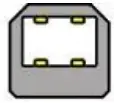 | 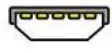 | 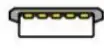 | 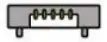 | 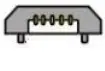 | |
| USB 3.0 | 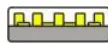 | 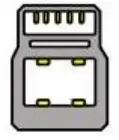 | 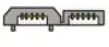 | ||||
| USB 3.1&3.2 | 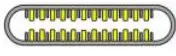 |
- NTSC: The colour video standard used in North America and some other parts of the world created by the National Television Standards Committee in the 1950s. NTSC utilizes an interlaced video signals.
- PAL: Phase Alternate Line. A television standard in which the phase of the colour carrier is alternated from line to line. It takes four full images (8 fields) for the colour-to-horizontal images (8 fields) for the colour-to-horizontal phase relationship to return to the reference point. This alternation helps cancel out phase errors. For this reason, the hue control is not needed on a PAL TV set. PAL, is widely used in needed on a PAL TV set. PAL, is widely used in Western Europe, Australia, Africa, the Middle East, and Micronesia. PAL uses 625-line, 50-field (25 fps) composite colour transmission system.
- SMPTE: Society of Motion image and Television Engineers. A global organization, based in the United States, that sets standards for baseband visual communications. This includes film as well as video and television standards.
- VESA: Video Electronics Standards Association. An organization facilitating computer graphics through standards.
- HDCP: High-bandwidth Digital Content Protection (HDCP) was developed by Intel Corporation an is in wide use for protection of video during transmission between devices.
- HDBaseT: A video standard for the transmission of uncompressed video (HDMI signals) and related features using Cat 5e/Cat6 cabling infrastructure.
- ST2110: A SMPTE developed standard, ST2110 describes how to send digital video over and IP networks. Video is transmitted uncompressed with audio and other data in a separate streams. SMPTE2110 is intended principally for broadcast production and distribution facilities where quality and flexibility are more important.
- SDVoE: Software Defined Video over Ethernet (SDVoE) is a method for transmission, distribution and management AV signals using a TCP/IP Ethernet infrastructure for transport with low latency. SDVoE is commonly used in integration applications.
- Dante AV: The Dante protocol was developed for and widely adopted in audio systems for the transmission of uncompressed digital audio on IP based networks. The more recent Dante AV specification includes support for digital video.
- NDI: Network Device interface (NDI) is a software standard developed by NewTek to enable video-compatible products to communicate, deliver, and receive broadcast quality video in a high quality, low latency manner that is frame-accurate and suitable for switching in a live production environment over TCP (UDP) Ethernet based networks. NDI is commonly found in broad cast applications.
- RTMP: Real-Time Messaging Protocol (RTMP) was initially a proprietary protocol developed by Macromedia (now Adobe) for streaming audio, video and data over the Internet, between a Flash player and a server.
- RTSP: The Real Time Streaming Protocol (RTSP) is a network control protocol designed for use in entertainment and communications systems to control streaming media servers. The protocol is used for establishing and controlling media sessions between end points.
- MPEG: Moving Picture Experts Group is a working group formed from ISO and IEC developing standards that allow audio/video digital compression and Transmission.
- H.264: Also known as AVC (Advanced Video Coding) or MPEG-4i is a common video compression standard.
H.264 was standardized by the ITU-T Video Coding Experts Group (VCEG) together with the ISO/IEC JTC1 Moving Picture Experts Group (MPEG). - H.265: Also known as HEVC (High Efficiency Video Coding ) H.265 is the successor to the widely used H.264/AVC digital video coding standard. Developed under the auspices of ITU, resolutions up to 8192×4320 may be compressed.
- API: An Application Programming Interface (API) provides a predefined function which allows access capabilities sand feature sir routines via software or hardware, without accessing source code or understanding the details of inner working mechanism. An API call may execute a function and/or provide data feedback/report.
- DMX512: The communication standard developed by USITT for entertainment and digital lighting systems.The wide adoption of the Digital Multiplex (DMX) protocol has seen the protocol used for a wide range of other devices including video controllers. DMX512 is delivered over cable of 2 twisted pairs with spin XLR cables for connection.
- ArtNet: An ether-net protocol based on TCP/IP protocol stack, mainly used in entertainment/events applications. Built on the DMX512 data format, ArtNet enables multiple “ universes ” of DMX512 to be transmitted using ethernet networks for transport.
- MIDI: MIDI is the abbreviation of Musical Instrument Digital Interface. As the name indicates the protocol was developed for communication between electronical musical instruments and latterly computers. MIDI instructions are triggers or commands sent over twisted pair cables, typically using 5pin DIN connectors.
- OSC: The principle of Open Sound Control (OSC) protocol is for networking sound synthesizers, computers, and multimedia devices for musical performance or show control. As with XML and JSON, the OSC protocol allows sharing data. OSC is transported via UDP packets between devices connected on an Ethernet.
- Brightness: Usually refers to the amount or intensity of video light produced on a screen without regard to colour. Sometimes called black level.
- Contrast Ratio: The ratio of the high light output level divided by the low light output level. In theory, the contrast ratio of the television system should be at least 100:1, if not 300:1. In reality, there are several limitations. Well-controlled viewing conditions should yield a practical contrast ratio of 30:1 to 50:1.
- Colour Temperature: The colour quality, expressed in degrees Kelvin (K), of a light source. The higher the colour temperature, the bluer the light. The lower the temperature, the redder the light. Benchmark colour temperature for the A/V industryinclude 5000°K, 6500°K,and 9000°K.
- Saturation: Chroma, Chroma gain. The intensity of the colour, or the extent to which a given colour in any image is free from white. The less white in a colour, the truer the colour or the greater its saturation. Saturation is the amount of pigment in a colour, and not the intensity.
- Gamma: The light output of a CRT is not linear with respect to the voltage input. The difference between what you should have and what is actually output is known as gamma.
- Frame: In interlaced video, a frame is one complete image.A video frame is made up of two fields, or two sets of interlaced lines. In a film, a frame is one still image of a series that makes up a motion image.
- Genlock: Allows synchronisation of otherwise video devices. A signal generator provides a signal pulses which connected devices can reference. Also see Black Burst and Color Burst.
- Black burst: The video waveform without the video elements.It includes the vertical sync, horizontal sync, and the Chroma burst information. Black burst is used to synchronize video equipment to align the video output.
- Colour Burst: In colour TV systems, a burst of subcarrier frequency located on the back part of the composite video signal. This serves as a colour synchronizing signal to establish a frequency and phase reference for the Chroma signal. Colour burst is 3.58 MHz for NTSC and 4.43 MHz for PAL.
- Colour Bars: A standard test pattern of several basic colours (white, yellow, cyan, green, magenta, red, blue, and black) as a reference for system alignment and testing. In NTSC video, the most commonly used colour bars are the SMPTE standard colour bars. In PAL video, the most commonly used colour bars are eight full field bars. On computer monitors the most commonly used colour bars are two rows of reversed colour bars
- Seamless Switching: A feature found on many video switchers. This feature causes the switcher to wait until the vertical interval to switch. This avoids a glitch (temporary scrambling) which often is seen when switching between sources.
- Scaling: A conversion of a video or computer graphic signal from a starting resolution to a new resolution. Scaling from one resolution to another is typically done to optimize the signal for input to an image processor, transmission path or to improve its quality when presented on a particular display.
- PIP: Picture-In-Picture. A small image within a larger image created by scaling down one of image to make it smaller. Other forms of PIP displays include Picture-By-Picture (PBP) and Picture- With-Picture (PWP), which are commonly used with 16:9 aspect display devices. PBP and PWP image formats require a separate scaler for each video window .
- HDR: is a high dynamic range (HDR) technique used in imaging and photography to reproduce a greater dynamic range of luminosity than what is possible with standard digital imaging or photographic techniques. The aim is to present a similar range of luminance to that experienced through the human visual system.
- UHD: Standing for Ultra High Definition and comprising 4K and 8K television standards with a16:9 ratio, UHD follows the 2K HDTV standard. A UHD 4K display metaphysical resolution of 3840×2160 which is four times the area and twice both the width and eighteenth/Fulled(1920×1080) video signal.
- EDID: Extended Display Identification Data. EDID is a data structure used to communicate video display information, including native resolution and vertical interval refresh rate requirements, to a source device. The source device will then output the provided EDID data, ensuring proper video image quality.
5.4 Revision History
The table below lists the changes to the User Manual.
| Format | Time | ECO# | Description | Principal |
| V1.0 | 12/21/2022 | 0000# | Release | Aster |
All information herein is Xiamen RGBlink Science & Technology Co Ltd. excepting noted.
RGBLINK is a registered trademark of Xiamen RGBlink Science & Technology Co Ltd. While all efforts are made for accuracy at time of printing, we reserve the right to alter otherwise make change without notice.