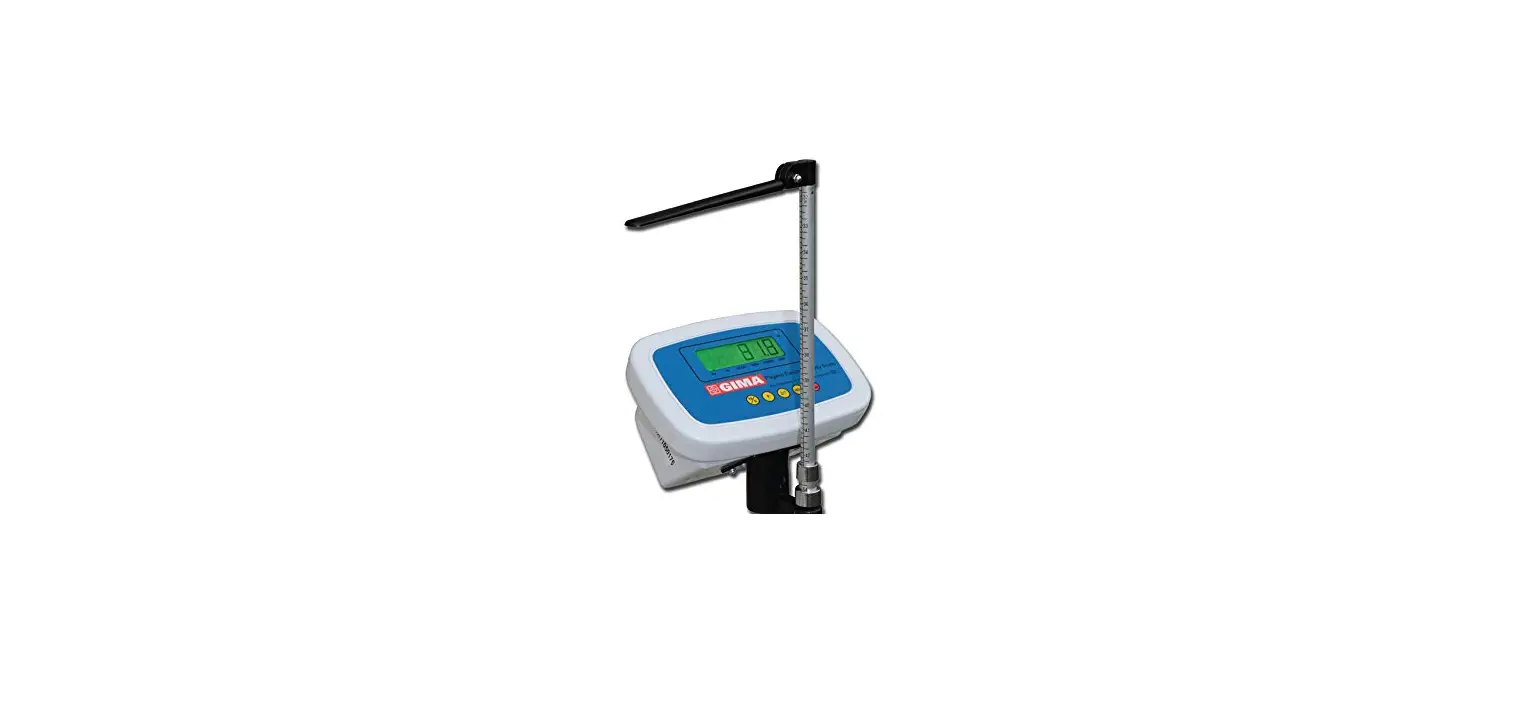

GIMA 27288 Pegaso Digital Scale
OVERVIEW
FEATURES
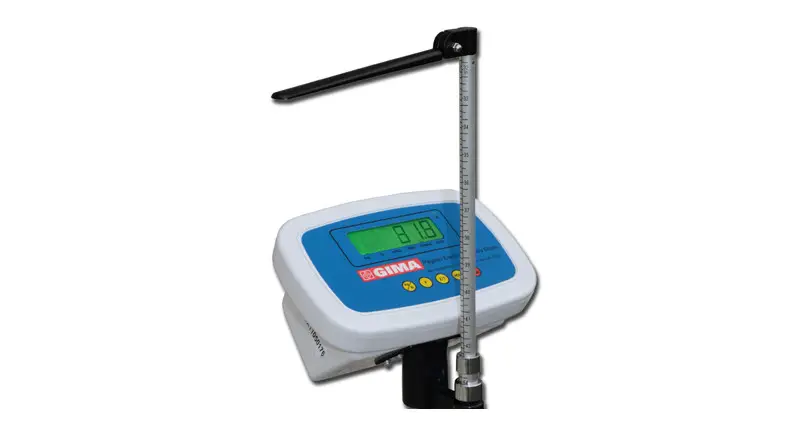
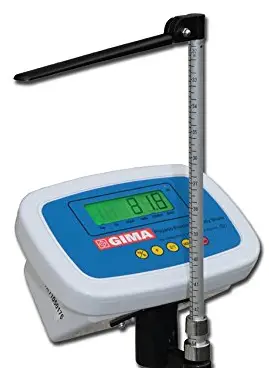
The GIMA Pegaso Digital Scale is a non medical device used to measure the height and weight of the body. It has a large digital display and an internal rechargeable battery, hence it can be used both connected or disconnected from the mains.
| Model | 27288 |
| Max weight | 200kg/440lb |
| Division | 100g/0.2lb |
| Display | LED |
| Height Measuring range | 80~210cm |
| Height Measuring division | 0,5cm |
| Environment | Temperature: 5°C~40°C Humidity: 85%RH |
| Power | 6V battery |
| Scale size | 535×275×1030mm (L x W x H) |
| Net weight of scale | 12.0kgs |
PRESCRIPTIONS
Do not use the equipment in case it is damaged. Apply to your retailer. Avoid precarious repairs. Repairs shall be carried out with original spare parts only, which shall be installed according to the intended use. Since the product is made of corrosion-proof materials suitable for the enviromental conditions foreseen for its normal use, does not require special care, however it is necessary to store it in a closed place making sure that is protected from dust and dirt to assure its hygenic conditions. Moreover, it is recommended to store the product in a place which can be reached easily by the personnel in case of necessity.
UNPACKING
Always remember that packing elements (paper, cellophane, stitches, adhesive tape, etc.) can cut and/or hurt if they are not carefully handled. They shall be removed with adequate means and shall not be left at the mercy of irresponsible persons; the same is valid for tools used to remove packages (scissors, knives, etc.). After opening the packages, first of all it is necessary to check all pieces and parts composing the product. Check that they are all present and in perfect conditions
INSTALLATION
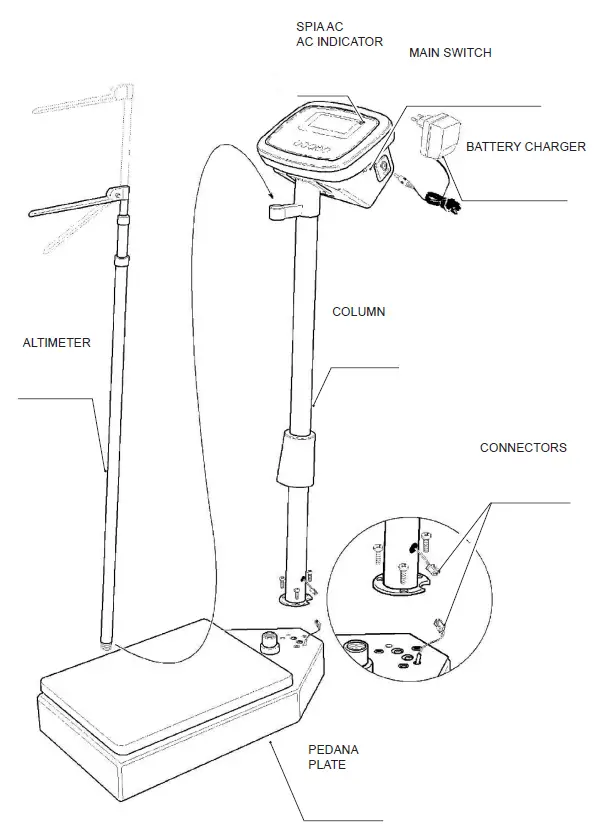
The product is mostly factory pre-assembled. Therefore assembly operations are quite simple (see illustration):
- Fix the column to the base with the supplied screws
- Connect the connectors to the base of the column
- Insert the altimeter in the seat on the scale’s column
- Fix the altimeter in the hole in the plate
- Insert the battery charger plug in the outlet on the side of the panel
- Connect the battery charger to the mains to charge the scale
- Recharge the scale every time the AC indicator lights up
OPERATION
The scale is fitted with an ON/OFF switch. Verify that the switch is set to “1” before any operation. Before the person steps onto the scale it is necessary to lift the cursor of the altimeter beyond the apparent height of the person. After the person has stepped onto the scale, slowly lower the cursor until it touches the head.
Caution: Do not maintain the cursor in horizontal position because it may generate dangerous situations.
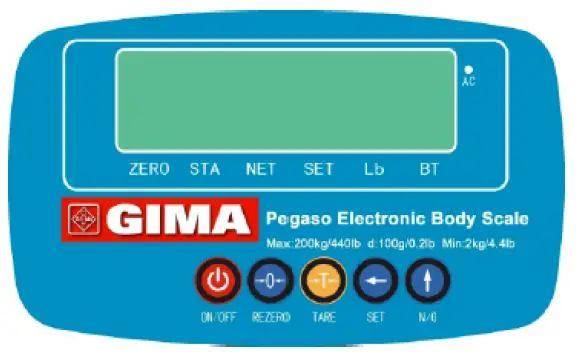
INDICATOR Sign
- [ZERO] : Light when scale is at weight is “0”point.
- [STA] : Light when the weight is in the stable condition.
- [NET] : When scale display net weight, then the indicator is light.
- [SET/HOLD] : When the system CALIBRATION and data set , It’s light.
- [ Lb] : When the system mode is “Lb” ,the indicator is light.
- [ BT ] : Battery lower indicator .
- [ AC ] : When the battery by the charging ,the indicator is light
Function of buttons
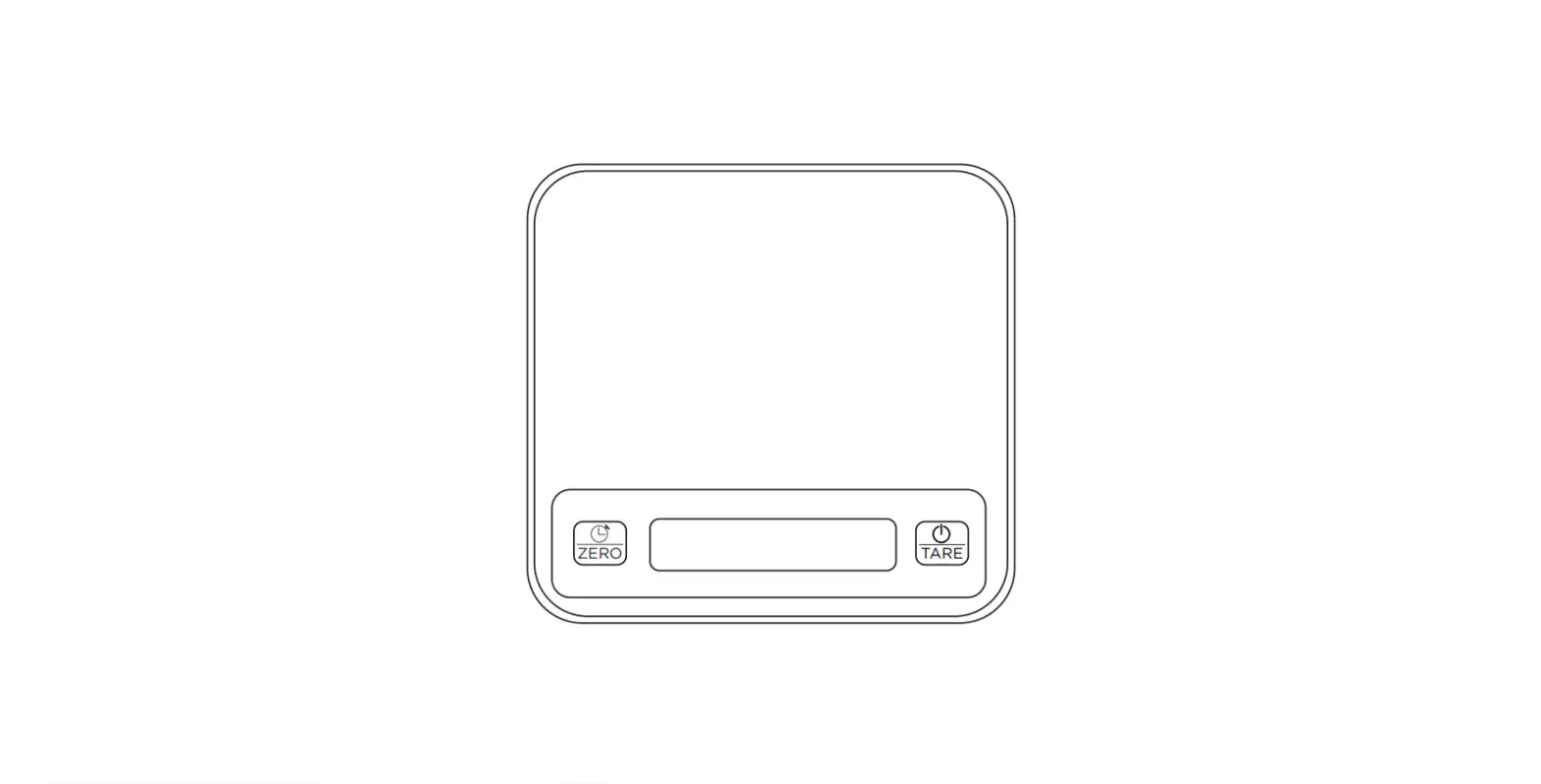
- [ 1 ] ON/OFF: ON/STAND_BY display and scale operate.
- [ 2 ] REZERO: At weighting mode Reset the Weight To “0”, At other mode operation entered and data save function.
- [ 3 ] TARE : At weighting mode tare operation , At other mode the key can return weighting mode.
- [ 4 ] ←(SET): At weighting mode can enter function selector mode, at function selector mode the key can. Select set digital.
- [ 5 ] ↑(N/G): At weighting mode the key can weight hold, at function selector mode the key can modification value by select digital.
[REZERO ] Operation
INDICATOR: ● LIGHT ○ FLASH
- ZERO
- STA
- NET
- SET/HOLD
- Lb
- BT
- AC
| OPERATION | DISPLAY | INDICATOR | ||||||
| WEIGHT | 1 | 2 | 3 | 4 | 5 | 6 | 7 | |
| WEIGHT STABLE MODE | 0,00 | ● | ● | ● | ||||
| (1) Put weight on plate (Ex. 0.50kg) | 0,05 | ● | ● | |||||
| (2) PRESSED [REZERO] KEY | 0,00 | ● | ● | ● | ||||
| (3) Remove the plate weight | -0,05 | ● | ● | |||||
| (4) PRESSED [REZERO] KEY | 0,00 | ● | ● | ● | ||||
NOTE: If plate the weight is over set re-zero range (± 2%FS) , Then press [REZERO] key, After the scale has three beep sound .This can not re-zero operation information
One Touch Tare
INDICATOR: ● LIGHT ○ FLASH
- ZERO
- STA
- NET
- SET/HOLD
- Lb
- BT
- AC
| OPERATION | DISPLAY | INDICATOR | ||||||
| WEIGHT | 1 | 2 | 3 | 4 | 5 | 6 | 7 | |
| WEIGHT STABLE MODE | 0.00 | ● | ● | ● | ||||
| (1) Put weight on plate (Ex. 0.50kg) | 0.05 | ● | ● | |||||
| (2) PRESSED [TARE] KEY | 0.00 | ● | ● | ● | ||||
| (3) Remove the plate weight | -0.05 | ● | ● | ● | ● | |||
| (4) PRESSED [TARE] KEY | 0.00 | ● | ● | ● | ||||
NOTE: If the tare-weight is over tare range (<50%FS), the scale sound three beep, when tare key was pressed.
INDICATOR: ● LIGHT ○ FLASH
- ZERO
- STA
- NET
- SET/HOLD
- Lb
- BT
- AC
| OPERATION | DISPLAY | INDICATOR | ||||||
| WEIGHT | 1 | 2 | 3 | 4 | 5 | 6 | 7 | |
| WEIGHT STABLE MODE | 0,00 | ● | ● | ● | ||||
| (1) Put weight on plate | 10,00 | ● | ● | |||||
| (2) PRESS [ ↑ ] KEY | 10,00 | ● | ● | |||||
| (3) Remove the plate weight | 10,00 | ● | ● | ○ | ● | |||
| (4) PRESS [ ↑ ] KEY | 0,00 | ● | ● | ● | ||||
INDICATOR: ● LIGHT ○ FLASH
- ZERO
- STA
- NET
- SET/HOLD
- Lb
- BT
- AC
| OPERATION | DISPLAY | INDICATOR | ||||||
| WEIGHT | 1 | 2 | 3 | 4 | 5 | 6 | 7 | |
| WEIGHT STABLE MODE | 0,00 | ● | ● | ● | ||||
| (1) PRESS [←] KEY | UInt.tr | ● | ● | ● | ● | |||
| (2) PRESS [REZERO] KEY | 0,00 | ● | ● | ● | ● | |||
Specifications for system function and weighting mode
Depress [ REZERO ] while pressing [ ← ] [ ← ] [ ← ]
| SPEC N. | BIT3 | BIT 2 | BIT 1 | BIT 0 |
| 00 | NOT USE | Auto power off time setting 00 : no auto power off 01 : 3 minute auto power off 10 : 6 minute auto power off 11 : 10 minute auto power off | ||
| 03 | Open ALARM FUNCTION 0: NO 1: YES | E nable weight unit conversion operations ( kg => LB) 0: NO 1:YES | Enable Weight hold operations 0: NO 1: YES | NOT USE |
MESSAGE DISPLAY INFORMATION LIST
| WEIGHT OVER LOADING ERROR | OF |
| WEIGHT IS MASK DISPLAY | — LO |
| REZERO KEY IS DEPRESSED | 8 8 8 8 8 8 |
| SYSTEM A/D BLOCK ERROR | — 0 – E r |
| SYSTEM ZERO IS OVER RANGER | z r . E r r |
| SPAN SWITCH IS ON | S O n |
| SPAN SWITCH IS OFF | S O F F |
| SPEC 12,13 SET IS ERROR ( WEIGHT FULL IS OVER DISPLAY RANGE) | S – E r r |
| Internal AD block has error information | – A d E r r |
Standard Weight Calibration
Depress [REZERO] and [←][T ] [T ] key ,entry to calibration mode, this time display windows display calibration information. (SPAN SW must be ON)
INDICATOR: ● LIGHT ○ FLASH
- ZERO
- STA
- NET
- SET/HOLD
- Kg
- BT
- AC
MANINTENANCE
The product does not require any special maintenance. The technical life of the scale depends on its use. Do not use water or liquid products to clean scale, juts use a soft cloth.
Disposal: The product must not be disposed of along with other domestic waste. The users must dispose of this equipment by bringing it to a specific recycling point for electric and electronic equipment.
GIMA WARRANTY TERMS
The Gima 12-month standard B2B warranty applies
- Product code
- Lot number
- Keep in a cool, dry place
- Keep away from sunlight
- Follow instructions for use
- Caution: read instructions (warnings) carefully
- Product complies with European Directive
Fabbricante/Manufacturer/Fabricant/Fabricante/Fabricante GIMA S.p.A. Via Marconi, 1 – 20060 Gessate (MI) Italy
[email protected] – [email protected]
www.gimaitaly.com
Made in ChinaChina
 Gima, articoli medicali, apparecchi per medicina, elettromedicali, endoscopi, misuratori medicali, arredo ambulatorio, elettrobisturi, articoli per il pronto soccorso, articoli per la sterilizzazione