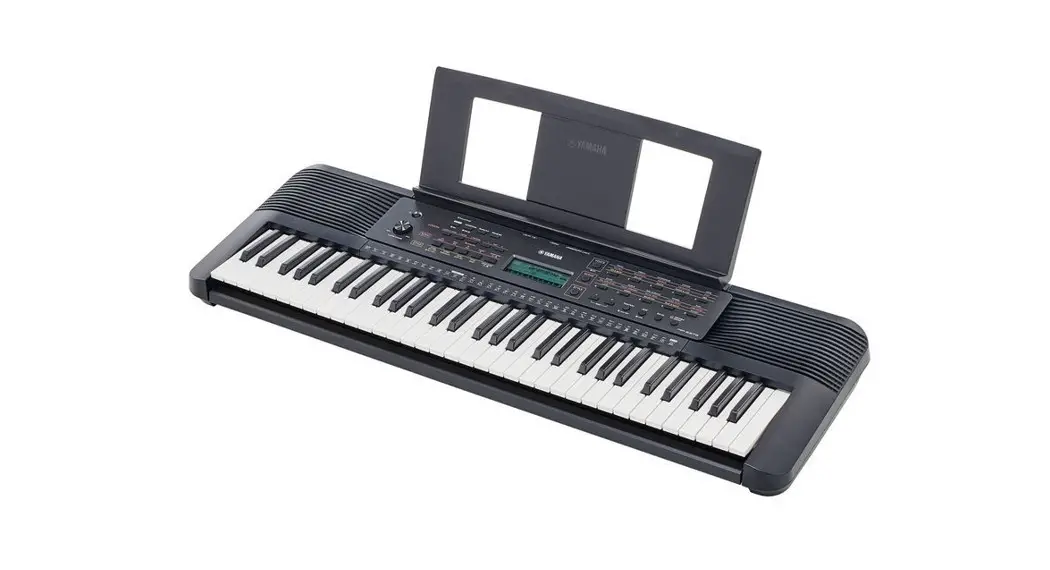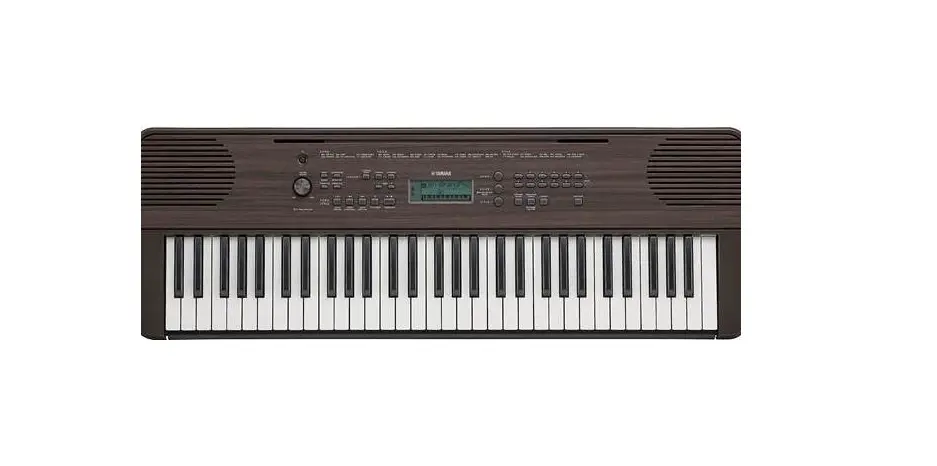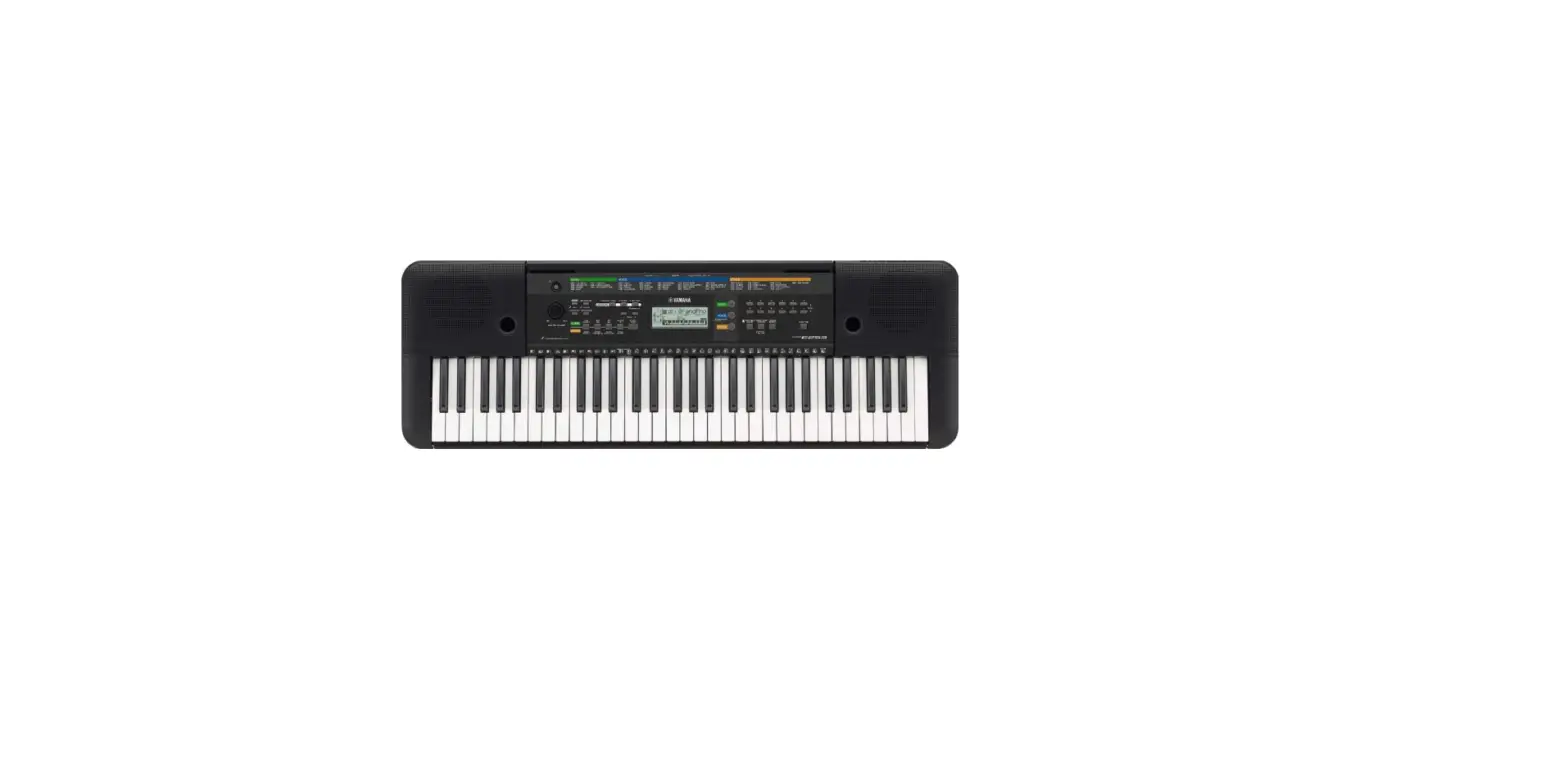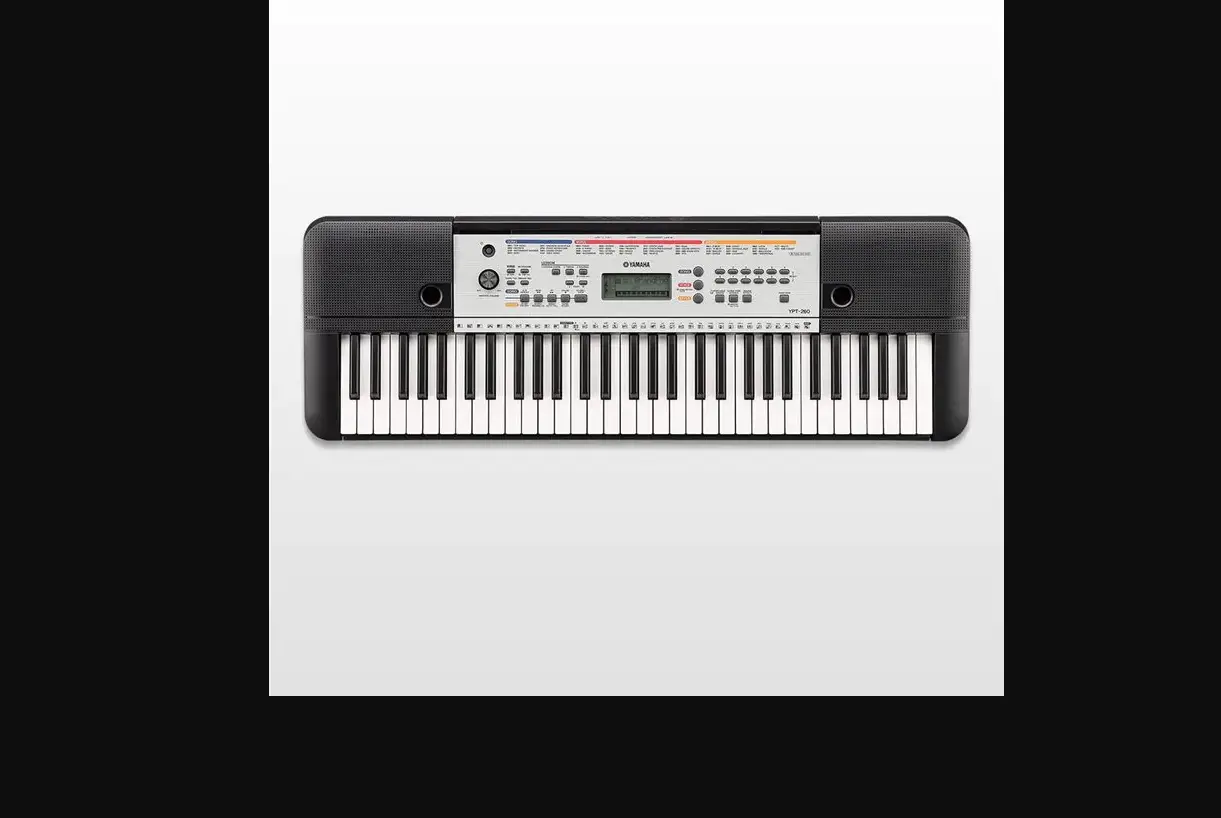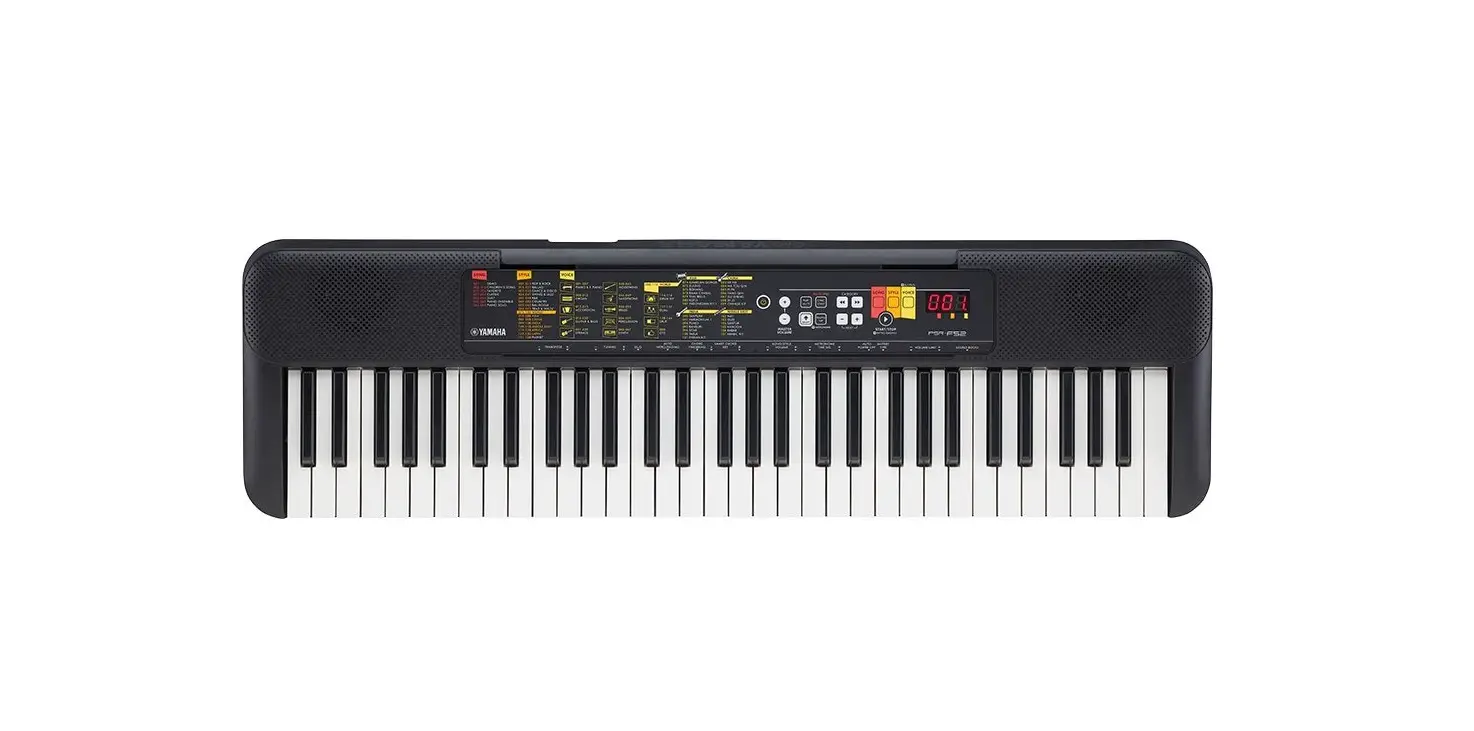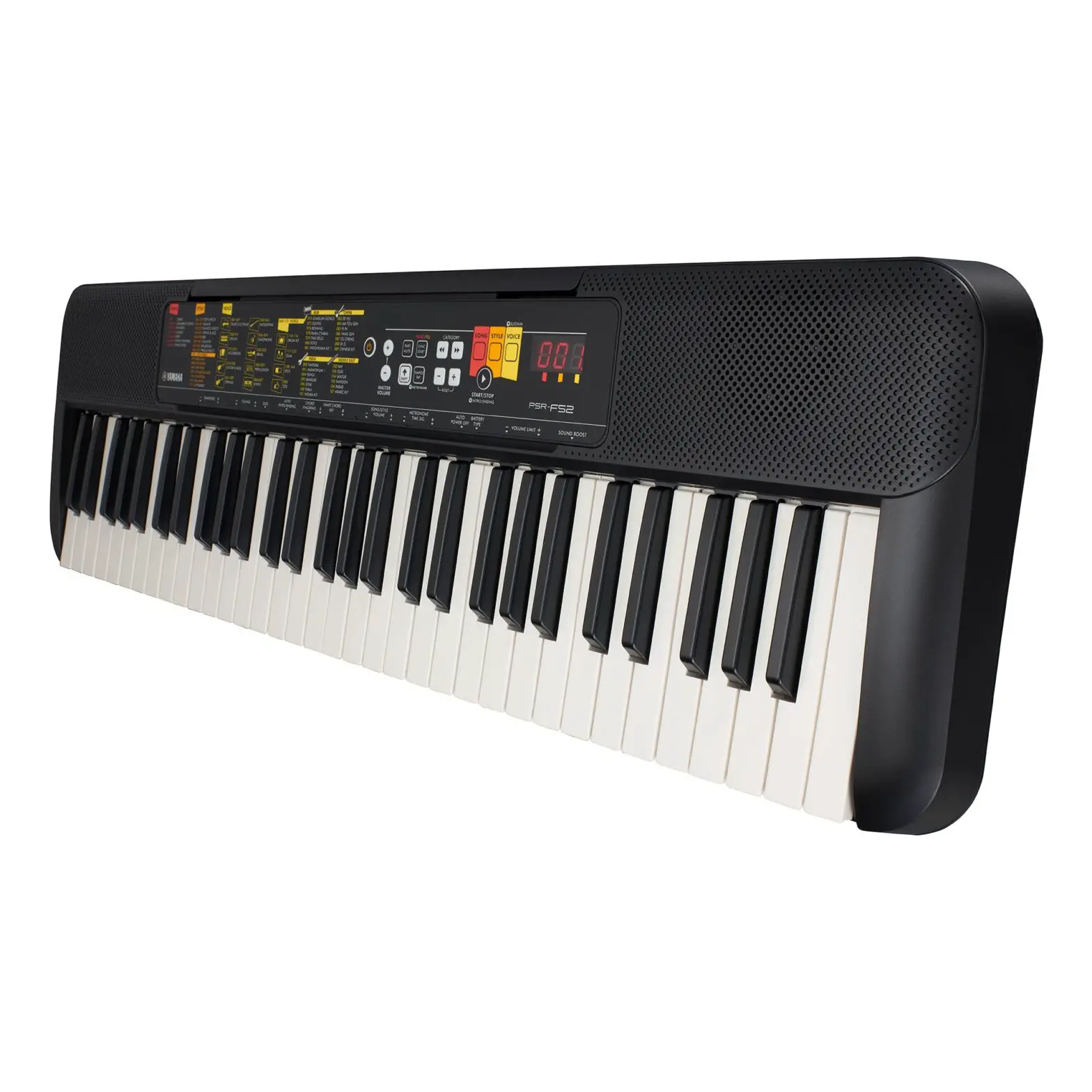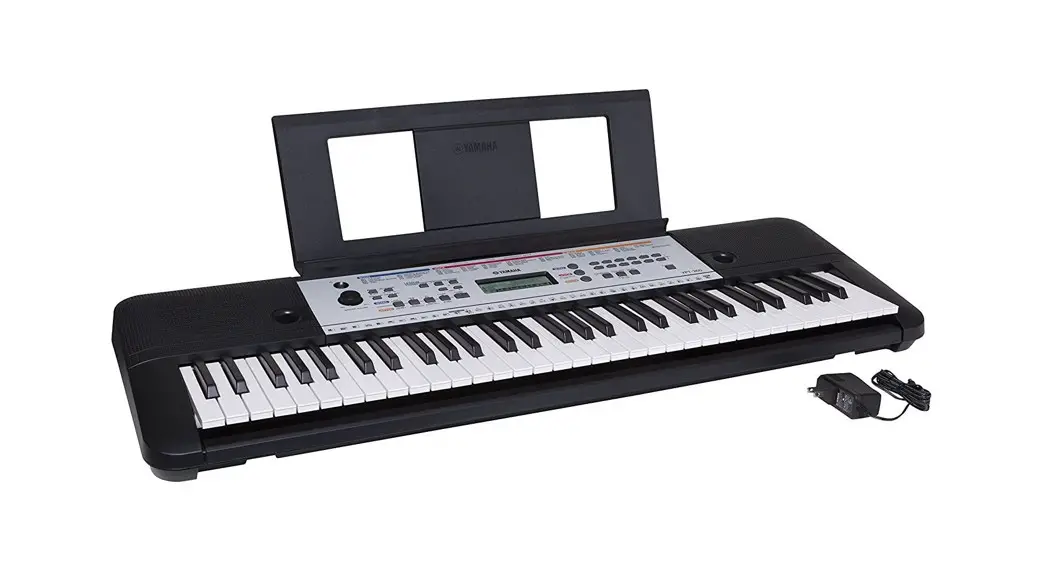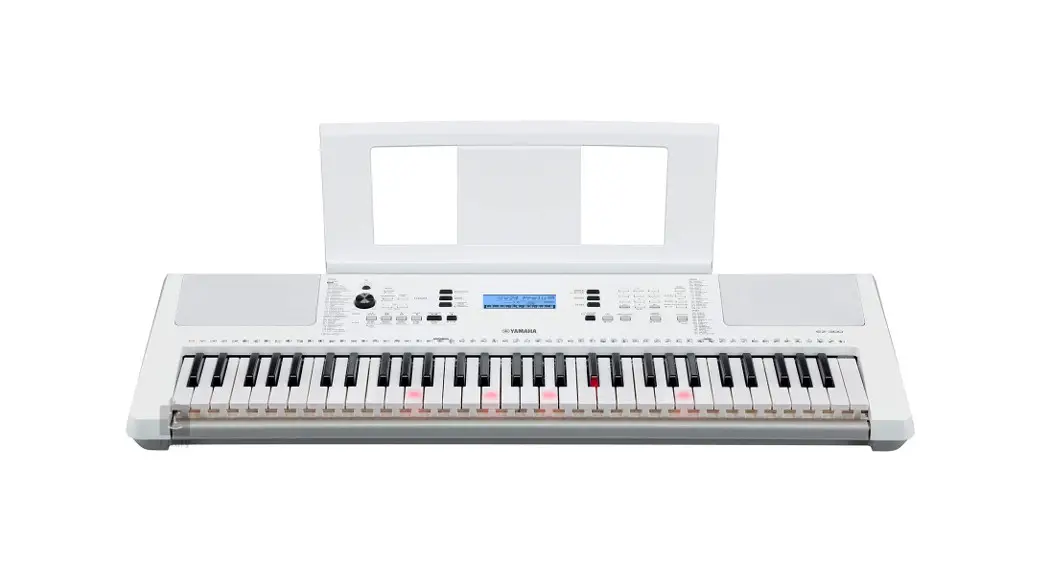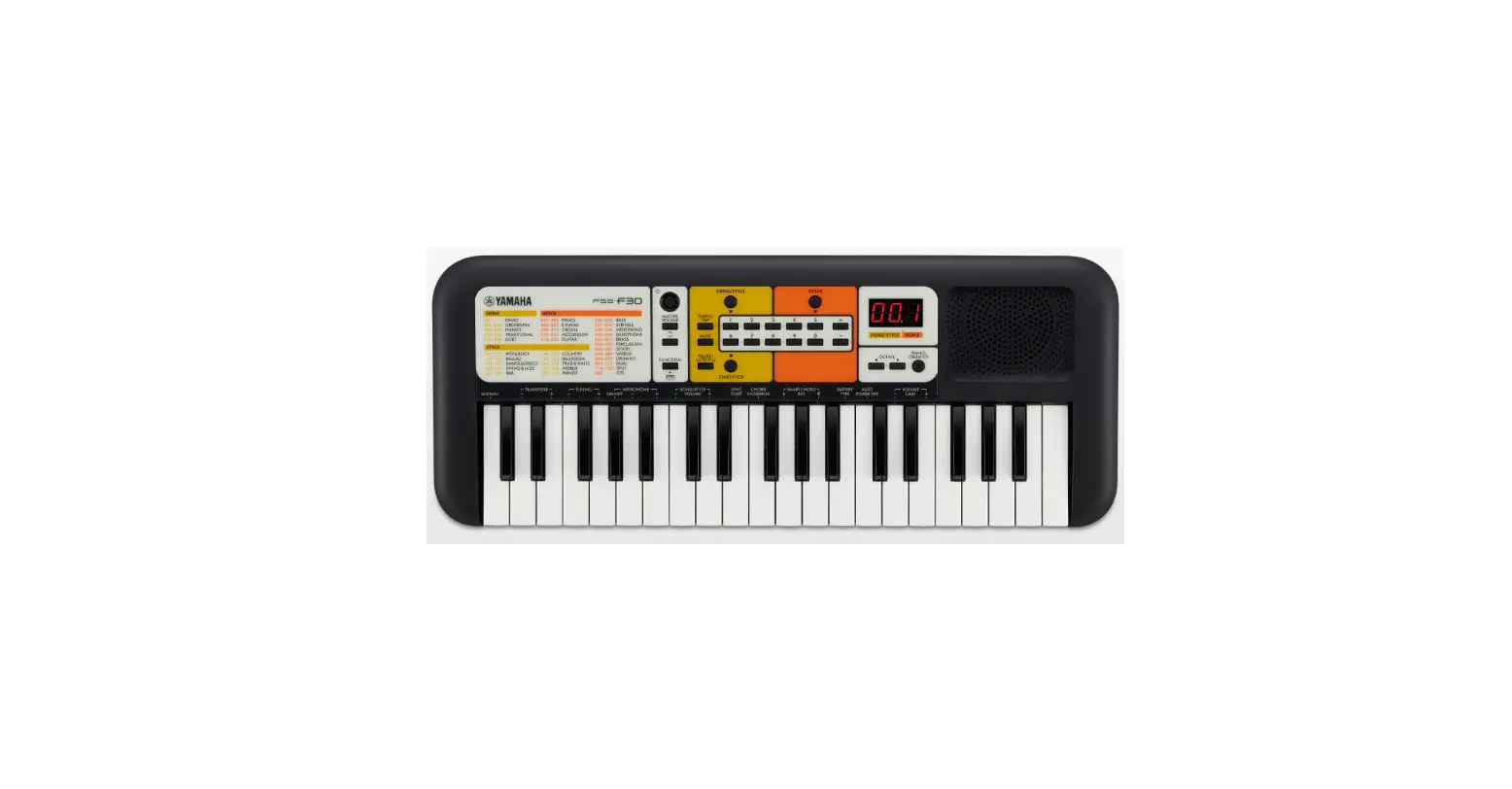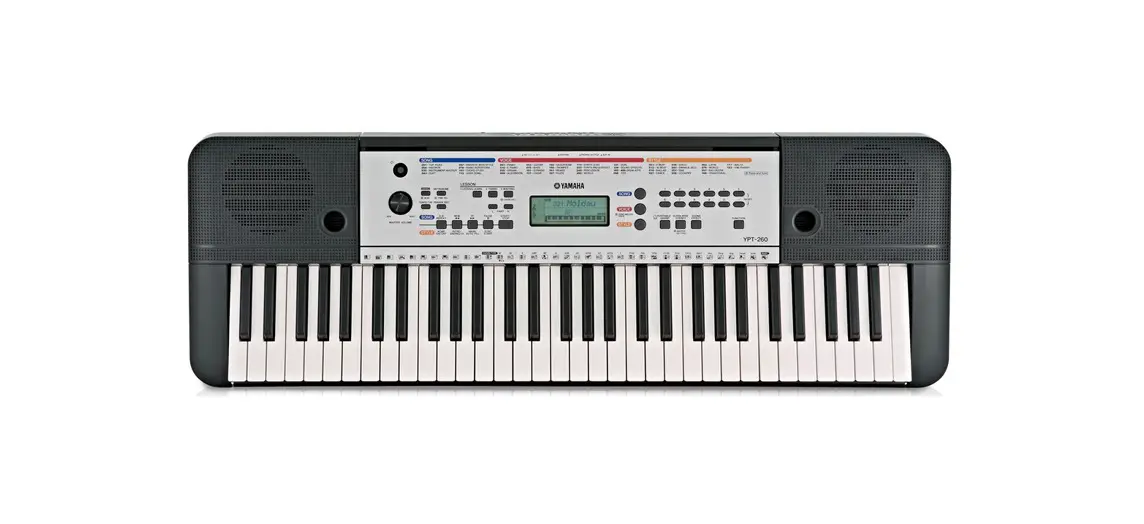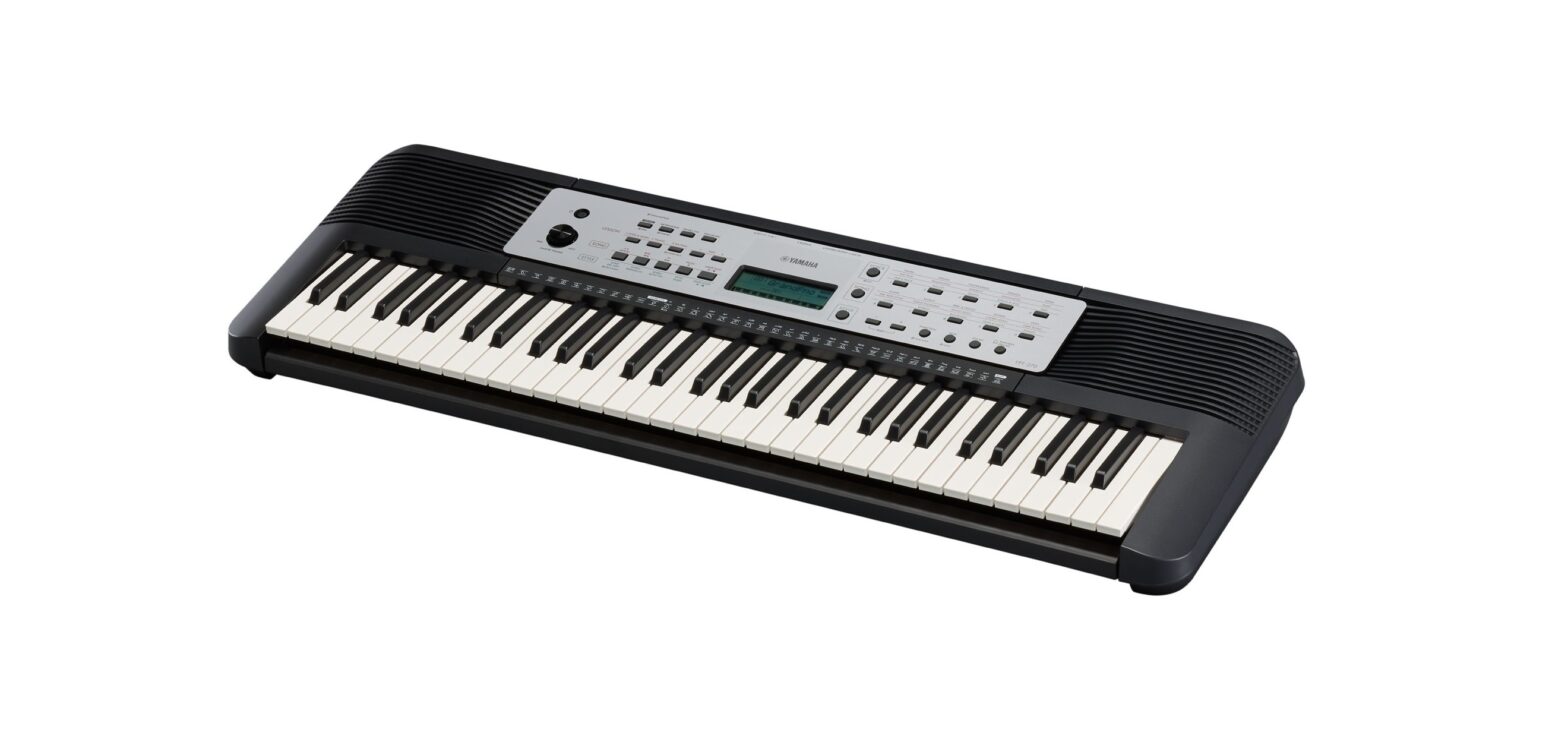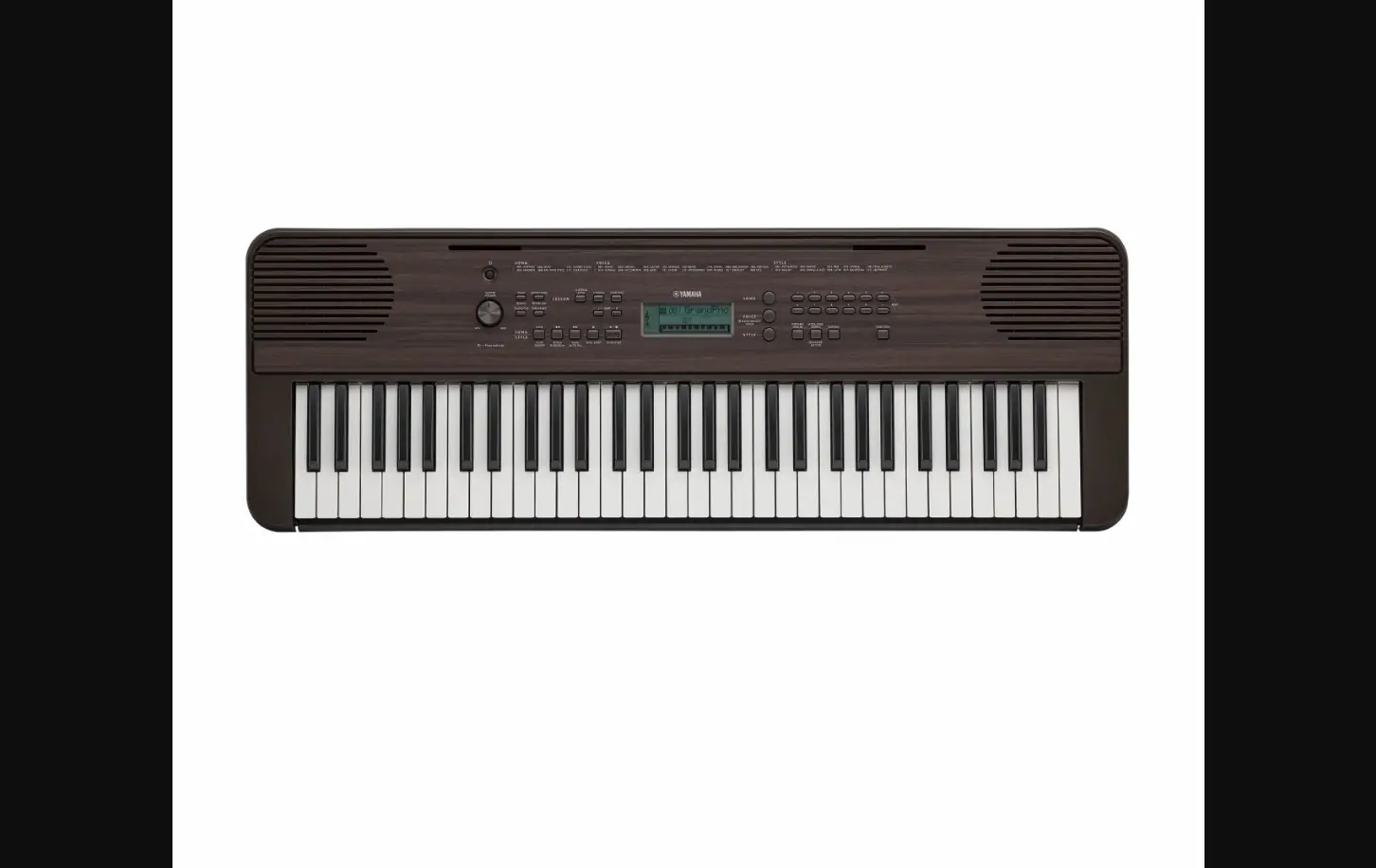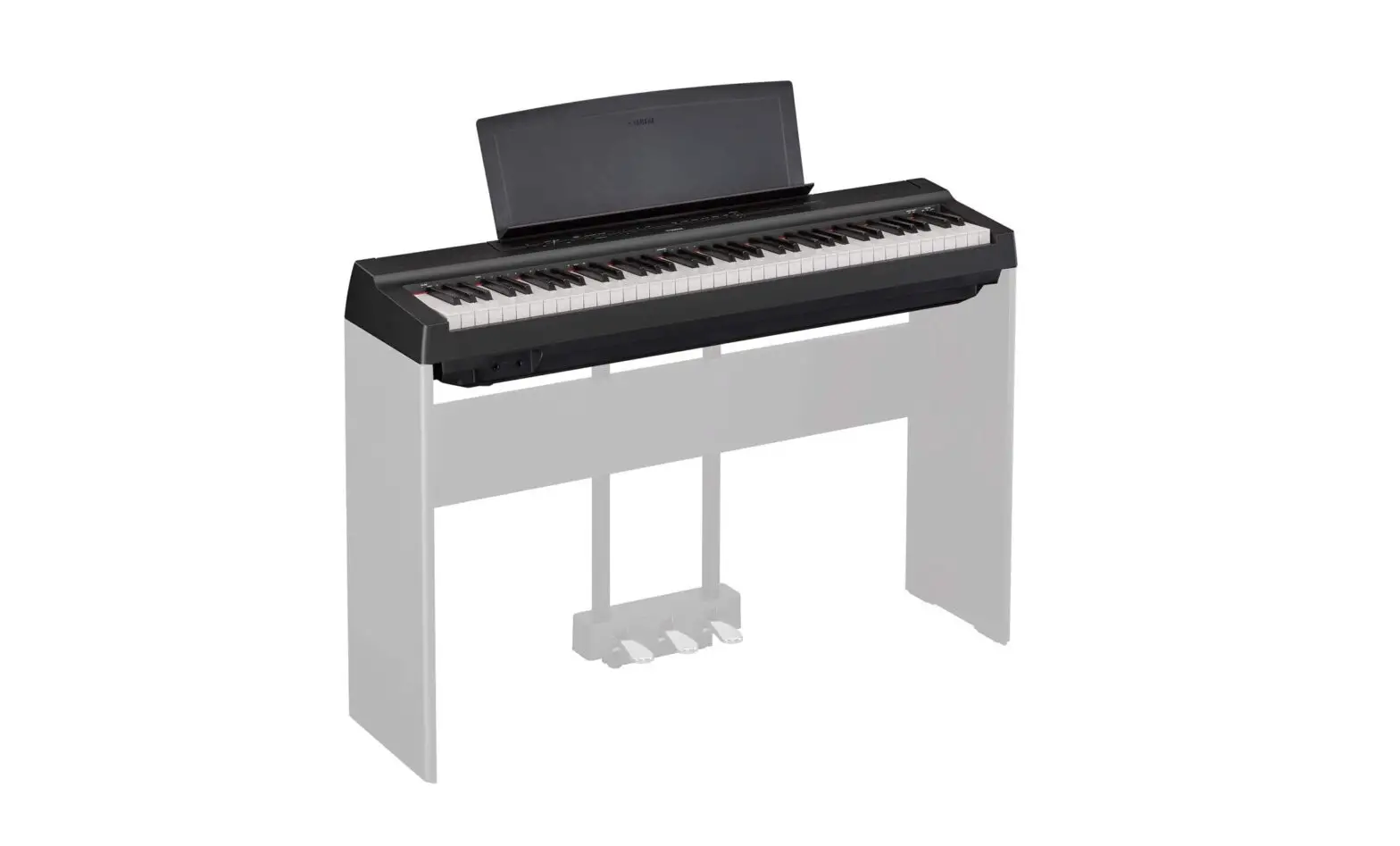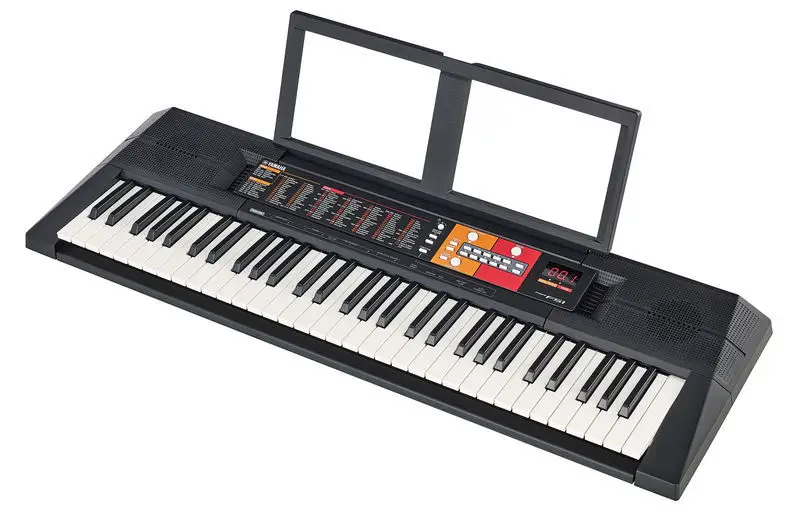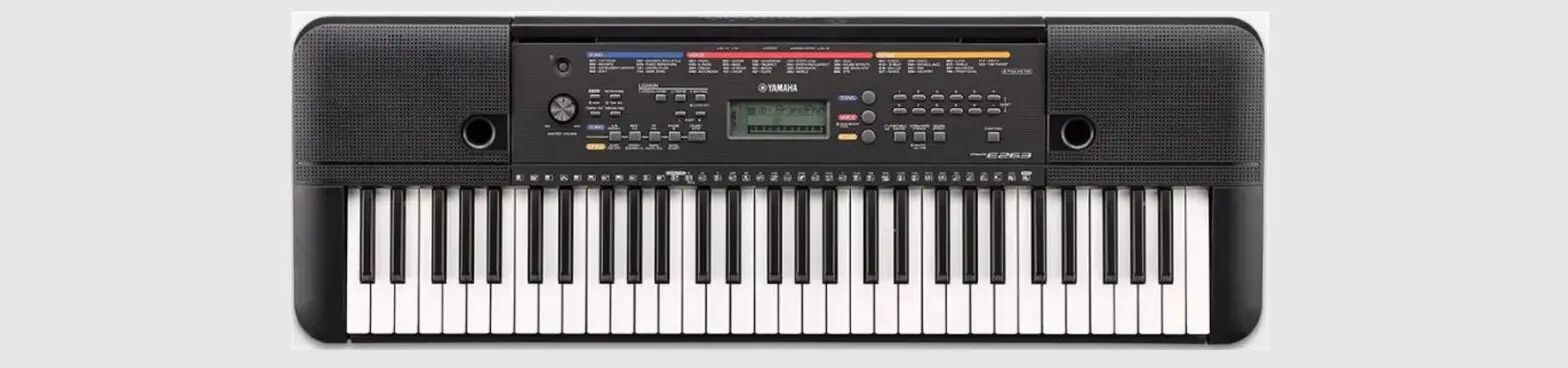

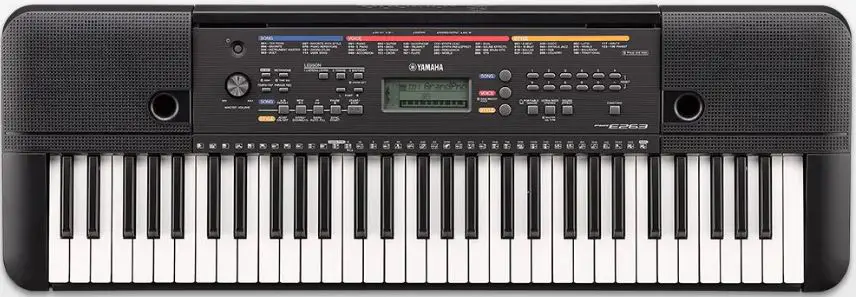
YAMAHA PSR-E263 DIGITAL KEYBOARD
PLEASE READ CAREFULLY BEFORE PROCEEDING
WARNING
- This AC adaptor is designed for use with only Yamaha electronic instruments. Do not use for any other purpose.
- Indoor use only. Do not use in any wet environments.
CAUTION
When setting up, make sure that the AC outlet is easily accessible. If some trouble or malfunction occurs, immediately turn off the power switch of the instrument and disconnect the AC adaptor from the outlet. When the AC adaptor is connected to the AC outlet, keep in mind that electricity is flowing at the minimum level, even if the power switch is turned off. When you are not using the instrument for a long time, make sure to unplug the power cord from the wall AC outlet.
For this instrument
Power supply/AC adaptor
- Do not place the power cord near heat sources such as heaters or radiators. Also, do not excessively bend or otherwise damage the cord, or place heavy objects on it.
- Only use the voltage specified as correct for the instrument. The required voltage is printed on the name plate of the instrument.
- Use the specified adaptor (page 15) only. Using the wrong adaptor can result in damage to the instrument or overheating.
- Check the electric plug periodically
Do not open
This instrument contains no user-serviceable parts. Do not open the instrument or attempt to disassemble or modify the internal components in any way. If it should appear to be malfunctioning, discontinue use immediately and have it inspected by qualified Yamaha service personnel.
Water warning
- Do not expose the instrument to rain, use it near water or in damp or wet conditions, or place on it any containers (such as vases, bottles or glasses) containing liquids which might spill into any openings. If any liquid such as water seeps into the instrument, turn off the power immediately and unplug the power cord from the AC outlet. Then have the instrument inspected by qualified Yamaha service personnel.
Never insert or remove an electric plug with wet hands.
Fire warning
Do not put burning items, such as candles, on the unit. A burning item may fall over and cause a fire.
Battery
- Follow the precautions below. Failure to do so might result in explosion, fire, overheating or battery fluid leakage.
- Do not tamper with or disassemble batteries.
- Do not dispose of batteries in fire.
- Do not attempt to recharge batteries that are not designed to be charged.
- Keep the batteries separate from metallic objects such as necklaces, hairpins, coins, and keys.
- Use the specified battery type (page 15) only.
- Use new batteries, all of which are the same type, same model, and made by the same manufacturer.
- Always make sure all batteries are inserted in conformity with the +/- polarity markings.
- When the batteries run out, or if the instrument is not to be used for a long time, remove the batteries from the instrument.
- When using Ni-MH batteries, follow the instructions that came with the batteries. Use only the specified charger device when charging.
- Keep batteries away from small children who might accidentally swallow them.
- If the batteries do leak, avoid contact with the leaked fluid. If the battery fluid should come in contact with your eyes, mouth, or skin, wash immediately with water and consult a doctor. Battery fluid is corrosive and may possibly cause loss of sight or chemical burns
If you notice any abnormality
When one of the following problems occur, immediately turn off the power switch and disconnect the electric plug from the outlet. (If you are using batteries, remove all batteries from the instrument.) Then have the device inspected by Yamaha service personnel.
- The power cord or plug becomes frayed or damaged.
- It emits unusual smells or smoke.
- Some object has been dropped into the instrument.
- There is a sudden loss of sound during use of the instrument.
Power supply/AC adaptor
- Do not connect the instrument to an electrical outlet using a multiple-connector. Doing so can result in lower sound quality, or possibly cause overheating in the outlet.
- When removing the electric plug from the instrument or an outlet, always hold the plug itself and not the cord. Pulling by the cord can damage it.
- Remove the electric plug from the outlet when the instrument is not to be used for extended periods of time, or during electrical storms
Location
- Do not place the instrument in an unstable position where it might accidentally fall over.
- Before moving the instrument, remove all connected cables, to prevent damage to the cables or injury to anyone who might trip over them.
- When setting up the product, make sure that the AC outlet you are using is easily accessible. If some trouble or malfunction occurs, immediately turn off the power switch and disconnect the plug from the outlet. Even when the power switch is turned off, electricity is still flowing to the product at the minimum level.
- When you are not using the product for a long time, make sure to unplug the power cord from the wall AC outlet.
- Use only the stand specified for the instrument. When attaching it, use the provided screws only. Failure to do so could cause damage to the internal components or result in the instrument falling over
Connections
- Before connecting the instrument to other electronic components, turn off the power for all components. Before turning the power on or off for all components, set all volume levels to minimum.
- Be sure to set the volumes of all components at their minimum levels and gradually raise the volume controls while playing the instrument to set the desired listening level.
Handling caution
- Do not insert a finger or hand in any gaps on the instrument.
- Never insert or drop paper, metallic, or other objects into the gaps on the panel or keyboard. This could cause physical injury to you or others, damage to the instrument or other property, or operational failure.
- Do not rest your weight on, or place heavy objects on the instrument, and do not use excessive force on the buttons, switches or connectors.
- Do not use the instrument/device or headphones for a long period of time at a high or uncomfortable volume level, since this can cause permanent hearing loss. If you experience any hearing loss or ringing in the ears, consult a physician
NOTICE
To avoid the possibility of malfunction/ damage to the product, damage to data, or damage to other property, follow the notices below.
- Handling
- Do not use the instrument in the vicinity of a TV, radio, stereo equipment, mobile phone, or other electric devices. Otherwise, the instrument, TV, or radio may generate noise. When you use the instrument along with an application on your
- iPad, iPhone or iPod touch, we recommend that you set “Airplane Mode” to “ON” on that device in order to avoid noise caused by communication.
- Depending on the condition of surrounding radio waves, the instrument may possibly malfunction.
- Do not expose the instrument to excessive dust or vibrations, or extreme cold or heat (such as in direct sunlight, near a heater, or in a car during the day) to prevent the possibility of panel disfiguration, damage to the internal components or unstable operation. (Verified operating temperature range: 5° – 40°C, or 41° – 104°F.)
- Do not place vinyl, plastic or rubber objects on the instrument, since this might discolor the panel or keyboard.
- Maintenance
- When cleaning the instrument, use a soft cloth. Do not use paint thinners, solvents, alcohol, cleaning fluids, or chemical-impregnated wiping cloths.
- Saving data
- Some of the data of this instrument (page 14) are retained when the power is turned off. However, the saved data may be lost due to some failure, an operation mistake, etc.
Information
About copyrights
- Copying of the commercially available musical data including but not limited to MIDI data and/or audio data is strictly prohibited except for your personal use.
- This product incorporates and bundles contents in which Yamaha owns copyrights or with respect to which Yamaha has license to use others’ copyrights. Due to copyright laws and other relevant laws, you are NOT allowed to distribute media in which these contents are saved or recorded and remain virtually the same or very similar to those in the product.
- The contents described above include a computer program, Accompaniment Style data, MIDI data, WAVE data, voice recording data, a score, score data, etc.
- You are allowed to distribute medium in which your performance or music production using these contents is recorded, and the permission of Yamaha Corporation is not required in such cases.
About functions/data bundled with the instrument
- Some of the preset songs have been edited for length or arrangement, and may not be exactly the same as the original.
About this manual
- The illustrations and LCD screens as shown in this manual are for instructional purposes only, and may appear somewhat different from those on your instrument.
- iPhone, iPad, iPod touch are trademarks of Apple Inc., registered in the U.S. and other countries.
- The company names and product names in this manual are the trademarks or registered trademarks of their respective companies
Information for users on collection and disposal of old equipment and used batteries:
- These symbols on the products, packaging, and/or accompanying documents mean that used electrical and electronic products and batteries should not be mixed with general household waste.
- For proper treatment, recovery and recycling of old products and used batteries, please take them to applicable collection points, in accordance with your national legislation.
- By disposing of these products and batteries correctly, you will help to save valuable resources and prevent any potential negative effects on human health and the environment which could otherwise arise from inappropriate waste handling.
- For more information about collection and recycling of old products and batteries, please contact your local municipality, your waste disposal service or the point of sale where you purchased the items.
- For business users in the European Union:
- If you wish to discard electrical and electronic equipment, please contact your dealer or supplier for further information.
- Information on Disposal in other Countries outside the European Union:
- These symbols are only valid in the European Union. If you wish to discard these items, please contact your local authorities or dealer and ask for the correct method of disposal.
Note for the battery symbol (bottom two symbol examples):
- This symbol might be used in combination with a chemical symbol. In this case it complies with the requirement set by the EU Battery
- Directive for the chemical involved.
About the Manuals
This instrument has the following documents and instructional materials.
Owner’s Manual (this book)
This book explains how to use the basic functions and how to make detailed settings for the various functions of the instrument. The Appendix section contains various important preset content lists such as Voices, Styles and Effects.
Downloading the Song Book
- Song Book (only in English, French, German and Spanish)
- Contains music scores for the preset Songs (excluding the Demo Songs) of this instrument.
- After completing the user registration at the website below, you can download the Song Book free of charge.
Yamaha Online Member https://member.yamaha.com/ You will need the PRODUCT ID on the sheet (“Online Member Product Registration”) packaged with this manual in order to fill out the User Registration form.
Included Accessories
- Owner’s manual (this book)
- Music rest
- AC Adaptor
May not be included depending on your area. Please check with your Yamaha dealer.
- Online Member Product Registration
The PRODUCT ID on the sheet will be needed when you fill out the User Registration form..
Using the Music Rest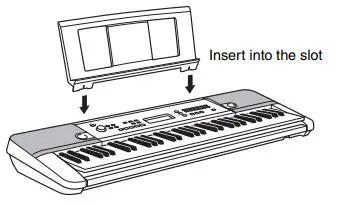
Setting Up
Power Requirements
- Although the instrument will run either from an AC adaptor or batteries, Yamaha recommends use of an
- AC adaptor whenever possible. An AC adaptor is more environmentally friendly than batteries and does not deplete resources.
Using an AC Adaptor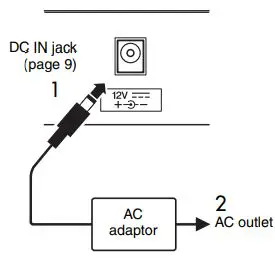
- Connect the AC adaptor in the order shown in the illustration.
WARNING
- Use the specified AC adaptor (page 15) only. Using the wrong AC adaptor can result in damage to the instrument or overheating.
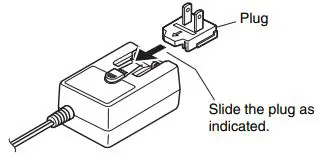
- When using the AC adaptor with a removable plug, make sure to keep the plug attached to the AC adaptor. Using the plug alone can cause electric shock or fire.
- If the plug is accidentally removed from the AC adaptor, slide it back in until it clicks into place, taking care to avoid touching any internal metal parts. To avoid electric shock, short circuit or damage, also be careful that there is no dust between the AC adaptor and plug

Using Batteries
This instrument requires six “AA” size, Alkaline (LR6)/ Manganese (R6) batteries, or rechargeable nickelmetal hydride batteries (rechargeable Ni-MH batteries). The Alkaline batteries or rechargeable Ni-MH batteries are recommended for this instrument, since other types may result in poorer battery performance.
- Make sure that the power of the instrument is off.
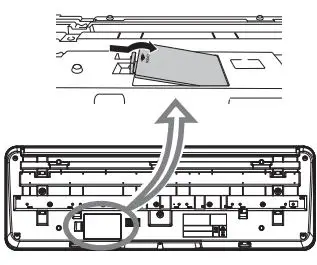
- Open the battery compartment cover located on the instrument’s bottom panel.

- Insert the six new batteries, being careful to follow the polarity markings on the inside of the compartment.

- Replace the compartment cover, making sure that it locks firmly in place.
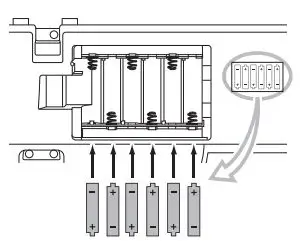
Setting the battery type
Depending on the battery type to be used, you may need to change the battery type setting on this instrument. Alkaline (and manganese) batteries are chosen by default. After installing new batteries and turning the power on, make sure to set the Battery Type appropriately (rechargeable or not) via Function number 022 (page 14).
Turning the Power On
- Set [MASTER VOLUME] to the MIN position, then press the [
 ] (Standby/On) switch to turn on the power.
- Press and hold the [ ] (Standby/On) switch for about a second to set the instrument to standby mode.
 ] (Standby/On) switch to turn on the power.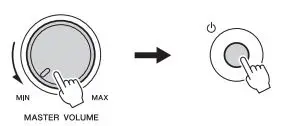
Auto Power Off function
To prevent unnecessary power consumption, this instrument features an Auto Power Off function that automatically turns the power off if the instrument is not used for approximately 30 minutes. To disable the Auto Power Off function, select “Off” in the Function settings (Function 021).
Panel Controls and Terminals
FRONT PANEL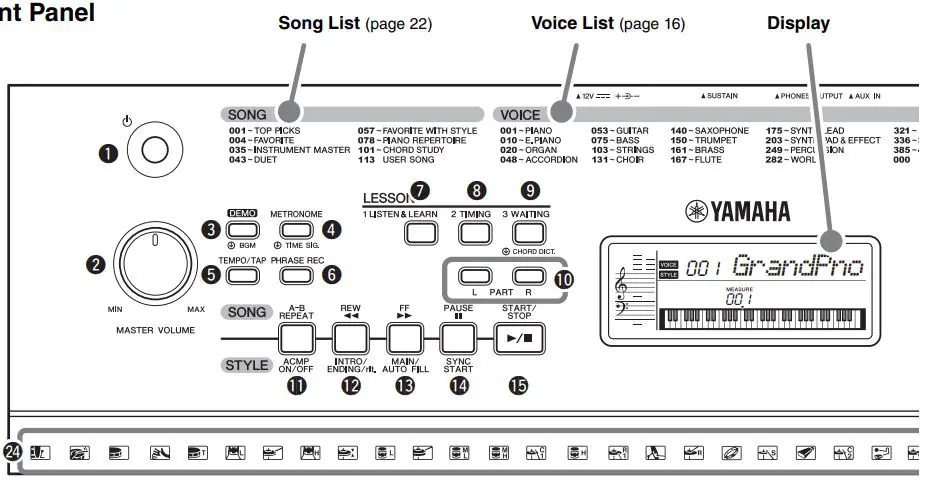
- (Standby/On) switch
- Turns the instrument’s power on or off.
- [MASTER VOLUME] control
- Adjusts the overall volume.
- [DEMO] button
- Starts/stops the Demo.
- Holding down this button changes the playback group.
- [METRONOME] button
- Starts/stops the metronome.
- Holding down this button calls up the Time Signature display (Function number 016 on page 14.)
- [TEMPO/TAP] button
- Calls up the Tempo display. With this status, use the Number buttons to set the tempo of the Song,
- Style and metronome.
- You can set the tempo also by tapping this button several times at the desired tempo.
- [PHRASE REC] button
- Records your performance. See page 12.
- [1 LISTEN & LEARN] button
- Starts the Song with the Lesson 1 mode (page 11).
- [2 TIMING] button
- Starts the Song with the Lesson 2 mode (page 11).
- [3 WAITING] button
- Starts the Song with the Lesson 3 mode (page 11). Holding down this button calls up the Chord Dictionary display. In this status, the keyboard is divided into three sections, split at C3 and C6. Specify a chord root in the right section then a chord type in the middle section. As the notes to be played are shown in the display, play the corresponding notes in the left section. When you’ve played the chord properly, a bell sound signals your success.
- PART [L]/[R] buttons
- Selects a lesson part or a mute part of the current
- Song. Pressing the [L] button enters the Duo mode. See page 10.
- [A-B REPEAT] button
- Turns on/off Song Repeat playback.
- Pressing this a first time specifies the starting point
- A. Pressing this a second time specifies the ending point B. Pressing this again turns off Song Repeat playback.
- [REW] button
- Returns to the earlier measure of the Song.
- [FF] button
- Skips ahead to the next beat of the Song.
- PAUSE] button
- Stops Song playback at the current position.
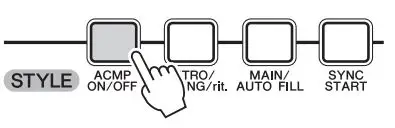
- [ACMP ON/OFF] button
- Splits the keyboard into the Left hand (Chord) and
- Right hand (Melody) sections.
- [INTRO/ENDING/rit.] button
- By pressing this when the Style is stopped, you can start playback from the Intro.
- By pressing this during Style playback, you can switch playback to the Ending.
- By pressing this during Ending playback, you can apply a tempo ritardando to playback.
- [MAIN/AUTO FILL] button
- Switches between the Main A and Main B of the
- Style. During playback, the Fill-in is added when you press this button.
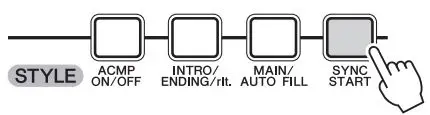
- [SYNC START] button
- Enables/disables the ability to start playback by simply playing the keyboard.
- [START/STOP] button
- Starts/stops Song playback in the Song mode, or Style playback in the Style mode.
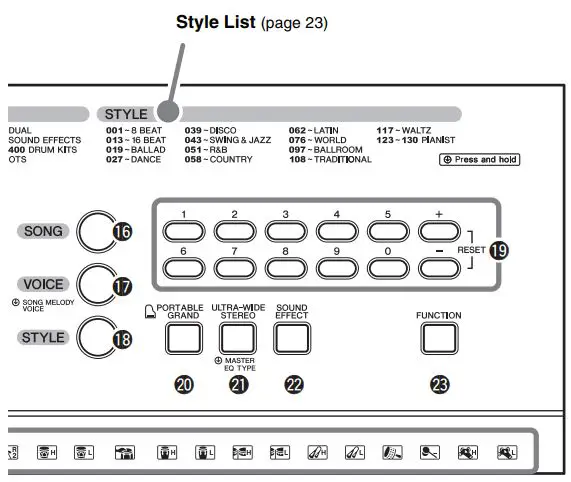
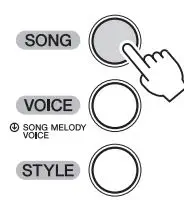
- [SONG] button
- Calls up the Song selection display.
- Enters the Song mode.
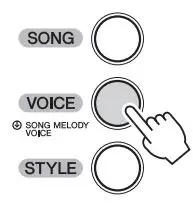
- [VOICE] button
- Calls up the Voice selection display.
- If you hold down this button in the Song mode, the current
- Voice will be assigned to the Melody of the current Song.
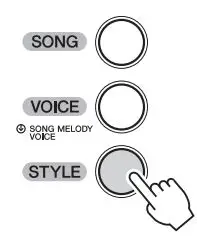
- [STYLE] button
- Calls up the Style selection display.
- Enters the Style mode.
- Number buttons [0]–[9], [+], [-]
- Selects the setting value for items such as Voice, Style,
- Song and Tempo.
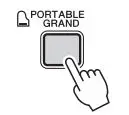
- PORTABLE GRAND] button
- Makes the appropriate settings for piano performance only.
- [ULTRA-WIDE STEREO] button
- Press this to turn on the ULTRA-WIDE STEREO Effect.
- Holding this down calls up the Master EQ Type selection display (Function number 013 on page 13.)
- [SOUND EFFECT] button
- Lets you play various Sound Effects from the keyboard.
- [FUNCTION] button
- Pressing this repeatedly calls up various parameters in sequence.
- Drum illustrations for the Drum Kit
- Indicates drum instruments assigned to each key when the
- Standard Kit 1 is selected.
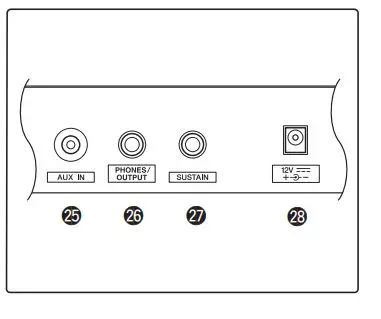
- AUX IN jack
- For connecting an external audio device. See page 12.
- PHONES/OUTPUT jack
- For connecting headphones and external audio equipment
- SUSTAIN jack
- For connecting a Footswitch.
- DC IN jack
- For connecting the AC adaptor.
Let’s enjoy playing the keyboard
Simply playing as a piano
- Press [PORTABLE GRAND]

- Play the keyboard like a Pianist !
Playing a Voice
- Press [VOICE]

- Use the Number buttons to select a Voice.
- Play the keyboard.
One Touch Setting
The One Touch Setting feature automatically selects the most suitable Voice when you select a Style or Song (excepting the Song inputted from the [AUX IN] jack). Simply select Voice number “000” to activate this feature.
Playing the keyboard with two persons (Duo mode)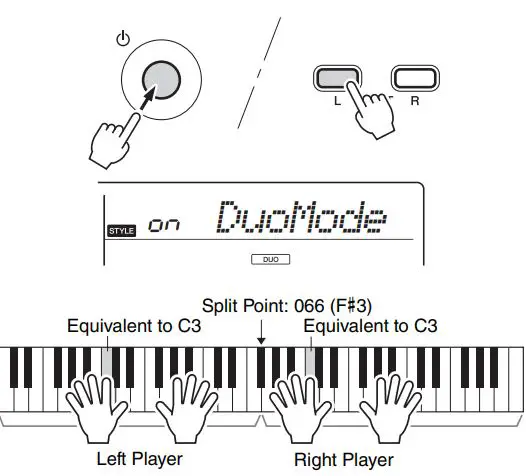
- When this mode is on, two different players can play the instrument simultaneously, with the same sound, over the same octave range—one person on the left and the other on the right.
- To do so, simultaneously hold down the PART [] button and press the [ ] (Standby/On) switch to turn on the power. To exit from the Duo mode, press the [ ] (Standby/On) switch to turn off the power, and turn the power back on again normally
Playing a Song
- Press [SONG]

- Use the Number buttons to select a Song.
- Press [START/STOP] !5 to start playback.
- Press the PART buttons !0 to mute the Melody part.
Playing with a Style
- Press [STYLE]

- Use the Number buttons to select a Style.
- Press [ACMP ON/OFF] !1 to turn accompaniment on.

- Press [SYNC START] !4 to turn Sync Start on.

- Press [INTRO/ENDING/rit.]

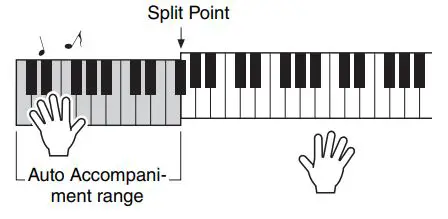
- Play a chord in the left area of the keyboard to start playback.
- Play a chord with your left hand and play a melody with your right hand.
- Press [INTRO/ENDING/rit.] !2.
- As desired, press [INTRO/ENDING/rit.] !2 again to apply ritardando.
Song Lesson
- Press [SONG] then use the Number buttons to select a Song.
- Press the PART buttons !0 to select the Lesson Part.

- Press the desired Lesson button.
- [ LISTEN & LEARN]
- Simply listen to the Song.
- TIMING]
- Learn to play the notes at the correct timing.
- [ WAITING]
- Learn to play the correct notes.
- See the evaluation on the display when playback finishes. (Only for [2 TIMING] and [3 WAITING])
- [ LISTEN & LEARN]
Chord Study
A Song category for experiencing the sounds of chords. Simply play back a Song from this category, then play the notes/chord indications shown in the display.
Recording
Record your performance as a User Song (Song number 113, up to approx. 300 notes), which can then be played back on the instrument.
- Press [PHRASE REC] y to enter the Record mode.
- To exit from the Record mode, press this button again.

- Play the keys in the Record mode to start the recording.
- Stop the recording by pressing the [START/ STOP] !5.
- To listen to the recorded Song and stop the playing, use [START/STOP].
Playing an External Audio Device with the Built-in Speakers
- Turn off the power for both the external audio device and this instrument.
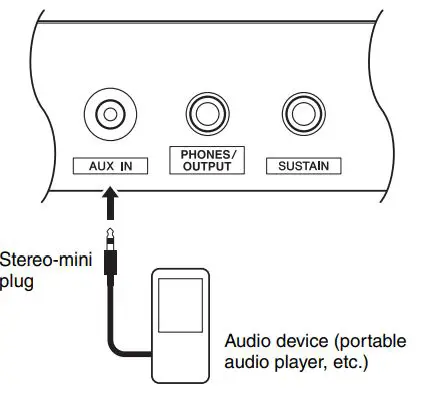
- Connect the audio device to the instrument’s [AUX IN] jack 25. Use an audio cable with no resistance having a stereo-mini plug on one side for connecting to this instrument, and a proper plug to match the output jack of the external audio device on the other side.

- Turn on the audio device, and then this instrument.
- Start play back of the connected audio device. The sound of the audio device is output through the speakers of this instrument.
- Stop playback of the audio device.
Making detailed settings
- Press [FUNCTION] @3 repeatedly to call up the desired setting from various items such as Transpose, Tuning, Split Point, Sustain, and Time Signature of the metronome.
- Use the Number buttons to set the value.
Function List
| Func- tion Number | Function name | Display | Range/Settings | Default Value | Descriptions |
| Volume | |||||
| 001 | Style Volume | StyleVol | 000–127 | 100 | Determines the volume of the Style. (page 11) |
| 002 | Song Volume | SongVol | 000–127 | 100 | Determines the volume of the Song. (page 10) |
| Overall | |||||
| 003 | Transpose | Transpos | -12–12 | 0 | Determines the pitch of the instrument in semitone incre- ments. |
| 004 | Tuning | Tuning | 427.0Hz–453.0Hz | 440.0Hz *** | Determines the fine tuning of the pitch of the entire instrument in approx. 0.2Hz increments. |
| 005 | Split Point | SplitPnt | 036–096 (C1–C6) | 54 (F#2) | Determines the Split “point”—in other words, the key that sep- arates the auto accompaniment range and Voice. (page 11) |
| Voice (page 10) | |||||
| 006 | Volume | M.Volume | 000–127 | * | Adjusts the volume of keyboard performance when perform- ing along with a Song or a Style. |
| 007 | Octave | M.Octave | -2 – +2 | * | Determines the octave range for the Voice. |
| 008 | Chorus Depth | M.Chorus | 000–127 | * | Determines how much of the Voice’s signal is sent to the Cho- rus effect. |
| Effects | |||||
|
009 |
Reverb Type |
Reverb | 01–03 (Hall 1–3) 04–05 (Room 1–2) 06–07 (Stage 1–2) 08–09 (Plate 1–2) 10 (Off) |
** |
Determines the Reverb type, including off (10). (page 24) |
| 010 | Reverb Level | RevLevel | 000–127 | 64 | Determines how much of the Voice’s signal is sent to the Reverb effect. |
|
011 |
Chorus Type |
Chorus | 1 (Chorus1) 2 (Chorus2) 3 (Chorus3) 4 (Flanger1) 5 (Flanger2) 6 (off) |
** |
Determines the Chorus type, including off (6). (page 24) |
| 012 | Panel Sustain | Sustain | ON/OFF | OFF *** | Determines whether the Panel Sustain function is on or off. |
|
013 |
Master EQ Type |
MasterEQ |
1 (Speaker) 2 (Headphone) 3 (Boost) 4 (Piano) 5 (Bright) 6 (Mild) |
1 (Speaker) *** | Sets the equalizer applied to the speaker output for optimum sound in different listening situations. Master EQ types |
| 014 | Wide Type | Wide | 1 (Wide1) 2 (Wide2) 3 (Wide3) | 2 (Wide2) | Determines the Ultra-Wide Stereo type. Higher values produce a greater Wide effect. (page 9) |
|
015 |
Voice Output |
VoiceOut |
1 (Normal) 2 (Separate) |
2 (Separate) | When the Duo mode (page 10) is on, this function is effective. If “Normal” is selected, the performance sounds of the left section and the right section will sound from both the left and right speak- ers. If “Separate” is selected, the performance sound of the left section will sound from the left speaker, and the performance sound of the right section will sound from the right speaker. |
| Func- tion Number | Function name | Display | Range/Settings | Default Value | Descriptions |
| Metronome (page 8) | |||||
| 016 | Time Signature Numerator | TimeSig | 00–15 | ** | Determines the time signature of the Metronome. |
| 017 | Metronome Vol- ume | MetroVol | 000–127 | 100 | Determines the volume of the Metronome. |
| Lesson (page 11) | |||||
| 018 | Your Tempo |
YourTemp | ON/OFF | ON *** | This parameter is for the Lesson 3 “Waiting.” When set to ON, playback tempo will change for matching the speed you are playing at. When set to OFF, playback tempo will be main- tained regardless of the speed you are playing at. |
| Demo (page 8) | |||||
|
019 |
Demo Group |
DemoGrp |
1 (Demo) 2 (Preset) 3 (User) |
1 (Demo) | Determines the repeat playback group. With the default set- ting, pressing the [DEMO] button will play back only three internal Demo Songs repeatedly. This setting can be changed so that, for example, all internal Songs (excepting Songs 101– 112) automatically play back, letting you use the instrument as a background music source. |
| 020 | Demo Play Mode | PlayMode | 1 (Normal) 2 (Random) | 1 (Normal) | Determines the repeat playback mode. |
| Auto Power Off (page 7) | |||||
| 021 | Auto Power Off Time | AutoOff | OFF, 5/10/15/30/60/ 120 (minutes) | 30 minutes *** | Specifies the time that will elapse before the instrument’s power is automatically turned off. |
| Battery (page 6) | |||||
| 022 | Battery Type |
Battery | 1 (Alkaline) 2 (Ni-MH) | 1 (Alkaline) *** | Selects the type of batteries you have installed to this instru- ment. Alkaline: Alkaline battery/manganese battery Ni-MH: Rechargeable battery |
Initialization
This operation initializes the backup parameters and the User Song. While holding down the highest white key, press the [ ] (Standby/On) switch to turn the power on.
Specifications
- Product Name
- Digital Keyboard
- Keyboards
- 61 standard-size keys (C1–C6)
- Display
- LCD display
- Voice
- 384 panel Voices + 16 drum/SFX kits
- Polyphony: 32
- Style
- 130 Preset Styles
- Style Control: ACMP ON/OFF, SYNC START,
- START/STOP, INTRO/ENDING/rit., MAIN/AUTO FILL
- Effects
- Reverb: 9 types
- Chorus: 5 types
- Ultra-Wide Stereo: 3 types
- Master EQ: 6 types
- Song
- 112 Preset Songs
- Recording
- 1 (up to approx. 300 notes)
- Amplifier
- 2.5W + 2.5W
- Speakers
- 12cm x 2
- Power Consumption
- 6W (When using PA-130 AC adaptor)
- Power Supply
- Adaptor: Yamaha PA-130 or an equivalent recommended by Yamaha
- Batteries: Six 1.5V “AA” size alkaline (LR6), manganese (R6) or six 1.2V “AA” size Ni-MH rechargeable batteries (HR6)
- Dimensions (W x D x H)
- 940mm x 317mm x 106mm (37” x 12-1/2” x 4-3/16”)
- Weight
- 4.0kg (8lbs 13oz.) (not including batteries)
Separately Sold Accessories
- Footswitch: FC4A/FC5
- Keyboard Stand: L-2C
- Headphones: HPH-50/HPH-100/HPH-150
- Adaptor: Yamaha PA-130 or an equivalent recommended by Yamaha
The contents of this manual apply to the latest specifications as of the printing date. Since Yamaha makes continuous improvements to the product, this manual may not apply to the specifications of your particular product. To obtain the latest manual, access the Yamaha website then download the manual file. Since specifications, equipment or separately sold accessories may not be the same in every locale, please check with your Yamaha dealer
Voice List
| Voice No. | Voice Name |
| PIANO | |
| 1 | Grand Piano |
| 2 | Mono Grand Piano |
| 3 | Bright Piano |
| 4 | Mellow Piano |
| 5 | Honky-tonk Piano |
| 6 | Piano Strings |
| 7 | Dream |
| 8 | Harpsichord 1 |
| 9 | Harpsichord 2 |
| E.PIANO | |
| 10 | Electric Piano 1 |
| 11 | Electric Piano 2 |
| 12 | Electric Piano 3 |
| 13 | Electric Grand Piano |
| 14 | Chorus Electric Piano 1 |
| 15 | Chorus Electric Piano 2 |
| 16 | Detuned Electric Piano |
| 17 | DX + Analog Electric Piano |
| 18 | Clavi |
| 19 | Wah Clavi |
| ORGAN | |
| 20 | Drawbar Organ 1 |
| 21 | Drawbar Organ 2 |
| 22 | 60s Drawbar Organ 1 |
| 23 | 60s Drawbar Organ 2 |
| 24 | 60s Drawbar Organ 3 |
| 25 | 70s Drawbar Organ 1 |
| 26 | 70s Drawbar Organ 2 |
| 27 | Detuned Drawbar Organ |
| 28 | Percussive Organ 1 |
| 29 | Percussive Organ 2 |
| 30 | 70s Percussive Organ |
| 31 | Detuned Percussive Organ |
| 32 | 16+2’2/3 Organ |
| 33 | Organ Bass |
| 34 | Rock Organ |
| 35 | Rotary Organ |
| 36 | Slow Rotary Organ |
| 37 | Fast Rotary Organ |
| 38 | Pipe Organ 1 |
| 39 | Pipe Organ 2 |
| 40 | Pipe Organ 3 |
| 41 | Organ Flute |
| 42 | Tremolo Organ Flute |
| 43 | Notre Dame |
| 44 | Cheezy Organ |
| 45 | Light Organ |
| 46 | Reed Organ |
| 47 | Puff Organ |
| ACCORDION | |
| 48 | Accordion |
| 49 | Tango Accordion 1 |
| 50 | Tango Accordion 2 |
| 51 | Harmonica 1 |
| 52 | Harmonica 2 |
| GUITAR | |
| 53 | Nylon Guitar |
| Voice No. | Voice Name |
| 54 | Steel Guitar |
| 55 | Nylon & Steel Guitar |
| 56 | Steel Guitar with Body Sound |
| 57 | Muted Steel Guitar |
| 58 | 12-string Guitar |
| 59 | Jazz Guitar |
| 60 | Jazz Amp |
| 61 | Jazz Man |
| 62 | Clean Guitar |
| 63 | Chorus Guitar |
| 64 | Funk Guitar |
| 65 | Guitar Pinch |
| 66 | Muted Guitar |
| 67 | Overdriven Guitar |
| 68 | Distortion Guitar |
| 69 | Feedback Guitar 1 |
| 70 | Feedback Guitar 2 |
| 71 | Guitar Feedback |
| 72 | Guitar Harmonics 1 |
| 73 | Guitar Harmonics 2 |
| 74 | Guitar Harmonics 3 |
| BASS | |
| 75 | Acoustic Bass 1 |
| 76 | Acoustic Bass 2 |
| 77 | Finger Bass 1 |
| 78 | Finger Bass 2 |
| 79 | Finger Dark |
| 80 | Finger Slap Bass |
| 81 | Pick Bass |
| 82 | Fretless Bass 1 |
| 83 | Fretless Bass 2 |
| 84 | Fretless Bass 3 |
| 85 | Fretless Bass 4 |
| 86 | Slap Bass 1 |
| 87 | Slap Bass 2 |
| 88 | Slap Bass 3 |
| 89 | Jazz Rhythm |
| 90 | Bass & Distorted Electric Guitar |
| 91 | Muted Pick Bass |
| 92 | Modulated Bass |
| 93 | Punch Thumb Bass |
| 94 | Synth Bass 1 |
| 95 | Synth Bass 2 |
| 96 | Synth Bass 2 Dark |
| 97 | Techno Synth Bass |
| 98 | Mellow Synth Bass |
| 99 | Sequenced Bass |
| 100 | Click Synth Bass |
| 101 | Modular Synth Bass |
| 102 | DX Bass |
| STRINGS | |
| 103 | Strings 1 |
| 104 | Strings 2 |
| 105 | Strings 3 |
| 106 | Slow Strings |
| 107 | Stereo Strings |
| 108 | Stereo Slow Strings |
| Voice No. | Voice Name |
| 109 | Orchestra 1 |
| 110 | Orchestra 2 |
| 111 | 60s Strings |
| 112 | Suspense Strings |
| 113 | Legato Strings |
| 114 | Warm Strings |
| 115 | Kingdom |
| 116 | Tremolo Strings |
| 117 | Slow Tremolo Strings |
| 118 | Tremolo Orchestra |
| 119 | Pizzicato Strings |
| 120 | Violin |
| 121 | Slow Violin |
| 122 | Viola |
| 123 | Cello |
| 124 | Contrabass |
| 125 | Orchestral Harp |
| 126 | Synth Strings 1 |
| 127 | Synth Strings 2 |
| 128 | Orchestra Hit 1 |
| 129 | Orchestra Hit 2 |
| 130 | Impact |
| CHOIR | |
| 131 | Choir Aahs |
| 132 | Voice Oohs |
| 133 | Stereo Choir |
| 134 | Mellow Choir |
| 135 | Choir Strings |
| 136 | Synth Voice 1 |
| 137 | Synth Voice 2 |
| 138 | Choral |
| 139 | Analog Voice |
| SAXOPHONE | |
| 140 | Tenor Sax |
| 141 | Breathy Tenor Sax |
| 142 | Alto Sax |
| 143 | Soprano Sax |
| 144 | Baritone Sax |
| 145 | Sax Section |
| 146 | Clarinet |
| 147 | Oboe |
| 148 | English Horn |
| 149 | Bassoon |
| TRUMPET | |
| 150 | Trumpet |
| 151 | Warm Trumpet |
| 152 | Muted Trumpet |
| 153 | Trombone 1 |
| 154 | Trombone 2 |
| 155 | Trumpet & Trombone Section |
| 156 | French Horn 1 |
| 157 | French Horn 2 |
| 158 | French Horn Solo |
| 159 | Horn Orchestra |
| 160 | Tuba |
| BRASS | |
| 161 | Brass Section |
| 162 | Synth Brass 1 |
| Voice No. | Voice Name |
| 163 | Synth Brass 2 |
| 164 | Soft Brass |
| 165 | Resonant Synth Brass |
| 166 | Choir Brass |
| FLUTE | |
| 167 | Flute |
| 168 | Piccolo |
| 169 | Pan Flute |
| 170 | Recorder |
| 171 | Blown Bottle |
| 172 | Shakuhachi |
| 173 | Whistle |
| 174 | Ocarina |
| SYNTH LEAD | |
| 175 | Square Lead 1 |
| 176 | Square Lead 2 |
| 177 | LM Square |
| 178 | Sawtooth Lead 1 |
| 179 | Sawtooth Lead 2 |
| 180 | Thick Sawtooth |
| 181 | Dynamic Sawtooth |
| 182 | Digital Sawtooth |
| 183 | Fargo |
| 184 | Funky Lead |
| 185 | Sine Lead |
| 186 | Solo Sine |
| 187 | Calliope Lead |
| 188 | Chiff Lead |
| 189 | Charang Lead |
| 190 | Voice Lead |
| 191 | Fifths Lead |
| 192 | Bass & Lead |
| 193 | Hollow |
| 194 | Shroud |
| 195 | Mellow |
| 196 | Big Lead |
| 197 | Sequenced Analog |
| 198 | Pure Lead |
| 199 | Distorted Lead |
| 200 | Big Five |
| 201 | Big & Low |
| 202 | Fat & Perky |
| SYNTH PAD & EFFECT | |
| 203 | New Age Pad |
| 204 | Fantasy |
| 205 | Warm Pad |
| 206 | Poly Synth Pad |
| 207 | Equinox |
| 208 | Choir Pad |
| 209 | Bowed Pad |
| 210 | Metallic Pad |
| 211 | Halo Pad |
| 212 | Sweep Pad |
| 213 | Soft Whirl |
| 214 | Itopia |
| 215 | Rain |
| 216 | Sound Track |
| 217 | Crystal |
| Voice No. | Voice Name |
| 218 | Atmosphere |
| 219 | Brightness |
| 220 | Goblins |
| 221 | Echoes |
| 222 | Sci-Fi |
| 223 | African Wind |
| 224 | Carib |
| 225 | Prologue |
| 226 | Synth Drum Comp |
| 227 | Popcorn |
| 228 | Tiny Bells |
| 229 | Round Glockenspiel |
| 230 | Glockenspiel Chimes |
| 231 | Clear Bells |
| 232 | Chorus Bells |
| 233 | Soft Crystal |
| 234 | Air Bells |
| 235 | Warm Atmosphere |
| 236 | Hollow Release |
| 237 | Nylon Electric Piano |
| 238 | Nylon Harp |
| 239 | Harp Vox |
| 240 | Atmosphere Pad |
| 241 | Goblins Synth |
| 242 | Creeper |
| 243 | Ritual |
| 244 | To Heaven |
| 245 | Night |
| 246 | Glisten |
| 247 | Bell Choir |
| 248 | Bell Harp |
| PERCUSSION | |
| 249 | Vibraphone |
| 250 | Soft Vibraphone |
| 251 | Marimba |
| 252 | Soft Marimba |
| 253 | Sine Marimba |
| 254 | Balimba |
| 255 | Log Drums |
| 256 | Xylophone |
| 257 | Steel Drums |
| 258 | Celesta |
| 259 | MusicBox 1 |
| 260 | MusicBox 2 |
| 261 | Church Bells |
| 262 | Carillon |
| 263 | Tubular Bells |
| 264 | Timpani |
| 265 | Glockenspiel |
| 266 | Tinkle Bell |
| 267 | Agogo |
| 268 | Woodblock |
| 269 | Castanets |
| 270 | Melodic Tom 1 |
| 271 | Melodic Tom 2 |
| 272 | Real Tom |
| 273 | Rock Tom |
| 274 | Electronic Percussion |
| Voice No. | Voice Name |
| 275 | Analog Tom |
| 276 | Synth Drum |
| 277 | Taiko Drum |
| 278 | Gran Cassa |
| 279 | Gamelimba |
| 280 | Glass Percussion |
| 281 | Reverse Cymbal |
| WORLD | |
| 282 | Banjo |
| 283 | Muted Banjo |
| 284 | Fiddle |
| 285 | Bagpipe |
| 286 | Dulcimer 1 |
| 287 | Dulcimer 2 |
| 288 | Cimbalom |
| 289 | Santur |
| 290 | Kanoon |
| 291 | Oud |
| 292 | Rabab |
| 293 | Kalimba |
| 294 | Harmonium 1 (Single Reed) |
| 295 | Harmonium 2 (Double Reed) |
| 296 | Harmonium 3 (Triple Reed) |
| 297 | Tanpura |
| 298 | Sitar 1 |
| 299 | Sitar 2 |
| 300 | Detuned Sitar |
| 301 | Pungi |
| 302 | Shehnai |
| 303 | Gopichant |
| 304 | Tabla |
| 305 | Er Hu |
| 306 | Di Zi |
| 307 | Pi Pa |
| 308 | Gu Zheng |
| 309 | Yang Qin |
| 310 | Shamisen |
| 311 | Koto |
| 312 | Taisho-kin |
| 313 | Mandolin |
| 314 | Ukulele |
| 315 | Bonang |
| 316 | Altair |
| 317 | Gamelan Gongs |
| 318 | Stereo Gamelan Gongs |
| 319 | Rama Cymbal |
| 320 | Thai Bells |
| DUAL* | |
| 321 | Octave Piano |
| 322 | Piano & Pizzicato Strings |
| 323 | Piano & Flute |
| 324 | Piano Pad |
| 325 | Octave Honky-tonk Piano |
| 326 | Harpsichord & Strings |
| 327 | Electric Piano Pad 1 |
| 328 | Electric Piano Pad 2 |
| 329 | Electric Piano Pad 3 |
| 330 | Octave Strings |
| Voice No. | Voice Name |
| 331 | Octave Brass |
| 332 | Orchestra Tutti |
| 333 | Octave Choir |
| 334 | Jazz Section |
| 335 | Flute & Clarinet |
| SOUND EFFECTS | |
| 336 | Fret Noise |
| 337 | Breath Noise |
| 338 | Cutting Noise 1 |
| 339 | Cutting Noise 2 |
| 340 | String Slap |
| 341 | Flute Key Click |
| 342 | Bird Tweet 1 |
| 343 | Bird Tweet 2 |
| 344 | Telephone Ring 1 |
| 345 | Telephone Ring 2 |
| 346 | Phone Call |
| 347 | Shower |
| 348 | Thunder |
| 349 | Wind |
| 350 | Stream |
| 351 | Seashore |
| 352 | Bubble |
| 353 | Feed |
| 354 | Dog |
| 355 | Horse |
| 356 | Maou |
| 357 | Door Squeak |
| 358 | Door Slam |
| 359 | Scratch Cut |
| 360 | Scratch Split |
| 361 | Wind Chime |
| 362 | Car Engine Ignition |
| 363 | Car Tires Squeal |
| 364 | Car Passing |
| 365 | Car Crash |
| 366 | Siren |
| 367 | Train |
| 368 | Helicopter |
| 369 | Jet Plane |
| 370 | Starship |
| 371 | Burst |
| 372 | Roller Coaster |
| 373 | Submarine |
| 374 | Laugh |
| 375 | Scream |
| 376 | Punch |
| 377 | Heartbeat |
| 378 | Footsteps |
| 379 | Applause |
| 380 | Gunshot |
| 381 | Machine Gun |
| 382 | Laser Gun |
| 383 | Explosion |
| 384 | Firework |
| DRUM KITS | |
| 385 | Standard Kit 1 |
| 386 | Standard Kit 2 |
| Voice No. | Voice Name |
| 387 | Room Kit |
| 388 | Rock Kit |
| 389 | Electronic Kit |
| 390 | Analog Kit |
| 391 | Dance Kit |
| 392 | Jazz Kit |
| 393 | Brush Kit |
| 394 | Symphony Kit |
| 395 | StdKit 1 + Chinese Perc. |
| 396 | Indian Kit |
| 397 | Arabic Kit |
| 398 | SFX Kit 1 |
| 399 | SFX Kit 2 |
| 400 | Sound Effect Kit |
Drum Kit List
| Voice No. | 385 | 386 | 387 | 388 | 389 | 390 | |
| Keyboard | Standard Kit 1 | Standard Kit 2 | Room Kit | Rock Kit | Electronic Kit | Analog Kit | |
| Note# | Note | ||||||
| 25 | C# 0 | Surdo Mute | Surdo Mute | Surdo Mute | Surdo Mute | Surdo Mute | Surdo Mute |
| 26 | D 0 | Surdo Open | Surdo Open | Surdo Open | Surdo Open | Surdo Open | Surdo Open |
| 27 | D# 0 | Hi Q | Hi Q | Hi Q | Hi Q | Hi Q | Hi Q |
| 28 | E 0 | Whip Slap | Whip Slap | Whip Slap | Whip Slap | Whip Slap | Whip Slap |
| 29 | F 0 | Scratch H | Scratch H | Scratch H | Scratch H | Scratch H | Scratch H |
| 30 | F# 0 | Scratch L | Scratch L | Scratch L | Scratch L | Scratch L | Scratch L |
| 31 | G 0 | Finger Snap | Finger Snap | Finger Snap | Finger Snap | Finger Snap | Finger Snap |
| 32 | G# 0 | Click Noise | Click Noise | Click Noise | Click Noise | Click Noise | Click Noise |
| 33 | A 0 | Metronome Click | Metronome Click | Metronome Click | Metronome Click | Metronome Click | Metronome Click |
| 34 | A# 0 | Metronome Bell | Metronome Bell | Metronome Bell | Metronome Bell | Metronome Bell | Metronome Bell |
| 35 | B 0 | Seq Click L | Seq Click L | Seq Click L | Seq Click L | Seq Click L | Seq Click L |
| 36 | C 1 | Seq Click H | Seq Click H | Seq Click H | Seq Click H | Seq Click H | Seq Click H |
| 37 | C# 1 | Brush Tap | Brush Tap | Brush Tap | Brush Tap | Brush Tap | Brush Tap |
| 38 | D 1 | Brush Swirl | Brush Swirl | Brush Swirl | Brush Swirl | Brush Swirl | Brush Swirl |
| 39 | D# 1 | Brush Slap | Brush Slap | Brush Slap | Brush Slap | Brush Slap | Brush Slap |
| 40 | E 1 | Brush Tap Swirl | Brush Tap Swirl | Brush Tap Swirl | Brush Tap Swirl | Reverse Cymbal | Reverse Cymbal |
| 41 | F 1 | Snare Roll | Snare Roll | Snare Roll | Snare Roll | Snare Roll | Snare Roll |
| 42 | F# 1 | Castanet | Castanet | Castanet | Castanet | Hi Q 2 | Hi Q 2 |
| 43 | G 1 | Snare Soft | Snare Soft 2 | Snare Soft | Snare Noisy | Snare Snappy Electronic | Snare Noisy 4 |
| 44 | G# 1 | Sticks | Sticks | Sticks | Sticks | Sticks | Sticks |
| 45 | A 1 | Bass Drum Soft | Bass Drum Soft | Bass Drum Soft | Bass Drum Soft | Bass Drum H | Bass Drum H |
| 46 | A# 1 | Open Rim Shot | Open Rim Shot 2 | Open Rim Shot | Open Rim Shot | Open Rim Shot | Open Rim Shot |
| 47 | B 1 | Bass Drum Hard | Bass Drum Hard | Bass Drum Hard | Bass Drum H | Bass Drum Rock | Bass Drum Analog L |
| 48 | C 2 | Bass Drum | Bass Drum 2 | Bass Drum | Bass Drum Rock | Bass Drum Gate | Bass Drum Analog H |
| 49 | C# 2 | Side Stick | Side Stick | Side Stick | Side Stick | Side Stick | Side Stick Analog |
| 50 | D 2 | Snare | Snare 2 | Snare Room L | Snare Rock | Snare Noisy 2 | Snare Analog 1 |
| 51 | D# 2 | Hand Clap | Hand Clap | Hand Clap | Hand Clap | Hand Clap | Hand Clap |
| 52 | E 2 | Snare Tight | Snare Tight 2 | Snare Room H | Snare Rock Rim | Snare Noisy 3 | Snare Analog 2 |
| 53 | F 2 | Floor Tom L | Floor Tom L | Tom Room 1 | Tom Rock 1 | Tom Electronic 1 | Tom Analog 1 |
| 54 | F# 2 | Hi-Hat Closed | Hi-Hat Closed | Hi-Hat Closed | Hi-Hat Closed | Hi-Hat Closed | Hi-Hat Close Analog 1 |
| 55 | G 2 | Floor Tom H | Floor Tom H | Tom Room 2 | Tom Rock 2 | Tom Electronic 2 | Tom Analog 2 |
| 56 | G# 2 | Hi-Hat Pedal | Hi-Hat Pedal | Hi-Hat Pedal | Hi-Hat Pedal | Hi-Hat Pedal | Hi-Hat Close Analog 2 |
| 57 | A 2 | Low Tom | Low Tom | Tom Room 3 | Tom Rock 3 | Tom Electronic 3 | Tom Analog 3 |
| 58 | A# 2 | Hi-Hat Open | Hi-Hat Open | Hi-Hat Open | Hi-Hat Open | Hi-Hat Open | Hi-Hat Open Analog |
| 59 | B 2 | Mid Tom L | Mid Tom L | Tom Room 4 | Tom Rock 4 | Tom Electronic 4 | Tom Analog 4 |
| 60 | C 3 | Mid Tom H | Mid Tom H | Tom Room 5 | Tom Rock 5 | Tom Electronic 5 | Tom Analog 5 |
| 61 | C# 3 | Crash Cymbal 1 | Crash Cymbal 1 | Crash Cymbal 1 | Crash Cymbal 1 | Crash Cymbal 1 | Cymbal Analog |
| 62 | D 3 | High Tom | High Tom | Tom Room 6 | Tom Rock 6 | Tom Electronic 6 | Tom Analog 6 |
| 63 | D# 3 | Ride Cymbal 1 | Ride Cymbal 1 | Ride Cymbal 1 | Ride Cymbal 1 | Ride Cymbal 1 | Ride Cymbal 1 |
| 64 | E 3 | Chinese Cymbal | Chinese Cymbal | Chinese Cymbal | Chinese Cymbal | Chinese Cymbal | Chinese Cymbal |
| 65 | F 3 | Ride Cymbal Cup | Ride Cymbal Cup | Ride Cymbal Cup | Ride Cymbal Cup | Ride Cymbal Cup | Ride Cymbal Cup |
| 66 | F# 3 | Tambourine | Tambourine | Tambourine | Tambourine | Tambourine | Tambourine |
| 67 | G 3 | Splash Cymbal | Splash Cymbal | Splash Cymbal | Splash Cymbal | Splash Cymbal | Splash Cymbal |
| 68 | G# 3 | Cowbell | Cowbell | Cowbell | Cowbell | Cowbell | Cowbell Analog |
| 69 | A 3 | Crash Cymbal 2 | Crash Cymbal 2 | Crash Cymbal 2 | Crash Cymbal 2 | Crash Cymbal 2 | Crash Cymbal 2 |
| 70 | A# 3 | Vibraslap | Vibraslap | Vibraslap | Vibraslap | Vibraslap | Vibraslap |
| 71 | B 3 | Ride Cymbal 2 | Ride Cymbal 2 | Ride Cymbal 2 | Ride Cymbal 2 | Ride Cymbal 2 | Ride Cymbal 2 |
| 72 | C 4 | Bongo H | Bongo H | Bongo H | Bongo H | Bongo H | Bongo H |
| 73 | C# 4 | Bongo L | Bongo L | Bongo L | Bongo L | Bongo L | Bongo L |
| 74 | D 4 | Conga H Mute | Conga H Mute | Conga H Mute | Conga H Mute | Conga H Mute | Conga Analog H |
| 75 | D# 4 | Conga H Open | Conga H Open | Conga H Open | Conga H Open | Conga H Open | Conga Analog M |
| 76 | E 4 | Conga L | Conga L | Conga L | Conga L | Conga L | Conga Analog L |
| 77 | F 4 | Timbale H | Timbale H | Timbale H | Timbale H | Timbale H | Timbale H |
| 78 | F# 4 | Timbale L | Timbale L | Timbale L | Timbale L | Timbale L | Timbale L |
| 79 | G 4 | Agogo H | Agogo H | Agogo H | Agogo H | Agogo H | Agogo H |
| 80 | G# 4 | Agogo L | Agogo L | Agogo L | Agogo L | Agogo L | Agogo L |
| 81 | A 4 | Cabasa | Cabasa | Cabasa | Cabasa | Cabasa | Cabasa |
| 82 | A# 4 | Maracas | Maracas | Maracas | Maracas | Maracas | Maracas 2 |
| 83 | B 4 | Samba Whistle H | Samba Whistle H | Samba Whistle H | Samba Whistle H | Samba Whistle H | Samba Whistle H |
| 84 | C 5 | Samba Whistle L | Samba Whistle L | Samba Whistle L | Samba Whistle L | Samba Whistle L | Samba Whistle L |
| 85 | C# 5 | Guiro Short | Guiro Short | Guiro Short | Guiro Short | Guiro Short | Guiro Short |
| 86 | D 5 | Guiro Long | Guiro Long | Guiro Long | Guiro Long | Guiro Long | Guiro Long |
| 87 | D# 5 | Claves | Claves | Claves | Claves | Claves | Claves 2 |
| 88 | E 5 | Wood Block H | Wood Block H | Wood Block H | Wood Block H | Wood Block H | Wood Block H |
| 89 | F 5 | Wood Block L | Wood Block L | Wood Block L | Wood Block L | Wood Block L | Wood Block L |
| 90 | F# 5 | Cuica Mute | Cuica Mute | Cuica Mute | Cuica Mute | Scratch H | Scratch H |
| 91 | G 5 | Cuica Open | Cuica Open | Cuica Open | Cuica Open | Scratch L | Scratch L |
| 92 | G# 5 | Triangle Mute | Triangle Mute | Triangle Mute | Triangle Mute | Triangle Mute | Triangle Mute |
| 93 | A 5 | Triangle Open | Triangle Open | Triangle Open | Triangle Open | Triangle Open | Triangle Open |
| 94 | A# 5 | Shaker | Shaker | Shaker | Shaker | Shaker | Shaker |
| 95 | B 5 | Jingle Bells | Jingle Bells | Jingle Bells | Jingle Bells | Jingle Bells | Jingle Bells |
| 96 | C 6 | Bell Tree | Bell Tree | Bell Tree | Bell Tree | Bell Tree | Bell Tree |
| 97 | C# 6 | ||||||
| 98 | D 6 | ||||||
| 99 | D# 6 | ||||||
| 100 | E 6 | ||||||
| 101 | F 6 | ||||||
| 102 | F# 6 | ||||||
| 103 | G 6 | ||||||
| Voice No. | 391 | 392 | 393 | 394 | 395 | |
| Keyboard | Dance Kit | Jazz Kit | Brush Kit | Symphony Kit | StdKit1 + Chinese Perc. | |
| Note# | Note | |||||
| 25 | C# 0 | Surdo Mute | Surdo Mute | Surdo Mute | Surdo Mute | Surdo Mute |
| 26 | D 0 | Surdo Open | Surdo Open | Surdo Open | Surdo Open | Surdo Open |
| 27 | D# 0 | Hi Q | Hi Q | Hi Q | Hi Q | Hi Q |
| 28 | E 0 | Whip Slap | Whip Slap | Whip Slap | Whip Slap | Whip Slap |
| 29 | F 0 | Scratch H | Scratch H | Scratch H | Scratch H | Scratch H |
| 30 | F# 0 | Scratch L | Scratch L | Scratch L | Scratch L | Scratch L |
| 31 | G 0 | Finger Snap | Finger Snap | Finger Snap | Finger Snap | Finger Snap |
| 32 | G# 0 | Click Noise | Click Noise | Click Noise | Click Noise | Click Noise |
| 33 | A 0 | Metronome Click | Metronome Click | Metronome Click | Metronome Click | Metronome Click |
| 34 | A# 0 | Metronome Bell | Metronome Bell | Metronome Bell | Metronome Bell | Metronome Bell |
| 35 | B 0 | Seq Click L | Seq Click L | Seq Click L | Seq Click L | Seq Click L |
| 36 | C 1 | Seq Click H | Seq Click H | Seq Click H | Seq Click H | Seq Click H |
| 37 | C# 1 | Brush Tap | Brush Tap | Brush Tap | Brush Tap | Brush Tap |
| 38 | D 1 | Brush Swirl | Brush Swirl | Brush Swirl | Brush Swirl | Brush Swirl |
| 39 | D# 1 | Brush Slap | Brush Slap | Brush Slap | Brush Slap | Brush Slap |
| 40 | E 1 | Reverse Cymbal | Brush Tap Swirl | Brush Tap Swirl | Brush Tap Swirl | Brush Tap Swirl |
| 41 | F 1 | Snare Roll | Snare Roll | Snare Roll | Snare Roll | Snare Roll |
| 42 | F# 1 | Hi Q 2 | Castanet | Castanet | Castanet | Castanet |
| 43 | G 1 | Snare Techno | Snare Soft | Brush Slap 2 | Snare Soft | Snare Soft |
| 44 | G# 1 | Sticks | Sticks | Sticks | Sticks | Sticks |
| 45 | A 1 | Kick Techno Q | Bass Drum Soft | Bass Drum Soft | Bass Drum Soft L | Bass Drum Soft |
| 46 | A# 1 | Rim Gate | Open Rim Shot | Open Rim Shot | Open Rim Shot | Open Rim Shot |
| 47 | B 1 | Kick Techno L | Bass Drum Hard | Bass Drum Hard | Gran Cassa | Bass Drum Hard |
| 48 | C 2 | Kick Techno | Bass Drum Jazz | Bass Drum Jazz | Gran Cassa Mute | Bass Drum |
| 49 | C# 2 | Side Stick Analog | Side Stick | Side Stick | Side Stick | Side Stick |
| 50 | D 2 | Snare Clap | Snare Jazz L | Brush Slap 3 | Band Snare 1 | Snare |
| 51 | D# 2 | Hand Clap | Hand Clap | Hand Clap | Hand Clap | Hand Clap |
| 52 | E 2 | Snare Dry | Snare Jazz M | Brush Tap | Band Snare 2 | Snare Tight |
| 53 | F 2 | Tom Analog 1 | Tom Jazz 1 | Tom Brush 1 | Tom Jazz 1 | Floor Tom L |
| 54 | F# 2 | Hi-Hat Close Analog 3 | Hi-Hat Closed | Hi-Hat Closed | Hi-Hat Closed | Hi-Hat Closed |
| 55 | G 2 | Tom Analog 2 | Tom Jazz 2 | Tom Brush 2 | Tom Jazz 2 | Floor Tom H |
| 56 | G# 2 | Hi-Hat Close Analog 4 | Hi-Hat Pedal | Hi-Hat Pedal | Hi-Hat Pedal | Hi-Hat Pedal |
| 57 | A 2 | Tom Analog 3 | Tom Jazz 3 | Tom Brush 3 | Tom Jazz 3 | Low Tom |
| 58 | A# 2 | Hi-Hat Open Analog 2 | Hi-Hat Open | Hi-Hat Open | Hi-Hat Open | Hi-Hat Open |
| 59 | B 2 | Tom Analog 4 | Tom Jazz 4 | Tom Brush 4 | Tom Jazz 4 | Mid Tom L |
| 60 | C 3 | Tom Analog 5 | Tom Jazz 5 | Tom Brush 5 | Tom Jazz 5 | Mid Tom H |
| 61 | C# 3 | Cymbal Analog | Crash Cymbal 1 | Crash Cymbal 1 | Hand Cymbal 1 | Crash Cymbal 1 |
| 62 | D 3 | Tom Analog 6 | Tom Jazz 6 | Tom Brush 6 | Tom Jazz 6 | High Tom |
| 63 | D# 3 | Ride Cymbal 1 | Ride Cymbal 1 | Ride Cymbal 1 | Hand Cymbal 1 Short | Ride Cymbal 1 |
| 64 | E 3 | Chinese Cymbal | Chinese Cymbal | Chinese Cymbal | Chinese Cymbal | Chinese Cymbal |
| 65 | F 3 | Ride Cymbal Cup | Ride Cymbal Cup | Ride Cymbal Cup | Ride Cymbal Cup | Ride Cymbal Cup |
| 66 | F# 3 | Tambourine | Tambourine | Tambourine | Tambourine | Tambourine |
| 67 | G 3 | Splash Cymbal | Splash Cymbal | Splash Cymbal | Splash Cymbal | Splash Cymbal |
| 68 | G# 3 | Cowbell Analog | Cowbell | Cowbell | Cowbell | Cowbell |
| 69 | A 3 | Crash Cymbal 2 | Crash Cymbal 2 | Crash Cymbal 2 | Hand Cymbal 2 | Crash Cymbal 2 |
| 70 | A# 3 | Vibraslap | Vibraslap | Vibraslap | Vibraslap | Vibraslap |
| 71 | B 3 | Ride Cymbal 2 | Ride Cymbal 2 | Ride Cymbal 2 | Hand Cymbal 2 Short | Ride Cymbal 2 |
| 72 | C 4 | Bongo H | Bongo H | Bongo H | Bongo H | Bongo H |
| 73 | C# 4 | Bongo L | Bongo L | Bongo L | Bongo L | Bongo L |
| 74 | D 4 | Conga Analog H | Conga H Mute | Conga H Mute | Conga H Mute | Conga H Mute |
| 75 | D# 4 | Conga Analog M | Conga H Open | Conga H Open | Conga H Open | Conga H Open |
| 76 | E 4 | Conga Analog L | Conga L | Conga L | Conga L | Conga L |
| 77 | F 4 | Timbale H | Timbale H | Timbale H | Timbale H | Timbale H |
| 78 | F# 4 | Timbale L | Timbale L | Timbale L | Timbale L | Timbale L |
| 79 | G 4 | Agogo H | Agogo H | Agogo H | Agogo H | Dagu Mute |
| 80 | G# 4 | Agogo L | Agogo L | Agogo L | Agogo L | Zhongcha Mute |
| 81 | A 4 | Cabasa | Cabasa | Cabasa | Cabasa | Dagu Heavy |
| 82 | A# 4 | Maracas 2 | Maracas | Maracas | Maracas | Zhongcha Open |
| 83 | B 4 | Samba Whistle H | Samba Whistle H | Samba Whistle H | Samba Whistle H | Paigu Middle |
| 84 | C 5 | Samba Whistle L | Samba Whistle L | Samba Whistle L | Samba Whistle L | Paigu Low |
| 85 | C# 5 | Guiro Short | Guiro Short | Guiro Short | Guiro Short | Xiaocha Mute |
| 86 | D 5 | Guiro Long | Guiro Long | Guiro Long | Guiro Long | Bangu |
| 87 | D# 5 | Claves 2 | Claves | Claves | Claves | Xiaocha Open |
| 88 | E 5 | Wood Block H | Wood Block H | Wood Block H | Wood Block H | Bangzi |
| 89 | F 5 | Wood Block L | Wood Block L | Wood Block L | Wood Block L | Muyu Low |
| 90 | F# 5 | Scratch H | Cuica Mute | Cuica Mute | Cuica Mute | Zhongluo Mute |
| 91 | G 5 | Scratch L | Cuica Open | Cuica Open | Cuica Open | Muyu Mid-Low |
| 92 | G# 5 | Triangle Mute | Triangle Mute | Triangle Mute | Triangle Mute | Zhongluo Open |
| 93 | A 5 | Triangle Open | Triangle Open | Triangle Open | Triangle Open | Muyu Middle |
| 94 | A# 5 | Shaker | Shaker | Shaker | Shaker | Xiaoluo Open |
| 95 | B 5 | Jingle Bells | Jingle Bells | Jingle Bells | Jingle Bells | Triangle Mute |
| 96 | C 6 | Bell Tree | Bell Tree | Bell Tree | Bell Tree | Triangle Open |
| 97 | C# 6 | |||||
| 98 | D 6 | |||||
| 99 | D# 6 | |||||
| 100 | E 6 | |||||
| 101 | F 6 | |||||
| 102 | F# 6 | |||||
| 103 | G 6 | |||||
Song List
| Song No. | Song Name |
| Top Picks | |
| 001 | Demo 1 |
| 002 | Demo 2 |
| 003 | Demo 3 |
| Favorite | |
| 004 | Frère Jacques |
| 005 | Der Froschgesang |
| 006 | Aura Lee |
| 007 | London Bridge |
| 008 | Sur le pont d’Avignon |
| 009 | Nedelka |
| 010 | Aloha Oe |
| 011 | Sippin’ Cider Through a Straw |
| 012 | Old Folks at Home |
| 013 | Bury Me Not on the Lone Prairie |
| 014 | Old MacDonald Had A Farm |
| 015 | Santa Lucia |
| 016 | If You’re Happy and You Know It |
| 017 | Beautiful Dreamer |
| 018 | Greensleeves |
| 019 | Kalinka |
| 020 | Holdilia Cook |
| 021 | Ring de Banjo |
| 022 | La Cucaracha |
| 023 | Funiculi Funicula |
| 024 | Largo (from the New World) |
| 025 | Brahms’ Lullaby |
| 026 | Liebesträume Nr.3 |
| 027 | Pomp and Circumstance |
| 028 | Chanson du Toreador |
| 029 | Jupiter, the Bringer of Jollity |
| 030 | The Polovetsian Dances |
| 031 | Die Moldau |
| 032 | Salut d’Amour op.12 |
| 033 | Humoresques |
| 034 | Symphony No.9 (from the New World – 4th movement) |
| Instrument Master | |
| 035 | Sicilienne/Fauré |
| 036 | Swan Lake |
| 037 | Grand March (Aida) |
| 038 | Serenade for Strings in C major, op.48 |
| 039 | Pizzicato Polka |
| 040 | Romance de Amor |
| 041 | Menuett BWV. Anh.114 |
| 042 | Ave Verum Corpus |
| Duet | |
| 043 | Ten Little Indians (DUET) |
| 044 | The Cuckoo (DUET) |
| 045 | Close Your Hands, Open Your Hands (DUET) |
| 046 | O du lieber Augustin (DUET) |
| 047 | We Wish You A Merry Christmas (DUET) |
| 048 | London Bridge (DUET) |
| 049 | Scarborough Fair (DUET) |
| 050 | Twinkle Twinkle Little Star (DUET) |
| 051 | Im Mai (DUET) |
| 052 | O Christmas Tree (DUET) |
| 053 | Pop Goes The Weasel (DUET) |
| 054 | Mary Had a Little Lamb (DUET) |
| Song No. | Song Name |
| 055 | Row Row Row Your Boat (DUET) |
| 056 | On Top of Old Smoky (DUET) |
| Favorite with Style | |
| 057 | Amazing Grace |
| 058 | Oh! Susanna |
| 059 | Joy to the World |
| 060 | Little Brown Jug |
| 061 | Yankee Doodle |
| 062 | My Darling Clementine |
| 063 | Auld Lang Syne |
| 064 | My Bonnie |
| 065 | When the Saints Go Marching In |
| 066 | The Danube Waves |
| 067 | Battle Hymn of the Republic |
| 068 | I’ve Been Working On The Railroad |
| 069 | Grandfather’s Clock |
| 070 | Bill Bailey (Won’t You Please Come Home) |
| 071 | Down by the Riverside |
| 072 | Camptown Races |
| 073 | When Irish Eyes Are Smiling |
| 074 | Ave Maria |
| 075 | American Patrol |
| 076 | Valse Des Fleurs (From “The Nutcracker”) |
| 077 | Frühlingsstimmen |
| Piano Repertoire | |
| 078 | Wenn ich ein Vöglein wär |
| 079 | Die Lorelei |
| 080 | Home Sweet Home |
| 081 | Scarborough Fair |
| 082 | My Old Kentucky Home |
| 083 | Loch Lomond |
| 084 | Silent Night |
| 085 | Deck the Halls |
| 086 | O Christmas Tree |
| 087 | Sonata Pathétique 2nd Adagio Cantabile |
| 088 | Ave Maria/J. S. Bach – Gounod |
| 089 | Jesus bleibet meine Freude |
| 090 | Prelude op.28-15 “Raindrop” |
| 091 | Nocturne op.9-2 |
| 092 | Etude op.10-3 “Chanson de L’adieu” |
| 093 | Romanze (Serenade K.525) |
| 094 | Arabesque |
| 095 | La Chevaleresque |
| 096 | Für Elise |
| 097 | Turkish March |
| 098 | 24 Preludes op.28-7 |
| 099 | Annie Laurie |
| 100 | Jeanie with the Light Brown Hair |
Style List
| Style No. | Style Name |
| 8Beat | |
| 1 | BritPopRock |
| 2 | 8BeatModern |
| 3 | Cool8Beat |
| 4 | 60sGuitarPop |
| 5 | 8BeatAdria |
| 6 | 60s8Beat |
| 7 | 8Beat |
| 8 | OffBeat |
| 9 | 60sRock |
| 10 | HardRock |
| 11 | RockShuffle |
| 12 | 8BeatRock |
| 16Beat | |
| 13 | 16Beat |
| 14 | PopShuffle |
| 15 | GuitarPop |
| 16 | 16BeatUptempo |
| 17 | KoolShuffle |
| 18 | HipHopLight |
| Ballad | |
| 19 | 70sGlamPiano |
| 20 | PianoBallad |
| 21 | LoveSong |
| 22 | 6/8ModernEP |
| 23 | 6/8SlowRock |
| 24 | OrganBallad |
| 25 | PopBallad |
| 26 | 16BeatBallad |
| Dance | |
| 27 | EuroTrance |
| 28 | Ibiza |
| 29 | SwingHouse |
| 30 | Clubdance |
| 31 | ClubLatin |
| 32 | Garage 1 |
| 33 | Garage 2 |
| 34 | TechnoParty |
| 35 | UKPop |
| 36 | HipHopGroove |
| 37 | HipShuffle |
| 38 | HipHopPop |
| Disco | |
| 39 | 70sDisco |
| 40 | LatinDisco |
| 41 | SaturdayNight |
| 42 | DiscoHands |
| Swing&Jazz | |
| 43 | BigBandFast |
| 44 | BigBandBallad |
| 45 | JazzClub |
| 46 | Swing 1 |
| 47 | Swing 2 |
| 48 | Five/Four |
| Style No. | Style Name |
| 49 | Dixieland |
| 50 | Ragtime |
| R&B | |
| 51 | Soul |
| 52 | DetroitPop |
| 53 | 6/8Soul |
| 54 | CrocoTwist |
| 55 | Rock&Roll |
| 56 | ComboBoogie |
| 57 | 6/8Blues |
| Country | |
| 58 | CountryPop |
| 59 | CountrySwing |
| 60 | Country2/4 |
| 61 | Bluegrass |
| Latin | |
| 62 | BrazilianSamba |
| 63 | BossaNova |
| 64 | Forro |
| 65 | Sertanejo |
| 66 | Joropo |
| 67 | Parranda |
| 68 | Reggaeton |
| 69 | Tijuana |
| 70 | PasoDuranguense |
| 71 | CumbiaGrupera |
| 72 | Mambo |
| 73 | Salsa |
| 74 | Beguine |
| 75 | Reggae |
| World | |
| 76 | ScottishReel |
| 77 | Saeidy |
| 78 | WehdaSaghira |
| 79 | IranianElec |
| 80 | Emarati |
| 81 | IndianPop |
| 82 | Bhangra |
| 83 | Bhajan |
| 84 | BollyMix |
| 85 | Tamil |
| 86 | Kerala |
| 87 | GoanPop |
| 88 | Rajasthan |
| 89 | Dandiya |
| 90 | Qawwali |
| 91 | FolkHills |
| 92 | ModernDangdut |
| 93 | Keroncong |
| 94 | XiQingLuoGu |
| 95 | YiZuMinGe |
| 96 | JingJuJieZou |
| Ballroom | |
| 97 | VienneseWaltz |
| Style No. | Style Name |
| 98 | EnglishWaltz |
| 99 | Slowfox |
| 100 | Foxtrot |
| 101 | Quickstep |
| 102 | Tango |
| 103 | Pasodoble |
| 104 | Samba |
| 105 | ChaChaCha |
| 106 | Rumba |
| 107 | Jive |
| Traditional | |
| 108 | US March |
| 109 | 6/8March |
| 110 | GermanMarch |
| 111 | PolkaPop |
| 112 | OberkrainerPolka |
| 113 | Tarantella |
| 114 | Showtune |
| 115 | ChristmasSwing |
| 116 | ChristmasWaltz |
| Waltz | |
| 117 | ItalianWaltz |
| 118 | SwingWaltz |
| 119 | JazzWaltz |
| 120 | CountryWaltz |
| 121 | OberkrainerWalzer |
| 122 | Musette |
| Pianist | |
| 123 | Stride |
| 124 | PianoSwing |
| 125 | Arpeggio |
| 126 | Habanera |
| 127 | SlowRock |
| 128 | 8BeatPianoBallad |
| 129 | 6/8PianoMarch |
| 130 | PianoWaltz |
Effect Type List
Reverb Types
| No. | Reverb Type | Description |
| 01–03 | Hall 1–3 | Concert hall reverb. |
| 04–05 | Room 1–2 | Small room reverb. |
| 06–07 | Stage 1–2 | Reverb for solo instruments. |
| 08–09 | Plate 1–2 | Simulated steel plate reverb. |
| 10 | Off | No effect. |
Chorus Types
| No. | Chorus Type | Description |
| 1–3 | Chorus 1–3 | Conventional chorus program with rich, warm chorusing. |
| 4–5 | Flanger 1–2 | This produces a rich, animated wavering effect in the sound. |
| 6 | Off | No effect. |
WARRANTY
Important Notice: Guarantee information for customers in EEA* and Switzerland For detailed guarantee information about this Yamaha product, and Pan-EEA” and Switzerland warranty service, please either visit the website address below (A printable file is available at our website) or contact the Yamaha representative office for your country.EEA: European Economic Area