
Lenovo 4ZC7A15110 Intel Optane Persistent Memory 100 Series
Product Guide
Intel Optane DC Persistent Memory represents a new class of memory and storage technology explicitly architected for data center usage. It offers three main benefits:
- Significantly lower latency than fetching data from system storage
- High capacities
- Affordable cost
Using Lenovo ThinkSystem servers running applications that are tuned for Intel Optane DC Persistent Memory will result in lower data latency compared to solid-state drive technology. When data is stored closer to the processor on nonvolatile media, applications can see significant overall improvement in performance.
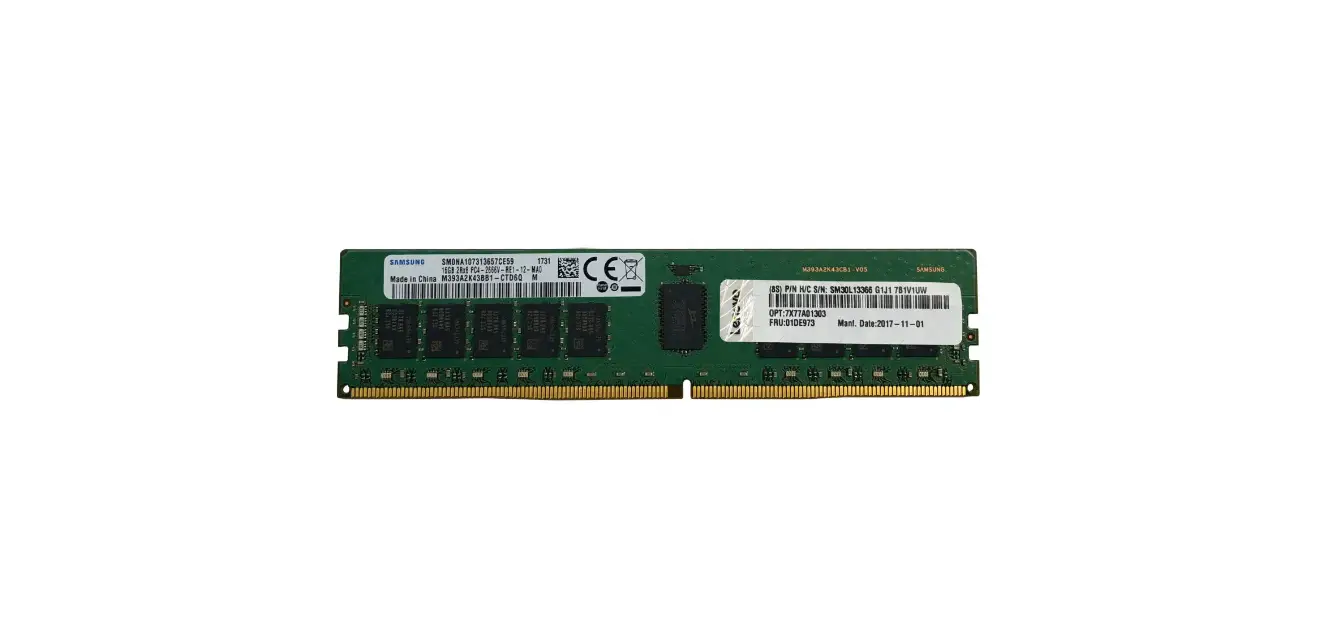
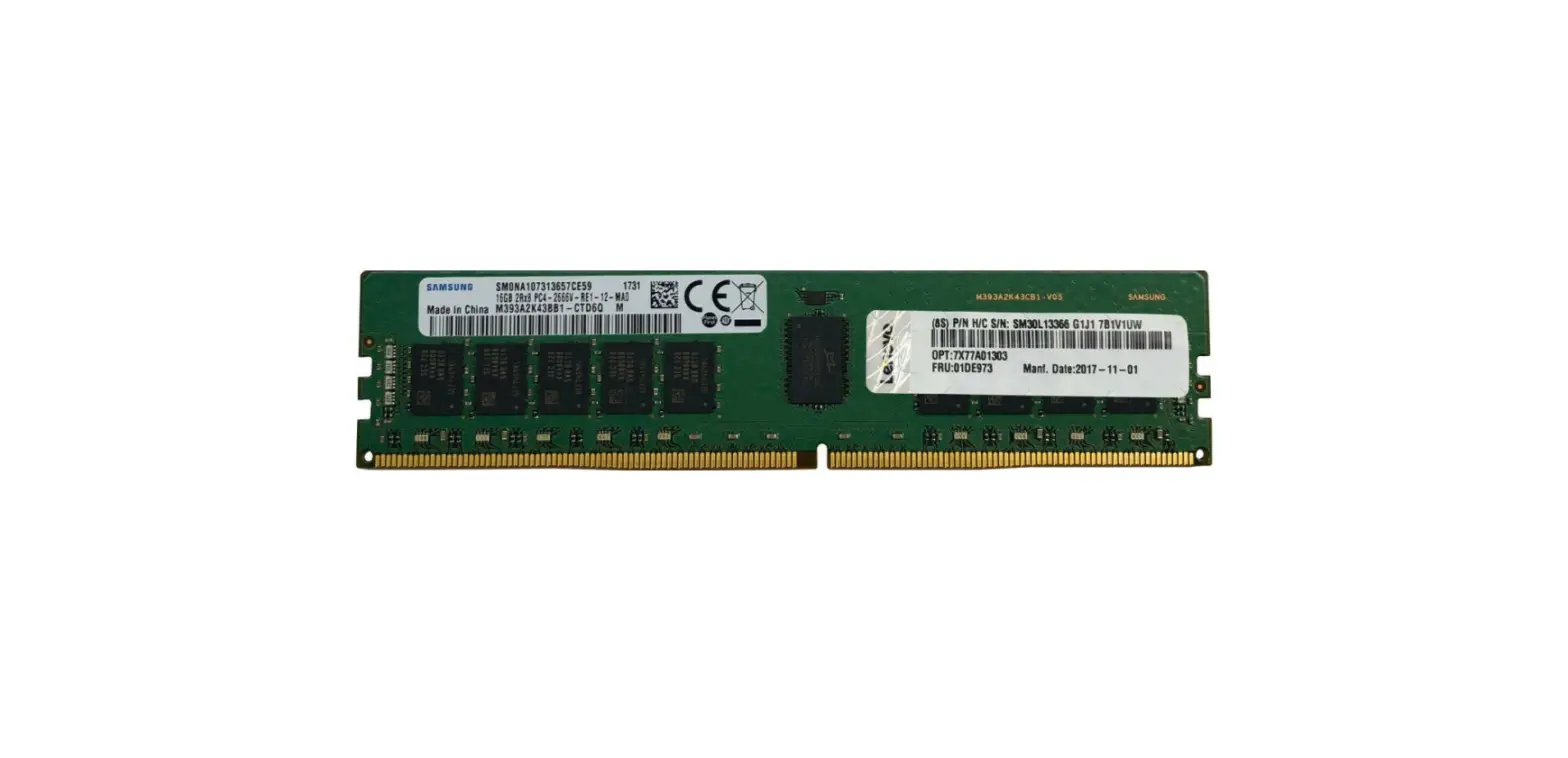
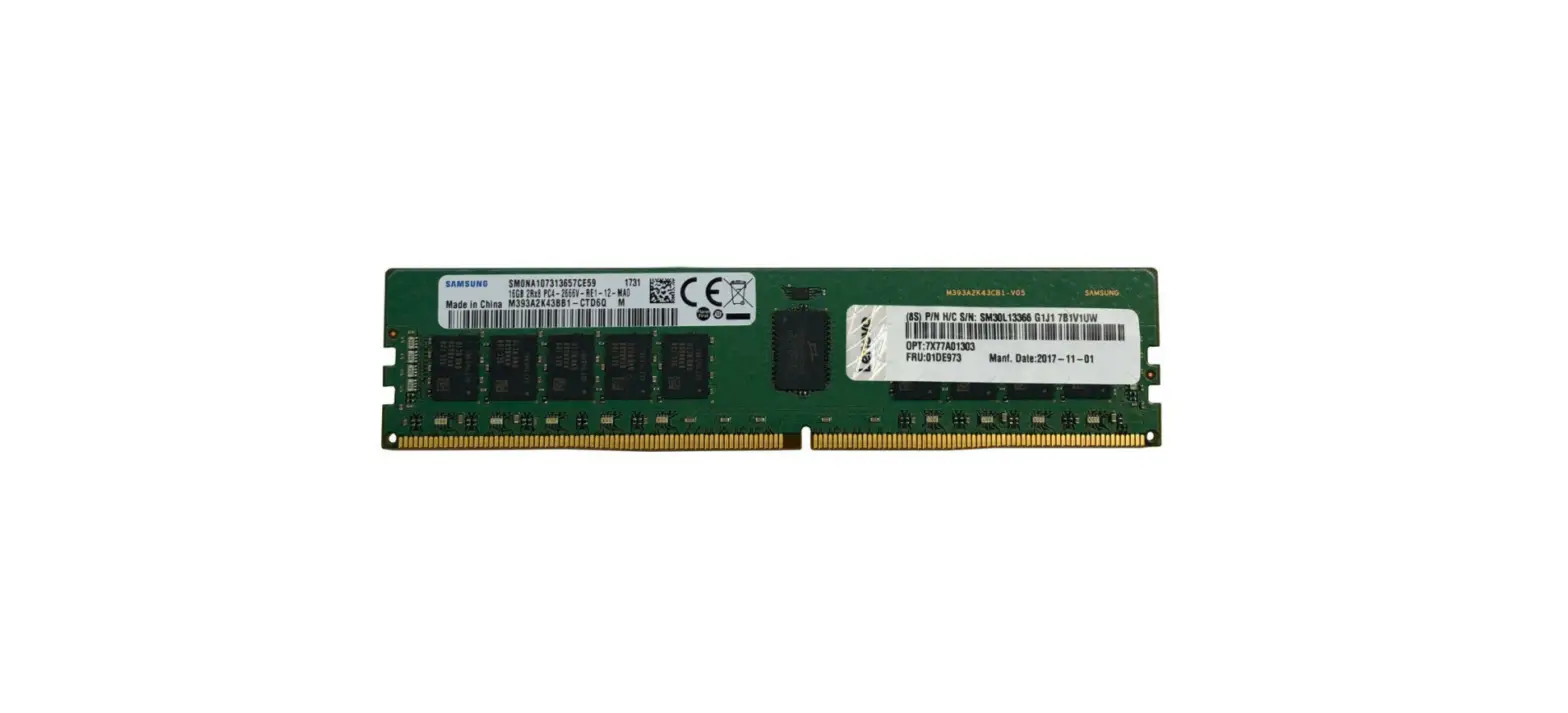
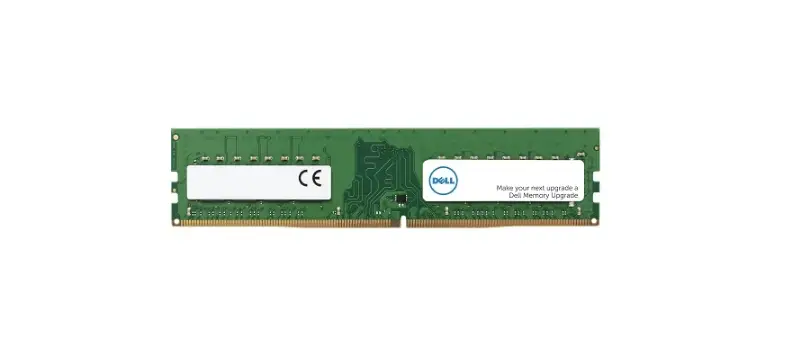
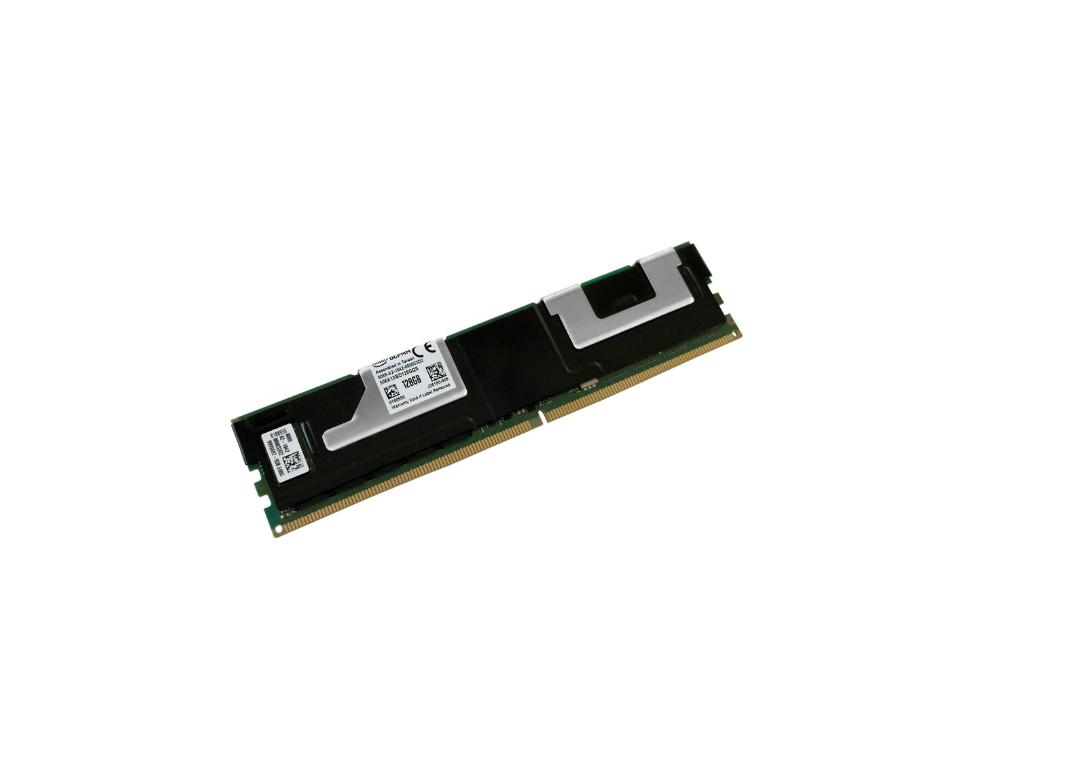
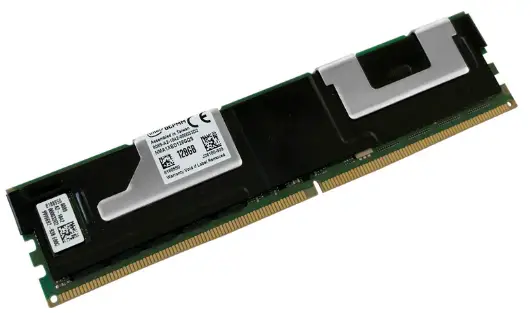
An Intel Optane DC Persistent Memory Module (DCPMM) is shown in the following figure.
Figure 1. Intel Optane DC Persistent Memory Module (DCPMM)
Did you know?
Intel Optane DC Persistent Memory modules (DCPMMs) have the form factor of a DDR4 DIMM, but the persistence and capacity of data storage of a solid-state drive. This means the DCPMMs have performance characteristics similar to that of TruDDR4 DIMMs, the storage capacity of an SSD, and the ability to stay active after a power cycle or reboot of the server. These features open up a new way of performing data I/O to application developers and new levels of server performance to customers.
Part numbers
The following table lists the ordering information for the persistent memory options.
Intel Optane Persistent Memory 200 Series : The latest Intel persistent memory is Intel Optane Persistent Memory 200 Series as described in a separate product guide,
https://lenovopress.com/lp1380.
Table 1. Ordering information
| Part number | Feature code | Description |
| 4ZC7A15110 | B4LV | ThinkSystem 128GB TruDDR4 2666MHz (1.2V) Intel Optane DC Persistent Memory |
| 4ZC7A15111 | B4LW | ThinkSystem 256GB TruDDR4 2666MHz (1.2V) Intel Optane DC Persistent Memory |
| 4ZC7A15112 | B4LX | ThinkSystem 512GB TruDDR4 2666MHz (1.2V) Intel Optane DC Persistent Memory |
Configure-to-order only, not available as a field upgrade. Planned for late 2Q/2019
DCPMM modes
Intel Optane DC Persistent Memory operates in one of three modes:
- Memory Mode
In this mode, the DCPMMs act as large capacity DDR4 memory modules. In such a configuration, the memory that the operating system recognizes is the DCPMMs; the installed TruDDR4 DIMMs
are hidden from the operating system and act as a caching layer for the DCPMMs. In this mode, the persistence feature of the DCPMMs is disabled. This mode does not require the application to be DCPMM-aware. - App Direct Mode
In this mode, the DCPMMs provide all persistence features to the operating system and applications that support them. The operating system presents both TruDDR4 DIMMs and DCPMMs to the applications, as system memory and persistent storage respectively.
Depending on the configuration in UEFI and the operating system, the DCPMMs appear as one of two types of namespaces:- Direct access (DAX): byte-addressable storage accessible via an API. The applications must be DCPMM-aware and use the published APIs to implement the DCPMM features.
- Block storage: the persistent memory is presented to applications is seen as a block storage device, similar to an SSD. The operating system needs to be DCPMM-aware, however the applications do not.
Applications with planned support include: - SAP HANA
- Aerospike Enterprise Edition
- Gigaspaces
- Apache Cassandra
- Apache Spark SQL with OAP
- Apache HBase Bucket Cache
- Apache Hadoop HDFS Cache
- Mixed Memory Mode
Mixed Memory Mode is a combination of Memory Mode and App Direct Mode, where a portion of the capacity of the DCPMMs is used for the Memory Mode operations, and the remaining capacity of the DCPMMs is used for the App Direct Mode operations. In this mode, all installed TruDDR4 DIMMs are hidden from the operating system and act as a caching layer for portion of the DCPMMs in Memory Mode.
In App Direct mode (and the persistent portion of Mixed mode), the persistent memory can be configured in one of two ways:
- Interleaved, where all DCPMMs are seen as one single monolithic space. This is similar in concept to RAID-0 in storage.
- Non-interleaved, where each DCPMM is seen as a separate space. This is similar in concept to JBOD in storage.
For configure-to-order (CTO) configurations, the feature codes listed in the following table specify the DCPMM mode you wish to enable.
Table 2. DCPMM operating modes
| Feature code | Description |
| B528 | DCPMM Memory mode |
| B529 | DCPMM App Direct mode |
| B52A | DCPMM Mixed Memory mode |
| B52B | DCPMM Interleaved mode |
| B52C | DCPMM Non-interleaved mode |
The following figure shows a Lenovo TruDDR4 DIMM and an Intel Optane DC Persistent Memory Module.
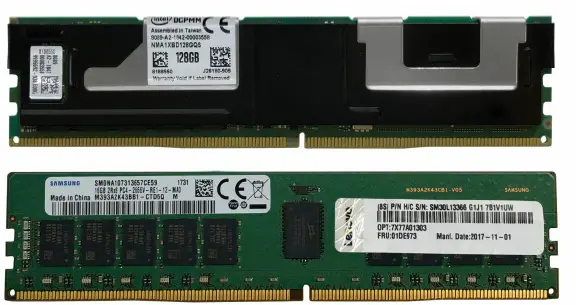
Figure 2. Intel Optane DC Persistent Memory Module (top) and Lenovo TruDDR4 DIMM (bottom)
Benefits
Intel Optane DC Persistent Memory provides benefits in the following application types:
- Larger memory footprint: For applications with performance characteristics that place greater emphasis on memory capacity over memory bandwidth or memory latency, the use of DCPMMs can mean a significant increase in overall system performance compared to the use of TruDDR4 DIMMs.
- Cloud and Infrastructure-as-a-service (IaaS) applications
- More virtual machines and cloud containers per server
- Larger memory allocation to each VM
- In-memory databases: With DCPMMs, database applications have store much larger databases in persistent memory rather than on disk, and database performance will be improved significantly. For existing applications that use system RAM for in-memory databases, the use of persistent memory will mean no delays at boot time having to copy the databases from disk into memory.
- Storage caching layers: TruDDR4 DIMMs can be used for the fastest memory access – best throughput and lowest latency, and DCPMMs can be used for the caching layer that offers memorylike performance with the persistence of SSD storage.
- NFV infrastructure: Network Function Virtualization (NFV) can make use of increased memory capacity and performance with the addition of DCPMMs.
- High capacity non-volatile cache for enterprise and cloud storage
- High capacity local cache for network storage App Direct direct-attach storage
Specifications
Intel Optane DCPMMs have the following specifications:
- DCPMMs are installed in standard memory slots in supported servers
- 2666 MHz memory bus speed. Any 2933 MHz TruDDR4 DIMMs installed will also operate at 2666 MHz.
- Optional data encryption using AES 256-bit encryption
- Optional data security in App Direct mode, including secure erase functionality
- Firmware updates through XClarity Administrator and other Lenovo support tools
DCPMMs offer the following memory protection technologies:
- ECC
- SDDC
- DDDC
- Patrol scrubbing
- Demand scrubbing
Implementation requirements
The following are the requirements when selecting the number of DIMMs and DCPMMs:
- DCPMMs require second generation Intel Xeon Scalable Family processors. First generation Xeon
- Scalable processors are not supported.
- All Platinum processors, all Gold processors and the Silver 4215 processor support DCPMM.
- All installed DCPMMs must be the same size. Mixing DCPMMs of different capacities is not supported
- All installed DIMMs must be the same size and structure (ie same part number). Mixing different DIMMs is not supported
- The use of 1Rx8 DIMMs with DCPMMs is not supported. See the Memory DIMM support section for specifics.
- Maximum 6 DCPMMs per processor (install 1 in each memory channel)
- Minimum 2 TruDDR4 DIMMs per processor (1 per memory controller)
- For Memory Mode, minimum 2 DCPMMs per processor (install 1 per memory controller)
- For App Direct Mode, minimum 1 DCPMM installed in the server (any processor)
- When either Memory Mode or Mixed Mode is used, the ratio of memory to DCPMMs must be between 1:16 and 1:2, and the recommended ratio is 1:4 for the best performance. For example, 6x 16GB DIMMs + 2x 256GB DCPMMs is a ratio of 1:5.33. In Mixed Mode, the ratio is between memory and only the volatile portion of the DCPMMs. This ratio requirement does not apply to App Direct mode.
- For each memory channel with both a DCPMM and a TruDDR4 DIMM installed, the DCPMM is installed in channel slot 1 (closest) and the DIMM is installed in channel slot 0
- To maximize performance, balance all memory channels
- In configurations with DCPMMs installed, memory mirroring is supported, with two restrictions:
- Mirroring is only enabled on the DRAM DIMMs installed in the server; The DCPMMs themselves do not support mirroring.
- Only App Direct mode is supported. Memory mirroring cannot be enabled when DCPMMs are in Memory Mode or Mixed Mode.
- Memory sparing is not supported with DCPMMs installed
The following figure shows DCPMMs and TruDDR4 DIMMs installed in the system board of a ThinkSystem
SR950. In this full configuration, there is one DCPMM and one TruDDR4 DIMM installed in each memory channel (6 DCPMMs and 6 DIMMs per processor).
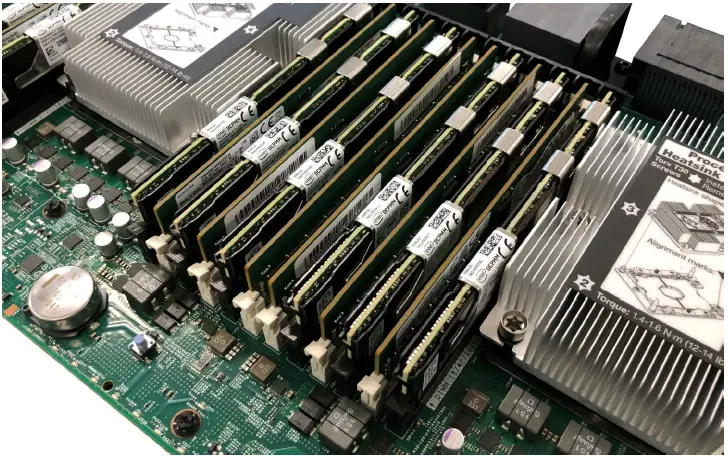
Figure 3. Intel Optane DCPMMs installed in a ThinkSystem SR950 system board
The following table lists the supported combinations in App Direct mode.
Table 3. App Direct Mode requirements
|
Total RDIMMs per CPU |
Total PMem per CPU | Total Available Memory per CPU* | Quantity of memory RDIMMs (per CPU) | Quantity of PMem modules (per CPU) | |||||||
| 16GB 1Rx4 | 16GB 2Rx8 |
32GB |
64GB | 64GB 3DS RDIMM | 128GB 3DS RDIMM | 128GB PMem | 256GB PMem | 512GB PMem | |||
| 96 GB | 128 GB | 224 GB | 6 | 1 | |||||||
| 96 GB | 128 GB | 224 GB | 6 | 1 | |||||||
| 192 GB | 128 GB | 320 GB | 6 | 1 | |||||||
| 384 GB | 128 GB | 512 GB | 6 | 1 | |||||||
| 384 GB | 128 GB | 512 GB | 6 | 1 | |||||||
| 768 GB | 128 GB | 896 GB | 6 | 1 | |||||||
| 96 GB | 256 GB | 352 GB | 6 | 1 | |||||||
| 96 GB | 256 GB | 352 GB | 6 | 1 | |||||||
| 192 GB | 256 GB | 448 GB | 6 | 1 | |||||||
| 384 GB | 256 GB | 640 GB | 6 | 1 | |||||||
| 384 GB | 256 GB | 640 GB | 6 | 1 | |||||||
| 768 GB | 256 GB | 1 TB | 6 | 1 | |||||||
| 96 GB | 512 GB | 608 GB | 6 | 1 | |||||||
| 96 GB | 512 GB | 608 GB | 6 | 1 | |||||||
| 192 GB | 512 GB | 704 GB | 6 | 1 | |||||||
| 384 GB | 512 GB | 896 GB | 6 | 1 | |||||||
| 384 GB | 512 GB | 896 GB | 6 | 1 | |||||||
| 768 GB | 512 GB | 1.25 TB | 6 | 1 | |||||||
| 64 GB | 256 GB | 320 GB | 4 | 2 | |||||||
| 64 GB | 256 GB | 320 GB | 4 | 2 | |||||||
| 128 GB | 256 GB | 384 GB | 4 | 2 | |||||||
| 256 GB | 256 GB | 512 GB | 4 | 2 | |||||||
| 256 GB | 256 GB | 512 GB | 4 | 2 | |||||||
| 512 GB | 256 GB | 768 GB | 4 | 2 | |||||||
| 64 GB | 512 GB | 576 GB | 4 | 2 | |||||||
| 64 GB | 512 GB | 576 GB | 4 | 2 | |||||||
| 128 GB | 512 GB | 640 GB | 4 | 2 | |||||||
| 256 GB | 512 GB | 768 GB | 4 | 2 | |||||||
| 256 GB | 512 GB | 768 GB | 4 | 2 | |||||||
| 512 GB | 512 GB | 1 TB | 4 | 2 | |||||||
| 64 GB | 1 TB | 1.063 TB | 4 | 2 | |||||||
| 64 GB | 1 TB | 1.063 TB | 4 | 2 | |||||||
| 128 GB | 1 TB | 1.125 TB | 4 | 2 | |||||||
| 256 GB | 1 TB | 1.25 TB | 4 | 2 | |||||||
| 256 GB | 1 TB | 1.25 TB | 4 | 2 | |||||||
| 512 GB | 1 TB | 1.5 TB | 4 | 2 | |||||||
| 96 GB | 256 GB | 352 GB | 6 | 2 | |||||||
| 96 GB | 256 GB | 352 GB | 6 | 2 | |||||||
| 192 GB | 256 GB | 448 GB | 6 | 2 | |||||||
|
Total RDIMMs per CPU |
Total PMem per CPU | Total Available Memory per CPU* | Quantity of memory RDIMMs (per CPU) | Quantity of PMem modules (per CPU) | |||||||
| 16GB 1Rx4 | 16GB 2Rx8 |
32GB |
64GB | 64GB 3DS RDIMM | 128GB 3DS RDIMM | 128GB PMem | 256GB PMem | 512GB PMem | |||
| 384 GB | 256 GB | 640 GB | 6 | 2 | |||||||
| 384 GB | 256 GB | 640 GB | 6 | 2 | |||||||
| 768 GB | 256 GB | 1 TB | 6 | 2 | |||||||
| 96 GB | 512 GB | 608 GB | 6 | 2 | |||||||
| 96 GB | 512 GB | 608 GB | 6 | 2 | |||||||
| 192 GB | 512 GB | 704 GB | 6 | 2 | |||||||
| 384 GB | 512 GB | 896 GB | 6 | 2 | |||||||
| 384 GB | 512 GB | 896 GB | 6 | 2 | |||||||
| 768 GB | 512 GB | 1.25 TB | 6 | 2 | |||||||
| 96 GB | 1 TB | 1.094 TB | 6 | 2 | |||||||
| 96 GB | 1 TB | 1.094 TB | 6 | 2 | |||||||
| 192 GB | 1 TB | 1.188 TB | 6 | 2 | |||||||
| 384 GB | 1 TB | 1.375 TB | 6 | 2 | |||||||
| 384 GB | 1 TB | 1.375 TB | 6 | 2 | |||||||
| 768 GB | 1 TB | 1.75 TB | 6 | 2 | |||||||
| 128 GB | 256 GB | 384 GB | 8 | 2 | |||||||
| 128 GB | 256 GB | 384 GB | 8 | 2 | |||||||
| 256 GB | 256 GB | 512 GB | 8 | 2 | |||||||
| 512 GB | 256 GB | 768 GB | 8 | 2 | |||||||
| 512 GB | 256 GB | 768 GB | 8 | 2 | |||||||
| 1 TB | 256 GB | 1.25 TB | 8 | 2 | |||||||
| 128 GB | 512 GB | 640 GB | 8 | 2 | |||||||
| 128 GB | 512 GB | 640 GB | 8 | 2 | |||||||
| 256 GB | 512 GB | 768 GB | 8 | 2 | |||||||
| 512 GB | 512 GB | 1 TB | 8 | 2 | |||||||
| 512 GB | 512 GB | 1 TB | 8 | 2 | |||||||
| 1 TB | 512 GB | 1.5 TB | 8 | 2 | |||||||
| 128 GB | 1 TB | 1.125 TB | 8 | 2 | |||||||
| 128 GB | 1 TB | 1.125 TB | 8 | 2 | |||||||
| 256 GB | 1 TB | 1.25 TB | 8 | 2 | |||||||
| 512 GB | 1 TB | 1.5 TB | 8 | 2 | |||||||
| 512 GB | 1 TB | 1.5 TB | 8 | 2 | |||||||
| 1 TB | 1 TB | 2 TB | 8 | 2 | |||||||
| 96 GB | 512 GB | 608 GB | 6 | 4 | |||||||
| 96 GB | 512 GB | 608 GB | 6 | 4 | |||||||
| 192 GB | 512 GB | 704 GB | 6 | 4 | |||||||
| 384 GB | 512 GB | 896 GB | 6 | 4 | |||||||
| 384 GB | 512 GB | 896 GB | 6 | 4 | |||||||
| 768 GB | 512 GB | 1.25 TB | 6 | 4 | |||||||
| 96 GB | 1 TB | 1.094 TB | 6 | 4 | |||||||
| 96 GB | 1 TB | 1.094 TB | 6 | 4 | |||||||
| 192 GB | 1 TB | 1.188 TB | 6 | 4 | |||||||
| 384 GB | 1 TB | 1.375 TB | 6 | 4 | |||||||
|
Total RDIMMs per CPU |
Total PMem per CPU | Total Available Memory per CPU* | Quantity of memory RDIMMs (per CPU) | Quantity of PMem modules (per CPU) | |||||||
| 16GB 1Rx4 | 16GB 2Rx8 |
32GB |
64GB | 64GB 3DS RDIMM | 128GB 3DS RDIMM | 128GB PMem | 256GB PMem | 512GB PMem | |||
| 384 GB | 1 TB | 1.375 TB | 6 | 4 | |||||||
| 768 GB | 1 TB | 1.75 TB | 6 | 4 | |||||||
| 96 GB | 2 TB | 2.094 TB | 6 | 4 | |||||||
| 96 GB | 2 TB | 2.094 TB | 6 | 4 | |||||||
| 192 GB | 2 TB | 2.188 TB | 6 | 4 | |||||||
| 384 GB | 2 TB | 2.375 TB | 6 | 4 | |||||||
| 384 GB | 2 TB | 2.375 TB | 6 | 4 | |||||||
| 768 GB | 2 TB | 2.75 TB | 6 | 4 | |||||||
| 96 GB | 768 GB | 864 GB | 6 | 6 | |||||||
| 96 GB | 768 GB | 864 GB | 6 | 6 | |||||||
| 192 GB | 768 GB | 960 GB | 6 | 6 | |||||||
| 384 GB | 768 GB | 1.125 TB | 6 | 6 | |||||||
| 384 GB | 768 GB | 1.125 TB | 6 | 6 | |||||||
| 768 GB | 768 GB | 1.5 TB | 6 | 6 | |||||||
| 96 GB | 1.5 TB | 1.594 TB | 6 | 6 | |||||||
| 96 GB | 1.5 TB | 1.594 TB | 6 | 6 | |||||||
| 192 GB | 1.5 TB | 1.688 TB | 6 | 6 | |||||||
| 384 GB | 1.5 TB | 1.875 TB | 6 | 6 | |||||||
| 384 GB | 1.5 TB | 1.875 TB | 6 | 6 | |||||||
| 768 GB | 1.5 TB | 2.25 TB | 6 | 6 | |||||||
| 96 GB | 3 TB | 3.094 TB | 6 | 6 | |||||||
| 96 GB | 3 TB | 3.094 TB | 6 | 6 | |||||||
| 192 GB | 3 TB | 3.188 TB | 6 | 6 | |||||||
| 384 GB | 3 TB | 3.375 TB | 6 | 6 | |||||||
| 384 GB | 3 TB | 3.375 TB | 6 | 6 | |||||||
| 768 GB | 3 TB | 3.75 TB | 6 | 6 | |||||||
In App Direct Mode, the available memory = system memory installed + persistent memory installed. The actual user capacity of PMem modules is less than the stated amount. For example, a 128GB PMem module has 126.7GB usable storage.
Memory Mode requirements
In Memory Mode, the DCPMMs are seen by the operating system as system memory. The memory DIMMs are hidden from the operating system and are used as a high-speed cache for the DCPMMs.
Key to performance is the ratio of total DIMMs to total DCPMMs. The recommended range of DIMMs:DCPMMs is between 1:2 and 1:16:
- 1:16 means 1GB of DIMMs (used for cache) for every 16GB of DCPMM capacity (used as system memory). A larger number than 16 means potentially worse performance since the chances of a
cache hit in memory will be lower. - 1:2 means 1GB of DIMMs for every 2GB of DCPMM capacity. 1:2 maximizes the performance of the memory subsystem while still using persistent memory for increased capacity. Note: Ratios of between 1:2 and 1:4 require the latest firmware.
DCPMMs are only supported in quantities of 1, 2, 4 and 6 per processor, and only certain quantities of memory DIMMs are supported alongside the DCPMMs, as listed in the following table.
The specific memory part numbers that are supported with DCPMMs is listed in the Memory DIMM support section.
Table 4. Memory Mode requirements
|
Total RDIMMs per CPU |
Total PMem per CPU | Total Available Memory per CPU* |
Ratio (RDIMM: Pmem)† | Quantity of memory RDIMMs (per CPU) | Quantity of PMem modules (per CPU) | |||||||
| 16GB 1Rx4 | 16GB 2Rx8 |
32GB |
64GB | 64GB 3DS RDIMM | 128GB 3DS RDIMM | 128GB PMem | 256GB PMem | 512GB PMem | ||||
| 64 GB | 256 GB | 256 GB | 1:4 | 4 | 2 | |||||||
| 64 GB | 256 GB | 256 GB | 1:4 | 4 | 2 | |||||||
| 128 GB | 256 GB | 256 GB | 1:2 | 4 | 2 | |||||||
| 64 GB | 512 GB | 512 GB | 1:8 | 4 | 2 | |||||||
| 64 GB | 512 GB | 512 GB | 1:8 | 4 | 2 | |||||||
| 128 GB | 512 GB | 512 GB | 1:4 | 4 | 2 | |||||||
| 256 GB | 512 GB | 512 GB | 1:2 | 4 | 2 | |||||||
| 256 GB | 512 GB | 512 GB | 1:2 | 4 | 2 | |||||||
| 64 GB | 1 TB | 1 TB | 1:16 | 4 | 2 | |||||||
| 64 GB | 1 TB | 1 TB | 1:16 | 4 | 2 | |||||||
| 128 GB | 1 TB | 1 TB | 1:8 | 4 | 2 | |||||||
| 256 GB | 1 TB | 1 TB | 1:4 | 4 | 2 | |||||||
| 256 GB | 1 TB | 1 TB | 1:4 | 4 | 2 | |||||||
| 512 GB | 1 TB | 1 TB | 1:2 | 4 | 2 | |||||||
| 96 GB | 256 GB | 256 GB | 1:2.67 | 6 | 2 | |||||||
| 96 GB | 256 GB | 256 GB | 1:2.67 | 6 | 2 | |||||||
| 96 GB | 512 GB | 512 GB | 1:5.33 | 6 | 2 | |||||||
| 96 GB | 512 GB | 512 GB | 1:5.33 | 6 | 2 | |||||||
| 192 GB | 512 GB | 512 GB | 1:2.67 | 6 | 2 | |||||||
| 96 GB | 1 TB | 1 TB | 1:10.67 | 6 | 2 | |||||||
| 96 GB | 1 TB | 1 TB | 1:10.67 | 6 | 2 | |||||||
| 192 GB | 1 TB | 1 TB | 1:5.33 | 6 | 2 | |||||||
| 384 GB | 1 TB | 1 TB | 1:2.67 | 6 | 2 | |||||||
| 384 GB | 1 TB | 1 TB | 1:2.67 | 6 | 2 | |||||||
| 96 GB | 512 GB | 512 GB | 1:5.33 | 6 | 4 | |||||||
| 96 GB | 512 GB | 512 GB | 1:5.33 | 6 | 4 | |||||||
| 192 GB | 512 GB | 512 GB | 1:2.67 | 6 | 4 | |||||||
| 96 GB | 1 TB | 1 TB | 1:10.67 | 6 | 4 | |||||||
| 96 GB | 1 TB | 1 TB | 1:10.67 | 6 | 4 | |||||||
| 192 GB | 1 TB | 1 TB | 1:5.33 | 6 | 4 | |||||||
| 384 GB | 1 TB | 1 TB | 1:2.67 | 6 | 4 | |||||||
| 384 GB | 1 TB | 1 TB | 1:2.67 | 6 | 4 | |||||||
| 192 GB | 2 TB | 2 TB | 1:10.67 | 6 | 4 | |||||||
| 384 GB | 2 TB | 2 TB | 1:5.33 | 6 | 4 | |||||||
| 384 GB | 2 TB | 2 TB | 1:5.33 | 6 | 4 | |||||||
| 768 GB | 2 TB | 2 TB | 1:2.67 | 6 | 4 | |||||||
| 96 GB | 768 GB | 768 GB | 1:8 | 6 | 6 | |||||||
|
Total RDIMMs per CPU |
Total PMem per CPU | Total Available Memory per CPU* |
Ratio (RDIMM: Pmem)† | Quantity of memory RDIMMs (per CPU) | Quantity of PMem modules (per CPU) | |||||||
| 16GB 1Rx4 | 16GB 2Rx8 |
32GB |
64GB | 64GB 3DS RDIMM | 128GB 3DS RDIMM | 128GB PMem | 256GB PMem | 512GB PMem | ||||
| 96 GB | 768 GB | 768 GB | 1:8 | 6 | 6 | |||||||
| 192 GB | 768 GB | 768 GB | 1:4 | 6 | 6 | |||||||
| 384 GB | 768 GB | 768 GB | 1:2 | 6 | 6 | |||||||
| 384 GB | 768 GB | 768 GB | 1:2 | 6 | 6 | |||||||
| 96 GB | 1.5 TB | 1.5 TB | 1:16 | 6 | 6 | |||||||
| 96 GB | 1.5 TB | 1.5 TB | 1:16 | 6 | 6 | |||||||
| 192 GB | 1.5 TB | 1.5 TB | 1:8 | 6 | 6 | |||||||
| 384 GB | 1.5 TB | 1.5 TB | 1:4 | 6 | 6 | |||||||
| 384 GB | 1.5 TB | 1.5 TB | 1:4 | 6 | 6 | |||||||
| 768 GB | 1.5 TB | 1.5 TB | 1:2 | 6 | 6 | |||||||
| 192 GB | 3 TB | 3 TB | 1:16 | 6 | 6 | |||||||
| 384 GB | 3 TB | 3 TB | 1:8 | 6 | 6 | |||||||
| 384 GB | 3 TB | 3 TB | 1:8 | 6 | 6 | |||||||
| 768 GB | 3 TB | 3 TB | 1:4 | 6 | 6 |
In Memory Mode, the available memory = persistent memory installed. The actual user capacity of PMem modules is less than the stated amount. For example, a 128GB PMem module has 126.7GB usable storage.
† Ratio of system memory to persistent memory, RDIMM:PMem; Memory Mode only supports DIMM:Pmem ratios of between 1:2 and 1:16. Ratios between 1:2 and 1:4 require the latest firmware.
Mixed Mode requirements
Mixed Memory Mode is a combination of Memory Mode and App Direct Mode, where a portion of the capacity of the DCPMMs is used for the Memory Mode operations, and the remaining capacity of the DCPMMs is used for the App Direct Mode operations.
In Mixed Mode, all installed TruDDR4 DIMMs are hidden from the operating system and act as a caching layer for portion of the DCPMMs in Memory Mode. Like Memory Mode, the ratio of total of the memory DIMMs to the total of the volatile (memory) portion of DCPMMs should be between 1:4 and 1:16.
When you enable Mixed Memory Mode in UEFI or you specify Mixed Memory Mode when building a CTO (configure-to-order) configuration (feature B52A), you will also be asked to specify the percentage of the DCPMM total capacity will be allocated to Memory Mode. The remaining DCPMM capacity will be allocated to App Direct Mode.
The following tables show the allowed percentage for each DCPMM part number and what the effective amount of App Direct persistent memory will be available to applications. Only a set number of percentages are available to choose from and the amount of App Direct persistent memory that is allocated will be in increments of 32 GB multiplied by the number of DCPMMs installed.
Table 5. Available ratios available for Mixed Mode – 128 GB DCPMM
| Volatile memory percentage requested (selected in UEFI or quantity of feature code B52D selected in CTO): | Resulting Persistent percentage calculated (quantity of feature code B52E in CTO) | DCPMM capacity reserved for App Direct Mode | DCPMM capacity reserved for Memory Mode |
| 24% | 76% | 96 GB | 32 GB |
| 49% | 51% | 64 GB | 64 GB |
| 75% | 25% | 32 GB | 96 GB |
| Volatile memory percentage requested (selected in UEFI or quantity of feature code B52D selected in CTO): | Resulting Persistent percentage calculated (quantity of feature code B52E in CTO) | DCPMM capacity reserved for App Direct Mode | DCPMM capacity reserved for Memory Mode |
| 11% | 89% | 224 GB | 32 GB |
| 24% | 76% | 192 GB | 64 GB |
| 37% | 63% | 160 GB | 96 GB |
| 49% | 51% | 128 GB | 128 GB |
| 62% | 38% | 96 GB | 160 GB |
| 75% | 25% | 64 GB | 192 GB |
| 87% | 13% | 32 GB | 224 GB |
| Volatile memory percentage requested (selected in UEFI or quantity of feature code B52D selected in CTO): | Resulting Persistent percentage calculated (quantity of feature code B52E in CTO) | DCPMM capacity reserved for App Direct Mode | DCPMM capacity reserved for Memory Mode |
| 4% | 96% | 480 GB | 32 GB |
| 11% | 89% | 448 GB | 64 GB |
| 17% | 83% | 416 GB | 96 GB |
| 24% | 76% | 384 GB | 128 GB |
| 30% | 70% | 352 GB | 160 GB |
| 36% | 64% | 320 GB | 192 GB |
| 43% | 57% | 288 GB | 224 GB |
| 49% | 51% | 256 GB | 256 GB |
| 55% | 45% | 224 GB | 288 GB |
| 62% | 38% | 192 GB | 320 GB |
| 68% | 32% | 160 GB | 352 GB |
| 75% | 25% | 128 GB | 384 GB |
| 81% | 19% | 96 GB | 416 GB |
| 87% | 13% | 64 GB | 448 GB |
| 94% | 6% | 32 GB | 480 GB |
The following table shows the supported combinations of DCPMMs and DIMMs. The key requirement for support is ensuring that the ratio of the total memory DIMMs capacity to the total of the volatile (memory) portion of DCPMMs should be between 1:2 and 1:16. Ratios between 1:2 and 1:4 require the latest firmware.
Table 8. Mixed Mode requirements
|
Total RDIMMs per CPU |
Total PMem per CPU |
Ratio (RDIMM: Pmem)† | Quantity of memory RDIMMs (per CPU) | Quantity of PMem modules (per CPU) | |||||||
| 16GB 1Rx4 | 16GB 2Rx8 |
32GB |
64GB | 64GB 3DS RDIMM | 128GB 3DS RDIMM | 128GB PMem | 256GB PMem | 512GB PMem | |||
| 64 GB | 512 GB | 1:8 | 4 | 2 | |||||||
| 64 GB | 512 GB | 1:8 | 4 | 2 | |||||||
| 128 GB | 512 GB | 1:4 | 4 | 2 | |||||||
| 64 GB | 1 TB | 1:16 | 4 | 2 | |||||||
| 64 GB | 1 TB | 1:16 | 4 | 2 | |||||||
| 128 GB | 1 TB | 1:8 | 4 | 2 | |||||||
| 256 GB | 1 TB | 1:4 | 4 | 2 | |||||||
| 256 GB | 1 TB | 1:4 | 4 | 2 | |||||||
| 96 GB | 256 GB | 1:2.67 | 6 | 2 | |||||||
| 96 GB | 256 GB | 1:2.67 | 6 | 2 | |||||||
| 96 GB | 512 GB | 1:5.33 | 6 | 2 | |||||||
| 96 GB | 512 GB | 1:5.33 | 6 | 2 | |||||||
| 192 GB | 512 GB | 1:2.67 | 6 | 2 | |||||||
| 96 GB | 1 TB | 1:10.67 | 6 | 2 | |||||||
| 96 GB | 1 TB | 1:10.67 | 6 | 2 | |||||||
| 192 GB | 1 TB | 1:5.33 | 6 | 2 | |||||||
| 384 GB | 1 TB | 1:2.67 | 6 | 2 | |||||||
| 384 GB | 1 TB | 1:2.67 | 6 | 2 | |||||||
| 96 GB | 512 GB | 1:5.33 | 6 | 4 | |||||||
| 96 GB | 512 GB | 1:5.33 | 6 | 4 | |||||||
| 192 GB | 512 GB | 1:2.67 | 6 | 4 | |||||||
| 96 GB | 1 TB | 1:10.67 | 6 | 4 | |||||||
| 96 GB | 1 TB | 1:10.67 | 6 | 4 | |||||||
| 192 GB | 1 TB | 1:5.33 | 6 | 4 | |||||||
| 384 GB | 1 TB | 1:2.67 | 6 | 4 | |||||||
| 384 GB | 1 TB | 1:2.67 | 6 | 4 | |||||||
| 96 GB | 2 TB | 1:21.33 | 6 | 4 | |||||||
| 96 GB | 2 TB | 1:21.33 | 6 | 4 | |||||||
| 192 GB | 2 TB | 1:10.67 | 6 | 4 | |||||||
| 384 GB | 2 TB | 1:5.33 | 6 | 4 | |||||||
| 384 GB | 2 TB | 1:5.33 | 6 | 4 | |||||||
| 768 GB | 2 TB | 1:2.67 | 6 | 4 | |||||||
| 96 GB | 768 GB | 1:8 | 6 | 6 | |||||||
| 96 GB | 768 GB | 1:8 | 6 | 6 | |||||||
| 192 GB | 768 GB | 1:4 | 6 | 6 | |||||||
| 96 GB | 1.5 TB | 1:16 | 6 | 6 | |||||||
| 96 GB | 1.5 TB | 1:16 | 6 | 6 | |||||||
|
Total RDIMMs per CPU |
Total PMem per CPU |
Ratio (RDIMM: Pmem)† | Quantity of memory RDIMMs (per CPU) | Quantity of PMem modules (per CPU) | |||||||
| 16GB 1Rx4 | 16GB 2Rx8 |
32GB |
64GB | 64GB 3DS RDIMM | 128GB 3DS RDIMM | 128GB PMem | 256GB PMem | 512GB PMem | |||
| 192 GB | 1.5 TB | 1:8 | 6 | 6 | |||||||
| 384 GB | 1.5 TB | 1:4 | 6 | 6 | |||||||
| 384 GB | 1.5 TB | 1:4 | 6 | 6 | |||||||
| 96 GB | 3 TB | 1:32 | 6 | 6 | |||||||
| 96 GB | 3 TB | 1:32 | 6 | 6 | |||||||
| 192 GB | 3 TB | 1:16 | 6 | 6 | |||||||
| 384 GB | 3 TB | 1:8 | 6 | 6 | |||||||
| 384 GB | 3 TB | 1:8 | 6 | 6 | |||||||
| 768 GB | 3 TB | 1:4 | 6 | 6 | |||||||
† Ratio of system memory to persistent memory, RDIMM:PMem; Memory Mode only supports DIMM:Pmem ratios of between 1:2 and 1:16. Ratios between 1:2 and 1:4 require the latest firmware.
Memory DIMM support
The following table lists which TruDDR4 DIMMs can be installed with DCPMMs. 2933 MHz DIMMs will operate at 2666 MHz with installed with DCPMMs.
Notes:
RDIMMs, LRDIMMs and 3DS RDIMMs cannot be mixed.
Not all servers support all memory options. See the Lenovo ThinkSystem Memory Summary for details: https://lenovopress.com/lp1021-lenovo-thinksystem-memory-summary
Table 9. Memory ordering information
| Part number | Feature code | Description | Supports DCPMMs |
| 2933 MHz RDIMMs (operate at 2666 MHz when installed with DCPMMs) | |||
| 4ZC7A08706 | B4H1 | ThinkSystem 8GB TruDDR4 2933MHz (1Rx8 1.2V) RDIMM | No |
| 4ZC7A08707 | B4LY | ThinkSystem 16GB TruDDR4 2933MHz (1Rx4 1.2V) RDIMM | Yes |
| 4ZC7A08708 | B4H2 | ThinkSystem 16GB TruDDR4 2933MHz (2Rx8 1.2V) RDIMM | Yes |
| 4ZC7A08709 | B4H3 | ThinkSystem 32GB TruDDR4 2933MHz (2Rx4 1.2V) RDIMM | Yes |
| 4ZC7A08710 | B4H4 | ThinkSystem 64GB TruDDR4 2933MHz (2Rx4 1.2V) RDIMM | Yes |
| 2933 MHz 3DS RDIMMs (operate at 2666 MHz when installed with DCPMMs) | |||
| 4ZC7A15113 | B587 | ThinkSystem 128GB TruDDR4 2933MHz (4Rx4 1.2V) 3DS RDIMM | Yes |
| 4ZC7A08727 | B4Y3 | ThinkSystem 256GB TruDDR4 2933MHz (8Rx4 1.2V) 3DS RDIMM | Yes |
| 2666 MHz RDIMMs | |||
| 7X77A01301 | AUU1 | ThinkSystem 8GB TruDDR4 2666 MHz (1Rx8 1.2V) RDIMM | No |
| CTO only | B21T | ThinkSystem 8GB TruDDR4 2666 MHz (2Rx8 1.2V) RDIMM | Yes |
| 7X77A01303 | AUNC | ThinkSystem 16GB TruDDR4 2666 MHz (2Rx8 1.2V) RDIMM | Yes |
| 7X77A01304 | AUND | ThinkSystem 32GB TruDDR4 2666 MHz (2Rx4 1.2V) RDIMM | Yes |
| 2666 MHz 3DS RDIMMs | |||
| 4ZC7A08716 | AUW5 | ThinkSystem 64GB TruDDR4 2666MHz (4Rx4, 1.2V) 3DS RDIMM | Yes |
| 2666 MHz UDIMMs | |||
| 4ZC7A08696 | B35J | ThinkSystem 8GB TruDDR4 2666MHz (1Rx8, 1.2V) UDIMM | No |
| 4ZC7A08699 | B35K | ThinkSystem 16GB TruDDR4 2666MHz (2Rx8, 1.2V) UDIMM | No |
| 4ZC7A08700 | B35L | ThinkSystem 4GB TruDDR4 2666MHz (1Rx16, 1.2V) Non-ECC UDIMM | No |
| 4ZC7A08701 | B35M | ThinkSystem 8GB TruDDR4 2666MHz (1Rx8, 1.2V) Non-ECC UDIMM | No |
| 4ZC7A08702 | B35N | ThinkSystem 16GB TruDDR4 2666MHz (2Rx8, 1.2V) Non-ECC UDIMM | No |
Processor support
Intel Optane DC Persistent Memory is supported by these processors:
- All second-generation Xeon Platinum (8200 series) processors
- All Second-generation Xeon Gold (6200 and 5200 series) processors
- The following second-generation Xeon Silver (4200 series) processor:
- Intel Xeon Silver 4215 8C 85W 2.5GHz Processor
- Intel Xeon Silver 4215R 8C 130W 3.2GHz Processor
Note: Some servers only support a subset of the above processors with DCPMMs due to thermal limitations. Consult the relevant server product guide for specifics.
Second-generation Xeon Scalable processors are limited to the amount of memory they can address, and this memory maximum also includes DCPMMs in the calculation:
- Processors with an L suffix (eg 8280L): 4.5 TB maximum per processor
- Processors with an M suffix (eg 8280M): 2 TB maximum per processor
- All other processors: 1 TB per processor
For example:
- A configuration using 12x 64GB DIMMs per processor is a total of 768 GB, which means that neither an M nor an L processor is required
- A configuration using 12x 256GB DIMMs per processor is a total of 3 TB, which means that an L processor is required
- A configuration using 6x 32GB DIMMs + 6x 256GB DCPMMs is a total of 1.69 TB which means an M processor is required (an L processor may also be used)
- A configuration using 6x 64GB DIMMs + 6x 512GB DCPMMs is a total of 3.375 TB which means an L processor is required
- A configuration using 6x 256GB DIMMs + 6x 512GB DCPMMs is a total of 4.5 TB which means an L processor is required
Server support
Intel Optane DC Persistent Memory is only supported in servers with second-generation Intel Xeon Scalable processors. The following table lists the ThinkSystem servers that are compatible.
The following tables list the ThinkSystem servers that are compatible.
Table 10. Server support (Part 1 of 2)
| Part Number | Description | Edge | 1S Intel V2 | 2S Intel V2 | AMD | Dense V2 | 4S V2 | 8S | |||||||||||||
| SE350 (7Z46 / 7D1X) | SE450 (7D8T) | ST50 V2 (7D8K / 7D8J) | ST250 V2 (7D8G / 7D8F) | SR250 V2 (7D7R / 7D7Q) | ST650 V2 (7Z75 / 7Z74) | SR630 V2 (7Z70 / 7Z71) | SR650 V2 (7Z72 / 7Z73) | SR670 V2 (7Z22 / 7Z23) | SR635 (7Y98 / 7Y99) | SR655 (7Y00 / 7Z01) | SR645 (7D2Y / 7D2X) | SR665 (7D2W / 7D2V) | SD630 V2 (7D1K) | SD650 V2 (7D1M) | SD650-N V2 (7D1N) | SN550 V2 (7Z69) | SR850 V2 (7D31 / 7D32) | SR860 V2 (7Z59 / 7Z60) | SR950 (7X11 / 7X12) | ||
| 4ZC7A15110 | ThinkSystem 128GB TruDDR4 2666MHz (1.2V) Intel Optane DC Persistent Memory | N | N | N | N | N | N | N | N | N | N | N | N | N | N | N | N | N | N | N | Y |
| 4ZC7A15111 | ThinkSystem 256GB TruDDR4 2666MHz (1.2V) Intel Optane DC Persistent Memory | N | N | N | N | N | N | N | N | N | N | N | N | N | N | N | N | N | N | N | Y |
| 4ZC7A15112 | ThinkSystem 512GB TruDDR4 2666MHz (1.2V) Intel Optane DC Persistent Memory | N | N | N | N | N | N | N | N | N | N | N | N | N | N | N | N | N | N | N | Y |
Table 11. Server support (Part 2 of 2)
| Part Number | Description | 1S Intel V1 | 2S Intel V1 | Dense V1 | 4S V1 | |||||||||||||||
| ST50 (7Y48 / 7Y50) | ST250 (7Y45 / 7Y46) | SR150 (7Y54) | SR250 (7Y52 / 7Y51) | ST550 (7X09 / 7X10) | SR530 (7X07 / 7X08) | SR550 (7X03 / 7X04) | SR570 (7Y02 / 7Y03) | SR590 (7X98 / 7X99) | SR630 (7X01 / 7X02) | SR650 (7X05 / 7X06) | SR670 (7Y36 / 7Y37) | SD530 (7X21) | SD650 (7X58) | SN550 (7X16) | SN850 (7X15) | SR850 (7X18 / 7X19) | SR850P (7D2F / 2D2G) | SR860 (7X69 / 7X70) | ||
| 4ZC7A15110 | ThinkSystem 128GB TruDDR4 2666MHz (1.2V) Intel Optane DC Persistent Memory | N | N | N | N | N | N | N | Y | Y | Y | Y | N | Y | N | Y | Y | Y | Y | Y |
| 4ZC7A15111 | ThinkSystem 256GB TruDDR4 2666MHz (1.2V) Intel Optane DC Persistent Memory | N | N | N | N | N | N | N | Y | Y | Y | Y | N | Y | N | Y | Y | Y | Y | Y |
| 4ZC7A15112 | ThinkSystem 512GB TruDDR4 2666MHz (1.2V) Intel Optane DC Persistent Memory | N | N | N | N | N | N | N | Y | Y | Y | Y | N | Y | N | Y | Y | Y | Y | Y |
Most ThinkSystem servers have 12 DIMM slots per processor and 2 DIMMs per channel across all channels, thereby supporting 1 DCPMM in every memory channel. However, some servers have fewer slots, and as a result, not all combinations of DIMMs and DCPMMs are supported.
When all 12 DIMMs are installed, this is referred to as a “2-2-2” configuration, where each 2 corresponds to the number of DIMMs per channel in 1 memory controller. When fewer DIMMs are installed, it is referred to a “2-2-1” or “2-1-1” or similar. The table shows with combinations are supported with each ThinkSystem server.
Table 12. DIMM slots per processor
|
Server | DIMM slots total | Number of DCPMMs supported |
2-2-2 support |
2-2-1 support |
2-1-1 support |
1-1-1 support |
| SR570 (7Y02/7Y03) | 16 | 4 | No | No | Yes | Yes |
| SR590 (7X98/7X99) | 16 | 4 | No | No | Yes | Yes |
| SR630 (7X01/7X02) | 24 | 12 | Yes | Yes | Yes | Yes |
| SR650 (7X05/7X06) | 24 | 12 | Yes | Yes | Yes | Yes |
| SR850 (7X18/7X19) | 48 | 24 | Yes | Yes | Yes | Yes |
| SR860 (7X69/7X70) | 48 | 24 | Yes | Yes | Yes | Yes |
| SR950 (7X11/12/13) | 96 | 48 | Yes | Yes | Yes | Yes |
| SD530 (7X21) | 16 or 12* | 4 (16 only) | No | No | Yes (16 only) | Yes |
| SD650 (7X58) | 12+4** | 4 | No | No | Yes | Yes |
| SN550 (7X16) | 24 | 12 | Yes | Yes | Yes | Yes |
| SN850 (7X15) | 24 | 12 | Yes | Yes | Yes | Yes |
For the SD530, 16 slots are available only when the narrow processor heatsink is used
The SD650 has 16 DIMM slot total, 4 of which are reserved for use with DCPMMs
Operating system support
The following operating systems support the use of persistent memory modules:
- Microsoft Windows Server 2019
- Red Hat Enterprise Linux 7.6
- SUSE Linux Enterprise Server 12.4
- SUSE Linux Enterprise Server 15
- VMware vSphere Hypervisor (ESXi) 6.7 U1
- Ubuntu LTS 18.04
For details about VMware support, see these VMware KB articles:
- Lenovo DCPMM ESXi support
- VMware ESXi DCPMM support
Warranty
The ThinkSystem Intel Optane DC Persistent Memory Modules carry a 1-year limited warranty. When installed in a supported ThinkSystem server, the DCPMMs assume the server’s base warranty and any warranty upgrades.
Resources
The following papers have been published on the use of Persistent Memory:
- Implementing Intel Optane DC Persistent Memory on Windows Server 2019
https://lenovopress.com/LP1192 - Enabling Intel Optane DC Persistent Memory in a Linux Virtual Machine
https://lenovopress.com/LP1224 - Implementing Intel Optane DC Persistent Memory with VMware vSphere
https://lenovopress.com/LP1225 - Introducing the Programming Model of Intel Optane DC Persistent Memory
https://lenovopress.com/LP1194 - Analyzing the Performance of Intel Optane DC Persistent Memory in App Direct Mode in Lenovo ThinkSystem Servers
https://lenovopress.com/LP1083 - Analyzing the Performance of Intel Optane DC Persistent Memory in Memory Mode in Lenovo ThinkSystem Servers
https://lenovopress.com/LP1084 - Analyzing the Performance of Intel Optane DC Persistent Memory in Storage over App Direct Mode
https://lenovopress.com/LP1085
For more information, see these additional web resources:
- Lenovo web page for Persistent Memory
https://www.lenovo.com/us/en/data-center/servers/server-options/thinksystem-options/Intel-Optane-DC-Persistent-Memory/p/WMD00000388 - Intel Optane DC Persistent Memory web page
https://www.intel.com/content/www/us/en/architecture-and-technology/optane-dc-persistentmemory.html - Intel Optane Technology web page:
https://www.intel.com/content/www/us/en/architecture-and-technology/intel-optane-technology.html - Lenovo ThinkSystem Information Center (User Manuals):
- DCPMM installation order
- DCPMM setup
- Adding memory modules with DCPMMs
- Configuring DCPMMs
Related product families
Product families related to this document are the following:
- Memory
Notices
Lenovo may not offer the products, services, or features discussed in this document in all countries. Consult your local Lenovo representative for information on the products and services currently available in your area. Any reference to a Lenovo product, program, or service is not intended to state or imply that only that Lenovo product, program, or service may be used. Any functionally equivalent product, program, or service that does not infringe any Lenovo intellectual property right may be used instead. However, it is the user’s responsibility to evaluate and verify the operation of any other product, program, or service. Lenovo may have patents or pending patent applications covering subject matter described in this document. The furnishing of this document does not give you any license to these patents. You can send license inquiries, in writing, to:
Lenovo (United States), Inc.
8001 Development Drive
Morrisville, NC 27560
U.S.A.
Attention: Lenovo Director of Licensing
LENOVO PROVIDES THIS PUBLICATION ”AS IS” WITHOUT WARRANTY OF ANY KIND, EITHER EXPRESS OR IMPLIED, INCLUDING, BUT NOT LIMITED TO, THE IMPLIED WARRANTIES OF NON-INFRINGEMENT, MERCHANTABILITY OR FITNESS FOR A PARTICULAR PURPOSE. Some jurisdictions do not allow disclaimer of express or implied warranties in certain transactions, therefore, this statement may not apply to you.
This information could include technical inaccuracies or typographical errors. Changes are periodically made to the information herein; these changes will be incorporated in new editions of the publication. Lenovo may make improvements and/or changes in the product(s) and/or the program(s) described in this publication at any time without notice.
The products described in this document are not intended for use in implantation or other life support applications where malfunction may result in injury or death to persons. The information contained in this document does not affect or change Lenovo product specifications or warranties. Nothing in this document shall operate as an express or implied license or indemnity under the intellectual property rights of Lenovo or third parties. All information contained in this document was obtained in specific environments and is presented as an illustration. The result obtained in other operating environments may vary. Lenovo may use or distribute any of the information you supply in any way it believes appropriate without incurring any obligation to you.
Any references in this publication to non-Lenovo Web sites are provided for convenience only and do not in any manner serve as an endorsement of those Web sites. The materials at those Web sites are not part of the materials for this Lenovo product, and use of those Web sites is at your own risk. Any performance data contained herein was determined in a controlled environment. Therefore, the result obtained in other operating environments may vary significantly. Some measurements may have been made on development-level systems and there is no guarantee that these measurements will be the same on generally available systems. Furthermore, some measurements may have been estimated through extrapolation. Actual results may vary. Users of this document should verify the applicable data for their specific environment.
© Copyright Lenovo 2022. All rights reserved.
This document, LP1066, was created or updated on September 7, 2022.
Send us your comments in one of the following ways:
- Use the online Contact us review form found at:
https://lenovopress.lenovo.com/LP1066 - Send your comments in an e-mail to:
[email protected]
This document is available online at https://lenovopress.lenovo.com/LP1066.
Trademarks
Lenovo and the Lenovo logo are trademarks or registered trademarks of Lenovo in the United States, other countries, or both. A current list of Lenovo trademarks is available on the Web at
https://www.lenovo.com/us/en/legal/copytrade/.
The following terms are trademarks of Lenovo in the United States, other countries, or both:
Lenovo®
ThinkSystem
TruDDR4
XClarity®
The following terms are trademarks of other companies:
Intel®, Intel Optane™, and Xeon® are trademarks of Intel Corporation or its subsidiaries.
Linux® is the trademark of Linus Torvalds in the U.S. and other countries.
Microsoft®, Windows Server®, and Windows® are trademarks of Microsoft Corporation in the United States, other countries, or both.
Other company, product, or service names may be trademarks or service marks of others.
References
 VMware Knowledge Base
-
VMware Knowledge Base
 Lenovo ThinkSystem Memory Summary > Lenovo Press
-
Analyzing the Performance of Intel Optane DC Persistent Memory in App Direct Mode in Lenovo ThinkSystem Servers > Lenovo Press
-
Analyzing the Performance of Intel Optane DC Persistent Memory in Memory Mode in Lenovo ThinkSystem Servers > Lenovo Press
-
Analyzing the Performance of Intel Optane DC Persistent Memory in Storage over App Direct Mode > Lenovo Press
-
Implementing Intel Optane DC Persistent Memory on Windows Server 2019 > Lenovo Press
-
Introducing the Programming Model of Intel Optane DC Persistent Memory > Lenovo Press
-
Enabling Intel Optane DC Persistent Memory in a Linux Virtual Machine > Lenovo Press
-
Implementing Intel Optane DC Persistent Memory with VMware vSphere > Lenovo Press
-
Intel Optane Persistent Memory 200 Series Product Guide > Lenovo Press
 Intel Optane Persistent Memory 100 Series Product Guide > Lenovo Press
-
Memory > Lenovo Press
-
ThinkSystem SR950 - DCPMM installation order
-
ThinkSystem SR950 - Configure DC Persistent Memory Module (DCPMM)
-
ThinkSystem SR950 - Adding memory modules with DCPMMs
-
ThinkSystem SR950 - DC Persistent Memory Module (DCPMM) setup
-
Intel® Optane™ Technology for Data Centers
-
Intel | Data Center Solutions, IoT, and PC Innovation
-
Intel® Optane™ Persistent Memory
-
Intel Optane DC Persistent Memory | ThinkSystem Server Options | Lenovo US
-
Copyright and Trademark Information | Lenovo US | Lenovo US
 VMware Knowledge Base
 Lenovo ThinkSystem Memory Summary > Lenovo Press
 Intel Optane Persistent Memory 100 Series Product Guide > Lenovo Press
 ThinkSystem SR950 - DCPMM installation order
 Intel® Optane™ Technology for Data Centers
 Intel Optane DC Persistent Memory | ThinkSystem Server Options | Lenovo US