
xiaomi DCL01CM Induction Cooker
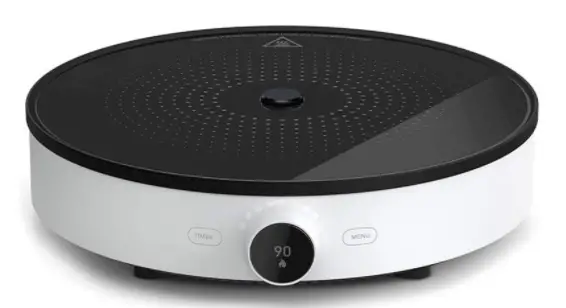
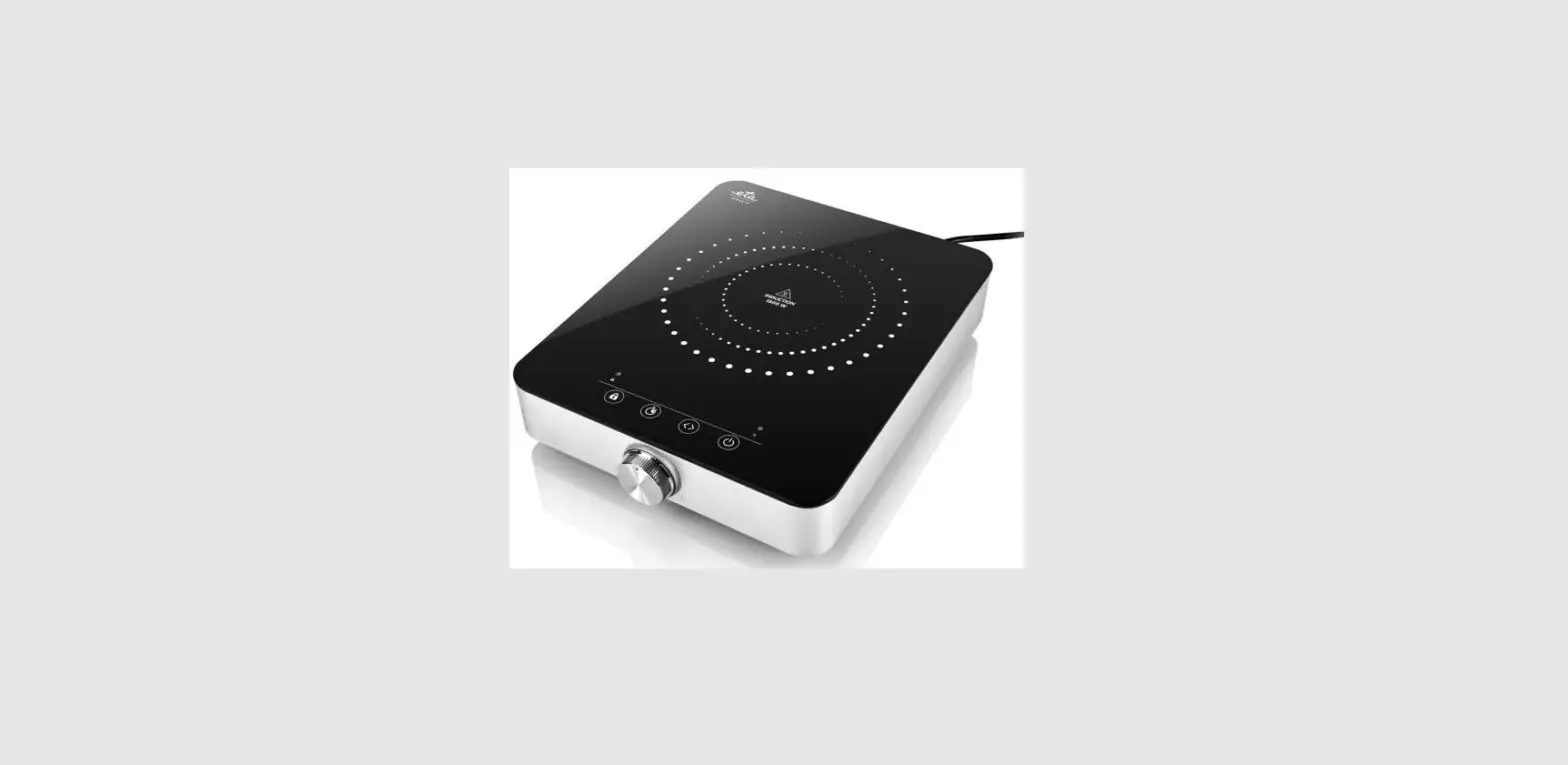
Product Overview
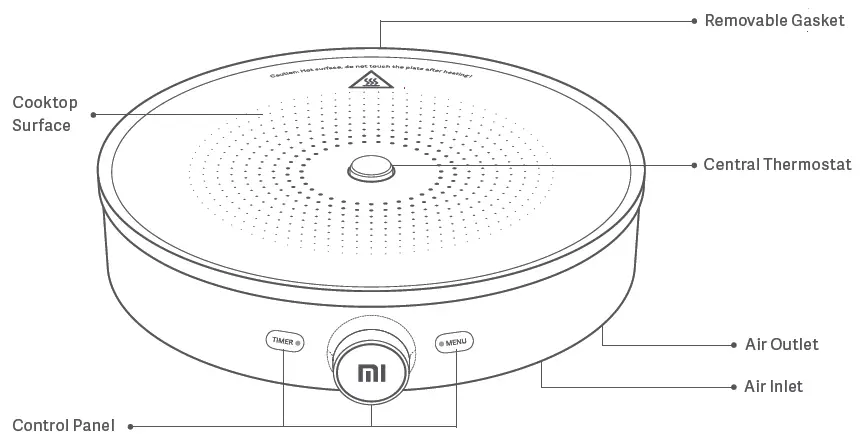
Control Panel
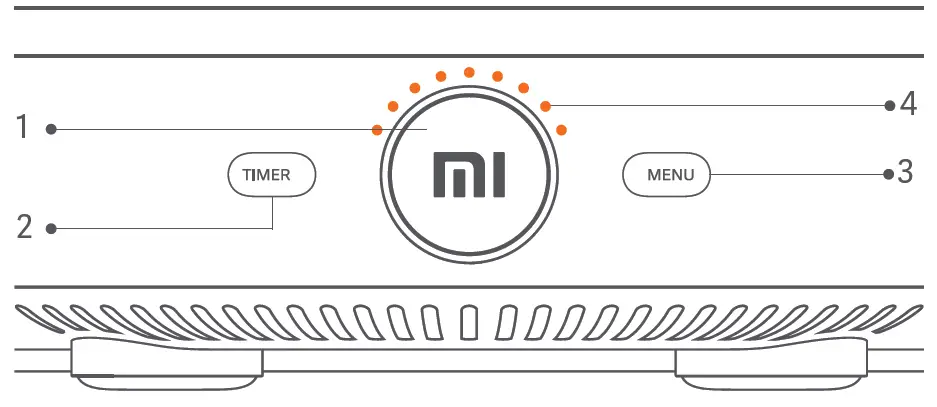
- Control Knob/LED Display
- Timer Button
- Menu Button
- Power Indicator
Connect to Mi Home App
Control your device and interact it with other smart home devices in Mi Home app.
- Download Mi Home app
Scan the QR code or go to app Store to download Mi Home app.
- Add your device
Open Mi Home app, tap “+” on the upper right and follow prompts to add your device. - Connect your device
The blue Wi-Fi indicator light blinks to show that it is connecting. Once connected, the light remains blue.

Note: The device will appear on the homepage once added successfully.
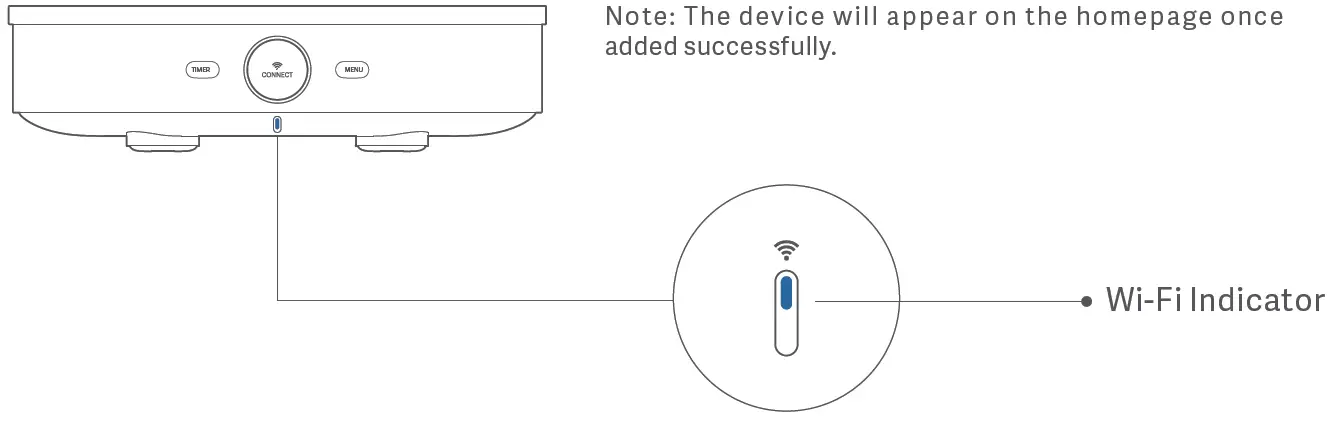
Wi-Fi Indicator Status
 |  |  |
| To be connected | Connecting | Connected |
| Yellow light blinking | Blue light blinking | Blue light on |
Reset Wi-Fi
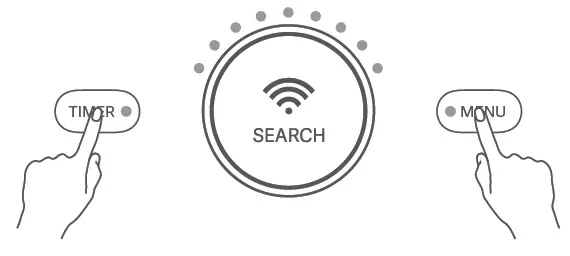
If the device cannot connect to your phone, press the “MENU” and the “TIMER” buttons simultaneously for 5 secs to reset. The yellow indicator light will blink to show that Wi-Fi has been reset successfully and you can reconnect
to the network.
Quick Start Guide
Get started after connected to power.
- Turn the device on
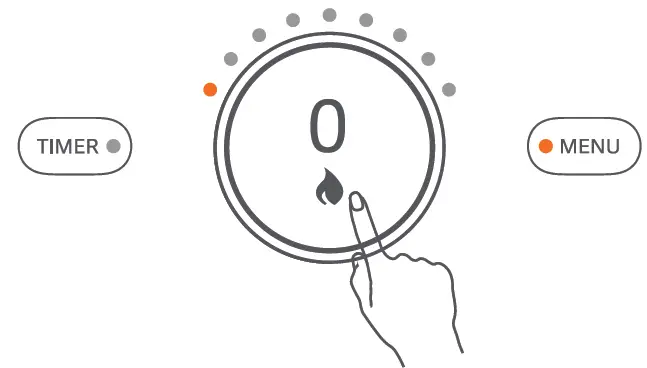
After connected to power, press and hold the Control Knob for 0.5 secs to turn the device on and enter standby mode.
Note: When on standby, the device defaults to power mode and is ready for cooking right away.
- Select a mode
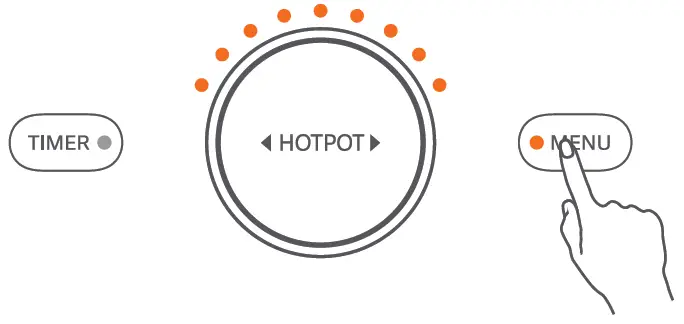
Using ” HOTPOT ” as an example , tap the “MENU” button and turn the control knob until you fi n d ” HOTPOT ” mode , then press to confirm. The unit will start cooking right away.
Note: Tap the “MENU” button again to exit mode selection.
- Adjust the power
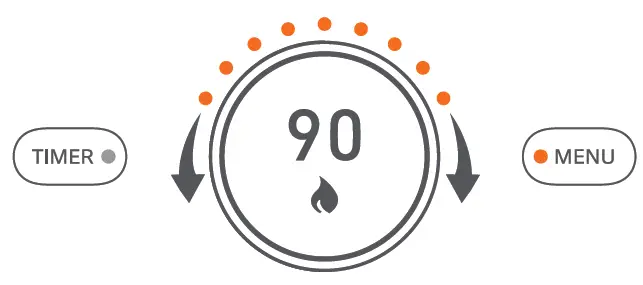
When cooking, turn the control knob to adjust the power.
- Turn off after cooking
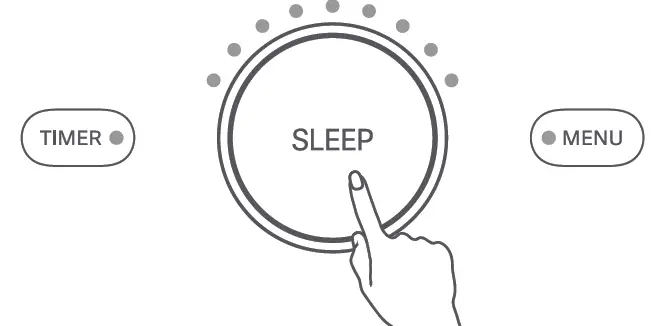
After cooking is finished, press and hold the control knob for 3 secs to enter “SLEEP” mode.
Note: Press and hold the control knob for 3 secs to enter “SLEEP” mode under any conditions.
Control Panel Description
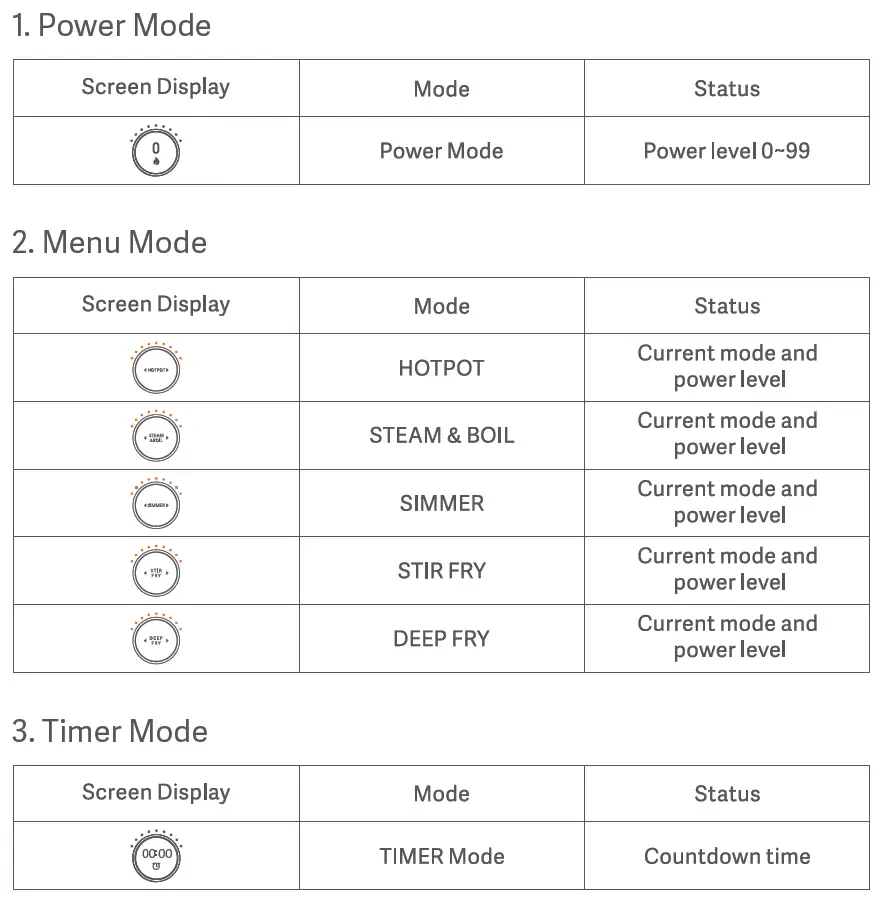
The OLED display shows the current mode or status.
Operating Instructions
Power Mode
After turned on, the cooker defaults to power mode for one hour. The power level can be adjusted according to your cooking needs. Turn the control knob slowly to adjust the power level by one at a time. Quickly turning it allows you to adjust the power level by ten at a time.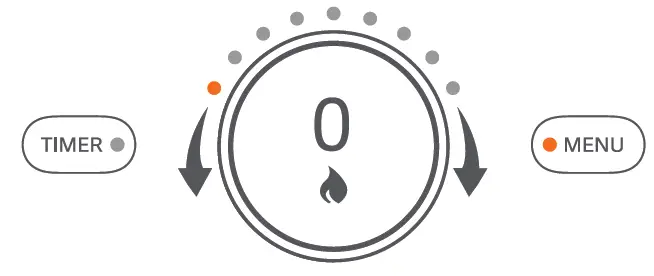
Menu Mode
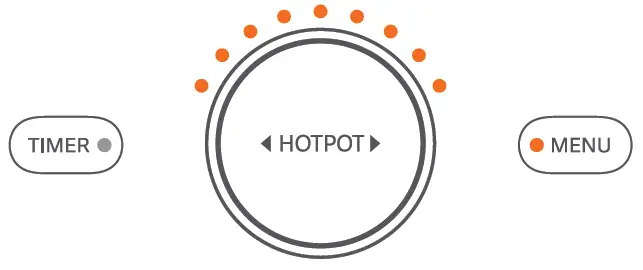
Tap the “MENU” button to enter menu mode. Turn the control knob to browse through the menu and select a desired cooking mode. Turn-ing the knob allows you to select in the follow-ing order: “HOTPOT, STEAM & BOIL, SIMMER, STIR FRY, DEEP FRY”. Tap the control knob to begin cooking according to the selected mode.
Note: You can reconfigure the menu’s functions in Mi Home app.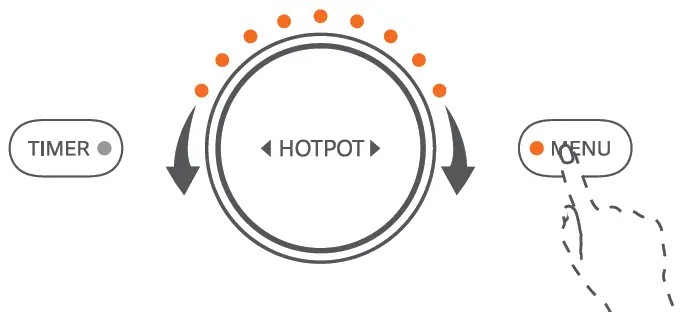
- HOTPOT
The default cooking time is 2 hours. Select a desired power level between 0-99 (Default is 99).
- STEAM & BOIL
The default cooking time is 1 hour. Select a desired power level between 0-99 (Default is 80).
- SIMMER
The default cooking time is 2 hours. Select a desired power level between 0-99 (Default is 60).
- STIR FRY
The default cooking time is 1 hour. Select a desired power level between 0-99 (Default is 99).
- DEEP FRY
The default cooking time is 2 hours. Select a desired power level between 0-99 (Default is 70).
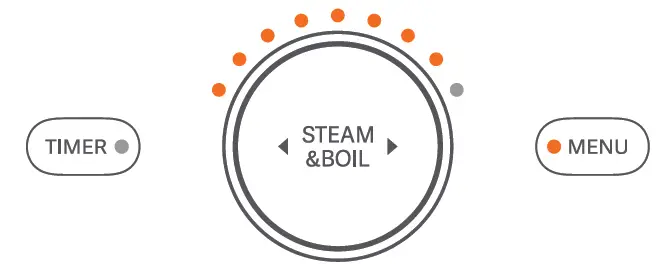
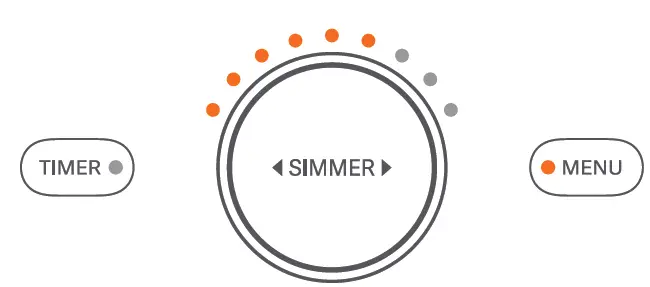
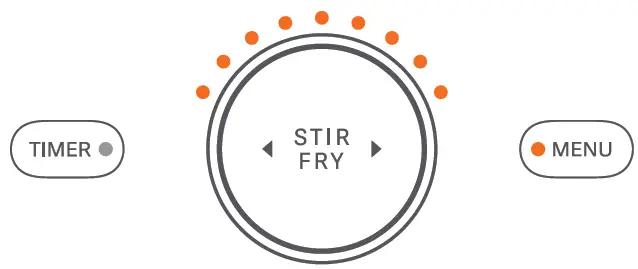
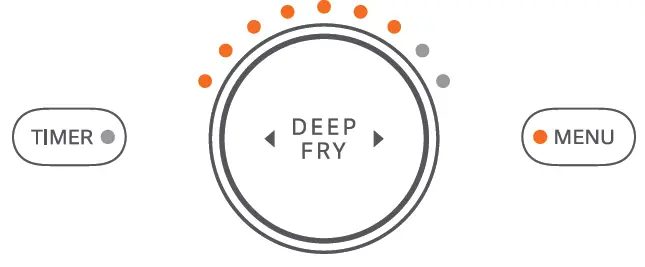
Timer Mode
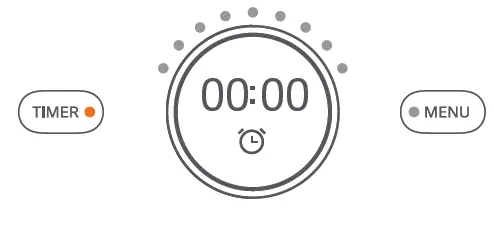
- Before using the ” TIMER “, c onfir m the current mode is correct. After selecting the mode, press the “TIMER” button to enter timer mode.
Note: The timer function can still be used when the heat is off. When the countdown timer ends, the alarm will sound, and the device enters standby mode. The timer can only be set under a specific cooking mode when the heat is on.
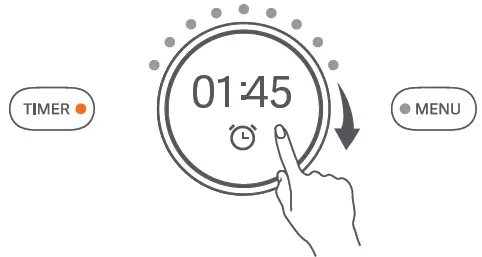
- Turn the control knob clockwise to adjust the countdown time, and press to confirm. Turn the knob slowly to adjust the time in 1-minute increments. Turn it quickly to adjust the time in 10-minute increments.
Note: The longest countdown time is 4 hours. The time is displayed in “hours” and “minutes”. When the timer ends, the device turns the heat off and enters standby mode automatically.
Adjust the power
When the heat is on, turn the control knob to adjust the power. The power level is between 0-99.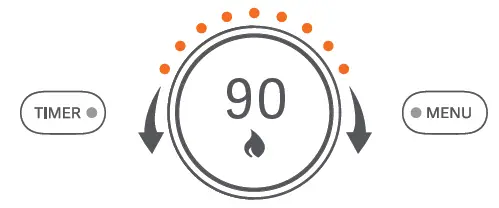
Pause the device
When the heat is on, press the control knob to pause heating. Press again to restart heating.
Note: After the device is paused, it will automatically enter sleep mode after 10 minutes if there is no subsequent operation.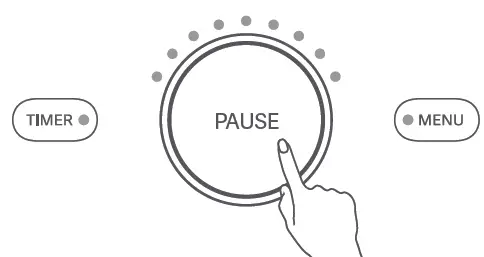
Daily Maintenance
It is important to turn the power off when the induction cooker is no longer in use. To avoid scalding, allow the device to cool down before performing the following operations.
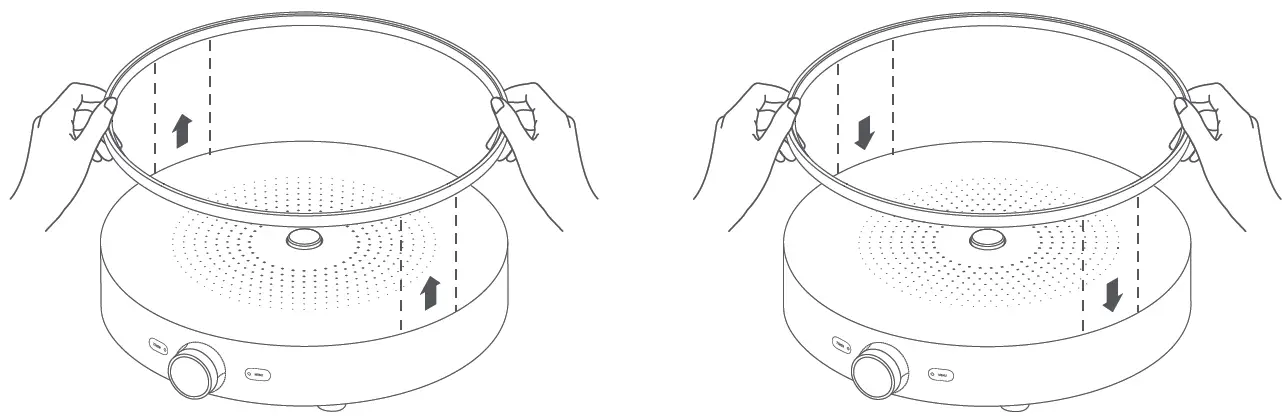
- Disassembling
Pull out the silicone gasket from both sides of the induction cooker. - Installing
Align the silicone gasket with the groove beneath the cooktop, and insert into it.
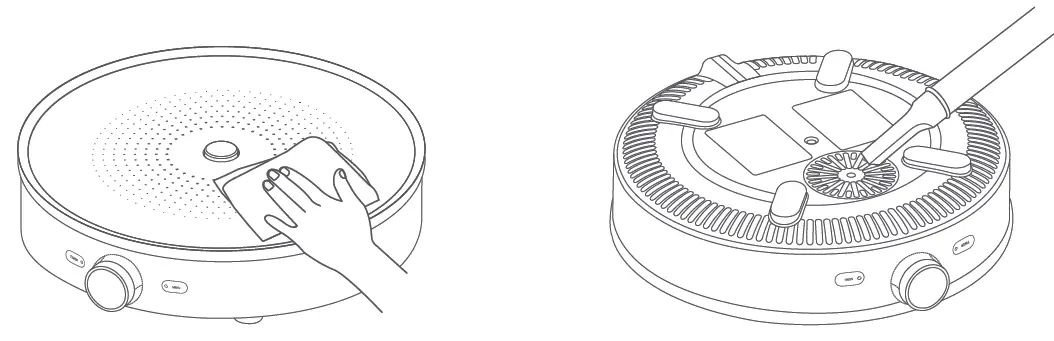
- Cleaning the cooktop
To ensure better cooking and cleaner cooktop, you’re recommended to use a soft wet cloth with a mild detergent to wipe the cooktop after cooking. - Cleaning the air inlet/outlet
Use a soft brush or mini vacuum cleaner to remove dust from the air inlet and outlet, or gently wipe them with a soft cloth. It is recommended to clean every 6 months
 Important Safeguards
 Important Safeguards
To ensure your safety and minimize the risk of personal injury & property damage, please observe the following safety precautions.
Precaution
- This appliance is not intended for use by children.
- This appliance is not intended for use by persons with reduced physical, sensory or mental capabilities, or lack of experience and knowledge, unless they have been given supervision or instruction concerning use of the appliance by a person responsible for their safety.
- Children should be supervised to ensure that they do not play with the appliance.
- Children shall not play with the appliance.
- Cleaning and user maintenance shall not be made by children.
- Keep the appliance and its cord out of reach of children.
Usage Restrictions
- Do not place the product on unstable or wet surfaces. Keep away from fire or heat sources, preferably 30cm or above.
- Do not place the product near equipment that is susceptible to electromagnetic interference.
- Do not use non-dedicated cookware that may undermine cooking performance or cause safety hazards.
- When using other cookware, please ensure that they are made from ferrous metals, that the bottom is even, and the diameter is greater than 12 cm without exceeding the size of the cooktop surface.
- Before cooking, ensure that there’s food in the pan otherwise it might cause damage.
- Beware of scalding when using cookware with a metal handle.
Warning
- Do not use a power supply other than 220—240 V~ to prevent fire and electric shock.
- Always unplug the induction cooker by holding the power plug, rather than the cord.
- Do not plug or unplug the power cord when your hands are wet.
- Use only power sockets rated at 10A minimum.
- Appliances are not intended to be operated by means of an external timer or separate remote-control system.
- If the supply cord is damaged, it must be replaced by a special cord or assembly available from the manufacturer or its service agent.
About the Environment
- Steam and heat may damage, discolor or deform your furniture, keep the induction cooker away from furniture and walls, preferably 10cm and above.
- Never use the product on a metal surface, as this could cause the surface to warm up and cause safety hazards.
- Use in a well-ventilated area to ensure that heat is properly dispersed.
In Use
- Do not put sealed containers or other sealed items (such as cans or pressure cookers) on the device to prevent accidents caused by thermal expansion.
- Do not let any foreign object clog the air inlet and outlet to prevent overheating and other damages.
- Metallic objects such as knives, forks, spoons and lids should not be placed on the hotplate since they can get hot.
- Do not put items such as paper, aluminum foil or cloth on the hot cooktop, so as not to cause accidents.
After Use
- The air inlet and outlet must be checked regularly to ensure that they are not blocked.
- To avoid scald, do not touch the cooktop immediately after use.
- Stop using immediately if you notice any symptoms indicating a malfunction or breakdown. Seek professional support when it has cooled down.
Cleaning and Maintenance
- It is important to disconnect power and allow the cooktop cool off before cleaning.
- Do not immerse the rice cooker in water or splash it with water.
- Do not use water to rinse the cooker’s air inlet or outlet.
- Keep water and foreign matter out, and make sure the cooker is clean.
- Do not use hard objects such as steam cleaners or steel wool to clean the cooker.
- Use a soft cloth moistened with a mild detergent to clean the cooktop. Do not use bleach or corrosive liquids.
- Use a soft dry cloth to gently clean the air inlet and outlet. Use a soft brush or a mini vacuum cleaner to remove dust.
- After cleaning, wipe the product with a soft, dry cloth.
- If the cooker is not used for a long time, unplug the power cord and take measures to protect it from moisture, dust and household pests.
Additional Precaution
- Do not crush, strike, or scratch the product with anything sharp or heavy to prevent malfunction.
- If the surface is cracked, switch off the appliance to avoid the possibility of electric shock.
- Do not attempt to modify the product. To prevent the risk of fire, electric shock or scalding, only a repair technician can disassemble or repair the product.
- Stop using immediately if you notice any symptoms indicating a malfunction or breakdown to prevent fire, electric shock or other injuries.
Malfunctions or Breakdowns
- The power plug or power cord has become very hot.
- Smoke coming out of the induction cooker with a smell of burning.
- Part of the cooker is cracked, loose or makes an unusual sound.
Troubleshooting
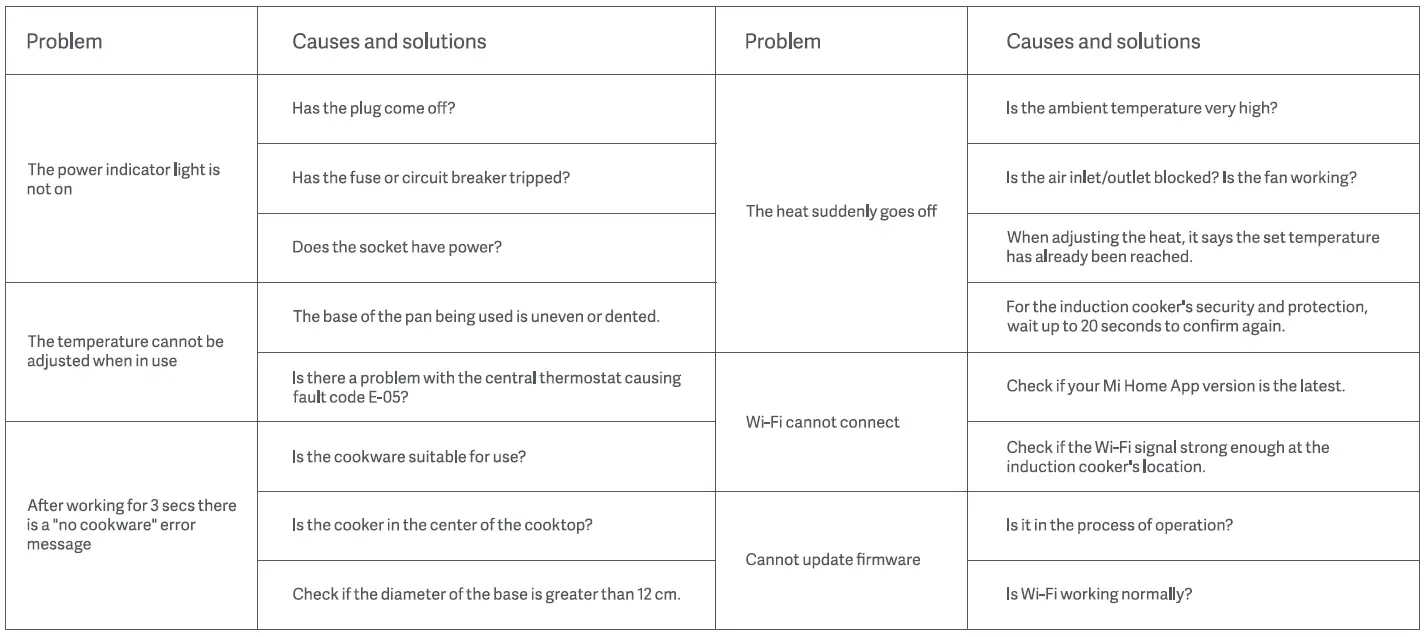
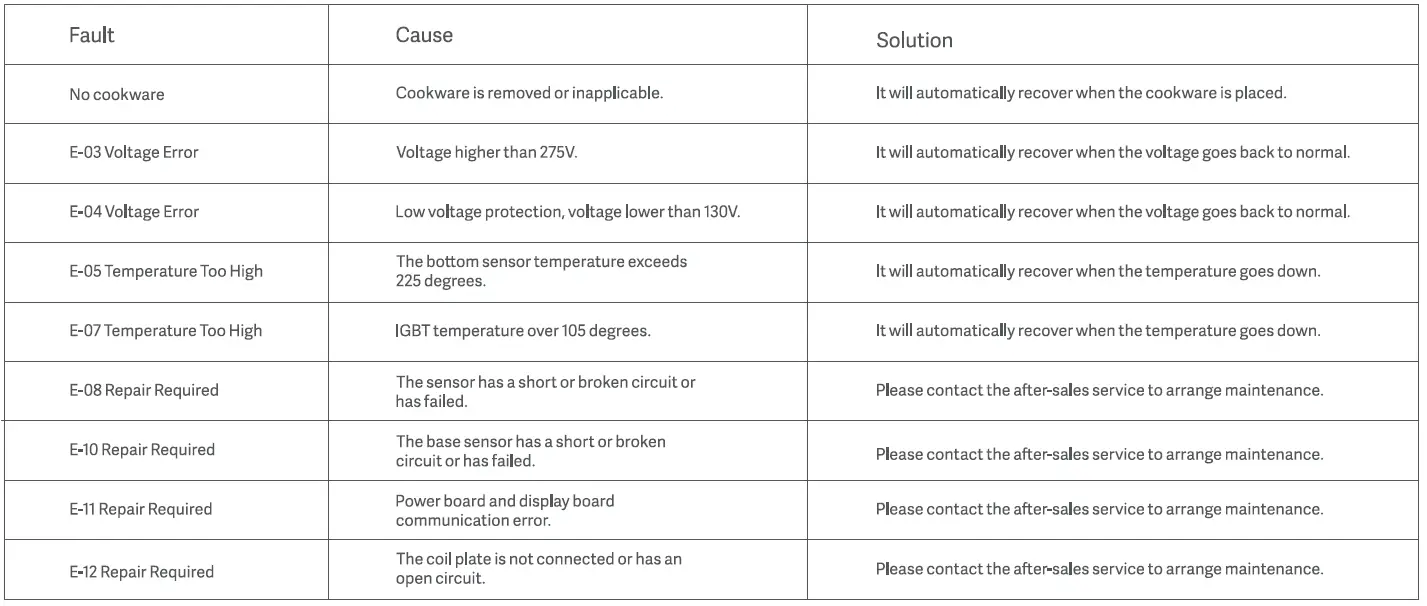
FAULT CODE
If the device is not working properly, the OLED display will show an error code. Please use the table below to find the error and resolve the issue.
Specifications

Declaration
We Shanghai Chunmi Electronics Technology Co., Ltd., hereby, declares that this equipment is in compliance with the applicable Directives and European Norms, and amendments.
WEEE Disposal and Recycling Information Correct Disposal of this product. This marking indicates that this product should not be disposal with other household wastes throughout the EU. To prevent possible harm to the environment or human health from uncontrolled waste disposal, recycle it responsible to promote the sustainable reuse of materials resources. To return your used device, please use the return and collection systems or contact the retailer where the product was purchased. They can take this product for environmental safe recycling.