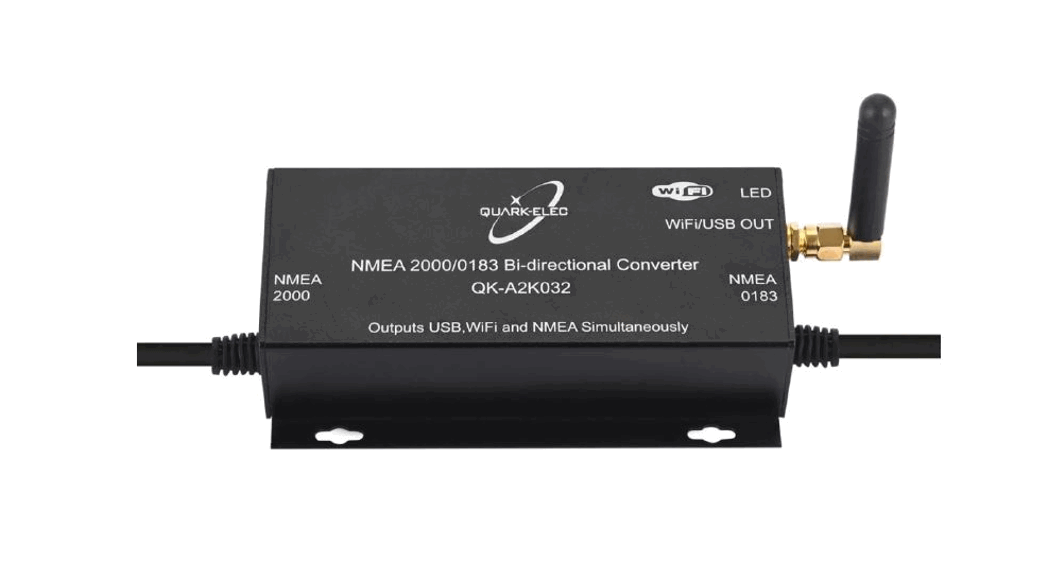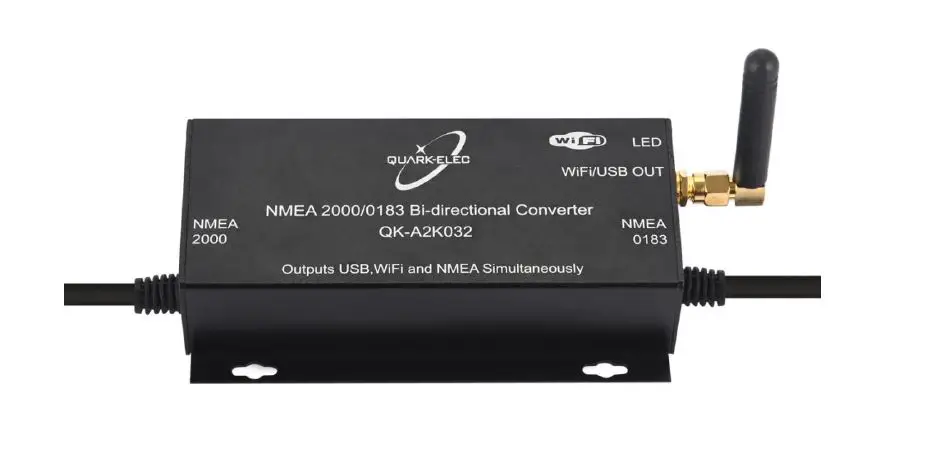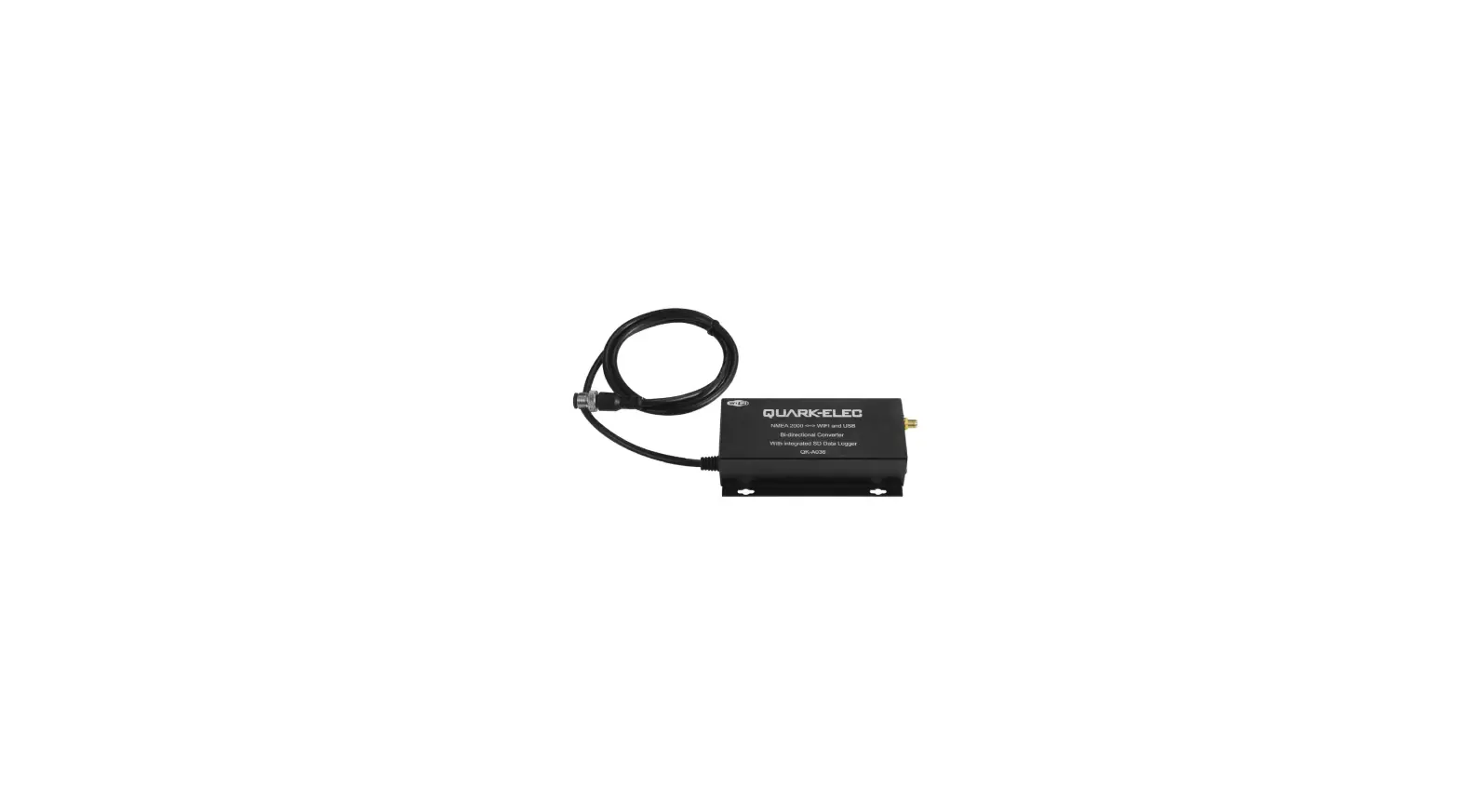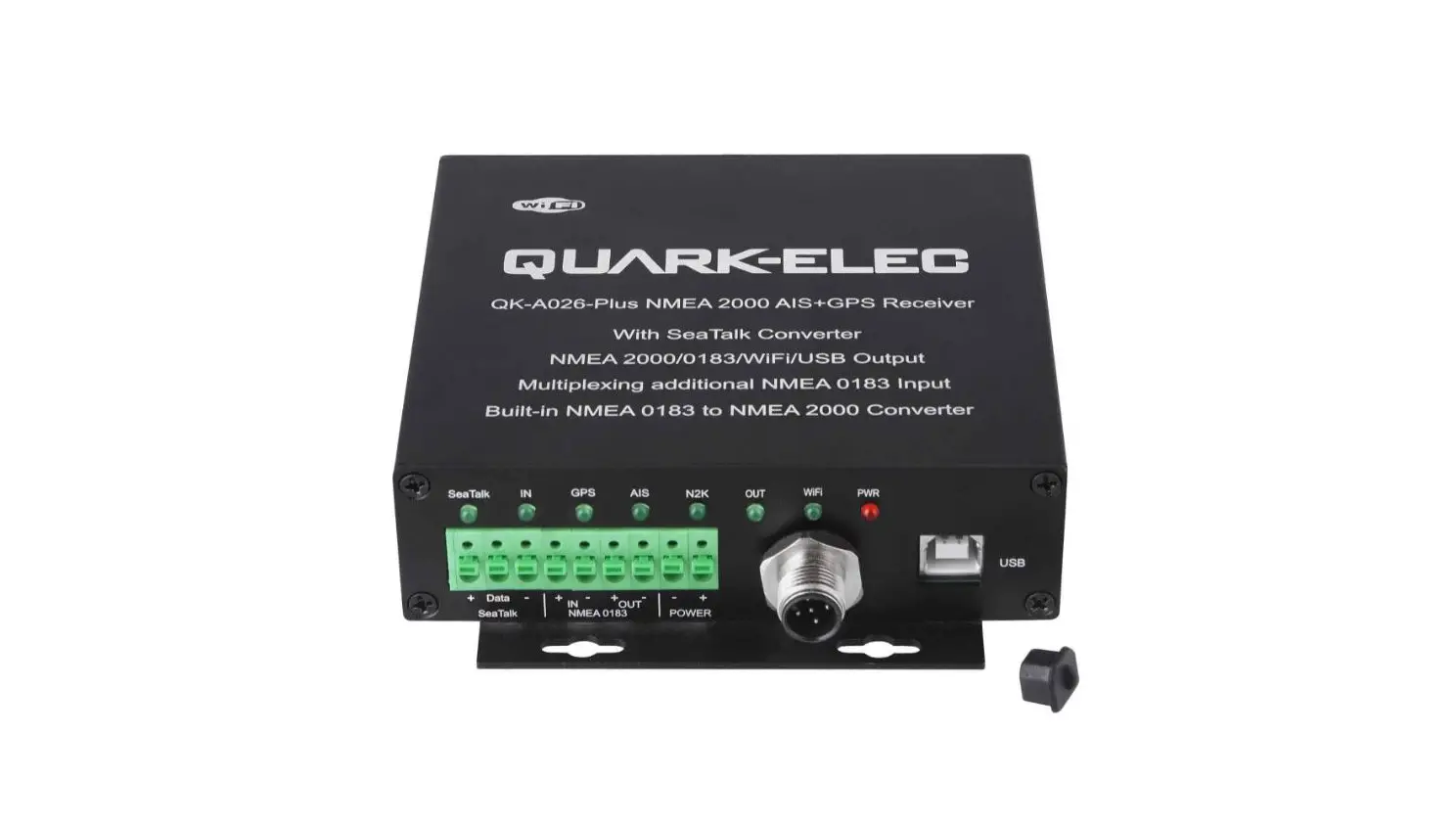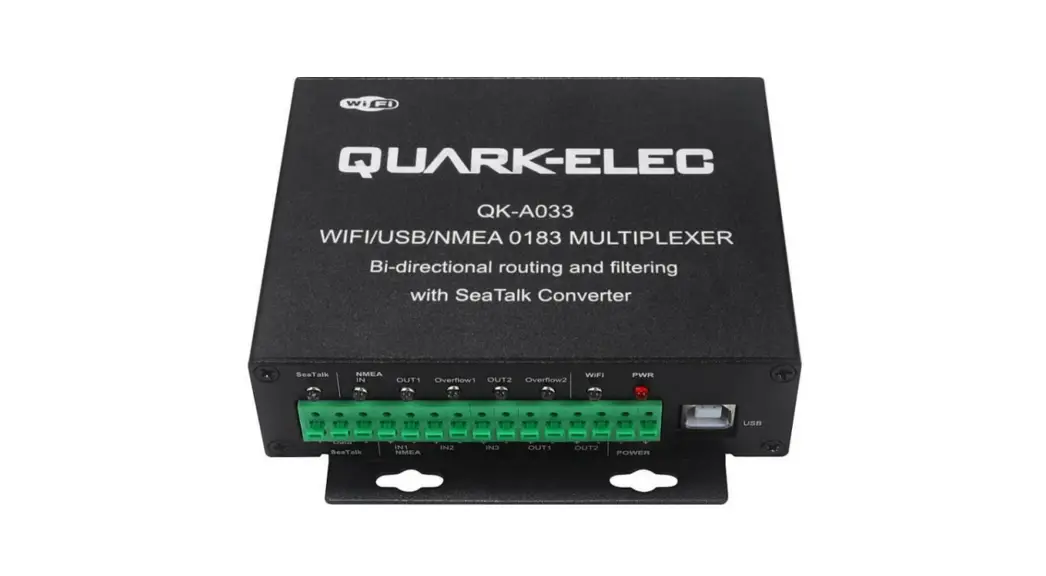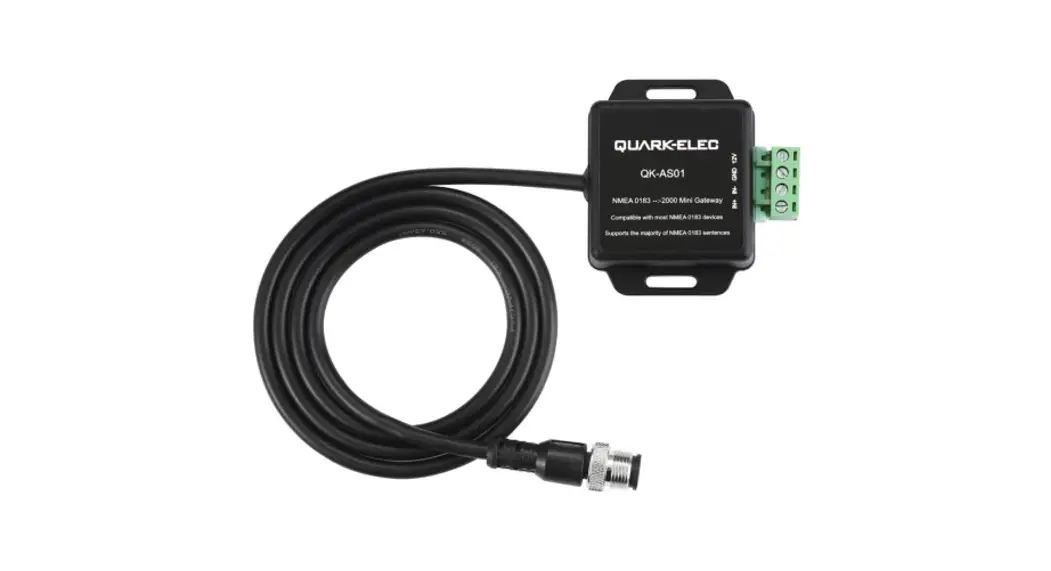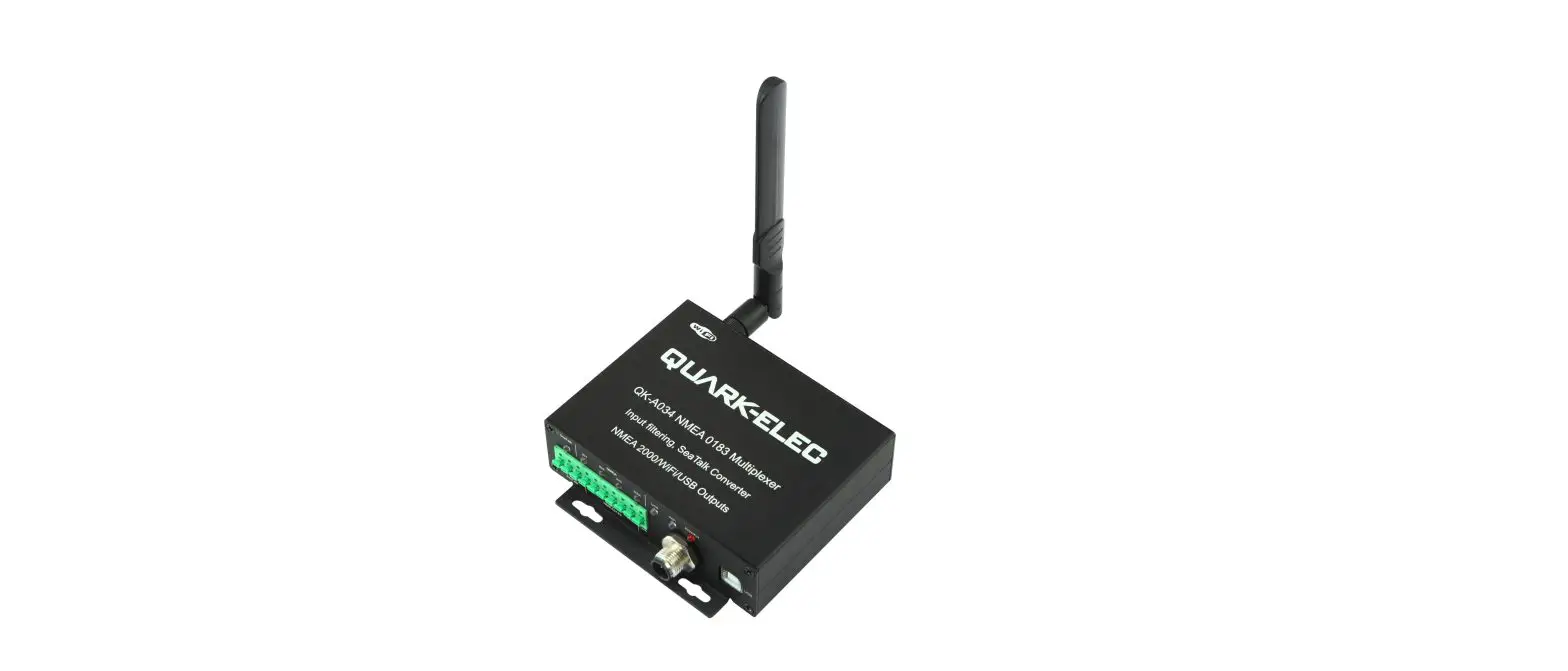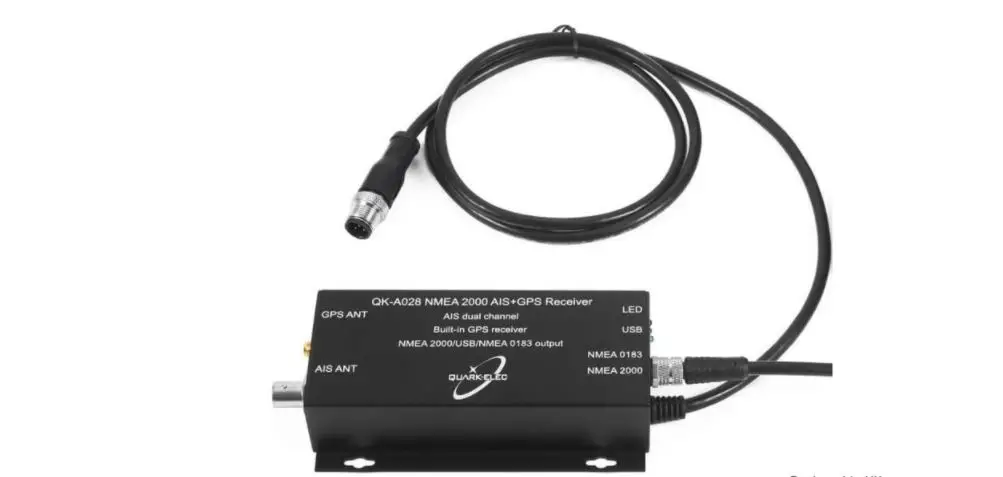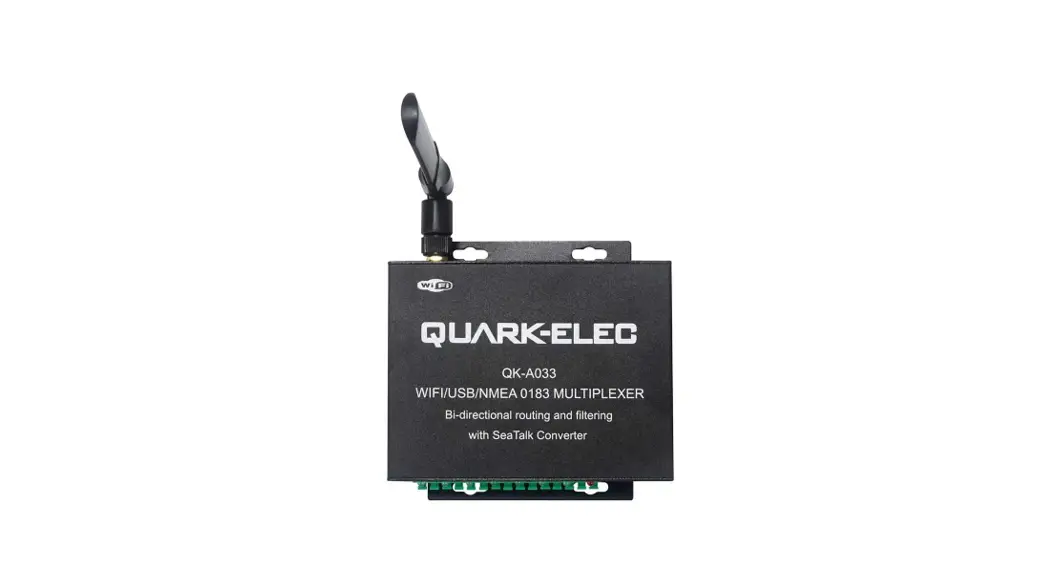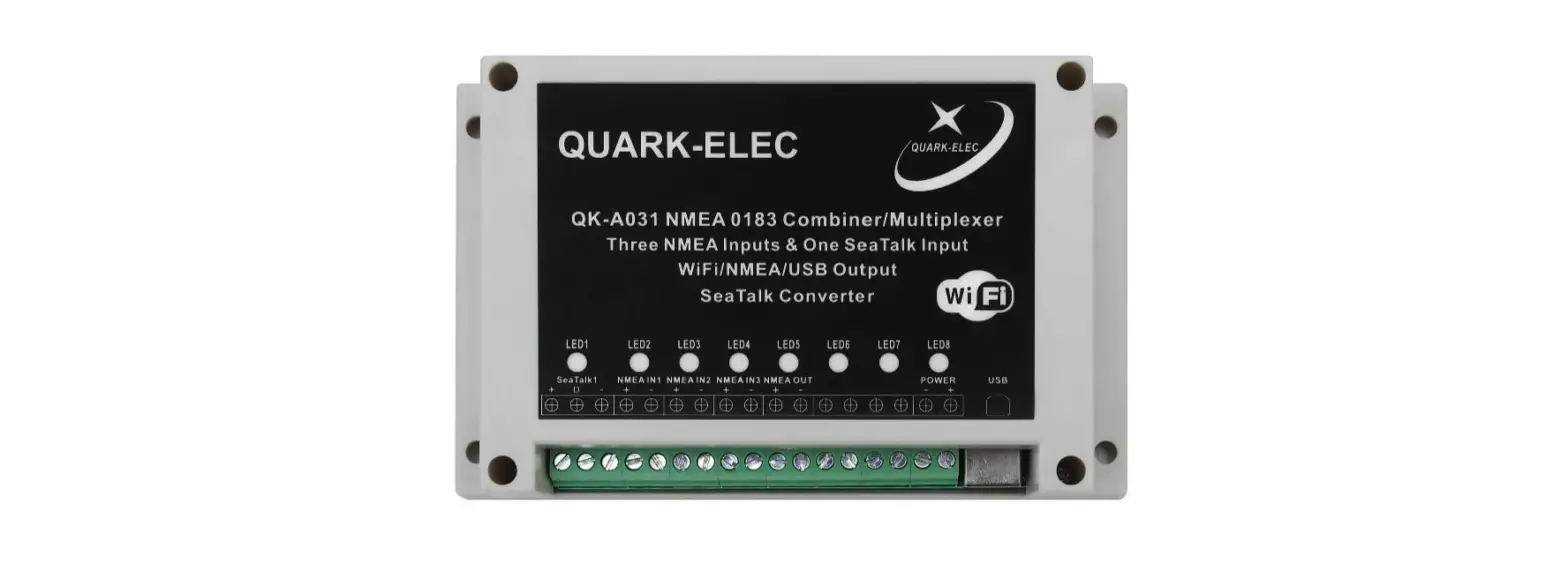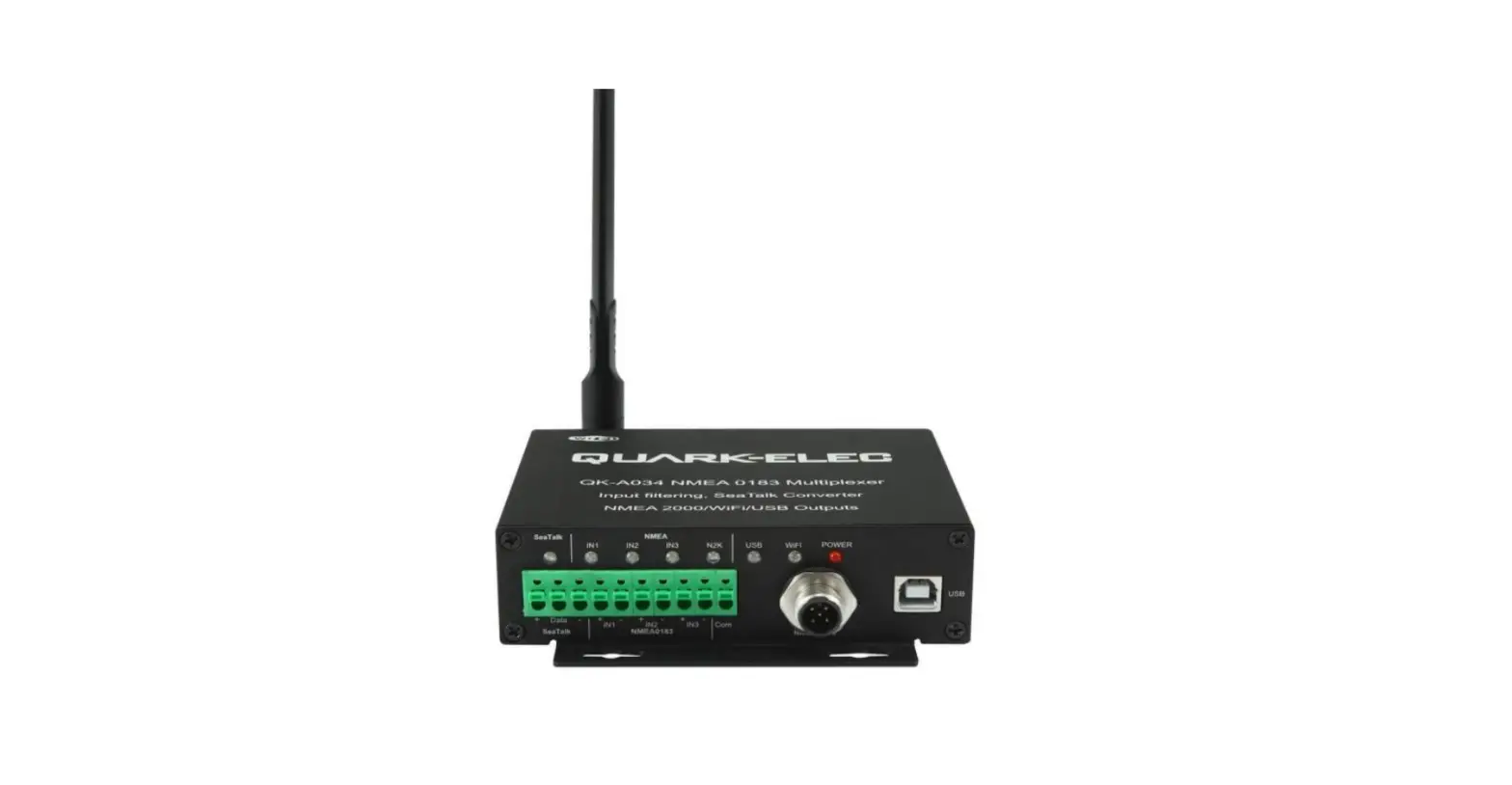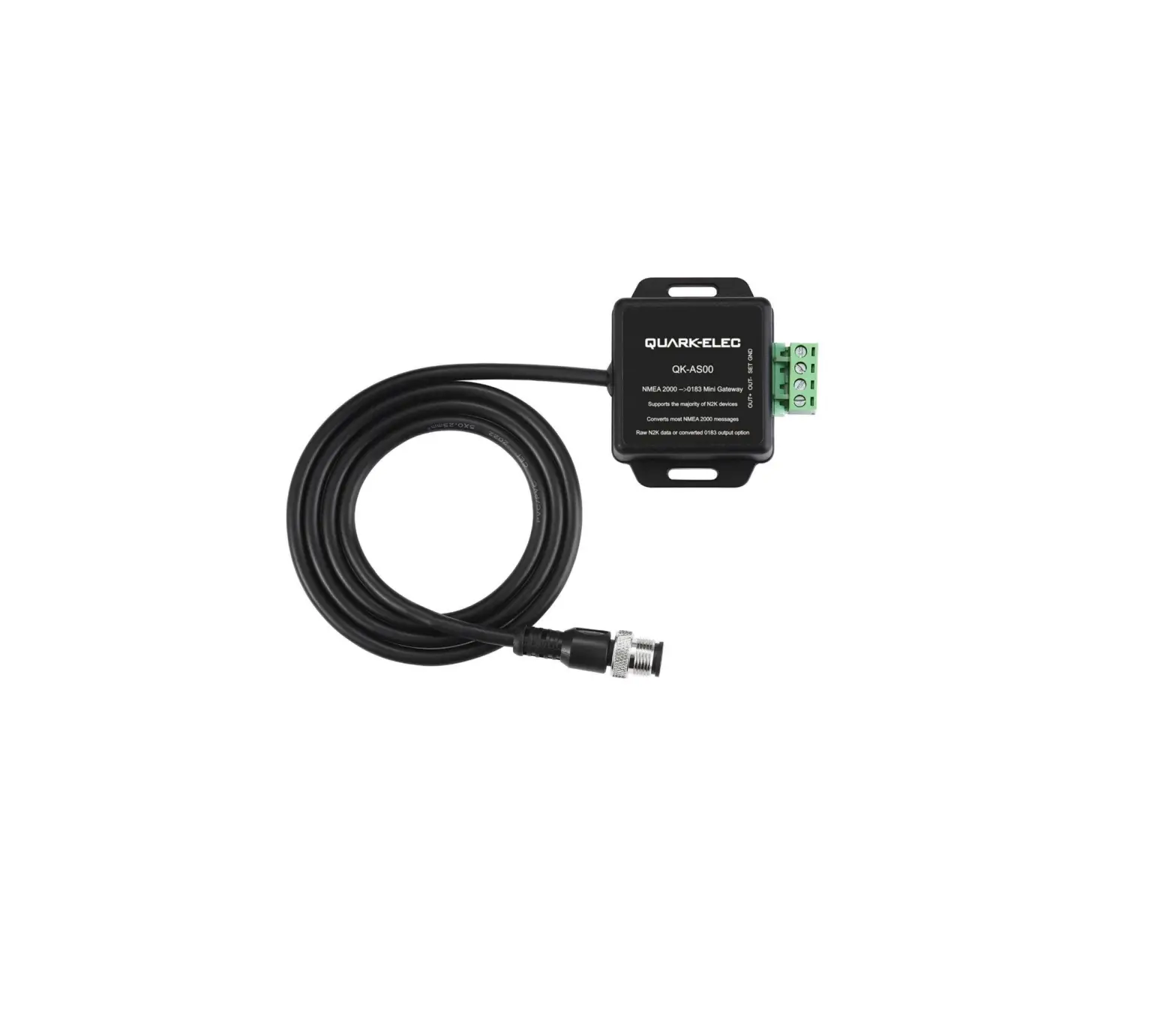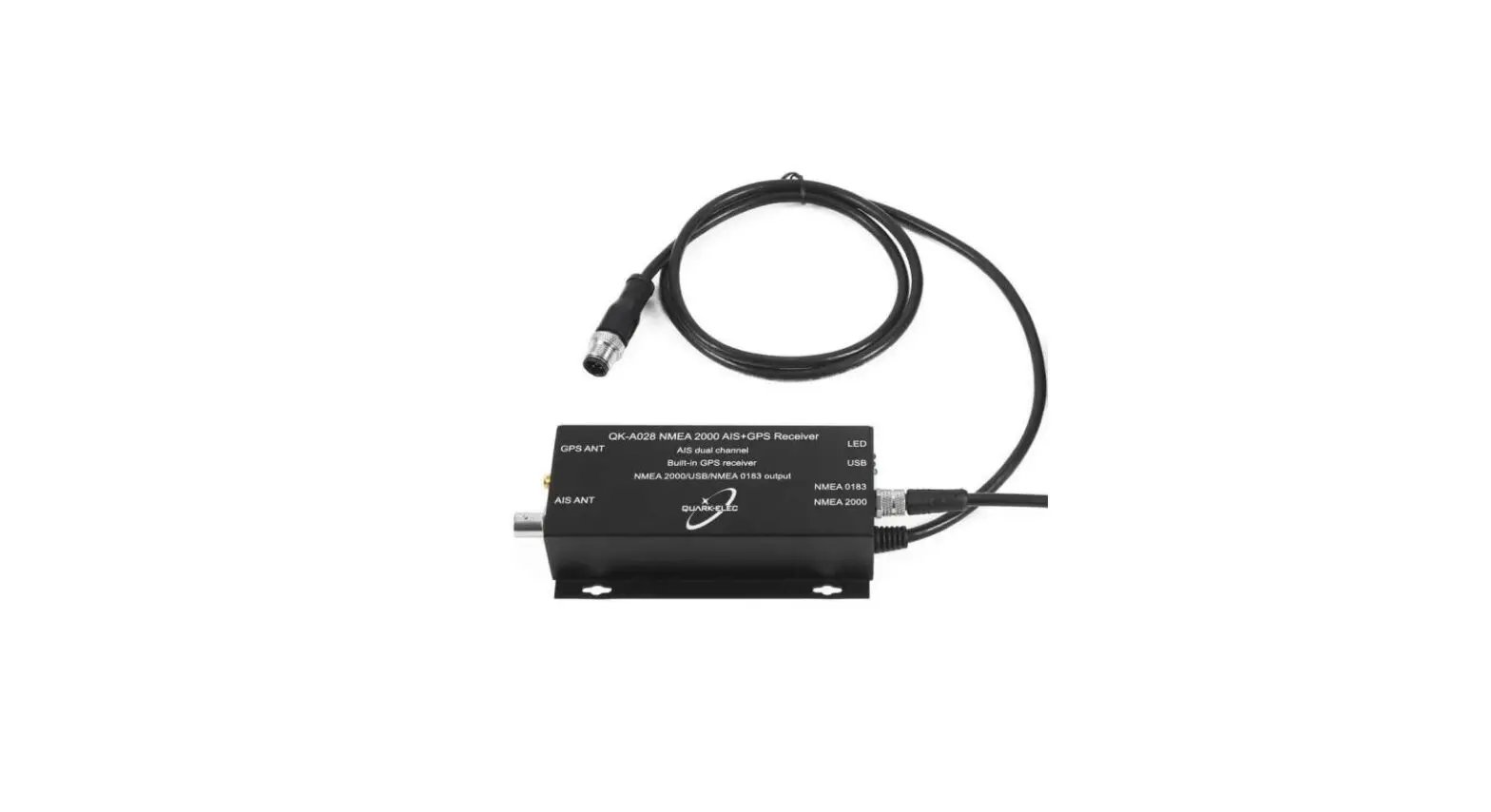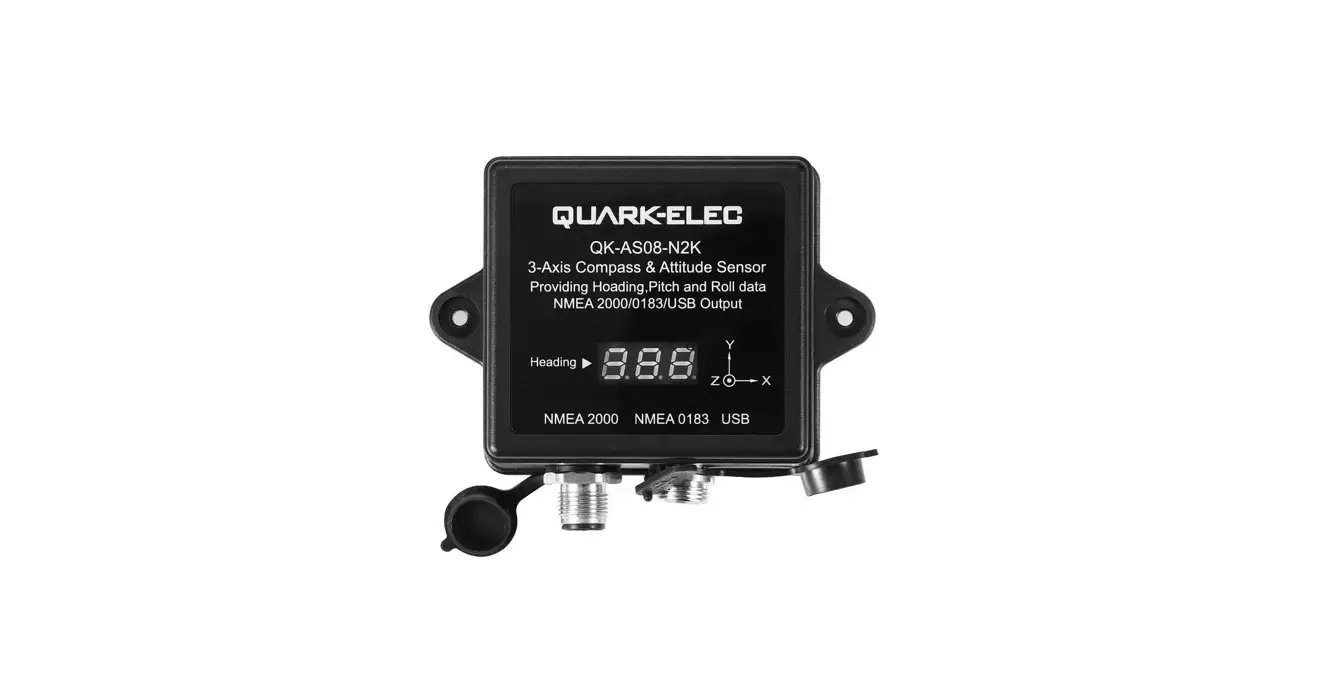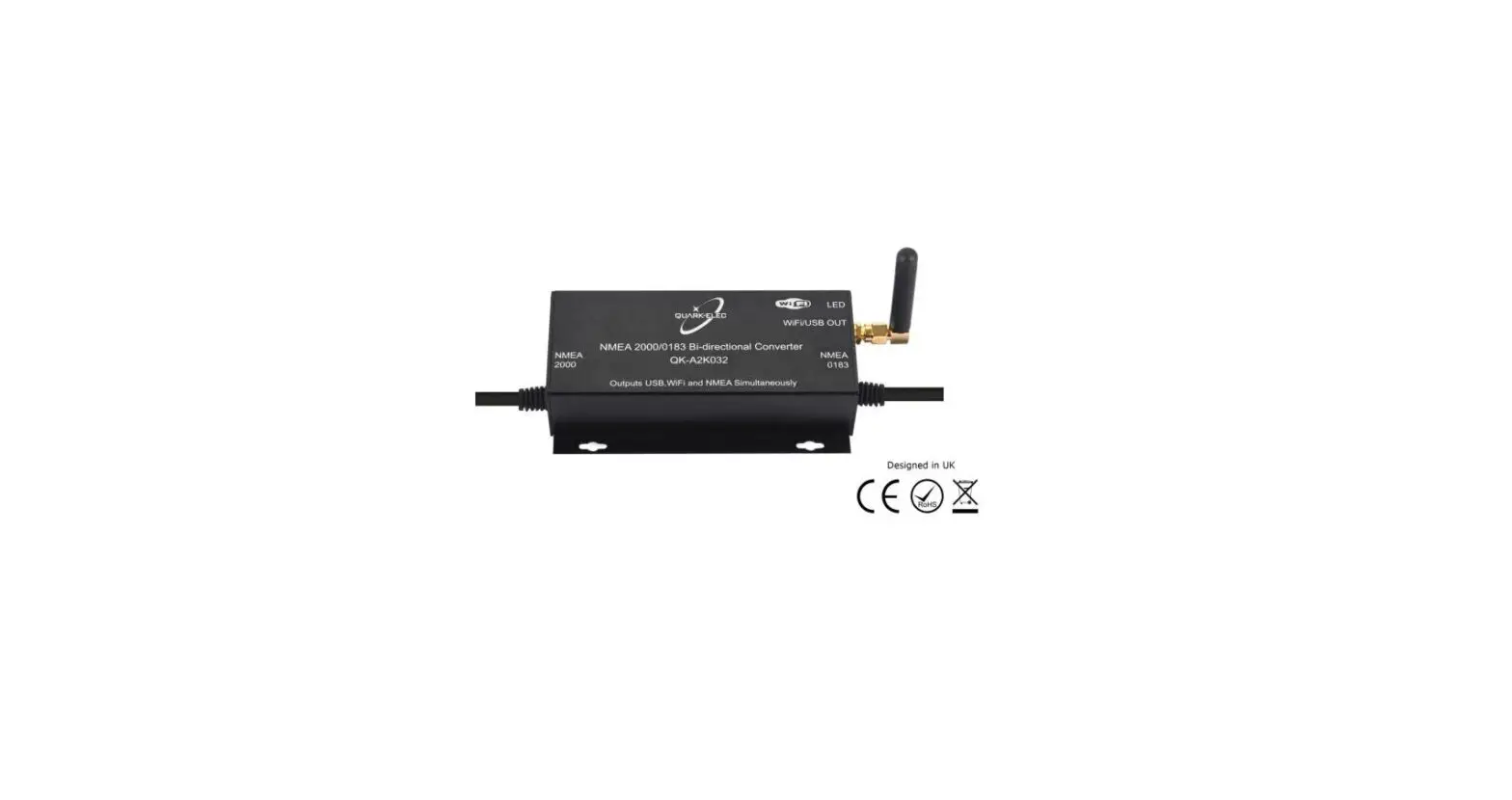

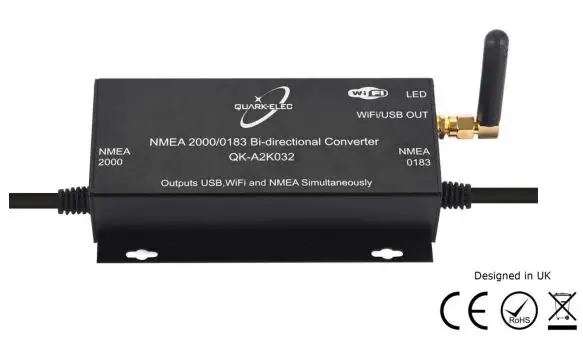
QUARK-ELEC QK-A032 NMEA 2000/0183 Bi-Directional Converter
Features
- Converts the most common NMEA 0183 sentences into NMEA 2000 PGNs
- Converts the most common NMEA 2000 PGNs into NMEA 0183 sentences
- Galvanic Opto-isolation on NMEA 0183 input
- Galvanic Opto-isolation on NMEA 2000 CAN bus connection
- Compatible with all NMEA 0183 versions without configuring
- Configurable baud rate
- Free Firmware updates are provided when new features and conversions are added. (Update via USB from Windows PC)
- Pre-fitted cables for ease of installation
- NMEA 0183 sentences output through WiFi/USB
- NMEA 2000 PGNs output through WiFi/USB (in PCDIN format)
- WiFi supports Ad-hoc and station mode
Setup Overview
Before leaving home
Drivers and Configuration software are optional and only needed for specific features. The Configuration Software and specific instructions are included on the FREE CD and as a download. Consider if there is a CD reader/internet access on-site, if you will use the features below.
Accessing data on a Mac/Linux/Windows PC
- Driver required if using Windows and should install automatically, if not, it is included on the free CD and at Quark-elec.com. Drivers not required for Mac or
- 0V power from N2K bus
Connecting wirelessly to the A032 through Station mode WiFi (through a router, not just peer-to-peer directly from the device)
- Configuration software (Windows PC Required). The driver may be required as above
- 0V power from N2K bus
Adjusting NMEA 0183 baud rates. The NMEA 0183 baud rates are set to different settings depending on the A032 version (A032-S: 4800bps / A032-AIS: 38400bps). These are simply the default setting; users can adjust the baud rates using the Configuration software.
- Configuration software (Windows PC Required). Driver may be required as above
- 0V power from N2K bus
Installation and Setup
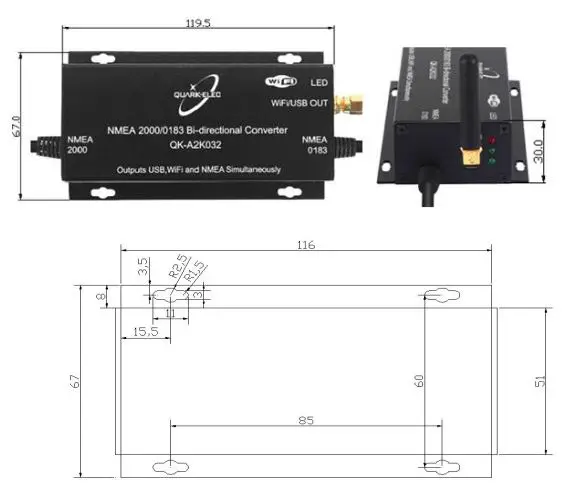
Mounting: Consider the location
- Dry, sturdy location 0.5m from other WiFi equipment. Ensure there is the correct length of wires needed. If drilling holes for cabling, seal around any holesto prevent damage to the vessel or equipment. Keep USB dust cover on if USB is not used
- Connect to the NMEA 2000 backbone (12.0V power) The A032 draws 12.0V power from the NMEA 2000 backbone. Users will need an N2K backbone and 2termination resistors (1 on each end).
- Connect the NMEA 0183 device following the color code below
- Check LED lights are working on the A032.
- Power: Top LED (red) flashes at 3 second
- NMEA 2000 input: Middle LED flashes for each valid message
- NMEA 0183 input: Bottom LED flashes for each valid message received.
Please note: the NMEA LEDs will flash when their respective data is received, not sent.
| Wire Colour | Wire Function |
| Blue | NMEA out- |
| White | NMEA out+ |
| Black | NMEA in- |
| Grey | NMEA in+ |
| Brown | GND |
Need to connect wirelessly without a router?
- On personal device (phone, laptop etc.): 15 seconds after the A032 has powered up, users canscan for a WiFi network with an SSID similar to ‘QK-A032xxxx’. Connect the device to ‘QKA032xxxx’ with the default password: ‘88888888’. In Chart software: set the protocol as ‘TCP’, IP address as ‘192.168.1.100’ and the port number as‘2000’ in the chart software.
- To connect wirelessly through a router (Station mode) see Wireless Connections chapter.
- Optional: Configure your device’s Baud rates or WiFi settings The A032 is pre-set to frequently used WiFi and Baud rate settings for your convenience. If you wishto use other settings you can adjust these using the Configuration tool. See the configuration section of the manual and the configuration instructions on the CD provided.
Default Baud Rate settings:
| Version | Default NMEA 0183 Baud Rate | Converts |
| A032-S | 4800bps as default, adjust if required | Converts the most common NMEA 0183 sentences into NMEA 2000 PGNs and vice-versa. See Conversion Lists chapter of this manual for full conversion lists. |
| A032-AIS | 38400bps as default, adjust if required | Converts the full A032-S conversion list plus AIS messages. See Conversion Lists chapter of this manual for full conversion lists. |
Introduction
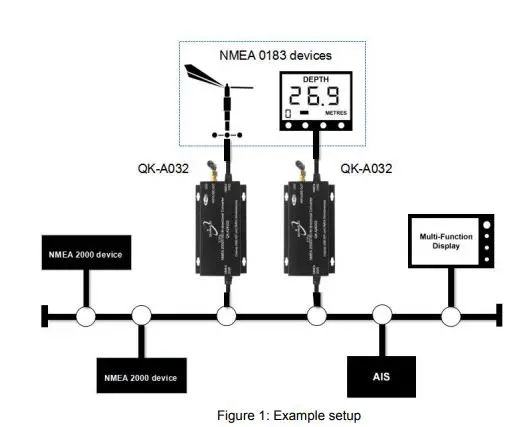
The A032 is intended for use in a marine environment. It provides an easy way to link between users’ boat’s old and new data networks. The A032 allows the user to connect NMEA 0183 equipment to aNMEA 2000 network and vice versa. It has a bi-directional converter with wide support of message types. This will let the boat adopt an NMEA 2000 network, whilst connecting any existing NMEA 0183devices to the new bus standard. Please refer to the A032 Conversion List chapter for details of conversions that can be performed by the A032 (and just as importantly those that cannot). The A032 has one NMEA 2000 connection and one NMEA 0183 port which transmit and receive data lines. The configurable baud rate from 4800bps to 38400bps allows connection of standard NMEA 0183equipment. The A032 is powered by the NMEA 2000 backbone and provides high voltage galvanic isolation between The NMEA 2000 and NMEA 0183 ports.
NMEA 2000 and NMEA 0183
NMEA 0183 is a serial data interface operating at 4800 bit/second utilizing standard asynchronous communications.
NMEA 2000 is a serial data network operating at 250 Kbit/second utilizing the Controller Area Network(CAN). The CAN bus was originally developed for the automotive industry but is now used in numerous industrial applications.
The key difference, apart from the obvious one of operating speed, is that NMEA 0183 is an interface while NMEA 2000 is a network. The NMEA 2000 network allows multiple electronic devices to be connected together on a common channel for the purpose of easily sharing information. Because it is a network, and because multiple devices can transmit data, a more comprehensive set of rules is required that dictate the behaviour of the members of the network. The CAN automatically provides some of these rules – mostly for control of access to the network, packet transmission, and for error detection. Similar to NMEA 0183, NMEA 2000 defines standard data formats and definitions, but in addition provides more extensive network management rules for identifying nodes on the network, sending commands to devices, and for requesting data. Besides the greater amount of control and integration provided, NMEA 2000 replaces with a single cable the wiring of up to 50 NMEA 0183 interconnections and can handle the data content of 50 to100 NMEA 0183 data streams.
Mounting
The A032 is aimed at the commercial, leisure, fishing boat and vessel monitoring markets. It is not waterproof so should be mounted in a dry place such as behind the instrument panel on a flat surface. Please allow 0.5m between the A032 and other WiFi devices. This will help avoid interference problems. If USB is not being used then please use the USB dust cover provided. This will help maintain the port and keep dust out of A032.
Connecting
Connecting to the NMEA 2000 network
A032 is pre-fitted with a five-core screened cable for the NMEA 2000 connection, fitted with a male micro-fit connector. Simply connect the cable to the network backbone using a T-piece connector.The main communication channel of an NMEA 2000 network is an NMEA 2000 backbone to whichNMEA 2000 devices connect. Each NMEA 2000 device connects to the backbone with a T- piececonnector. A NMEA 2000 backbone must be connected to power the A032. An NMEA backbone always required two termination resistors, one at each end. Please note 12.0V power for the A032 unit comes from the NMEA 2000 backbone.
Connecting to a NMEA 0183 Device
A pre-fitted five-core screened cable is provided for connecting to the NMEA 0183 devices. The user can use the configuration tool to setup NMEA 0183 input and output baud rate.
| Wire Colour | Wire Function |
| Blue | NMEA OUT – |
| White | NMEA OUT + |
| Black | NMEA IN – |
| Grey | NMEA IN + |
| Brown | GND |
Default Baud Rate settings: The A032 is pre-set to frequently used Baud rate settings for your convenience. If you wish to use other settings you can adjust these using the Configuration tool. Seethe configuration section of the manual and the configuration instructions on the CD provided.
| Version | Default NMEA 0183 Baud Rate |
| A032-S | 4800bps as default |
| A032-AIS | 38400bps as default, adjust if required |
Status LED’S
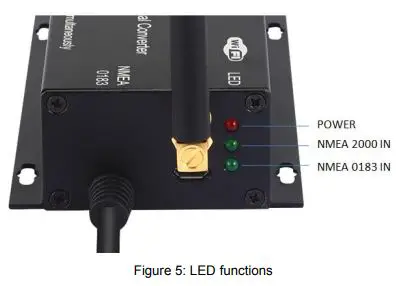
A032 features three LEDs which indicate power, NMEA 2000 input and NMEA 0183 input status respectively. Three LEDs turn on and then off after initialization. When operating, these LEDs flash as below
- Power: Top LED (red) flashes at 3 second
- NMEA 2000 input: Middle LED (green) flashes for each valid NMEA 2000 PGN
- NMEA 0183 input: The bottom LED (green) flashes for every valid NMEA 0183 sentence input. Please note: the NMEA LEDs flash when their respective data is received, not converted or

Configuration
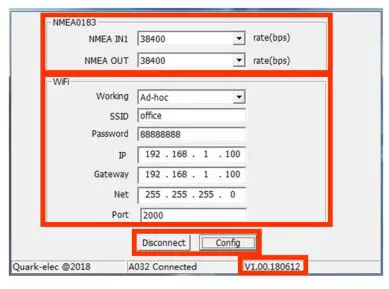
The Windows configuration tool can be used to setup the NMEA 0183 baud rate and WiFi settings. The Configuration tool can be found on the free CD and as a download. The configuration tool instructions can be found on the free CD and as a download. When the A032 is connected to a Windows PC and powered up, ‘A032 connected’ will be shown at the bottom of the Configuration software window. The software version will be shown in the bottom right-hand corner.
NMEA 0183
NMEA 0183 input and output baud rates can be set up from dropdown menu. The A032 can work with standard NMEA 0183 devices (4.8kbps) or high-speed NMEA 0183 devices (38.4kbps).
WiFi
The A032 can be set up in either Adhoc (p2p) or Station mode (Access Point). See wireless connections chapter for information. Once settings are complete the user must click ‘Config’ and then click ‘Disconnect’. Please restart unit by un plugging the unit from Power. The unit is now ready for use.
Wireless Connections
The A032 allows users to view their data through WiFi on a PC, tablet, smartphone or other WiFi enabled device. Users can access marine network data including vessel course, speed, position, windspeed, direction, water depth etc. These can be viewed in the chart software (see chapter chart software) The IEEE 802.11b/g wireless standard has two basic modes of operation; Ad-hoc mode (peer to peer) and station mode (also called infrastructure mode).
The A032 supports both:-
- In Ad-hoc mode WiFi: mobile devices connect directly (peer to peer) to another device, without a router or access point. For example; PC, tablet or smartphone can connect directly to the A032 to receiver marine data.
- In Station mode WiFi: wireless devices communicate through an access point (AP) such as a router that serves as a bridge to other networks (such as the Internet or LAN). This allows the router to handle the data and traffic from the device. This data can then be picked up through the router anywhere on the local area network. This is similar to plugging the device directly into the router by wire, but instead using wireless technology. In this way, the mobile devices receive both the marine data and other AP connections for example
The A032 is set to Ad-hoc mode as a default setting but can be easily setup to station mode through the configuration tool software.
WiFi Ad-hoc mode
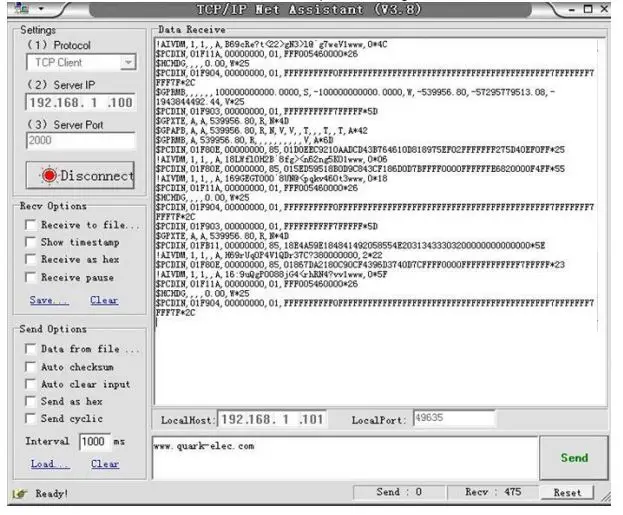
ON THE DEVICE (phone, laptop, etc.): About 15 seconds after the A032 has powered up, a WiFi network with an (SSID) similar to ‘QKA032xxxx’ can be found. Connect the device to ‘QK-A032xxxx’ with the default password: ‘88888888’. IN THE CHART SOFTWARE: Set the protocol as ‘TCP’, IP address as ‘192.168.1.100’ and the port number as ‘2000’ in the chart software. With the above settings, a wireless connection should be established and the user will be able toreceive the data through the chart software. Note: In Ad-hoc mode, the IP address should not be changed. SSID and password can be changed using the configuration software; the password should bebetween 8 to 12 characters.
| Device SSID | Similar to ‘QK-A032xxxx’ |
| WiFi password | 88888888 |
| Protocol | TCP |
| IP address | 192.168.1.100 |
| Data Port | 2000 |
WiFi Station mode
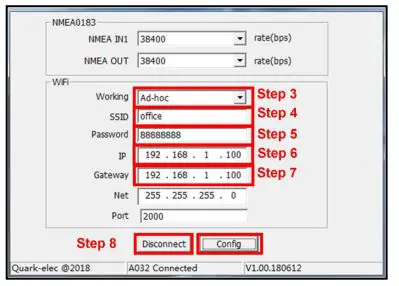
Station mode WiFi allows the router to handle the data and traffic from the device. This data can then bepicked up through the router anywhere on the local area network. Similar to plugging the device directlyinto the router by wire, but instead using wireless technology. This allows the main mobile device to still receive internet and for users to be able to view the data. To begin using station mode the Quark-elec instrument should be attached to a computer running windows (for Mac user’s windows boot camp) via USB.
- Connect A032 to computer via Micro USB
- Run the Configuration tool and check the connection to A032 at the bottom of the configuration
- Change working mode to ‘Station mode’
- Enter the router’s
- Enter the password for the network.
- Enter the IP address to assign to the A032. Start with 192.168. The third group of digits depends on the router’s configuration (Commonly 1 or 0). The fourth group must be a unique number between 0 and 255. This number must not be used by any other equipment connected to the router.
- Enter the router’s IP address in the Gateway This can usually be found under the router. Leave the other settings as they are.
- Click ‘Config’ in the bottom right-hand corner and wait about 60 seconds. After 60 seconds Click ‘Disconnect’.
- Repower the A032. The A032 will now attempt to connect to the
- In the chart, software set the protocol as ‘TCP’ Insert the IP address that was assigned the A032 Enter the Port number as ‘2000’ in the chart software.
Users should now be connected and see marine data on chart software. If not, check the router’s IP address list and check the IP address that the router has given the A032. Occasionally, a router assigns a different IP address to a device than the one chosen. If this is the case, copy the IP address from the router into the chart software. If the IP address in the router’s IP address list is the same as the one input into the chart software then everything will work in station mode. If users are unable to see any data repeat the steps, and check all the data has been input correctly. If users are not able to view the data in station mode, the likely cause is either the data has been input incorrectly, or the IP address is different in the chart software to that of the router.
Connecting Via USB Port
A032 is supplied with a USB connector. This connector provides data output as standard (multiplexed information from other instruments will also be sent via these connections). This USB connector can be linked directly to a USB port on the PC. It can also be connected to other mobile devices via a USB OTG (On the Go) connection using the supplied cable.
Windows 7, 8, 10: To enable the USB data connection of A032 to other devices, related hardware drivers may be needed, dependent on the system requirements. The driver can be found on the CD in the packing box or be downloaded. The drivers usually install automatically to the device if it is running Windows 10 (a non-upgraded version). The A032 registers itself to the computer as a virtual serial com port. A new COM port will automatically show up in the device manager after the plugin.
Mac: For Mac OS X, the A032 will be recognized and shown as a USB modem. The ID can be checked with the following steps:
- Plug the A032 into a USB port and launch the Terminal.app.
- Type: less /dev/*sub*
- The Mac system will return a list of USB devices. A032 will display as – “/dev/tty.usbmodemXYZ” where XYZ is a number. Nothing further needs to be done if it is listed.
Linux: No driver is required for Linux. When plugged into the computer, A032 will show up as a USB CDC device on /dev/ttyACM0 or similar.
9.1.Checking the USB connection (Windows)
After the driver is installed, run the Device Manager and check the COM number (this is the number associated with the USB port being used. The port number is the number that Windows assigns as an input device. These can be generated randomly by the computer). The chart software may require the COM number in order to access the data. The port number for the A032 can be found in Windows ‘Control Panel->System->Device Manager’ under ‘Ports (COM & LPT)’. Find the A032 in the list for the USB variant. Tochange this number, double click the A032 and select the ‘PortSettings’ tab. Click the ‘Advanced’ button and change the port number to the one required.Checking the USB data flow: If desired, the USB data can always be checked with a terminal monitor application, like Putty or HyperTerminal. To do this, enter the following into the COM port settings: Bits per second: 38400bps, Data bits: 8, Parity: None, and Stop bits: 1 as shown below using HyperTerminal on Windows as an example
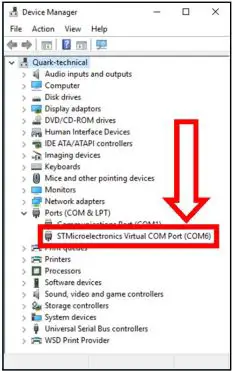
Chart Software
A wide range of free and paid chart software is available. We will use OpenCPN for our example chart software; other software will require similar setup. OpenCPN (Open Chart Plotter Navigator) is a free software project creating concise chart plotter and navigation software, for use underway or as a planning tool. OpenCPN is developed by a team of active sailors using real-world conditions for program testing and refinement. https://opencpn.org/
OpenCPN example USB setup
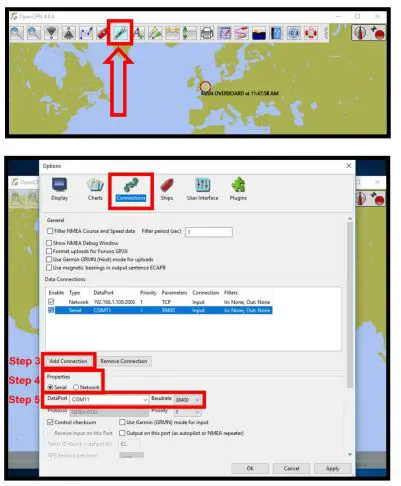
- When OpenCPN is first opened, the software will greet users with a page similar to the one This is the main view of OpenVPN software. Users now need to add data to openCPN via the Quark-elec instruments Click on the ‘Options’ tab at the top. The ‘Options’ tab looks like a spanner as seen below in the highlighted image.
- In the options at the top of the menu will be a tab/button that says ‘Connections’. Click on this
- Click on ‘Add Connection’ button highlighted in the picture
- Select ‘Serial’
- Select from the drop-down list the COM number assigned to A032 (See connecting via USB to find COM port in device manager). Adjust the Baud rate to match your default or configured baud rate.
- Click ‘Apply’ and then ‘OK’
OpenCPN example Network setup (WiFi)
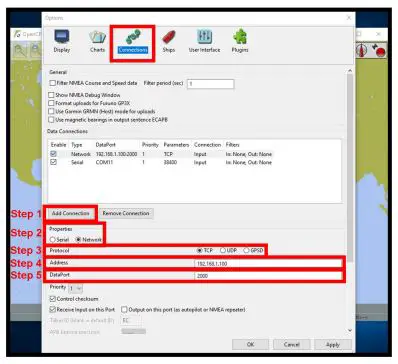
Using the same options tab as above we can set up a wireless network connection via Ad-hoc or station mode. Go to the ‘Connections’ tab at the top of the options menu and click.
- Click the ‘Add connection’
- Select ‘Network’
- Input the Protocol: TCP
- Insert IP address. In Ad-hoc this is 192.168.1.100. In Station mode then this will be a different IP address
- Input the Dataport: 2000
- Click ‘Apply’ and then ‘OK’
| Protocol | TCP |
| IP address | 192.168.1.100 This is the IP address for Ad-hoc WiFi. In Station mode, simply replace with the relevant IP (See Station mode.). |
| Data Port | 2000 |
Maps
The OpenCPN interface comes with a basic map view. This can easily download more detailed maps. There is a wide range of free and licensed charts available in different formats via the OpenCPNwebsite at https://opencpn.org/OpenCPN/info/chartsource.html. A worldwide directory of free nautical charts can also be found on openseachart.org. The collection andthe updates are community driven.
Updating/ upgrading Firmware
From time to time, Quark-elec updates firmware to support additional NMEA 2000 PGNs and NMEA 0183 messages. Users can update the software on the device to the latest available version. The firmware can be upgraded through the following process. Firmware can also be used to upgrade from the A032-S to the A032-AIS version.
- Power OFF the A032 (Disconnect from NMEA 2000 network).
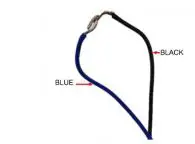
- Connect the NMEA 0183 NMEA IN – (black) and NMEA 0183 NMEA OUT – (blue). Ensure the correct cables are attached before continuing.
- Connect NMEA 0183 NMEA IN + (Gray) and NMEA 0183 NMEA OUT + (White). Ensure the correct cables are attached before continuing.
Conversion Lists
The following tables list the supported NMEA 2000 PGNs (parameter group numbers) and NMEA 0183sentences. It is important to check the table to confirm that the A032 will convert the sentences/PGNsrequires.
Through USB and WiFi, the A032 will output in NMEA 0183 format, including all NMEA 0183 messages received and NMEA 0183 messages converted from the NMEA 2000 network. The following is a typical PCDIN message format outputted through WiFi and USB. The chart software will convert this into more meaningful information.
| Header | PGN | Time Stamp | Source ID | Data | Termination | Check Sum |
| $PCDIN | 01F119 | 00000000 | 16 | 0064050800FFFF0C | * | 5B |
A032-S Conversion List (standard non-AIS version)
| NMEA 0183 sentence | Function | Converted to NMEA 2000 PGNs |
| DBT | Depth Below Transducer | 128267 |
| DPT | Depth | 128267 |
| GGA | Global Positioning System Fix Data | 126992, 129025, 129029 |
| GLL | Geographic Position Latitude/Longitude | 126992, 129025 |
| GSA | GNSS DOP and Active Satellites | 129539 |
| GSV | GNSS Satellites in View | 129540 |
| HDG | Heading, Deviation & Variation | 127250 |
| HDM | Heading, Magnetic | 127250 |
| HDT | Heading, True | 127250 |
| MTW | Water Temperature | 130311 |
| MWD | Wind Direction & Speed | 130306 |
| MWV | Wind Speed and Angle (True or relative) | 130306 |
| RMB | Recommended Minimum Navigation Information | 129283,129284 |
| RMC* | Recommended Minimum Specific GNSS Data | 126992, 127258, 129025, 12902 |
| ROT | Rate Of Turn | 127251 |
| RPM | Revolutions | 127488 |
| RSA | Rudder Sensor Angle | 127245 |
| VHW | Water Speed and Heading | 127250, 128259 |
| VLW | Dual Ground/Water Distance | 128275 |
| VTG* | Course Over Ground and Ground Speed | 129026 |
| VWR | Relative (Apparent) Wind Speed and Angle | 130306 |
| XTE | Cross Track Error, Measured | 129283 |
| ZDA | Time & Date | 126992 |
A032-S NMEA 2000 to NMEA 0183 conversions
| NMEA 2000 PGN | HEX code | Function | Converted to NMEA 0183 Sentences |
| 126992 | 1F010 | System Time | ZDA |
| 127245 | 1F10D | Rudder | RSA |
| 127250 | 1F112 | Vessel Heading | HDG, VHW |
| 127251 | 1F113 | Rate of Turn | ROT |
| 127258 | 1F11A | Magnetic Variation | HDG |
| 128259 | 1F503 | Speed, Water referenced | VHW |
| 128267 | 1F50B | Water Depth | DBT, DPT |
| 128275 | 1F513 | Distance Log | VLW |
| 129025 | 1F801 | Position, Rapid Update | GLL |
| 129026 | 1F802 | COG & SOG, Rapid Update | VTG |
| 129029 | 1F805 | GNSS Position Data | GGA, GLL, GSA, RMC, ZDA |
| 129033 | 1F809 | Time & Date | ZDA |
| 129044 | 1F814 | Datum | DTM |
| 129283 | 1F903 | Cross Track Error | APB, RMB, XTE |
| 129284 | 1F904 | Navigation Data | RMB |
| 129291 | 1F90B | Set & Drift, Rapid Update | VDR |
| 129539 | 1FA03 | GNSS DOPs | GSA |
| 129540 | 1FA04 | GNSS Sats in View | GSV |
| 130306 | 1FD02 | Wind Data | MWV |
| 130310 | 1FD06 | Environmental Parameters | MDA, MTW |
| 130311 | 1FD07 | Environmental Parameters | MDA |
| 130312 | 1FD08 | Temperature | MDA, MTW |
A032-S does not convert AIS messages
Please note: On the A032-S (standard non-AIS version), AIS messages are not converted. The A032-S can be connected to an AIS receiver. NMEA 0183 AIS messages are transferred to USBand WiFi from the 0183 connection but not converted to or from the NMEA 2000. For AIS conversionsselect the A032-AIS version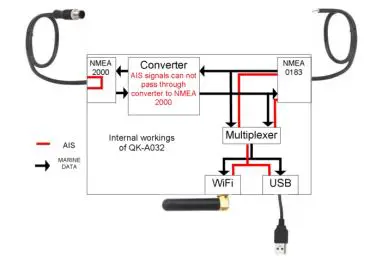
A032-AIS Conversion List (all standard version conversions plus AISconversions)
The A032-AIS converts all the messages/PGNs from the A032-standard plus AIS messages.
AIS (NMEA 0183) to NMEA 2000 conversion list
| NMEA 0183 sentence | Function | Converted to NMEA 2000 PGNs |
| DBT | Depth Below Transducer | 128267 |
| DPT | Depth | 128267 |
| GGA | Global Positioning System Fix Data | 126992, 129025, 129029 |
| GLL | Geographic Position Latitude/Longitude | 126992, 129025 |
| GSA | GNSS DOP and Active Satellites | 129539 |
| GSV | GNSS Satellites in View | 129540 |
| HDG | Heading, Deviation & Variation | 127250 |
| HDM | Heading, Magnetic | 127250 |
| HDT | Heading, True | 127250 |
| MTW | Water Temperature | 130311 |
| MWD | Wind Direction & Speed | 130306 |
| MWV | Wind Speed and Angle (True or relative) | 130306 |
| RMB | Recommended Minimum Navigation Information | 129283,129284 |
| RMC* | Recommended Minimum Specific GNSS Data | 126992, 127258, 129025, 12902 |
| ROT | Rate Of Turn | 127251 |
| RPM | Revolutions | 127488 |
| RSA | Rudder Sensor Angle | 127245 |
| VHW | Water Speed and Heading | 127250, 128259 |
| VLW | Dual Ground/Water Distance | 128275 |
| VTG* | Course Over Ground and Ground Speed | 129026 |
| VWR | Relative (Apparent) Wind Speed and Angle | 130306 |
| XTE | Cross Track Error, Measured | 129283 |
| ZDA | Time & Date | 126992 |
| VDM | AIS Message 1,2,3 | 129038 |
| VDM | AIS Message 4 | 129793 |
| VDM | AIS Message 5 | 129794 |
| VDM | AIS Message 9 | 129798 |
| VDM | AIS Message 14 | 129802 |
| VDM | AIS Message 18 | 129039 |
| VDM | AIS Message 19 | 129040 |
| VDM | AIS Message 21 | 129041 |
| VDM | AIS Message 24 | 129809. 129810 |
A032-AIS NMEA 2000 to NMEA 0183 conversions
| NMEA 2000 PGN | HEX code | Function | Converted to NMEA 0183 Sentences |
| 126992 | 1F010 | System Time | ZDA |
| 127245 | 1F10D | Rudder | RSA |
| 127250 | 1F112 | Vessel Heading | HDG, VHW |
| 127251 | 1F113 | Rate of Turn | ROT |
| 127258 | 1F11A | Magnetic Variation | HDG |
| 128259 | 1F503 | Speed, Water referenced | VHW |
| 128267 | 1F50B | Water Depth | DBT, DPT |
| 128275 | 1F513 | Distance Log | VLW |
| 129025 | 1F801 | Position, Rapid Update | GLL |
| 129026 | 1F802 | COG & SOG, Rapid Update | VTG |
| 129029 | 1F805 | GNSS Position Data | GGA, GLL, GSA, RMC, ZDA |
| 129033 | 1F809 | Time & Date | ZDA |
| 129044 | 1F814 | Datum | DTM |
| 129283 | 1F903 | Cross Track Error | APB, RMB, XTE |
| 129284 | 1F904 | Navigation Data | RMB |
| 129291 | 1F90B | Set & Drift, Rapid Update | VDR |
| 129539 | 1FA03 | GNSS DOPs | GSA |
| 129540 | 1FA04 | GNSS Sats in View | GSV |
| 130306 | 1FD02 | Wind Data | MWV |
| 130310 | 1FD06 | Environmental Parameters | MDA, MTW |
| 130311 | 1FD07 | Environmental Parameters | MDA |
| 130312 | 1FD08 | Temperature | MDA, MTW |
| 129038 | 1F80E | AIS Message 1,2,3 | VDM |
| 129793 | 1FB01 | AIS Message 4 | VDM |
| 129794 | 1FB02 | AIS Message 5 | VDM |
| 129798 | 1FB06 | AIS Message 9 | VDM |
| 129039 | 1F80F | AIS Message 18 | VDM |
| 129040 | 1F810 | AIS Message 19 | VDM |
| 129041 | 1F811 | AIS Message 21 | VDM |
| 129802 | 1FB0A | AIS Message 14 | VDM |
| 129809 | 1FB11 | AIS Message 24 (Part A) | VDM |
| 129810 | 1FB12 | AIS Message 24 (Part B) | VDM |
Specification
| Item | Specification |
| DC supply | 12.0V (+/-10%) |
| Average supply current | 55mA |
| Maximum supply current | 95mA |
| NMEA data format | ITU/ NMEA 2000 and 0183 format |
| NMEA 0183 port baud rate | 4800bps,38400bps baud |
| NMEA 2000 port baud rate | 250kbps |
| WiFi mode | Ad-hoc and Station modes on 802.11 b/g/n |
| Security | WPA/WPA2 |
| Network Protocols | TCP |
| Cable Length NMEA 2000 | 1.0m |
| Cable Length NMEA 0183 | 0.5m |
| Operating Temperature | -20°C to +55°C |
| Storage Temperature | -30°C to +70°C |
| Recommended Humidity | 0 – 93% RH |
Limited Warranty and Notices
Quark-elec warrants this product to be free from defects in materials and manufactured for one year fromthe date of purchase. Quark-elec will, at its sole option, repair or replace any components that fail innormal use. Such repairs or replacements will be made at no charge to the customer for parts and labour. The customer is, however, responsible for any transportation costs incurred in returning the unit toQuark-elec. This warranty does not cover failures due to abuse, misuse, accident or unauthorized alteration or repairs. A returns number must be given before any unit is sent back for repair. The above does not affect the statutory rights of the consumer.
Disclaimer
This product is designed to aid navigation and should be used to augment normal navigational procedures and practices. It is the user’s responsibility to use this product prudently. Neither Quark-, nor their distributors or dealers accept responsibility or liability either to the product user or their estate for any accident, loss, injury or damage whatsoever arising out of the use or of liability to use this product. Quark- products may be upgraded from time to time and future versions may therefore not correspond exactly with this manual. The manufacturer of this product disclaims any liability for consequences arising from omissions or inaccuracies in this manual and any other documentation provided with this product
Document history.
| Issue Date Changes / Comments | ||
| 1.0 | 27-02-2018 | Initial release |
| 2.0 | 25-07-2018 | Update to document |
| 3.0 | 24-10-2018 | New 2018 format |
| 4.0 | 29-01-2019 | A032-AIS added |
| 4.1 | 10-10-2019 | Support 129041,129802 PGNs on AIS version |
Glossary
- Ad-hoc WiFi, also known as ‘peer-to-peer’: devices communicate directly with each other without a
- IP: internet protocol (ipv4, ipv6)- explains which version
- IP Address: is a numerical label assigned to each device connected to a computer network.
- NMEA 0183: is a serial data interface operating at 4.8 Kbit/second utilizing standard asynchronous communications. It is an electrical and data standard for communication between marine
- NMEA2000 / N2K: is a serial data network operating at 250 Kbit/second utilizing the Controller Area Network (CAN). The CAN bus was originally developed for the automotive industry but is now used in numerous industrial applications. It is a communications standard used for connecting marine sensors and display units within ships and boats and is generally plug-and-play.
- NMEA2000 / N2K backbone: Used with NMEA 2000, the backbone is the main BUS supplying data and power to all the devices on the
- PGN: Packet group number – used in the NMEA 2000 protocol instead of sentences
- Router: A router is a networking device that forwards data packets between computer networks. Routers perform the traffic directing functions on the Internet.
- Sentences: Used in NMEA 0183 protocol to transfer data between marine
- Station mode WiFi: devices communicate by going through an Access Point (AP) or router. This allows the user to view data while accessing other router functions such as other devices or
- USB: cable for communication and power supply between
 Home - AMI Marine
 Domain noch nicht zugewiesen / in Zuweisung
 Quark-elec - Quark-elec - smart marine solutions
 OpenCPN Official Site