
Amazon Business Account Close Information
How to close your Amazon Business account
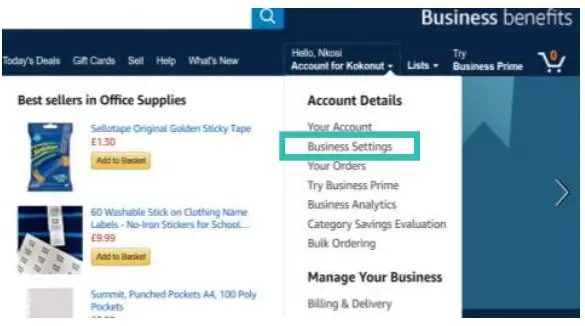
- Go to “Hello name, Account for name” Loin to your account and place your curser over the “Hello name, Account for name” option in the upper right corner of the page. A menu with different options will be displayed.

- Click on “Business Settings” Click on the second option: “Business Settings”.

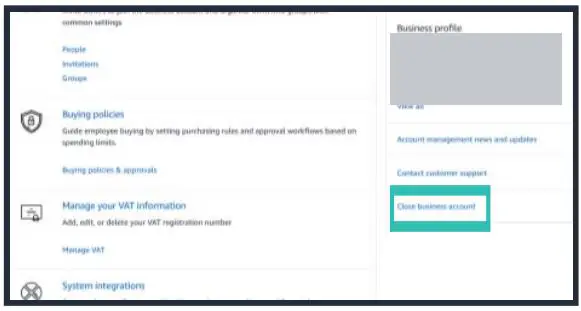
- Click “Close business account Within “Business Settings” you will see two vertical blocks with different sections. In the block on the right, click on the last option: “Close business account”.

- Ready! Your account has just been closed.

Download PDF: Amazon Business Account Close Information Guide