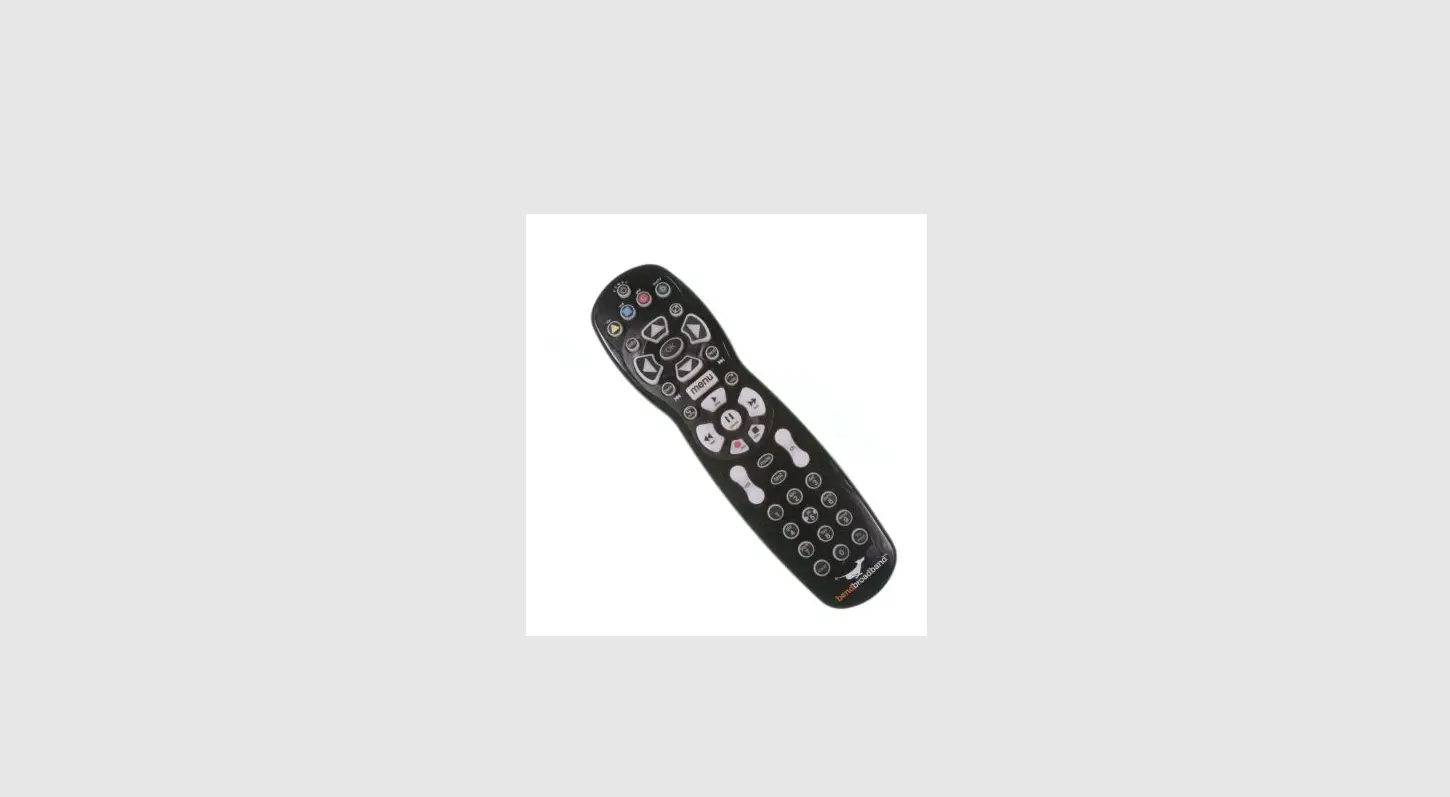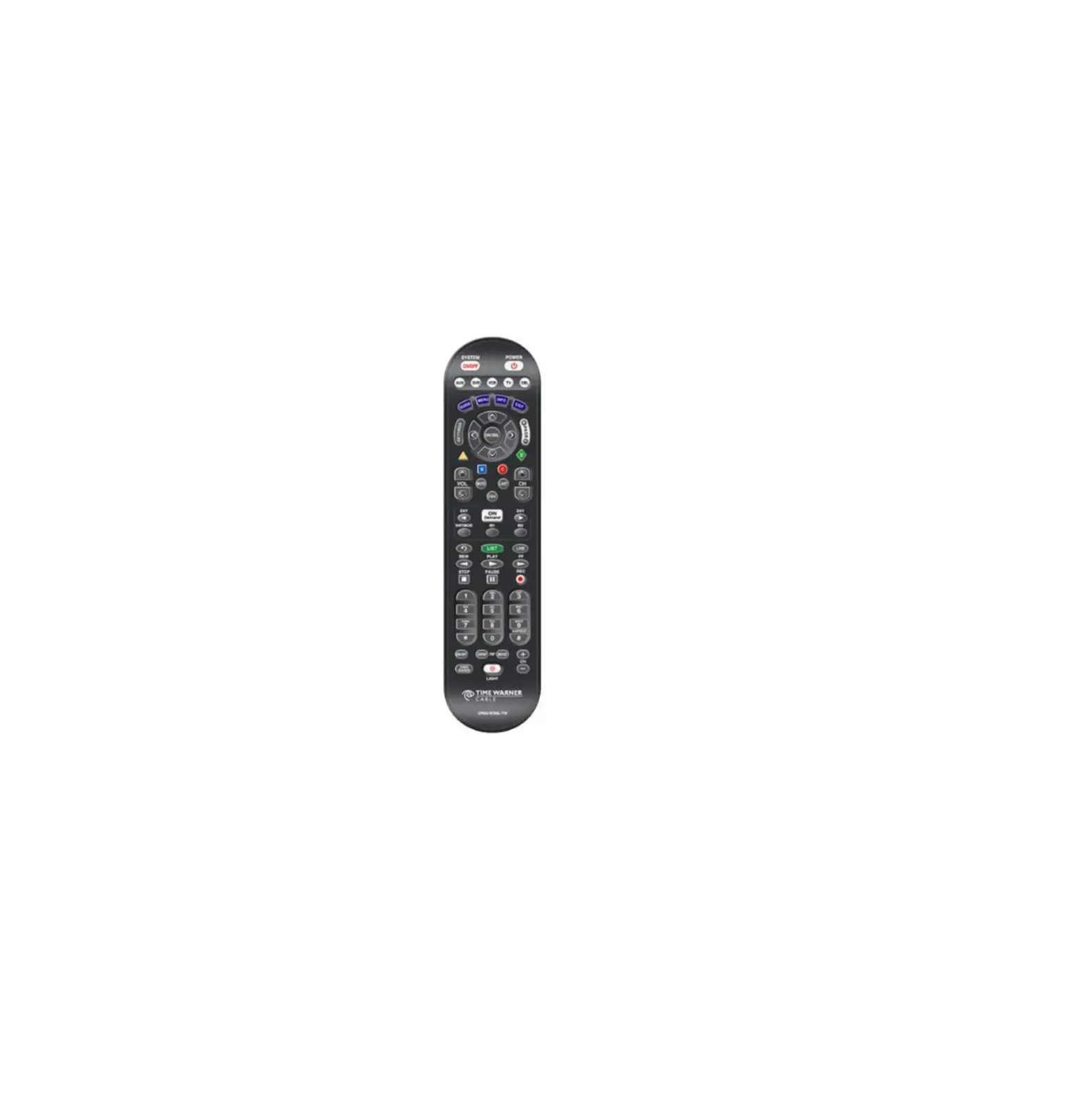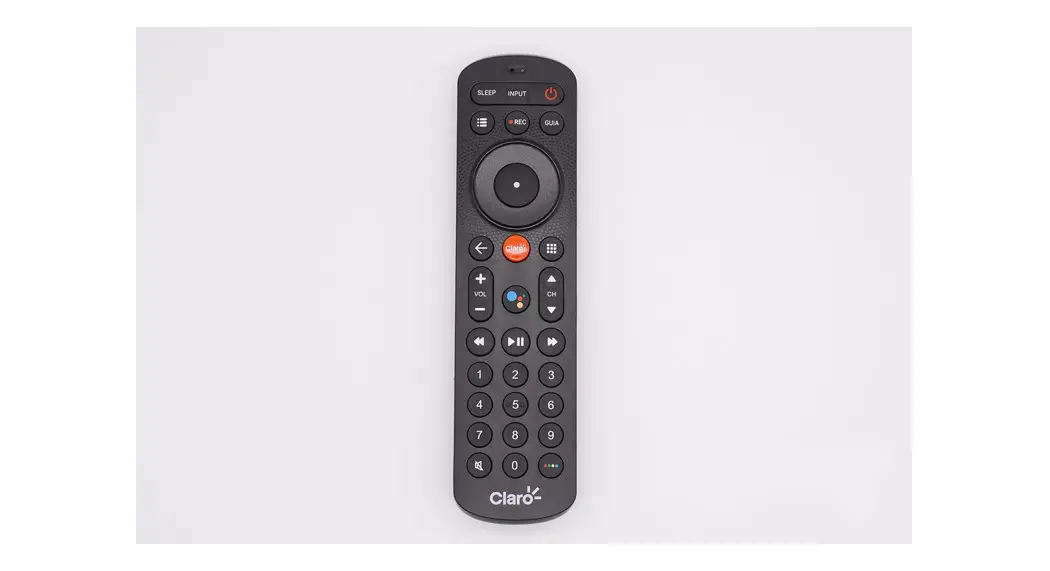

Universal Electronics UR2L-R803 Remote Control 
Introduction
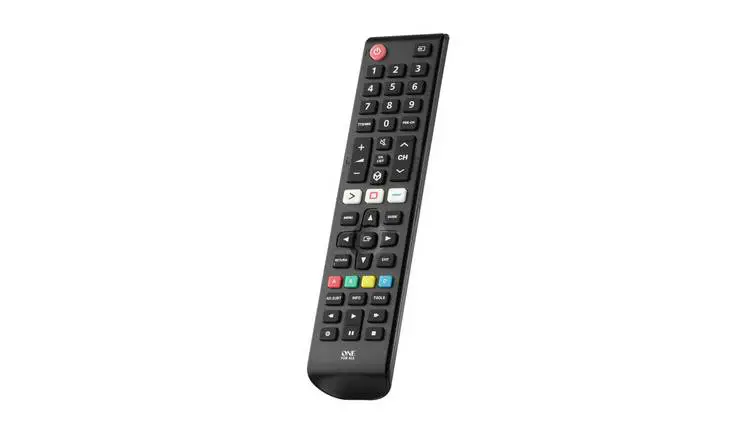
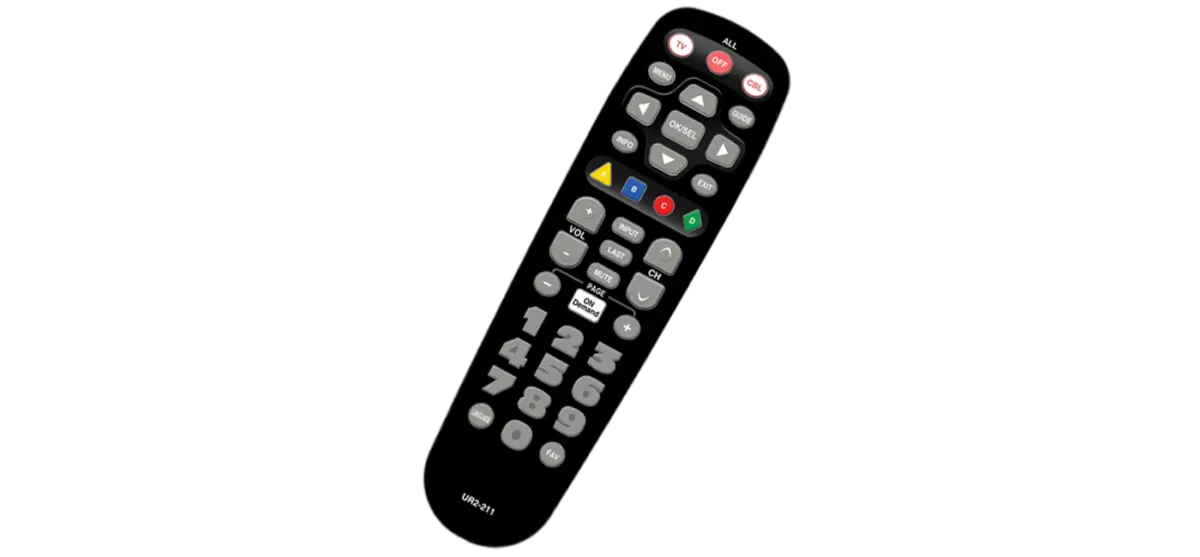
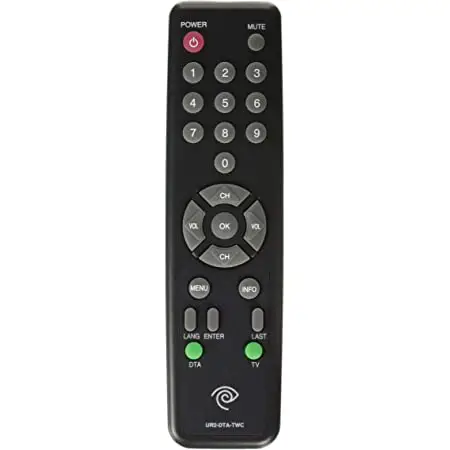
This remote control is designed to operate Cable boxes and TVs.
Replacing Batteries
Before you program or operate the remote control, you must install two new AAA alkaline batteries.
STEP1 Remove the battery com-partment cover from the back of your remote control.
STEP2 Check battery polaritycarefully, and install the batteries as shown in the illustration below.
STEP3 Replace the battery compartment cover. 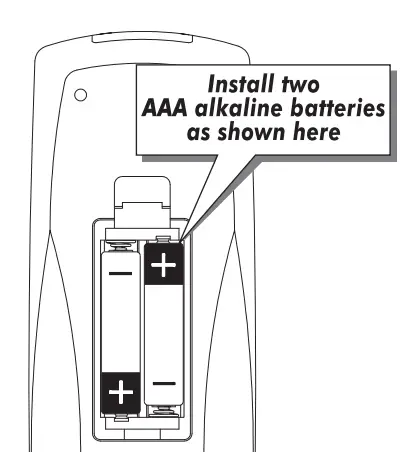
Button Functions 
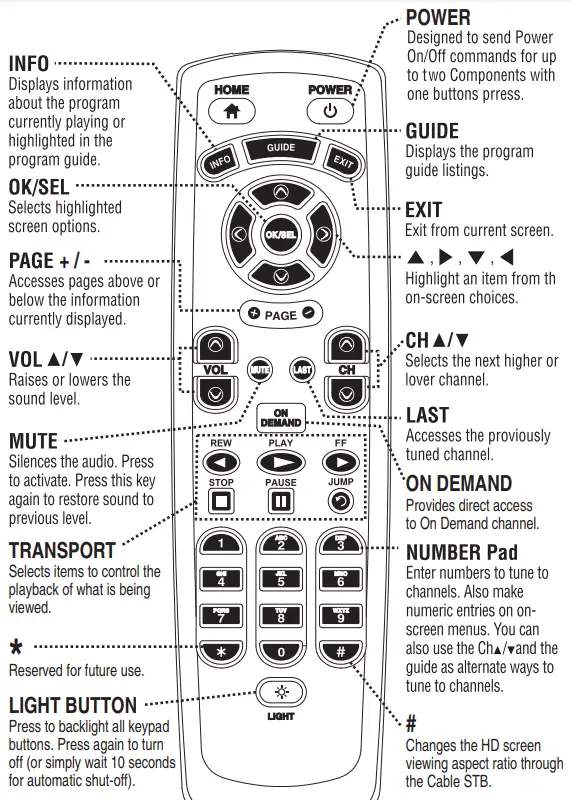
STEP2 Press and hold the [HOME] key for 5 seconds until the POWER LED will blink once and stays on. Continue to hold the [HOME] key and press the number key assigned to your brand in the Quick Set-up Code Table and release both [HOME] key and the number key to save the code. The POWER LED will blink twice to confirm that the code is stored.
STEP3 Point the remote control at the component.
STEP4 Press the power button. If it turns off, it is programmed for your component. If it does not turn off, use the Pre-Programmed 3-Digit code Method or Scanning Method.
Quick Set-up Code Tables TV
| Quick Number | Manufacturer/Brand |
| 0 | SANYO |
| 1 | SONY |
| 2 | SAMSUNG |
| 3 | LG |
| 4 | TOSHIBA |
| 5 | PANASONIC |
| 6 | PHILIPS |
| 7 | HITACHI |
| 8 | SHARP |
| 9 | VIZIO |
Manual Programming
The remote control can be programmed by entering a three-digit code number that corresponds to particular brands and models of equipment. The three-digit code numbers are listed in the code tables sections of this instruction manual.
STEP1 Turn on the equipment that you want the remote con-trol to operate TV. and the [OK/SEL] button simultaneously for 3 seconds. The POWER LED will turn on indicating that it is ready to be programmed. The LED will remain on for 30 seconds. The next step must be entered while the LED is on.
STEP3 Point the remote control toward the equipment and enter the three-digit code number assigned to your brand from the code tables. If there are more than one three-digit number listed for your brand, try one code number at a time until your equipment turns off.
Note: You can verify that you have selected the correct code by pressing the [POWER] button. The equipment should turn back on. Then try all of the functions on the remote control (i.e. volume, mute, etc.) to ensure you have the correct code. If any of the functions do not operate as they should, repeat the instructions from STEP 3 above using the next three digit code number from the brand list.
STEP4 Store the three-digit code by pressing the [HOME] button once again. The POWER LED will blink twice to confirm that the code has been stored.
Auto Search Method
If none of the three digit code numbers assigned to your brand of equipment works, or the code table does not list your brand, you can use the Auto Search Method to find the correct three-digit code number for your equipment by following steps:
STEP1 Turn on the equipment that you want the remote control to operate TV.
STEP2 Press the [HOME] button and the [OK/SEL] button simultaneously for 3 seconds. The POWER LED will turn on indicating that it is ready to be programmed. The LED will remain on for 30 seconds. The next step must be entered while the LED is on.
STEP3 Press the [CH5] or [CH6] button one at a time or keep it pressed. The remote will emit a series of Power ON/OFF code signals. Release the [CH5] or [CH6] button as soon as the equipment turns off.
Note: You can verify that you have selected the correct code by pressing the [POWER] button. The equipment should turn back on. Then try all of the functions on the remote control (i.e. volume, mute, etc.) to ensure you have the correct code. If any of the functions do not operate as they should, repeat the instructions from STEP 3 above to continue the Auto Search Method.
STEP4 Press the [HOME] button to store the code. The POWER LED will blink twice to confirm that the code has been stored
The Learning Method
STEP1 Press the [POWER] button to be programmed and the [ # ] buttons simultaneously for 3 seconds until the LED light turns on.
STEP2 Point the remote at the other remote, head-to-head, 1 or 2 inches apart.
STEP3 Press the button on the remote that you want to teach a command to. For example, press the [MUTE] button to learn a command to the [MUTE] button.
STEP4 Press and hold the button on the other remote that corresponds to the command you want to teach until the LED light blinks twice.
Note : The LED will blink 5 times if there was an error in the learning process. Repeat STEPS 3 and 4 if this occurs. Continue learning other buttons by repeating.
STEP5 Once you have completed teaching the remote all desired commands for the componet, save the learned commands by pressing the [POWER] and [ # ] buttons simultaneously until the LED blinks 3 times. Now test all of the buttons to make sure they operate correctly.
ERASING A SINGLE LEARNED COMMAND
STEP1 Press the [POWER] and [ # ] buttons simultaneously for 3 seconds until the LED light turns on.
STEP2 Press and hold the button you want to erase for 3 seconds. The LED will blink twice to confirm the erasure.
STEP3 To exit, press and hold both the[POWER] and [ # ] buttons simultaneously until the LED blinks 3 times.A
ERASING ALL LEARNED COMMANDS FROM ONE DEVICE
STEP1 Press the [POWER] and [ # ] buttons simultaneously for 3 seconds until the LED light turns on.
STEP2 Press and hold both the [POWER] button you want to erase and the [PAUSE] button for 5 seconds. The LED will blink twice to confirm the erasure.
STEP3 To exit, press and hold both the [POWER] and [ # ] buttons simultaneously.
PROGRAMMING VOLUME CONTROL
By default, the VOL+, VOL- and MUTE keys operate through your TV. If you would like those keys to operate those functions on a different device, follow these steps.
STEP1 Press the [OK/SEL] button and [POWER] button simultaneously for 3 seconds. The POWER LED will turn on for 30 seconds. The next step must be performed while the LED is on.
STEP2 Press the [VOL+] button. The POWER LED will blink.
STEP3 Press the [HOME] or [POWER] button corresponding to the device that you would like the volume and mute buttons to control. The POWER LED will blink twice to confirm the programming.
Note: If you wish to have the volume and mute keys operate your Cable Box, press the [POWER] button in Step 3. Operate your TV, press the [HOME] button in Step 3.
MEMORY LOCK SYSTEM
This remote control is designed to retain programmed memory for 10 years — even after batteries are removed from the remote control.
For additional information about your remote control, go to www.universalremote.com
Set-up Code Tables
| Manufacturer/Brand | Set-Up Code Number |
| ADMIRAL | 072 081 160 161 096 |
| AD NOTAM | 672 |
| ADVENT | 147 224 |
| AFFINITY | 680 |
| AIWA | 238 141 145 |
| AKAI | 031 070 146 004 148 124 226 104 108 615 |
| AKIO | 103 |
| ALARON | 028 |
| ALBATRON | 253 |
| AMARK | 112 127 |
| AMERICA ACTION | 043 |
| AMERICAN HIGH | 236 |
| AMPRO | 073 167 245 |
| ANAM | 043 054 056 080 112 236 |
| AOC | 058 070 004 112 616 |
| APEX | 572 |
| APEX DIGITAL | 015 150 036 037 424 |
| AQUAVISION | 164 686 |
| ASTAR | 164 |
| AUDIOVOX | 076 103 043 035 224 228 078 |
| Avera | 761 |
| AVION | 223 |
| AUVIO | 689 |
| AXESS | 711 |
| AXION | 043 |
| BAYSONIC | 043 |
| BELL&HOWELL | 072 |
| BENQ | 600 |
| BRADFORD | 043 |
| BROKSONIC | 231 252 096 170 |
| BYDESIGN | 254 |
| CAIRN | 162 |
| CANDLE | 070 002 003 004 |
| CANON | 236 |
| CAPEHART | 058 |
| CARVER | 164 |
| CELEBRITY | 001 |
| CETRONIC | 043 |
| CIELO | 101 |
| Ciil | 732 |
| CINERAL | 103 120 |
| CITIZEN | 070 002 003 004 101 103 127 |
| CLASSIC | 043 |
| COBY | 640 641 671 004 |
| CONCERTO | 004 |
| CONTEC | 043 051 |
| Continu-us | 161 746 747 |
| CORONADO | 127 |
| CRAIG | 043 054 028 239 |
| Manufacturer/Brand | Set-Up Code Number |
| CROSLEY | 164 |
| CROWN | 043 127 |
| CURTIS MATHES | 070 004 101 127 236 011 072 081 120 164 |
| CXC | 043 |
| DAEWOO | 076 103 112 004 127 016 043 044 125 120 235 249 |
| DAYTRON | 004 127 |
| DELL | 004 041 164 618 |
| DENON | 011 |
| DIGITAL LIFESTYLE | 163 |
| DIGITAL PROJECTION | 570 |
| DIGITAL RESEARCH | 258 |
| DIGITRON | 101 |
| DISNEY | 096 |
| DREAMVISION | 090 |
| DUMONT | 004 073 |
| DURABRAND | 168 |
| DWIN | 131 132 161 |
| DYNASTY | 043 |
| DYNATECH | 062 238 |
| DYNEX | 096 |
| ELECTROBAND | 001 |
| ELECTROGRAPH | 220 |
| ELECTROHOME | 024 076 127 |
| ELEMENT | 004 110 622 690 |
| EMERSON | 005 028 043 048 076 096 155 004 051 127 151 153 154 231 236 238 247 252 168 121 514 |
| ENVISION | 070 |
| EPSON | 087 590 |
| ESA | 031 168 |
| Evervue | 755 |
| FISHER | 007 057 |
| FREEMOTION | 662 |
| FUJITSU | 164 197 028 157 149 066 217 |
| FUNAI | 028 043 238 052 168 |
| FUSION | 004 |
| FUTURETECH | 043 |
| GATEWAY | 165 031 |
| GE | 070 073 130 144 160 161 004 008 009 034 056 074 155 232 233 236 239 245 081 120 |
| GEM | 031 |
| GIBRALTER | 004 073 |
| GO VIDEO | 239 |
| GOLDSTAR | 004 106 112 127 247 250 |
| GPX | 256 674 |
| GRUNPY | 028 043 |
| H&B | 046 |
| HAIER | 004 116 623 749 |
| HALL MARK | 004 |
| HANNSPREE | 099 |
| Manufacturer/Brand | Set-Up Code Number |
| HARLEY DAVIDSON | 028 |
| HARSPER | 220 |
| HARMAN KARDON | 164 |
| HARVARD | 043 |
| HISENSE | 198 021 619 630 004 749 |
| HITACHI | 011 007 009 004 072 010 012 023 075 127 158 236 238 587 613 614 749 |
| HP | 027 039 098 |
| HQ | 238 046 |
| HUMAX | 122 |
| HYPERION | 609 |
| HYUNDAI | 049 067 |
| ILO | 055 096 |
| INFINITY | 164 |
| INFOCUS | 215 225 046 532 595 726 733 |
| INKEL | 129 |
| INSIGNIA | 068 069 078 096 100 164 168 229 026 454 604 617 |
| INSTANTREPLAY | 236 |
| INTEQ | 073 |
| JBL | 164 |
| JCB | 001 |
| JCL | 236 |
| JCPENNEY | 004 008 024 030 065 070 101 127 160 234 236 239 247 |
| JENSEN | 013 |
| JVC | 038 001 034 083 195 236 242 159 227 581 668 |
| KENWOOD | 070 001 238 |
| KLEGG | 220 |
| KLOSS | 002 059 |
| KONKA | 026 |
| KREISEN | 202 |
| KTV | 070 043 127 154 |
| LG | 004 106 112 127 247 250 569 598 698 648 741 |
| LLOYD | 238 |
| LODGENET | 072 |
| LOEWE | 196 164 738 |
| LOGIK | 072 |
| LUXMAN | 004 |
| LXI | 007 015 052 081 160 164 238 |
| MAGIN | 239 |
| MAGNAVOX | 070 003 004 022 059 060 061 063 064 127 164 094 160 056 236 238 243 205 028 138 168 035 211 077 050 218 594 |
| MAJESTIC | 072 |
| MARANTZ | 164 070 236 243 182 584 |
| MARTA | 247 |
| MATSUI | 164 |
| MATSUSHITA | 080 |
| MAXENT | 165 |
| Manufacturer/Brand | Set-Up Code Number |
| MEGAPOWER | 253 |
| MEGATRON | 004 |
| MEI | 236 |
| MEMOREX | 004 007 072 234 236 238 245 247 028 096 |
| METZ | 088 |
| MGA | 024 070 004 042 239 |
| MIDLAND | 073 |
| MINERVA | 088 |
| MINTEK | 077 |
| MINUTZ | 008 |
| MITSUBISHI | 109 024 042 004 040 146 028 232 255 081 200 450 550 |
| MONIVISION | 253 |
| MOTOROLA | 081 |
| MTC | 070 004 062 101 238 239 |
| MULTITECH | 238 043 |
| NAD | 015 025 |
| NEC | 070 130 134 040 056 007 019 024 004 182 140 575 717 |
| NEXUS | 620 078 |
| NIKEI | 043 |
| NIKKO | 103 |
| NIKO | 175 |
| NORCENT | 211 |
| NORWOOD MICRO | 079 |
| NTC | 103 |
| NUVISION | 084 567 667 |
| OLEVIA | 219 004 161 144 160 |
| ONKING | 043 |
| onn. | 898 |
| ONWA | 043 |
| OPTIMUS | 080 |
| OPTOMA | 029 032 |
| OPTONICA | 019 081 |
| ORION | 096 201 203 204 205 231 252 028 |
| PANASONIC | 080 034 056 164 234 236 244 190 230 248 524 624 607 664 801 |
| PEERLESS-AV | 723 763 |
| PENTAX | 236 |
| PHILCO | 070 003 004 024 056 059 060 063 064 127 164 236 238 243 |
| PHILIPS | 164 005 093 038 127 070 003 004 059 236 238 243 247 199 218 144 161 594 773 |
| PILOT | 247 |
| PIONEER | 023 025 135 176 004 018 070 183 191 208 214 182 660 |
| PLANAR | 728 742 787 788 |
| POLAROID | 015 024 031 046 086 092 097 224 228 006 110 026 118 119 |
| PORTLAND | 004 127 103 |
| PRISM | 034 |
| PRIMA | 147 164 |
| Manufacturer/Brand | Set-Up Code Number |
| PROSCAN | 144 160 161 167 004 |
| PROTON | 004 058 127 171 173 193 163 |
| PROTRON | 102 213 004 115 |
| PROVIEW | 110 |
| PROX | 572 |
| PYLE | 257 |
| PYLE HOME | 661 662 |
| QUASAR | 034 056 234 236 244 606 |
| RADIO SHACK | 004 019 127 043 250 |
| RCA | 160 161 144 065 070 004 023 024 056 074 152 232 233 236 238 239 081 588 713 |
| REALISTIC | 007 019 236 238 239 247 |
| REVOLUTION HD | 220 |
| RICO | 241 |
| RUNCO | 072 073 130 179 180 181 182 216 194 697 696 |
| SABIO | 161 |
| SAMPO | 070 004 058 165 |
| SAMSUNG | 192 089 004 101 127 133 160 105 070 237 239 184 185 461 578 655 774 775 776 777 778 779 780 781 782 783 |
| SANSEI | 120 |
| SANSUI | 238 252 096 615 454 762 |
| SANYO | 007 020 053 057 082 239 750 |
| SCEPTRE | 036 699 |
| SCOTCH | 004 |
| SCOTT | 004 005 028 043 048 127 113 |
| Sealoc | 897 |
| SEARS | 004 007 015 028 030 057 082 094 127 160 238 247 052 164 |
| SEIKI | 690 |
| SELECO | 189 |
| SEMIVOX | 043 |
| SEMP | 015 |
| SEURA | 704 797 |
| SHARP | 251 019 014 081 028 004 022 127 236 496 684 692 735 |
| SHERWOOD | 129 128 |
| SIGNATURE | 072 238 |
| Silo | 001 |
| Skyvue | 744 |
| SKYWORTH | 164 895 |
| SOLE | 177 178 |
| SONY | 001 608 651 126 139 236 240 241 602 |
| SOUNDESIGN | 003 004 028 043 238 |
| SOVA | 004 169 174 |
| SOYO | 163 |
| SPECTRICON | 112 |
| SPECTRONIQ | 004 |
| SQUAREVIEW | 052 |
| SSS | 004 043 |
| STARLITE | 043 |
| SUNBRITE | 608 001 635 605 772 |
| Manufacturer/Brand | Set-Up Code Number |
| SUPERSCAN | 168 |
| SUPRE MACY | 002 |
| SUPREME | 001 |
| SV2000 | 168 |
| SVA | 046 |
| SYLVANIA | 070 003 052 059 060 063 064 127 160 164 044 056 236 238 243 168 121 593 |
| SYMPHONIC | 052 238 168 |
| SYNTAX OLEVIA | 219 004 161 144 160 |
| TANDY | 081 238 |
| TATUNG | 056 062 |
| TCL | 705 749 |
| TEAC | 238 |
| TECHNICS | 034 080 236 244 |
| TECHNOL ACE | 028 |
| TECHVIEW | 246 |
| TECHWOOD | 004 |
| TEKNIKA | 002 003 004 024 028 043 072 101 127 103 236 238 247 164 |
| TELEFUNKEN | 615 |
| TELERENT | 072 |
| TERA | 172 |
| THOMPSON | 166 |
| TILEVISION | 663 |
| TNCI | 073 |
| TMK | 004 |
| TOSHIBA | 015 030 007 040 062 101 142 137 045 703 |
| TOTEVISION | 127 239 247 |
| TRUTECH | 212 |
| UNITECH | 239 |
| UNIVERSAL | 008 009 |
| UPSTAR | 708 |
| VENTURER | 004 721 |
| VIDEO CONCEPTS | 146 238 |
| VIDEOSONIC | 239 |
| VIDIKRON | 188 164 182 |
| VIDTECH | 004 |
| VIEWSONIC | 210 720 |
| VIORE | 055 592 578 |
| VISCO | 209 110 |
| VITO | 004 |
| VIZIO | 682 031 724 004 603 625 675 |
| WARDS | 004 064 164 008 009 019 028 060 061 063 072 074 127 070 236 238 239 |
| W Box Technologies | 609 |
| WESTINGHOUSE | 076 036 221 222 001 690 101 |
| WINBOOK | 079 |
| YAMAHA | 004 070 238 206 207 |
| YORK | 004 |
| YUPITERU | 043 |
| ZENITH | 011 072 073 095 103 238 241 245 247 096 |
| ZONDA | 112 |
 URC Automation | Think Beyond Everyday