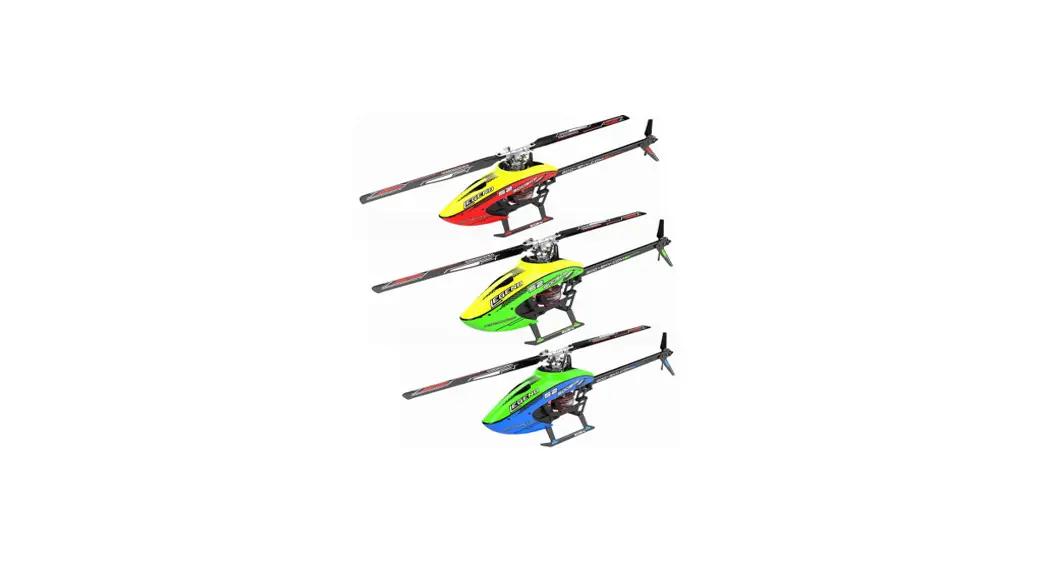
 S2
S2
Flight Control Setting
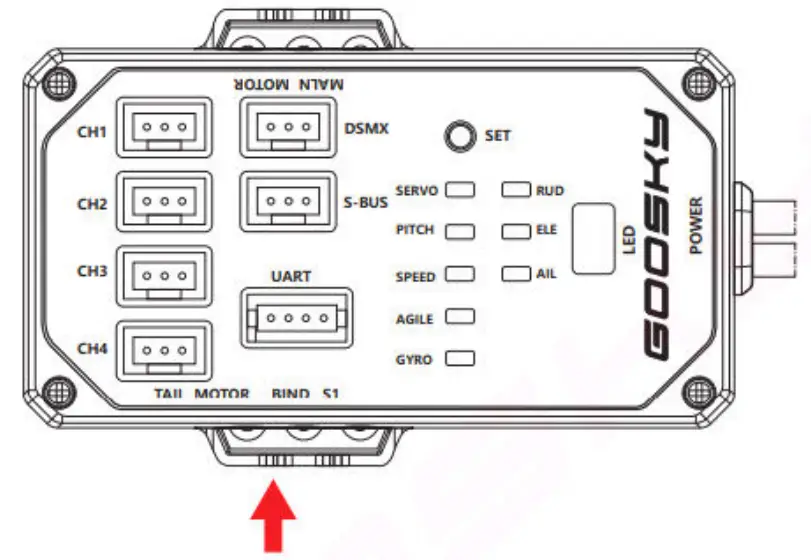
with in-built Receiver:
Goosky T8:
Binding
Turn on the GOOSKY T8 transmitter,2.4Ghz press the BIND button 3 times after the helicopter is powered on. The blue light will flash quickly. Keep the transmitter less than one meter away from the flight controller. Once the flight control passes self-detection and the blue light is solid on, the binding is done.
built in Receiver:
Goosky s2 flight control box
built in Receiver (Spread Spectrum Mode (S-FHSS ) (Frequency 2.4Ghz (2.404GHz–2.4475 ) s-bus
Futaba Tx:
Turn on the Futaba transmitter, adjust the communication protocol to (S-FHSS).
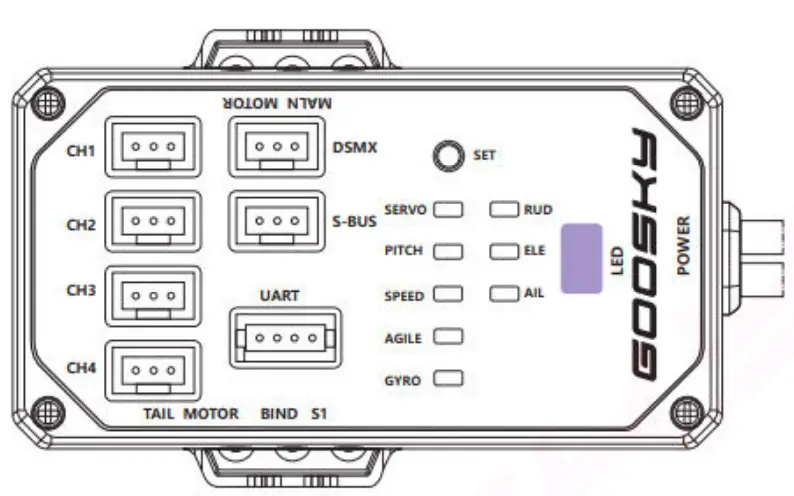
Long press and hold the BIND button as the aircraft is powered on, the blue light then flashes quickly. Keep the transmitter less than one meter away from the flight control. Once the flight control passes self-detection and the blue light is solid on, the binding is done. Diagram of flight control
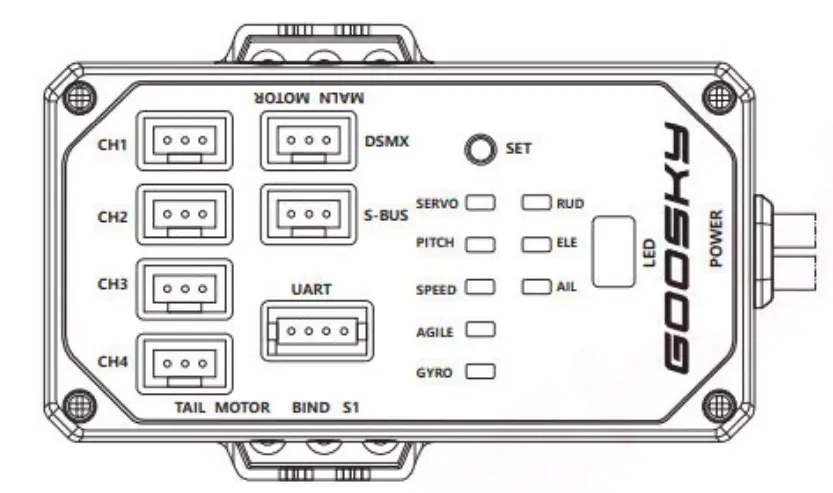
SET – Setting menu button
S1 – On/Off Attitude Mode button
LEDs:
SERVO – Servo midpoint settings (swash levelling)
PITCH – Pitch setting (Positive and negative pitch)
SPEED – Speed indicator (Rotation rate)
AGILE – Sensitivity indicator (Feed forward)
GYRO – Sensitivity indicator (Gyro gain)
RUD – Yaw parameter adjustment mode
ELE – Elevator cyclic parameter adjustment mode
AIL – Aileron cyclic parameter adjustment mode
Note1: Bind the remote controller to the aircraft and wait for the flight controller to initialize before making flight control settings adjustments.
Note2: Parameters can be adjusted manually or via BT adaptor and App on iOS or Android.
To enter the menu, long press and hold SET for 3 seconds → RUD light is solid-on → SPEED light flashes
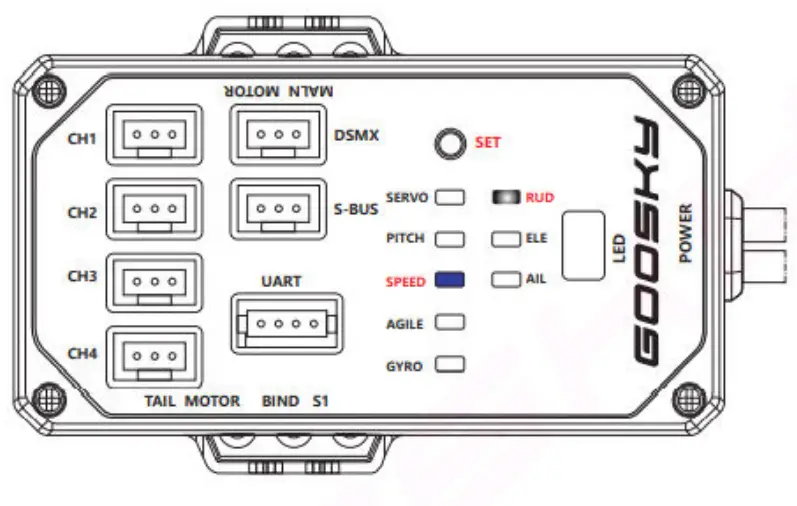
Yaw speed setting (rotation rate)
With the RUD light solid-on in white and the SPEED blue light flashing, you are reading the yaw speed setting. The factory default yaw speed is 5, you will see the BLUE light flashing 5 times followed by a pause. You can use the Elevator stick of the transmitter to raise and lower the setting, forward stick giving a higher setting (faster rotation rate) and back stick to give a lower setting. The number of consecutive flashes represents the setting level. The highest setting is 9 and the lowest setting is 1 flash (slowest rotation rate). After completing setting changes, press and hold the SET button for 3 seconds to exit and save, then the indicator light turns off and you are ready to fly. Or to
move to the next setting, click the SET button.
RUD light is solid-on → click SET → GYRO light flashes
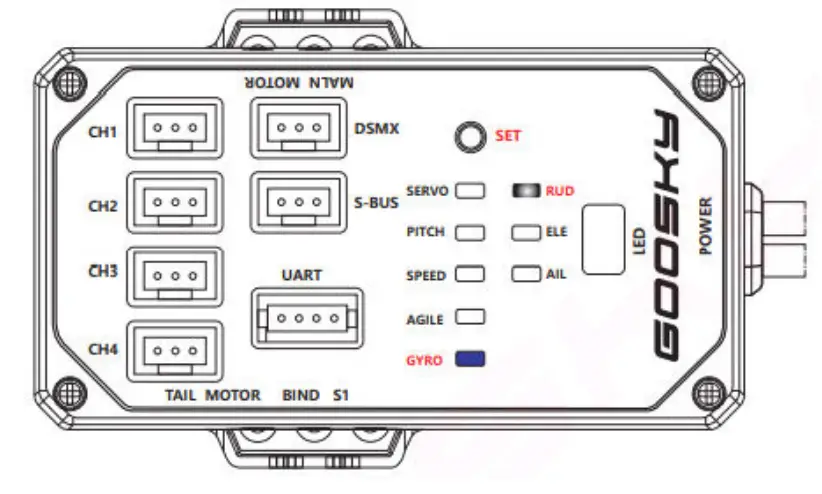
Yaw gyro gain setting
Press and hold the SET button for 3 seconds to enter the tuning mode, short press the SET button until the indicator light RUD is solid-on and the GYRO light flashes. The factory default yaw gain is 5 and you will see the BLUE light flashing 5 times followed by a pause.
You can use the Elevator stick of the transmitter to raise and lower the setting, forward stick giving a higher setting (higher gain) and back stick to give a lower setting. The number of consecutive flashes represents the setting level. The highest setting is 9 and the lowest setting is 1 flash (lowest gain). After completing setting changes, press and hold the SET button for 3 seconds to exit and save, then the indicator light turns off and you are ready to fly. Or to move to the next setting, click the SET button.
ELE light is solid-on → click SET → SPEED light flashes
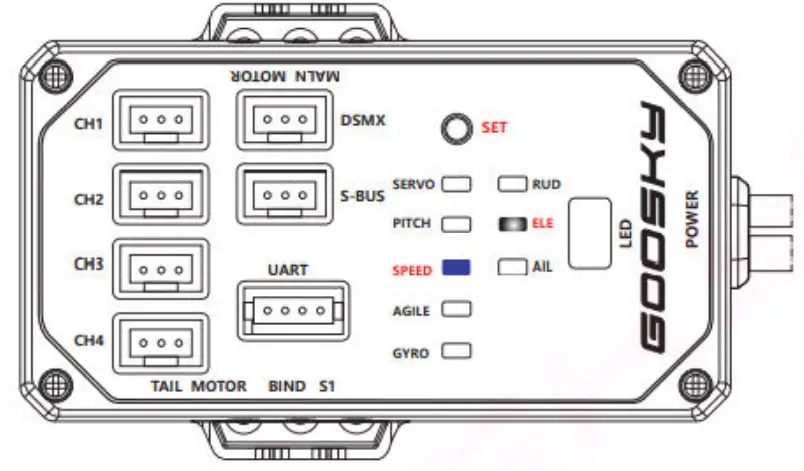
Elevator speed setting (rotation rate)
Press and hold the SET button for 3 seconds to enter the tuning mode, short press the SET button until the indicator light ELE is solid-on and the SPEED light flashes. The factory default elevator speed is 5 and you will see the BLUE light flashing 5 times followed by a pause.
You can use the Elevator stick of the transmitter to raise and lower the setting, forward stick giving a higher setting (faster rotation rate) and back stick to give a lower setting. The number of consecutive flashes represents the setting level. The highest setting is 9 and the lowest setting is 1 flash (slowest rotation rate). After completing setting changes, press and hold the SET button for 3 seconds to exit and save, then the indicator light turns off and you are ready to fly. Or to move to the next setting, click the SET button.
ELE light is solid-on → click SET → AGILE light flashes
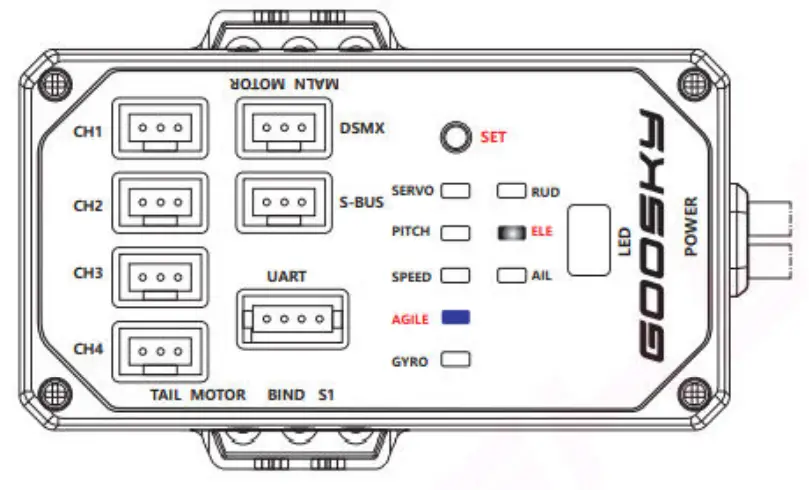
Elevator agility setting (feed forward)
Press and hold the SET button for 3 seconds to enter the tuning mode, short press the SET button until the indicator light ELE is solid-on and the AGILITY light flashes. The factory default elevator agility is 5 and you will see the BLUE light flashing 5 times followed by a pause. You can use the Elevator stick of the transmitter to raise and lower the setting, forward stick giving a higher setting (higher agility) and back stick to give a lower setting. The number of consecutive flashes represents the setting level.
The highest setting is 9 and the lowest setting is 1 flash (lower agility). After completing setting changes, press and hold the SET button for 3 seconds to exit and save, then the indicator light turns off and you are ready to fly. Or to move to the next setting, click the SET button.
ELE light is solid-on → click SET → GYRO light flashes
 Elevator gain setting
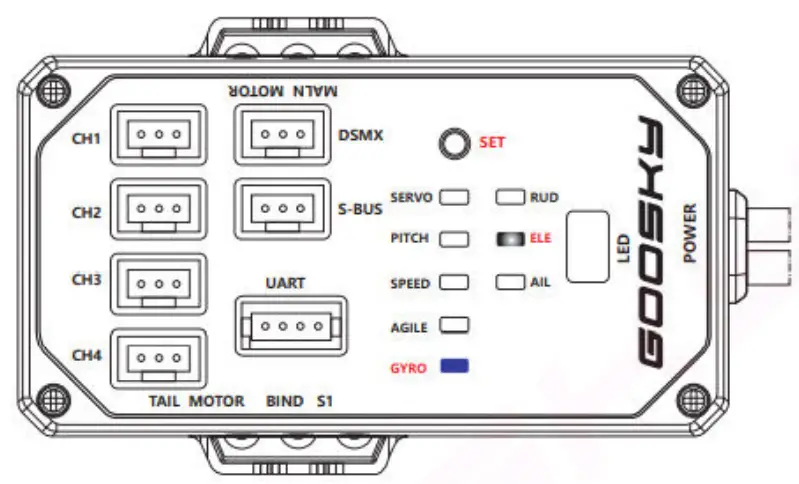 Elevator gain setting
Press and hold the SET button for 3 seconds to enter the tuning mode, short press the SET button until the indicator light ELE is solid-on and the GYRO light flashes. The factory default elevator gain is 5 and you will see the BLUE light flashing 5 times followed by a pause. You can use the Elevator stick of the transmitter to raise and lower the setting, forward stick giving a higher setting (higher gain) and back stick to give a lower setting. The number of consecutive flashes represents the setting level. The highest setting is 9 and the lowest setting is 1 flash (lowest gain). After completing setting changes, press and hold the SET button for 3 seconds to exit and save, then the indicator light turns off and you are ready to fly. Or to move to the next setting, click the SET button.
AIL light is solid-on → click SET → SPEED light flashes
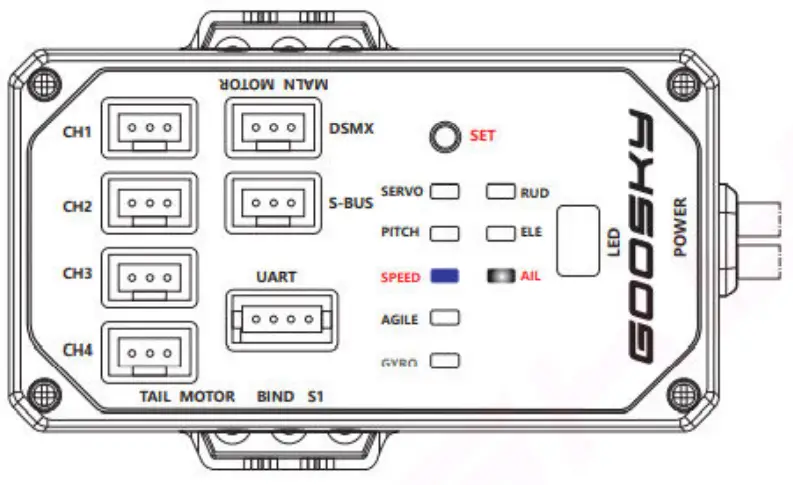
Aileron speed setting (rotation rate)
Press and hold the SET button for 3 seconds to enter the tuning mode, short press the SET button until the indicator light AIL is solid-on and the SPEED light flashes. The factory default aileron speed is 5 and you will see the BLUE light flashing 5 times followed by a pause.
You can use the Elevator stick of the transmitter to raise and lower the setting, forward stick giving a higher setting (faster rotation rate) and back stick to give a lower setting. The number of consecutive flashes represents the setting level. The highest setting is 9 and the lowest setting is 1 flash (slowest rotation rate). After completing setting changes, press and hold the SET button for 3 seconds to exit and save, then the indicator light turns off and you are ready to fly. Or to move to the next setting, click the SET button.
AIL light is solid on → click SET → AGILE light flashes
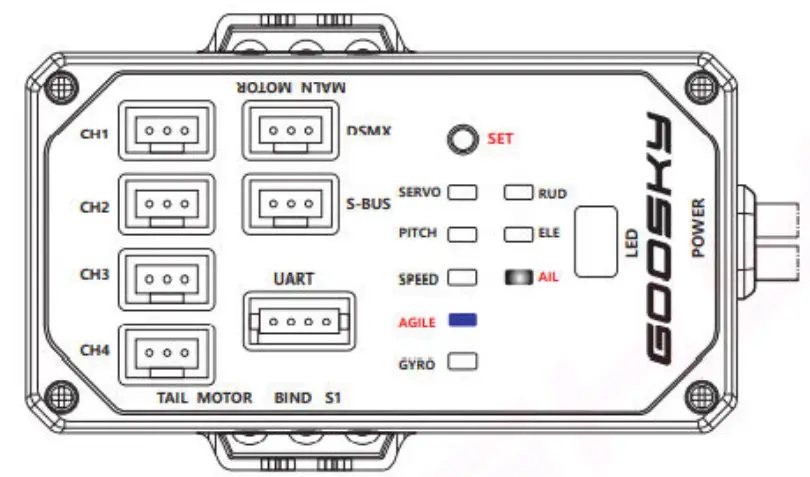
Aileron agility setting (feed forward)
Press and hold the SET button for 3 seconds to enter the tuning mode, short press the SET button until the indicator light AIL is solid-on and the AGILITY light flashes. The factory default aileron agility is 5 and you will see the BLUE light flashing 5 times followed by a pause.
You can use the Elevator stick of the transmitter to raise and lower the setting, forward stick giving a higher setting (higher agility) and back stick to give a lower setting. The number of consecutive flashes represents the setting level. The highest setting is 9 and the lowest setting is 1 flash (lower agility). After completing setting changes, press and hold the SET button for 3 seconds to exit and save, then the indicator light turns off and you are ready to fly. Or to move to the next setting, click the SET button.
AIL light is solid-on → click SET → GYRO light flashes
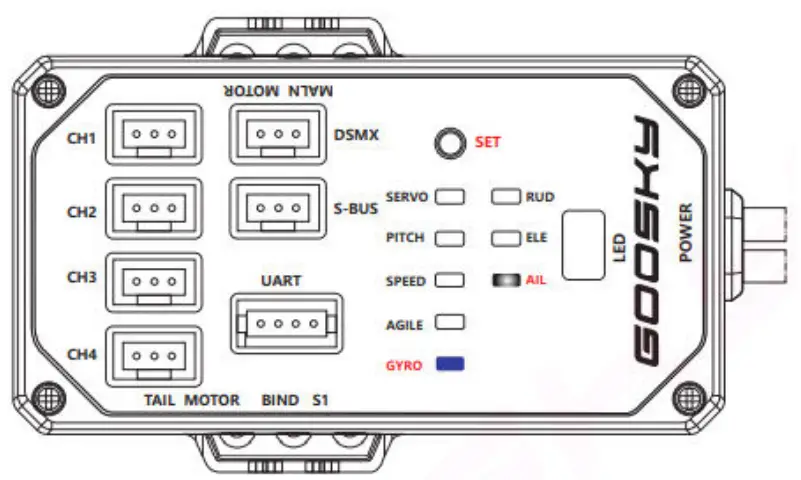
Aileron gain setting
Press and hold the SET button for 3 seconds to enter the tuning mode, short press the SET button until the indicator light AIL is solid-on and the GYRO light flashes. The factory default aileron gain is 5 and you will see the BLUE light flashing 5 times followed by a pause.
You can use the Elevator stick of the transmitter to raise and lower the setting, forward stick giving a higher setting (higher gain) and back stick to give a lower setting. The number of consecutive flashes represents the setting level. The highest setting is 9 and the lowest setting is 1 flash (lowest gain). After completing setting changes, press and hold the SET button for 3 seconds to exit and save, then the indicator light turns off and you are ready to fly. Or to move to the next setting, click the SET button.
click SET → SERVO light flashes
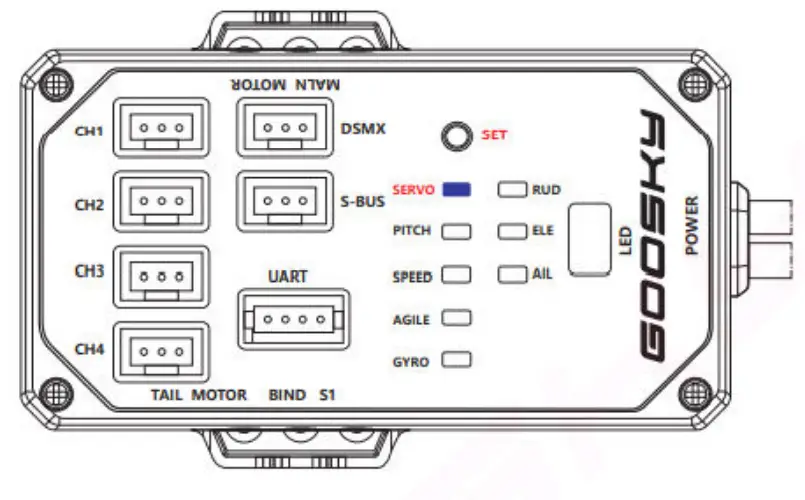
Servo center setting
Press and hold the SET button for 3 seconds to enter the tuning mode, short press the SET button until the SERVO light is solid-on. Use the yaw, elevator and aileron sticks on the transmitter to set the servo centers. The yaw stick corresponds to CH1, the elevator stick corresponds to CH2 and aileron stick corresponds to CH3.
After completing setting changes, press and hold the SET button for 3 seconds to exit and save, then the indicator light turns off and you are ready to fly. Or to move to the next setting, click the SET button.
Click SET →PITCH light is solid-on
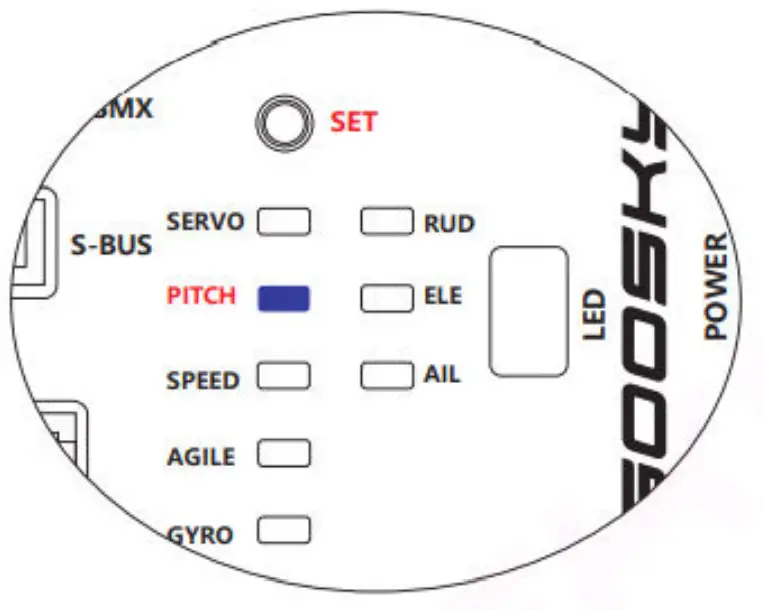
Collective pitch setting
Press and hold the SET button for 3 seconds to enter the tuning mode, short press the SET button until the SERVO light is solid-on. Confirm throttle hold is enabled on the transmitter. Move the throttle/collective stick to the middle position (50%) and zero your pitch gauge. Push the collective stick up to the maximum pitch setting and use the elevator stick to change the maximum pitch, move the collective back to the minimum pitch and use the elevator stick to change the minimum pitch. The factory setting is plus or minus 11.5 degrees.
After completing setting changes, press and hold the SET button for 3 seconds to exit and save, then the indicator light turns off and you are ready to fly. Or to move to the next setting, click the SET button.
Restore factory settings
Click SET 10 times
Bind the transmitter to the aircraft (wait for the flight controller initialization to complete), and then press the SET button 10 times. At this time, the flight controller indicator LEDs flash red and blue together. After the flight controller initialization is completed, the factory settings are restored.
S1 function introduction
The attitude mode (self levelling) can be switched via the transmitter or manually set via the buttons on the flight controller.
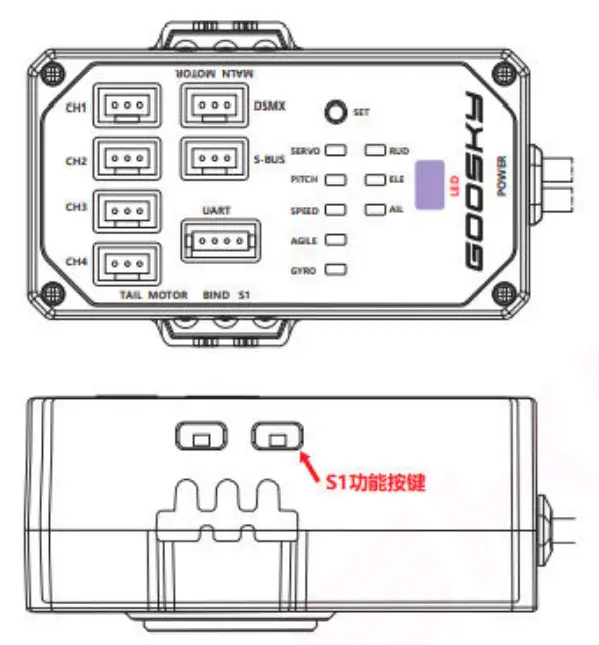
Manual attitude mode on/off setting
- Press and hold the S1 button for 3 seconds, the flight control LED indicator light is solid-on in green – the attitude mode is switched off
- Press and hold the S1 button for 3 seconds, the green light of the flight control LED indicator turns off – the Altitude mode is switched on.
Precautions:
- When the attitude mode is turned off, the transmitter mode switch has no function.
- When opening the attitude mode, pay attention to the position of the transmitter mode switch.
<Schematic diagram of flight control parameter adjustment>
| White light is solid- on | The blue light flashes, the factory default flashes continuously for 5 cycles. | Push the Elevation stick forward to increase setting. Push the Elevation stick backward to decrease setting. The number of consecutive flashes represents the setting level. The highest setting is 9 gears |
| RUD yaw | SPEED rotation rate | |
| GYRO gain | ||
| ELE elevator | SPEED rotation rate | |
| AGILE sensitivity | ||
| GYRO gain | ||
| AIL aileron | SPEED rotation rate | |
| AGILE sensitivity |
| GYRO gain |
Blue light is always on
| SERVO servo midpoint setting | Yaw corresponds to CH1 |
| Elevator corresponds to CH2 | |
| Aileron corresponds to CH3 |