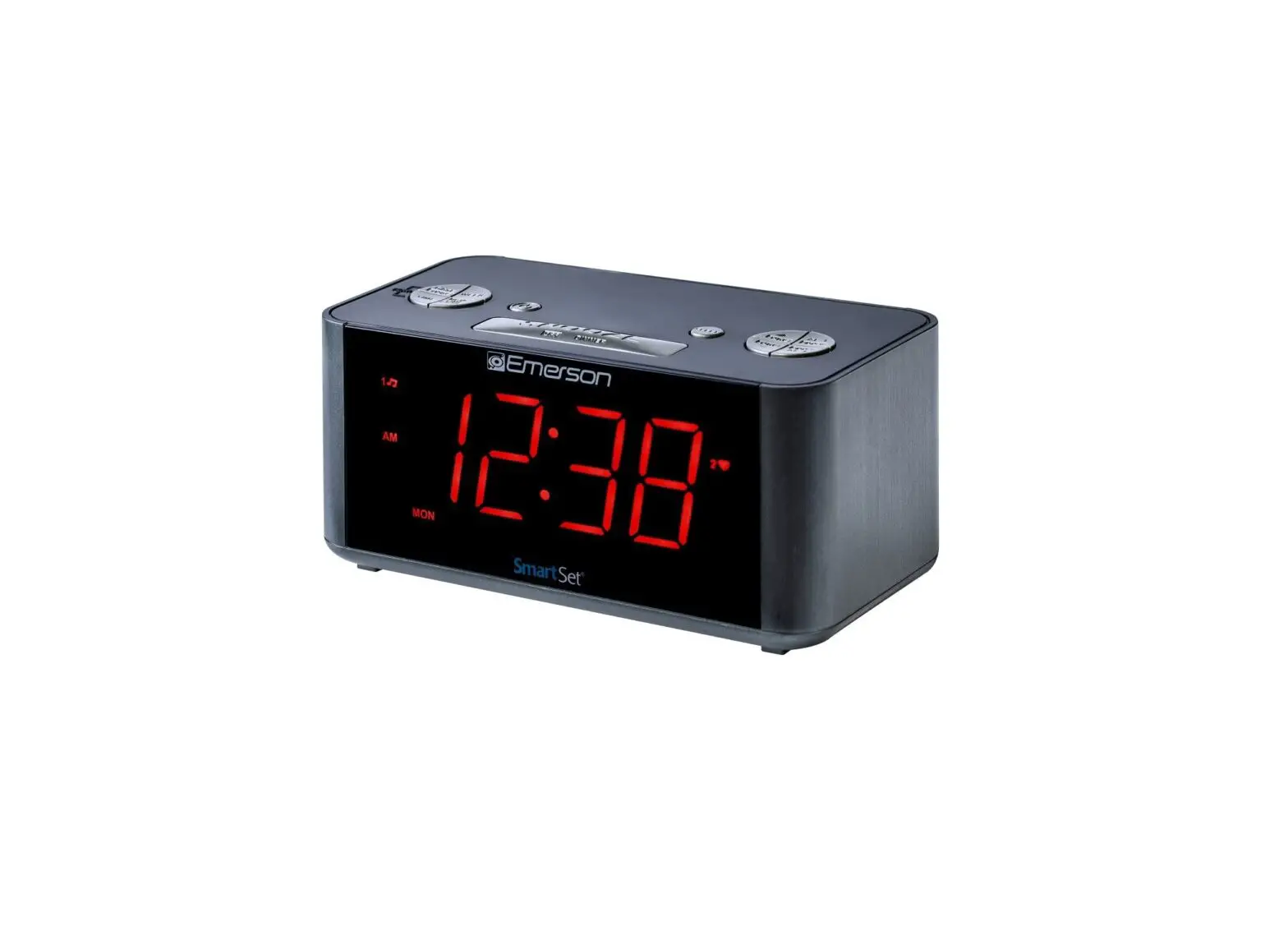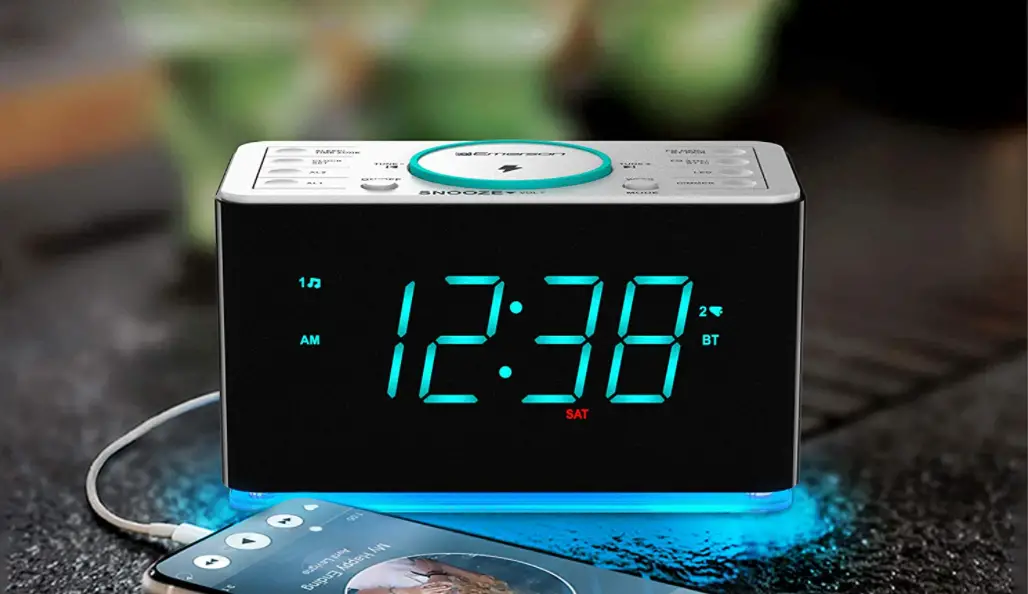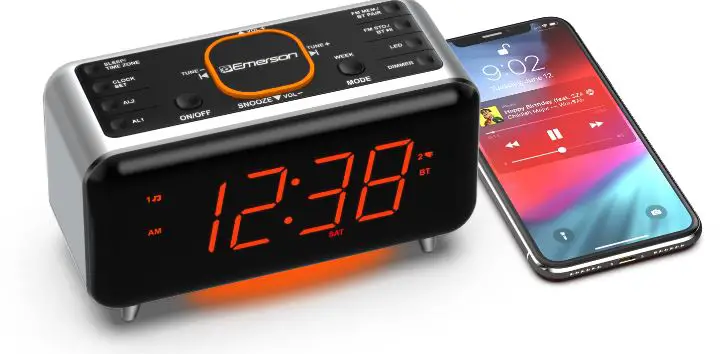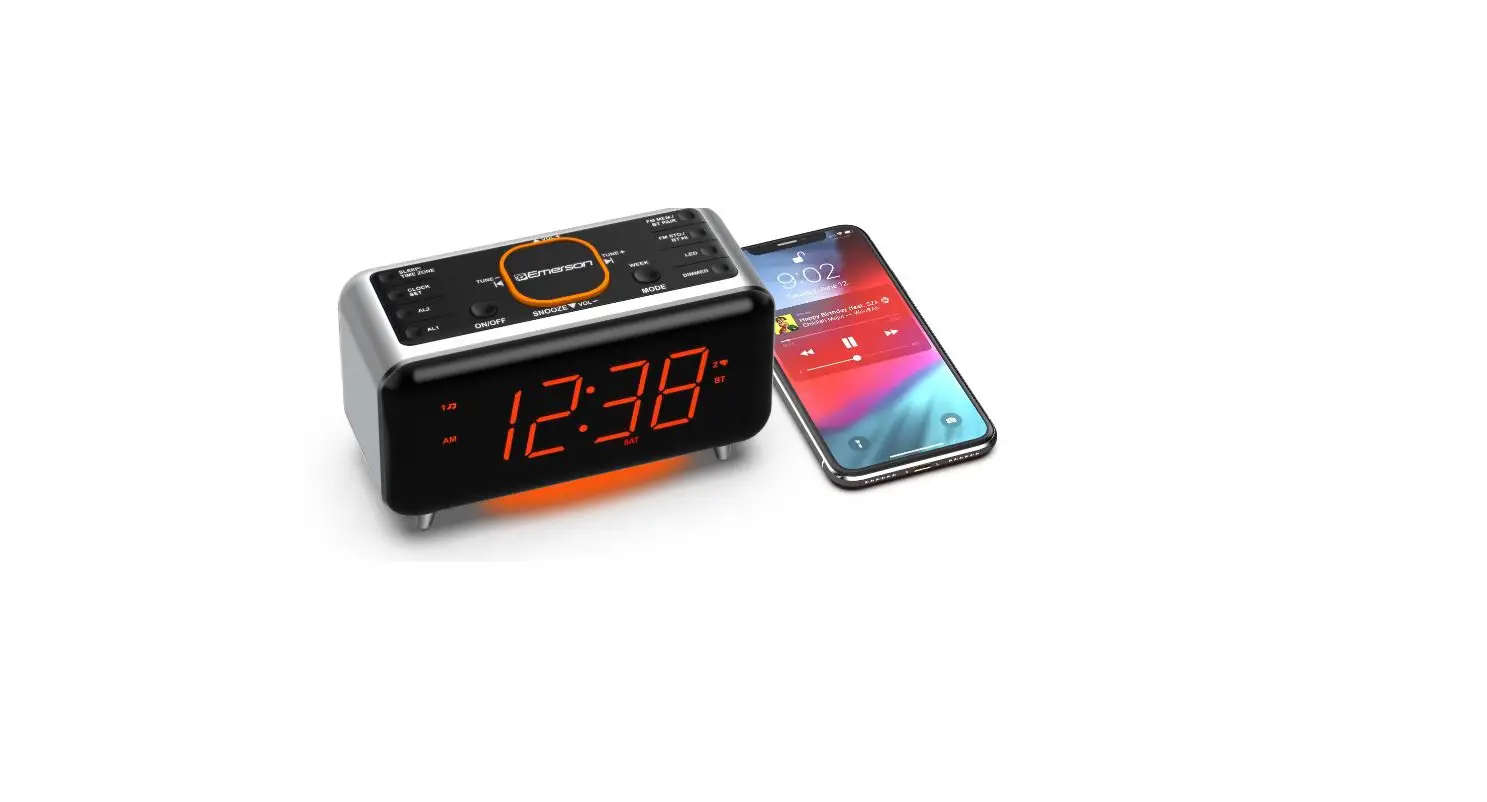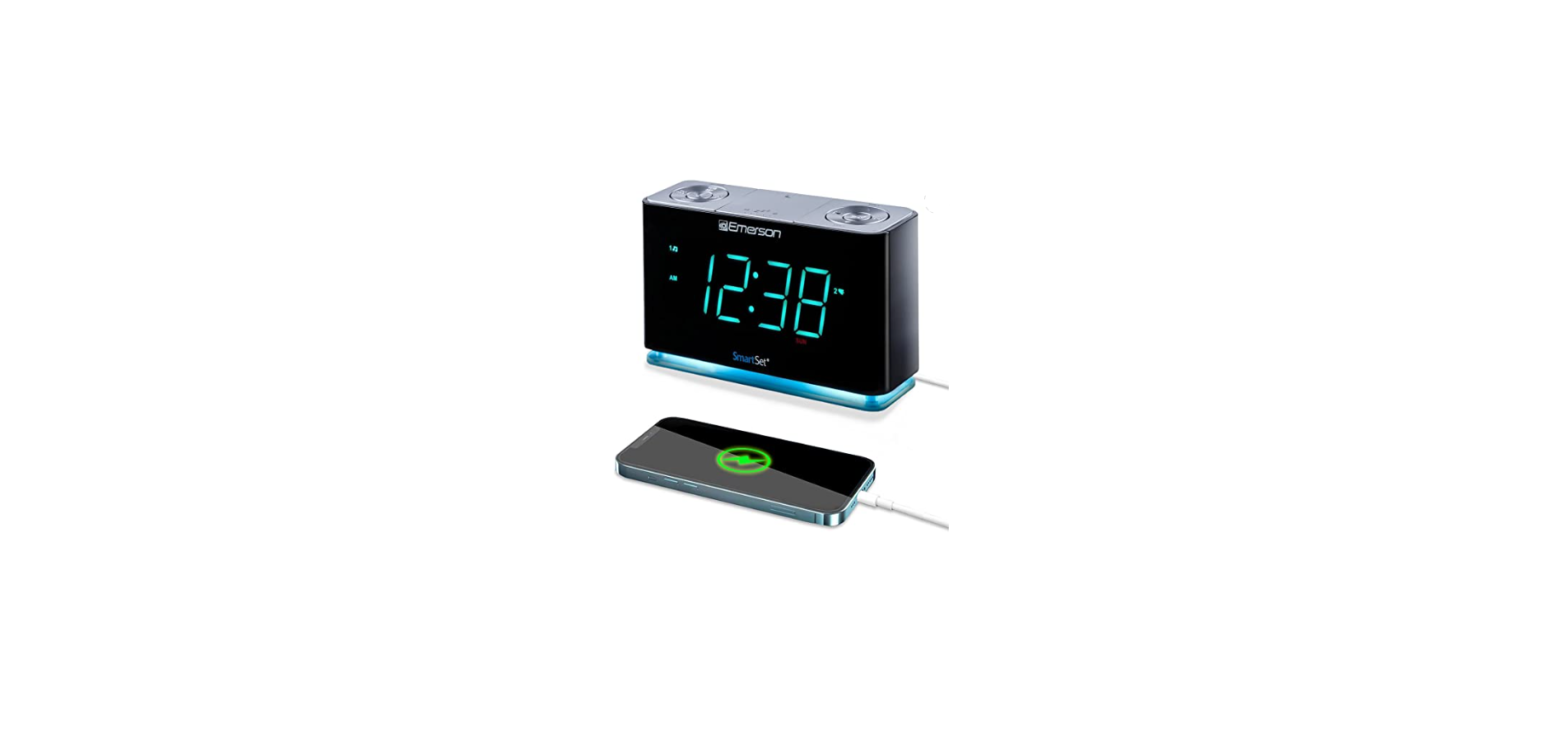
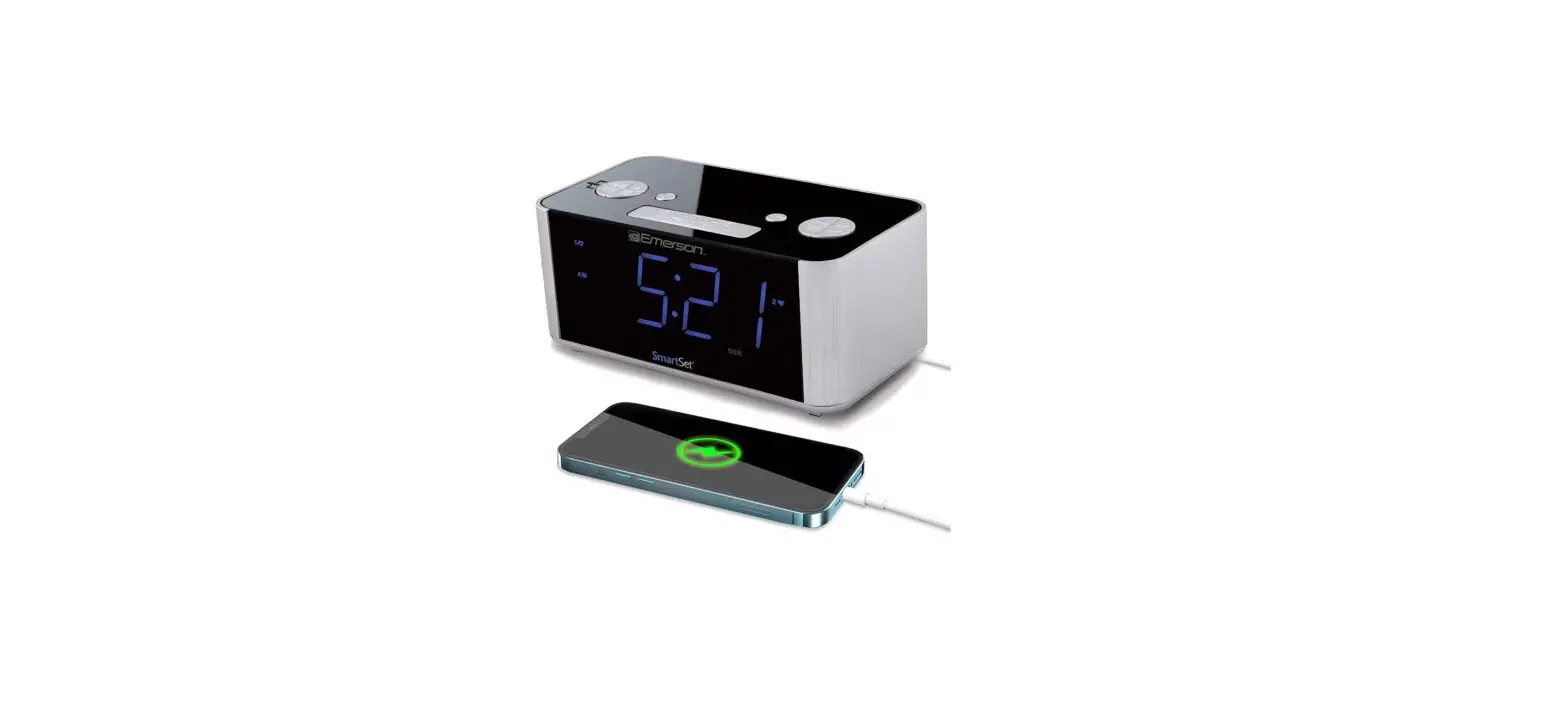
 Emerson ER100301 SmartSet Alarm Clock Radio
 Emerson ER100301 SmartSet Alarm Clock Radio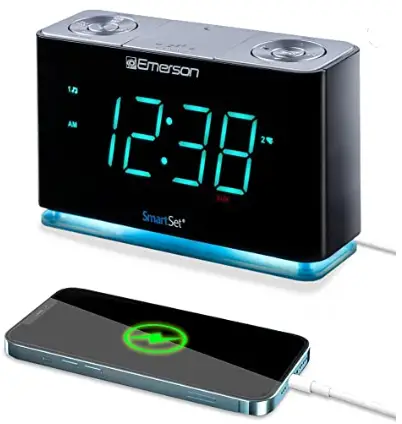
Important Safety Instructions
- Read these instructions. Keep these instructions. Follow all instructions. Heed all warnings.
- Do not use this apparatus near water.
- Clean only with a dry cloth.
- Do not block any ventilation openings. Install in accordance with the manufacturer’s instructions.
- Do not install near any heat sources such as radiators, heaters, stoves, or other apparatus(including amplifiers) that produce heat.
- Do not defeat the safety purpose of the polarized or grounding-type plug. A polarized plug has two blades one wider than the other. A grounding-type plug has two blades and a third grounding prong. The wide Blade or the third prong is provided for your safety. If the provided plug does not fit into your outlet, ask an electrician to replace the obsolete outlet.
- Protect the power cord from being walked on or pinched particularly at plugs. convenience receptacles and the point where they exit from the apparatus.
- Only use attachments/accessories specified by the manufacturer
- Unplug this apparatus during lightning storms or when unused for long periods of time.
- Refer all servicing to qualified service personnel. Servicing is required when the apparatus has been damaged in any way, such as the power-supply cord or plug is damaged, liquid has been spilled or objects have fallen into the apparatus, the apparatus has been exposed to rain or moisture, does not operate normally, or has been dropped.
- Use only with the cart, stand, tripod, bracket, or table specified by the manufacturer,or sold with the apparatus. When a cart is used, use caution when moving the cart apparatus combination to avoid injury from tip-over.
- The AC adapter must not be exposed to dripping or splashing and objects filled with liquids, such as vases, shall be placed on the apparatus.
- The AC adapter is used as a disconnect device and it must remain readily accessible during intended use. In order to disconnect the apparatus from the AC power completely, the AC adapter must be removed from the AC outlet completely.
- The battery must not be exposed to excessive heat such as Sunshine, tire, etc.
CAUTION: Danger of explosion if the battery is incorrectly replaced. Replace only with the same or equivalent type.
Preparation For Use
Unpacking And Set Up
- Remove the radio from the carton and remove all packing material from the radio.
- Save the packing material, if possible, in case the radio ever needs to be serviced or transported.
- The original carton and packing materials are the only safe way to pack your radio to protect it from damage in transit.
- Remove any descriptive labels or stickers on the front or top of the cabinet.
- Do not remove any labels or stickers from the back or bottom of the cabinet.
- Note the serial number on the bottom of your radio and write this number in the space provided on the Warranty page of this manual. to an AC outlet. out of direct unstable. desk or shelf. convenient to an AC outlet, out of direct sunlight, and away from sources of excess heat, dirt, dust, moisture, humidity, or vibration.
- Unwind the Line cord connecting the AC adapter and extend it to its full length. The FM antenna is built into this cord. It must be fully extended to provide the best FM reception.
Protect Your Furniture
This model is equipped with a non-skid rubber Teet’ to prevent the product from moving when you operate the controls. These feet are made from non-migrating rubber material specially formulated to avoid leaving any marks or stains on your furniture. However certain types of oil based furniture polishes, Wood preservatives,or cleaning sprays may cause the rubber Teet’ to soften, and leave marks or a rubber residue on the furniture. To prevent any damage to your furniture we strongly recommend that you purchase small self-adhesive felt pads, available at hardware stores and home improvement centers everywhere. and apply these pads to the bottom of the rubberfeet” before you place the product on fine wooden furniture.
Power Source
This radio is designed to operate on normal 120V 60Hz AC power only. Do not attempt to operate the radio on any other power source. You could cause damage to the radio that is not covered by your warranty. This radio should be connected to an outlet that is always live. Do not connect it to an outlet that is controlled by a wall switch. When the power to the radio is interrupted, the built-in lithium battery takes over to maintain the time and alarm settings. To maximize the life of the lithium battery keep the radio connected to a live’ AC outlet at all times.
Important Notes
- Avoid installing this unit in places exposed to direct sunlight or close to heat-radiating appliances such as electric heaters, on top of other stereo equipment that radiates heat, places lacking ventilation, or dusty areas. places
- When moving the set,be sure to subject to constant vibration and operate controls and switches as described in the manual.
- Before turning on the power, make certain that the AC adapter is properly installed. to first disconnect the AC adapter. humid or moist areas.
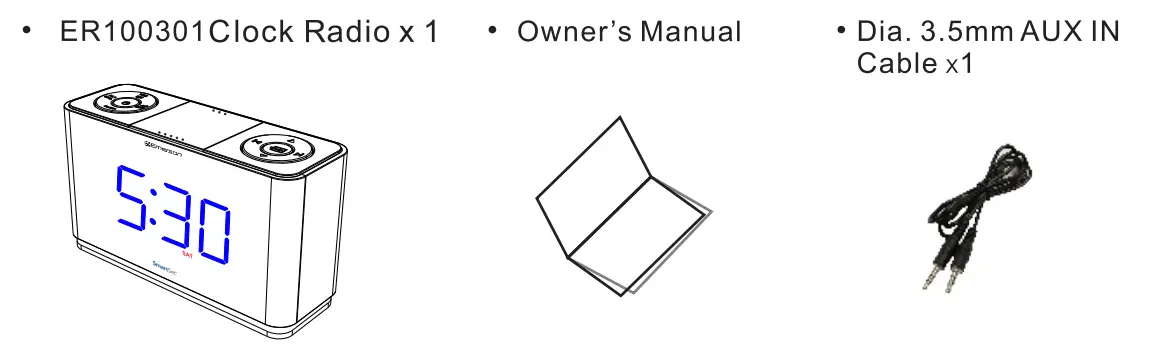
Package Contents
Location of Controls and Indicators
FRONT PANEL
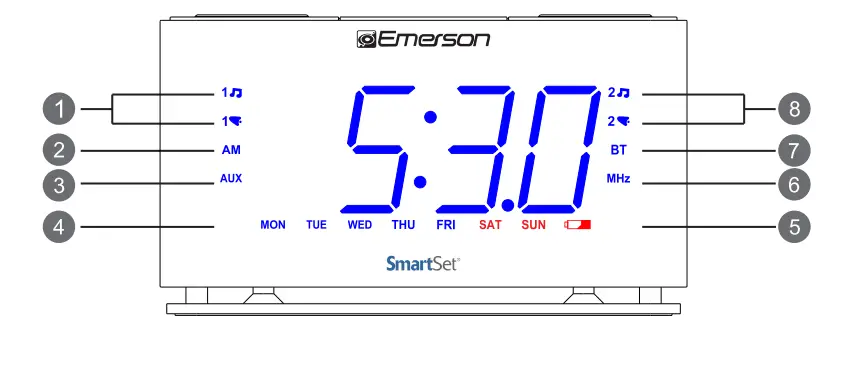
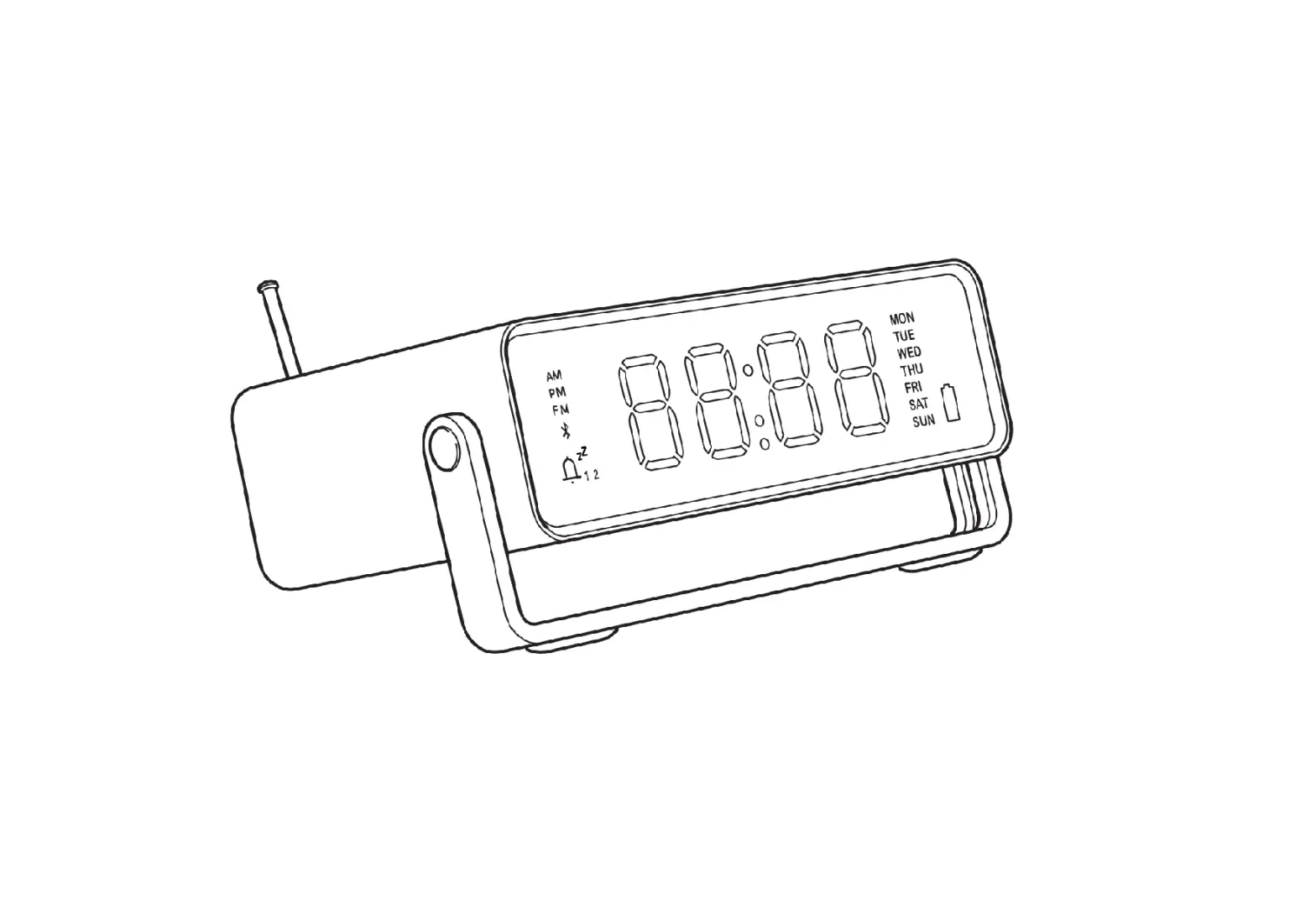
- ALARM 1 Radia/Buzzer Indicators
- AM Indicator (On’=AM, Off=PM)
- AUX Indicator
- DAY of WEEK Indicators
- LOW BATTERY Indicator
- MHZ (FM Radio ) Indicator
- BT (Bluetooth) Indicator
- ALARM 2 Radia/Buzzer Indicators
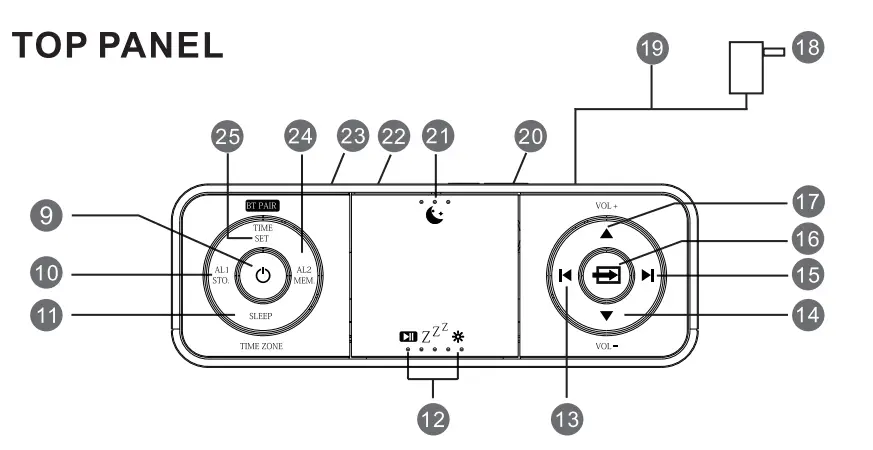
- POWER( On’/Standby) Button
- ALARM 1/STOREFM station) Button
- SLEEP/TIME ZONE Button
- PAUSE/SNOOZEJDIMMER Button
- SETTUNE DOWN Buttons
- VOLUME-DOWN Button
- SET/TUNE UP Button
- SOURCE FM, Bluetooth AUx)Button
- VOLUME UP Button
- AC Adapter
- FM Antenna(cable)
- BACKUP BATTERY Compartment located on the back of unit)
- Night Light OniOff Button
- USB Charge Out
- AUX IN Jack
- ALARM 2/MEMORY(FM station)
- TIME SETIFM Frequency Display
Setting the Time Zone
Initial Default Setting at Clock Mode
The first time you connect your new SmartSeodock radio to the AC outlet the internal computer will automatically set the time correctly for the Eastern Time Zone, which is the initial default setting. The display will scan for a few seconds and then show the correct Day and Time in the Eastern 20ne. If you live in Eastern Time 2one,there’s nothing else to do. Your clock is set correctly and running. f you do not live in the EBsterm time zone you must change the default zone display o your own zone. You only do this one time and the SmartSer@will remember the new default zone setting and will always return to that setting after power interruption. There are 7 time zones programmed into your SmartSet0dock radio as follows:
- ZONE 1-Atlantic Time
- ZONE 3-Central Time
- ZONE 5-Pacific
- Time ZONE 7-Hawaiian Time
- ZONE 2-Eastern Time (Default Setting)
- ZONE 4 -Mountain Time
- ZONE 6-Yukon Time
 Note: Time Zone and Time Setting can only be adjusted in standby mode, where the function of Radio Bluetooth and AUX are disabled(indicators of “MHz”, “and “AUX’are OFF).
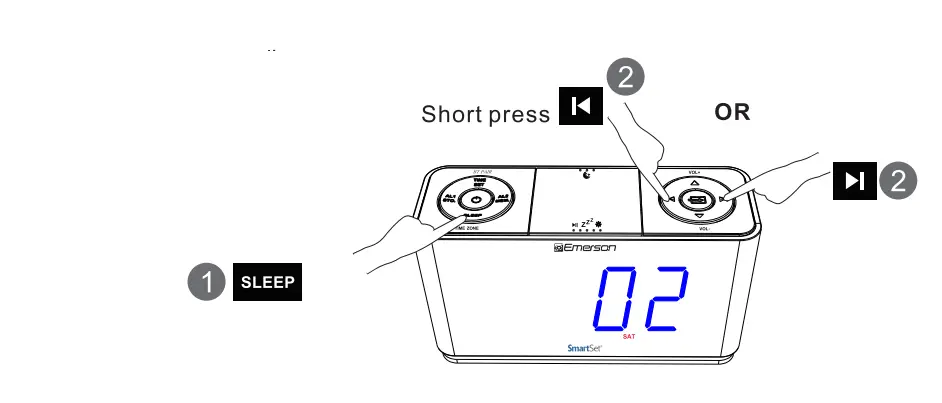 Note: Time Zone and Time Setting can only be adjusted in standby mode, where the function of Radio Bluetooth and AUX are disabled(indicators of “MHz”, “and “AUX’are OFF).
Setting the Time
Year,Date, and Time Display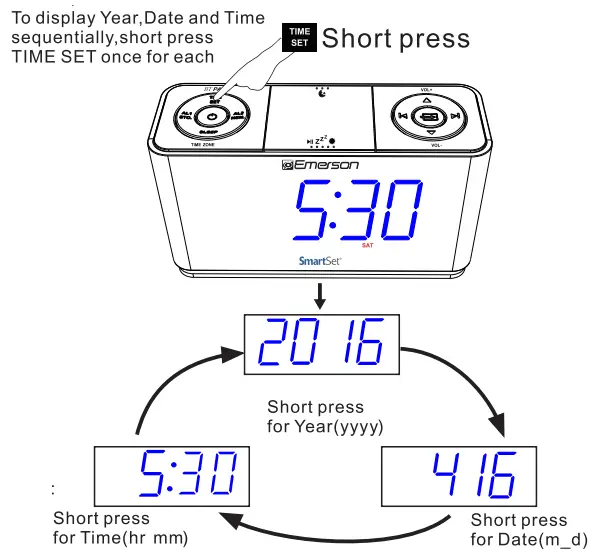
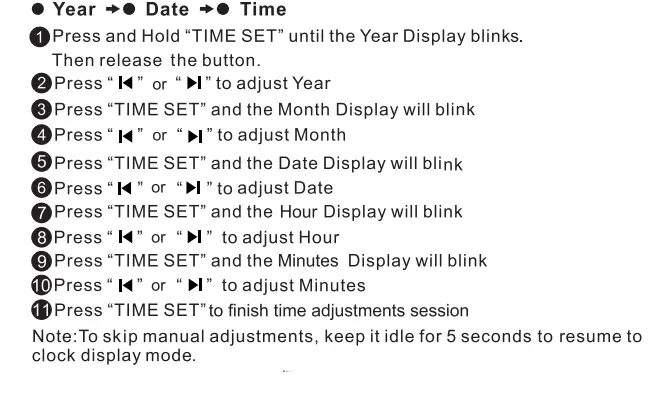
Daylight Saving and Leap Year Adjustment
All Daylight Saving and Leap Year adjustment are made automatically by the SmartSet®internal computer as follow:
Start of Daylight Saving time:
At 2:00 AM on the 2nd Sunday in March, the clock will automatically advance to 3:00AM
End of Daylight Saving time:
At 3:00 AM on the 1st Sunday in November, the clock will automatically reset to 2:00AM
Leap Year:
At 12:00 Midnight on February 28th, the calendar display will change to”2 29”.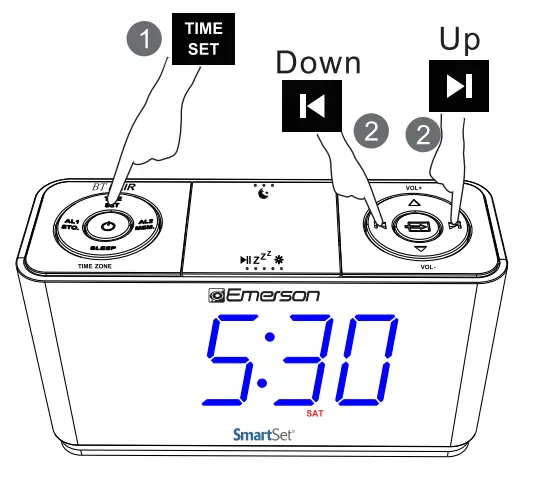
Setting the Alarm
Alarm can only be set in standby mode where the function of Radio,Bluetooth, and AUX aredisabled(i.e.indicators of “MHz “, ” BT” ,and “AUX” are OFF)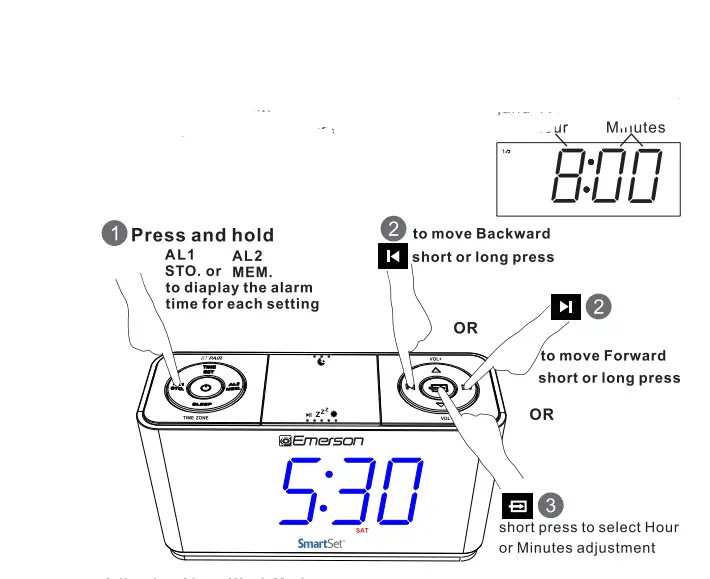
Adjusting the Wake up times
Adjusting Alarm Week Mode
Press and Hold “AL 1″ or”AL2”,then press•• or T “to adjust: Weekdays (Monday to Friday) ,
Weekends (Saturday and Sunday) or Everydays (Monday to Sunday)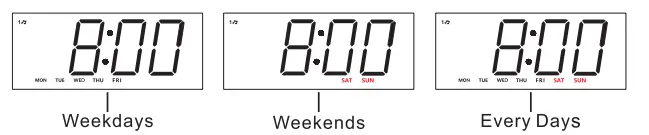
Short press AL 1 or AL2 to turn ON the Alarm Mode,
When Buzzer• lights on.the wake up Buzzer alarm will be ON. When Music n lights on.the wake up Radio alarm will be ON.
To completely turn off the alarm, short press AL 1 or AL2 until the Buzzer• or Radio n light is OFF.
Wake To Radio and Alarm Volume Setting
- Press the POWER button to turn the unit ON.
- Press the SOURCE button to select FM Radio mode.
- Tune to or recall from Memory the station that you wish to hear when the alarm comes on.
- Press Vol+ or Vol- to set the maximum radio volume at which the alarm will reach gradually at wake up time.
- The default alarm volume is U08 for radio volume set up between U00-U08(before the unit turned OFF to standby mode).
For a louder alarm, set up a radio volume above U08 before the unit turned OFF. Snooze Alarm
SNOOZE
When the Alarm comes ON,press button Z * to pause it for 9 minutes . The snooze Alarm will not repeat after one hour. To turn off Snooze Alarm mode ,press the POWER button once.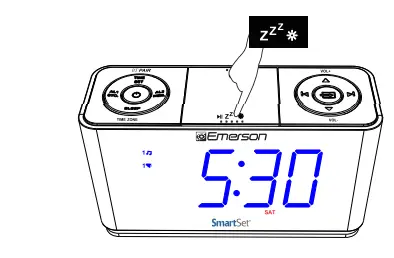
Listening to FM Radio
Press the Power button Oto turn ON the unit and press SOURCE button -EEi to change to Radio Mode (“MHz” On)
Power on: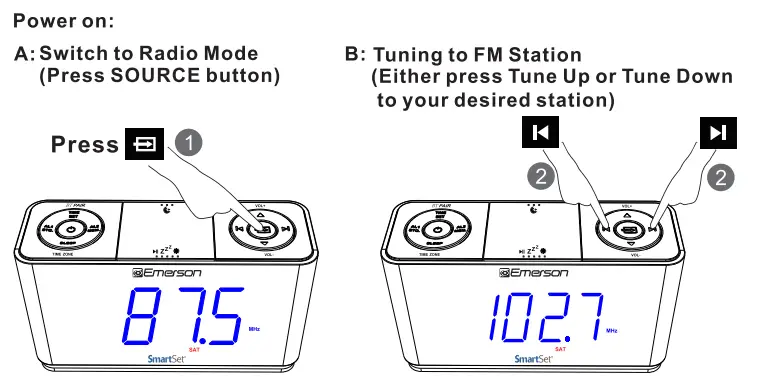
C: Auto Searching/Scanning FM Stations (Press the Tune-Up or Turn Down button for 2 seconds and release) 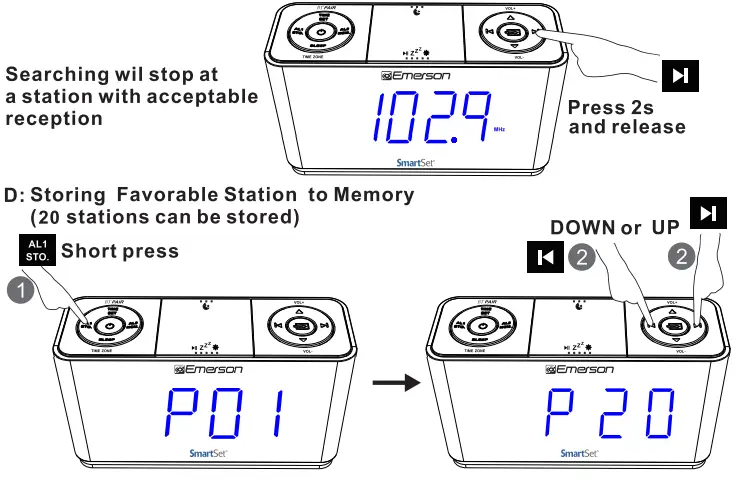
- At Radio Mode, Press Tune Down .,.or Tune UpHbutton to search your desired station.
- Press the AL 1 /STO. button, Program Number “P01″ will be blinking on the display.press Tune Down l◄orTune UpH to change the program number from”P01” to “P20” , once you selected the desired program number, press the AL 1/STO. again and the favorable station will be stored to the selected program number.
E: Recall Favorable Station to Memory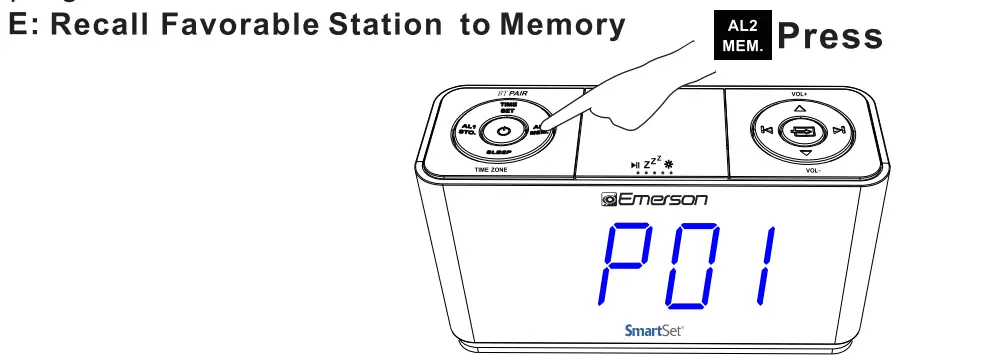
- Press the AL2/MEM button, Program number will be shown on the display, press Tune Down..,. or Tune Up H to select your stored program number and listen to your favorite station.
Note: Keep the clock radio away from other electronic devices to avoid radio interference.For better reception. fully extend and adjust the position of the FM antenna (cable) 12 Pairing Bluetooth Speaker - Press the POWER button to turn the unit ON
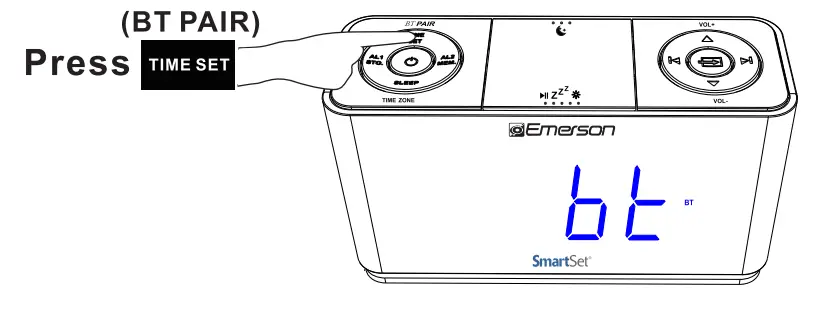
- Press the SOURCE buttontoselectBluetooth(bt)mode(“BT”flashes for pairing)
- Enable your Bluetooth device and select ER100 from Its Available/Paired device list. After pairing successfully, the unit will prompt and “BT” will become solid.
- Automatic connection with your Bluetooth devices is possible if they have been paired successfully with this unit before.
- After being paired you can play your music through this Bass Boosted Bluetooth Speaker.

Sleeping to Music Timer
Press the Power button(‘) to turn ON the unit ,and press SOURCE button to select either FM Radio, Bluetooth or AUX mode to play radio or music
Sleep mode setting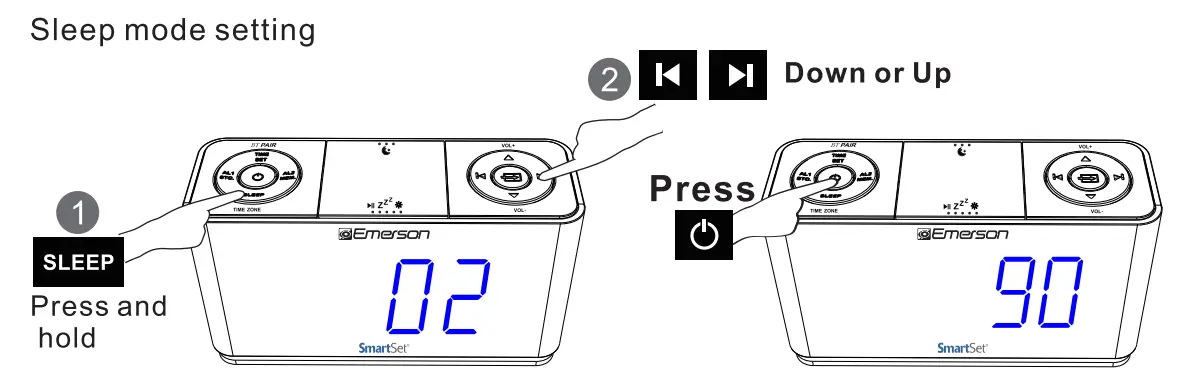
- Press and hold the SLEEP button. The display will show the sleep timer.
- Press Up or Down button to choose your desired sleep timer (02-90 minutes).
- Release all buttons, the sleep timer will start counting down and turn off the unit when the desired sleep timer elapsed.
- To display the sleep timer during count down process, press the SLEEP button.
- To cancel the sleep timer during count down process, press the POWER button to shut off the unit.
3- Level Dimmer Control
The brightness of the clock display can be set at High/Medium/Low level in standby, Radio and AUX modes with a press of..,, zZ’* button 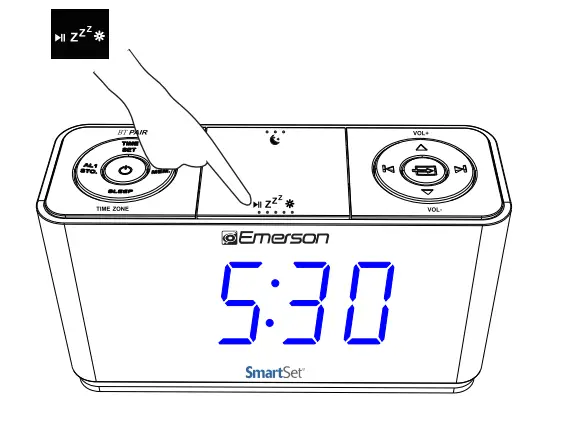
Night Lighting
Press the NIGHT LIGHT button to turn the cyan nightlight ON or OFF when needed.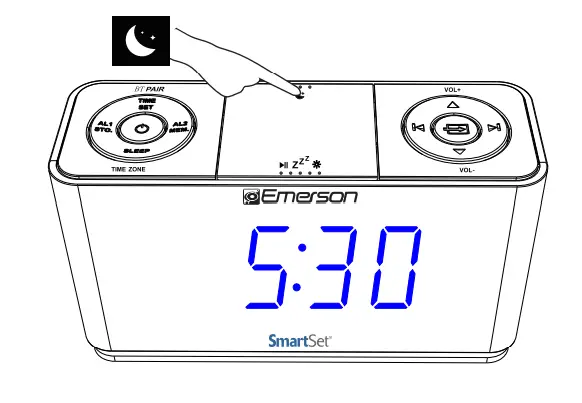
Enjoying Audio Source via AUX IN Jack
Press the POWER button to turn the unit ON
Press SOURCE button until “AUX” appears on LED display, connect your audio or mobile device and play music through the unit with the 3.5mm earphone jack.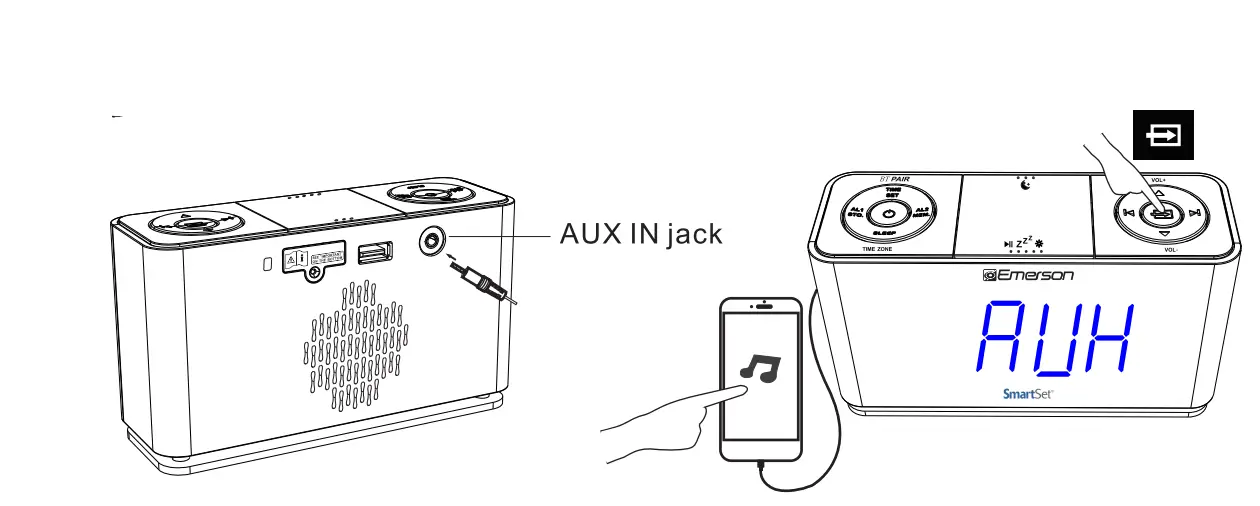
USB for Charging
Output 5V up to 2.1 A for charging mobile phones.tablet or portable digital audio players.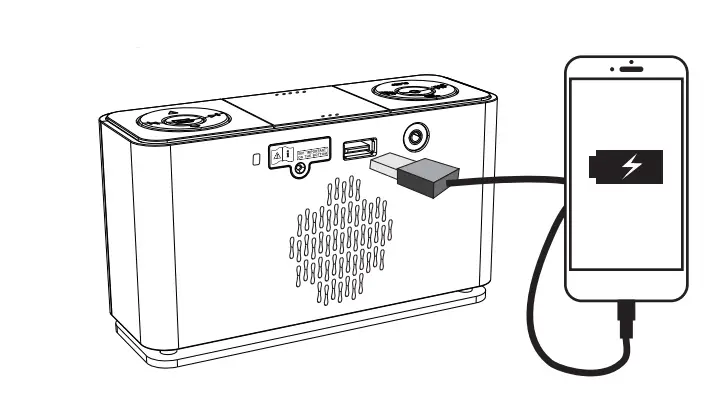
Note:Charging current drawn from the unit may vary due to different USB charging cable condition or battery charging characteristics
Changing the Lithium Battery
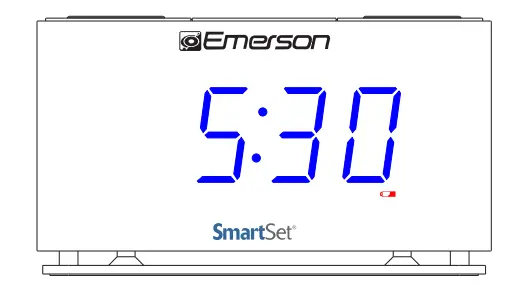
- When the LOW BAT T indicator ‘Flashes’, you should change the battery that is used for backup clock and alarm setting as
- It will be ‘Off ‘ when you have changed the battery in correct instructions.

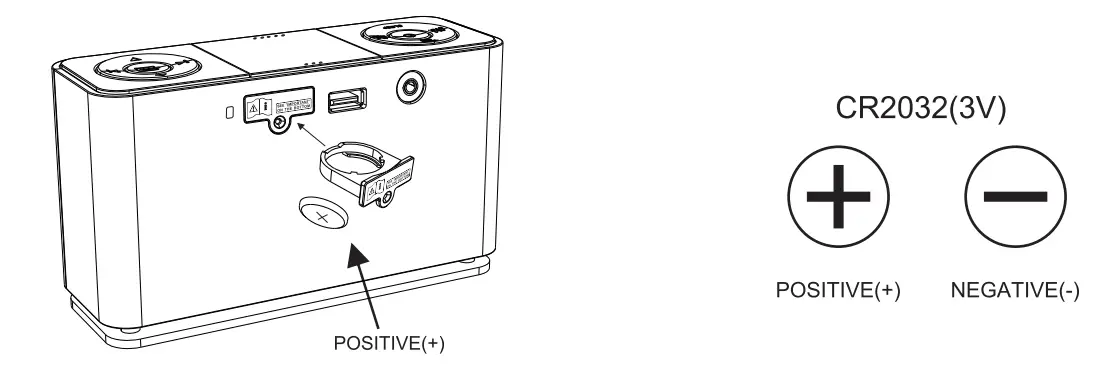
The battery backup is intended for short power outages only.The unit’s primary functions cannot run on the battery backup alone.This unit uses a button cell battery that will last up to 1 year and maintains the time.
WARNING
DANGER OF EXPLOSION IF BATTERY IS INCORRECTLY REPLACED. REPLACE ONLY WITH THE SAME OR EQUIVALENT TYPE.
DO NOT INGEST THE BATTERY. CHEMICAL BURN HAZARD
This product contains a coin/button cell battery.If the coin/button cell battery is swallowed it can cause severe internal bums in just 2 hours and can lead to death. Keep new and used batteries away from children.If the battery compartment does not close securely stop using the product and keep it away from children.
If you think batteries might have been swallowed or placed inside any part of the body seek immediate medical attention.
The apparatus must not be exposed to dripping or splashing and objects filled with liquids, such as vases, must not be placed on the apparatus.
This marking indicates that this product should not be disposed of with other household wastes throughout the country. To prevent possible harm to the environment or human health from uncontrolled waste disposal.recycle this unit responsibly so as to promote the reuse of material resources. To return your used device, please use return and collection systems or contact the retailer where the – product was purchased as they know how to safely recycle this product.
Care and Maintenance
Care Of Cabinets
If the cabinet becomes dusty.wipe it with a soft cloth.If the cabinet becomes smudged or dirty, clean it with a soft, slightly dampened cloth . Never allow water or any liquid to get inside the cabinet. Never use any abrasive cleaners or cleaning pads as these will damage the finish of your radio.
Lithium Battery Precautions
- Dispose of the old battery properly.Do not leave it lying around where a young child or pet could play with or swallow it. If the battery is swallowed, contact a physician immediately.
- The battery may explode if mistreated. Do not attempt to recharge it or disassemble it. Do not dispose of the old battery in a fire.
LIMITED WARRANTY
Emerson Radio Corp. warrants this product to be free from manufacturing defects in original material, including original parts, and workmanship under normal home use and conditions (“manufacturing defect”) for a period of ninety (90) days from date of original purchase in, and if used in the United States. Should service be necessary under this warranty, Emerson will provide the following at our Return Repair Facility provided the manufacturing defect is verified along with the date of purchase:
- Repair service for ninety (90) days from date of original purchase at no charge for labor and parts.
To Receive Authorization to Return a Defective Item, please contact Emerson Customer Service at 1-800-898-9020. Have your Model number, Serial Number and dated Proof of Purchase with you when you call.
In the event the product must be returned to Emerson:
- Pack the unit in a well-padded heavy corrugated box. Please insure the item is well padded to avoid damage while in transit back to our facility. If the item incurs damage, it will NOT be replaced and the consumer will be responsible for return freight costs to receive their same unit back.
- Enclose your check or money order payable to Emerson Radio in the amount of $10 to cover return shipping and handling costs.
- Enclose a note with your name, address, phone number, Return Authorization number and brief reason for returning the unit.
- Enclose a copy of your proof of purchase (warranty service will not be provided without dated proof of purchase).
- Ship the unit prepaid via UPS or parcel post (SHIP INSURED and obtain a tracking number).
NOTE This warranty does not cover:
- Damage to equipment not properly connected to the product.
- Cost incurred in the shipping of the product to and from Emerson’s Return Facility.
- Damage or improper operation of unit caused by customer abuse, misuse, negligence or failure to follow operating instructions (including cleaning instructions) provided with the product.
- Ordinary adjustments to the product which can be performed by customer as outlined in the owner’s manual.
- Signal reception problems caused by external antenna or cable systems.
- Products not purchased in the United States.
- Damage to product if used outside the United States.
THIS WARRANTY IS NON-TRANSFERABLE AND APPLIES ONLY TO THE ORIGINAL PURCHASER AND DOES NOT EXTEND TO SUBSEQUENT OWNERS OF THE PRODUCT. ANY APPLICABLE IMPLIED WARRANTIES, INCLUDING THE WARRANTY OF MERCHANTABILITY, ARE LIMITED IN DURATION TO A PERIOD OF THE EXPRESSED WARRANTY AS PROVIDED HEREIN BEGINNING WITH THE DATE OF ORIGINAL PURCHASE AT RETAIL AND NO WARRANTIES, WHETHER EXPRESSED OR IMPLIED, SHALLAPPLY TO THE PRODUCT THEREAFTER. EMERSON MAKES NO WARRANTY AS TO THE FITNESS OF THE PRODUCT FOR ANY PARTICULAR PURPOSE OR USE.THE EXTENT OF EMERSON RADIO CORP’S LIABILITY UNDER THIS LIMITED WARRANTY IS THE REPAIR OR REPLACEMENT PROVIDED ABOVE AND, IN NO EVENT, SHALL EMERSON RADIO CORP’S LIABILITY EXCEED THE PURCHASE PRICE PAID BY THE PURCHASER OF THE PRODUCT. UNDER NO CIRCUMSTANCES SHALL EMERSON RADIO CORP. BE LIABLE FOR ANY LOSS, DIRECT, INDIRECT, INCIDENTAL, SPECIAL, OR CONSEQUENTIAL DAMAGE ARISING OUT OF OR IN CONNECTION WITH THE USE OF THIS PRODUCT. THIS WARRANTY IS VALID ONLY IN THE UNITED STATES OF AMERICA.THIS WARRANTY GIVES YOU SPECIFIC LEGAL RIGHTS. HOWEVER, YOU MAY HAVE OTHER RIGHTS WHICH MAY VARY FROM STATE TO STATE. SOME STATES DO NOT ALLOW LIMITATIONS ON IMPLIED WARRANTIES OR EXCLUSION OF CONSEQUENTIAL DAMAGE, THEREFORE THESE RESTRICTIONS MAY NOT APPLY TO YOU.
The serial number can be found on the back cabinet We suggest that you record the serial number of your unit in the space below for future reference
Model Number: ER100301
Serial Number:
FOR ADDITIONAL SET-UP OR OPERATING ASSISTANCE PLEASE CALL: 1-800-898-9020
FOR CUSTOMER SERVICE, PLEASE E-MAIL TO: [email protected]
OR WRITE TO: Emerson Radio Corp. Consumer Affairs Dept.
3 University Plaza, Suite 405 Hackensack, NJ 07601
FAQS
How many watts is the charger for it?
The charging watts from the USB port is 10.5W (5V/2.1A).
How does it know what the time is?
The time is set at the factory and is maintained by the computer chip being powered by the battery.
how does my daughter connect to bluetooth?
Turn the power ON, then select BT from the Source button, then press BT Pair, on your device select ER100 for Bluetooth
Can you turn off the nightlight
Yes, the nightlight can be turned off.
What is the size of this alarm clock?
6 1/2″ long 2 ” wide 3 1/2″ tall
Does the clock automatically adjust for daylight savings twice a year?
Yes, the clock will automatically adjust for daylight saving
Bluetooth? in plain english, how do i pair a bluetooth speaker with this emerson smartset clock radio
Press the POWER button, then press the SOURCE button repeatedly until the display shows BT, then press the BT pair button, then choose the clock on your phone’s BT list.
Can you wake to the auxiliary input?
It can only wake to radio or buzzer, not auxiliary input.
Do you have AM radio?
This model, CKS1507, does not have the AM radio band.
Can you use headphones?
You can’t use wired headphones but might work with Bluetooth headphones since it has Bluetooth capabilities but I’m not able to confirm since I don’t own Bluetooth headphones
Can this alarm clock be set to different alarm times on different days of the week?
You would need to manually change the alarm times.
will this wake you up with the preset radio station as a (increasing volume)alarm or just wake you up to listen to your favorite preset station?
It can wake to the radio(crescendo) to whatever station you have it tuned to.
Does this alarm clock have dual alarms?
It does have 2 alarms.
How do i connect to bluetooth ive tried all the steps in the manual and it wont work for me It doesnt even show BT to try to connect?
After pressing the POWER button, press and release the SOURCE button until BT shows on the display, then try connecting.
This has a radio ,so what kind of reception do you get?
The reception is fine for a bedside clock. The radio is nice, compact, and does the job well. It would not be a radio that I would use as a daily stereo type system but perfect for a little bedside music.
![Emerson Alarm Clock [cks1507 W/ Radio] User Manual](https://static-data1.manualsee.com/1/img/275/8730/2020/10/Emerson-Alarm-Clock-CKS1507.png "Emerson Alarm Clock [cks1507 W/ Radio] User Manual")