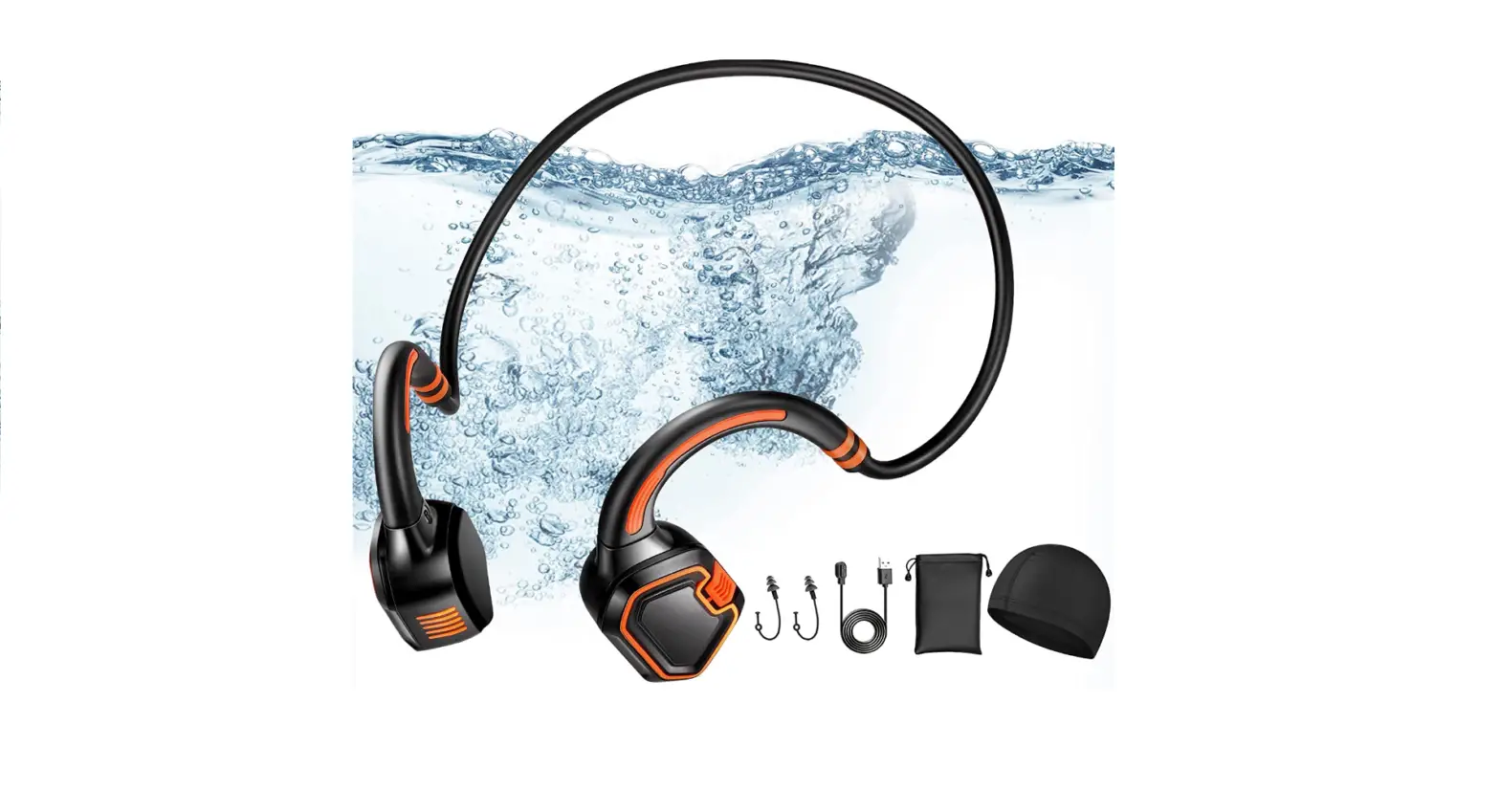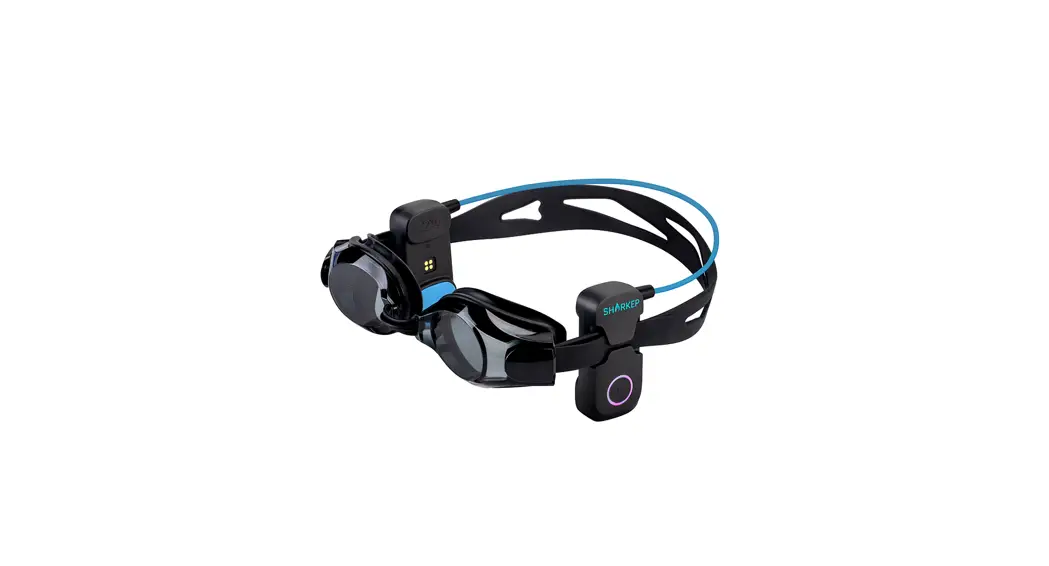

H2O Bone Conduction Swimming Player
Instruction Manual
H2O Bone Conduction Swimming Player
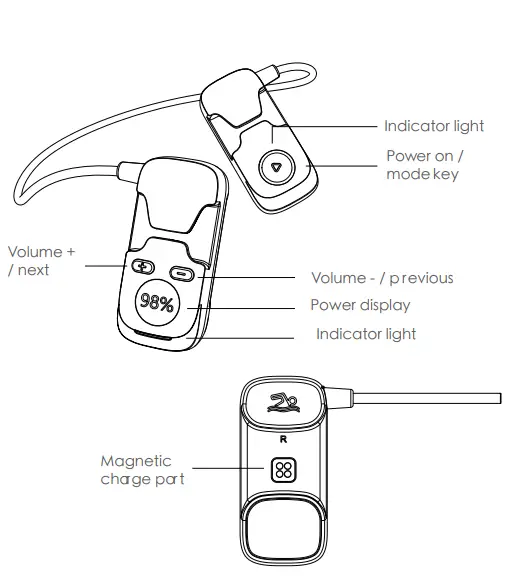
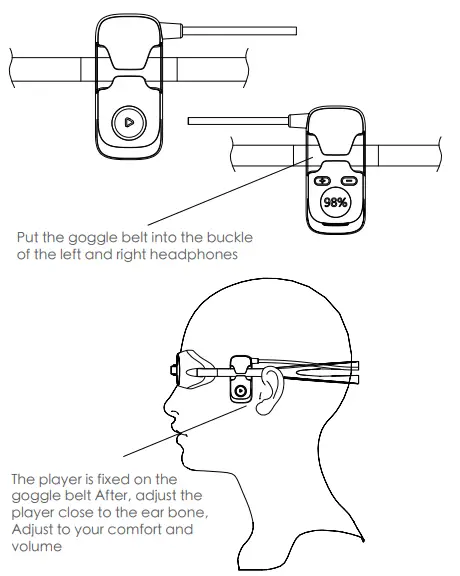
Charge
The earphone has a rechargeable battery inside, and the battery must be fully charged for the first use.While using, if the red light flashes and the “Di Di” sound indicates that the battery is low, it means that the battery is low, and you need to charge the earphone.
Connect the charging cable to the Magnetic charge port of the earphone and it will be fully charged in about 2 hours. Charging status indicator light flash breathing light fully charged blue light
Note: there are positive and negative poles corresponding to the magnetic charge, which can be charged normally by mutual adsorption Mutual exclusion can not charge or even cause a short circuit.
Operating instruction
| Function | Operation | Indicator |
| On | Long press on the key for 3- seconds | Light is on |
| Off | Long press on the key for 1-3 seconds | Light is off |
Music Play
| Function | Earphone status | Operation |
| Increase volume | Play Music | single click+Key |
| Reduce volume | Play Music | single click- Key |
| Next song | Play Music | Long press + key |
| Last song | Play Music | Long press – key |
| Pause | Play Music | Stand-alone power on key |
| Resume | Pause | Stand-alone power on key |
Indicator
| charging | The red light breath |
| finished charging | Power display 100% |
| Search for a match | Red and blue lights flash alternately |
| Bluetooth music player | The blue light flashes slowly for 5 seconds |
Operating instruction
How to pair with Bluetooth
Bluetooth pairing: In the off state, press and hold the power button for 3 to 5 seconds, the indicator light will enter the red and blue light flashing state, and then enter the pairing state. Turn on the Bluetooth (mobile phone/computer) on the device and search for the device name ” SHARKEP “, Click the device ” SHARKEY
Bluetooth / MP3 mode switching: Double click the power button (mode) power button FreeSwitch Bluetooth and memory mode.
Note: Bluetooth mode is the default for boot
Song download: Connect the original charging data cable to the computer and headset to read Take the USB flash drive and copy the computer songs to the USB flash drive
Warm tip: the Bluetooth headset will automatically search and connect the latest device after powering on. When the Bluetooth headset deviates from the effective distance of 10 meters (33 feet) from the device, the Bluetooth headset will disconnect the device for too long, so you need to click the multi-function button on the Bluetooth headset to reconnect.
Product parameter
Charging time: About 2 hours
Version: 5.3
Input: 5V/500mA
Distance: Bluetooth 10 meter
Battery: 300mAh
Play: More than 6 hours@65% volume
Agreement: A2DP, AVRCP, HSP, HFP
Music format support: MP3, WMA, WAV, APE, FLAC
Care and cleaning
- The headphones should not soak in seawater/brine for a long time. The magnetic charge part tends to decayErosion, such as going to the beach to recommend the magnetic absorption point shielding)
- Do not disassemble any part of the product without permission. If you find that the earphone is defective,
- Keep the product away from fire, heat, freezing, and chemicals. and do not wipe it with chemicals
Product warranty card
This card is a product warranty certificate, please keep it properly
| Product name: | Product model: |
| Purchase date: | Client’s name: |
| Contact: |
Product maintenance records
| Date | Bad phenomenon | Solution |