
 Email: [email protected]

 Web: www.dbsoars.shop
 YouTube
[Watch tutorial videos on YouTube1 Free Tel: 1 844 DBSOARS
1(844)327-6277
DBSOARS POWER 1
QUICK START GUIDE
Please read carefully before use
SPECIFICATIONS
| Dimensions | 164.82*49mm/6.46•3.23*1.93in |
| Weight | 380g |
| Power source | 5000mAh,3.7V |
| Solar power | 5V,0.2W |
| Hand crank | 4.2V,1W |
| USB input | DC 5V,2A |
| USB output | 5V,1A |
| Charging time(USB) | 4H |
| LED flashlight | far beam: 100 LUX |
| dipped beam: 500 LUX | |
| mixed beam: 550 LUX | |
| After fully charged, the device supports | Radio: 20H |
| LED lighting: 8H | |
| reading lamp: 40H | |
| Radio & LED lighting: 6H | |
| Radio & reading lamp: 15H |
NOTE: Due to the difference in the use environment. It is normal that the actual usage time of the radio may be a little different from the testing report data.
PACKING LIST
- Radio.1
- QUICK START GUIDE.1
- Data Line*1
WARRANTY
- The device has a full 12-month warranty against manufacturing defects from the date of purchase.
RADIO OPERATION
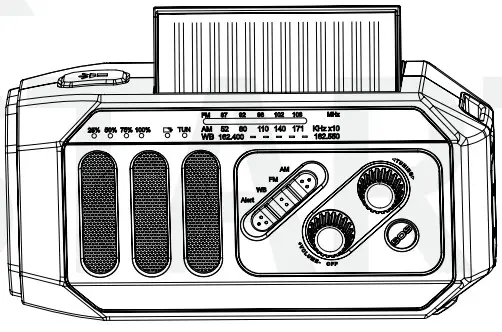
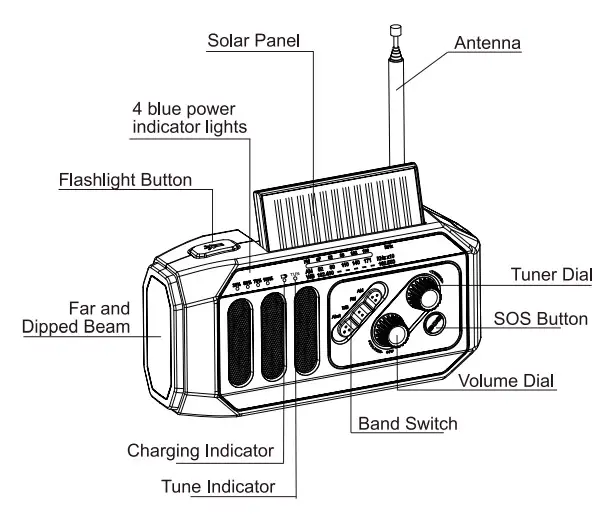
- Turn the “Volume” Dial clockwise to power on the radio and adjust the volume.
- Select FM/AM/WB/ALERT with radio band switch. Extend the antenna to get better signal reception, especially listening to the FM and NOAA broadcasts.
- Turn Tuner Dial to select a station. The Green tune indicator turns on when the station selected is fully engaged.
- Turn the “volume” dial to the OFF position and the radio will turn off.
SOS ALARM
- Hold the SOS button for 2 seconds, the device will activate a loud siren and a flashing beam.
- Press the SOS button for 2 seconds again to turn it off.
FLASHLIGHT
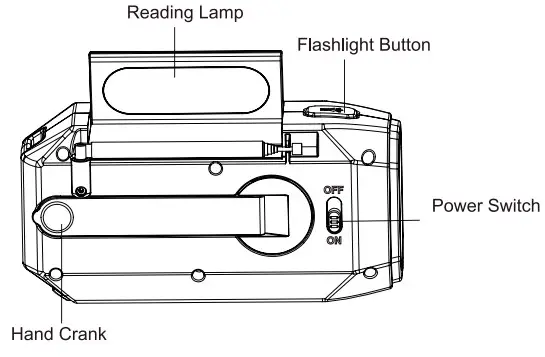
- With the first press of the flashlight button, the far beam lights up. With the second press on the flashlight button, the dipped beam lights up. The third press with both far and dipped beam lights up. The fourth press with both lights off.
READING LAMP
- Open the solar panel, the reading lamp lights up. Close the solar panel, and the reading light goes out.
CHARGE & DISCHARGE FUNCTION
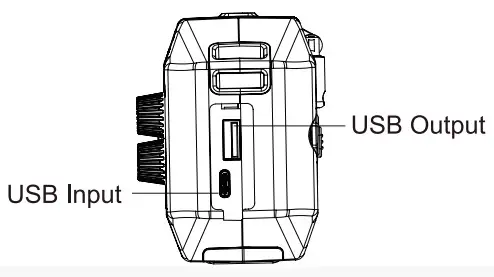
- The waterproof cover on the side of this product has a USB output port and a USB input port.
- Connect the USB device to the USB output port of the unit via a USB cable to power the USB device. When the device is used as a power bank (discharge), the power indicator lights will diminish.

NOTE:
- If you need to charge your mobile phone, you can choose the corresponding cable and set the “switch power supply” from OFF to ON
- This feature is suggested to use in emergencies, do not use it as a normal power bank.
BATTERY PROTECTION
- This emergency radio is designed with a feature of shutdown in low voltage. To protect the chip, the power supply will be cut off to protect the battery from damage when there is an overload or a short circuit in this unit.
- It will cut off the power source when the voltage is lower than 3.0V and protects the battery from being over-discharged and damaged.
POWER METHODS
A USB charging
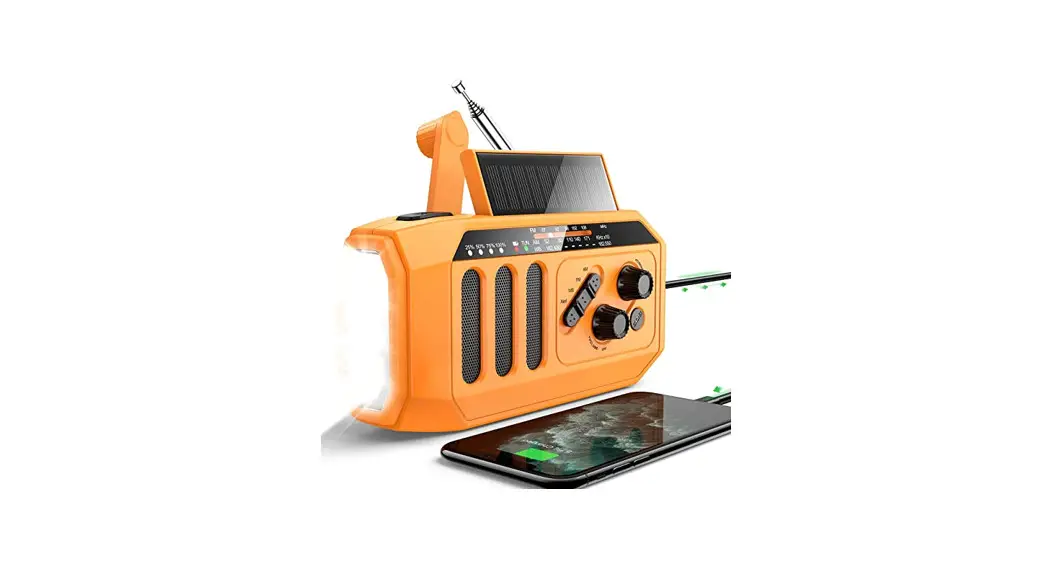
- Connect the supplied Type-c cable to the Type-c Input port on the right side of the unit to charge built-in lithium Meanwhile. 4 white power indicator lights will light up in sequence.
- Please have the radio charged at least once every three months.
B Hand Crank
- The radio can also be charged by turning the handle at the back of the device and activating the dynamo.
- The handle can be turned either clockwise or counter Spin the handle for 1 minute at the speed of 130 rpm. It can be used for beam illumination for 50 minutes or radio for 6 minutes. Spin the handle for 3 minutes at the speed of 130 rpm. It can be used for beam illumination for 4 hours or radio for 15 minutes.
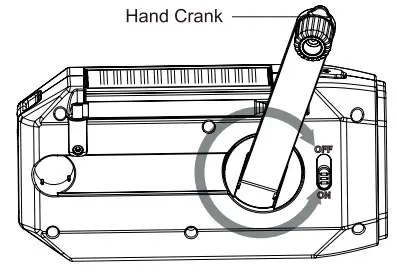 NOTE: The hand-cranked charging function is recommended to be used in emergency situations. Generally, it is recommended to charge the lithium battery via the USB charging cable.
C SOLAR POWER
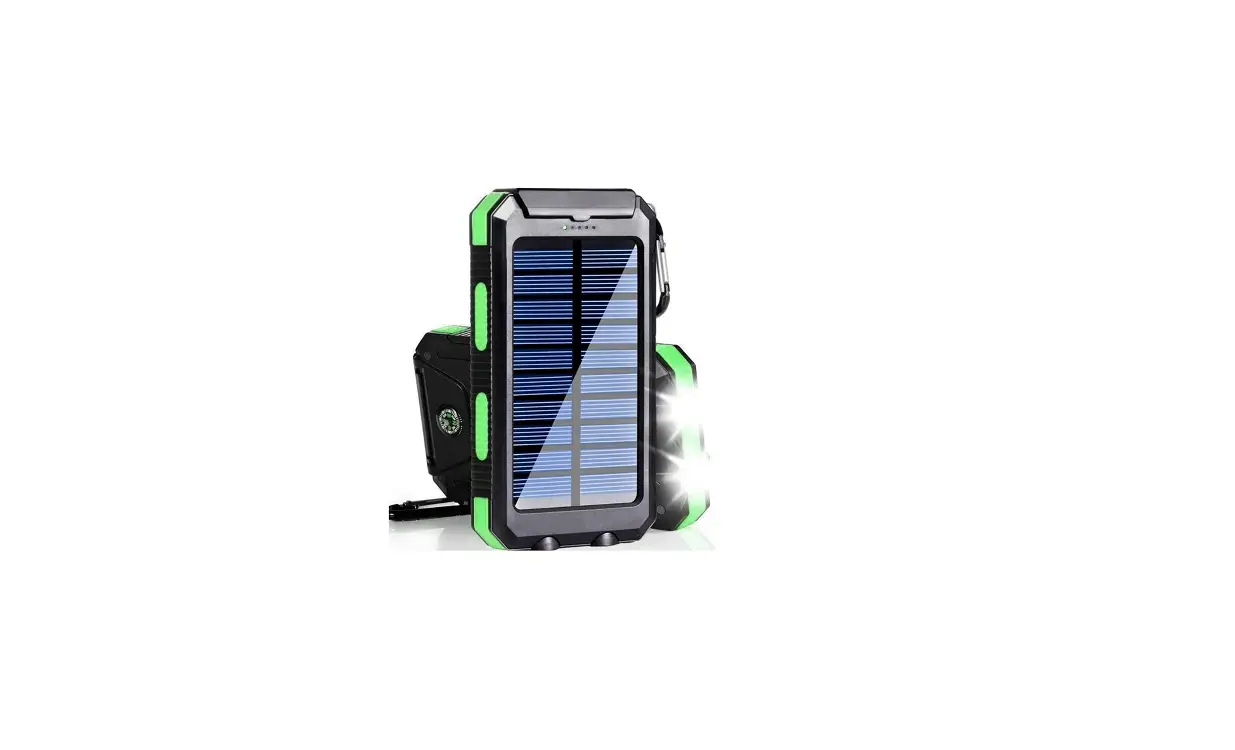
- Expose the solar panel in clear sunlight to let it charges as efficiently as possible.
- The red power indicator lights will light up when the radio received enough sunlight to start charging up.
- It is mostly used for maintaining the battery, to prolong the battery life.
POWER INDICATOR
This unit has 4 white power indicator lights to show the power capacity. The indicator light stays on when charging and discharging. Charging:
- 4 lights up: C95%
- 3 lights up: 75 %5C<95°/0
- 2 lights up: 50 °/05C<75°/0
- 1 light-up: 25%5C<50%
- The first light flash: C<25%
Discharging:
- 4 lights up: C 75%
- 3 lights up: 50 %5C<75%
- 2 lights up: 25 %5C<50%
- 1 lights up: 10 %5C<25%
- The first light flash: C<10%
*Note: “C” means capacity
KIND REMINDER
- For the first use or when the unit idles over 60 days, please hand crank for 1 minute to activate the internal battery.
- The device shall not be exposed to dripping or splashing, and objects filled with liquids should not be placed on the device.
- Please do not over-discharge the unit, so as not to reduce the internal battery life, or even damage the battery.
- Avoid flashlight light directly into the eyes, or it will hurt the eyes.
NOTE: If you have any comments, suggestions, or problems during using, feel free to contact us by the following email. We will resolve any issues without any questions asked!
Email: [email protected]Web: www.dbsoars.shopFree Tel: 1 844 DBSOARS
1(844)327-6277
YouTube
[Watch tutorial videos on YouTuber