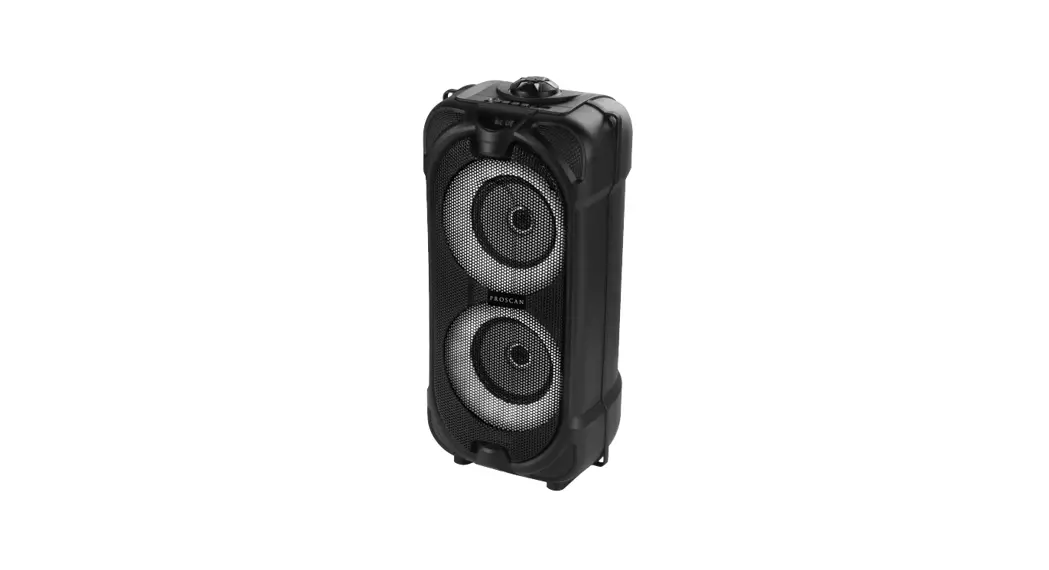
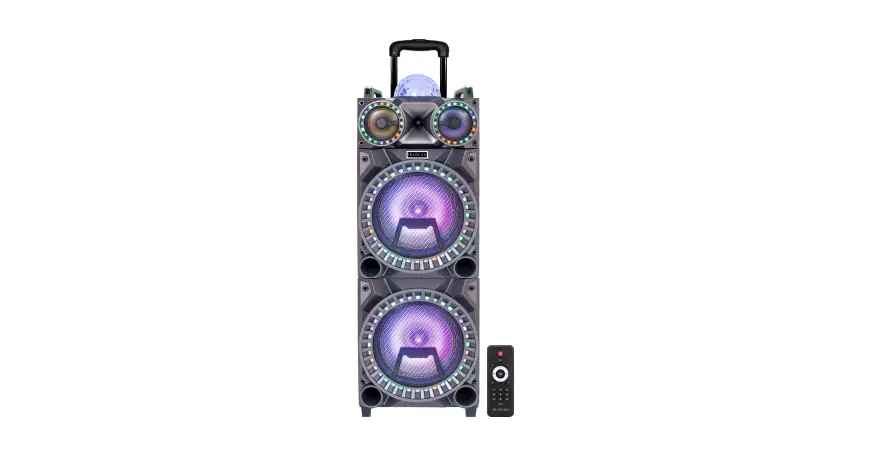
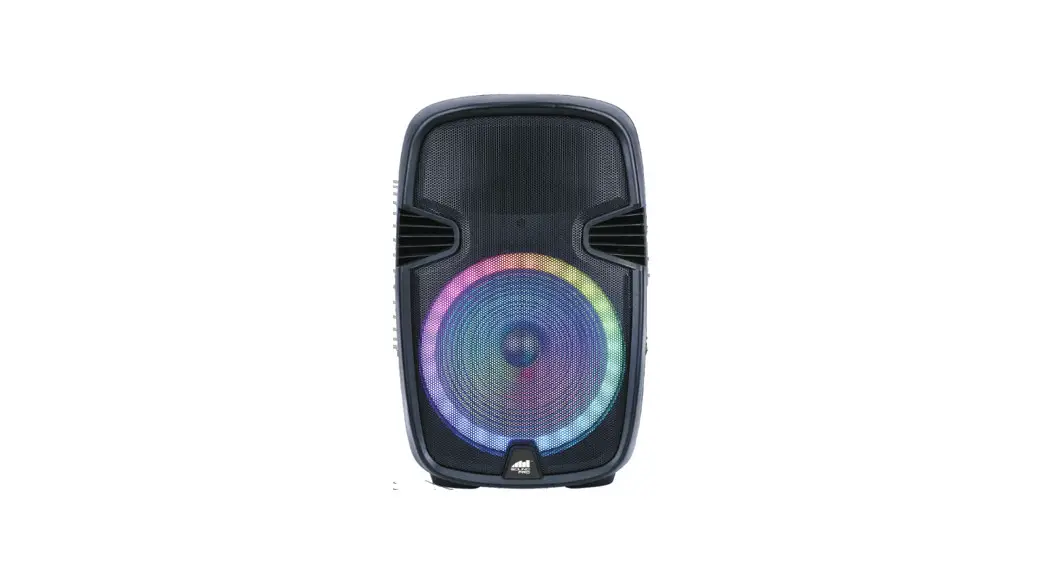
PSP158 2 x 15 Inch Light Up Bluetooth Speaker FM Rad
Product Information: 2 x 15 LIGHT UP BLUETOOTH SPEAKER-FM RADIO
Model No:PSP1580
The PSP1580 is a Proscan product that is a registered trademark
of Technicolor USA Inc. and used under license to Curtis
International Ltd. It is a 2 x 15 Bluetooth speaker with FM radio
that comes with a remote, a wired microphone, an adaptor, and an
instruction manual. The unit has a power output of 100W and a
frequency response of 38Hz-20KHz. It has a signal-to-noise ratio
(SNR) of 75dB and a total harmonic distortion (THD) of 10%. The
woofer unit is 15×2, the midrange unit is 4×2, and the tweeter is
1×1. It has an FM frequency range of 87.5~108.0 MHz and its
dimensions are (WxHxD): 465*1240*370mm.
Product Usage Instructions:
- Upon opening the package, check for the following items:
Speaker, instruction manual, remote, wired microphone, and
adaptor. - Read the instruction manual carefully before using the
product. - Do not play music at excessive levels as it may cause damage to
hearing or equipment. - Do not use the product outdoors in wet or damp
surroundings. - Connect the SD card or USB player to play music.
- Adjust the treble and bass of the music using the MIC TREBLE
and MIC BASS buttons respectively. - Adjust the delay and echo of the microphone for karaoke using
the DELAY and ECHO buttons respectively. - Adjust the volume of the microphone using the MIC.VOL
button. - Adjust the volume of the music using the VOLUME button.
- Press the INPUT/STANDBY button to select the playing mode for
Line in, FM Radio, Bluetooth, USB, and SD card. Short press the
STANDBY button on the panel control for a few seconds to enter into
standby state. Press and hold it for 2 seconds to turn it on
again. - Press the LED/MIC PRI button to change the LED light effect and
turn on/off the LED light. Press and hold this button to turn on
the priority microphone or turn off this feature. - Enhance the adjustment of music to choose the effect you like
using the EQ adjustment button. - Use the previous and next song buttons to skip between
songs. - Press the play/pause button for wireless Bluetooth connection.
Under Bluetooth mode, press the TWS button for around 3 seconds to
pair another TWS speaker. Under FM mode, long press the play/pause
button to enter into automatic scan and all the scanned radio
stations will be saved automatically. - Use the remote control within 6 meters and 60 degrees directly
to the VFD remote transducer area. No obstacle should be placed
between the remote control and the unit. The remote control might
be unavailable under strong light. In this case, remove the remote
controller from the strong light.
2 x 15″ LIGHT UP BLUETOOTH SPEAKER-FM RADIO Model No:PSP1580
USER MANUAL
PROSCANTM IS A REGISTERED TRADEMARK OF TECHNICOLOR USA INC. AND USED UNDER LICENSE TO CURTIS INTERNATIONAL LTD.
DEAR CUSTOMER In order to achieve the best performance of your product, please read this instruction manual carefully before using, and keep it for future reference.
NOTE This unit may be submitted to changes in specifications, characteristics and/or operation without prior notice to the user, in order to continue improving and developing its technology.
PACKING LIST Upon opening the package, please check for the following items: 1 x Speaker 1 x Instruction manual 1 x remote 1 x wired micphone 1 x adaptor
DO’S AND DON’TS Do not play music at excessive levels as damage to hearing
and / or equipment may result. Do not use outdoors in wet or in damp surroundings.
SPECIFICATION
Power: 100W Frequency Response: 38Hz-20KHz SNR:75dB THD: 10% DC input: 22V/4A Woofer Unit: 15″x2 Midrange Unit: 4″x2 Tweeter: 1″x 1 FM: 87.5~108.0 MHz Dimension: (WxHxD): 465*1240*370mm
2
PRODUCT OVERVIEW
12
3
4
5 6 7 8
9
MIC VOL
10 111123
VOLUME
14
INPUT
VOICE
STANDBY
15 16 17 18
19 20 21
1.SD card input
2.USB Player
3.LED Display IR
4.Power switch
5.MIC TREBLE: Music treble adjust
6.DELAY: Microphone karaoke delay adjust
7.MIC BASS: Music bass adjust
8.MIC1: Microphone input
9.MIC.VOL:Microphone volume control
10.ECHO:Microphone karaoke echo adjust
11.TREBLE:Treble adjustment
12.BASS:Bass adjustment
13.MIC2: Microphone input
14.VOLUME Music volume adjust
15.INPUT/STANDBY: Short press for playing mode selection for Line in, FM Radio ,
Bluetooth, USB,and SD card.
Press STANDBY button on the panel control for a few seconds,the device will
enter into stanby state,the LED display will show off, press and hold it for 2 seconds
to turn on again.
16. Voice changer
17. LED/MIC PRI: Short press LED/MIC PRI button to change the LED light effect and
turn on off the LED light. Press and hold this button to turn on the priority microphone
or turn off this feature.
.
18.EQ adjustment : enhance the adjustment of music to choose the effect you like
19.Previous song
20.Play/Pause&TWS&FM:(Wirless Bluetooth Connection: under bluetooth
mode, press TWS button for around 3 seconds to pairing another TWS
speaker;Under FM mode, long press Play/Pause&TWS to enter into
automatic scan and all the scanned radio stations will be saved automatically.)
21.Next song
3
REAR PANEL
1
2
DC IN
LINE IN
DC22V/4A
REMOTE CONTROL
1.DC input 2.LINE input
1
7
1.Standby 2.Master volume +/-
2
3.Previous
3 2
8 4.LED button
9
5.EQ button Press EQ button on the remote to select EQ modes: Pop,
4
10 Classical, Jazz and Rock.
5 6
EQ
VOICE
MIC.PRI
6.Voice changer
11
7.Signal input button 8.Next
9.Play/ Pause
10.Mute button
11.MIC Priority
Instructions 1.Remote control should be available within 6 meters and 60 degree. 2.Remote control should be operated straight to the VFD Remote transducer area. No obstacle should be placed between the remote control and the unit. 3.Remote control might be unavailable under strong light, In this case, remote controller should be removed from the strong light.
4
OPERATING INSTRUCTIONS 1.playing Plug the power cord in, and adjust the main volume knob to proper place. Switch on, and adjust Treble and Bass in accordance with your preferences. You then are able to enjoy the wonderful & professional glamour brought by the product. 2.Karaoke performance
Plug in the microphone, and then turn the knobs to adjust microphone volume and reverberation for optimizing the performance. You only need to install the microphone battery and switch on.
Note: after using, please turn down the volume first. Then switch off the power and pull out the power plug.
FM OPERATION Short press Input button to switch to FM mode, longt press PLAY/PAUSE button to automatically scan radio station, by pressing PREVIOUS or NEXT you can select a previous or next radio station.
BLUETOOTH: Short the INPUT button on the panel control to select Bluetooth mode. Simultaneously open the Bluetooth setting on your phone, tablet or any other Bluetooth enabled audio device and select ” Pro PSP1580 “. USB/SD MODE
Insert USB/SD card directly for playing.
5
LINE IN JACK 1.Connect an audio cable to the LINE IN JACK of the speaker
and to the audio output socket on the external audio devices such as MP3 player, discman,etc,then select LINE by pressing the INPUT button on the control panel . 2.Play from an external audio device.
TWS: (True Wireless Speaker) It needs two speakers to make TWS feature. When you had two speakers, you can make a TWS as below steps: 1. Don’t connect to this speaker with Bluetooth devices. 2. Turn on both speakers and press the mode button to change
to Bluetooth mode. 3. Press and hold one speaker’s play/pause button for 3
seconds and wait for both speakers to connect each other. It will have a tone coming out from these speakers after connected successfully. 4. Turn the Bluetooth devices to search the Bluetooth name “Pro PSP1580″ and tap to connect it. It will have a tone coming out from this speaker after connected successfully. 5. Now you can play the music form your Bluetooth devices.
6
FCC STATEMENT NOTE: This equipment has been tested and found to comply with the limits for a Class B digital device, pursuant to part 15 of the FCC Rules. These limits are designed to provide reasonable protection against harmful interference in a residential installation. This equipment generates uses and can radiate radio frequency energy and, if not installed and used in accordance with the instructions, may cause harmful interference to radio communications. However, there is no guarantee that interference will not occur in a particular installation. If this equipment does cause harmful interference to radio or television reception, which can be determined by turning the equipment off and on, the user is encouraged to try to correct the interference by one or more of the following measures: – Reorient or relocate the receiving antenna. – Increase the separation between the equipment and receiver. -Connect the equipment into an outlet on a circuit different from that to which the receiver is connected. -Consult the dealer or an experienced radio/TV technician for help Changes or modifications not expressly approved by the party responsible for compliance could void the user’s authority to operate the equipment. This device complies with Part 15 of the FCC Rules. Operation is subject to the following two conditions: (1) this device may not cause harmful interference, and (2) this device must accept any interference received, including interference that maycause undesired operation.
7
To make a warranty claim, please email [email protected] or call 1-800-968-9853.
90 DAY WARRANTY
This product is warranted to be free from defects in material and workmanship for a period of ninety (90) days from the date of original purchase. During this period, your exclusive remedy is repair or replacement of this product or component found to be defective, at our option; however, you are responsible for all costs associated with returning the product to us. If the product or component is no longer available, we will replace with a similar one of equal or greater value. Prior to a replacement being sent, the product must be rendered inoperable or returned to us.
This warranty does not cover glass, filters, wear from normal use, use not in conformity with the printed directions., or damage to the product resulting from accident, alteration, abuse, or misuse. This warranty extends only to the original consumer purchaser or gift recipient. Keep the original sales receipt, as proof of purchase is required to make a warranty claim. This warranty is void if the product is used for other than single-family household use or subjected to any voltage and waveform other than as on the specified rating on the label (e.g., 120V~60Hz).
We exclude all claims for special, incidental, and consequential damages caused by breach of express or implied warranty. All liability is limited to the amount of the purchase price. Every implied warranty, including any statutory warranty or condition of merchantability or fitness for a particular purpose, is disclaimed except to the extent prohibited by law, in which case such
8
warranty or condition is limited to the duration of this written warranty. This warranty gives you specific legal rights. You may have other legal rights that vary depending on where you live. Some states or provinces do not allow limitations on implied warranties or special, incidental, or consequential damages, so the foregoing limitations may not apply to you.
For faster service, locate the model, type, and serial numbers on your appliance.
For service assistance and product information, please call: 1-800-968-9853. Curtis International Ltd. 7045 BECKETT DRIVE, UNIT 15, MISSISSAUGA, ON, L5S 2A3 www.curtisint.com
ATTACH YOUR PROOF OF PURCHASE HERE, PROOF OF PURCHASE IS REQUIRED TO OBTAIN WARRANTY SERVICE. Please have the following information available when you contact the Support Team: · Name, address and telephone number. · Model number and serial number. · A clear, detailed description of the problem. · Proof of purchase including dealer or retailer name, address and date of purchase.
9
2 x 15” BLUETOOTH LUMINEUX HAUT-PARLEUR-RADIO FM
NUMÉRO DE MODÉLE: PSP1580
MANUEL DE L’UTILISATEUR
PROSCANTM EST UNE MARQUE DÉPOSÉE DE TECHNICOLOR USA INC. ET UTILISÉ SOUS LICENCE PAR CURTIS INTERNATIONAL LTD.
CHER CLIENT
Afin d’obtenir les meilleures performances de votre produit, veuillez Lisez attentivement ce mode d’emploi avant utilisation et conservez-le pour référence future.
REMARQUE
Cet appareil peut être soumis à des modifications de spécifications, de caractéristiques et/ou de fonctionnement sans préavis à l’utilisateur, afin de continuer à améliorer et développer sa technologie.
LISTE DE COLISAGE
Lors de l’ouverture de l’emballage, veuillez vérifier les éléments suivants:
1 haut-parleur 1 x câble de charge 1 manuel d’instructions 1 microphone
À FAIRE ET À NE PAS FAIRE Ne jouez pas de musique à des niveaux excessifs car cela endommagerait l’ouïe et/ou l’équipement peuvent en résulter. Ne pas utiliser à l’extérieur dans un environnement mouillé ou humide.
SPÉCIFICATION Puissance : 100W Réponse en fréquence : 38Hz-20KHz SNR :75dB THD : 10% Entrée DC: 22v / 4A Hautparleur de graves : 15″x2 Unité de milieu de gamme : 4″x2 Tweeter: 1″x 1 FM : 87.5~108.0 MHz Dimension : (LxHxP) : 465X1240X370 mm
2
PRÉSENTATION DU PRODUIT
12
3
4
5 6 7 8
9
MIC VOL
10 111123
VOLUME
14
INPUT
VOICE
STANDBY
15 16 17 18
19 20 21
1.Entrée carte SD
2.Lecteur USB
3.Affichage LED IR&
4.Interrupteur d’alimentation
5.MIC TREBLEÿ: réglage des aigus de la musique
6.DELAYÿ: réglage du délai de karaoké du microphone
7.MIC BASSÿ: réglage des basses de la musique
8MIC1 : entrée micro
9.MIC.VOLÿ: Contrôle du volume du microphone
10.ÉCHOÿ: Réglage de l’écho du microphone karaoké
11.TREBLEÿ: réglage des aigus
12.BASSÿ: réglage des graves
13. MIC2 : entrée micro
14.VOLUME Réglage du volume de la musique
15.INPUT/STANDBY Appu:yez brièvement pour sélectionner le mode de lecture
pour Line in, Radio FM,Bluetooth, USB et carte SD.Appuyez sur le bouton
STANDBY sur le panneau de commande pendant quelques secondes,
l’appareil entreraen état de veille, l’affichage LED will montrer, appuyez et
maintenez-le enfoncé pendant 2 secondes pour rallumer
1 6. Changeur de voix
1 7. LED/MIC PRIÿ: appuyez brièvement sur le bouton LED/MIC PRI pour modifier
l’effet lumineux LED et éteindre le voyant LED. Appuyez et maintenez ce bouton
enfoncé pour allumer le microphone prioritaire ou désactiver cettefonction
18.Ajustement EQ : améliorez l’ajustement de la musique pour choisir l’effet que
vous aimez
19.Chanson précédente
20.Play/Pause&TWS&FMÿ:(Connexion Bluetooth sans filÿ: en mode Bluetooth,
appuyez sur le bouton TWS pendant environ d 3 secondes pour coupler un autre
haut-parleur TWSÿ; En mode FM, appuyez longue, ment supr Play/Pause&TWS
pour entrer dans le balayage automatique et toutes les stations de radio balayées
seront enregistrées automatiquement.) vingt-et-un. Prochaine chanson.
3
PANNEAU ARRIÈRE
1
2
DC IN
LINE IN
1. Entrée CC 2. Entrée LIGNE
DC22V/4A
TÉ LÉCOMMANDE
1. Veille
1
7 2. Volume principal +/-
2
3. Précédent
3
8 4. Bouton DEL
2
9 5. Bouton EQ
4
10 Appuyez sur le bouton EQ de la télécommande
5
EQ
pour sélectionner les modes
6
VOICE
MIC.PRI
11 EQ : Pop, Classique, Jazz et Rock.
6. Changeur de voix sept. Bouton d’entrée de signal
8. Prochain
9. Lecture/ Pause
10.Bouton Muet
11. Priorité MIC
DES INSTRUCTIONS
1. La télécommande doit être disponible dans un rayon de 6 mètres et 60 degrés. 2. La télécommande doit être utilisée directement dans la zone du transducteur à distance VFD. Aucun obstacle ne doit être placé entre la télécommande et l’appareil.
3. La télécommande peut être indisponible sous une forte lumière. Dans ce cas, la télécommande doit être retirée de la forte lumière.
4
INSTRUCTIONS D’UTILISATIONG 1.JOUER Branchez le cordon d’alimentation et réglez le bouton de volume principal au bon endroit. Allumez et ajustez les aigus et les basses selon vos préférences. Vous pourrez alors profiter du glamour merveilleux et professionnel apporté par le produit.
2.SPECTACLE DE KARAOK É Branchez le microphone, puis tournez les boutons pour régler le volume et la réverbération du microphone afin d’optimiser les performances. Il vous suffit d’installer la batterie du microphone et de l’allumer.
Remarqueÿ: après utilisation, veuillez d’abord baisser le volume. Ensuite, éteignez l’appareil et débranchez la prise d’alimentation.
FONCTIONNEMENT FM Appuyezp briè vement sur le bouton Input pour passer en mode FM, a p p u y e z l o n g u eme nt su r le b o uto n PLAY/PAUSE pour balayer automatiquement la station de radio, en appuyant sur PREVIOUS ou NEXT vo us pouvez sé lectionner une station de radio pré cé dente ou suivante.
BLUETOOTH : Appuyezt briè vement sur le bouton INPUT du panneau de commande pour sé lectionner le mode Bluetooth. Ouvrez simultané ment le paramè tre Bluetooth sur votre té lé phone, tablette ou tout autre appareil audio compatible Bluetooth et sé lectionnez “Pro PSP1580 “.
MODE USB/SD Insérez directement la carte USB/SD pour jouer.
5
ENTRÉE DE LIGNE 1. Connectez un cable audio à la prise LIGNE IN du haut-parleur et à la prise de sortie audio sur les appareils audio externes tels que lecteur MP3, discman, etc., puis sélectionnez LIGNE en appuyant sur le bouton INPUT du panneau de commande. 2. Lecture à partir d’un périphérique audio externe.
TWS: (VÉRITABLE HAUT-PARLEUR SANS FIL) Il faut deux haut-parleurs pour créer la fonction TWS. Lorsque vous avez deux hautparleurs, vous pouvez créer un TWS comme suit:ÿ 1. Ne vous connectez pas à ce haut-parleur avec des appareils Bluetooth. 2. Allumez les deux haut-parleurs et appuyez sur le bouton mode pour passer en mode
Bluetooth.
3. Appuyez sur le bouton de lecture/pause d’un haut-parleur et maintenez-le enfoncé pendant 3 secondes et attendez que les deux haut-parleurs se connectent. Il y aura une tonalité provenant de ces haut-parleurs après une connexion réussie.
4. Tournez les appareils Bluetooth pour rechercher le nom Bluetooth “Pro PSP1580”
et appuyez sur pour le connecter. Il aura une tonalité sortant de ce haut-parleur après une connexion réussie. 5. Vous pouvez maintenant écouter la musique de vos appareils Bluetooth.
DÉCLARATION FCC
REMARQUE : Cet équipement a été testé et déclaré conforme aux limites d’un appareil numérique de classe B, conformément à la partie 15 des règles de la FCC. Ces limites sont conçues pour fournir une protection raisonnable contre les interférences nuisibles dans une installation résidentielle. Cet équipement génère utilise et peut émettre de l’énergie de radiofréquence et, s’il n’est pas installé et utilisé conformément aux instructions, peut causer des interférences nuisibles aux communications radio. Cependant, il n’y a aucune garantie que des interférences ne se produiront pas dans une installation particulière. Si cet équipement cause des dommages interférence à la réception radio ou télévision, qui peut être déterminée en allumant et en éteignant l’équipement, l’utilisateur est encouragé à essayer de corriger l’interférence par une ou plusieurs des mesures suivantes : – Réorientez ou déplacez l’antenne de réception. – Augmenter la distance entre l’équipement et le récepteur. – Connectez l’équipement à une prise sur un circuit différent de celui auquel le récepteur est connecté. – Consultez le revendeur ou un technicien radio/TV expérimenté pour obtenir de l’aide. Les changements ou modifications non expressément approuvés par la partie responsable de la conformité peuvent annuler le
droit de l’utilisateur à utiliser l’équipement. Cet appareil est conforme à la partie 15 des règles de la FCC. Son fonctionnement est soumis aux deux conditions suivantes: (1) Cet appareil ne doit pas causer d’interférences nuisibles, et (2) Cet appareil doit accepter toute interférence reçue, y compris les interférences susceptibles de provoquer un fonctionnement indésirable.
6
7
Pour faire une réclamation au titre de la garantie, veuillez envoyer un courriel à [email protected] ou appeler le 1-800-968-9853.
GARANTIE DE 90 JOURS
Ce produit est garanti exempt de défauts de matériaux et de fabrication pendant une période de quatre-vingt-dix (90)jours à compter de la date d’achat d’origine. Pendant cette période, votre recours exclusif est la réparation ou le remplacement de ce produit ou composant qui s’avère défectueux, à notre choix; cependant, vous êtes responsable de tous les coûts associés au retour du produit. Si le produit ou le composant n’est plus disponible, nous le remplacerons par un produit similaire de valeur égale ou supérieure. Avant qu’un remplacement ne soit envoyé, le produit doit être rendu inutilisable ou nous être retourné.
Cette garantie ne couvre pas le verre, les filtres, l’usure due à une utilisation normale, une utilisation non conforme aux instructions imprimées., ou les dommages au produit résultant d’un accident, d’une altération, d’un abus ou d’une mauvaise utilisation. Cette garantie s’étend uniquement à l’acheteur consommateur d’origine ou destinataire du cadeau. Conservez le reçu de vente original, car une preuve d’achat est requise pour faire une réclamation au titre de la garantie. Cette garantie est annulée si le produit est utilisé pour un usage autre qu’un usage domestique unifamilial ou soumis à une tension et à une forme d’onde autres que celles indiquées sur le garantie spécifiée sur l’étiquette (par exemple, 120V~60Hz).
Nous excluons toutes les réclamations pour les dommages spéciaux, accessoires et consécutifs causés par la violation de la garantie expresse ou implicite. Toute responsabilité est limitée au montant du prix d’achat. Chaque garantie implicite,
8
y compris toute garantie légale ou condition de qualité marchande ou d’adéquation à un usage particulier. à des fins de garantie, est exclue, sauf dans la mesure interdite par la loi, auquel cas une telle garantie ou condition est limitée à la durée de cette garantie écrite. Cette garantie vous donne des droits légaux spécifiques. Vous pouvez avoir d’autres droits légaux qui varient en fonction de votre lieu de résidence. Certains états ou provinces n’autorisent pas les limitations sur les garanties implicites ou les dommages spéciaux, accessoires ou consécutifs, de sorte que les limitations précédentes peuvent ne pas s’appliquer à vous.
Pour un service plus rapide, localisez le modèle, le type et les numéros de série sur votre appareil. Pour obtenir de l’aide et des informations sur les produits, veuillez composer le 1-800-968-9853. Curtis International Ltd. 7045 BECKETT DRIVE, UNITÉ 15, MISSISSAUGA, ON, L5S 2A3 www.curtisint.com
JOIGNEZ VOTRE PREUVE D’ACHAT ICI, UNE PREUVE D’ACHAT EST REQUISE POUR OBTENIR LE SERVICE DE GARANTIE.
Veuillez avoir les informations suivantes à disposition lorsque vous contactez l’équipe d’assistance: · Nom, adresse et numéro de téléphone. · Numéro de modèle et numéro de série. · Une description claire et détaillée du problème. · Preuve d’achat comprenant le nom du revendeur ou du détaillant, l’adresse et la date d’achat.
9