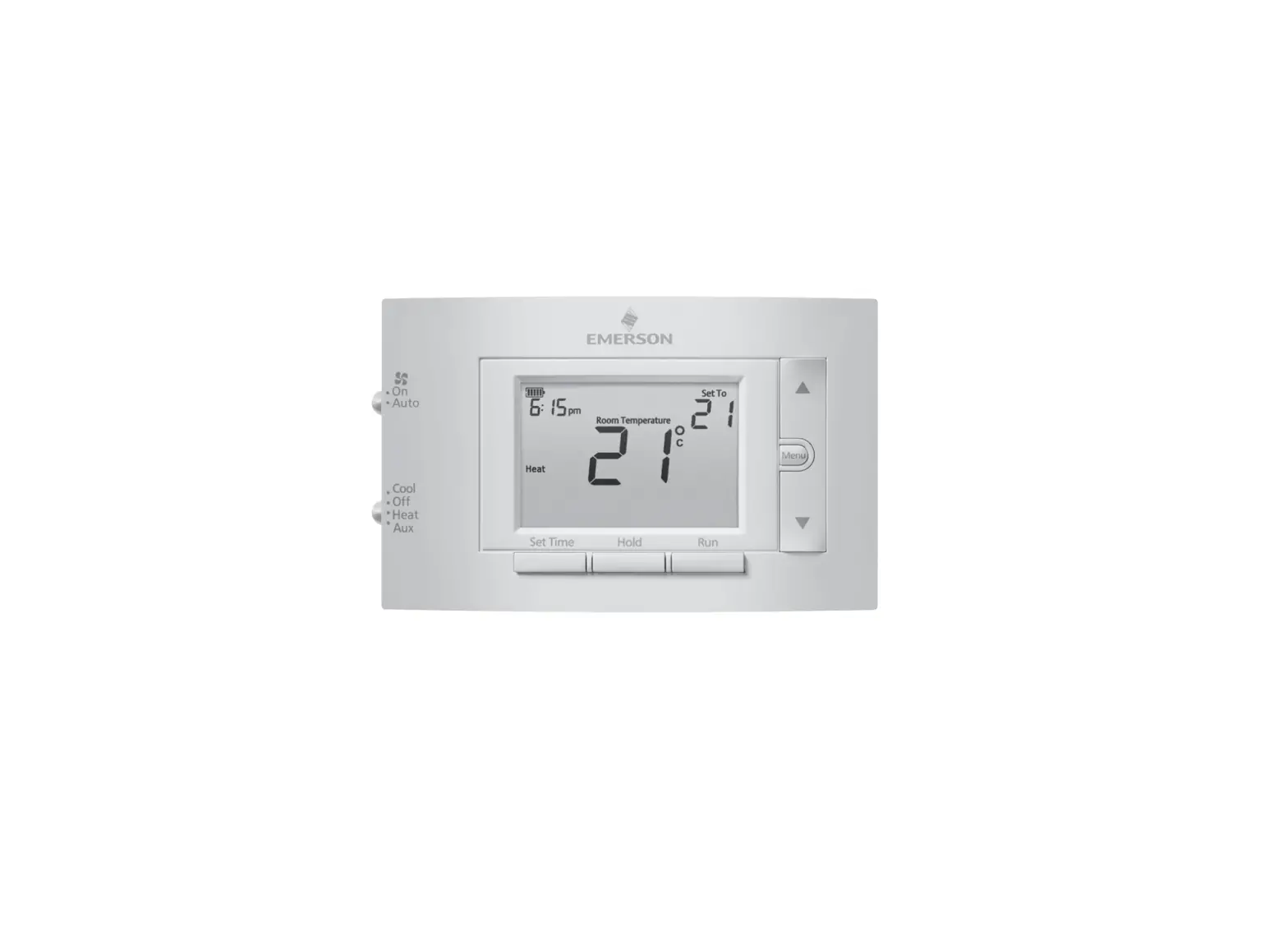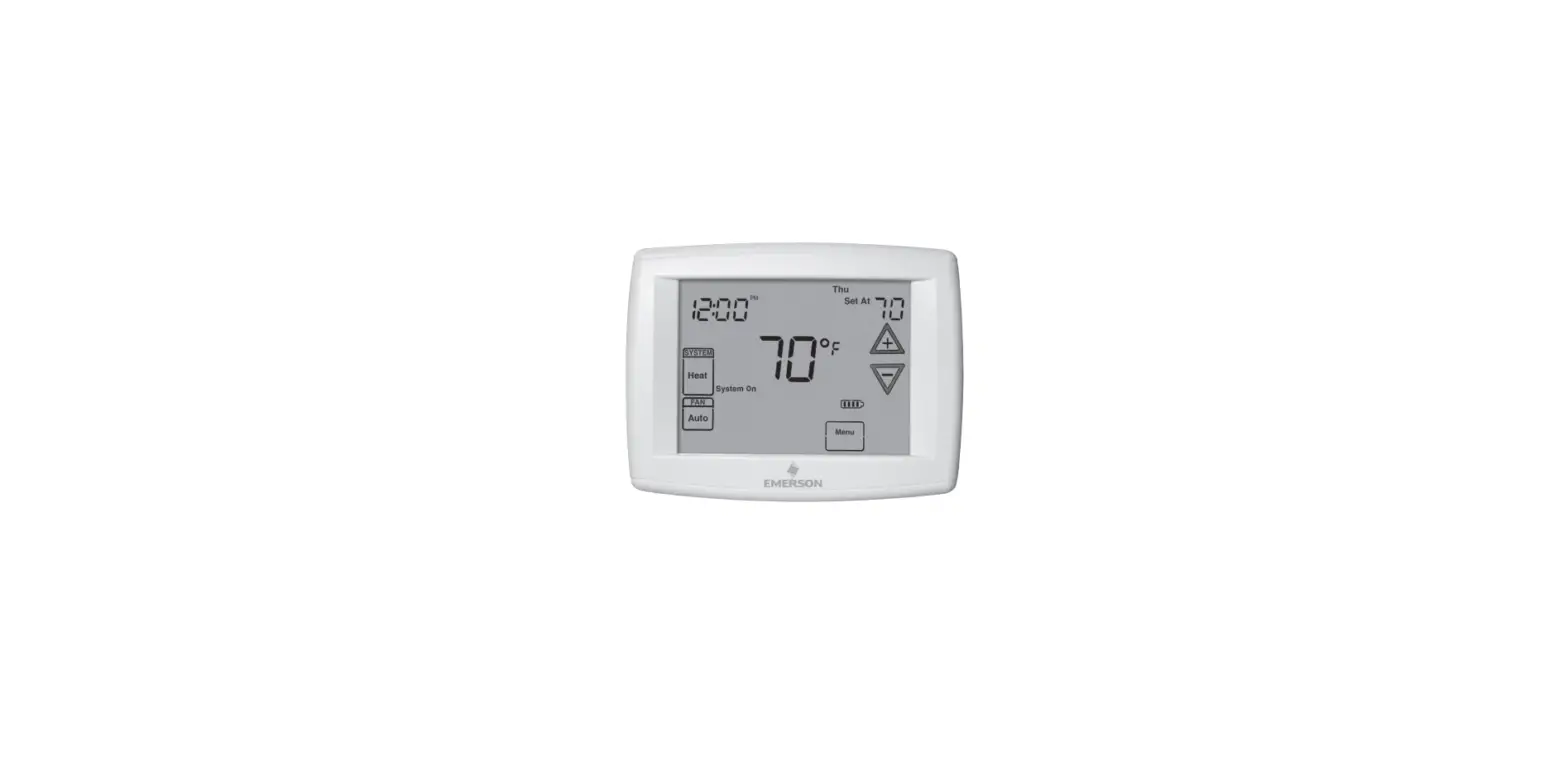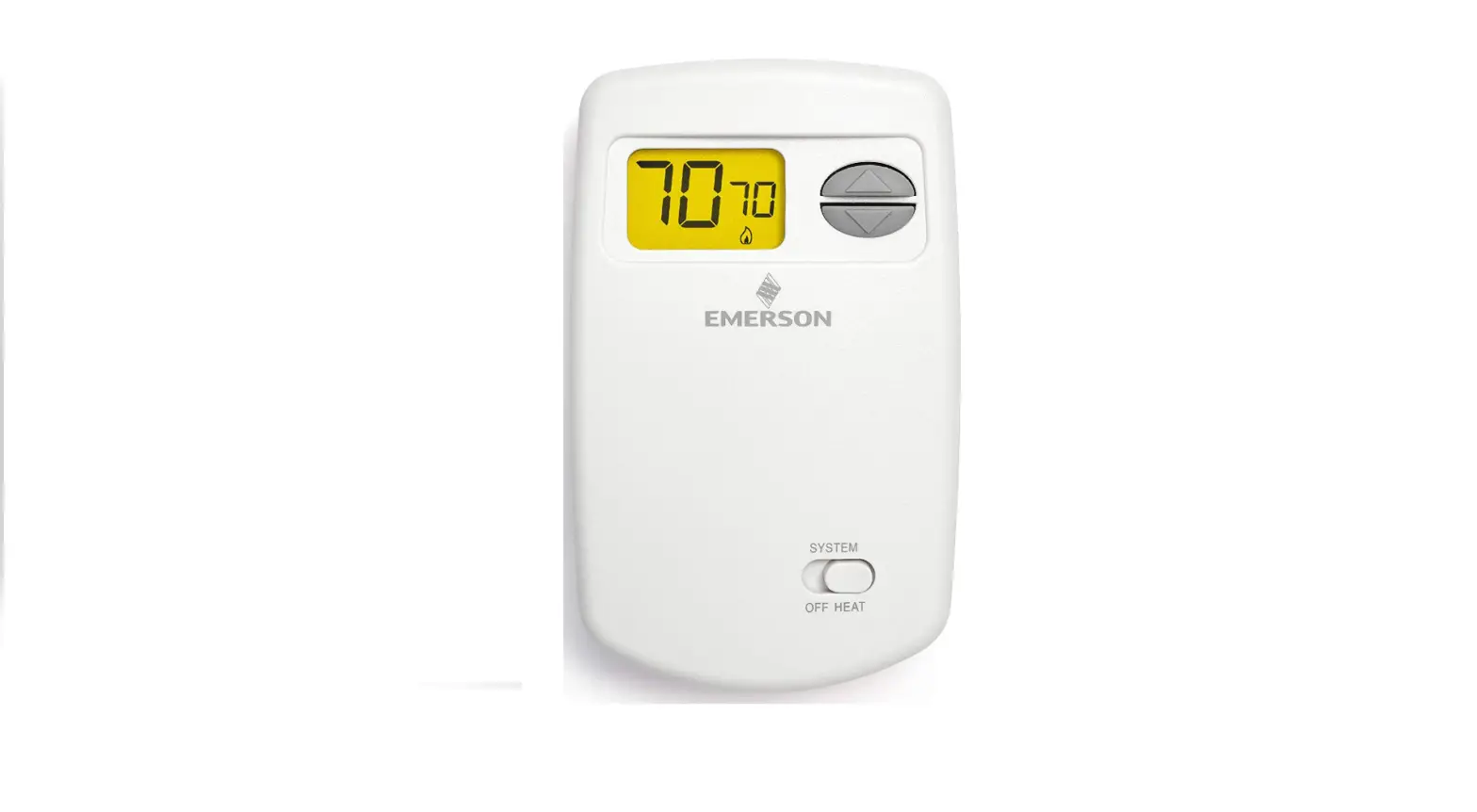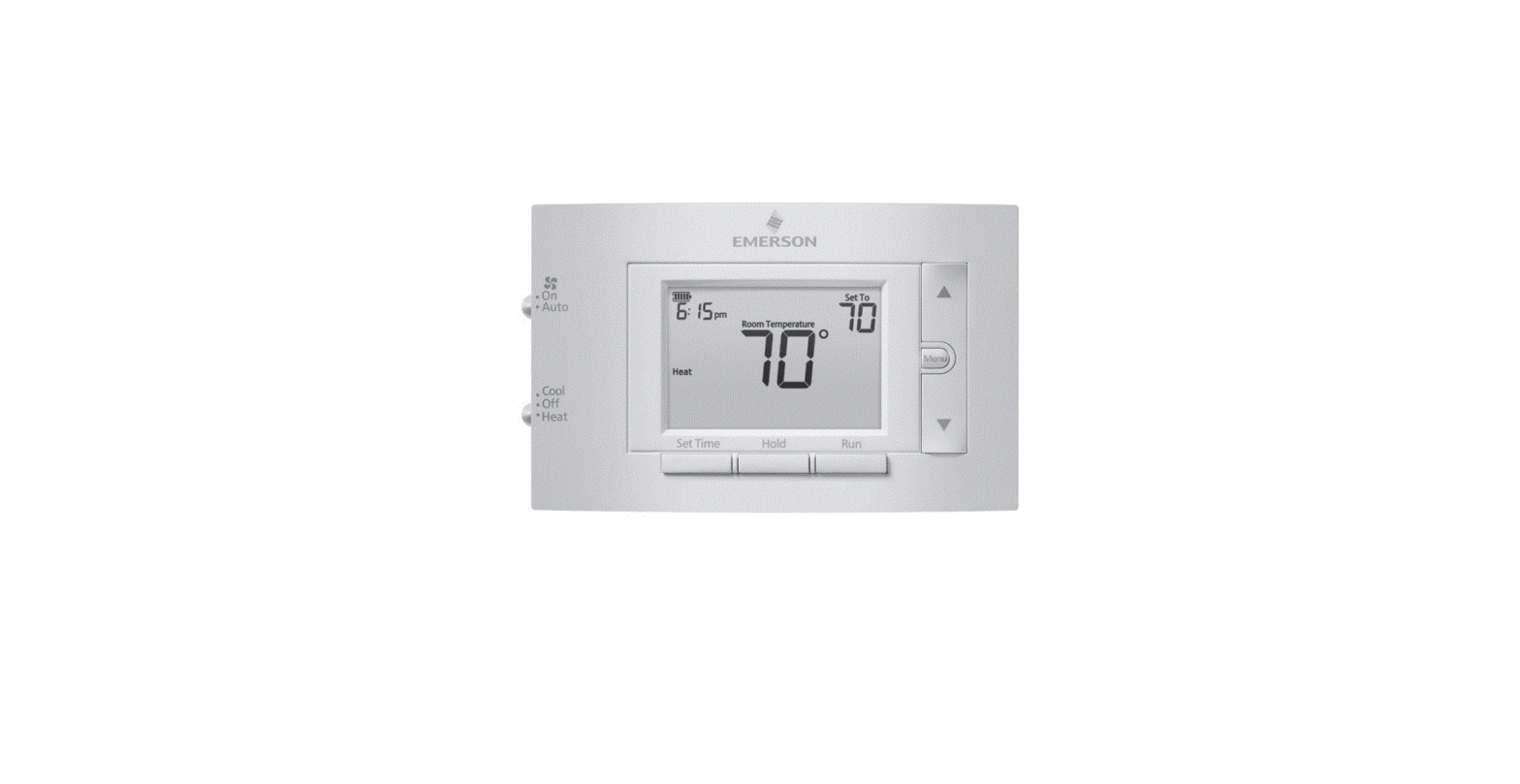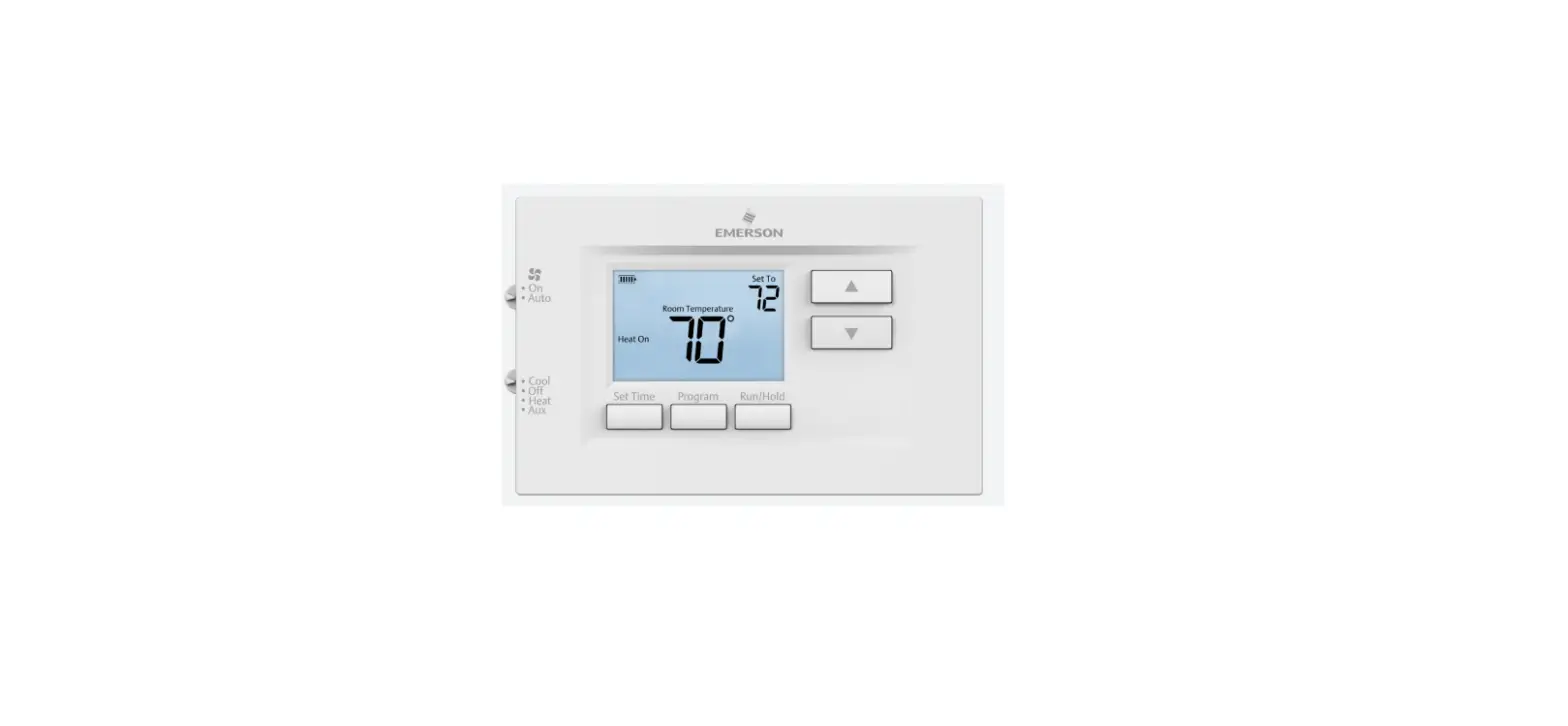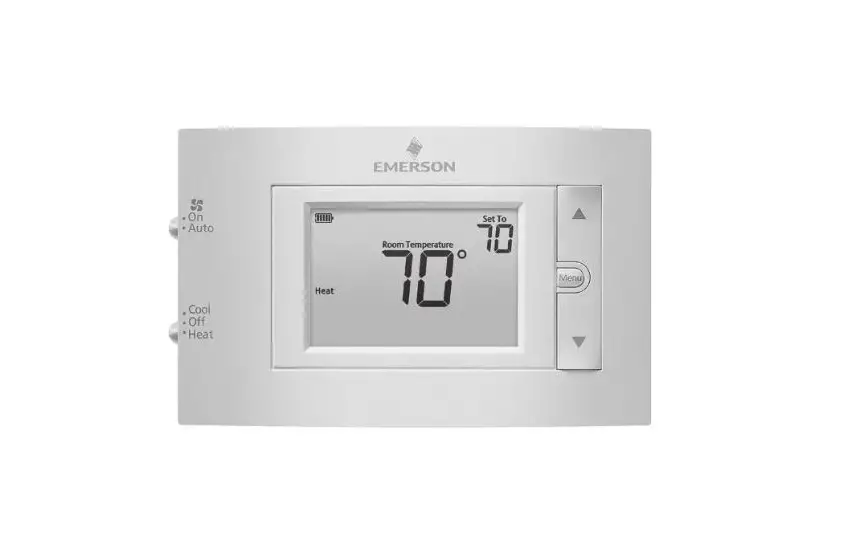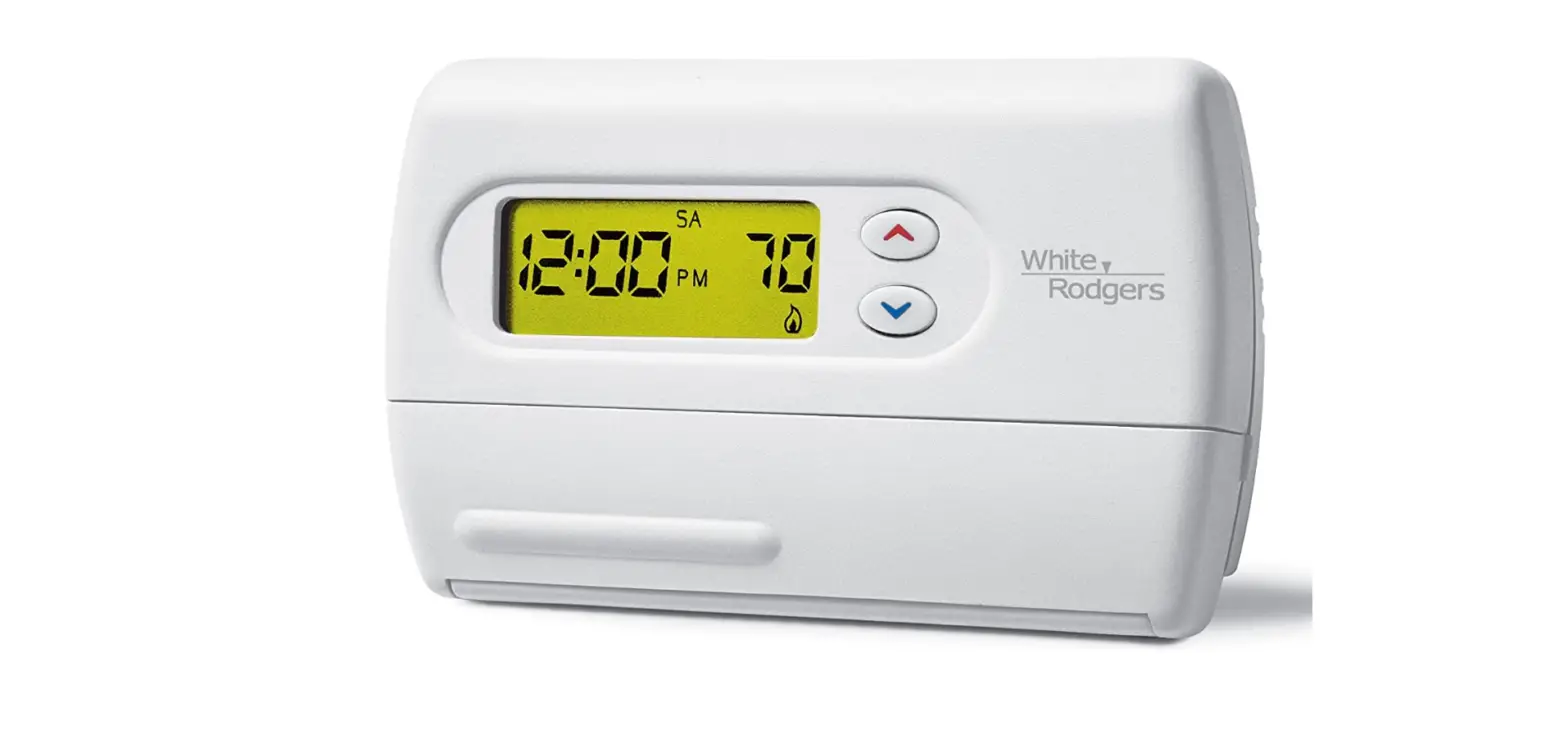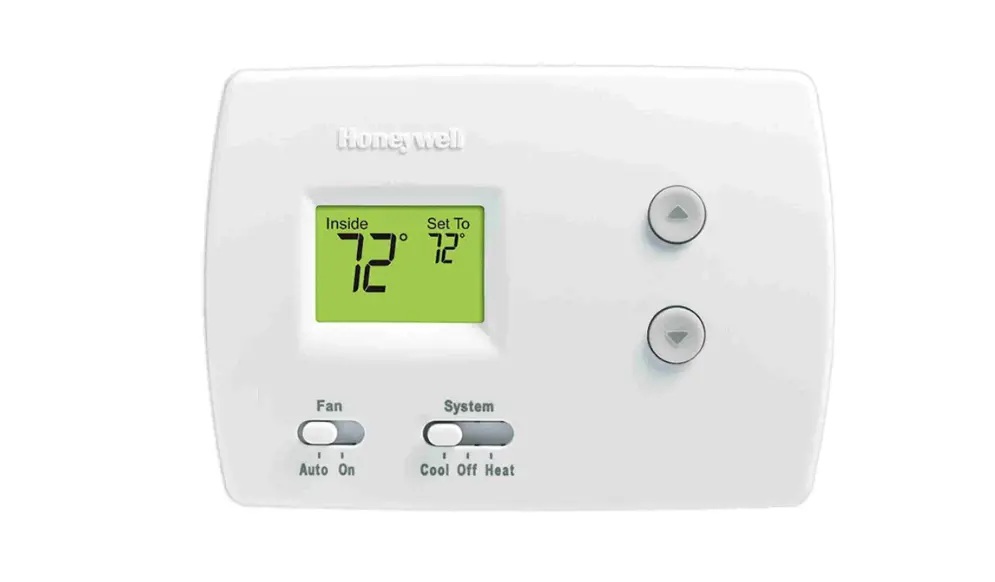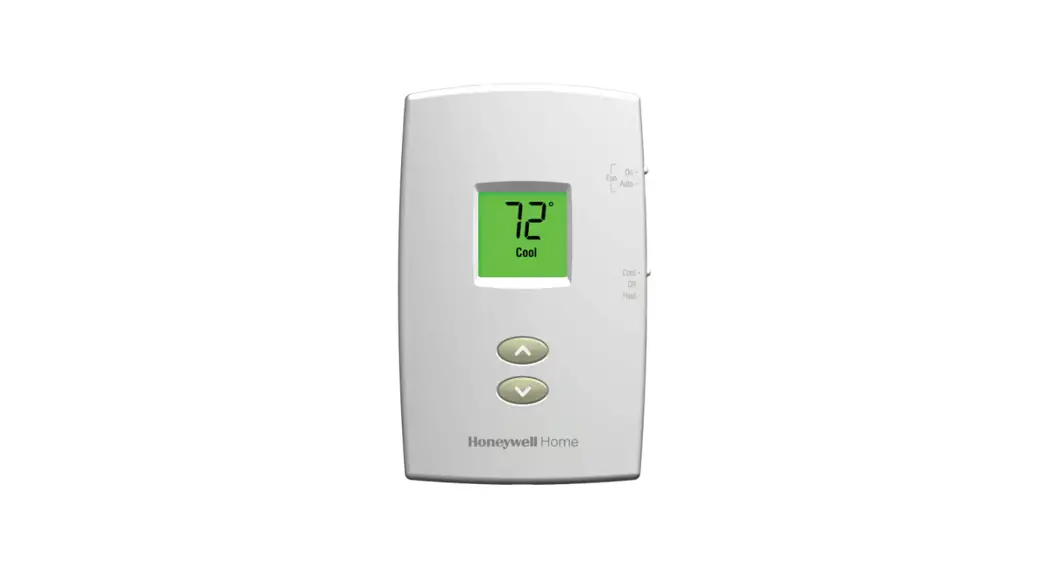

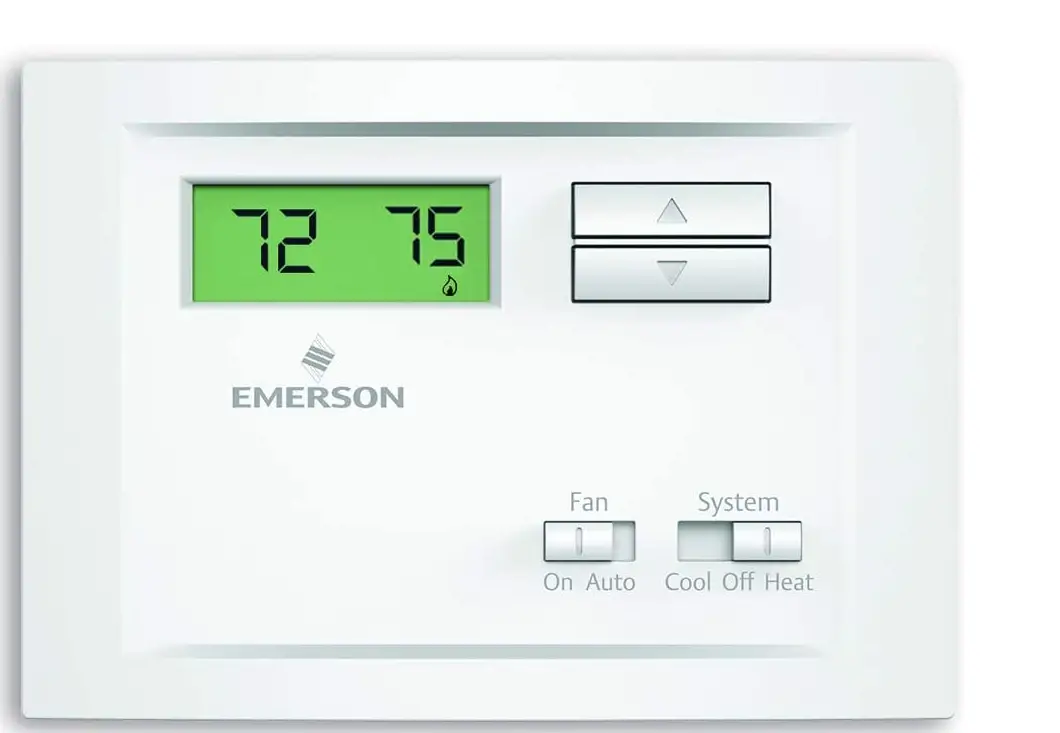
Emerson NP110 Non-Programmable Thermostat
Specifications
- Product Dimensions
1.5 x 6 x 4 inches - Item Weight
0.5 Pounds - Power Source
Electric - Controller Type
Hand Control - Voltage
240 Volts - Backlight
Yes - Shape
Rectangular - Batteries
2 AAA batteries - Battery Cell Type
Alkaline - Brand
Emerson Thermostats
Introduction
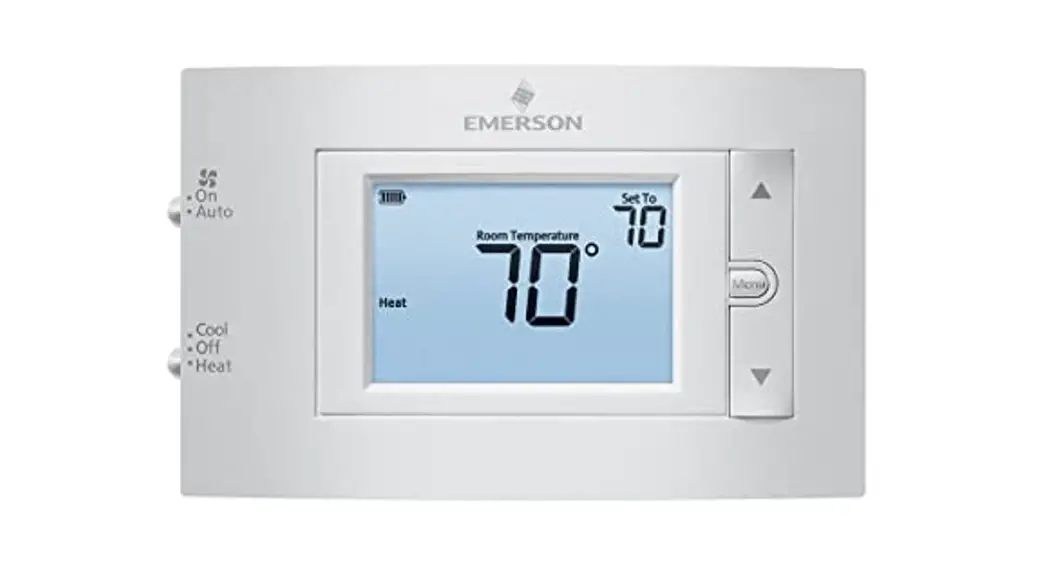
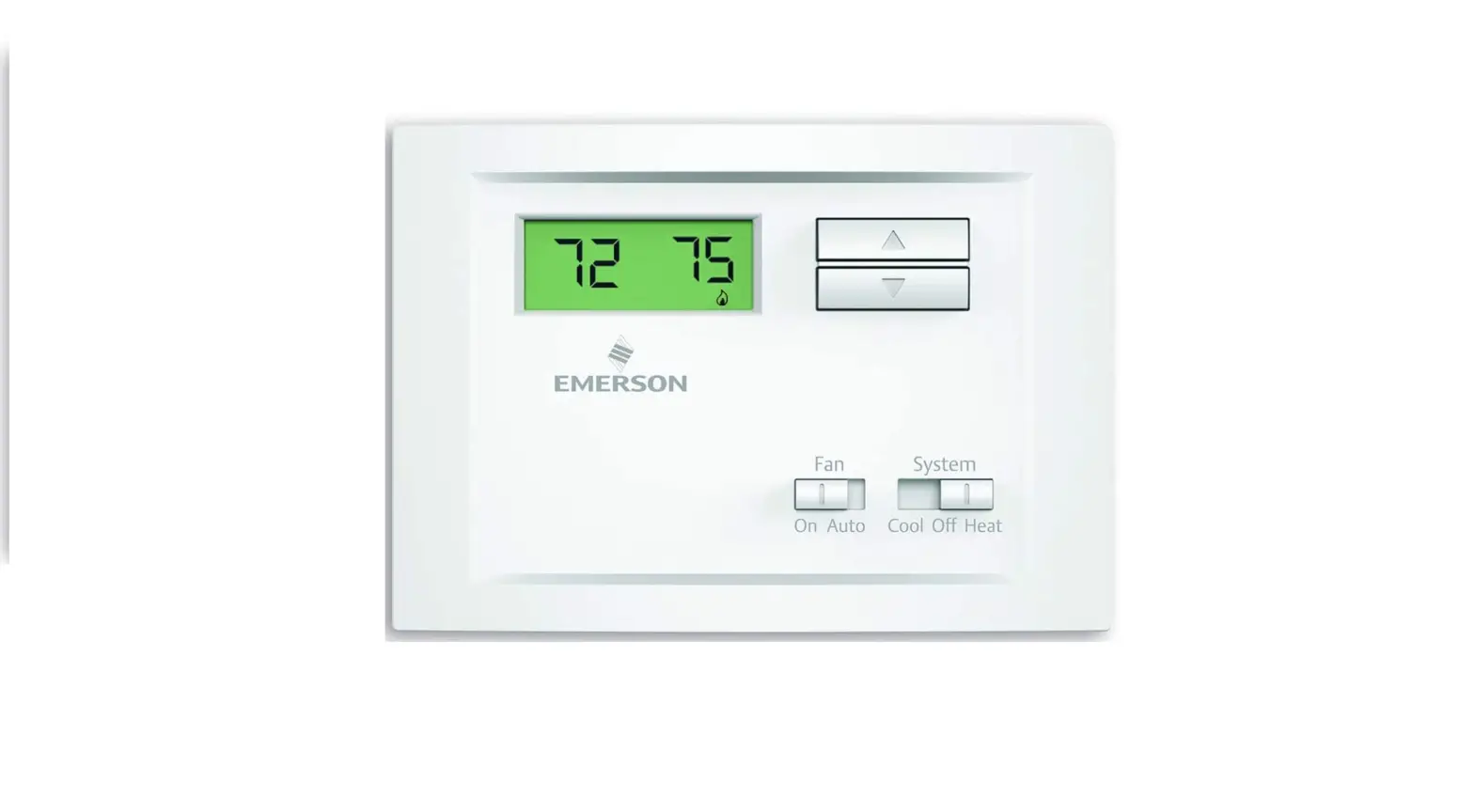
The single-stage, non-programmable Emerson NP110 thermostat works with heat pump (without aux) and single-stage heating and cooling systems. This thermostat offers plus or minus 1°F precise temperature control and a lighted display. Some other systems, like electric baseboard heat, are incompatible.
PREPARATIONS
Check package contents
This package should contain the following items
- Thermostat
- Mounting screws and wall anchors (x2)
- 2 AAA batteries
- Terminal wire label stickers
- Installation instructions
Gather tools
Required tools
- Flat-head Screwdriver
- Small pliers (needle-nose)
- Drill with 3/16” (4 mm) bit Optional tools:
- Wire cutters/stripper
- Hammer
THERMOSTAT DETAILS
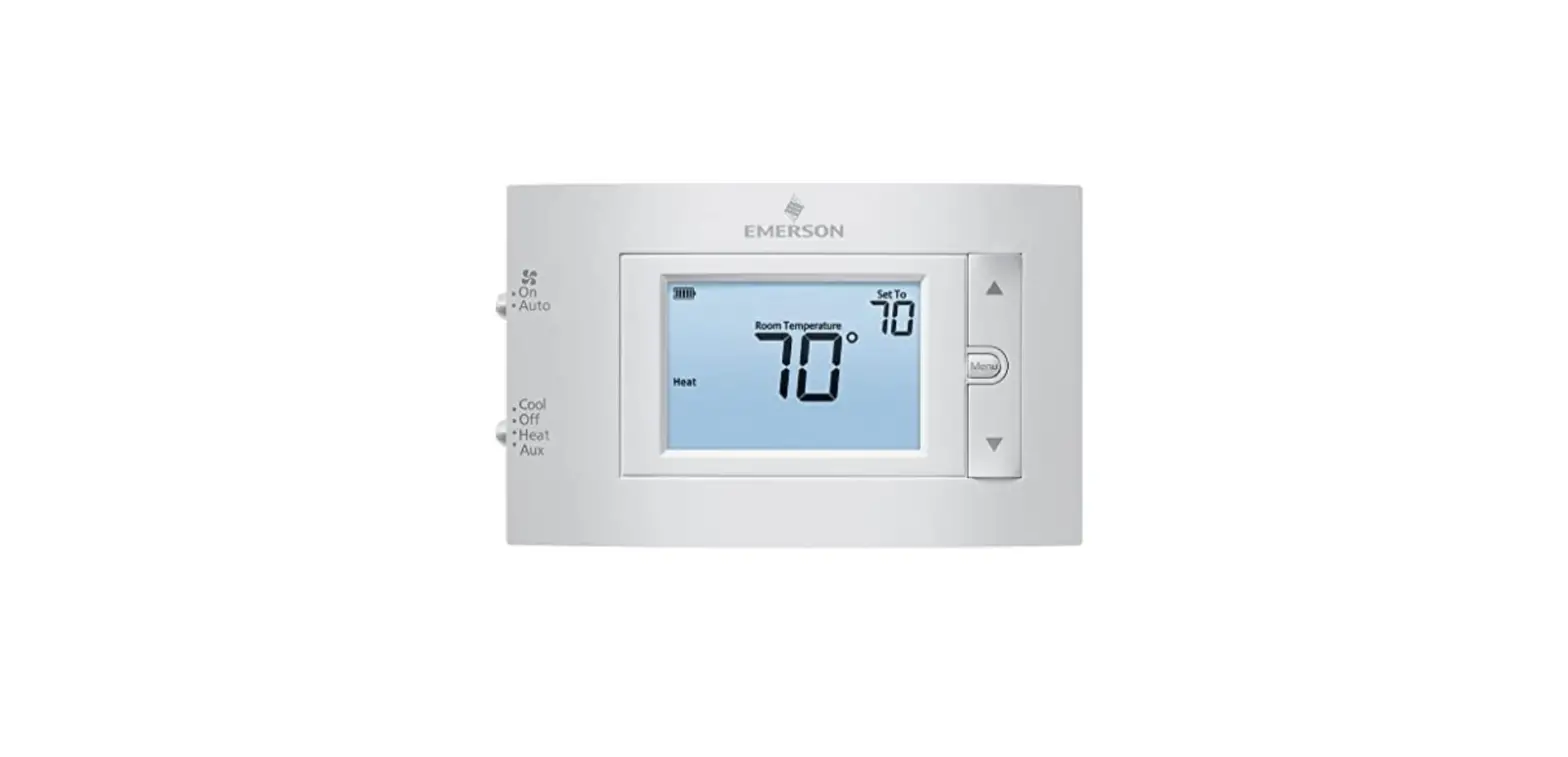
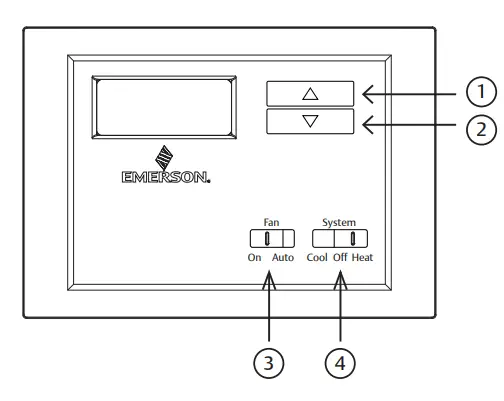
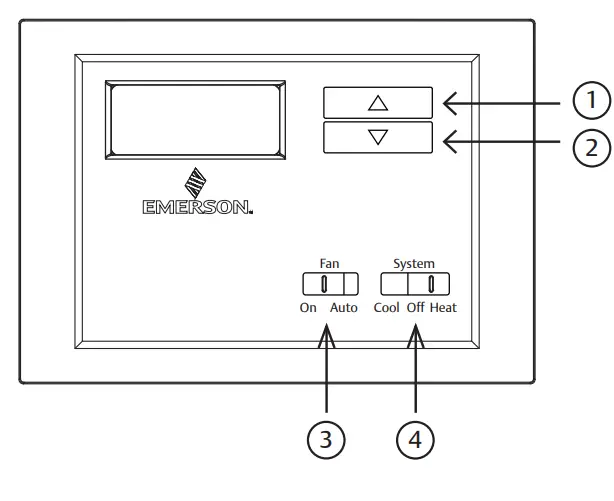
The thermostat buttons and switches
- (Up arrow) Raises temperature setting.
- (Down arrow) Lowers temperature setting.
- FAN switch (ON, AUTO).
- SYSTEM switch (COOL, OFF, HEAT).
REMOVING OLD THERMOSTAT
Turn off power
WARNING
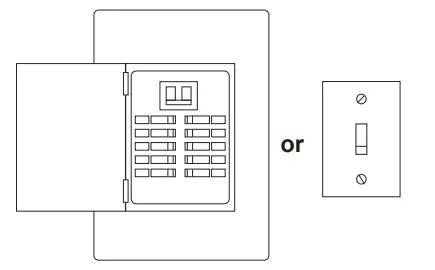
To prevent electrical shock and/or equipment damage, disconnect electrical power to the system at the main fuse or circuit breaker box, or by flipping a switch at the air handler. Do not restore power until installation is complete.
To ensure the power to your heating and cooling system has been turned off, try to turn on heating or cooling by changing the temperature on your old thermostat.
Remove the old thermostat cover
Remove the old thermostat’s front cover from the wall base. Some covers pull off easily, while others may need to be released by using a screwdriver.
CAUTION
Your old thermostat may have a sealed glass tube containing mercury. Be careful not to damage the tube or dispose of the tube in your trash. For safe disposal information, please see Mercury Notice on page 27.
Label wires
Tip: Taking a picture with a camera or smartphone can help you not only remember how wires are connected to the terminals, but can also ensure that you label your wires correctly. Mislabeling the wires may result in a high energy bill or damage to your heating and cooling system.
Using your screwdriver, carefully unscrew one wire at a time from the terminal block and attach the corresponding wire label sticker.
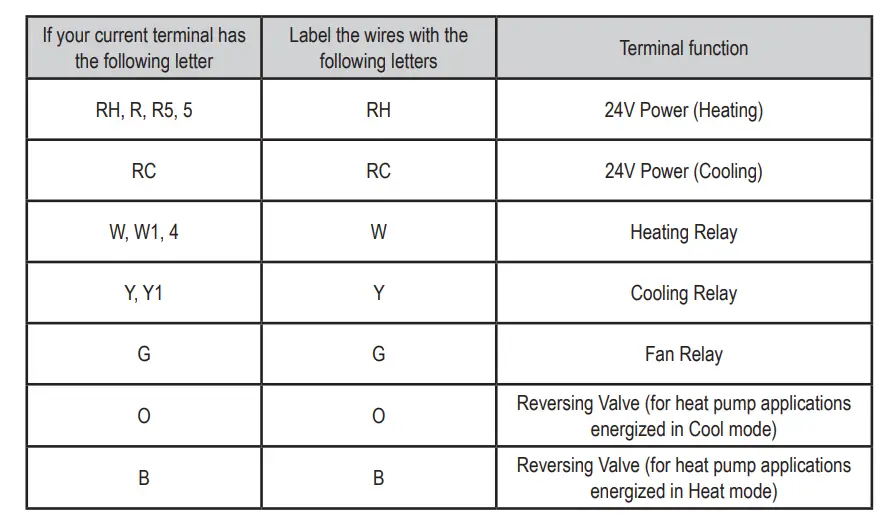
Please note that not all terminals may be used and that there’s no standard color code for thermostat wires, so your wire colors may vary. For your reference, we’ve included a terminal label reference chart to help you connect the wires in your old thermostat to your new thermostat in case you get stuck.
Terminal labeling reference chart
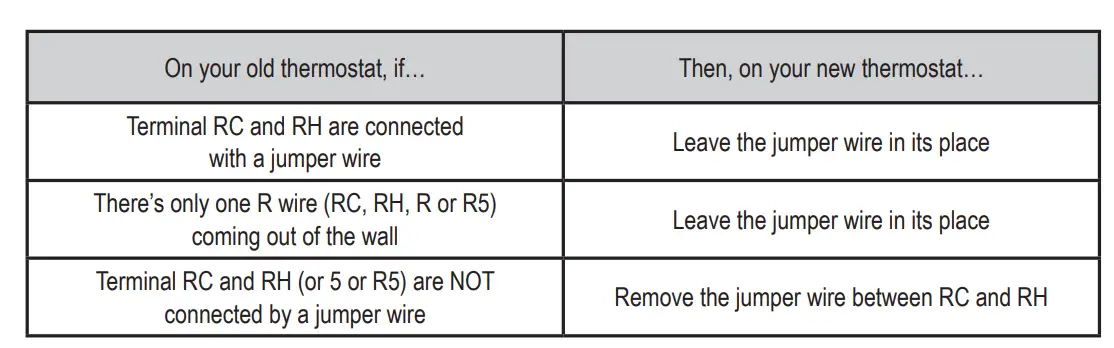
Identify jumper wire
For terminal RC and RH
For terminals Y and W
If you have a heat pump with reversing valve, connect Y and W with a jumper wire on your new thermostat. If you need help with labeling and wiring, please contact Customer Support at 877.654.9394 or email [email protected] — we’re here to help
Remove the old thermostat base
With all of your wires disconnected and properly labeled, you may now safely remove the thermostat base from your wall.
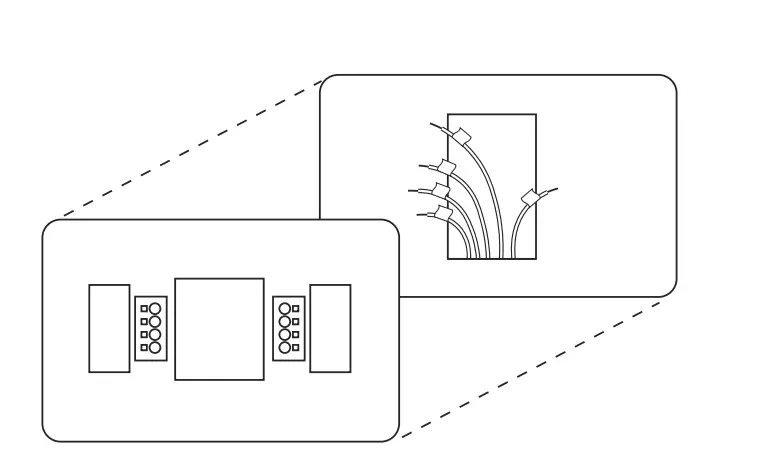
Tip
Worried about having your wires falling into your wall? Keep the wires secure by wrapping them around a pencil.
MOUNTING AND WIRING YOUR NEW THERMOSTAT
Install new thermostat base
Mount your new thermostat base using the supplied screws. Drill holes and insert wall anchors to secure the thermostat base to the wall, if necessary.
Connect wires to corresponding terminal blocks
Match each labeled wire to its corresponding terminal on the mounted thermostat base. Insert each labeled wire into the hole of its matching terminal, and using the screwdriver, tighten the screw on the terminal block securely.
CAUTION
Take care when securing and routing wires so they do not short to adjacent terminals or the rear of the thermostat. Personal injury and/or property damage may occur.
Set switch and advanced wiring
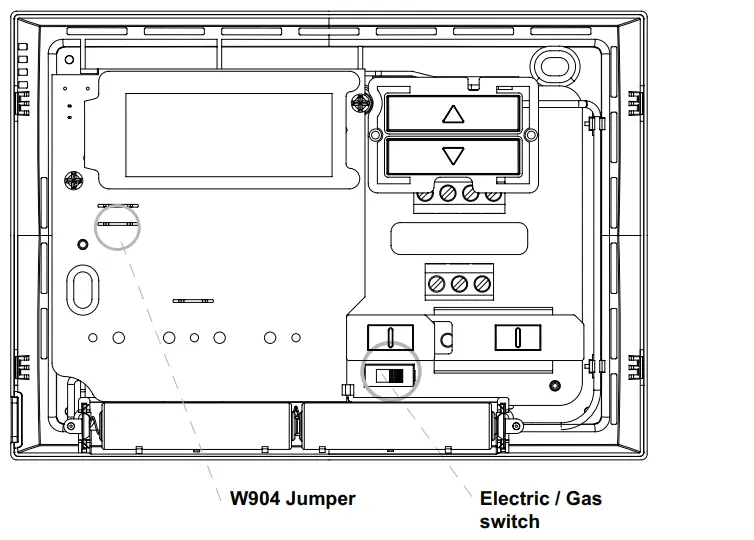
If you have either a gas or oil furnace, set the switch to GAS. If you have an electric furnace, set the switch to ELEC.
Install the batteries and attach the front cover
Install the included AAA alkaline batteries and push the front cover onto the thermostat base until it’s secure.
Turn on power
Turn on your power at the source.
Congratulations! You’ve completed the thermostat installation process
CHECK THERMOSTAT OPERATION
Tip
If at any time during testing your system does not operate properly, please contact Customer Support at 877.654.9394 or email [email protected]
Note
To prevent static discharge problems, touch the side of the thermostat to release static build-up before touching any keys.
If at any time during testing your system does not operate properly, contact a qualified service person.
Fan operation
If your system does not have a G terminal connection, skip to Heating System.
- Turn on the power system
- Move FAN switch to ON position. The blower should begin to operate.
- Move FAN switch to AUTO position. The blower should stop immediately.
Cooling system
CAUTION
To prevent compressor and/or property damage, if the outdoor temperature is below 50°, DO NOT operate the cooling system
This thermostat has a time delay between cooling cycles to allow the head pressure in the compressor to stabilize. If the temperature is adjusted to call for cool within 5 minutes of the last cycle the snowflake icon will blink indicating the thermostat is locked out. After 3 to 5 minutes, the compressor will start and the snowflake icon will stop flashing. This helps prevent the compressor from cycling too quickly and is a normal operation for the thermostat.
- Mose SYSTEM switch to COOL position.
- Press
 to adjust the thermostat setting below room temperature. The blower should come on immediately on high speed, followed by bold air circulation
 - Press
 to adjust the temperature setting above room temperature. The cooling system should stop operating.
 to adjust the thermostat setting below room temperature. The blower should come on immediately on high speed, followed by bold air circulation
 to adjust the temperature setting above room temperature. The cooling system should stop operating.
Heating system
- Move SYSTEM switch to HEAT position. If the heating system has a standing pilot, be sure to light it.
- Press to adjust the thermostat setting to room temperature. The heating system should begin to operate.
- Press to adjust the temperature setting below room temperature. The heating system should stop operating.
Before you begin using your thermostat, you should be familiar with its features and with the display and the location and operation of the thermostat buttons. Your thermostat consists of two parts: the thermostat cover and the base. To remove the cover, gently pull it straight out from the base. To replace the cover, line up the cover with the base and press gently until the cover snaps onto the base.
The thermostat buttons and switches
- (Up arrow) Raises temperature setting.
- (Down arrow) Lowers temperature setting.
- FAN switch (ON, AUTO).
- SYSTEM switch (COOL, OFF, HEAT).
The display
- Flame is displayed when the SYSTEM switch is in the HEAT position
 is displayed (non-flashing) when the SYSTEM switch is in the COOL position. is displayed (flashing) when the compressor is in lockout mode.
 - Displays current temperature.
 is displayed when the 2 “AAA” batteries are low and should be replaced. Nothing else will be displayed.
- Displays currently set temperature (this is blank when the SYSTEM switch is in the OFF position).
 is displayed (non-flashing) when the SYSTEM switch is in the COOL position.
  is displayed when the 2 “AAA” batteries are low and should be replaced. Nothing else will be displayed.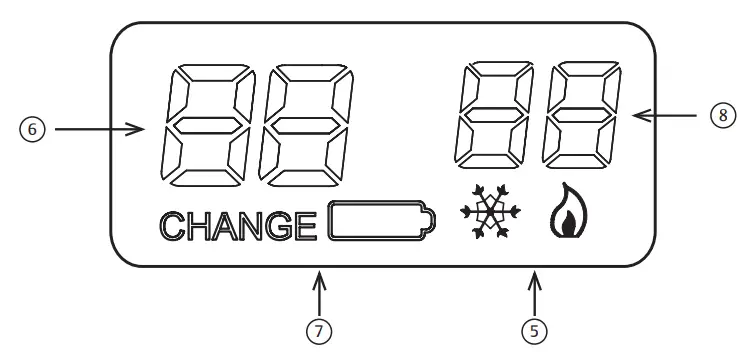
Operating features
Now that you are familiar with the thermostat buttons and display, read the following information to learn about the many features of the thermostat.
- SIMULTANEOUS HEATING/COOLING SETPOINT STORAGE
You can enter both your heating and cooling setpoints at the same time. There is no need to re-enter the thermostat at the beginning of each season. - TEMPERATURE SETTING
Press or until the display shows the temperature you want. The thermostat will keep the room temperature at the selected temperature. - °F/°C CONVERTIBILITY
The factory default setting is Fahrenheit. Clipping W904 jumper on the circuit board will alter this feature to Celsius temperature setting. See diagram on page 11. - LOW BATTERY INDICATOR
If the 2 “AAA” alkaline batteries are low and should be replaced, the display will be blank except for . When the batteries are low, pressing any button will cause the display to operate for ten seconds. After ten seconds, the display will be blank except for . After has been displayed for 4 weeks, the thermostat will raise the temperature 10° above your setpoint in COOL mode and drop the temperature 10° below your setpoint in HEAT mode. You cannot program with low batteries, but you can override setpoint temperature. - TEMPERATURE DISPLAY ADJUSTMENT
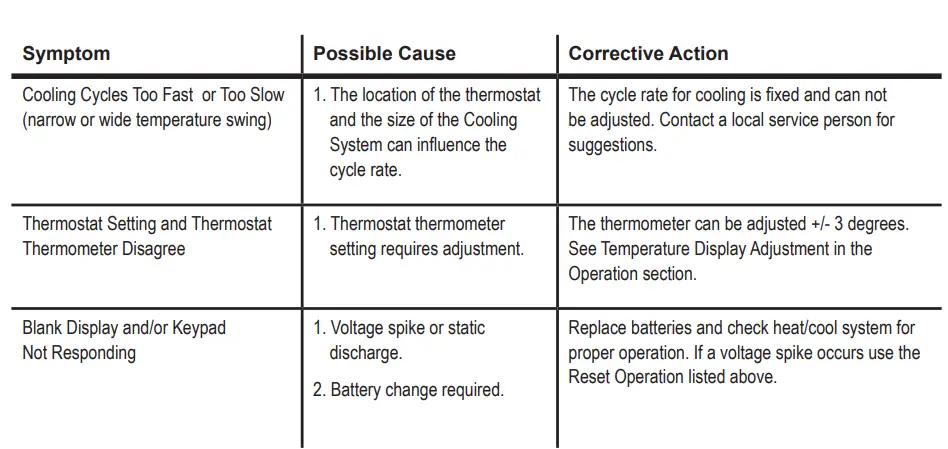
Your new thermostat has been accurately set in our factory. However, if you wish, you may adjust your new thermostat temperature display to match your old thermostat. This can be accomplished (within a ±3° range) as follows
- Press or at the same time for two seconds with the SYSTEM switch in OFF position.
- Press or to adjust the displayed temperature to your desired setting.
- Move the SYSTEM switch from OFF to exit the feature.
- DISPLAY BACKLIGHT
(Not available on earlier models.) The display backlight improves display contrast in low lighting conditions. Selecting the backlight ON will turn the light on for a short period of time after any button is pressed. Selecting the backlight OFF (default) will keep the light off. Turn the display backlight feature ON as follows
- Press and at the same time for two seconds with the SYSTEM switch in the HEAT position.
The display will alternately show “-L” AND “FF” (off). - Press or to change “FF” to “ON”.
- Move the SYSTEM switch to OFF to exit the feature.
THERMOSTAT SPECIFICATIONS
ELECTRICAL DATA
Electrical Rating
0 to 30 VAC 50/60 Hz. or D.C.
0.05 to 1.0 Amps (Load per terminal)
1.5 Amps Maximum Total Load (All terminals combined)
THERMAL DATA
Setpoint Temperature Range:
45°F to 90°F (7°C to 32°C)
Operating Ambient Temperature Range
32°F to 105°F (0°C to 41°C)
Operating Humidity Range
0 to 90% RH (non-condensing)
Shipping Temperature Range
-40°F to 150°F (-40°C to 66°C)
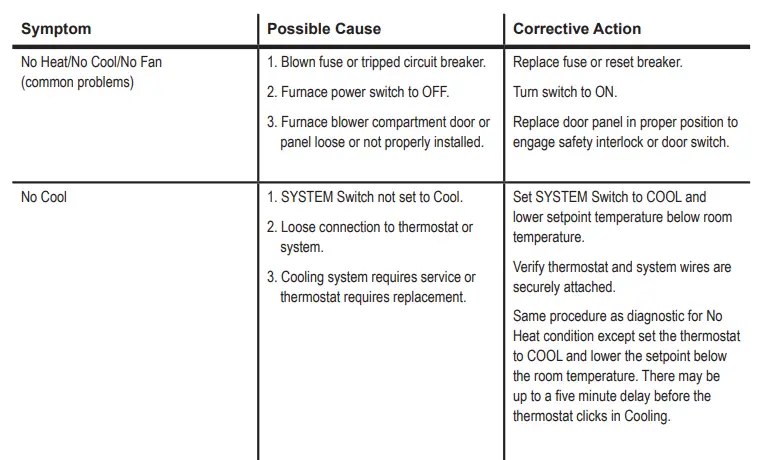
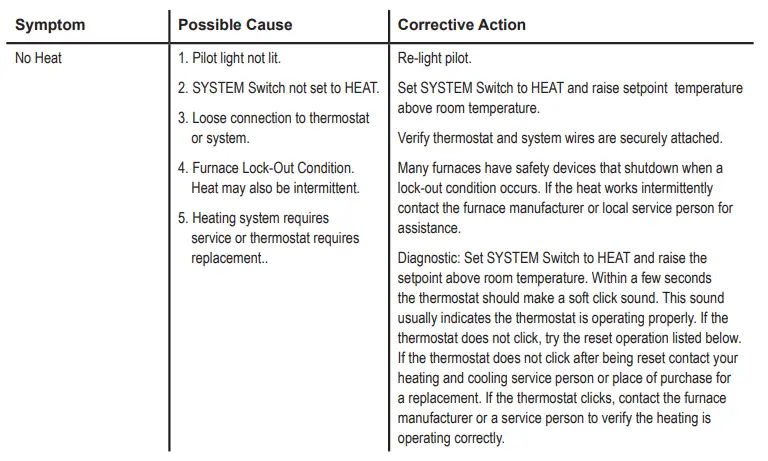
TROUBLESHOOTING
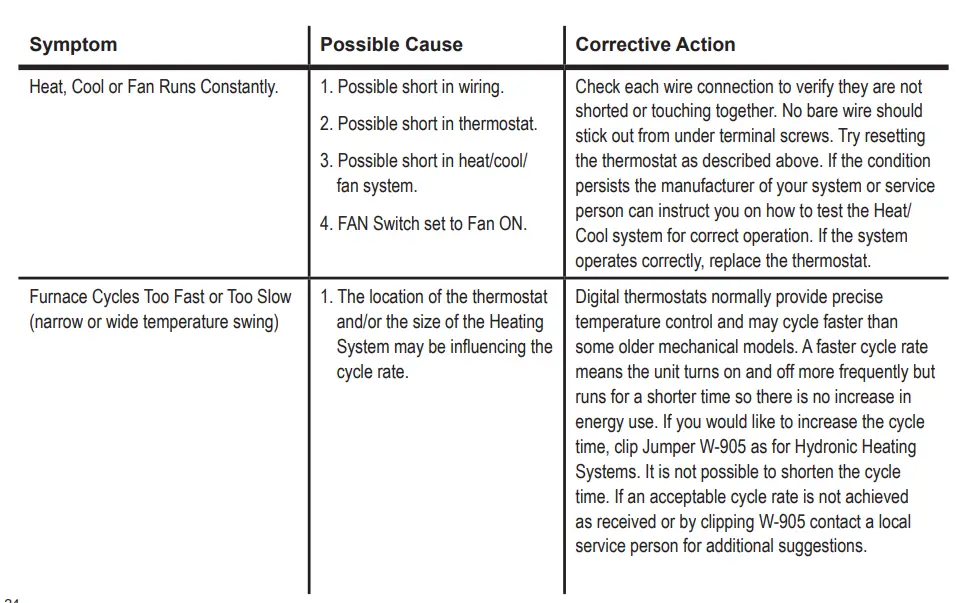
Reset Operation
If a voltage spike or static discharge blanks out the display or causes erratic thermostat operation you can reset the thermostat by pressing and at the same time while moving the SYSTEM switch from OFF to HEAT. This also resets the factory defaults. If the thermostat has power, has been reset and still does not function correctly contact your heating/cooling service person or place of purchase.
Batteries
For best results, replace batteries once a year with new premium brand alkaline batteries such as Duracell® or Energizer®.
CONTACT US
Customer support: 877.654.9394 or [email protected]
MERCURY NOTICE
This product does not contain mercury. However, this product may replace a product that contains mercury. Mercury and products containing mercury must not be discarded in household trash.
Refer to thermostat-recycle.org for a location to send products containing mercury.
FOR CALIFORNIA RESIDENTS
Warning: This product contains a chemical known to the state of California to cause cancer and birth defects and other reproductive harm.
Frequently Asked Questions
Yes, it will only work with two wires.
No you don’t need an electrician we installed ours with the existing wires works perfectly
Mine fed plays set and actual temperature.
I believe you can as long as it’s an AC system. If it’s DC I don’t think it would work.
This can be installed if your system has no C-Wire.
I have spoken to the manufacturer, and they state the NP100 did not replace the 1F78. They state the NP100 has a shorter warranty and is more of a retail item. The 1F78 is more of a wholesale item for contractors.
If your older heater is cycling on and off a lot then 2 things happen, your heater wears out sooner and you waste a ton of fuel. You waste fuel because when it turns on much of the fuel goes up the flue as the system and all the metal warms up, then when it turns off the metal cools sending all the fuel up the flue. So while the tech says your boiler is 75% efficient it is only when it warmed up. Short cycling causes efficiency as low at 25%. Pick the right thermostat and there will be an adjustment, often called a swing, that you can set. So let’s say you have the thermo set for 70 degrees. If the swing is set to 3 then the boiler will not come on until the room reaches 67. This causes the boiler to run longer, ending the short cycle, and improving fuel efficiency. It also creates larger temp variance which you might find unacceptable. Some thermo have similar options that work off time vs the temp swing.
Yes. We have gas heat/electric AC.
We have ours installed in a manufactured home. I’m going to assume that your RV has a traditional set up for HVAC. I would feel comfortable installing this myself in an RV, so I would say yes.
Just grab the front cover on the sides and pull it straight toward you. The cover will pull straight off.
Never could figure out the wiring so we just kept the one we had.
Since is just a simple thermostat (temperature controller) it should work with any heating or cooling device with a temperature control feature.
Thermostats, including this one, have a tiny contact rating. They are used to turn on/off a relay, and the relay turns on/off the load.
The book tells you where each wire from your previous thermostat will go on this one. I think the batteries only serve to power the functions of the thermostat and do not provide power to the HVAC equipment. The power to run your HVAC equipment should be supplied through your HVAC system.