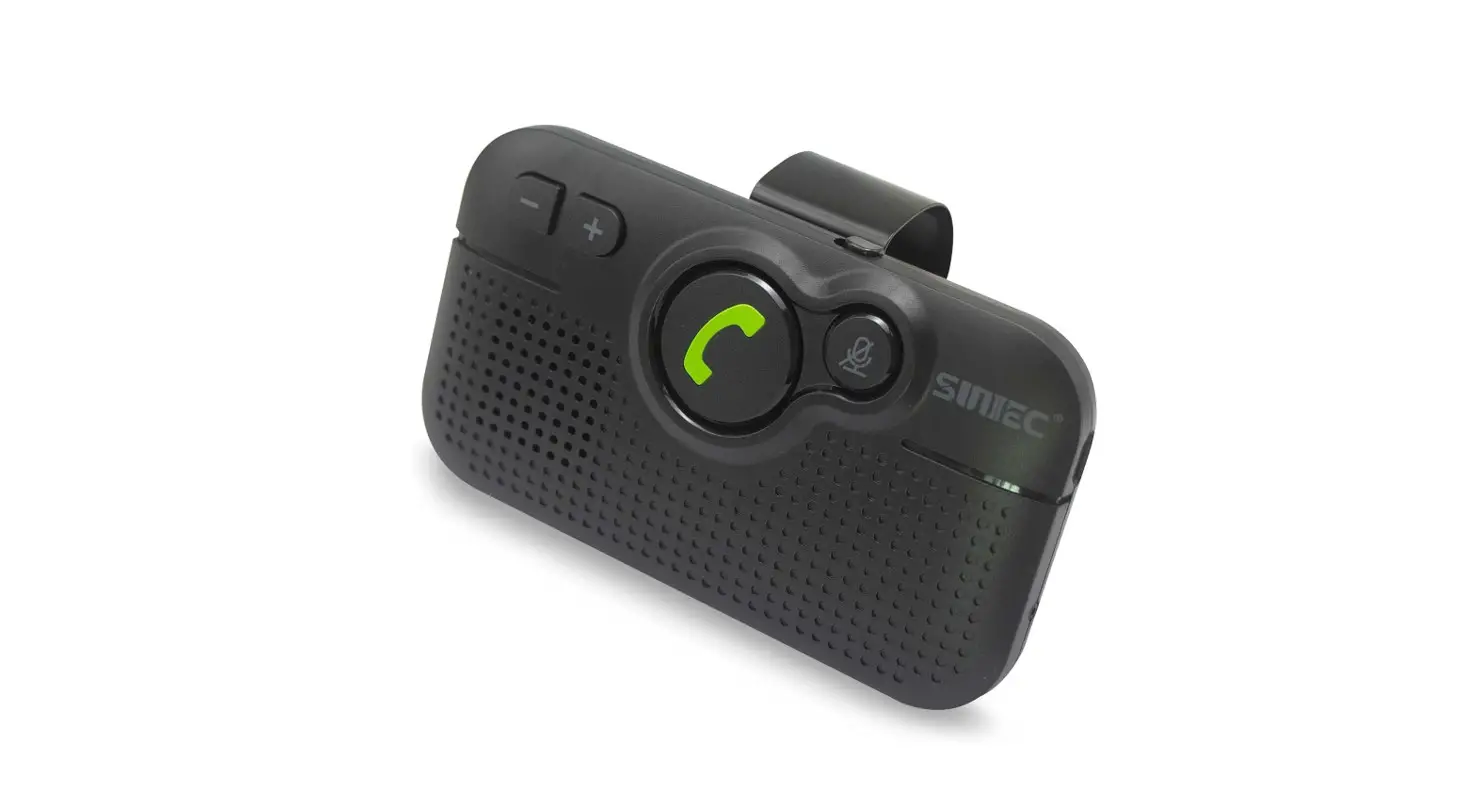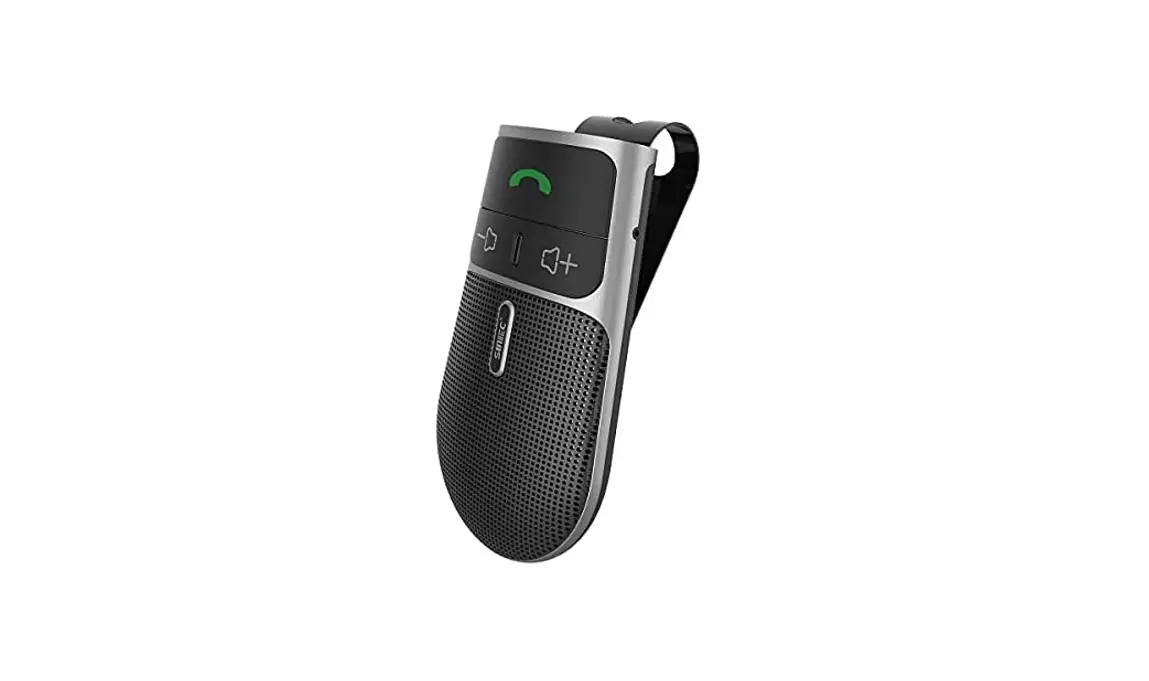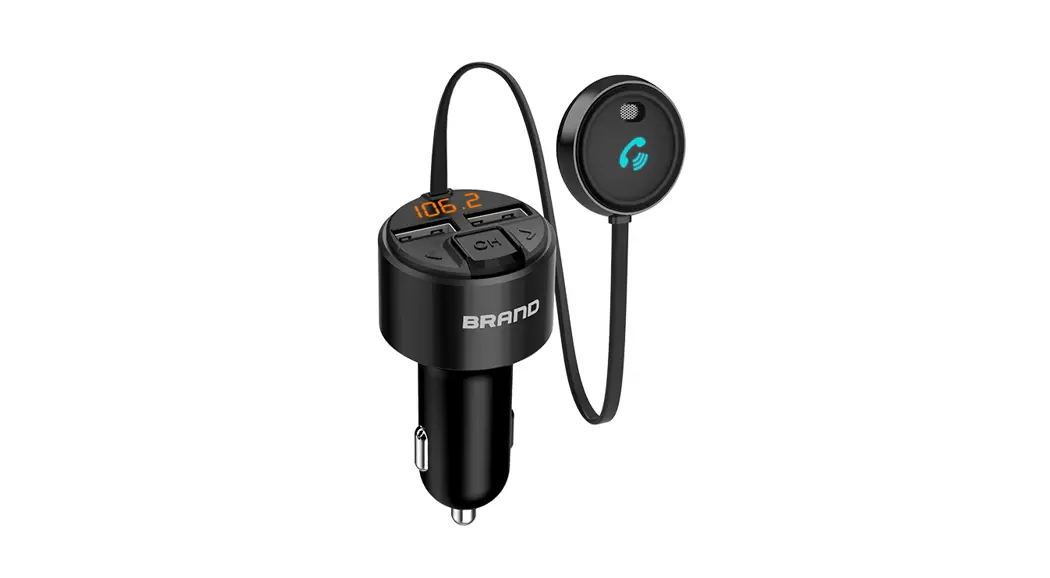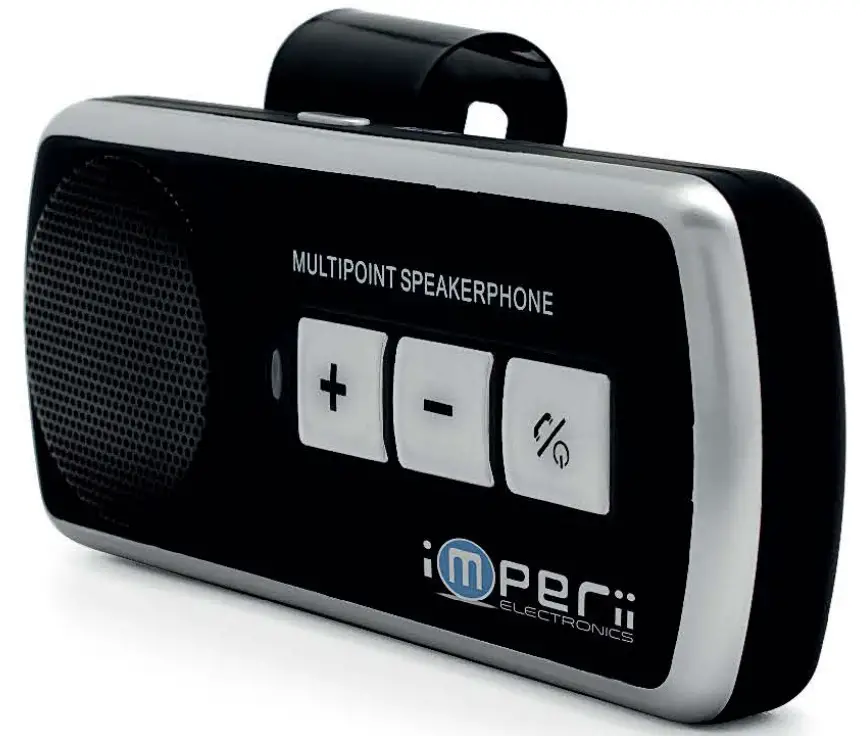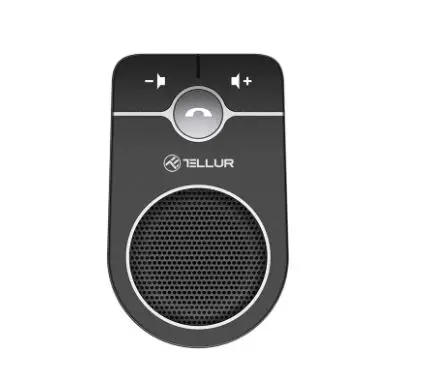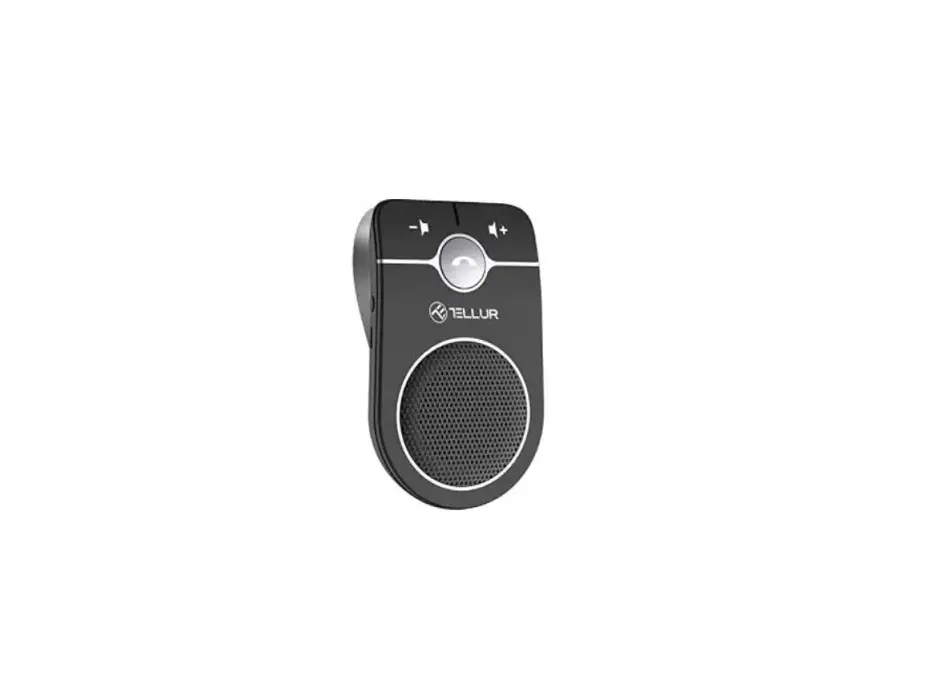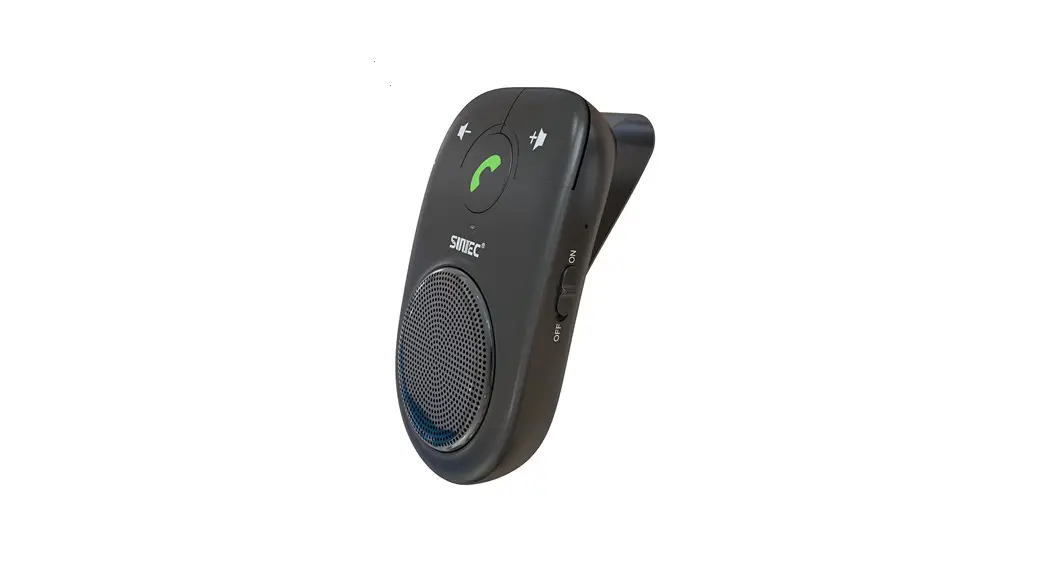
SUNITEC Premium BC945P
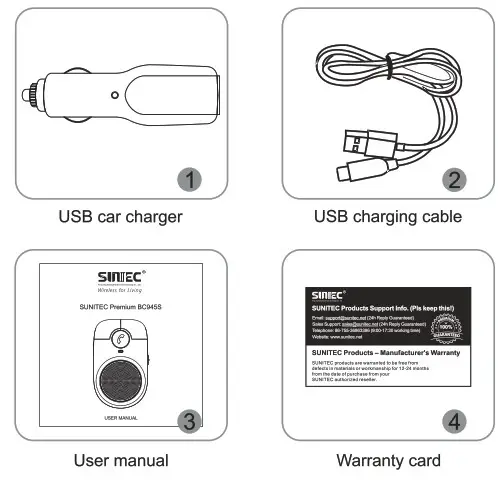
ACCESSORIES
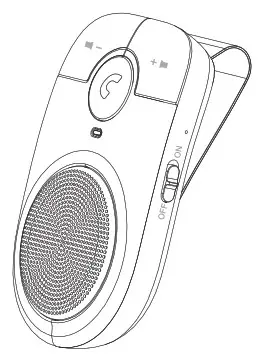
OVERVIEW
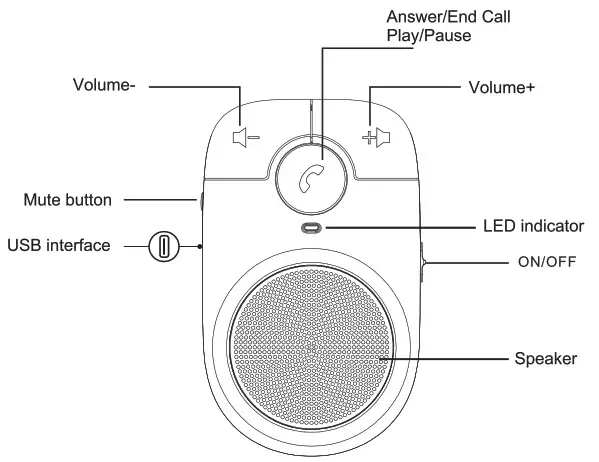
- Answer, end, and reject calls.
- Deliver great sound and noise cancellation with the HD voice microphone.
- Redial last number.
- Connect to two mobile phones.
- Voice Dialing to allow easy call interaction while driving (by activating SiriGoogle Assistant or other voice control software to answer an incoming call).
- Play music and GPS via your connected mobile device.
- Turns on/off automatically.
** Phone dependent.
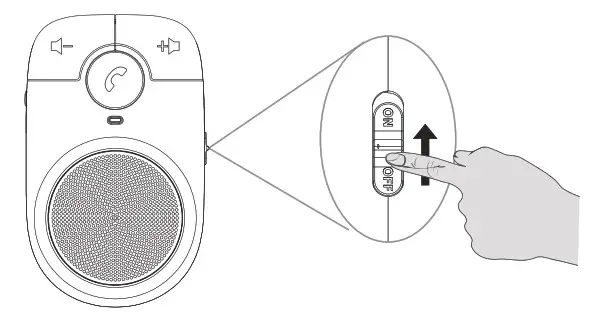
- TURNING ON THE SUNITEC PREMIUM 3
Slide the on/off button to turn the SUNITEC PREMIUM BC945P on or off.
- FIRST TIME PAIRING WITH YOUR DEVICE
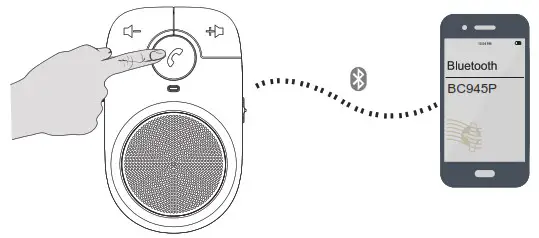
First makesure SUNITEC PREMIUM BC945P was slid ON, LED indicator will guide you through pairing with your mobile phone- Press and hold Multi-function button for 5 seconds until LED indicator flashing blue and redalternative(entering pairing mode).
- On your mobile device, turn on the Bluetooth feature. Tip: The Bluetooth feature is usually found in the settings menu
- Select your BC945P from the device list.Onec paired , the LED indicator glows blue and Flashing Blue once every 5 seconds.
 NOTE: After the SUNITEC PREMIUM BC945P and amobile phone have been paired they will automatically connect whenever the SUNITEC PREMIUM BC945P is switched on and the mobile phone has Bluetooth activated and is within range.
- Positioning the SUNITEC PREMIUM BC945P
Clip the SUNITEC PREMIUM BC945P to the sun visor in your vehicle.
- Charging YOUR SUNITEC PREMIUM BC945P
- In car charging ore~
Connect the USB cable with car charger fen. ! attachment to the SUNITEC PREMIUM BC945P and the car lighter socket in our vehicle.
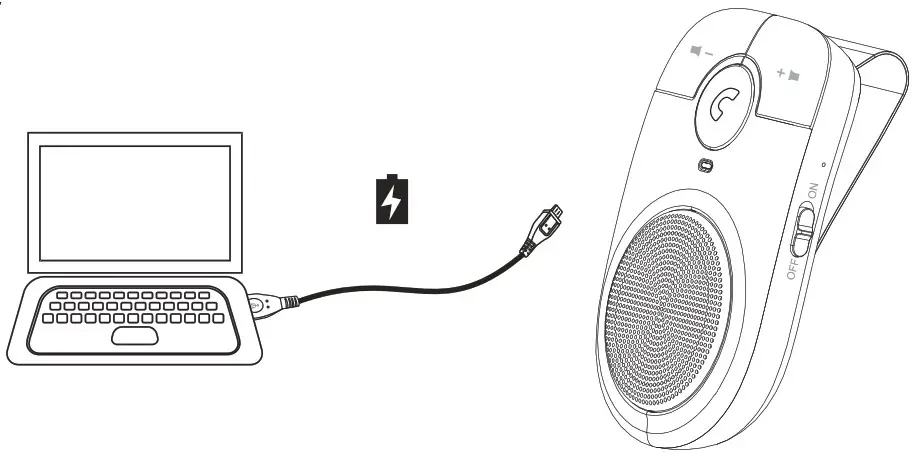
- PC charging
Connect the SUNITEC PREMIUM BC945P to any available USB slot on your PC, using the USB cable.
- In car charging ore~
 NOTE: After the SUNITEC PREMIUM BC945P and amobile phone have been paired they will automatically connect whenever the SUNITEC PREMIUM BC945P is switched on and the mobile phone has Bluetooth activated and is within range.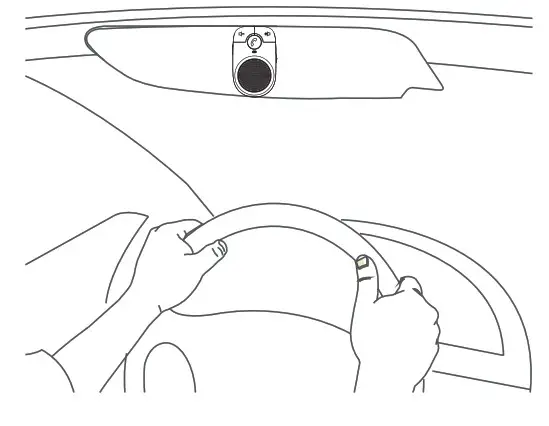

USING THE SUNITEC PREMIUM BC945P
WITH YOUR MOBILE PHONE
| Button | Function | Operation |
 Multi-function button Multi-function button | Answer a call | Tap the once |
| Reject a call | Double-Tap the | |
| End a call | Tap the once | |
| Redial last number | Double-tap the | |
| Activate Sid / other voice control software | Tap the once | |
| – / + | Speaker volume up/down | Press and hold the + or – |
| – + + | Transfer call from SUNITEC BC945P to mobile phone | Press + and – together |
WHAT THE LIGHTS MEAN
| What you see | it means What |
| Steady Blue on 5 seconds | Power on |
| Steady Red on 1 seconds | Power off |
| Flashing Blue twice every 10 seconds | The SUNITEC PREMIUM BC945P is powered on but not connected to a mobile phone (standby mode) |
| Flashing Blue and Red | The SUNITEC PREMIUM BC945P is in pairing mode, and ready to connect |
| Flashing Blue once every 5 seconds | A mobile phone’s Bluetooth connected to the SUNITEC PREMIUM |
| Flashing Blue once every 6 seconds | Music streaming |
| Steady red | Battery is charging |
| Red Off | Battery is fully charged |
| Flashing Red every 10 seconds | Low battery |
SUPPORT FAQ
Q: I hear crackling noises
A: Bluetooth is a radio technology that is sensitive to object between the SUNITEC PREMIUM BC945P and the connected device. Ensure the
SUNITEC PREMIUM BC945P and the connected device are within 33 feet (10 meters) of each other, with no major objects in the way (walls, etc.).
Q:| cannot hear anything
A: -Increase the speaker volume – Ensure the SUNITEC PREMIUM BC945P is paired to a device that is playing. – Make sure your phone is connected to the SUNITEC PREMIUM BC945P by pressing and holding the Multi-function button.
Q: lam having pairing problems
A: You may have deleted the SUNITEC PREMIUM BC945P pairing connection in your mobile phone. Follow the pairing instructions.
Q: Will the SUNITEC PREMIUM BC945P work with other Bluetooth equipment?
A: The SUNITEC PREMIUM BC945P is designed to work with Bluetooth mobile phones. It can also support other Bluetooth devices that are compliant with Bluetooth version 1.1 or higher and support a headset, hands-free, and/or advance audio distribution profile.
Q: I cannot use Reject call, call on hold, Redial, or voice dialing
A: These features require your mobile phone to support a handsfree profile. Refer to your mobile phone user manual for more details.
Q: My voice commands does not work
A: This feature requires your mobile phone to support voice commands such as Siri, Google assistant or other voice control software. Refer to your mobile phone user manual for more Details.
Q: I want to reset the pairing list in my speakerphone
A:-The speakerphone registers a list of up to 8 mobile phones. To clear the pairing list and reset the SUNITEC PREMIUM BC945P to factory settings you can turn the SUNITEC PREMIUM BC945P on while pressing — and + for about 10 seconds.
- When you see LED indicator flashing blue and red, release the buttons.
- The time you power on the SUNITEC PREMIUM BC945P it will automatically go into pairing mode.
Q:I want to cancel Auto Power On function
A: -MANUALLY disable this feature by turning off the speakerphone
- Slide the on/off button to turn the SUNITEC PREMIUM BC945P off.
Q: Pairing With Two Mobile Phones
A: 1). Slide on the SUNITEC PREMIUM BC945P. Pair and connect BC945P with the FIRST phone as the above pairing instructions.
2). Slide off the SUNITEC BC945P and deactivate the Bluetooth on the first phone.
3). Slide on the SUNITEC PREMIUM BC945P again. Pair and connect BC945P with the SECOND phone as the above pairing instructions.
4) Slide off the SUNITEC BC945P and activate the Bluetooth on the both phones.
5. Slide on the SUNITEC BC945P, connected with both phones.
TECHNICAL SPECIFICATIONS
- Speaker: 3 watt
- Operating range: Up to 10 meters (33 feet)
- Operating frequency band: 2.4GHz 2. 48GHz unlicensed LSM band
- Bluetooth version: 5. 0
- Paired devices: Up to 8 paired devices. Two active devices connected simultaneously
- Supported Bluetooth profiles: Hands-Free profile, Headset profile, A2DP Profile(GPS instruction announcement and music)
- Digital signal processing (DSP): Up to 21 dB noise reduction on transmit signal. Acoustic echo cancellation
- Talk time: Up to 20 hours
- Standby time: Up to 1000 hours
- Charging time: Approximately 3 hours
- Battery: Internal rechargeable 650mA Li-Polymer battery
- Charger Voltage: DC5. 0OV,500mA
Note: The talk and standby time may vary when using different phones or other compatible Bluetooth devices, usage setting usage style and environments.
DECLARATION of CONFORMITY
The company Sunitec Electronics Limited, declares that product BC945P complies with the essential requirement of the 2014/53/EU.
The declaration of conformity in complete form is available at the headquarters of Sunitec Electronics Limited.
Product sold in the US and Product sold in the European community Manufactured by Sunitec Electronics Limited.
MADE IN CHINA
For FAQ and more information please visit:

| Web: www.sunitec.net |
 [email protected] [email protected] |
 +86-755-36863386 / 36863387 / 36863389 +86-755-36863386 / 36863387 / 36863389 |
SUNITEC PREMIUM CAR KIT
MODEL: BC945P
FCC Warning
This device complies with part 15 of the FCC Rules. Operation is subject to the following two conditions: (1) This device may not cause harmful interference, and (2) this device must accept any interference received, including interference that may cause undesired operation.
Any Changes or modifications not expressly approved by the party responsible for compliance could void the user’s authority to operate the equipment.
Note: This equipment has been tested and found to comply with the limits for a Class B digital device, pursuant to part 15 of the FCC Rules. These limits are designed to provide reasonable protection against harmful interference in a residential installation. This equipment generates uses and can radiate radio frequency energy and, if not installed and used in accordance with the instructions, may cause harmful interference to radio communications. However, there is no guarantee that interference will not occur in a particular installation. If this equipment does cause harmful interference to radio or television reception, which can be determined by turning the equipment off and on, the user is encouraged to try to correct the interference by one or more of the following measures:
- Reorient or relocate the receiving antenna.
- Increase the separation between the equipment and receiver.
- Connect the equipment into an outlet on a circuit different from that to which the receiver is connected.
- Consult the dealer or an experienced radio/TV technician for help.
This equipment complies with FCC radiation exposure limits set forth for an uncontrolled environment. This equipment should be installed and operated with minimum distance 20cm between the radiator & your body