 Bluetooth® Remote Control & Touchpad
User’s Manual
About This Manual,
This manual is designed to assist you in installing and using the Bluetooth touchpad. Information in this document has been carefully checked for accuracy; however, no guarantee is given to the correctness of the contents. The information in this document is subject to change without notice.
Edition
1st Edition.
Copyright
© Copyright 2020 This document contains proprietary information protected by copyright. All rights are reserved. No part of this manual may be reproduced by any mechanical. electronic or other means. in any form. without prior written permission of the manufacturer.
Trademarks
All trademarks and registered trademarks are the property of their respective owners.
FEDERAL COMMUNICATIONS COMMISSION STATEMENT
This device complies with FCC Rules Part 15. Operation is subject to the following two conditions:
- This device may not cause harmful interference
- This device must accept any interference received. including interference that may cause undesired operation. This equipment has been tested and found to comply with the limits for a Class B digital device. pursuant to Part 15 of the Federal Communications Commission (FCC) rules. These limits are designed to provide reasonable protection against harmful interference in a residential installation. This equipment generates, uses. and can radiate radio frequency energy and, if not installed and used in accordance with the instructions, may cause harmful interference to radio communications. However, there is no guarantee that interference will not occur in a particular installation. If this equipment causes harmful interference to radio or television reception. which can be determined by turning the equipment off and on, the user is encouraged to try to correct the interference by doing one or more of the following measures:
- Reorient or relocate the receiving antenna.
- Increase the separation between the equipment and receiver.
- Connect the equipment into an outlet on a circuit different from that to which the receiver is connected.
- Consult the dealer or an experienced radio/TV technician for help. FCC Caution Any changes or modifications not expressly approved by the party responsible for compliance could void the user’s authority to operate the equipment. The antenna(s) used for this transmitter must not be co-located or operating in conjunction with any other antenna or transmitter. Radiation Exposure Statement: This equipment complies with FCC radiation exposure limits set forth for an uncontrolled environment. End-users must follow the specific operating instructions for satisfying RF exposure compliance. To maintain compliance with FCC exposure compliance requirements. please follow operation instructions as documented in this manual
Introduction
Thank you for purchasing the Bluetooth Remote Control & Touchpad. This User’s Manual contains information that will help to operate the device as well as answer questions about certain special keys and buttons. Please keep this manual in a safe place for future reference.
System Requirements:
- iOS / Android OS / Mac OS / Windows OS
- Bluetooth 3.0 or higher
Package includes:
Bluetooth Remote Control & Touchpad 1 USB-C to USB-A charging cable * 1 Manual *1
Note:
There is a power switch under the Bluetooth Remote Control & Touchpad. When not in use, please turn to OFF to save battery power.
Technical Specifications:
| Logo Name | Bluetooth Remote Controller |
| Bluetooth chip | CYPRESS: CYW20730 A2 |
| Bluetooth Technology meets | V5.1 |
| SIG DID No | D051804 |
| Operation distance | 10 meters |
| Output power | Bluetooth Power Class 2 |
| Battery Capacity | Li-ion battery 160 mA |
| Operating Voltage | 3.3-4.2 V |
| Power Consumption | Working: under Touchpad < 10 mA Sleep: under < 100 uA |
| Charging Time | about 1.5 – 2 hrs |
| Weight | 35 g |
| Dimension | 123.5 x 40 x 8 mm |
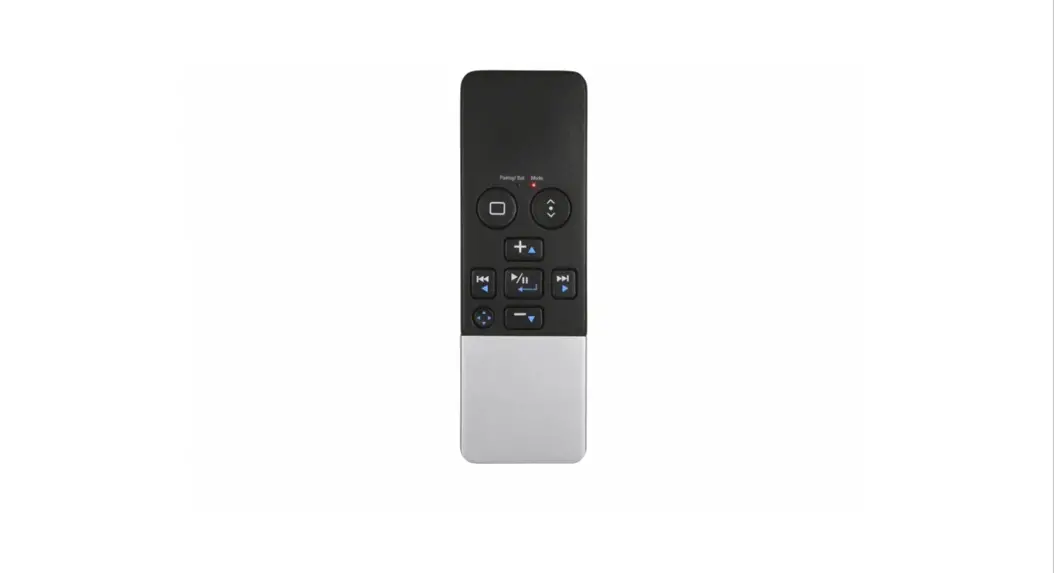
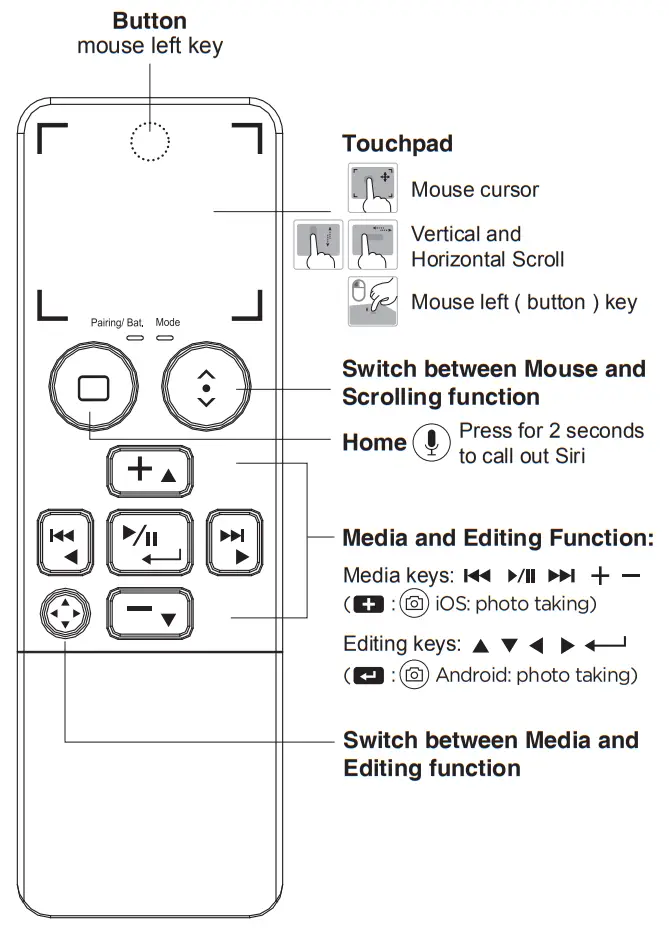
Appearance Function Description:
Bluetooth Pairing:
- Turn on the power, and press the ID key to enter pairing mode.
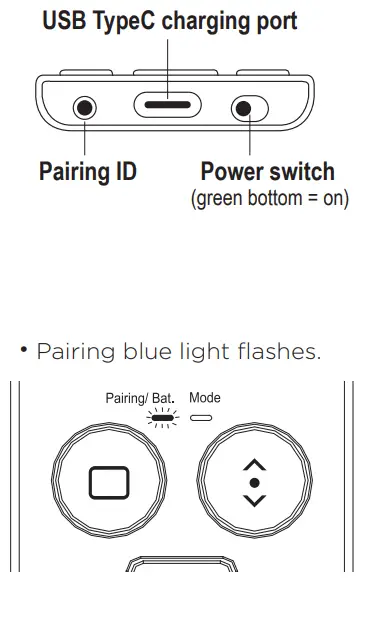
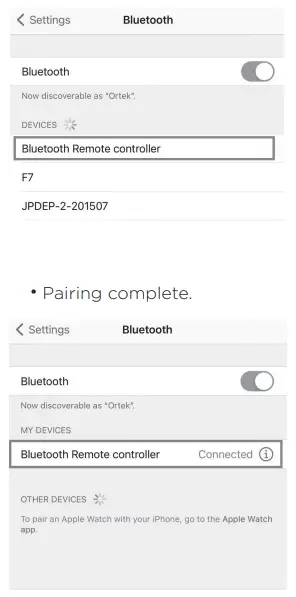
PS: Paring will stop when not paired, if needed, press the ID key for pairing again.
- Turn on Bluetooth from iPad / iPhone / Mac Book / PC
- Search device
- Select “Bluetooth Remote Controller” .
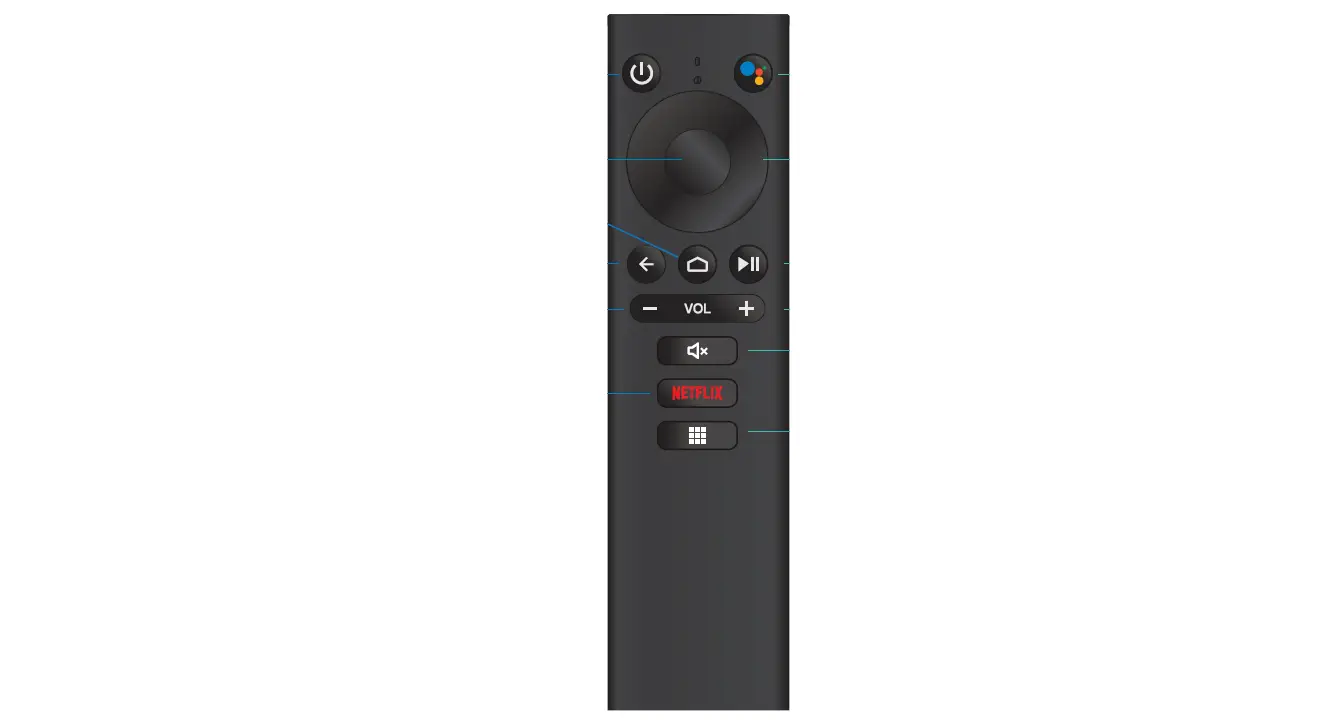
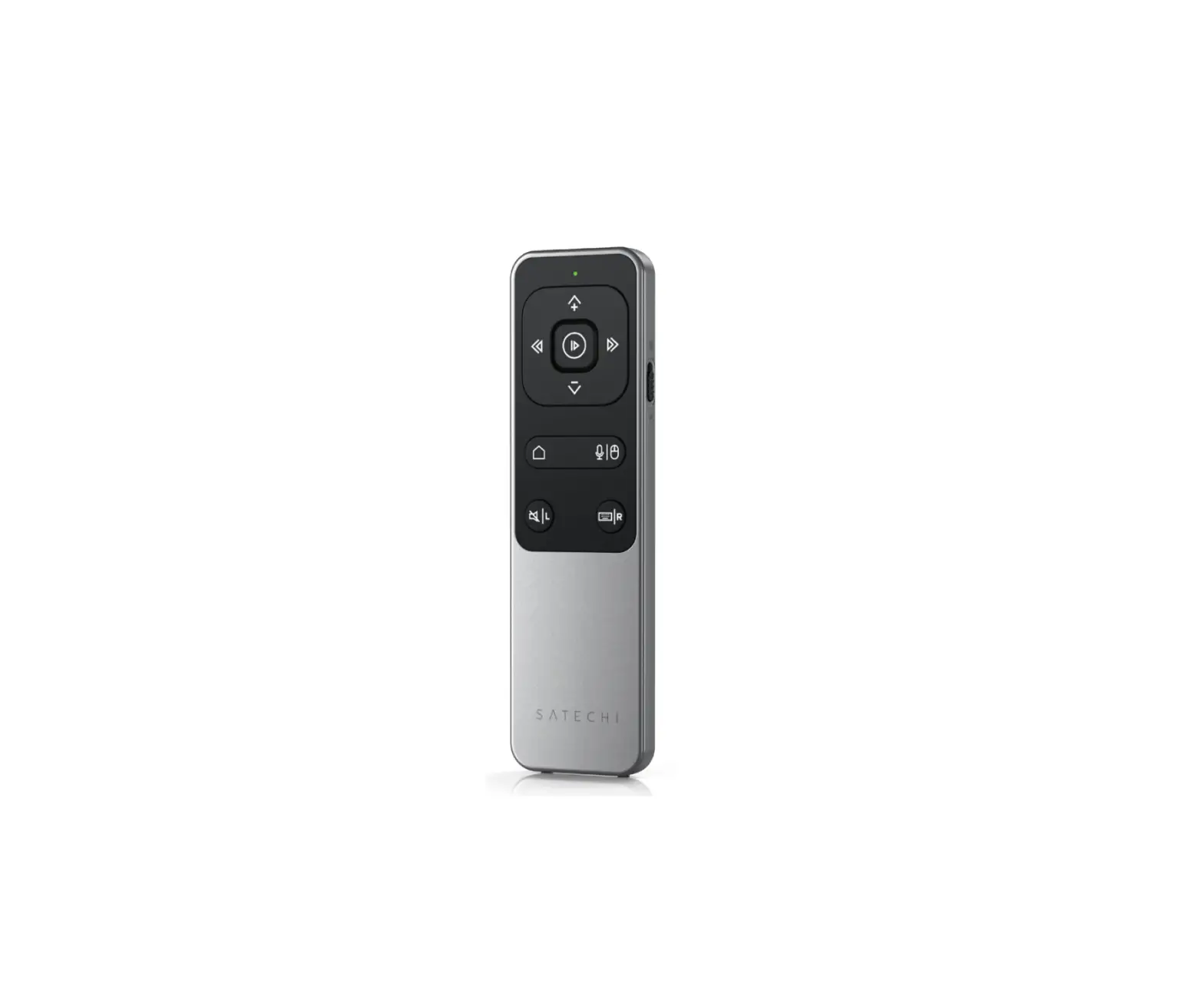
Key Function Description:
| Function | |
| Go Home For iPad series w/o Home key, Sid can be called out by pressing for 2 seconds |
 | Switch Mouse cursor and Mouse Scroll function |
 | Media: V+/iOS: photo taking Edit: Upwards |
 | Media: V- Ed It: Downwards |
 | Media: Pre-track Edit: Leftwards |
 | Media: Next track Edit: Rightwards |
 | Media: Play/Pause Edit: Enter/Android: photo taking |
 | Switch Media and Edit function |

Touchpad Description:
| Mouse Cursor | Function | |
 | Button | Mouse Left button |
 | Tap | Tap |
 | Drag | Mouse Cursor |
| Mouse Scroll | Function | |
 | Finger slides vertically | Vertical Scroll |
 | Finger slides horizontally | Horizontal Scroll |
LED Lights:
| Action | Features | Pairing/ Bat. LED 1 | Mode LED 2 |
| ID Key | Pairing | Slow flashing Blue light | X |
| Low Battery | 3.2v-3.3v | Fast flashing Blue light | X |
| Power on | Power ON | Blue light flashes Is | Blue light flashes Is |
| Pairing OK | X | X | |
| Linking NG | Blue light flashes and out | Red light flashes and out | |
| USB TypeC Charging | Red light | constant Constant R | X |
| Fully Charged | Red light out | ||
| Button | Scroll Mode | X | Constant Blue light |
| Button
| Edit Mode | X | Constant Red light |
OS Switching Steps: Note:
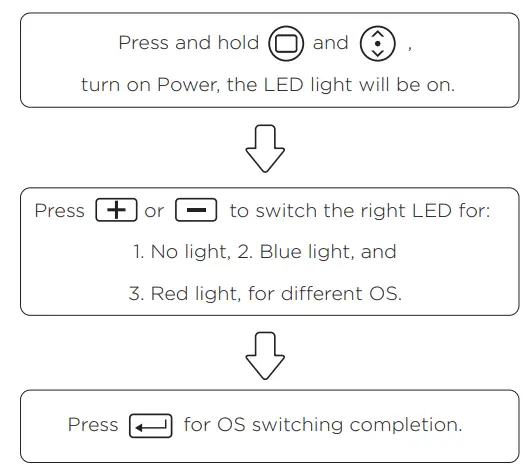
Pairing/Bat. Mode
| IOS & Android | Blue | X |
| Mac OS | Blue | Blue |
| Windows OS | Blue | Red |
- After 5 minutes of non-operating. the Bluetooth Remote Controller will go to sleep Press any key or touchpad to wake up Bluetooth.
- When Power Switch turns to ON. both Blue lights will be on and then off after
- Battery low: Pair LED Blue light shows fast flashing.
Charging: Pair LED Red light on. (Lights are out after fully charged.)

ID NO: PAKL-F31BR304-00