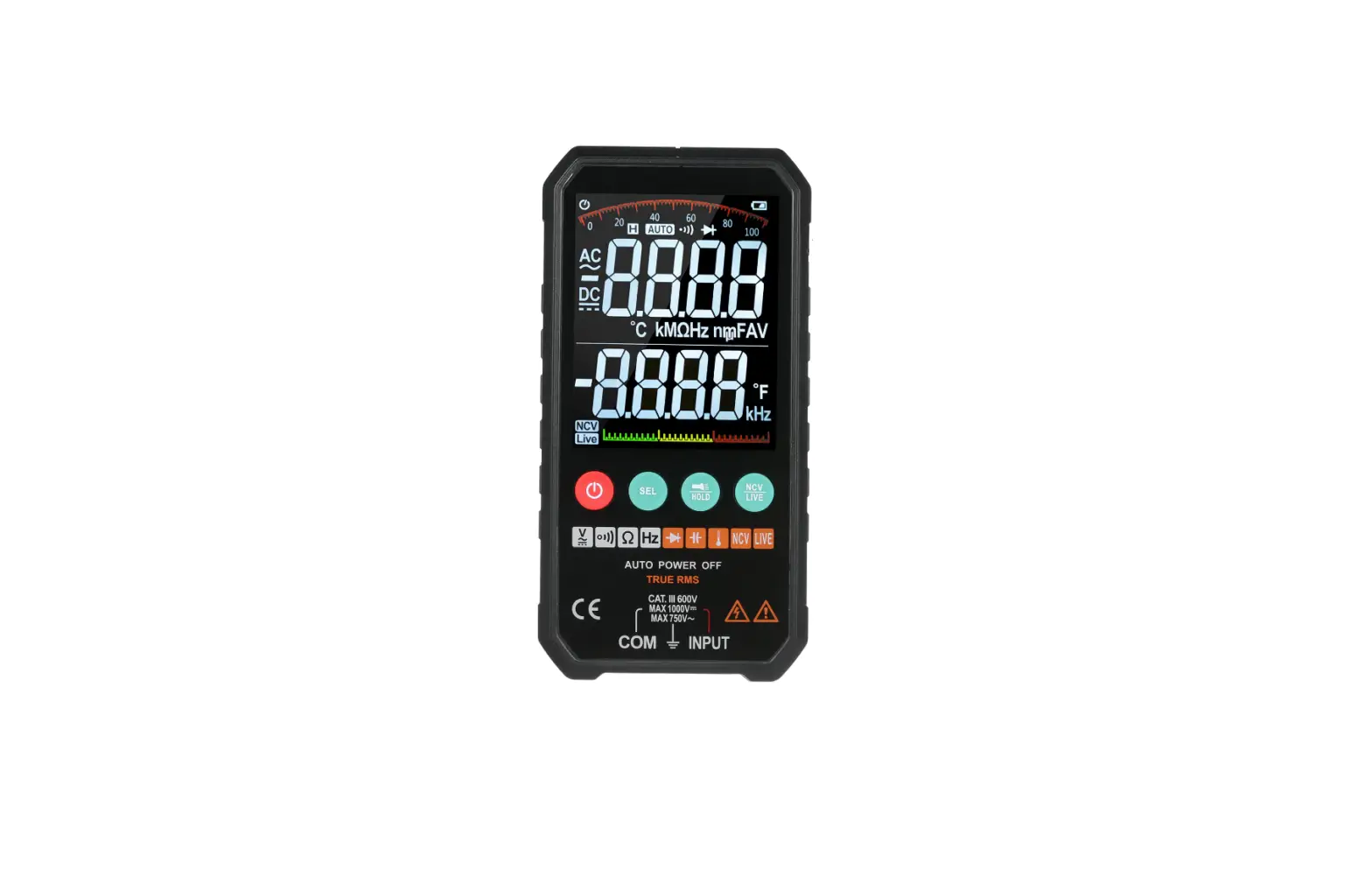
amazon PLG-TL827 PowerPoint 6000 Counts LCD Display User Manual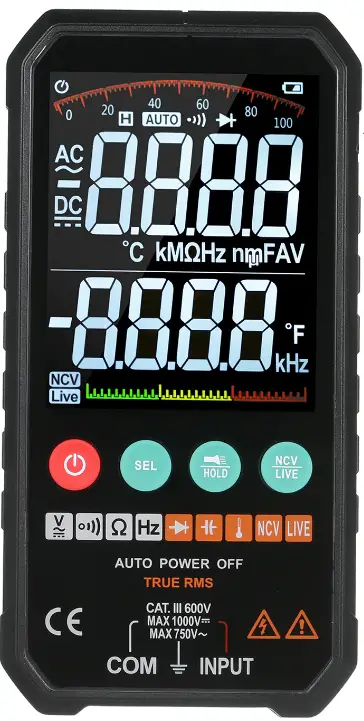
Introduction
This product is a battery-powered, true RMS, auto-range multi-function digital multimeter with 6000 counts LCD display and adjustable backlight brightness.
Safety Information
To avoid possible electrical shock, fire, or personal injury, please read all safety information before you use the product. Please use the product only as specified, or the protection supplied by the product can be compromised.
- Examine the case before you use the product.
Look for cracks or missing plastic. Carefully look at the insulation around the terminals. - The measurement must be made with correct input terminals and functions and within the allowable measuring range.
- Do not use the product around explosive gas, vapor, or in damp or wet environments.
- Keep fingers behind the finger guards on the probes.
- When the product has already been connected to the line being measured, do NOT touch the input terminal that is not in service.
- Disconnect the test leads from the circuit before changing the mode.
- When the voltage to be measured exceeds 36V DC or 25V AC, the operator shall be careful enough to avoid electric shock.
- Misuse of mode or range can lead to hazards, be cautious. “0L” will be shown on the display when the input is out of range.
- Low level of a battery will result in incorrect readings. Change the batteries when battery level is low. Do not make measurements when the battery door is not properly placed.
Instrument Overview
LCD Display
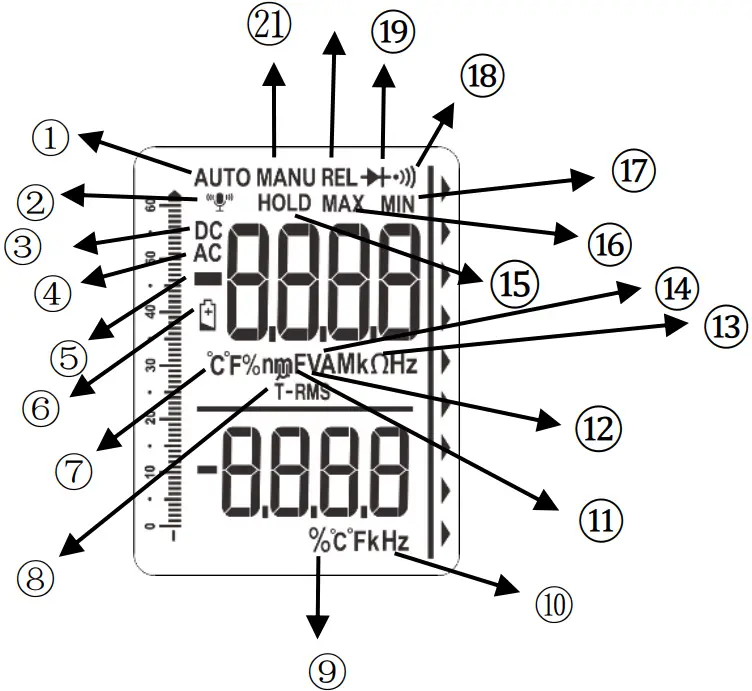
| ① | AUTO | Auto range |
| ② |  | Voice recognition |
| ③ | DC | DC voltage |
| ④ | AC | AC voltage |
| ⑤ |  | Negative display |
| ⑥ |  | Low battery. Replace batteries. |
| ⑦ |  | Temperature test. (Fahrenheit or Celsius) |
| ⑧ | T-RMS | True RMS |
| ⑨ | % | Duty cycle |
| ⑩ | Hz | Frequency test. (Hertz) |
| ⑪ | F | Capacitance test.(Farad) |
| ⑫ | V | Voltage test.(volt) |
| ⑬ |  | Resistance test.(ohm) |
| ⑭ | A | Current test. (Ampere) |
| ⑮ | HOLD | Display freezes present reading. |
| ⑯ | MAX | Display shows maximum reading. |
| ⑰ | MIN | Display shows minimum reading. |
| ⑱ |  | Continuity test. |
| ⑲ |  | Diode test. |
| ⑳ | REL | The product measures both sinusoidal and non sinusoidal ac waveforms accurately. |
| ㉑ | MANU | Manual range |
 | Test unit | |
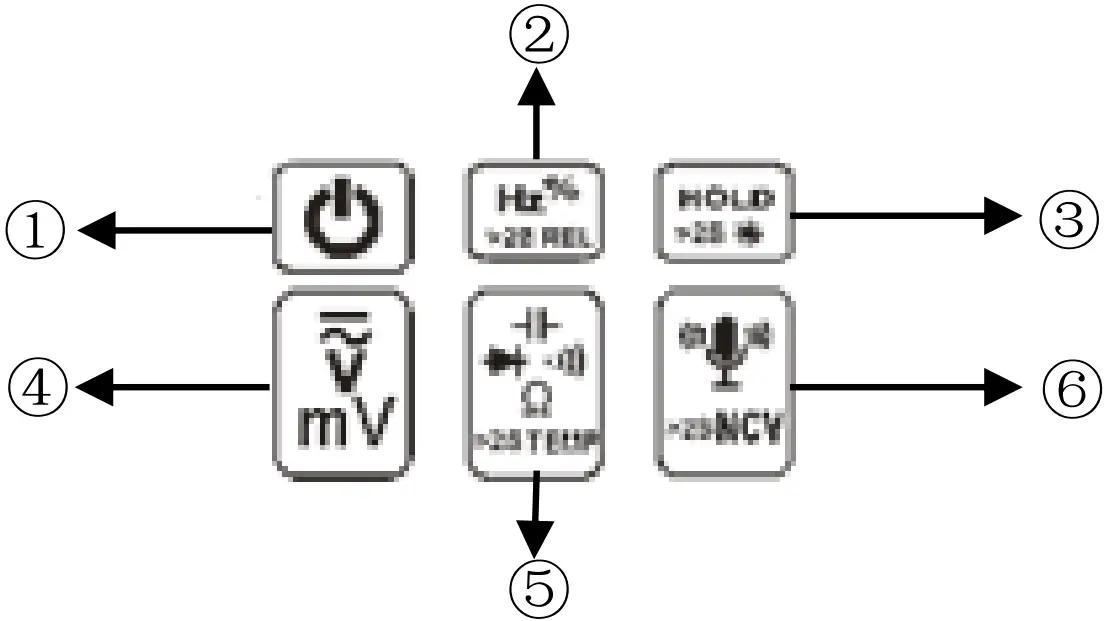
| ① | Long press to turn on/off the product.
|
| ② | Press this button, the main display will show current frequency and the vice display will show the duty cycle. Press it again to quit. On capacitance, long press to clear the readings. |
| ③ | Push once to hold the current reading on the display; push again to continue normal operation. Long press more than 2s to turn on backlight, long press again to turn off it. |
| ④ | Press this button to enter in DC voltage function, press it to switch in DC and AC voltage. When test AC voltage, vice display will show frequency. When test DC voltage, vice display will show regular temperature. Long press temperature button to switch in Celsius and Fahrenheit. |
| ⑤ | Push this button to toggle between testing modes of Resistance, Diode/Continuity, and Capacitance. Vice display will show regular temperature , now long press temperature button to switch in Celsius and Fahrenheit . |
| ⑥ | Short press to enter in voice recognition function, then short press again to turn it off. Long press more than 2s to enter in NCV test function, then long press more than 2s to turn it off. ( it will automatically turn off the voice recognition function if no any operation in 2 minutes) |
Measurements Instruction
Measure AC/DC Voltage
- Press the
 button to enter voltage test, short press to choose AC or DC Voltage range. Now, vice display will show frequency when on AC mode; vice display will show regular temperature when on DC mode.
 - Touch the probes to the correct test points of the circuit to measure the voltage.
- Read the measured voltage on the display
 button to enter voltage test, short press to choose AC or DC Voltage range. Now, vice display will show frequency when on AC mode; vice display will show regular temperature when on DC mode.
- Do not measure voltage that exceeds the extremes as indicated in the Specifications.
- Do not touch high voltage circuit during measurements.
Measure Resistance
- Press
 button once to switch to resistance range.
 - Use the probe pin to contact two sides of the resistance.
- Read the measured resistance on the display.
 button once to switch to resistance range.
- Disconnect circuit power and discharge all capacitors before you test resistance.
- Do not input voltage at this setting.
Test for Continuity
- Press button three times to enter in continuity range.
- Use the probe pin to contact two sides of the circuit.
- The built-in beeper will beep when the resistance is lower than 50Ω, which indicates a short circuit.
- Do not input voltage at this setting.
Test Diodes
- Press twice to enter in diode range.
- Contact the read pin with the positive pole and the black lead pin with the negative pole of the diode.
- Read the forward bias voltage value on the display.
- If the polarity of the test leads is reversed with diode polarity or the diode is broken, the display reading shows “0L”.
- Do not input voltage at this setting.
Measure Capacitance
- Press button four times to enter in capacitance range.
- Contact the read pin with the positive pole and the black lead pin with the negative pole of the diode.
- Read the measured capacitance value on the display once the reading is stable.
- Do not input voltage at this setting.
- Disconnect circuit power and discharge all capacitors before you test diode.
Measure frequency and duty cycle.
- Press
 to enter in frequency range (low voltage and high frequency), now the vice display will show duty cycle.
 - Touch the probes to the desired test points.
- Read the measured frequency value on the display, read the duty cycle value at the vice display.
 to enter in frequency range (low voltage and high frequency), now the vice display will show duty cycle.
Test NCV
- Long press
 2s to enter the NCV Mode, now the vice display will show regular temperature.
 - Hold the product and move it around, the built-in beeper will beep when the inner sensor detects AC voltage nearby. The stronger the voltage is, the quicker the beeper beeps.
 2s to enter the NCV Mode, now the vice display will show regular temperature.
Voice Recognition
This product has Voice Recognition function, the operation as followings:
For example, when you want to test resistance ,
- Firstly, press voice recognition button, enter in the mode, the display will show “
 ” flickeringly ,and the beeper will beep once for a long time;
 - Speak “Hey, multimeter” to turn the voice recognition mode on, the display will long-term show “” , and the beeper will shortly beep twice;
- Speak “ resistance mode” to enter in resistance test mode;
- Use the probe pin to contact two sides of the resistance;
- Read the measured resistance on the display;
- Voice recognition will close if no operation in 2 minutes, please return from step 1 if you want to restart.
More voice recognition order
| Test function | order |
| Resistance | RESISTANCE-MODE |
| Capacitance | CAPACITANCE-MODE |
| Automatic recognition | AUTO-MODE |
| DC voltage | DIRECT-VOLTAGE-MODE |
| AC voltage | ALTERNATING-VOLTAGE-MODE |
| Turn on backlight/flashlight | TURN-ON-LIGHT |
| Turn off backlight/flashlight | TURN-OFF-LIGHT |
| REL | RELATIVE-VALUE |
| Cancel REL | RELATIVE-VALUE-CANCEL |
| Hold | DATA-HOLD |
| Cancel hold | HOLD-CANCEL |
Maintenance
Beyond replacing batteries and fuses, do not attempt to repair or service the product unless you are qualified to do so and have the relevant calibration, performance test, and service instructions.
Clean the Product
Wipe the product with a damp cloth and mild detergent. Do not use abrasives or solvents. Dirt or moisture in the terminals can affect readings.
*Remove the input signals before you clean the product.
Replace the Batteries
When “” is shown on the display, batteries shall be replaced as below:
- Remove the test leads and turn off the product before replacing the batteries.
- Loosen the screw on the battery door and remove the battery door.
- Replace the used batteries with new batteries of the same type.
- Place the battery door back and fasten the screw.
Specifications
| General Specifications | |||
| Display( LCD) | 6000 counts | ||
| Ranging | Auto | ||
| Material | ABS+TPE | ||
| Update rate | 3 times/ second | ||
| True RMS | √ | ||
| Data hold | √ | ||
| Backlight | √ | ||
| Low battery Indicated | √ | ||
| Auto power off | √ | ||
| Mechanical Specifications | |||
| Dimension | 125*81*23mm | ||
| Weight | 170g(without batter) | ||
| Battery type | 1.5V AAA battery * 2 | ||
| Warrantly | One year | ||
| Environmental Specifications | |||
| Operating | Temperature | 0~40℃ | |
| Humidity | <75% | ||
| Storage | Temperature | -20~60℃ | |
| Humidity | <80% | ||
Electrical Specifications
| Function | Range | Resolution | Accuracy | |
| DC voltage(V) | 6.000V | 0.001V | ±(0.5%+3) | |
| 60.00V | 0.01V | |||
| 600.0V | 0.1V | |||
| DC voltage(mV) | 60.00mV | 0.01mV | ||
| 600.0mV | 0.1mV | |||
| AC voltage(V) | 6.000V | 0.001V | ±(1.0%+3) | |
| 60.00V | 0.01V | |||
| 600.0V | 0.1V | |||
| 750.0V | 0.1V | |||
| AC voltage (mV) | 60.00mV | 0.01mV | ||
| 600.0mV | 0.1mV | |||
| Resistance | 600.0Ω | 0.1Ω | ±(0.5%+3) | |
| 6.000kΩ | 0.001kΩ | |||
| 60.00kΩ | 0.01kΩ | |||
| 600.0kΩ | 0.1kΩ | |||
| 6.000MΩ | 0.001MΩ | |||
| 60.00MΩ | 0.01MΩ | ±(1.5%+3) | ||
| Capacitance | 6.000nF | 0.001nF | ±(5.0%+20) | |
| 60.00nF | 0.01nF | ±(3.5%+4) | ||
| 600.0nF | 0.1nF | |||
| 6.000μF | 0.001μF | |||
| 60.00μF | 0.01μF | |||
| 600.0μF | 0.1μF | |||
| 6.000mF | 0.001mF | ±(5.0%+5) | ||
| 60.00mF | 0.01mF | |||
| Frequency | 6.000Hz | 0.001Hz | ±(0.1%+5) | |
| 60.00Hz | 0.01Hz | |||
| 600.0Hz | 0.1Hz | |||
| 60.00kHz | 0.01kHz | |||
| 600.0kHz | 0.1kHz | |||
| 6.000MHz | 0.001MHz | |||
| 10.00MHz | 0.01MHz | |||
| Duty cycle | 1%~99% | 0.1% | ±(0.1%+2) | |
| Temperature | Regular temperature | |||
| Diode | √ | |||
| Continuity | √ | |||
LIMITED WARRANTY AND LIMITATION OF LIABILITY
Customers enjoy one-year warranty from the date of purchase.
This warranty does not cover fuses, disposable batteries, damage from misuse accident, neglect, alteration, contamination, or abnormal conditions of operation or handling, including failures caused by use outside of the product’s specifications, or normal wear and tear of mechanical components.