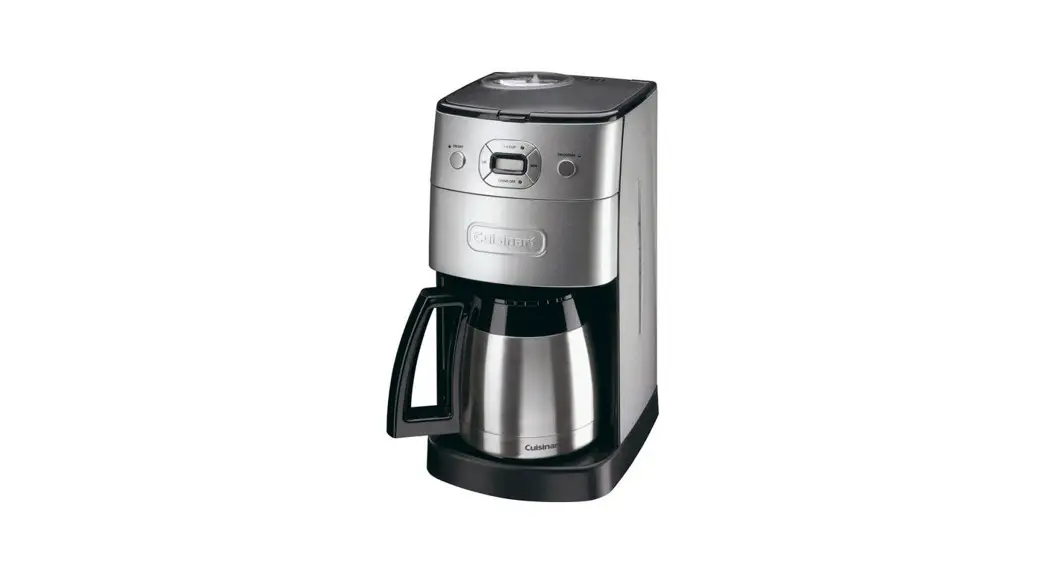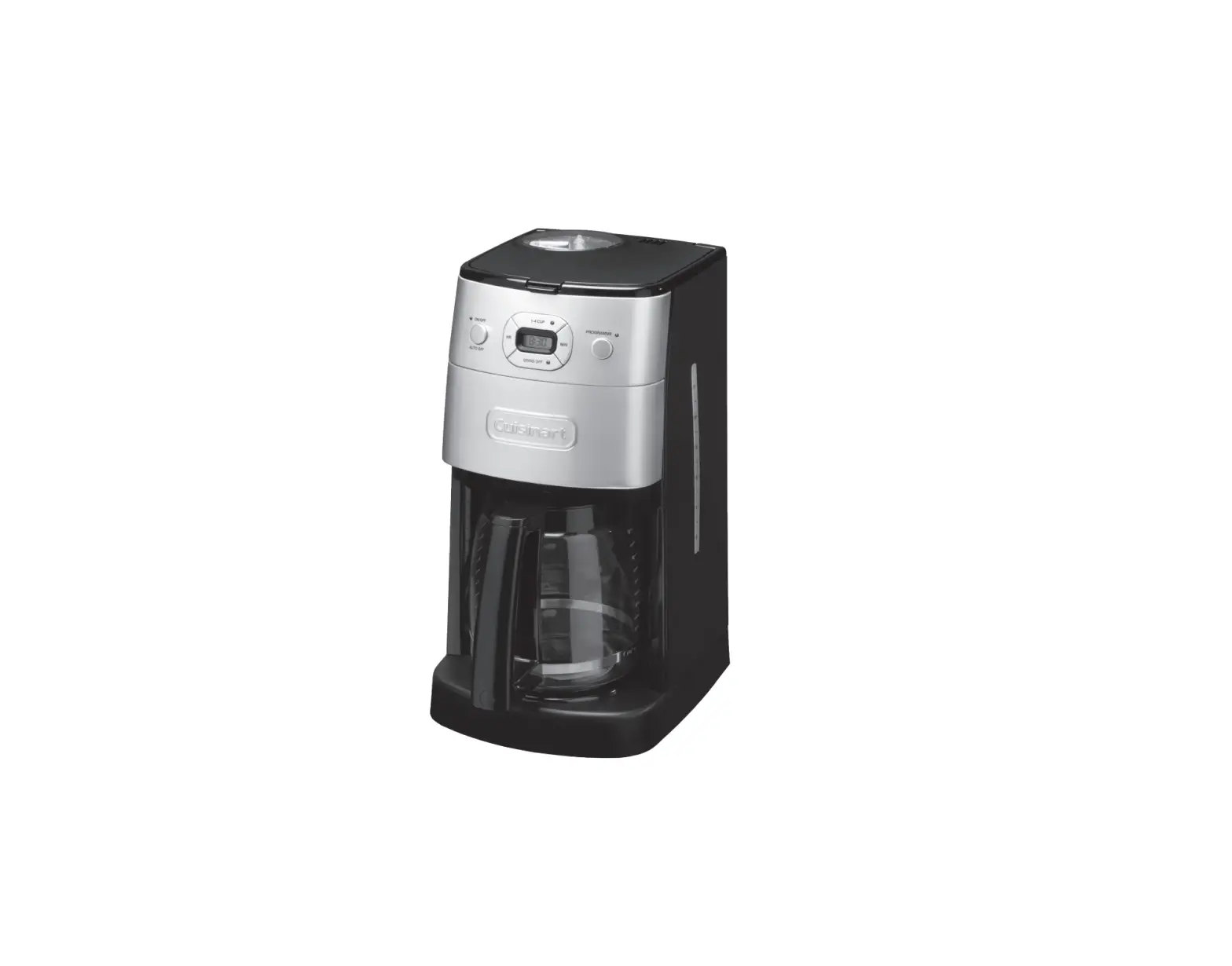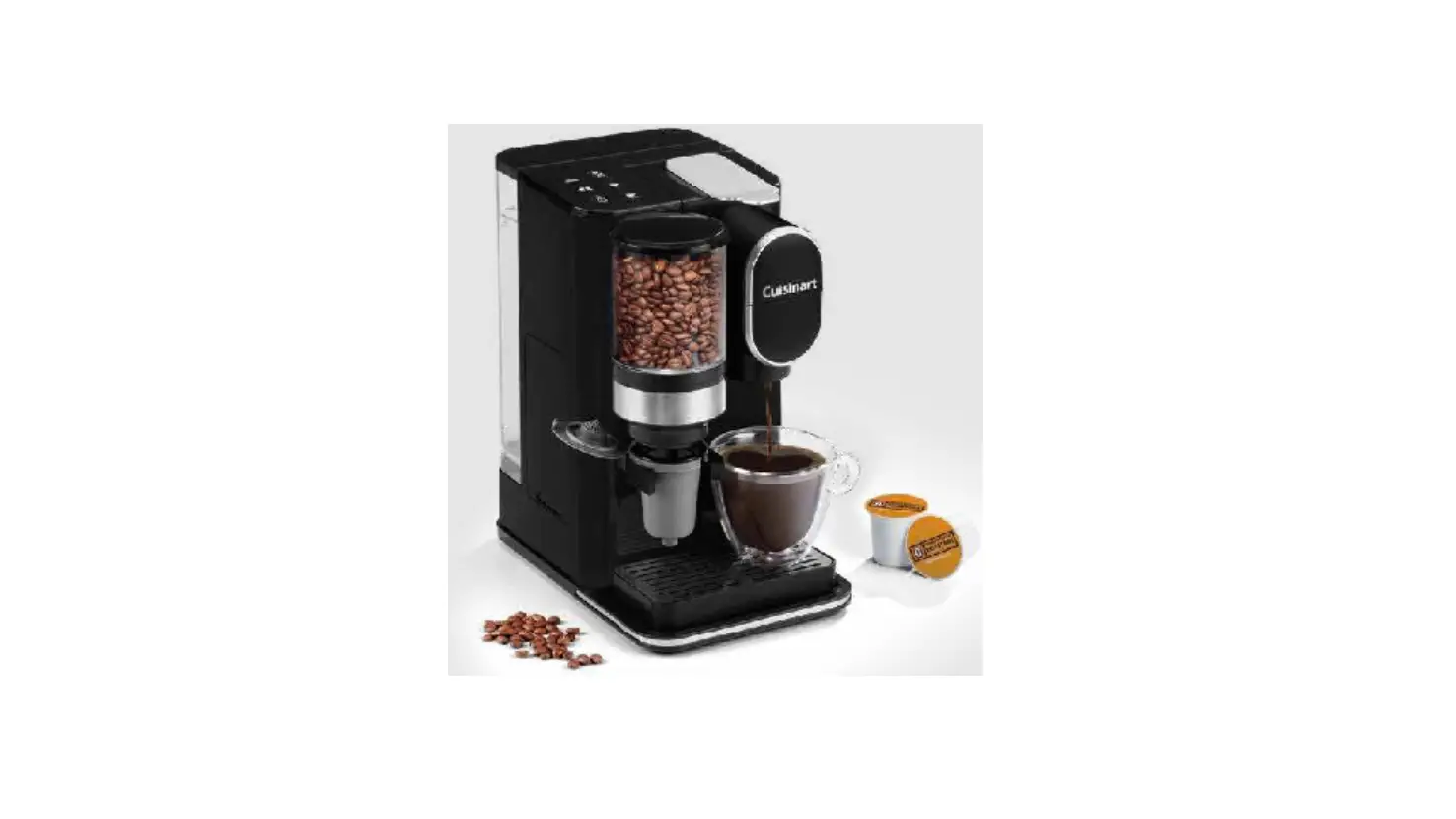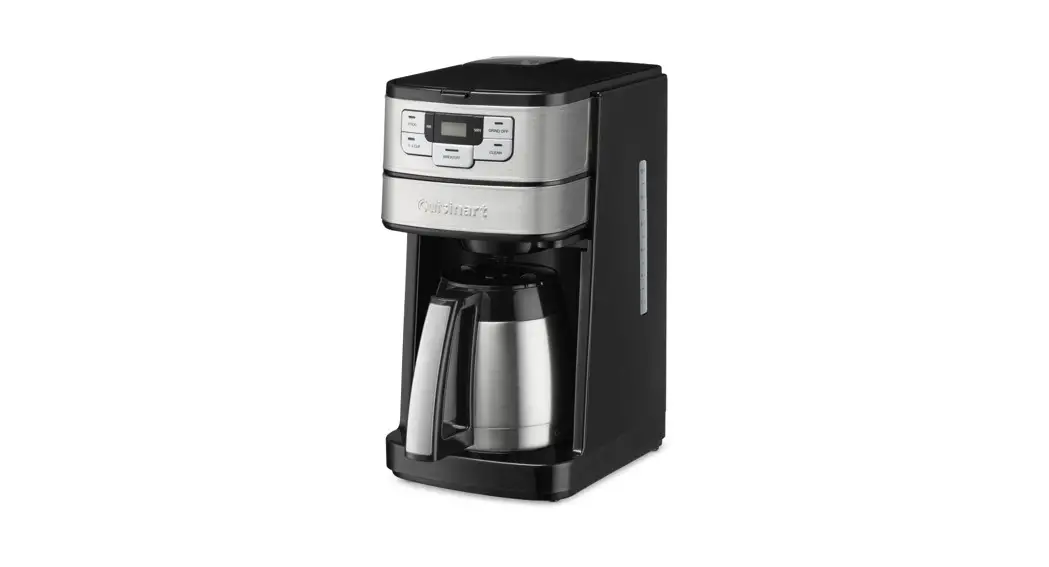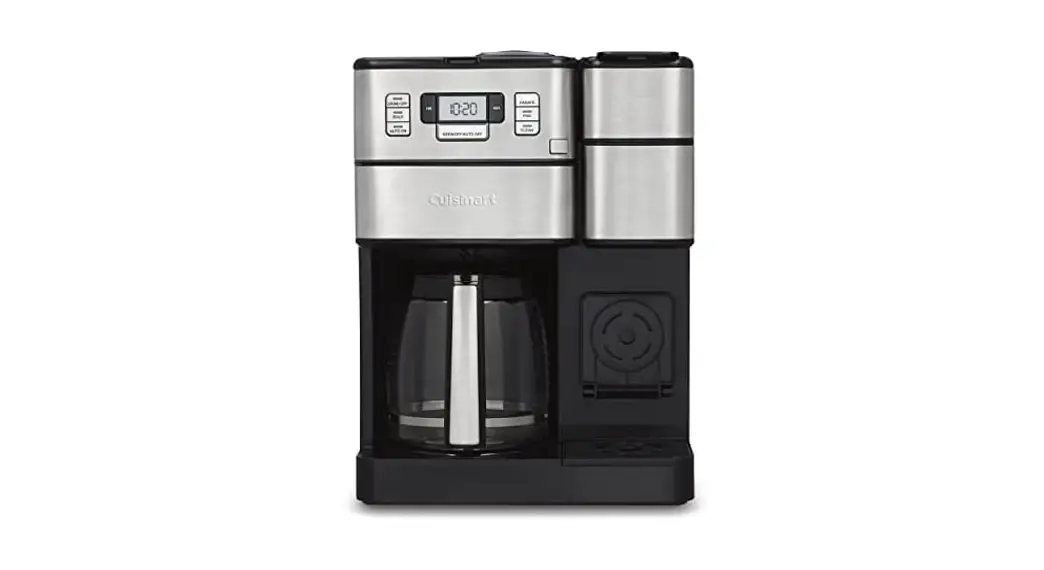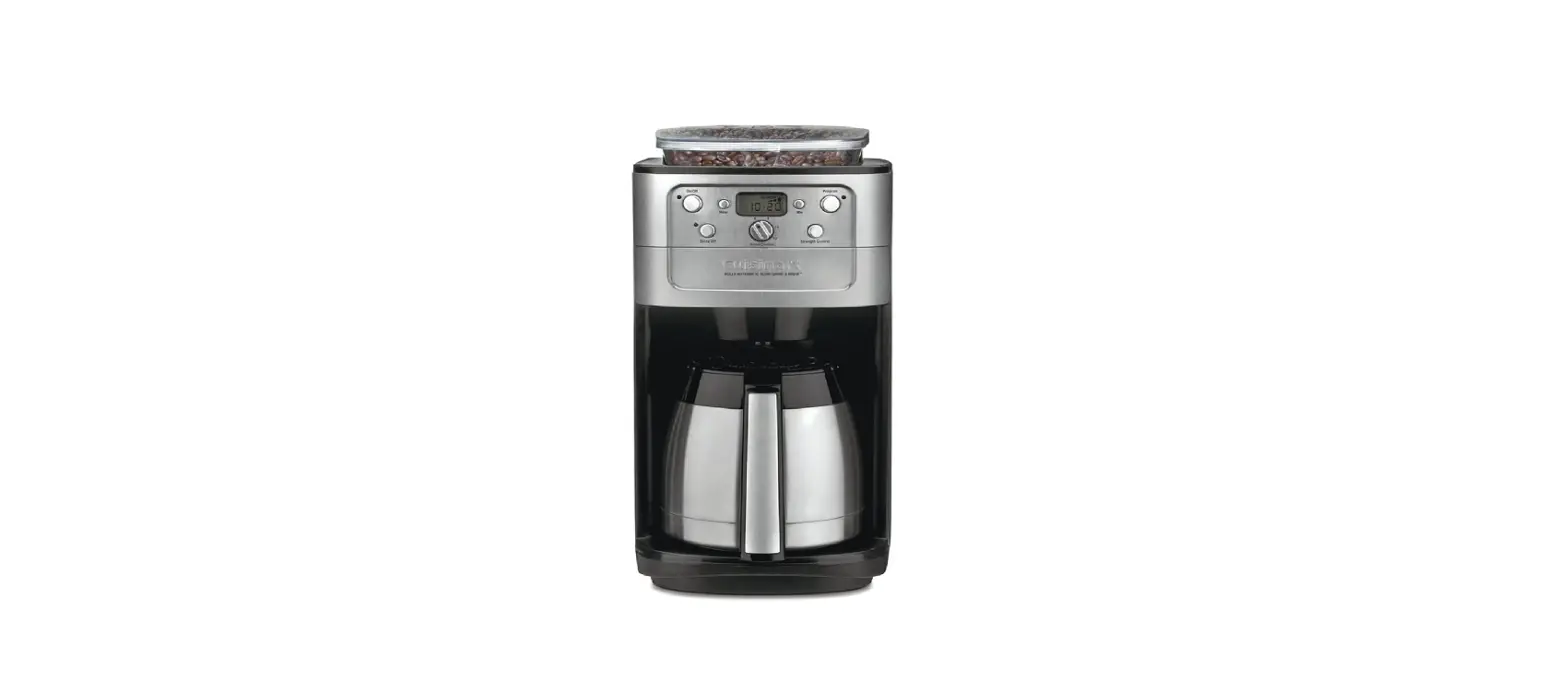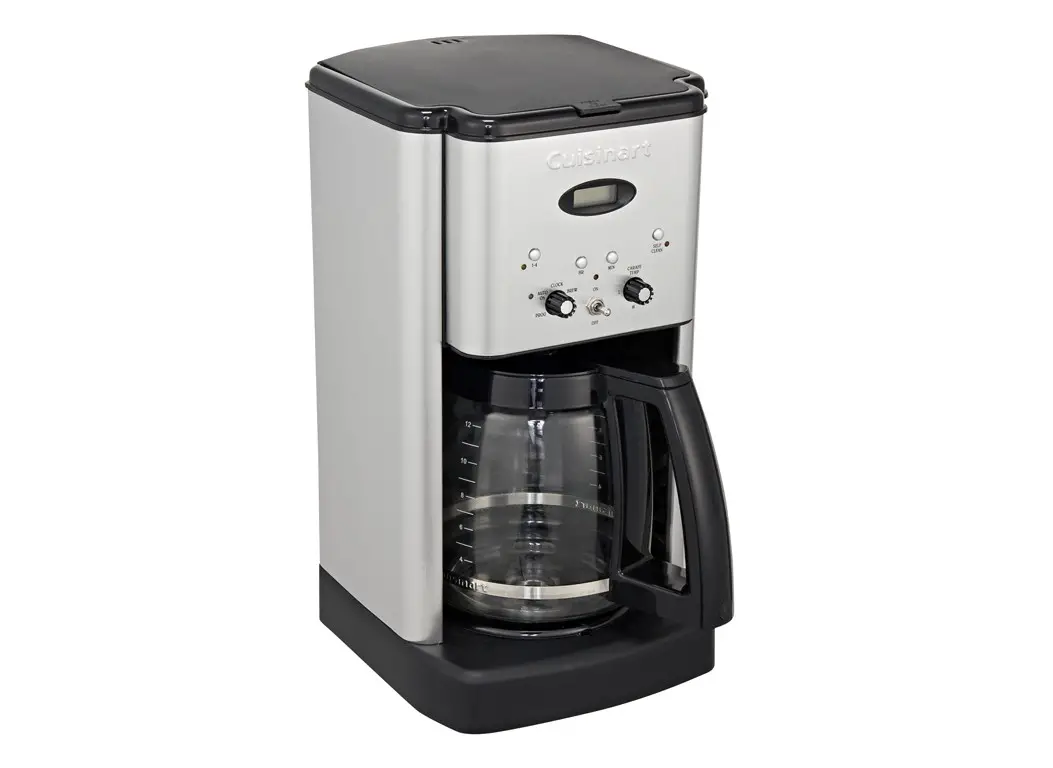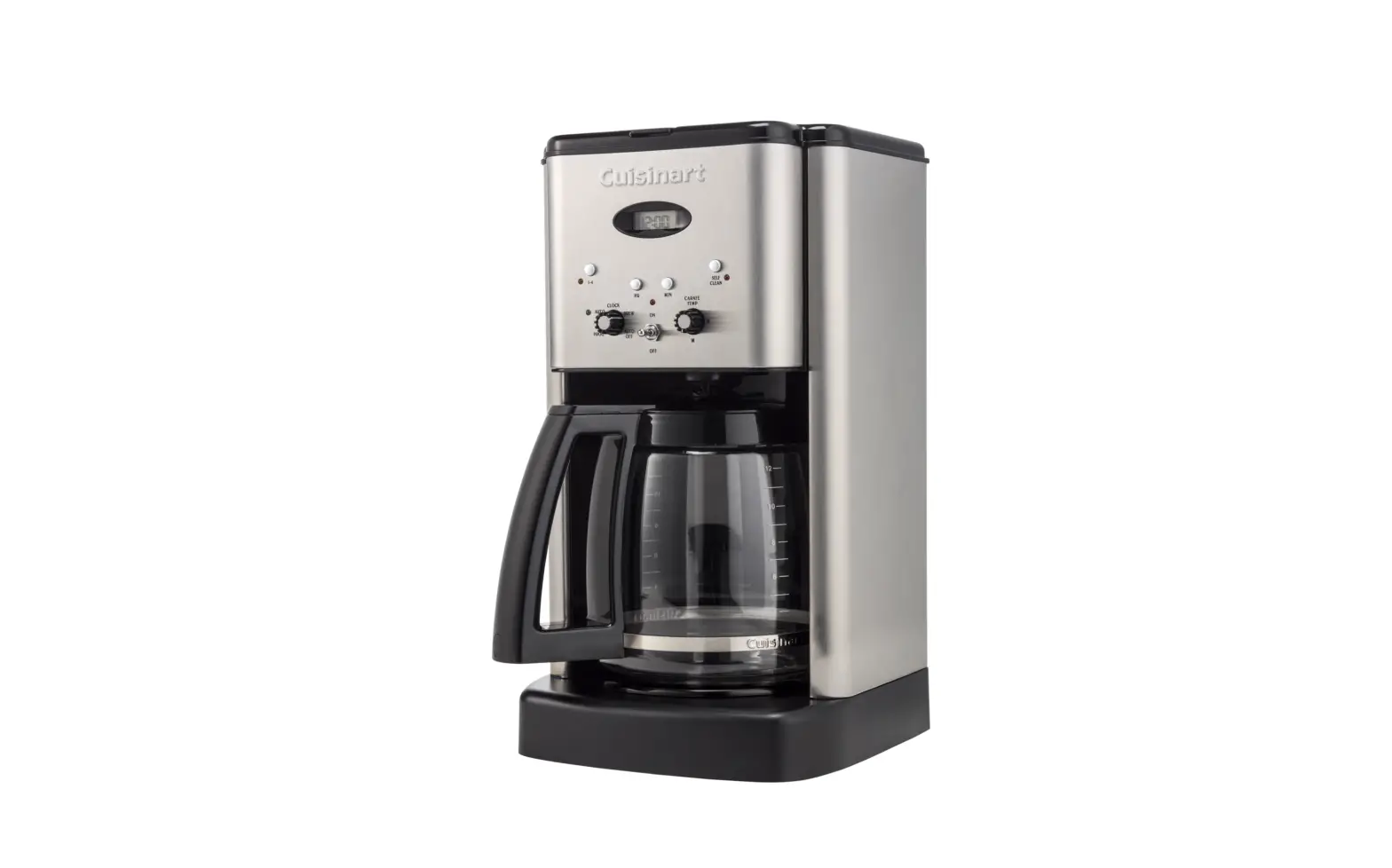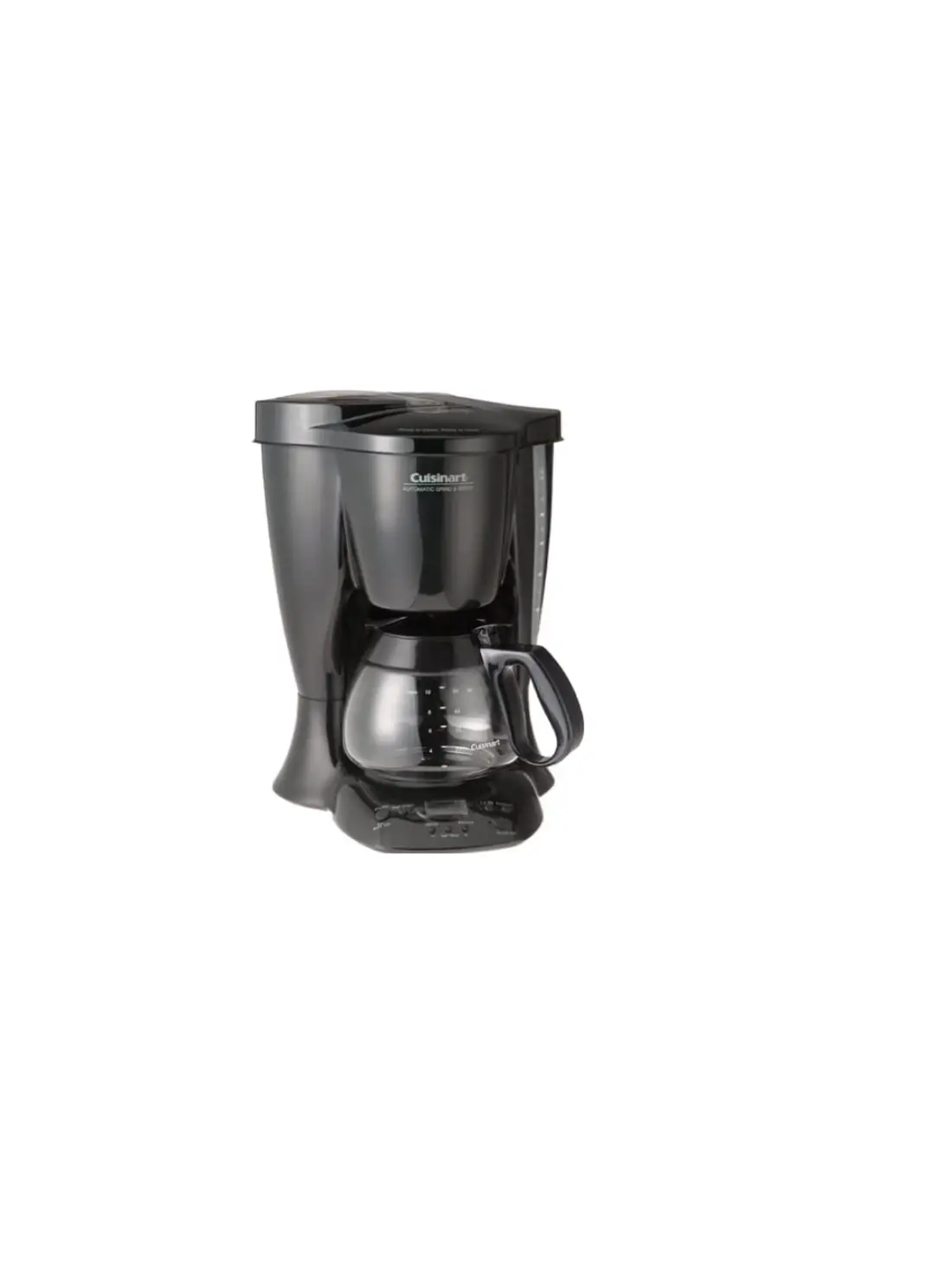

Cuisinart DGB-300 Grind & Brew Coffeemaker
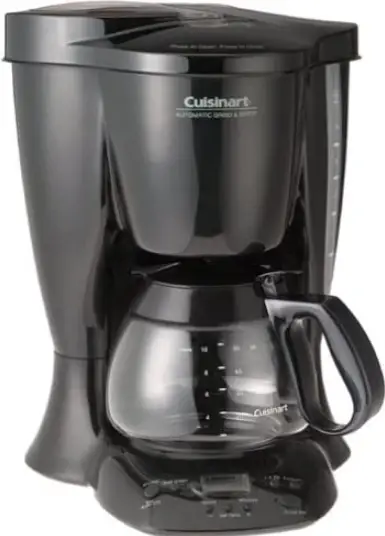
INTRODUCTION
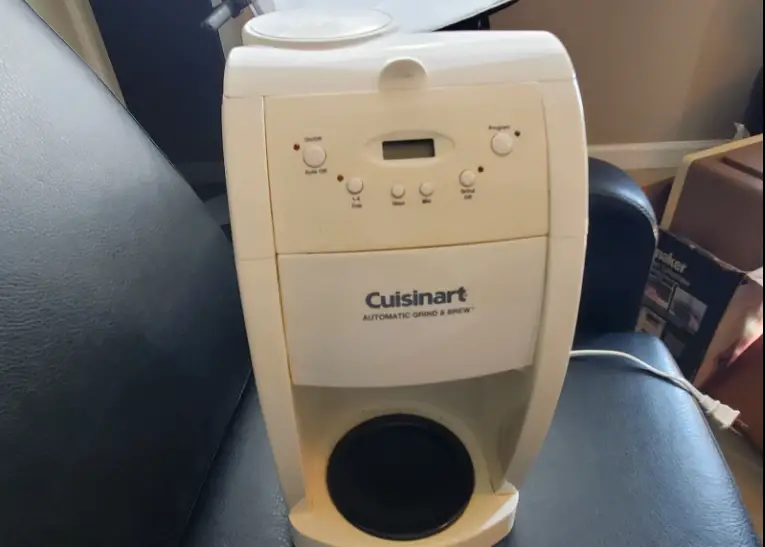
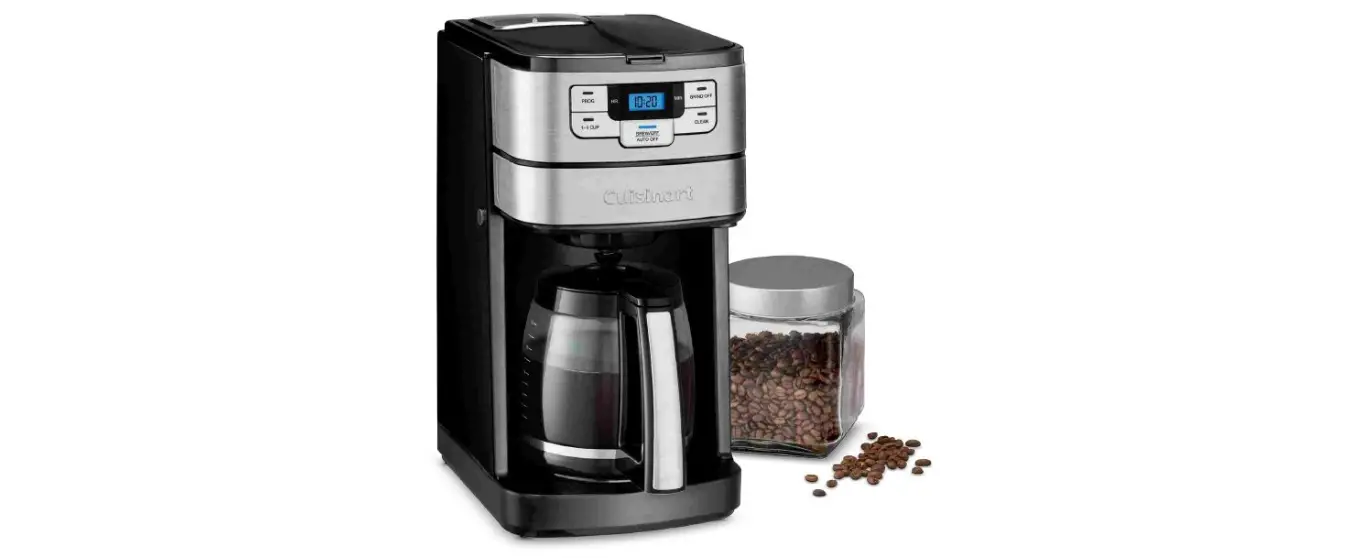
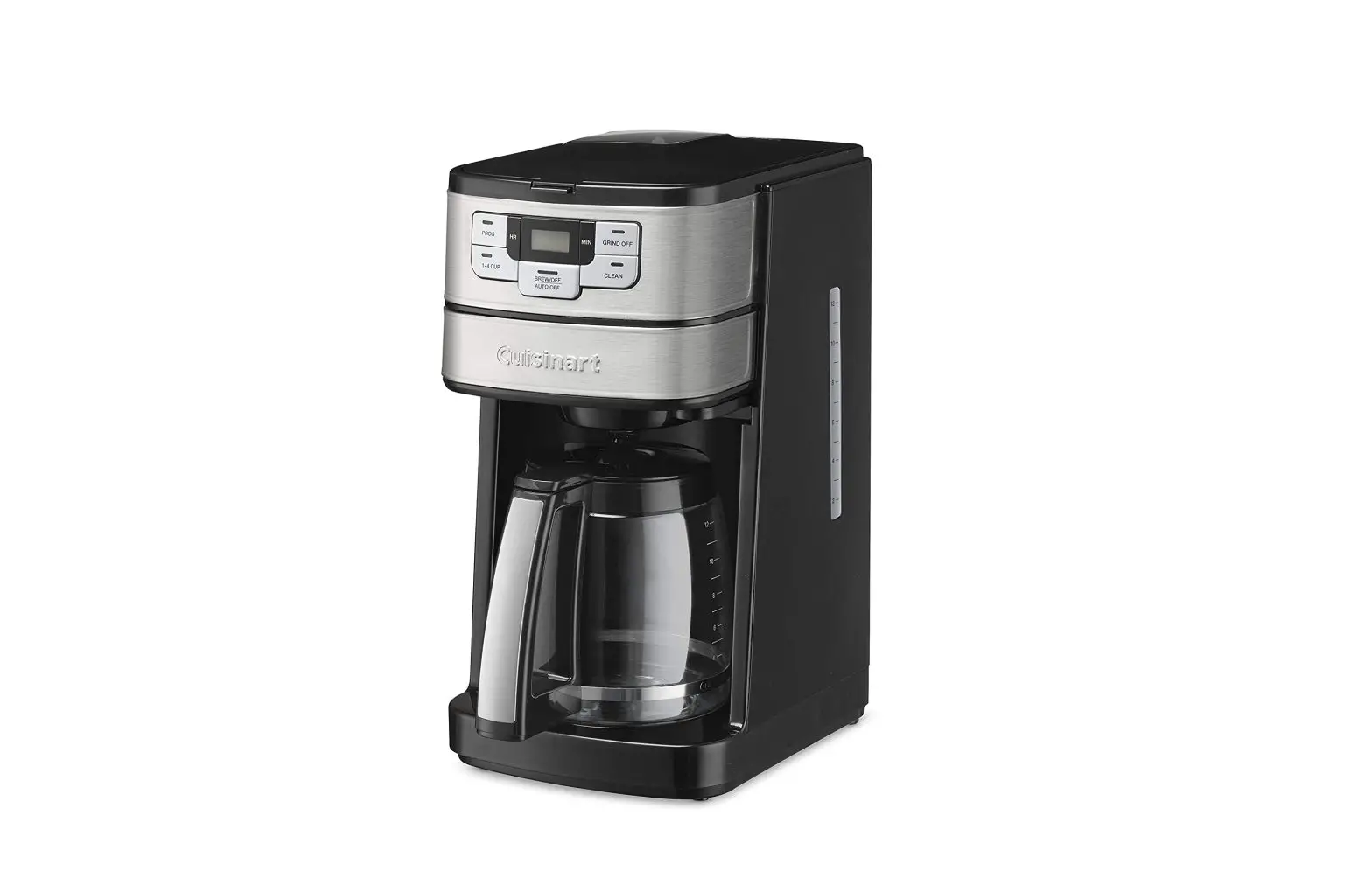
The Cuisinart® Coffee Bar™ Automatic Grind & Brew™ Coffeemaker is a coffee lover’s dream. It delivers the freshest coffee in the world. The secret? It grinds the beans right before it brews them. Just add coffee beans to the grinder basket, fill the reservoir with water, put in your filter and press the “ON” button. In minutes, you’ll have a wonderfully fresh pot of coffee. Another reason this coffeemaker rewards you with pure coffee flavor is that it has the same brewing system found in coffee bars. It uses only the water needed to extract all the rich coffee taste without extracting any bitterness. We know the Cuisinart® Automatic Grind & BrewTM will bring you years of pleasure. Nothing is more satisfying than a rich cup of your favorite brew.
IMPORTANT INSTRUCTION
- Do not touch hot surfaces. Use handles and knobs.
- To protect against electric shock, do not place cord, plug, or base unit in water or other liquids.
- Close supervision is necessary when any appliance is used by or near children.
- Always unplug from outlet when not in use and before cleaning. Allow to cool before putting on or taking off parts and before leaning the appliance.
- Do not operate any appliance with a damaged cord or plug or after the appliance malfunctions or has been dropped or damaged in any manner.
- Return appliance to the nearest Cuisinart
- Repair Center for examination, repair, or electrical or mechanical adjustment.
- The use of accessory attachments not recommended by Cuisinart may cause injuries.
- Do not use outdoors.
- Do not let cord hang over edge of table or counter, or touch hot surface.
- Do not place on or near a hot gas or electric burner, or in a heated oven. Always fill water reservoir first, then plug cord into the wall outlet. To disconnect, push the button to “Off”, then remove plug from wall outlet.
- Do not use appliance for other than intended use.
- Snap lid securely onto carafe before serving any beverages.
- Scalding may occur if the lid is removed during the brewing cycle.
- The glass carafe is designed for use with these appliances only. It must never be used on the range top.
SPECIAL CORD SET INSTRUCTIONS
A short power-supply cord is provided to reduce the risks resulting from becoming entangled in or tripping over a longer cord. Longer extension cords are available and may be used if care is exercised in their use. If a long extension cord is used, the marked electrical rating of the extension cord must be at least as great as the electrical rating of the appliance, and the longer cord should be arranged so that it will not drape over the countertop or tabletop where it can be pulled on by children or tripped over.
THE COFFEE BAR™ FLAVOR SYSTEM
All coffee has the rich aromatic flavors we associate with a great cup of coffee, as well as the acidic, bitter flavors we associate with a bad cup. Commercial brewers have discovered that the “good” and “bad” flavors wash out of the grounds at a different rate, with the good flavors washing out faster than the bad. The trick is to use only enough water to wash out the good flavors and leave the bad behind. The relatively small amount of water needed to do this leaves a very strong cup of coffee, so it is necessary to add some water to bring it to a pleasant strength. The Coffee Bar™ Flavor System does the work for you. Using the proportions and grind recommended, simply set the Flavor System dial for the number of cups you intend to brew. That’s all there is to it! The Coffee Bar™ Flavor System automatically measures the correct amount of water needed to pass through the grounds, and directs the rest of the water into the carafe.
THE QUEST FOR THE PERFECT CUP OF COFFEE
It is generally agreed that there are four basic elements critical to the perfect cup:
Element 1: Water
Coffee is 98% water. Often overlooked, the quality of the water is as important as the quality of the coffee. If you filter your drinking water, filter the water for your coffeemaker. A good rule of thumb is that if your water doesn’t taste good from the tap, it won’t taste any better in your coffee. For hard water areas, we recommend using bottled water. The calcium in the water and the softeners used to combat it have a major impact on the extraction of the coffee. Hard water will also accelerate calcium buildup inside the coffeemaker which, in turn, slows down brewing, affects the flavor of the coffee, and ultimately may shorten the life of your coffeemaker.
Element 2: Coffee
While the bulk of the liquid is water, all of the flavor should be from the coffee. To achieve the same great quality cup of coffee you receive at a coffee bar, you need to use the same quality beans. Buy the beans fresh and whole, only about two weeks’ supply at a time for maximum freshness. Once the coffee bean is broken, its flavor degrades very quickly. That’s why the Automatic Grind & Brew™ grinds your coffee just prior to brewing. If it is not practical to buy small supplies, we recommend you separate larger amounts of beans into one to two week portions immediately after purchase, and freeze them in airtight containers. The best way to maximize freshness is to minimize exposure to air, light and moisture. So, once beans have been removed from the freezer, maintain them in a sealed container at room temperature, since damaging condensation occurs every time the beans are removed from the freezer or refrigerator. Note that some coffee experts advise against freezing dark-roast beans, because freezing can cause the oils to coagulate. Other experts disagree. We suggest you experiment and decide for yourself
Element 3: Grind
The grind is critical for proper flavor extraction. If the grind is too fine, overextraction and bitterness will result. Too fine a grind may also clog the filter. If grind is too coarse, the water will pass through too quickly and the desired flavors will not be extracted. The Automatic Grind & Brew™ is preset for a medium grind, the optimal grind for this type of coffeemaker.
Element 4: Proportion
The Automatic Grind & Brew™ makes up to ten (10) 5-ounce cups of coffee.
FEATURES AND BENEFITS
We created the Premier Series of coffeemakers with you in mind. Every aspect has been designed to be easy to use. We made a large water window which is easily viewed from the front of the machine, and the reservoir lid opens to the back, providing easy access for filling. The removable filter basket liner is molded in black plastic to avoid unsightly staining. We put rubber feet on the front of the machine only, so it’s easy to move around on the countertop, yet won’t slide as you set the controls. We also reasoned that an easy-tohold carafe would allow you more control while pouring, helping to avoid spills. And we placed the carafe markings next to the handle, not on the side of the pot, so you can easily see them as you fill the carafe with water.
The Parts
- Reservoir Cover
- Press to open. Press to lock. A Safety Interlock System prevents operation of the unit if the reservoir cover is open more than one half inch (1/2″).
- Water Window
- Markings indicate water needed to make corresponding cups of brewed coffee.
- Brew PauseTM Feature (Not shown)
- Stops flow of coffee from basket when carafe is removed from heater plate, so a cup can be poured in mid-brew, if desired. Since the extraction rate varies during the brew cycle, we recommend allowing the brewing cycle to finish before pouring coffee.
- Carafe
- Taste Keeper™ Lid: Helps preserve coffee flavor by minimizing oxygen flow into carafe.
- Comfort Grip Handle: Safe, controlled pouring.
- Brewed Coffee Markings: These are located close to the handle for easier viewing.
- Coffee Temperature Monitor
- Monitors brewed coffee temperature and maintains it at the same level, even if there is only a small amount of coffee in the carafe.
- Warming Plate
- Cord Storage (Not shown)
- Unused cord is easily pushed into the bottom of coffeemaker, keeping counters neat.
- Control Panel
- Safety Interlock System (Not shown)
- Prevents operation of the unit if the reservoir
- Flavor System Settings
- Provide guidelines for optimum flavor extraction, based on number of cups being brewed.
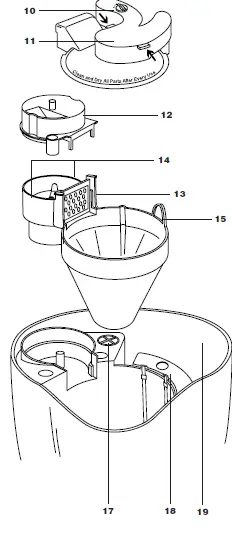
- Filter Basket Cover/Filter Holder
- To put on or remove, grasp cover in area indicated by arrows. NOTE: COVER MUST BE
- Grinder Basket Lid
- Use the recess on each side of the lid to remove lid and add beans easily. Note: Lid must be in place for unit to operate.
- Grinder/Filter Basket
- This is a one piece basket which holds the permanent or paper filter on one side, and the whole bean grinder on the other side.
- Finger Grips
- these and the handle to easily lift the grinder/filter basket out for cleaning.
- Handle
- Use this and the finger grips to easily lift the grinder/filter basket out for cleaning.
- Gold-Tone Permanent Filter (Not shown)
- Steam Safety Valve
- Do not touch this valve. Doing so may release steam or hot water and cause personal injury.
- Steam Collector
- Prevents steam from escaping from unit. Unplug cord from outlet and allow unit to cool before cleaning.
- Water Reservoir
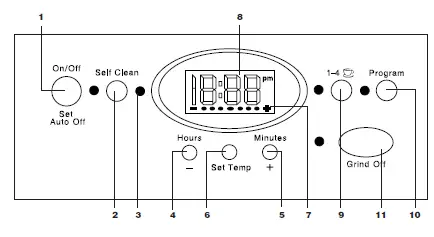
Control Panel
- On/Off/Set Auto-Shutoff Switch with LED Indicator:
- Audible Tone (not shown): The Automatic Grind & Brew™ is equipped with an audibletone which will sound 5 times when the coffee has completed brewing (coffee will continue to stream from the filter for several seconds thereafter) and will sound twice when the unit has shut itself off.
- Self Clean:
- For use in decalcification of coffeemaker.
- “Time to Clean” Indicator:
- When decalcification is required, this will flash whenever the coffeemaker is operated.
- Hours Set / Temperature Decrease
- Minutes Set / Temperature Increase:
- Press and hold either 4 or 5 for approximately 2 seconds to enter Time Set Mode.
- Temperature Set:
- Use to enter Temperature Set mode.
- Temperature is adjusted with Hours (-) and
- Minutes (+) buttons.
- Carafe Temperature Display:
- Displays keep warm temperature range relative to average setting. Temperature can be increased or decreased.
- Clock Display:
- Displays time of day, program setting when program button is depressed, or Auto Shutoff time when On/Off button is depressed.
- Low Cups Setting with LED Indicator: Set to “1-4 ” to improve extraction and flavor when making fewer than 5 cups of coffee.
- Program Setting with LED Indicator:
- Press to display program setting or to set for programmed brewing.
- Grind Off:
- Use to turn off the grinder when using foreground coffee.
PROGRAMMING YOUR COFFEEMAKER
Setting the Clock:
When the coffeemaker is plugged in, 12:00 will flash continuously until you set the time.
Entering “Time Set” Mode:
To set the time, hold down either the “Hours” or “Minutes” button until the clock stops flashing and begins to count up (about 2 seconds). You are now in the “Time Set” mode and can operate either button to achieve the desired setting. The buttons can be held down to scroll through the digits, or pressed and released lightly to advance one digit at a time. When scrolling, the numbers will advance slowly at first and then speed up to the rate of about three per second. When the number displayed approaches the desired setting, release the button and press repeatedly to advance one digit at a time. Be careful to make sure that the PM indicator is on if a PM time is desired.
Exiting “Time Set” Mode:
The “Time Set” mode can be exited in one of two ways:
- Press any button besides the “Hours” or “Minutes” button. This will exit the “Time Set” and activate the selected function.
- Do nothing. If neither the “Hours” nor “Minutes” button is pressed for a period of five seconds, the “Time Set” mode will be exited.
Setting the Program Time:
When you press the “Program Set” button, it displays the current program time, and the green light next to the button will light. The coffeemaker will start to brew at the programmed time. If no time appears when the button is pressed and the green light turns off at the release of the button, it means that no program time has been set. The “Programmed” mode cannot be entered until the program time has been set
Entering “Set Program Time” Mode:
Press and hold the “Program Set” button (about 2 seconds) until the green light begins to flash. This signals that you have entered the “Set Program Time” mode. The desired time can be set by pressing the “Hours” and “Minutes” buttons to scroll forward through the digits. Pressing and holding either button will allow you to scroll continuously, slowly at first, and then to accelerate to the rate of about three digits per second. As the desired time setting approaches, release the button and then press repeatedly to advance one digit at a time.
Exiting “Set Program Time” Mode:
“Set Program Time” may be exited in any of three ways:
- Press the “Program Set” button. This will cause the coffeemaker to revert to its previous state. If it was OFF, it will return to the OFF position. If “Programmed”, it will revert to this state, and so on. This is a safety feature.
- Press any other button (except “Hours” or “Minutes”). “Set Program Time” will be exited and the function of that button will be executed.
- Do nothing. If neither the “Hours” nor “Minutes” button is pressed for a period of five seconds, the “Set Program Time” mode will be exited and the programmed setting will be in effect.
PROGRAMMING AUTOMATIC SHUTOFF TIME
The Automatic Shutoff Time can be programmed anywhere from immediate shutoff after completion of the brew cycle up to four hours. When the coffeemaker shuts itself off, two tones will sound. Four hours is the default time. The 0:00 setting shuts the unit off immediately after brewing is complete. To check the current setting, press the “On/Off” button and the Automatic Shutoff Time will be displayed. To change the preset time, press and hold the “On/Off” button until the red “power” light begins to flash. This signals that you have entered the “Set Automatic Shutoff” mode
TO MAKE COFFEE WITH PRE-GROUND BEANS:
Follow instructions 1 and 2 from Making Coffee section.
- Add ground coffee to permanent or #4 cone paper filter. Our recipe suggestion: Use 1 to 1-1/2 tablespoons of ground coffee per cup.
- Close the reservoir lid. (See instructions above.)
- See Before Brewing Coffee note above.
- Press the “Grind Off” button. When this function is activated, a yellow LED will be illuminated. Then press the “ON” button.
- Follow instructions 6 through 8 from the Making Coffee section.
CLEANING AND MAINTENANCE
- Always turn coffeemaker OFF and remove the plug from the electrical outlet before cleaning.
- Press and lift to open the reservoir lid. Remove the grinder basket lid by using the recessed area on each side of the lid.
- Remove the filter basket cover. Remove the permanent or paper filter. Clean permanent filter, or discard the paper filter. Remove the grinder/filter basket, using the finger grips and handle.
- The grinder/filter basket, grinder basket lid, and filter basket cover can be washed in warm soapy water and rinsed thoroughly, or cleaned in the upper rack of the dishwasher.
- Dry all parts after every use. Do not put any water in the unit once the grinder/filter basket has been removed. Wipe the area under the grinder/filter basket with a damp cloth.
- If water gets into the grinder motor, the motor may become damaged. Once clean, reverse the above steps. Periodically, remove the steam collector by lifting it up and out.
- Run it under warm soapy water. Rinse thoroughly. Replace the steam collector by placing the hooks on the locating notches. Remove the carafe from the warming plate.
- Discard any remaining coffee. The carafe and lid can be washed in warm soapy water and rinsed thoroughly, or placed in a dishwasher.
- The carafe and carafe lid should be placed on the upper rack only. Do not use scouring agents or harsh cleansers on any part of the coffeemaker.
- Never immerse base unit in water or other liquid. To clean base, simply wipe with a clean, damp cloth and dry before storing.
- Wipe warming plate with a clean, damp cloth. Never use rough, abrasive materials or cleansers to clean the warming plate.
- Do not dry the inside of the water reservoir with a cloth, as lint may remain.
DECALCIFICATION
Decalcification refers to removing the calcium deposits which form over time on the metal parts of the coffeemaker. For best performance from your Coffee Bar™ Coffeemaker, decalcify the base unit from time to time. The frequency depends upon the hardness of your tap water and how often you use the coffeemaker. The flashing selfclean light will indicate when you should clean your coffeemaker.
SELF CLEANING
If the self-clean light begins to flash when the coffeemaker is turned on, it is telling you that the calcium buildup is interfering with the functioning of your coffeemaker and the flavor of your coffee. To clean, fill the water reservoir to capacity with a mixture of 1/3 white vinegar and 2/3 water. Turn the coffeemaker ON and press the “Self-Clean” button. The self-clean light will shine steadily. The coffeemaker is now in Self-Clean mode. One cycle should be sufficient to adequately clean the coffeemaker. When the cycle is completed and the five beeps sound, the coffeemaker will shut off. Turn the coffeemaker ON to see if the self-clean light continues to flash. If it does, turn it OFF and then repeat the cleaning procedure with a fresh solution of vinegar and water. If the self-clean light no longer flashes, turn the coffeemaker to OFF and then run one cycle of fresh cold water through the unit before using the unit again to brew coffee.
Note on the Self- Clean Function
Pressing the “Self-Clean” button cancels all other settings. If it is pressed accidentally, press it again to return the coffeemaker to all its previous settings. Pressing On/Off will also exit the Self-Clean mode and turn the coffeemaker OFF
WARRANTY
LIMITED THREE YEAR WARRANTY
This warranty supersedes all previous warranties on Cuisinart® Coffee Bar™ Automatic Grind & Brew™ Coffeemakers. This warranty is available to consumers only. You are a consumer if you own a Cuisinart® Coffee Bar™ Automatic Grind & Brew™ Coffeemaker that was purchased at retail for personal, family or household use. Except as otherwise required under applicable state law, this warranty is not available to retailers or other commercial purchasers or owners. We warrant that your Cuisinart® Coffee Bar™ Automatic Grind & Brew™ Coffeemaker will be free of defects in material or workmanship under normal home use for three years from the date of original purchase. We suggest that you complete and return the enclosed warranty registration card promptly to facilitate verification of the date of original purchase. However, return of the warranty registration is not a condition of these warranties. If your coffeemaker should prove to be defective within the warranty period, we will repair it (or, if we think it necessary, replace it) without charge to you. To obtain warranty service, please call our Consumer Service Center toll-free at 800-726-0190 or write to:
- Cuisinart
- 150 Milford Road
- East Windsor, NJ 08520
To facilitate the speed and accuracy of your return, please also enclose $10.00 for shipping and handling of the product (California residents need only supply proof of purchase and should call 1-800-726-0190 for shipping instructions). Please also be sure to include a return address, description of the product defect, product serial number, and any other information pertinent to the product’s return. Please pay by check or money order. Your Cuisinart® Coffee Bar™ Automatic Grind and Brew Coffeemaker has been manufactured to strict specifications and has been designed for use with the Cuisinart® coffeemaker authorized accessories and replacement parts for your model. These warranties expressly exclude any defects or damages caused by accessories, replacement parts or repair service other than those that have been authorized by Cuisinart. These warranties do not cover any damage caused by accident, misuse, shipment or other than ordinary household use. These warranties exclude all incidental or consequential damages. Some states do not allow the exclusion of or limitation of incidental or consequential damages, so the foregoing limitation or exclusion may not apply to you.
CALIFORNIA RESIDENTS ONLY
California law provides that for In-Warranty Service, California residents have the option of returning a nonconforming product (A) to the store where it was purchased or (B) to another retail store which sells Cuisinart® products of the same type. The retail store shall then, at its choice, either repair the product, refer the consumer to an independent repair facility, replace the product, or refund the purchase price less the amount directly attributable to the consumer’s prior usage of the product. If either of the above two options does not result in the appropriate relief to the consumer, the consumer may then take the product to an independent repair facility if service or repair can be economically accomplished. Cuisinart and not the consumer will be responsible for the reasonable cost of such service, repair, replacement, or refund for nonconforming products under warranty. California residents may also, at their preference, return nonconforming products directly to Cuisinart for repair or, if necessary, replacement by calling our Consumer Service Center toll-free at 800-726-0190. Cuisinart will be responsible for the cost of the repair, replacement, and shipping and handling for such nonconforming products under warranty.
BEFORE RETURNING YOUR CUISINART PRODUCT
If you are experiencing problems with your Cuisinart® product, we suggest that you call our Consumer Service Center at 1-800-726-0190 before returning the product for servicing. Often, our Consumer Service Representatives can help solve the problem without having the product serviced. If servicing is needed, a Representative can confirm whether the product is under warranty and direct you to the nearest service location. *Important: If the nonconforming product is to be serviced by someone other than Cuisinart’s Authorized Service Center, please remind the servicer to call our Consumer Service Center to ensure that the problem is properly diagnosed, the product serviced with the correct parts, and to ensure the the product is still under warranty
FAQS
How do you use Cuisinart Coffee Center Grind & Brew Plus?
Just insert any single-cup pod into the brew chamber, select an 8-, 10-, or 12-ounce cup and, in minutes, and enjoy hot, fresh coffee. Single Serve: Brew Sizes: 8 oz., 10 oz.
What grind is best for Cuisinart coffee maker?
If it’s not ground enough, the water will pass through too quickly, resulting in weak coffee. Cuisinart suggests the following guidelines for selecting your grind based on the coffeemaker:
Do Keurig pods work in Cuisinart?
If you’re looking for a versatile and easy-to-use coffee maker, the Cuisinart Coffee Maker with K-Cup is a great option.
Can you use both sides of the Cuisinart coffee center at the same time?
No. You can not do both at the same time. A: This coffee center does have charcoal filters in each of it’s two separate water reservoirs.
How much coffee grounds do you put in a Cuisinart coffee maker?
Add 1 level scoop of ground coffee per cup. Adjust the amount according to taste. NOTE: The maximum capacity for ground coffee is 15 tablespoons for this coffeemaker
What’s the difference between fine grind and coarse grind coffee?
Coffee is affected by how quickly water can extract flavor compounds from your grounds and by the duration of the brewing.
Which brand is better Keurig or Cuisinart?
Cuisinart is the best option for variety, large capacity, and working with traditional beans, ground or whole.
Do you have to replace the charcoal filter in Cuisinart coffee maker?
Requires replacing every 60 days or after 60 uses.
You should typically change your reusable coffee filter every two months or so, according to factors like whether you’re using distilled water or not
Paper filters reduce the amount of cafestol, a coffee oil that’s been implicated in raising cholesterol levels, that makes it into your cup
Don’t Reuse Coffee Grounds. Overall, we don’t normally recommend reusing coffee grounds to make another cup or pot of coffee as it dilutes the flavor and can make the coffee taste more bitter than what is intended
The 1-4 button should be activated when you are making less than 4 cups of coffee. By pressing this function it will slow down the brewing process so you are receiving a strong cup of coffee.
Cuisinart (/ˈkwiːzɪnɑːrt/ kwee-zin-art) is an American home appliance brand owned by Conair Corporation. The company was started in 1971 by Carl Sontheimer to bring an electric food processor to the U.S. market.
Most of the Cuisinart coffee makers are manufactured in China. However, the Cuisinart CHW-12 Coffee Plus is still an American-made coffee maker.
yes, a Cuisinart coffee maker can take a reusable filter. In fact, many Cuisinart coffee makers come with a reusable filter included.
You can use paper filters if desired as well. A: Found the following information on line: China Most of the Cuisinart coffee makers are manufactured in China.