JBL Colorado Owner’s Manual
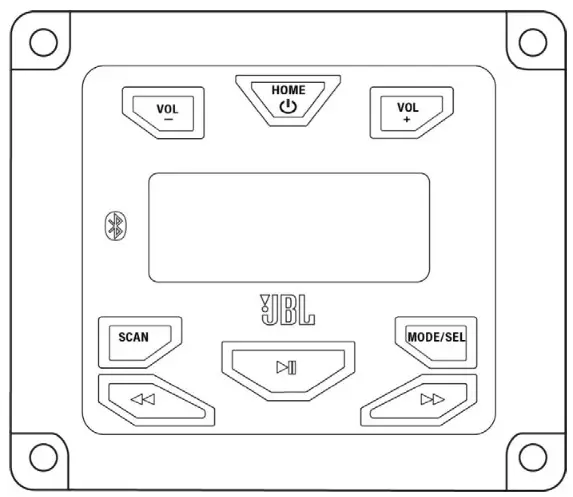
WIRING THE STEREO
IMPORTANT: Disconnect the vehicle’s negative (–) battery terminal before beginning the installation.
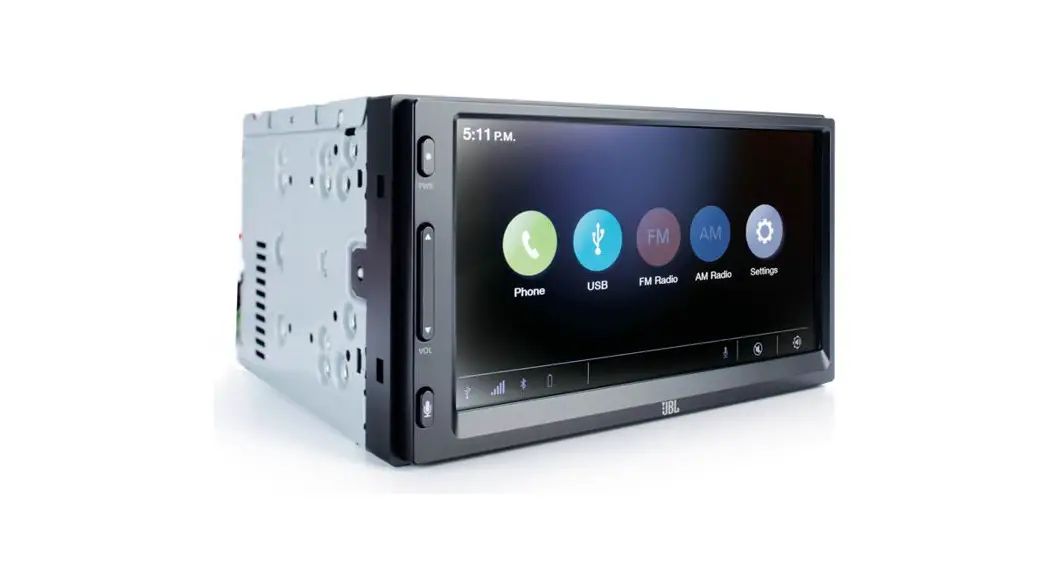
- Plug the vehicle harness into the receptacle on the back of the Colorado stereo.
- Plug the vehicle antenna harness into the antenna port of the back of the Colorado stereo.
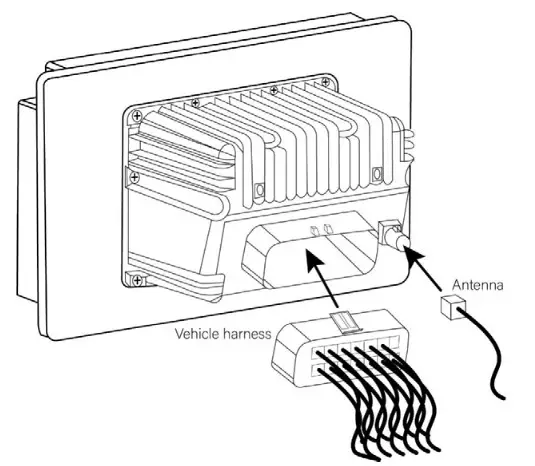
MOUNTING THE STEREO
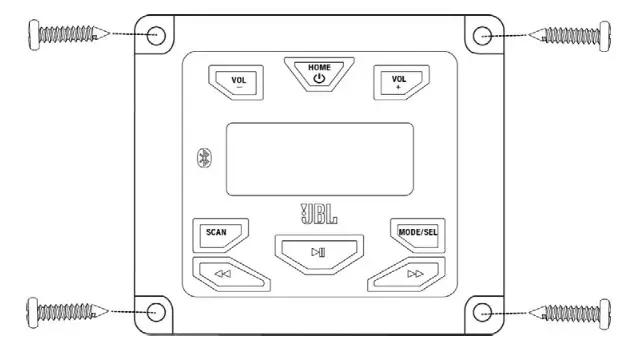
Place the stereo against the mounting surface and secure it with four sheet metal screws.
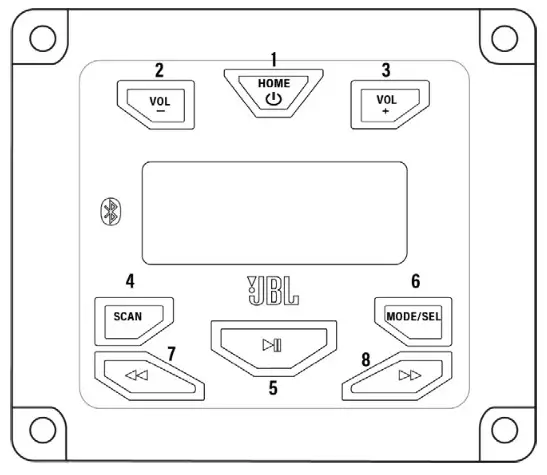
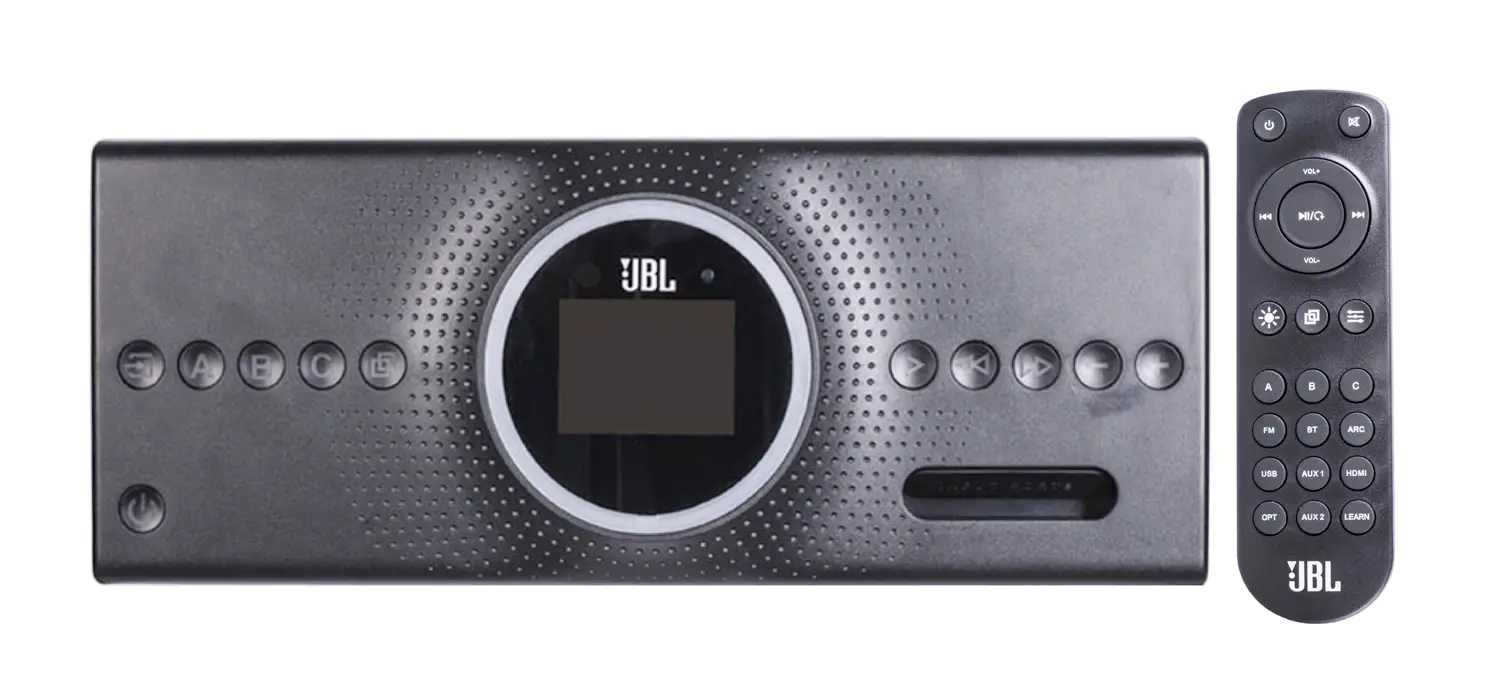
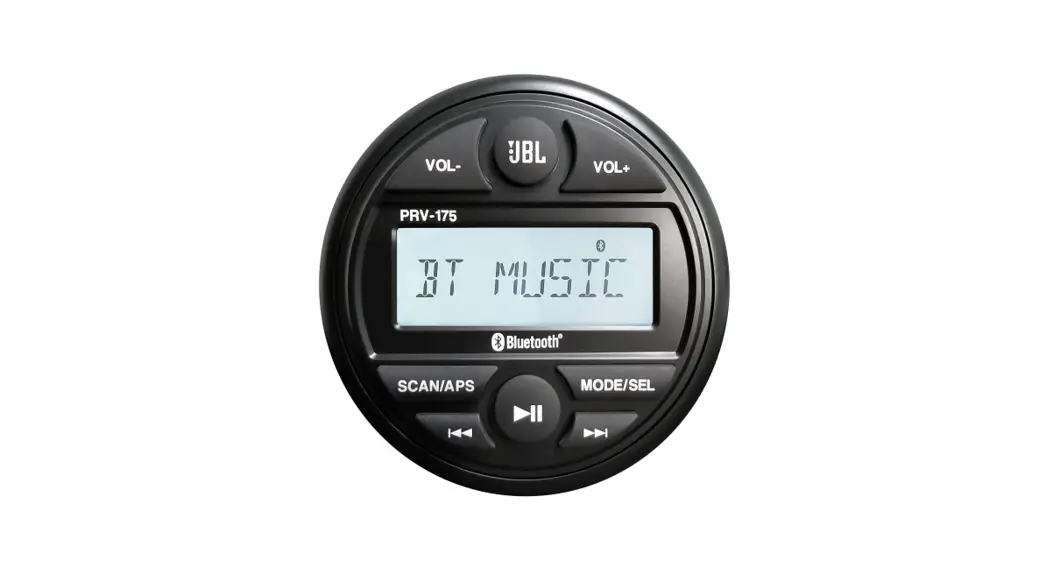
- Home/Power: Turns the stereo on with a short press and off with a long press; lets you return to the source you are playing from settings mode.
- VOL –: Lowers the source volume and lets you adjust settings levels.
- VOL +: Raises the source volume, and lets you adjust settings levels.
- Scan: Lets you listen to 3‐second samples of each station across a radio band; in USB mode, lets you select or turn off Repeat and Random modes; in Bluetooth mode, lets you quickly disconnect and reconnect paired Bluetooth devices.
- Play/Pause: Lets you mute a radio broadcast, or play/pause a track on USB or Bluetooth.
- MODE/SEL: This Lets you select the source (FM/AM/WBD, Bluetooth, USB) with a short push, and enter SETTINGS mode with a long push.
- Tune/Track down: This Lets you select radio stations and Bluetooth/USB tracks.
- Tune/Track up: This Lets you select radio stations and Bluetooth/USB tracks.
SYSTEM SETTINGS
Press and hold the MODE/SEL button to enter the settings menu.
- Short press the MODE/SEL button to cycle through the settings options listed below.
- Press the VOL + and VOL – to adjust the levels of each option.
| BASS | ‐7dB – +7dB |
| TREBLE | ‐7dB – +7dB |
| BALANCE | L10 – R10 |
| FADER | F10 – R10 |
| SUB | F10 – R10 |
| PRESET EQ | OFF, FLAT, POP, CLASSICAL, ROCK |
| LOUDNESS | ON/OFF |
| BEEP | ON/OFF |
| I‐VOL | 0 – 45 (DEFAULT: 20) |
| AREA | USA/EUA/JAPAN/OTHER |
| SOFTWARE VERSION |
RADIO OPERATION
Press the MODE/SEL button to select FM/AM/WBD.
Scan stations
- Short press SCAN to sample 3 seconds of pre‐stored radio stations.
- Press and hold SCAN to sample 3 seconds of all stations in the FM or AM band.
Mute/Unmute
Short press the Play/Pause button to mute the output. Press again to unmute.
Tuning stations
- Auto tuning mode: Short press the Tune-Up/Down buttons to automatically tune to radio stations.
This is the default mode.
- Manual tuning mode: Press and hold the Tune-Up/Down buttons to activate manual tuning. After “MANUAL” displays on the screen, short press the Tune-Up/Down buttons to tune to frequencies one step at a time.

- Colorado will return to Autotuning after 5 seconds of no activity.

BLUETOOTH OPERATION
Press the MODE/SEL button to select BT MUSIC.

Pairing a device
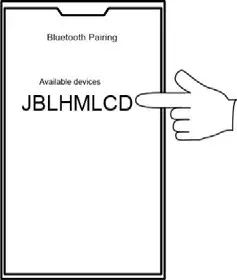
- With Colorado in BT MUSIC mode, select “JBLHMLCD” from the Bluetooth menu of your streaming device.

- Press and hold the SCAN button to disconnect your streaming device. Short press SCAN to reconnect it.
Playing music
- Press the Play/Pause button to play or pause a track.

- Press the Track Up/Track Down buttons to select the next or previous track.
USB OPERATION
Press the MODE/SEL button to select USB.
 Playback modes
- Short press the SCAN button to select playback modes shown below.

- Press the VOL+ button to select the options in each playback mode.

| SCAN | OFF/ON |
| REPEAT (RPT) | OFF/FOLDER/ALL |
| RANDOM (RDM) | OFF/FOLDER/ALL |
Playing music
- Press the Play/Pause button to play or pause a track.
- Press the Track Up/Track Down buttons to select the next or previous track. (NOTE: Track Down will select the previous track if no more than 5 seconds of a current track have elapsed; after 5 seconds, Track Down will return to the start of the current track. Press Track Down again quickly to select the previous track.)
SPECIFICATIONS
| Tuner bands | AM/FM |
| AM Band for USA | 530 ‐ 1710kHz (10kHz STEP) |
| AM Band for Europe | 531 ‐ 1602kHz (9kHz STEP) |
| AM Band for Japan | 522 ‐ 1629 KHZ (9kHz STEP) |
| FM Band for USA | 87.5 ‐ 107.9MHz (0.2MHz STEP) |
| FM Band for Europe | 87.50 ‐ 108.00MHz (0.05MHz STEP) |
| FM Band for Japan | 76.0 ‐ 90.0 MHz (0.1MHz STEP) |
| Number of station presets | 18 |
| Weather Band (NOAA 7‐CH) | 162.400MHz ‐ 162.550MHz (25Khz step) |
| Bluetooth version | 5.0 |
| Bluetooth A2DP protocol | Yes |
| Bluetooth AVRCP | V1.4 or newer |
| Serial Port Profile (SPP) | Yes |
| Simple Secure Pairing (SSP) | Yes |
| Number of paired phones | 5 |
| Bluetooth auto-reconnect | Yes (most recently paired phone) |
| Compatible media file formats | MP3, AAC (on Apple devices), WMA, WAV, M4A, FLAC |
| Maximum number of files on USB device | 9999 |
| RMS Power Output (Watts x Channel) @ 4‐ohm | 25W x 4 |
| Frequency Response, +/‐ 1dB | 20Hz to 20kHz |
| Signal‐to‐Noise Ratio | >75dB |
| THD+N @ 4‐ohm (amplifier) | 10% |
| THD+N @ 2.3Vrms (RCA outputs) | 1% |
| Operating voltage | 9V – 16V |
| Quiescent current | <0.2mA |
- Changes or modifications not expressly approved by the party responsible for compliance could void the user’s authority to operate the equipment.
- This equipment has been tested and found to comply with the limits for a Class B digital device, pursuant to part 15 of the FCC Rules. These limits are designed to provide reasonable protection against harmful interference in a residential installation. This equipment generates, uses, and can radiate radio frequency energy and, if not installed and used in accordance with the instructions, may cause harmful interference to radio communications. However, there is no guarantee that interference will not occur in a particular installation. If this equipment does cause harmful interference to radio or television reception, which can be determined by turning the equipment off and on, the user is encouraged to try to correct the interference by one or more of the following measures:
—Reorient or relocate the receiving antenna.
—Increase the separation between the equipment and receiver.
—Connect the equipment into an outlet on a circuit different from that to which the receiver is connected ed.
—Consult the dealer or an experienced radio/TV technician for help. - This device complies with Innovation, Science, and Economic Development Canada’s license-exempt RSS. Operation is subject to the following two conditions:
(1) This device may not cause interference; and
(2) This device must accept any interference, including interference that may cause undesired - RF exposure statement: The equipment complies with FCC&ISED radiation exposure limits set forth for uncontrolled environments.