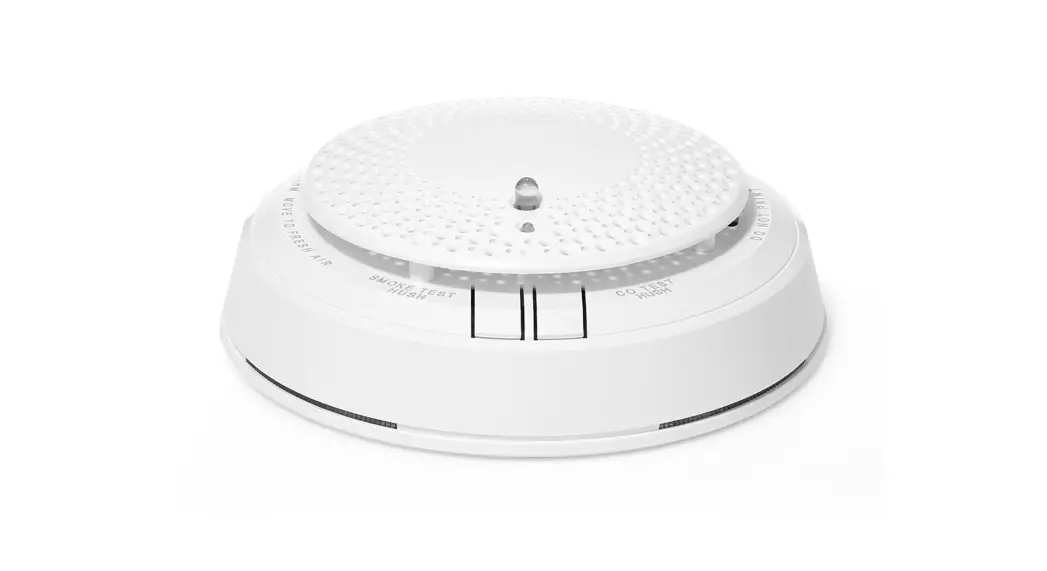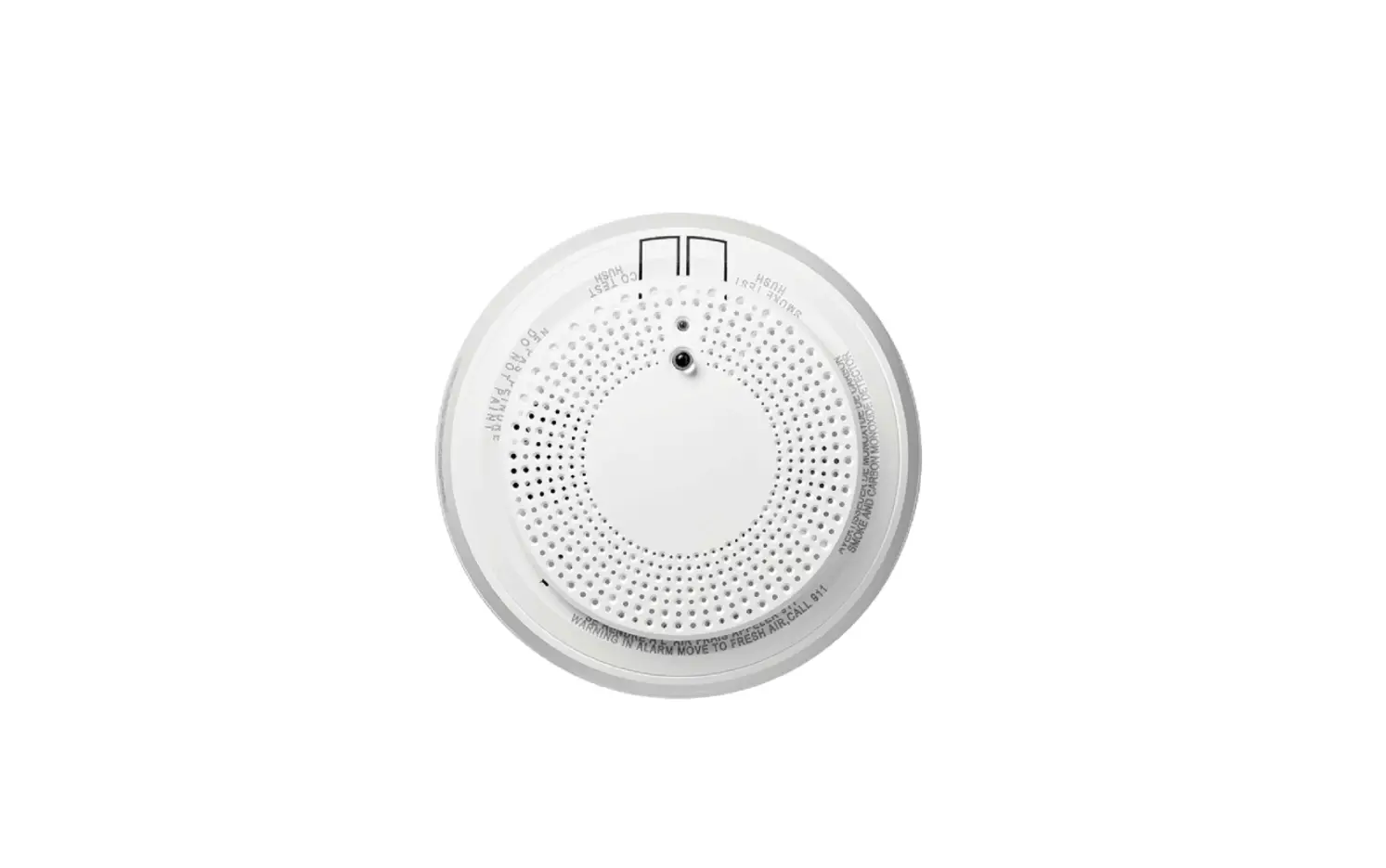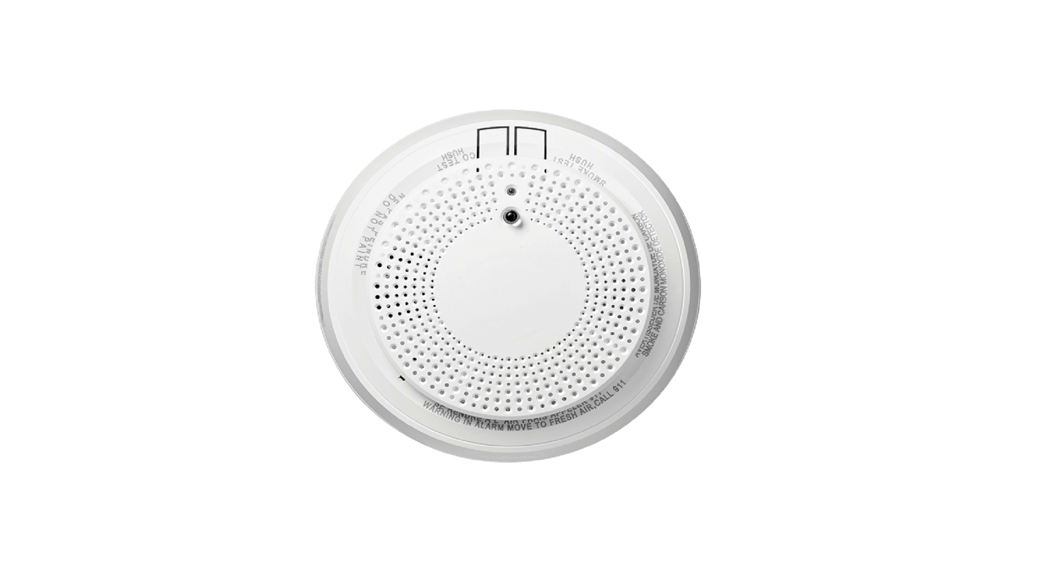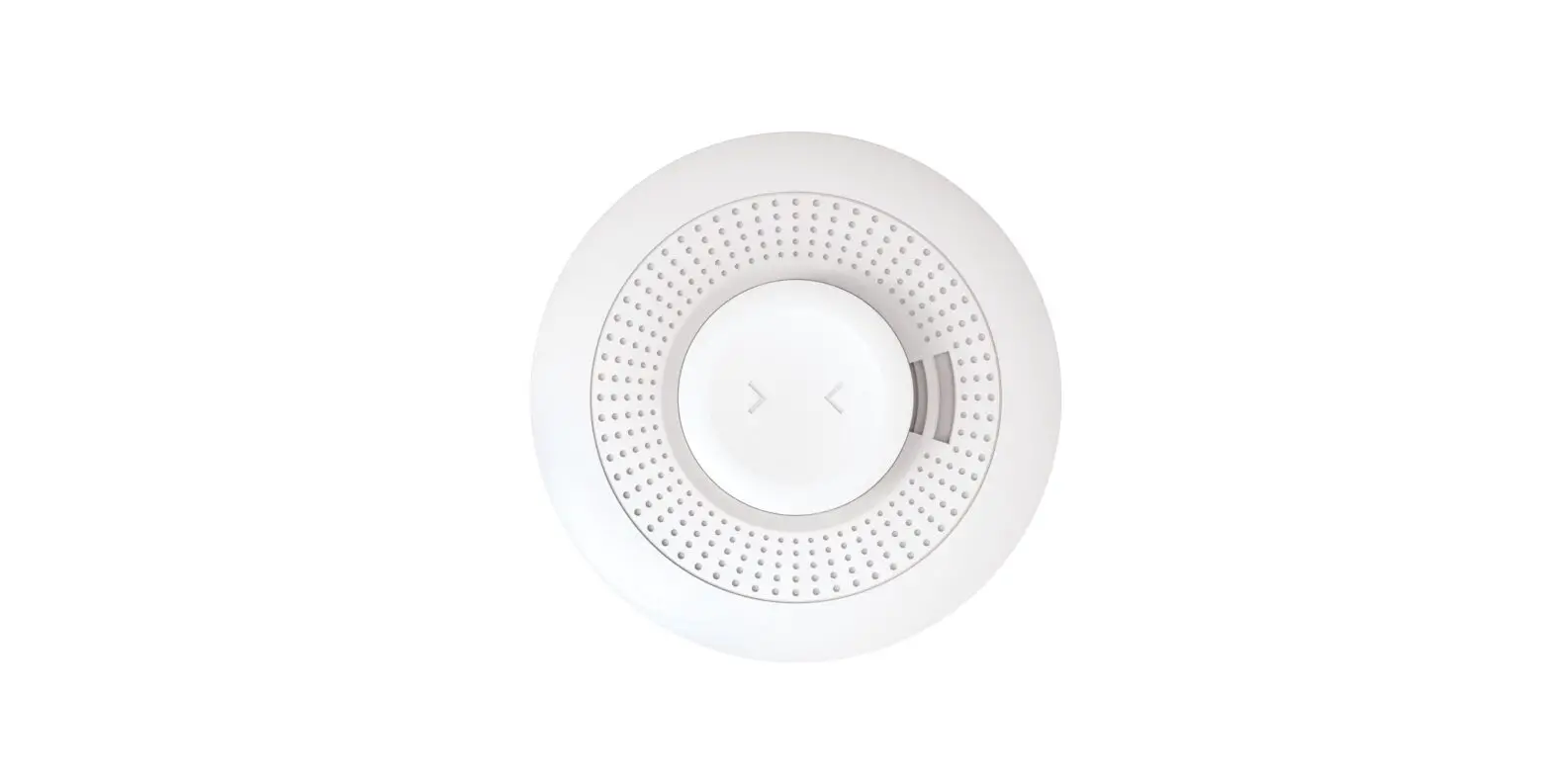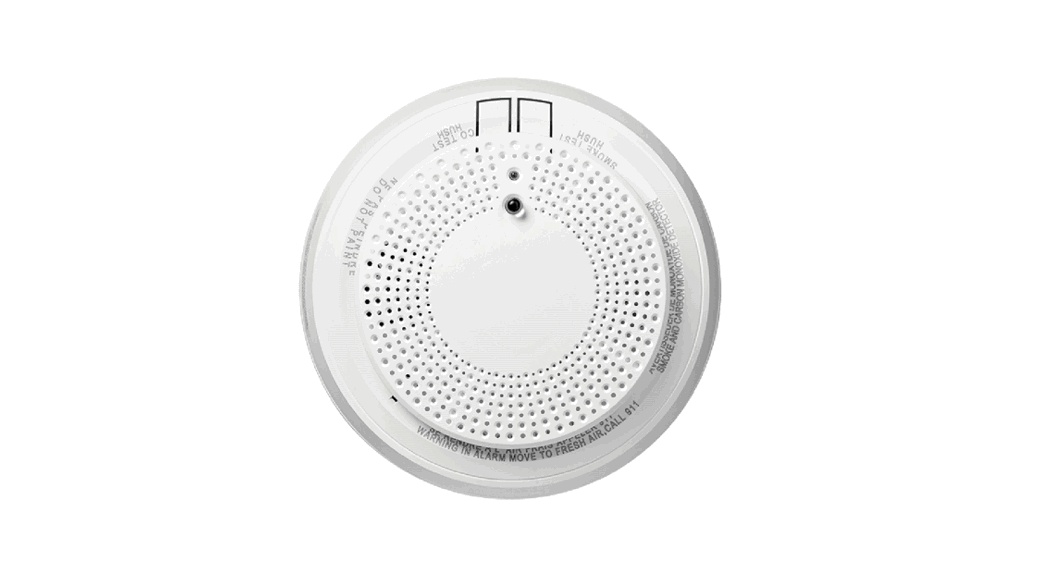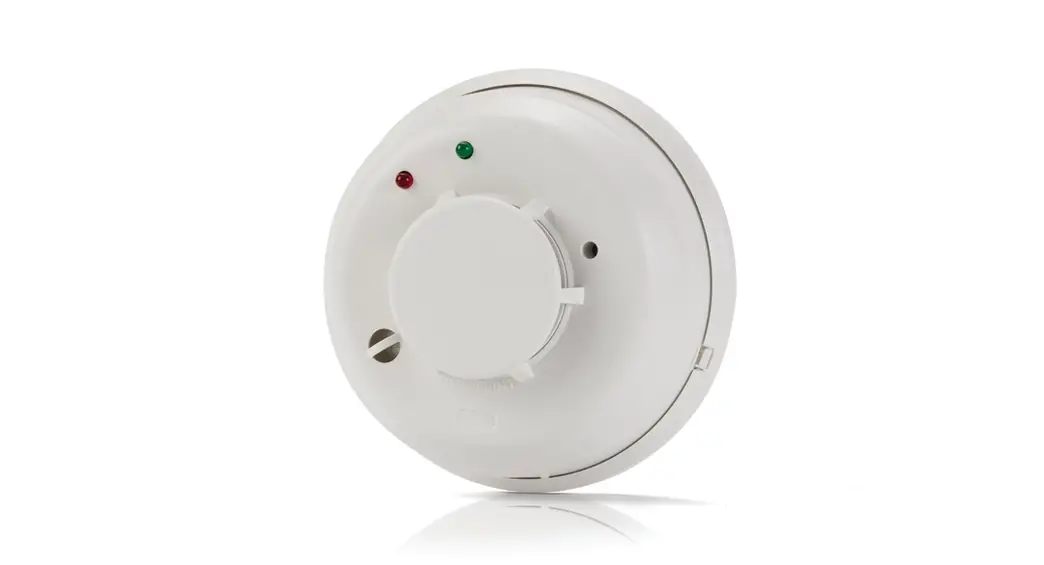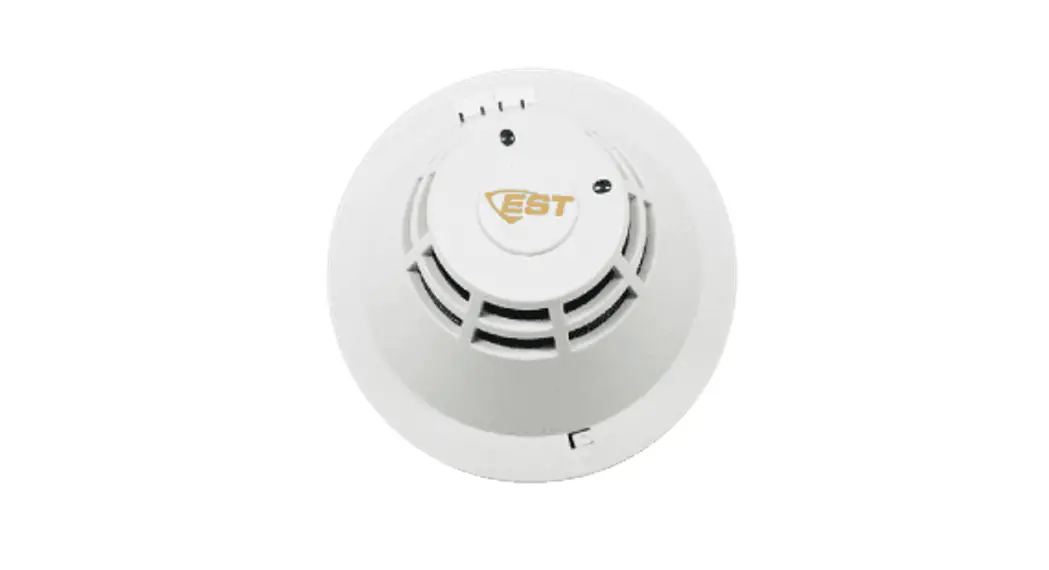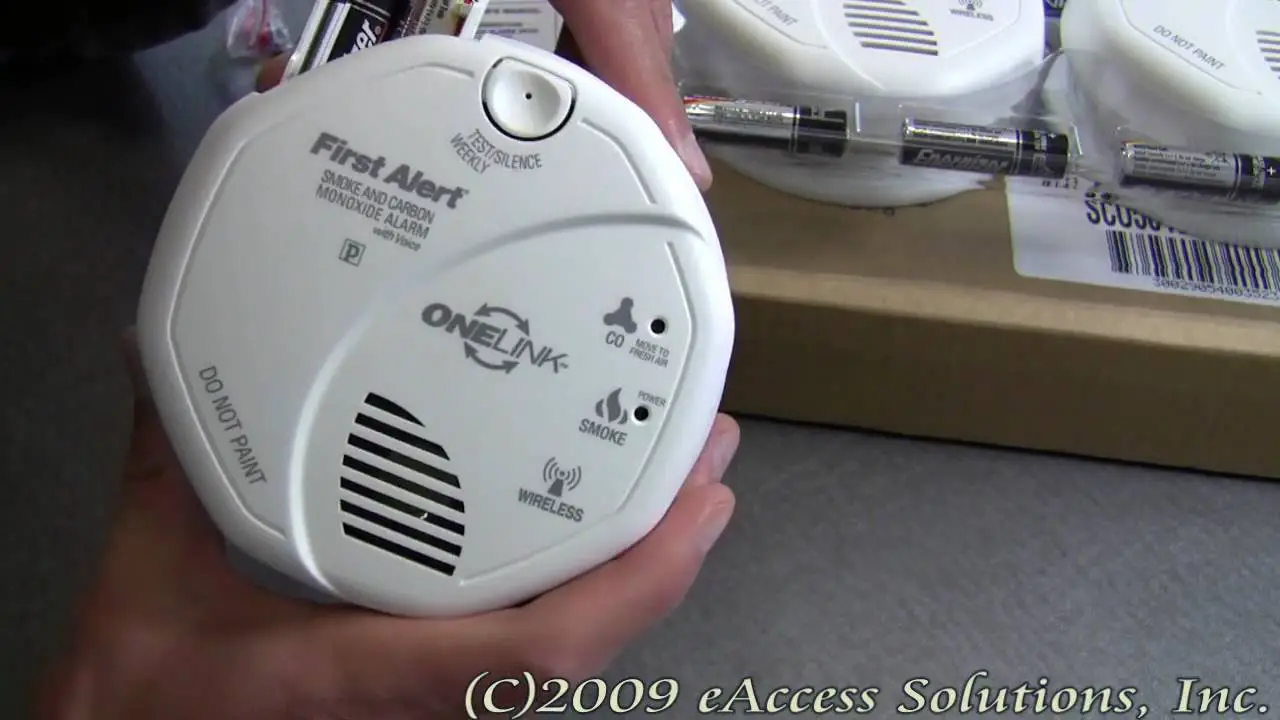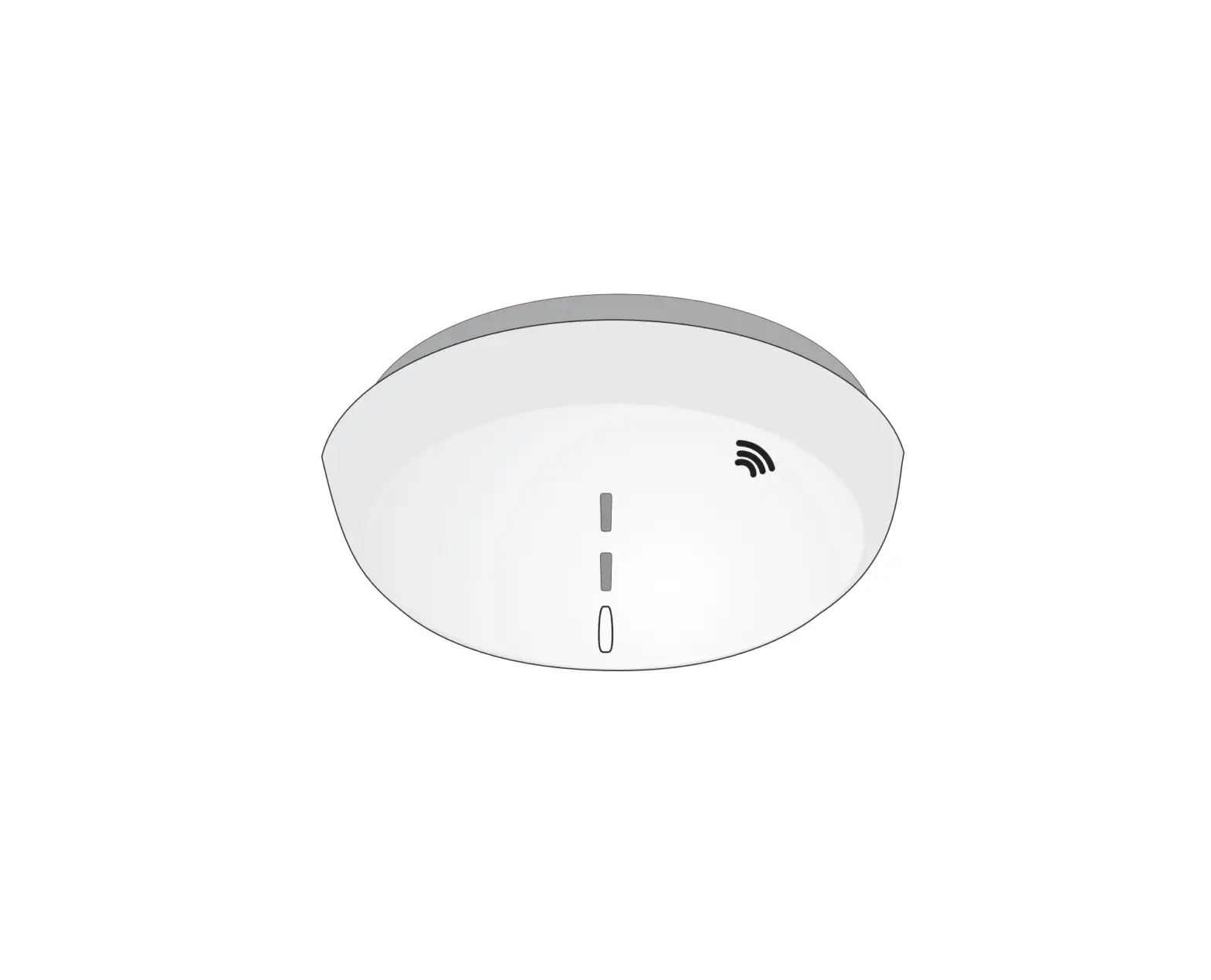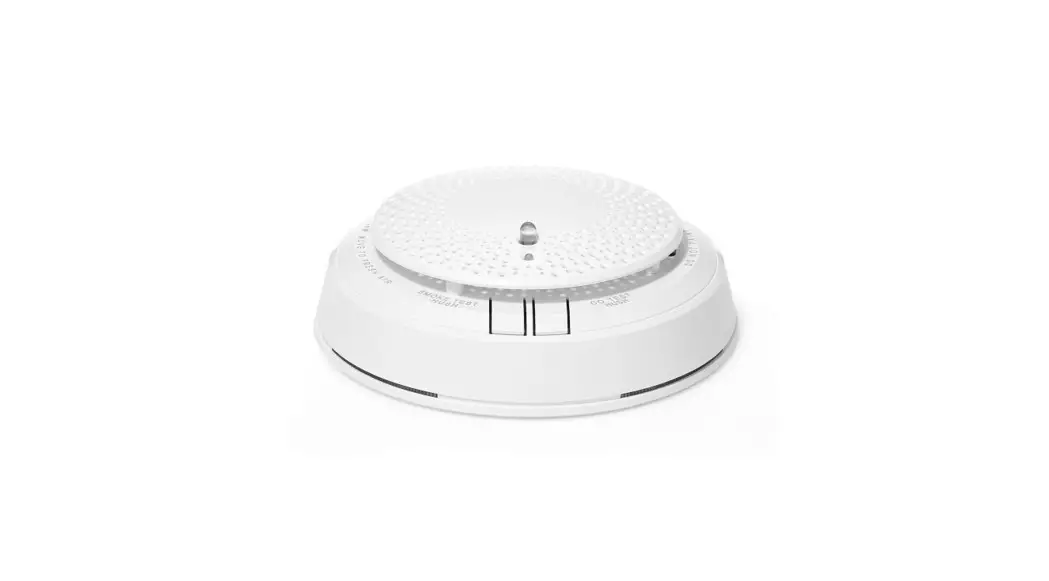
 PROSIXCMBOV Combination Smoke and Carbon Monoxide Detector
Installation Guide
This device is intended for use with Resideo control panels that support PROSiX series devices including the PROSIXCMBOV. Check the control for compatibility with this device. This device occupies 3 control panel zones, one zone for each service (smoke detection, heat detection, carbon monoxide detection).
NOTE: This device must be installed by a qualified technician.
FEATURES
- Multi-Criteria Sensing: uses three sensing elements to react faster while minimizing false alarms:
– Photoelectric smoke sensor detects airborne smoke particles
– Carbon Monoxide (CO) sensor detects CO concentrations
– Thermal detection monitors for the dangerous rise in temperature - CO Detector End-of-Life reporting (detector needs replacing)
- Smoke detector maintenance reporting (detector needs cleaning or replacing)
- Low Battery Detection
- One Go / All Go: all smoke/CO detectors in the system programmed as one-go-all-go will sound an alarm.
- Voice announcements (English or Spanish)
See Installation Instructions (R800-26489) – www.resideo.com and the Limitations of Fire Alarm Systems
Insert (800-15144), System Smoke Detectors Guide (RD-GS101-39-001; ST-QP-RD-001-039/10Y), and
Limitations of Carbon Monoxide Detectors (P/N K14670V1).
LED INDICATORS
The PROSIXCMBOV Smoke/CO detector features a multi-color top LED:
Green = Supervisory indication; blinks during power on, reset, and during normal operation
Amber = Signal maintenance and trouble events
Red = Alarm condition (Smoke, CO, or Heat)
Side LED windows to indicate alarms:
Red = Smoke or Heat Alarm
Blue = CO alarm
The carbon monoxide alarming circuit of this device is designed to detect carbon monoxide gas from ANY source of combustion. The carbon monoxide alarming circuit of this device is NOT designed to detect smoke, fire, or any other gases.
WARNING: This product is intended for use in ordinary indoor residential areas. It is not designed to measure compliance with commercial and industrial standards.
POWER UP and LANGUAGE SELECTION
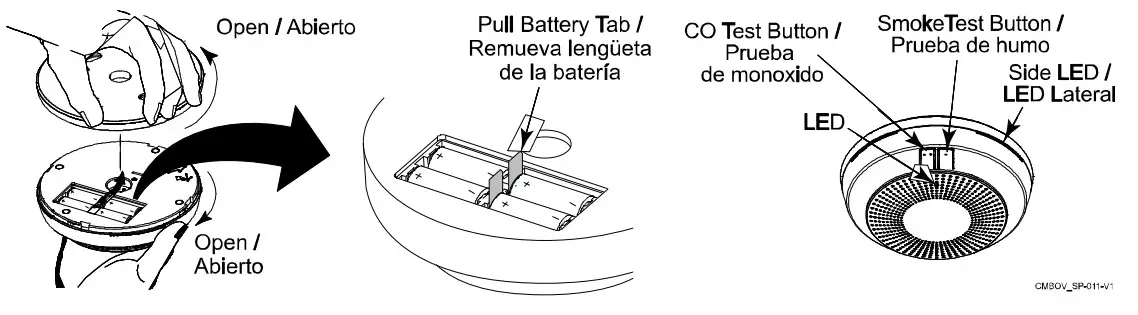
- Remove the battery pull tab. Be sure batteries are seated properly to avoid a low battery condition after 15 seconds.
- Upon power up, Green LED Blinks every 2 seconds / Sounder is Silent. After powering up, the detector prompts for language selection.
- Select the desired language.
English: Press the Smoke (•) test button
Spanish: Press the CO (••) test button
ENROLLMENT
IMPORTANT NOTES:
- The Smoke and Carbon Monoxide (CO) sensors each have unique MAC ID numbers (serial numbers) that are enrolled in separate zones.
- Once enrolled, the device cannot be used with another system until it is removed from the current controller. See the 24-hour Enrollment Deletion section below or the controller’s instructions.
Enroll the Device Services (Smoke, Heat, and CO)
The detector is enrolled and voice descriptors, device, and zone response types are edited via AlarmNet 360, or the Control Panel’s Local Programming mode. Refer to the control panel’s programming instruction for additional information.
- Remove the detector from the base plate (tamper switch must be faulted when enrolling) and when prompted:
- Pull the battery tab to activate the enrollment process (be sure batteries are seated properly to avoid a false low battery condition). If the battery tab has already been removed and the unit is powered up, press either Test switch for less than 3 seconds to activate the enrollment process.
- The device attempts enrollment (green LED flashes for about 8 seconds). If successful, the green LED lights steady for 3 seconds and the device announces successful enrollment.
If the LED does not light steady, enrollment failed. Retry by pressing either Test switch for less than 3 seconds. The Smoke Zone will automatically be enrolled but the Heat and CO Zones must be added using the “Add Sensor” feature in AN360. The zone attributes are shown below:
| Zone | Device Type | Zone Response Type |
| Smoke Det. | Smoke Detector | Fire No Verification |
| Heat Det. | Heat Sensor | Fire No Verification |
| CO Det. | Carbon Mono. Det. | Carbon Monoxide |
NOTE: Maintenance and CO End-of-Life are automatically enrolled for the respective smoke and CO zones. Upon either of these conditions, Contact ID code E386 “Low Maintenance Smoke” is sent for the respective zone.
Supervision: Detector supervision transmission is factory set for 1 minute and is not programmable.
24-HOUR ENROLLMENT DELETION
Use this procedure within 24 hours of initial enrollment to delete this device from the control panel This allows reenrollment in a specific control panel in case enrollment in that panel failed. This resets the device to factory default settings and removes the communication link data in the control panel in which it is enrolled.
- Press and hold both the Smoke (•) and CO (••) Test switches simultaneously for 5 seconds and release. The green LED flashes rapidly.
- Press and hold both buttons again for one second and release.
- LED blinks rapidly after 15 seconds, confirming the deletion.
TO SILENCE THE DETECTOR
Press the test switch. The detector sounds again after 5 minutes if the alarm condition continues.
Note: The detector cannot be silenced if the smoke concentration exceeds 4ft% or the CO concentration exceeds 350ppm.
MOUNTING
After enrolling and before mounting permanently, conduct a Go/No Go test (refer to the control panel instructions) to verify adequate signal strength with the device in its intended mounting location. Adjust the device location and orientation as necessary. Refer to the Installation Guide (R800-26489) for full mounting instructions.
NOTE: This device should not be located within 5 ft (1.5 m) of any cooking appliance.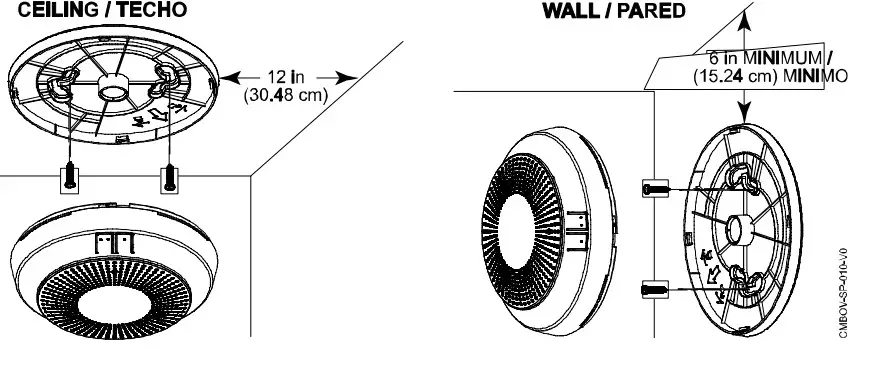
RESETTING THE LANGUAGE
- Press and hold both the Smoke (•) and CO (••) Test buttons simultaneously for 5 seconds until language message is announced, then release. The green LED flashes rapidly.
- Press the Test button corresponding to the desired language:
English: Smoke (•) test button
Spanish: CO (••) test button
Operation Modes
| MODE | Status LED (Top) | LED Windows (Side) | Sounder | Speaker |
| First Power Up | Blink Green once | Dark | Silent | Voice welcome, instructions and language selection prompt |
| Power Up (except first power up) | Blink Green once | Dark | Silent | Silent |
| Normal (Standby) | — | Dark | Silent | Silent |
| Smoke Alarm | Blink Red every sect? | Blink Red | Temp-3 | ‘Warning, smoke. evacuate’ |
| Heat Alarm | Blink Red every 10 se | Blank Red | Temp-3 | *Warning, smoke, evacuate’ |
| CO Alarm | Blink Red every 10 seconds | Blink Blue | Temp-4 | “Warning. carbon monoxide. move to fresh air” |
| Smoke Alarm or Heat Alarm Silence | Blink Red every B seconds | Blink Red | Silent | “Smoke alarm hush for 5 minutes |
| CO Alarm Silence | Blink Red every B seconds | Blink Blue | Silent | “CO alarm hush for 5 minutes” |
FUNCTIONAL TESTING
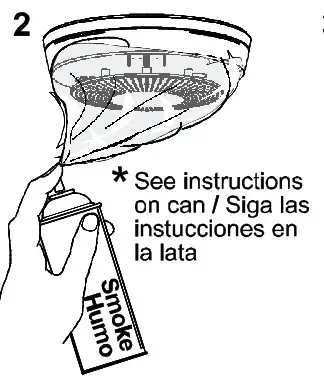
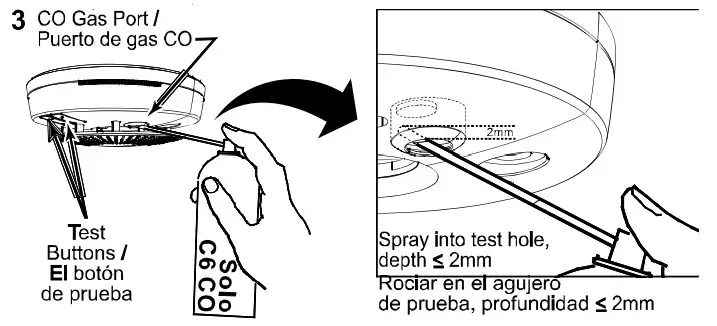
CANNED CO/SMOKE NOTE: Detector sounds an alarm when using canned smoke only when in Functional
Test mode (canned smoke does not cause an alarm sound when in normal mode).
Product must be tested at least once each year
1 (—) CO Test/ Pruebe nr/o( –)Smoke Test/Prueba de humo de monoxldo
Press and hold 3-5 sec./Mantenga pulsado 3-5 segundos 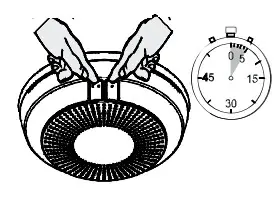
PERIODIC CLEANING
NOTE: Notify the proper authorities that the smoke detector is undergoing maintenance and the system will temporarily be out of service.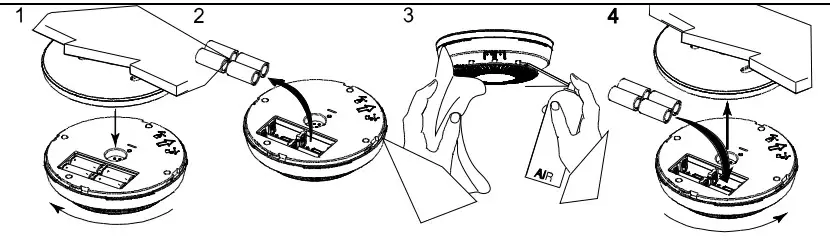
BATTERY REPLACEMENT
Caution: The batteries used in this device may present a fire or chemical burn hazard if mistreated. Do not recharge, disassemble, heat above 212°F (100°C) or dispose of in fire. Use only Panasonic CR123A Lithium batteries. The use of other batteries may present a risk of fire or explosion. Keep used batteries away from children.
Dispose of used batteries properly.
Remove old batteries. Wait 10 seconds and then replace with four new batteries. To avoid a low battery indication when installing new batteries, all 4 batteries must be installed within 15 seconds of installing the first one. Any low battery condition that may have occurred should clear when the backplate is installed.
NOTE: Constant exposure to high or low temperature or high humidity may reduce battery life. 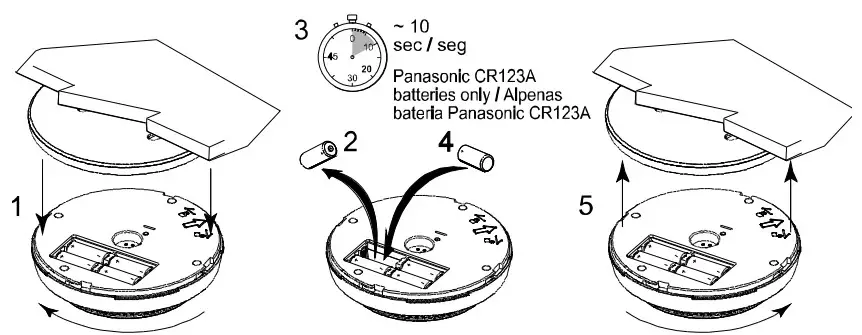
ED Indication & Sounder During Test and Trouble
| MODE | Status LED (Top) | Side LED Windows | Sounder | Speaker |
| Smoke AlarmTest Ta | Blink Red during alarm | Dark | Temp-3 (two times) | Test mode announcement |
| Functional SMOKE Test,a — Waiting for canned smoke entry | Blink Green once every second | Dark | Silent | Voice instructions and warning of alarm signal |
| Functional SMOKE Test – Successful smoke entry | Blink Red every 10 seconds | Blink Red | Temp-3 | Voice smoke warning |
| CO Test 13D | Blink Red during alarm | Dark | Temp-4 (two times) | Test mode announcement |
| Functional CO Testino, — Wailing for gas entry | Blink Green once every second | Dark | Silent | Voice instructions and warming of alarm signal |
| Functional CO Test – Successful gas entry | Blink Red every 10 seconds | Blink Blue every 10 secs | Temp-4 | ‘Warning. carbon moncodde. move to fresh air” |
| Low Battery | Blink Amber every 45 seconds | Dark | Chirp every 45 seconds after 7 days | Silent |
| Smoke Maintenance’ | Blink Amber every 4 seconds | Dark | Silent | Voice smoke maintenance instructions when either test button is pressed |
| CO Trouble | Double Blink Amber every 8 seconds | Dark | Silent | Voice CO sensor failure (if CO Test button is pressed) |
| CO End of Life2- First 29 days | Double Bink Amber every 4 seconds | Dark | Silent | Voice end-of-life instructions when either test button is pressed |
| CO End of Life2- After 30 days | Double Bink Amber every 4 seconds | Dark | Chirp every 45 seconds | Voice end-of-life instructions when either test button is pressed |
- Test activated by pressing and releasing the test switch; Detector is functioning properly (within proper sensitivity). See Functional Test section for Functional Test activation and procedure. 1b If Test mode is activated and the LED and Sounder do not function, check for maintenance or trouble conditions
- Starts chirping after 30 days, continue until the batteries are replaced or die
- See the Periodic Cleaning section. If maintenance trouble condition persists, the detector may need to be replaced.
SPECIFICATIONS
Battery ………………………………………………… 4 x 3V, CR123A Lithium/Litio; Panasonic CR123A only
Sensitivity……………………………………………… UL limits 0.9 to 3.5%/ft ; ULC limits 0.9 to 3.08%
Heat alarm ………………………………………………………………. 135° F (57° C) / 57° C (135° F)
Audible Signal ……………………………………………….. 85dBA
Dimensions ……………………………………. 6.2 in. Diameter x 1.99 in. Depth / 157mm
Weight …………………………………………………………………………………………………… 14.3 oz; 406 g / 14,3 oz; 406 g
Tamper …………………………………………………………………………………………….. Cover
Operating Temperature …………………………………………………………………. 32° to 100° F / 0° a 38° C
Storage Temperature ………………………………………………………………………………….. 14° to 158° F / -10° a 70° C
Relative Humidity …………………………………………………………… 95% max, non-condensing
 2 Corporate Center Drive, Suite 100
P.O. Box 9040, Melville, NY 11747
© 2021 Resideo Technologies, Inc.
www.resideo.com
 Smart Home Products and Systems | Resideo