Apps MeshBox app
APP Download and Network Configuration
Download App
Scan the QR code below to download the MeshBox app. 
Connect the device
Connect MeshBox WAN Port to an external modem (fiber modem, cable modem, satellite dish modem, etc.) with an Ethernet cable.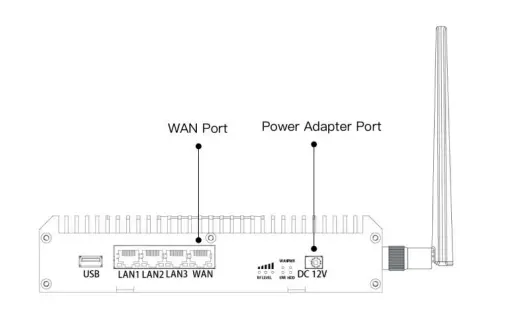
Connect to the Wi-Fi
Use your smart device to search for a Wi-Fi SSID network named MeshBox_XXXXXX (XXXXXX is the last six digits of MeshBox’s MAC address) and join the network.
If the MeshBox accesses the Internet with DHCP automatically obtaining an IP address , please open the MeshBox APP, register and bind the device.
If the MeshBox does not use DHCP to to access the Internet, please open the MeshBox APP, go to Local Login, and enter the password. Click Tools -> Device Settings -> Internet Mode. After the MeshBox is connected to the Internet, log out of Local Login on the MeshBox APP, register and bind the device.
Note: The default password is “admin”.
Ports and Buttons 
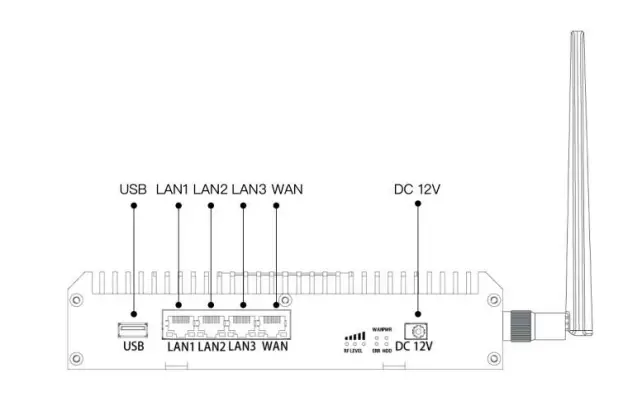
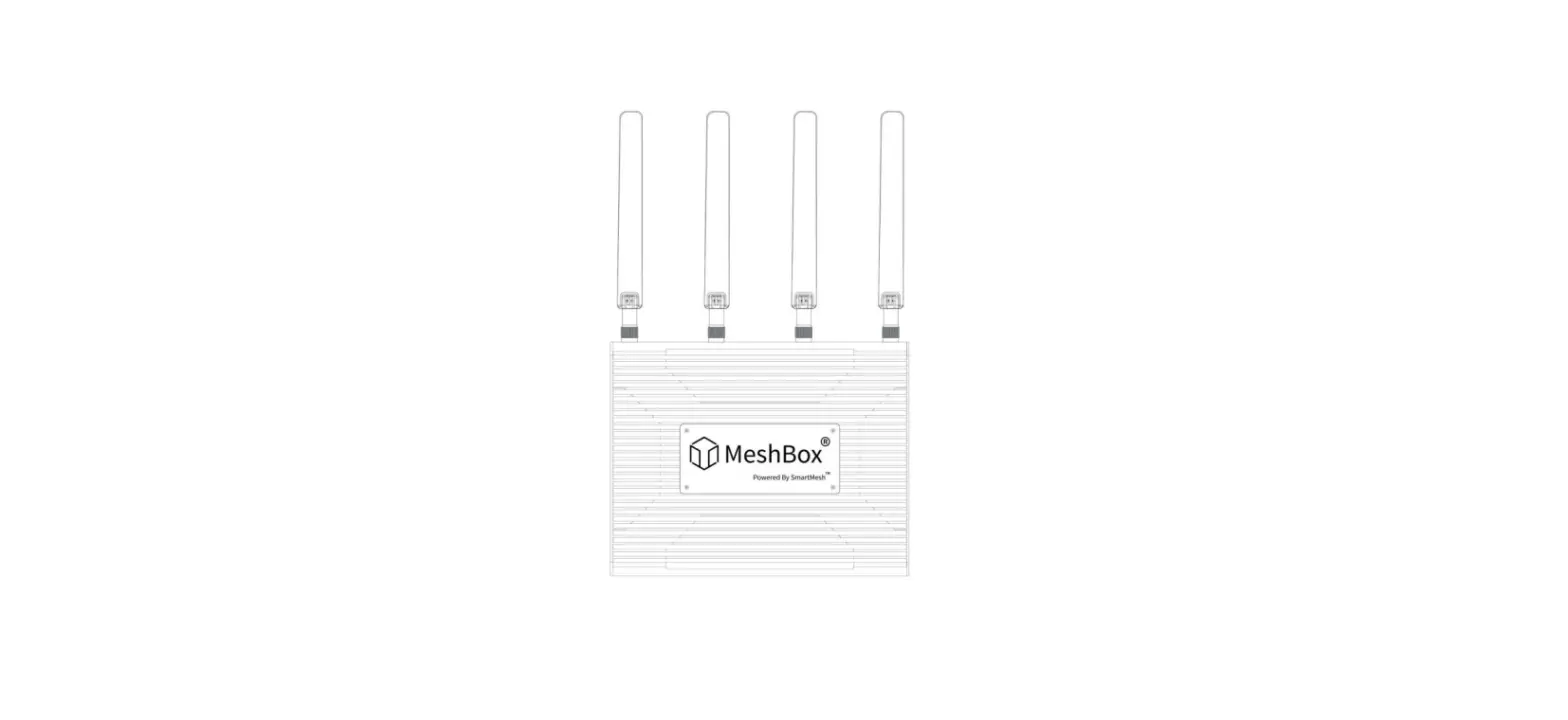
MeshBox Tesla has the following port connections:
| USB | 1 USB 2.0 Port Connect to compatible USB devices such as USB hard drives and flash drives |
| LAN | 3 LAN Ports Connect to Ethernet devices, such as a printer, computer, or an existing Ethernet network |
| WAN | 1 WAN Port Connect to an external modem (fiber modem, cable modem, satellite dish modem, etc.) with an Ethernet cable |
| DC 12V | 1 Power Adapter Port Connect MeshBox to a power adapter |
Indicator Lights 
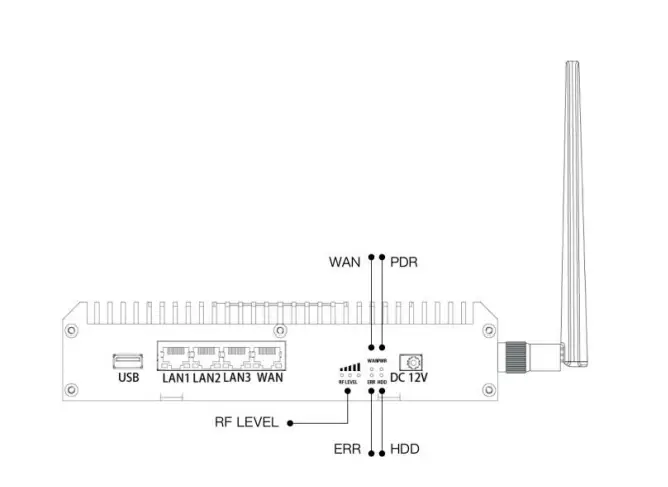
MeshBox Tesla has the following indicator lights:
| PWR | Power Indicator |
| WAN | Internet Connection Indicator |
| HDD | External Hard Drive Indicator |
| ERR | Error Indicator |
| RF LEVEL | Radio Frequency Power Level Indication |
MeshBox Tesla Specifications
| Product Parameters | CPU | Intel® Quad-core processor |
| DRAM | 4 GBytes | |
| Disk Storage | 256 GBytes SSD | |
| WiFi Range | 2.4GHz | 802.11n with max 600Mbps |
| 5GHz | 802.11ac Wave2 with max 1730Mbps | |
| Ports | WAN | 1 WAN Port |
| LAN | 3 LAN Ports | |
| Extension Ports | USB | 1 USB 2.0 Port |
| Power | Specification | 12V 6A |
FCC Statement
This device complies with Part 15 of the FCC Rules. Operation is subject to the following two conditions:
- this device may not cause harmful interference, and
- this device must accept any interference received, including interference that may cause undesired operation.
This device complies with FCC radiation exposure limits set forth for an uncontrolled environment. This device must not be co-located or operating in conjunction with any other antenna or transmitter. End users must follow the specific operating instructions for satisfying RF exposure compliance.
This equipment complies with FCC radiation exposure limits set forth for an uncontrolled environment. This equipment should be installed and operated with a minimum distance of 20 cm between the radiator and a human body.
NOTE: This equipment has been tested and found to comply with the limits for a Class B digital device, pursuant to part 15 of the FCC Rules. These limits are designed to provide reasonable protection against harmful interference in a residential installation.
This equipment generates, uses and can radiate radio frequency energy and, if not installed and used in accordance with the instructions, may cause harmful interference to radio communications. However, there is no guarantee that interference will not occur in a particular installation.
If this equipment does cause harmful interference to radio or television reception, which can be determined by turning the equipment off and on, the user is encouraged to try to correct the interference by one or more of the following measures:
- Reorient or relocate the receiving antenna.
- Increase the separation between the equipment and receiver.
- Connect the equipment into an outlet on a circuit different from that to which the receiver is connected.
- Consult the dealer or an experienced radio/TV technician for help.
Changes or modifications not expressly approved by the party responsible for compliance could void the user’s authority to operate the equipment.
Product name: MeshBox Tesla
Product model: MTes-J1900-W5
Latest information of MeshBox, please visit https://meshbox.io.
 MeshBox