

Notification Pager Receiver Manual 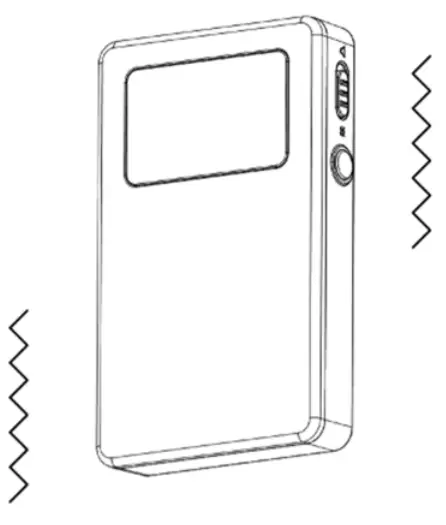 MODEL ID: P0004930100R
Notification Pager
Notification Pager Functions
The notification pager will notify the operator (Sound/Vibration) when irregularities occur during autonomous cleaning or when the machine encounters obstacles. When using the notification pager for the first time, please take the pager out of the package box, connect the pager transmitter to the robot and charge the pager receiver. (⇒see “Recharging the Notification Pager’).
- The notification pager can only be used during autonomous cleaning.
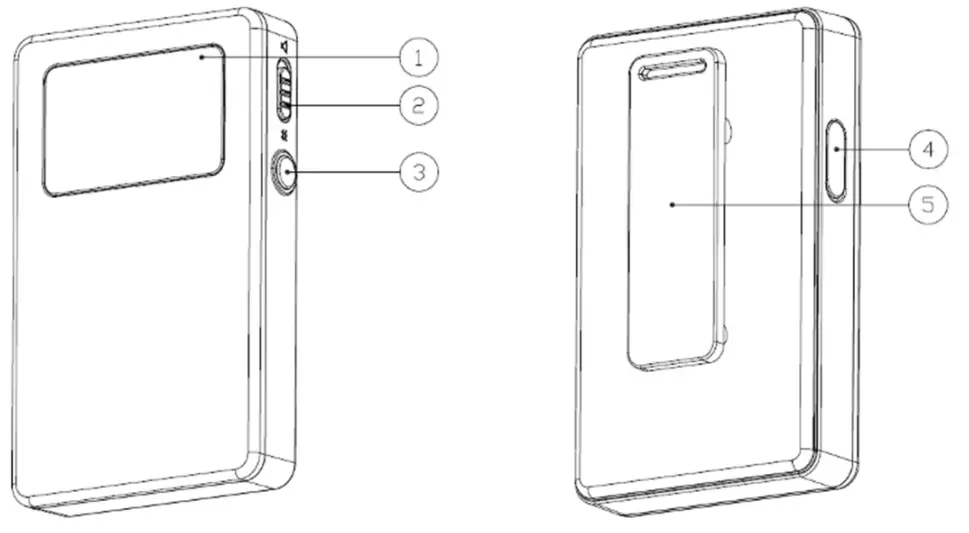
| No. | Item | Description |
| 1 | Display | The battery level icon and mute icon appear on the left of the display, and alerts appear on the right of the display. (=see “Alert display and its notification timing”)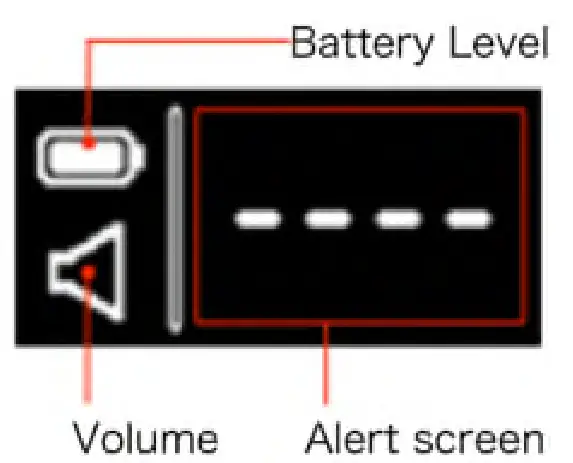 |
| 2 | Pager mute switch | To set the notification pager only to vibrate for alert notifications, set the pager mute switch on. |
| 3 | Pager main button | To stop the alert and vibration, press the pager main button. |
| 4 | Clip | Use the clip when placing the notification pager in your pocket, etc. |
Notification Pager Receiver Functions & Usage
- When the machine detects danger or detects an obstacle, an alert will be displayed on the notification pager receiver (⇒see “Alert display and its notification timing”) and it notifies the operator by emitting an alert and vibrating. It emits an alert and vibrates for 15 seconds then stops for 5 seconds, which it repeats for 10 minutes. After the error with the machine has been resolved, the notification pager sounds for 1 second and its display indicates standby.
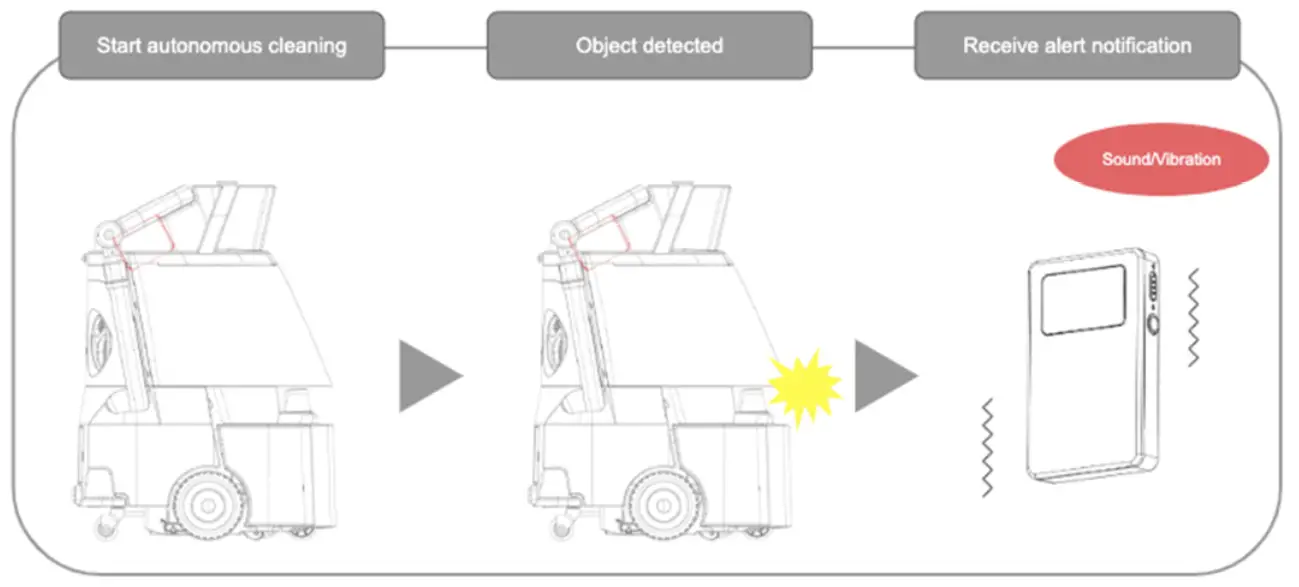
- During autonomous cleaning, always carry the notification pager receiver on you.
- The range in which the notification pager can communicate with the machine is a direct line up to 300 m(985 ft)(2 floors above and below).
*Range of communication depends on the environment. Communication may not be possible such as where there are walls with metal. - After using the notification pager, charge the pager receiver.
Alert display and its notification timing
| Appearing on display | Description | Appearing on display | Description |
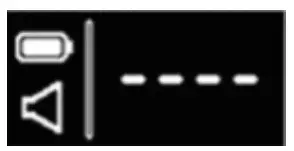 | Standby (within the communication range/paired) | 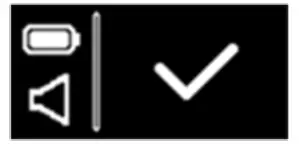 | Autonomous cleaning complete |
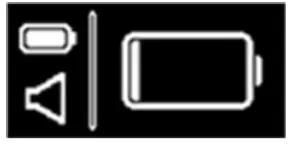 | Machine battery level low | 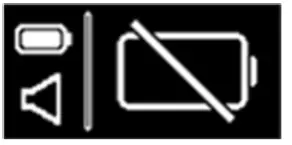 | No machine battery remaining |
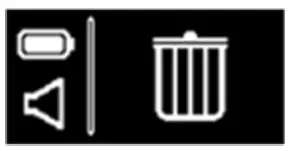 | Dustbag full | 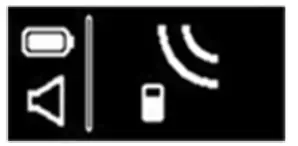 | Connected for wireless communication |
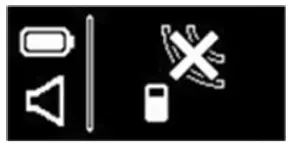 | Connection for wireless communication not possible (outside communication rang e/not paired) | 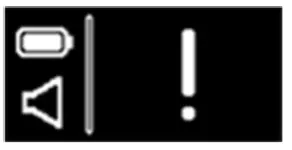 | Error alert •When the danger has been detected near obstacles or steps •When the emergency stop button has been pressed •When the machine goes off path during the operation |
Turning the Notification Pager Receiver On/Off
When using the notification pager for the first time, long-pressing the receiver button and turn the power On.
Turning the Notification Pager Receiver On
- Long pressing the main button on the side of the notification pager
Keep 10s pressing the main button until the notification pager receiver vibrates. An icon appears on the display.
 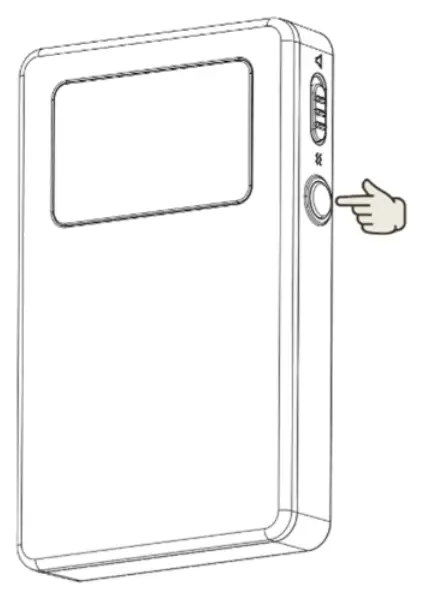 Turning the Notification Pager Receiver Off
- Long pressing the main button on the side of the notification pager receiver
The display goes out. 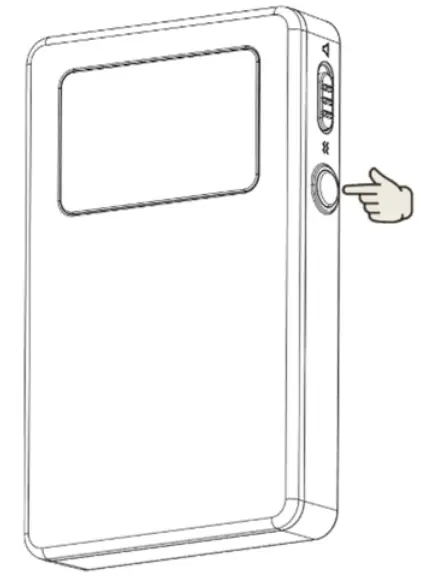
2 Press the pager main button, and check that nothing appears on the display 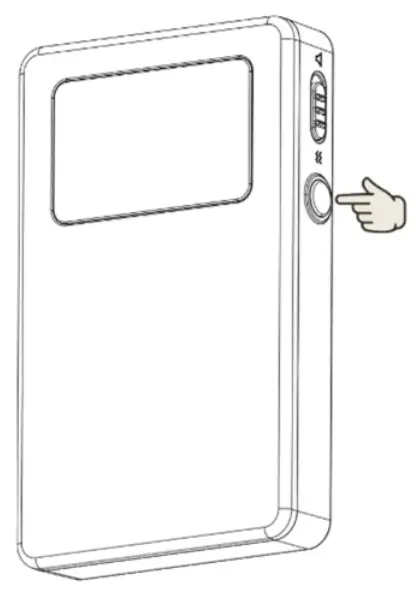
Setup the Notification Pager
In order to receive the alert on the notification pager, the notification pager transmitter must be setup in Whiz i.
- Turn on the notification pager receiver and the machine

- Check if the machine is connected to the Robot Operations Center (ROC)
 Please check your mobile phone cellular connection in advance. Robot Operations Center (ROC) will not be connected to LTE in an area where there is no signal.
The connection status to the ROC will be shown by the ROC indicator on the display (⇒see “Touch Display”) - Attach the pager transmitter to the pager holder on the top of the machine
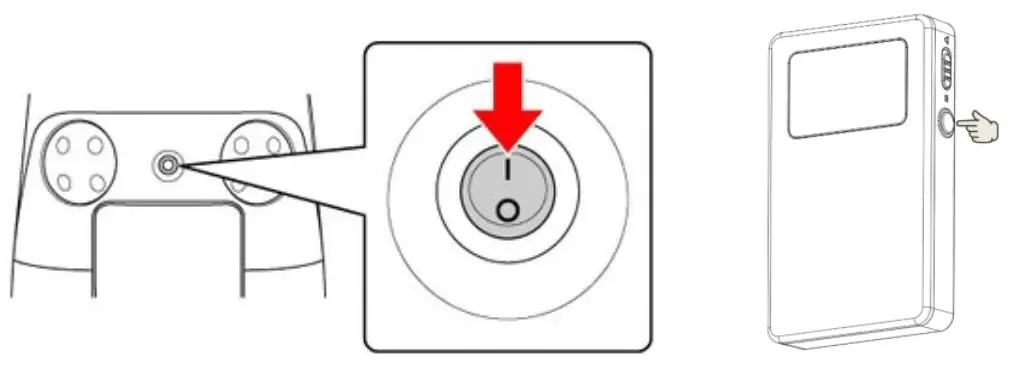
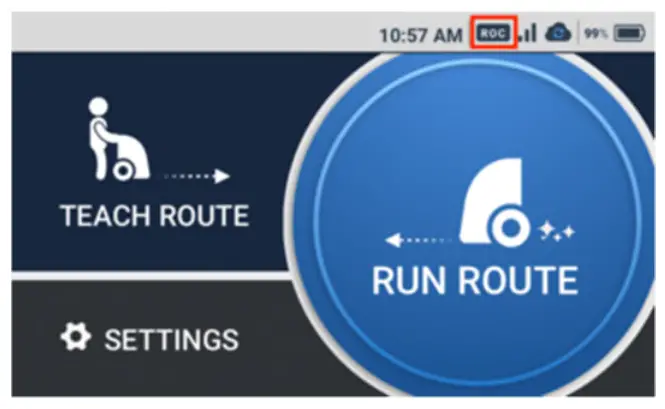 Please check your mobile phone cellular connection in advance. Robot Operations Center (ROC) will not be connected to LTE in an area where there is no signal.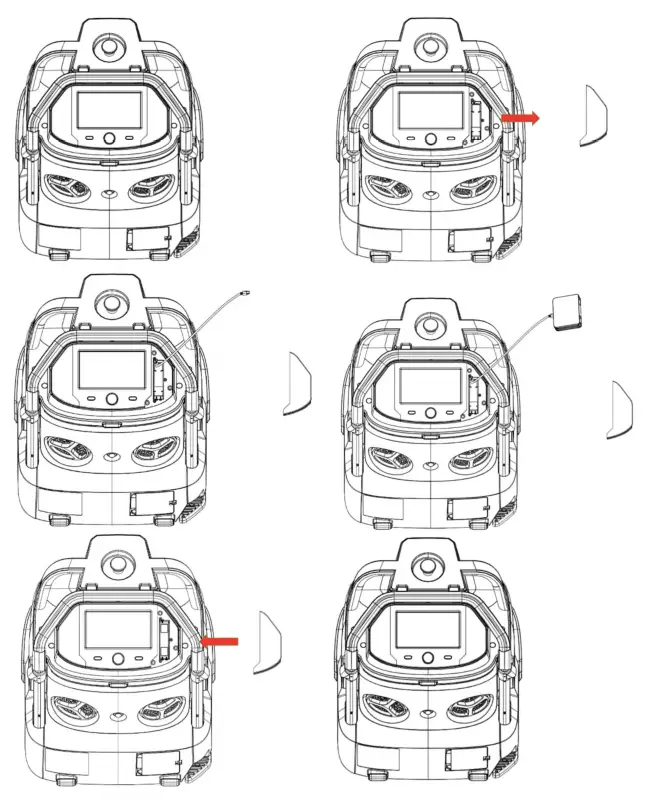
- Carry out autonomous cleaning and check if you will receive the alerts (⇒see “Carrying Out Autonomous Cleaning”).
Recharging the Notification Pager Receiver
If the notification pager receiver battery is running low, charge the receiver fully before using it.
- Insert the Micro USB cable into the notification pager receiver
- Connect the USB cable into a USB AC adapter, and plug the adapter into an outlet
The customer must purchase a USB AC adapter themselves. - Place the notification pager receiver in its charger

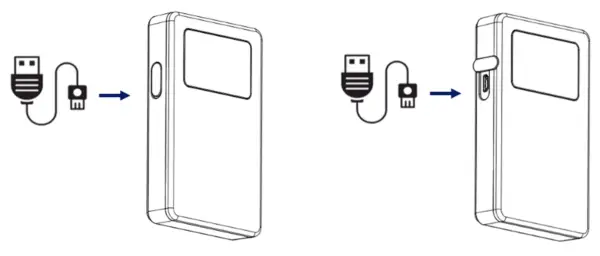
- An AC adapter is not included in the product package. The customer must use their own AC adapter.
- Press the receiver main button, and if the fully charged mark
 appears on the display, it has completed charging.
 appears on the display, it has completed charging.
Safety Warnings
About Safety Warnings
IMPORTANT SAFETY INFORMATION: Please read and understand these Safety Warnings prior to unpacking and using the machine.
Warnings presented here are intended to warn the user of potential harm to the user and other persons as well as damage to property. Always adhere to them to reduce the potential for harm. This manual also provides safety warnings, correct handling procedures, and other regulatory information for using the machine, notification pager, battery, and battery charger. Warnings provided in this manual do not cover all possible situations that may arise. Always adhere to warnings regarding machine installation, maintenance, and use. Store this manual where it can always be referred to. In the following emergencies, immediately press the emergency stop button and turn off the main power switch.
- The machine is in a hazardous state (example: emitting smoke, is inoperable, has fallen over, etc.)
- The machine has come close to inflicting harm on surrounding persons or things
- The machine is operating (behaving) unpredictably or is moving differently than the descriptions provided in this manual.
Description of Symbols
The following symbol categories explain the level of harm or damage that can occur if warnings are not observed and if the equipment is used incorrectly. Please be sure you understand these symbols and their correlating meanings before reading the remainder of this manual.
 DANGER | Indicates a hazardous situation that, if not avoided, will result in death or serious injury |
 WARNING | Indicates a hazardous situation that, if not avoided, could result in death or serious injury. |
 CAUTION | Indicates a hazardous situation that, if not avoided, could result in minor or moderate injury. |
Description of Pictorial Indications
The following pictorial indication categories explain the information to be observed. Read this guide after thoroughly understanding the information.
 | Prohibited (not allowed) action. |  | Compulsory action based on instruction (must be performed). |
 | Must not be used where exposed to water, and must not be splashed with water. |  | Unplug the power plug from the outlet. |
Handling the Notification Pager
DANGER Do not drop or throw.
Subjecting the notification pager to a strong impact may cause the battery pack in the notification pager to leak, overheat, rupture, or ignite, and otherwise result in injury, electric shock, damage, malfunction, overheating, leakage, chemical explosion, or other damage to the machine, battery charger, battery or notification pager. WARNING Store out of the reach of infants and access of pets.
Failure to do so may present a choking hazard or another risk of physical injury or death of infants or pets If prolonged contact with the notification pager causes skin irritation (itchiness, rash, eczema, etc.), immediately discontinue use and consult a doctor.
Handling near Electronic Medical Devices
DANGER If wearing an implanted cardiac pacemaker or implanted defibrillator, consult with the manufacturer of such medical device to confirm a safe operational distance from the machine.
Electric signals may affect the operation of the pacemaker or defibrillator. Do not use in a healthcare environment or near electronic medical devices.
* The machine does not comply with UL or IEC 60601 standards (or equivalent standards).
Pictorial Symbols
Refer to the labels on each product (the machine, battery charger, battery).
 | Do not short-circuit. | 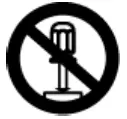 | Do not disassemble. |
 | Do not immerse in water or other liquid. |
Machine Disposal and Recycling
The machine you have purchased is designed and manufactured with recyclable, high-quality materials and components. When disposing of the machine, check that it is being disposed of properly as industrial waste is differentiated from general and business waste according to regional and municipal regulations by request to an industrial waste disposal operator.
* If the machine is being leased, it cannot be disposed of by yourself. Contact customer support. When disposing of the machine, remove the battery from the machine, and dispose of it properly according to regulations for waste disposal in the region you are residing in.