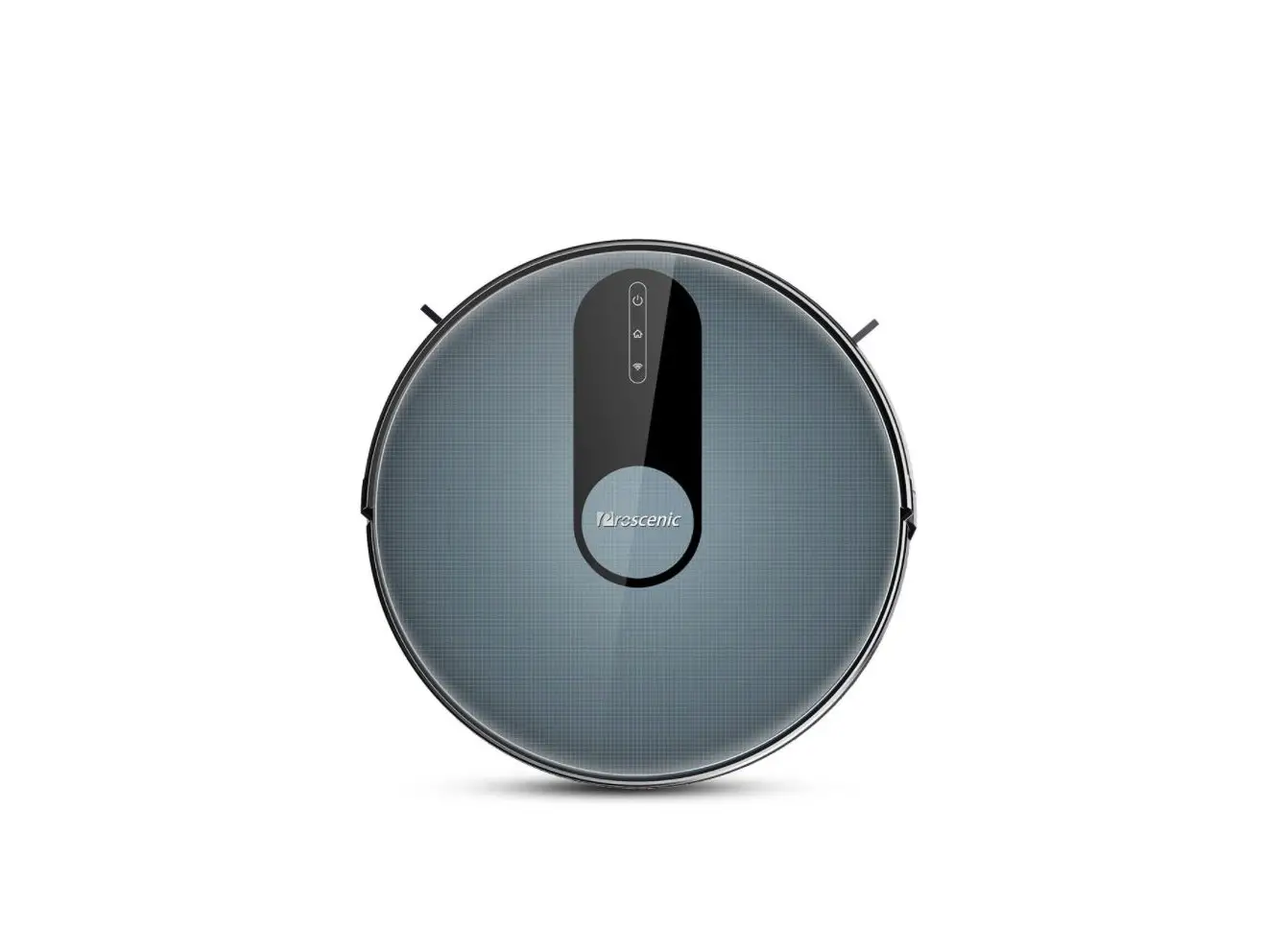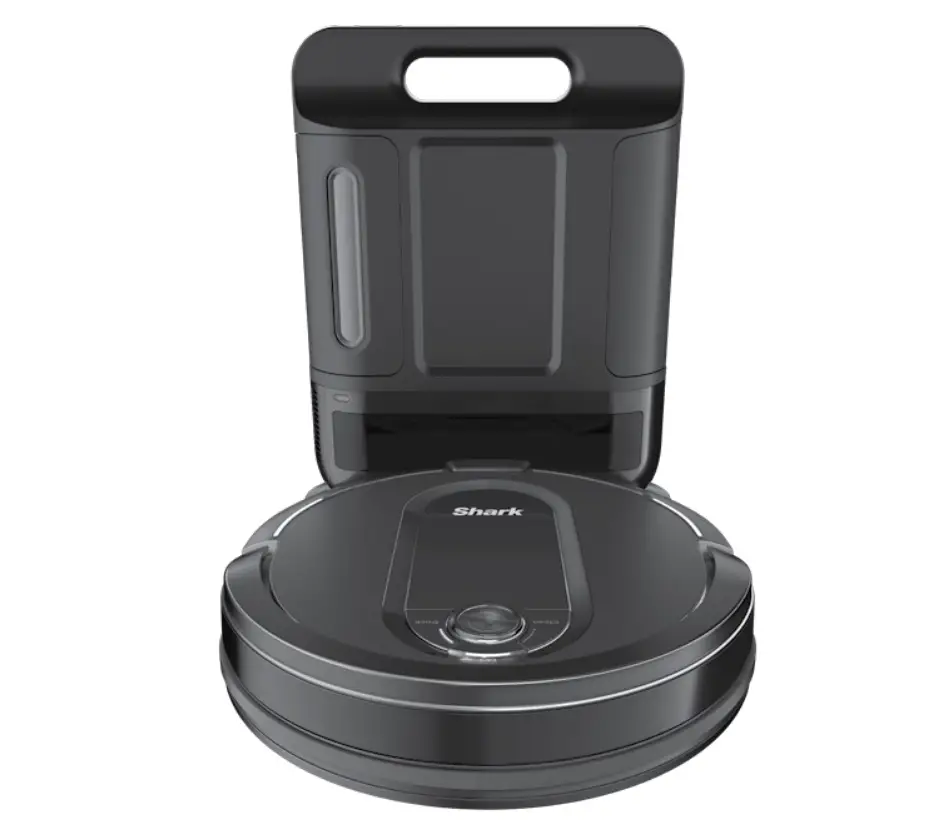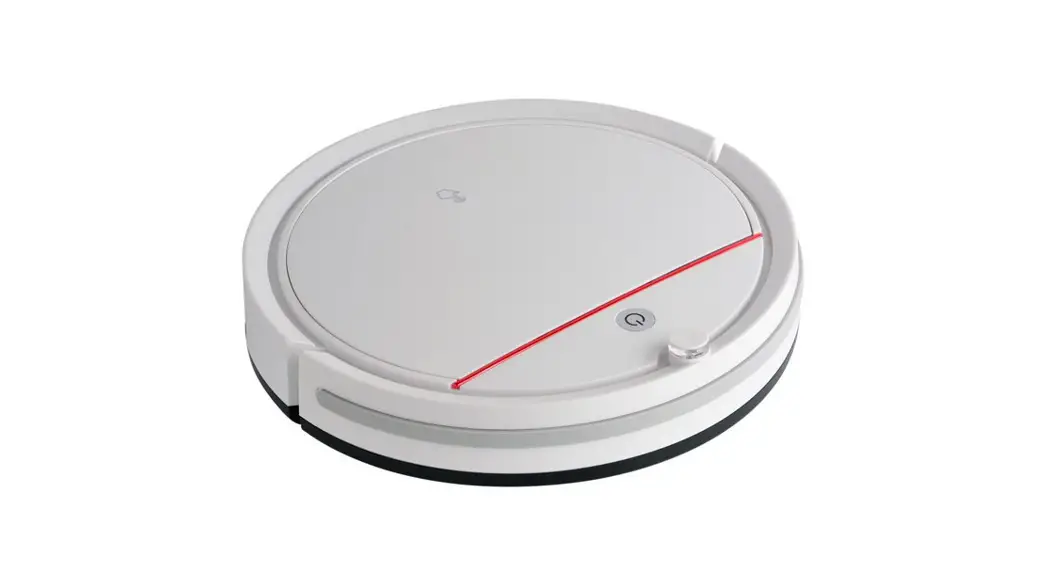

PUCRCX10
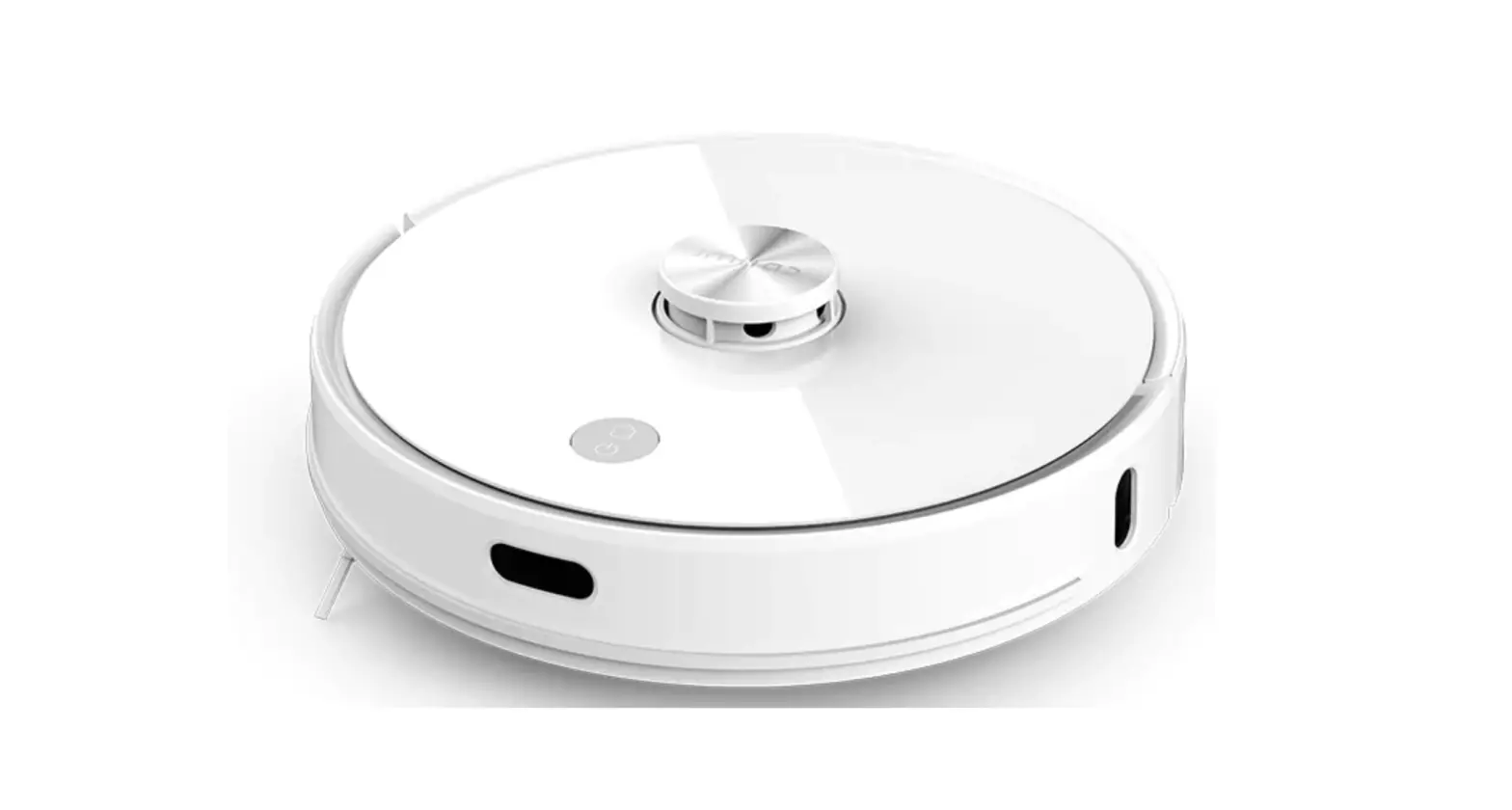
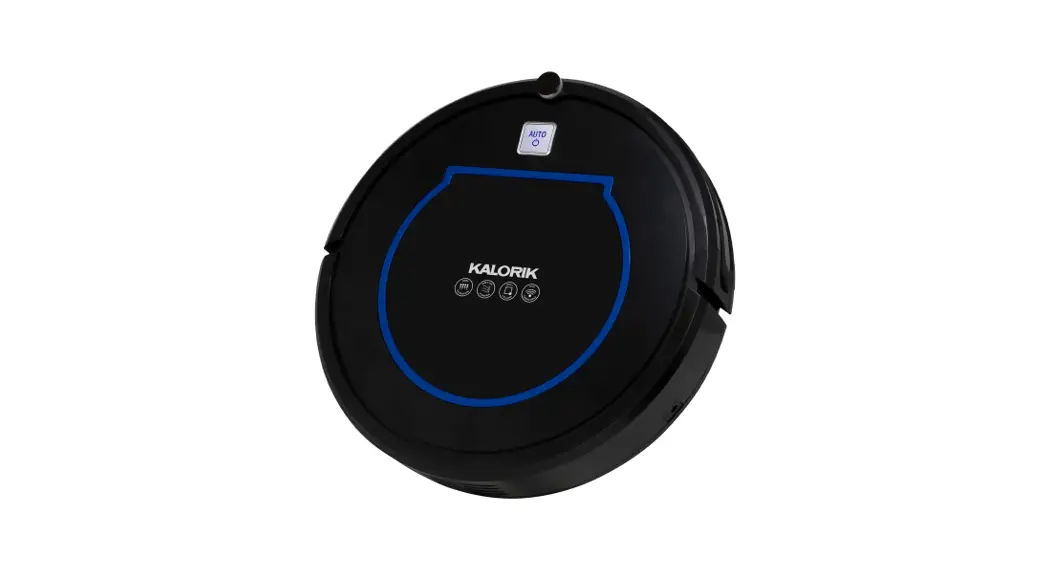
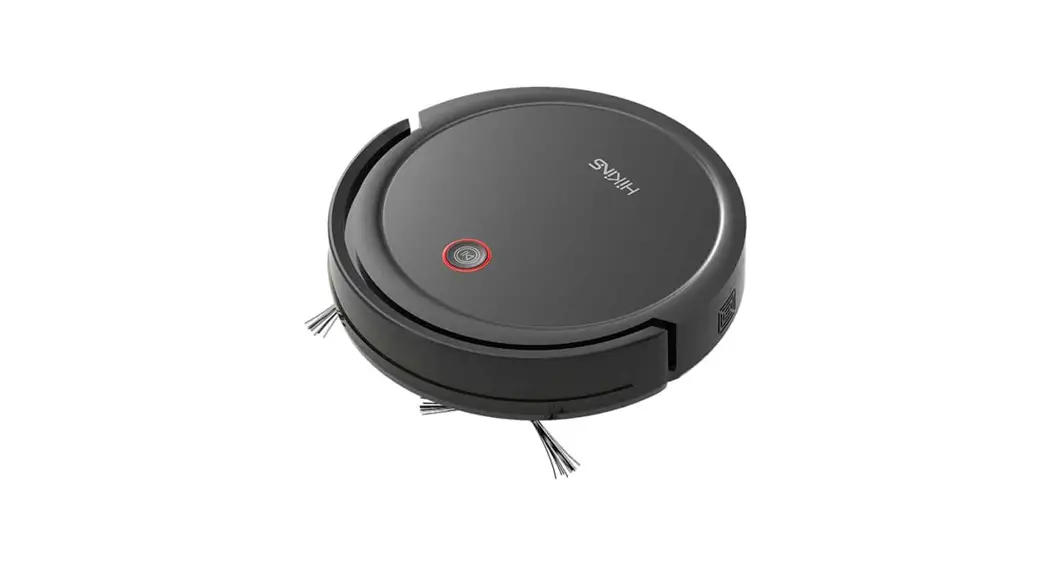
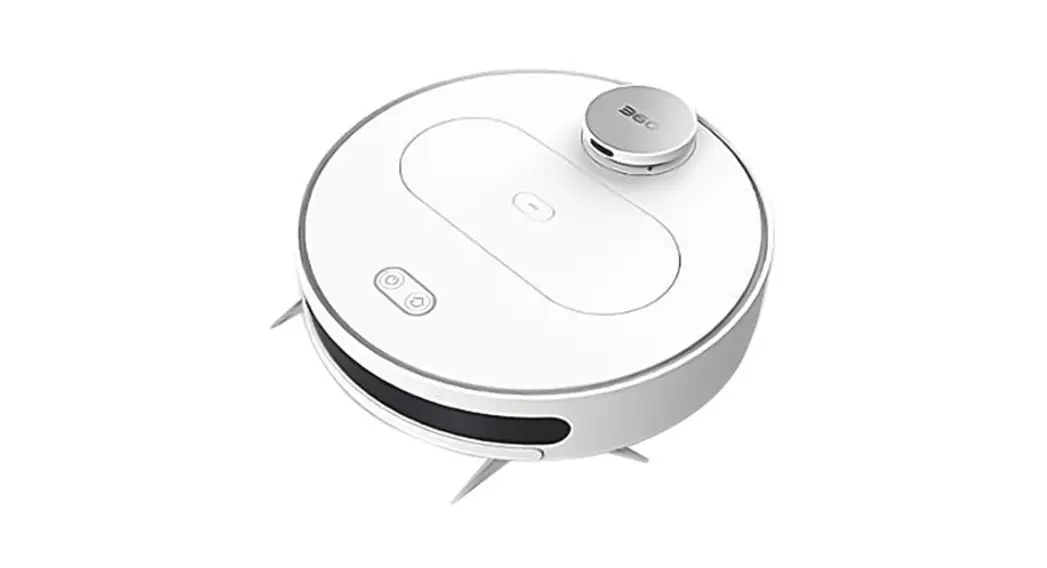
Smart Vacuum Cleaner
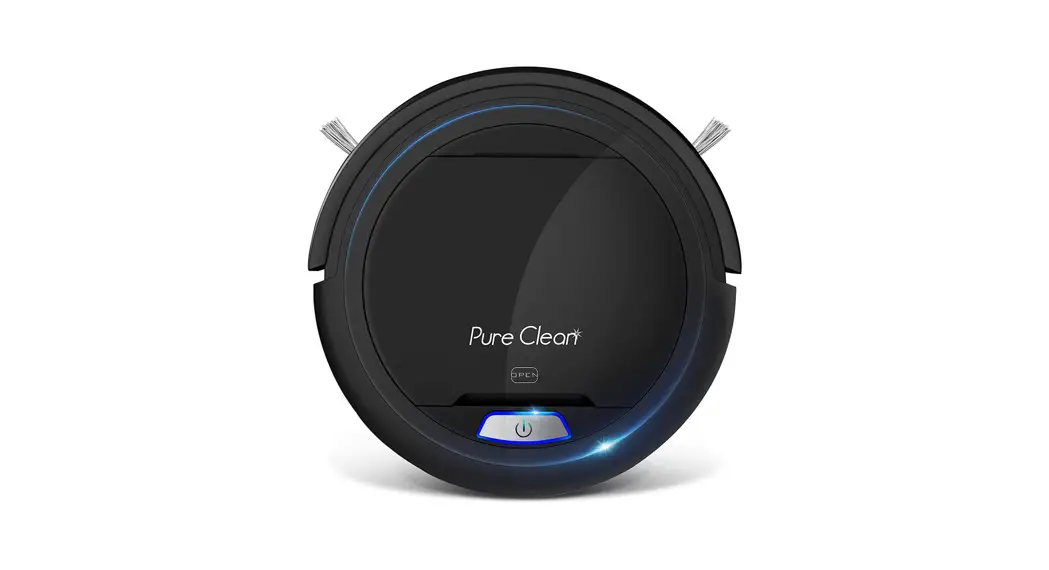
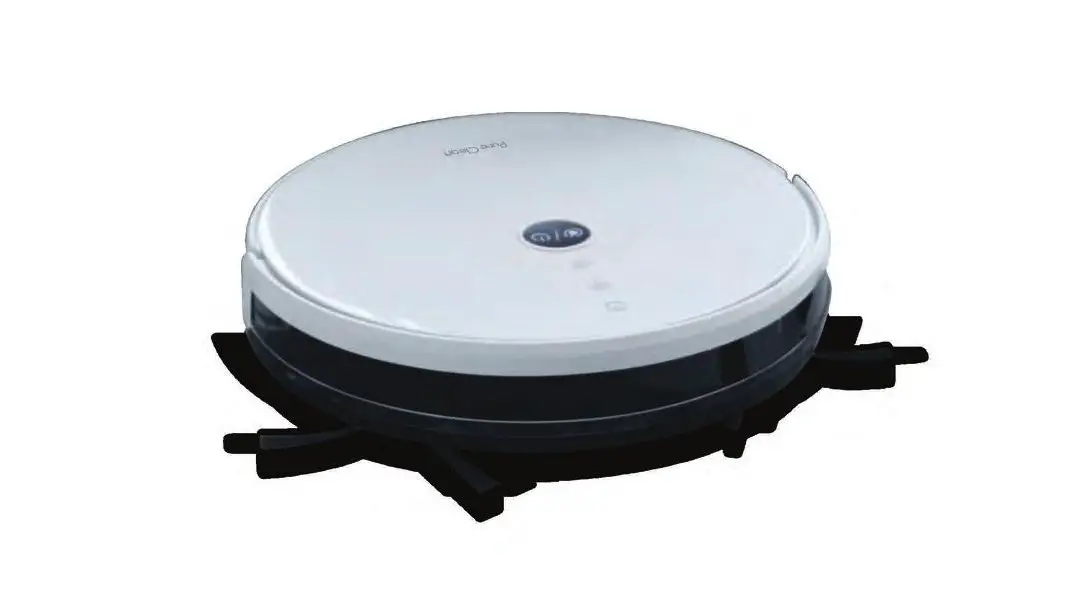
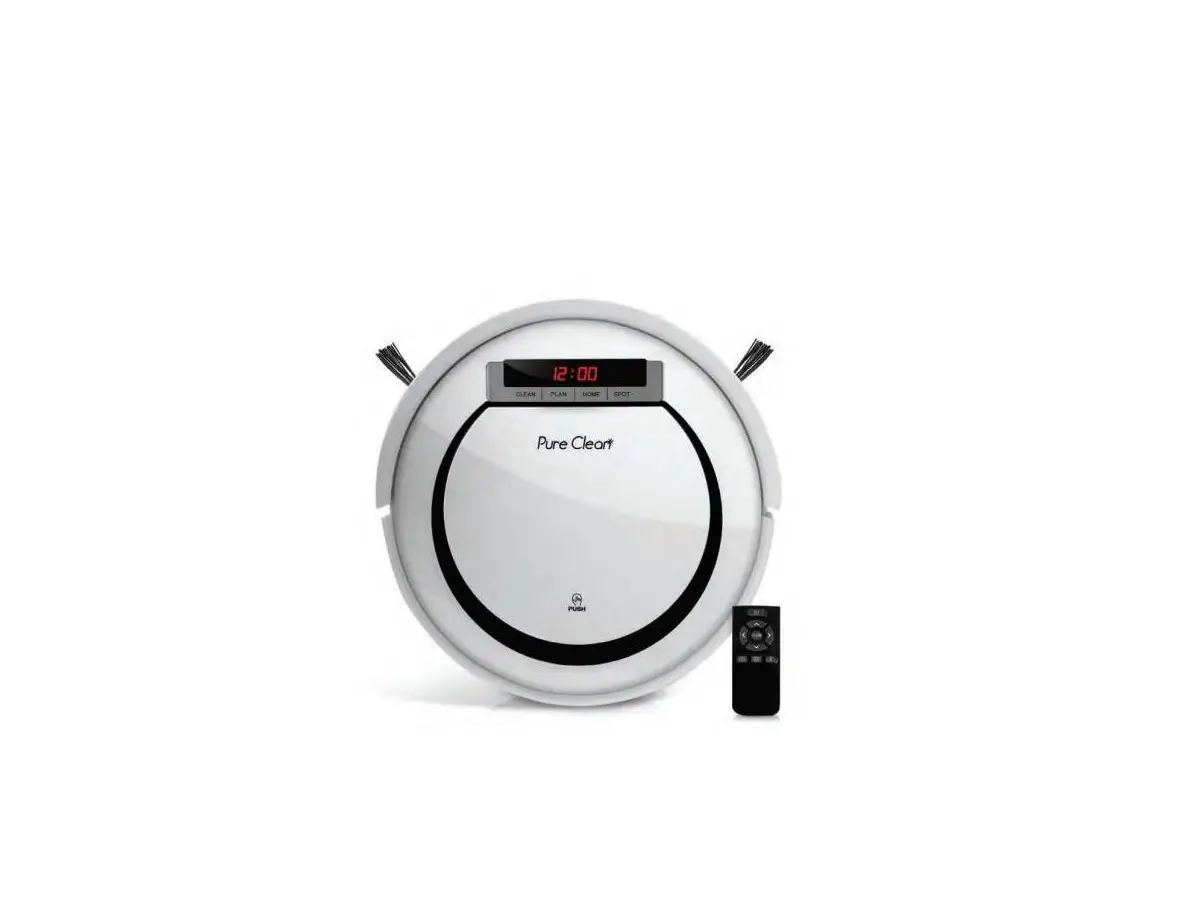
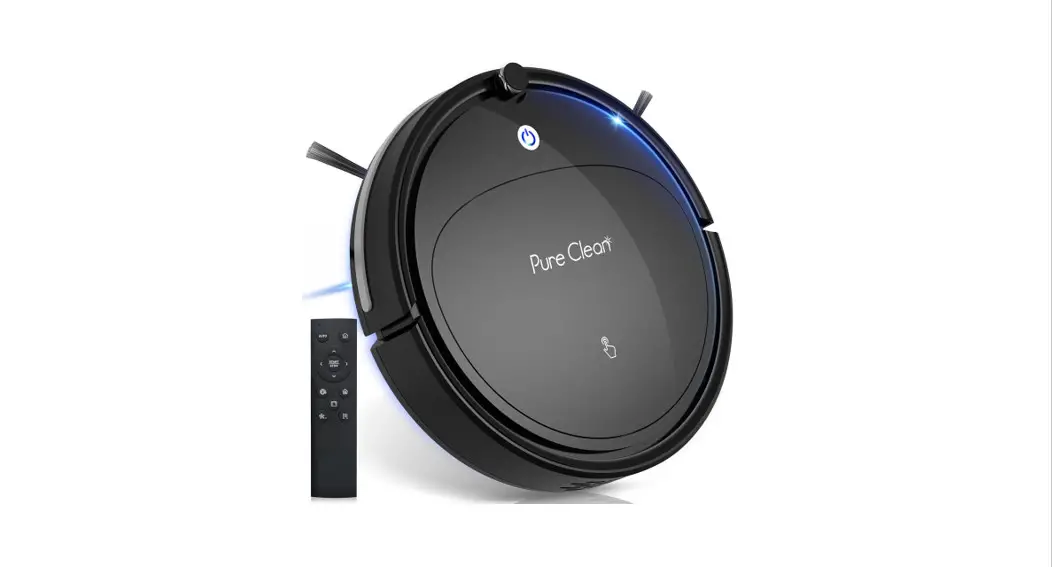
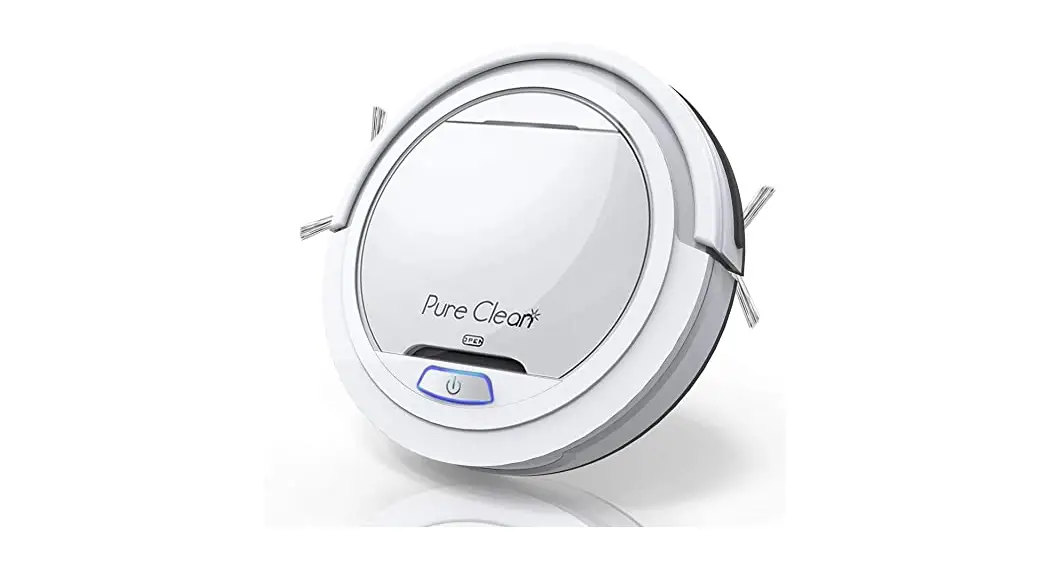
Automatic Robot Cleaning Vacuum, Includes Remote Control
for Cleaning Modes and Robot Directions
User Manual
Please read this manual carefully before using the product, and keep it in a safe place for future reference.
 IMPORTANT SAFETY INSTRUCTIONS
To reduce the risk of injury or damage, read these safety instructions carefully and keep them at hand when setting up, using, and maintaining this device.
- This device can be used by children aged 8 years and above and persons with reduced physical, sensory or mental capabilities or lack of experience and knowledge if they have been given supervision or instruction concerning the use of this device in a safe way and understand the hazards involved.
- Children should be supervised to ensure they do not play with this device.
- Cleaning and maintenance shall not be performed by children without adult supervision.
- This device is only to be used with the power supply unit provided.
- For the purposes of recharging the battery, only use the detachable power supply unit provided with this device.
- The used battery should be placed in a sealed plastic bag and disposed of safely according to local environmental regulations.
- The external flexible cable or cord of the power supply unit cannot be replaced; if the cord is damaged, the power supply unit shall be disposed of.
- This device is for indoor use only.
- This device is not a toy. Do not sit or stand on this device. Small children and pets should be supervised when this device is operating.
- Store and operate this device in room temperature environments only.
- Do not use this device to pick up anything that is burning or smoking.
- Do not use this device to pick up spills of bleach, paint, chemicals, or anything wet.
- Before using this device, pick up objects like clothing and lose paper. Lift up cords for blinds or curtains, and move power cords and fragile objects out of the way. If this device passes over a power cord and drags it, an object could be pulled off a table or shelf.
- Be aware that this device moves around on its own. Take care when walking in the area where this device is operating to avoid stepping on it.
- Do not operate this device in areas with exposed electrical outlets on the floor.
- Do not use this device on an unfinished, unsealed, waxed, or rough floor. It may result in damage to the floor and this device. Use only on hard floor surfaces or lowpile carpet.
- This device has been designed to be used on floors without scratching them. We still recommend that you test this device on a small area of the room to be cleaned to ensure no scratches are made before cleaning the whole room.
- Unplug it when not in use. Turn if off before cleaning and maintaining.
- Remove batteries in the remote control before long period storage.
ABOUT YOUR SWEEPING ROBOT
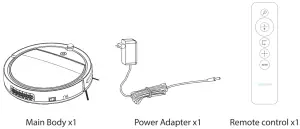
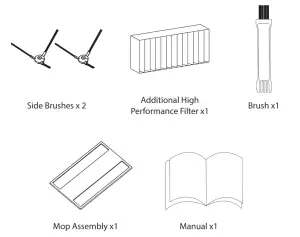
- What’s in the box

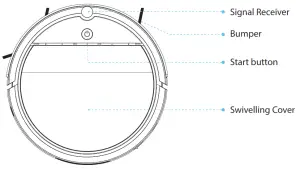
- Top & Side
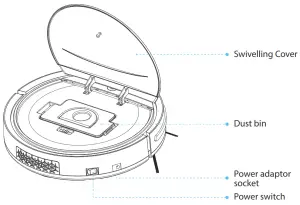
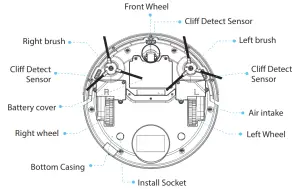
- Bottom
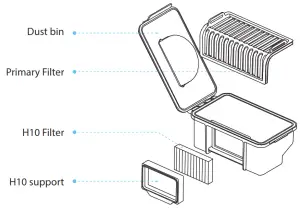
- Dustin Collector
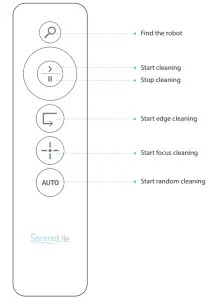
- Remote Control
USING YOUR SWEEPING ROBOT
Important Tips Before Use
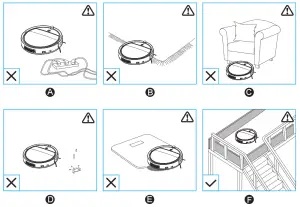 A. Remove power cords and small objects from the floor that may entangle the robot
B. Fold tasseled edges of area rugs underneath to prevent tangling robot. Avoid cleaning very dark-colored high-pile rugs or rugs thicker than 26 mm as they may cause the robot to malfunction.
C. Keep the robot away from spaces lower than 70 mm to prevent the robot from getting stuck. If necessary, place a physical barrier to block off the problem areas.
D. Keep the robot away from wet areas.
E. Robot may climb on top of objects less than 16 mm in height. Remove these objects if possible.
F. Anti-drop sensors prevent robots from tumbling downstairs and steep drops. They may work less effectively if dirty or used on reflective/very dark-colored floors. It is recommended to place physical barriers to block off areas where robots may fall.
Preparation
2.1. Install the side brushes before use.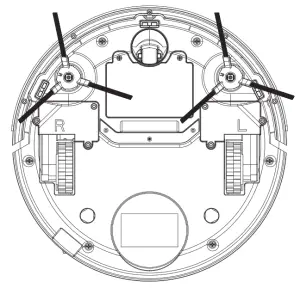 2.2. Turn on the main power switch on the side of the host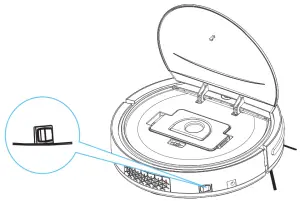
Operation
3.1.1. Press  on the robot or
 on the remote control to start cleaning in Auto Mode. (When the machine is working, the “Start/Pause” light will be solid blue.)
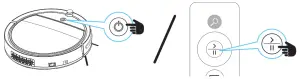
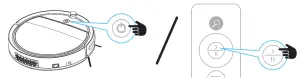 3.1.2. Press on the robot or
  on the remote control to stop cleaning.
 3.2. Select a Cleaning Mode
3.2.1. Edge Cleaning
Robot reduces its speed when it detects a wall and then follows the wall to ensure the edge is cleaned thoroughly. After cleaning, it will turn to auto cleaning.
Press on the remote control to start cleaning in Edge mode. It detects a wall and then follows the wall to ensure the edge is cleaned thoroughly.
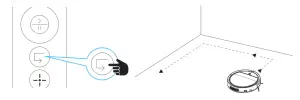 3.2.2. Focus Cleaning
It will set the machine to enter an area and clean by square loop mode.
Press on the remote control to start cleaning in Focus mode.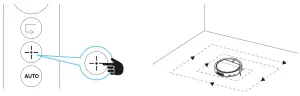
3.2.3. Auto Cleaning
Press on the remote control to start cleaning in Auto mode.
NOTE: After a cleaning mode is selected, the machine will switch to another cleaning mode automatically according to the actual environment, so as to achieve the best cleaning effect.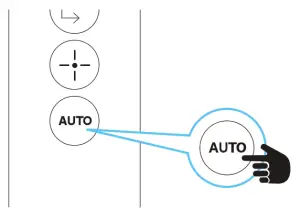
Charging
After turning off the power switch of the machine, connect the power adapter to power supply and insert the other end into the charging interface of the machine. See as below.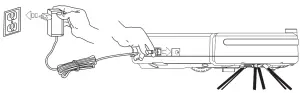
USING YOUR SWEEPING ROBOT
- On low power, the “ ” button light will keep blinking.
- When charging, it will keep blinking.
- When fully charged, it will be lit.
- Before first use, charge the robot for 6 hours.
- Fully charge after each use.
- If the machine will not be used for a long time, charge every 2 months to ensure good operation of the battery.
CLEANING AND MAINTENANCE
- Side Brushes
If side brushes are dirty, please wash them with clean water and the use them after they get dry naturally. If they are damaged and cannot work normally, please change them.
• When changing side brushes, refer to the “L” and “R” on the side brushes and indicated on the base of the machine respectively.
• Wash side brushes after cleaning to ensure normal operation. - Cleaning the Dustbin and Strainer
A. Remove the cover as instructed.
B. After taking out the dustbin, please check if the suction channel of the host is obstructed by foreign matters and also clean it up.
C. Remove the main strainer.
D. Remove the preliminary strainer.
E. Lower the dustbin until dust pours out.
F. Clean dustbin, preliminary strainer, and main strainer. It is best to clean after 15- 30 days. The life span of the main strainer is approximately 24 months.
G. Reassemble correctly to avoid damage to the machine.
J. Remove the mop from the mop holder.
Do not use brush or water: Knock gently or use a dryer to loosen dust.
• Clean dustbin and suction channel after each use.
• After washing components, allow to dry naturally, but do not let dry in the sunshine. Replace in the machine after drying to ensure good operation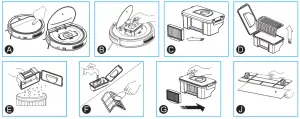
- Cleaning of Sensor Lens
Use soft cloth to gently wipe the sensors, positions indicated below: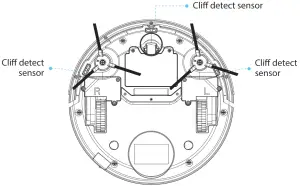
- Cleaning of Mop Assembly
When the mop need to be cleaned, remove the mop from mop holder, clean up dirty things, wash mop with water, and then install it correctly. If the mop holder also needs cleaning, take it out from the main machine, wash it with water and then install it correctly after the mop holder is dry.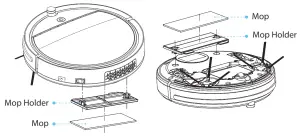
- Battery Replacement
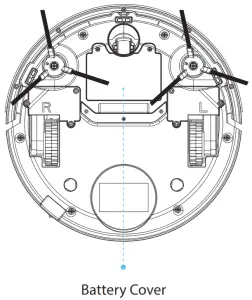 1. Remove screws from the battery cover at the unit underside with a screw-driver.
2. Remove cover and take out the battery.
3. Slightly open the lock of the battery connecting pug to separate the battery from the unit.
4. Connect the plug of the new battery with the socket of the unit.
5. Insert the new battery with the face with the characters upwards.
6. Tuck the wires neatly near the battery and lock the battery cover.
7. Switch on and confirm the machine works normally.
Battery Model: INR14500 451P 800mAh 14.8V
Battery Specification: Lithium battery 800mAh 14.8V
• Do not use other brands battery, otherwise it may damage the product.
• Please charge 12 hours after changing new battery.
• Please charge the battery once at least every 3 months.
TROUBLESHOOTING
| LED Status | Possible Cause | Solution |
| Orange light stays lit | Low battery power | Charging the robot |
| The indicator light flashes in orange | The robot is charging | |
| Green indicator light lights up | Fully charged | |
| Red indicator light lights up | Robot Error | Re-set the robot or send the robot to the seller for repair |
| The indicator light flashes in red and beeps 3 times | The product is on a dark-colored floor. Anti-drop sensor light was covered | Put the robot on light color floor Clean anti-drop sensor light. |
| The indicator light flashes in red and orange then beep 3 times | Front bumper error | Check if the bumper is stuck or broken |
| The indicator light flash in red and orange then beeps 3 times | wheels stuck | Clean the wheels |
| The indicator light flashes in green and orange then beep 3 times | Side brushes stuck | Clean the stuff entwined inside brushes |
| The indicator light flashes in orange and beeps 3 times | Fan motor overload | Send robot to the seller for repair |
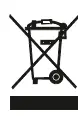 This product is subject to the provisions of European Directive 2012/19/EC. The symbol showing a wheelie bin crossed through indicates that the product requires separate refuse collection in the European Union. This applies to the product and all accessories marked with this symbol. Products identified with this symbol may not be discarded with normal household waste, but must be taken to a collection point for recycling electric and electronic appliances. Recycling helps to reduce the consumption of raw materials and protect the environment. The battery integrated into this device must not be disposed of in the household waste. The device must be disposed of properly with the battery installed.
Packaging
When disposing of the packaging, make sure you comply with the environmental regulations applicable in your country.
WHAT’S IN THE BOX:
- Smart Robot Vacuum
- Remote Control
- (1) US Plug/ Power Adapter
- (1) Mopping Board
- (1) Mopping Cloth
- (2) Pairs Side Brushes ( Left and Right Side Brushes)
- (2) H10 Filter
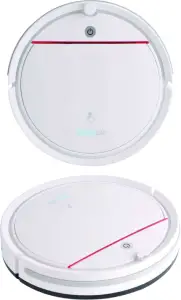
FEATURES:
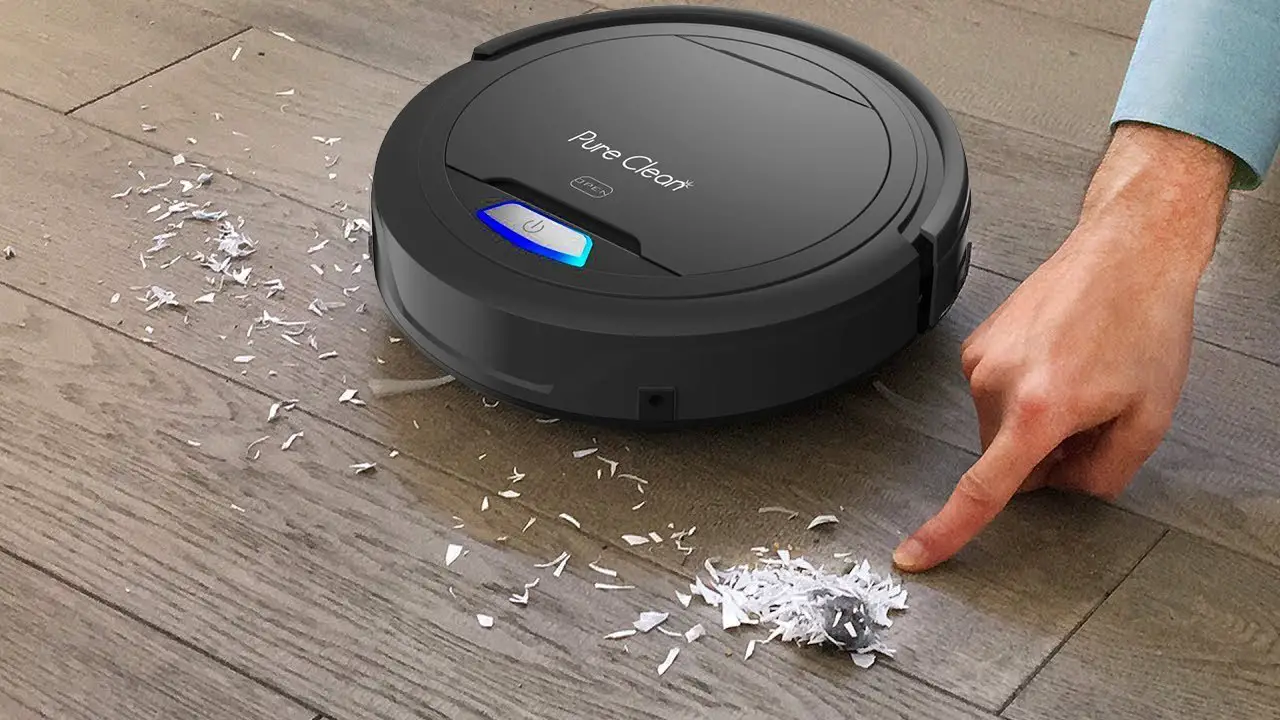
- Keep it Clean: Sweep, Dust & Vacuum
- Includes Remote Controller for Cleaning Modes and Robot Directions
- ON/OFF Power Button Unit
- Versatile & Convenient Floor Clean Ability
- Smart, Self-Programmed Cleaning Path Navigation
- Low-Profile Design Slides Underneath Furniture
- Anti-Fall Stair Sensors & Protective Bumper Housing
- Bumper with Mechanical Sensor
- Works on Hardwood, Linoleum, Tile, Low/Hard Carpet Floors
- Convenient Dust Collection Bin Opens for Quick Disposal
- Automatic ‘Bag-less’ Design for Easy Cleaning
- One Button Operation
- Built-in Rechargeable Battery
- Dual Spinning Side Brush Lifts Debris
- Includes Charging / Power Adapter
- Perfect for the Home or Office
TECHNICAL SPECS:
- Construction Material: Engineered ABS, POM
- Dust Bin Capacity: 0.2L
- Average Charge Time: 4-5 Hours
- Vacuum Operation Run-Time: 60 Minutes
- Battery Type: 14.8V Li-ion, 800mAh
- Equivalent Lithium Content: 20Wh
- Unit Average Power: 18W
- Power Supply: 120/240V, 24V, 600mA Power Adapter
- Low Noise: 65dB
- Power Cable Length: 5.9 ft.
- Dimensions (L x W x H): 11.42’’ x 11.42’’ x 2.75’’ -inches
 This product can expose you to a chemical or group of chemicals, which may include “Lead (PB)” which is known in the state of California to cause cancer, birth defects, or other reproductive harm. For more info, go to https://www.p65warnings.ca.gov/.
Questions? Issues?
We are here to help!
Phone: (1) 718-535-1800
Email: [email protected]