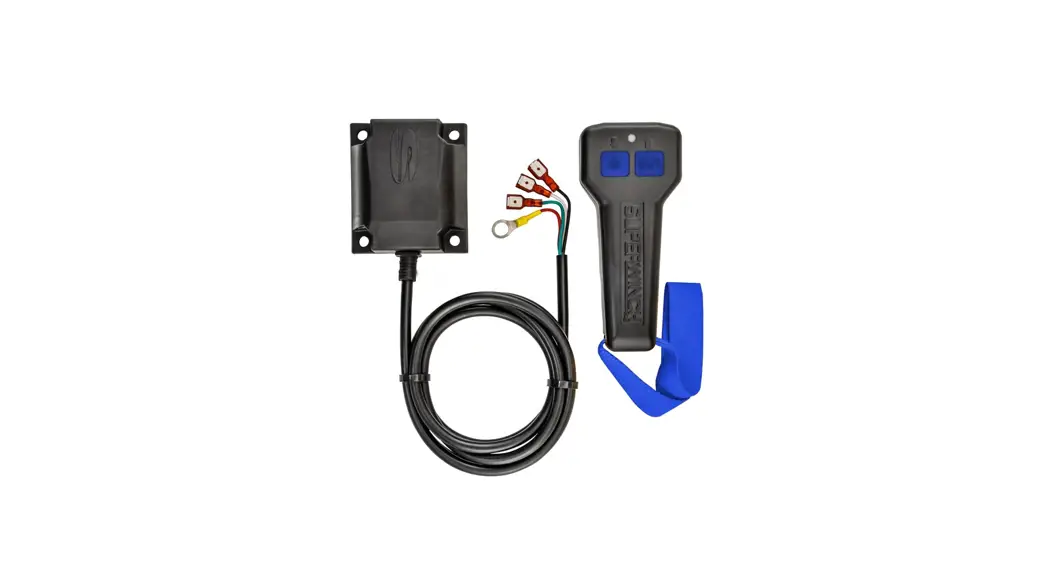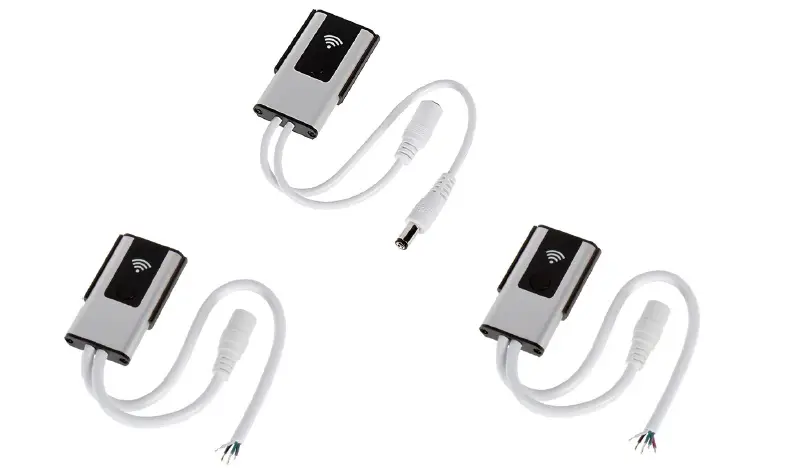

SuperBright MCSH/MCSH2 Series Wireless Controller
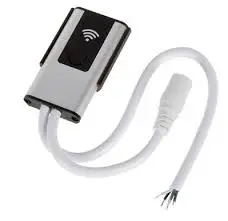
Important: Read all instructions prior to installation.
Safety and Notes
- Product should be installed in accordance with applicable national, state, and local building and electrical codes.
- To reduce the risk of electric shock, ensure that the main power source is switched off before performing any wiring procedures.
- Intended for indoor use only.
Specifications
| Model | MCSH-1CH-6A | MCSH-3CH-6A | MCSH-4CH-6A |
| Input Voltage | 12–24 VDC | ||
| Maximum Input Current | 3A | 5A | 5A |
| Wireless Connection Type | Wi-Fi 2.4GHz | ||
| Operating Temperature | 14°–122° F(-10°–50° C) | ||
| Model | MCSH2-1CH-72W | MCSH2-3CH-72W | MCSH2-4CH-72W |
| Input Voltage | 12–24 VDC | ||
| Max. Input Wattage | 72 W | ||
| Maximum Input Current | 3 A (24 VDC), 6 A (12 VDC) | ||
| Wireless Connection Type | Wi-Fi 2.4GHz / Bluetooth* | ||
| Operating Temperature | 14°–122° F(-10°–50° C) | ||
Note: Bluetooth operation requires the controller to be setup with Wi-Fi first.
Input/Output Connections
| Model | Input Connection | Output Connection |
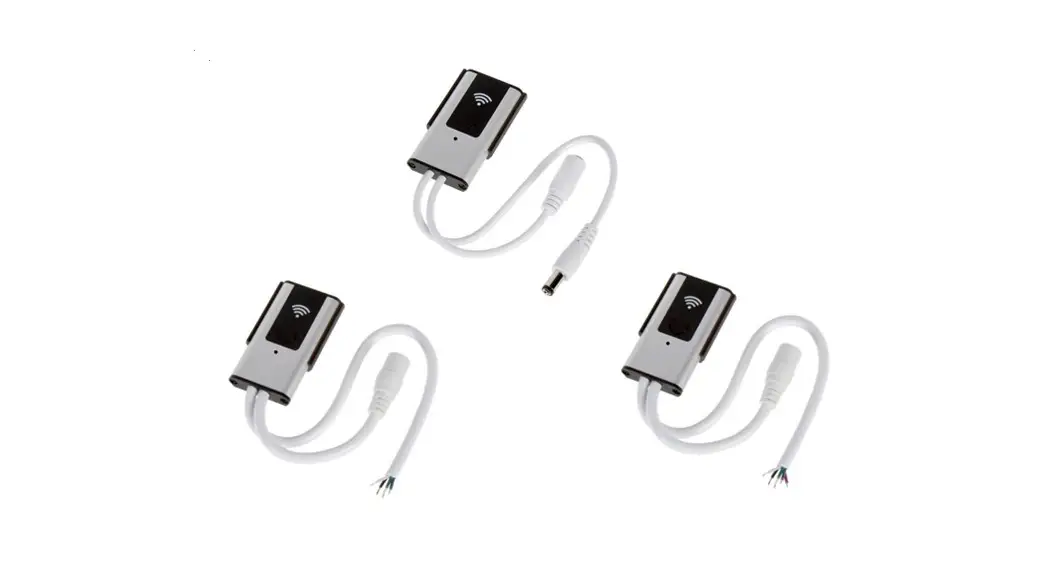
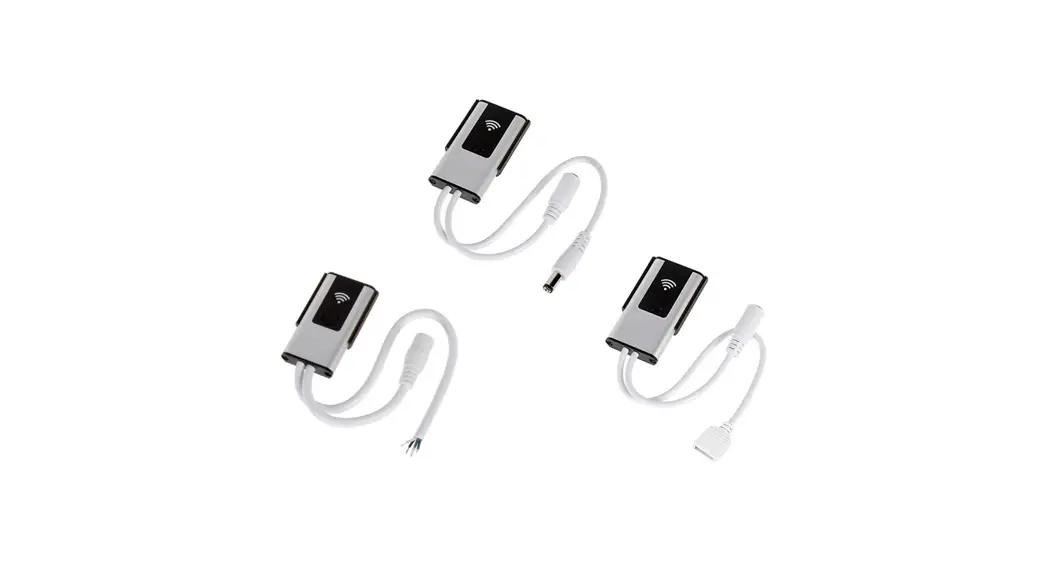
| MCSH-1CH-6A MCSH2-1CH-72W | DC Barrel Female (5.5 mm / 2.1 mm) | DC Barrel Male (5.5 mm / 2.1 mm) |
| MCSH-3CH-6A MCSH2-3CH-72W | 3 wire pigtail | |
| MCSH-4CH-6A MCSH2-4CH-72W | 4 wire pigtail |
Installation Instructions
Log in or register as a new user. To register, select country or allow system to identify your country automatically. Enter phone number or email address as account name. Tap on “Next” to get a verification code. Use code, then create a password. Tap “Confirm” to finish registration.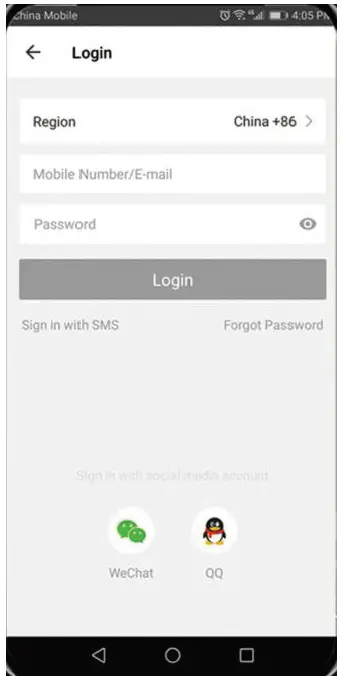
Make sure your device is connected to Wi-Fi. Tap “Add Device” or “+” on upper right corner of homepage. Select “Lighting devices” from the Smart Lighting section.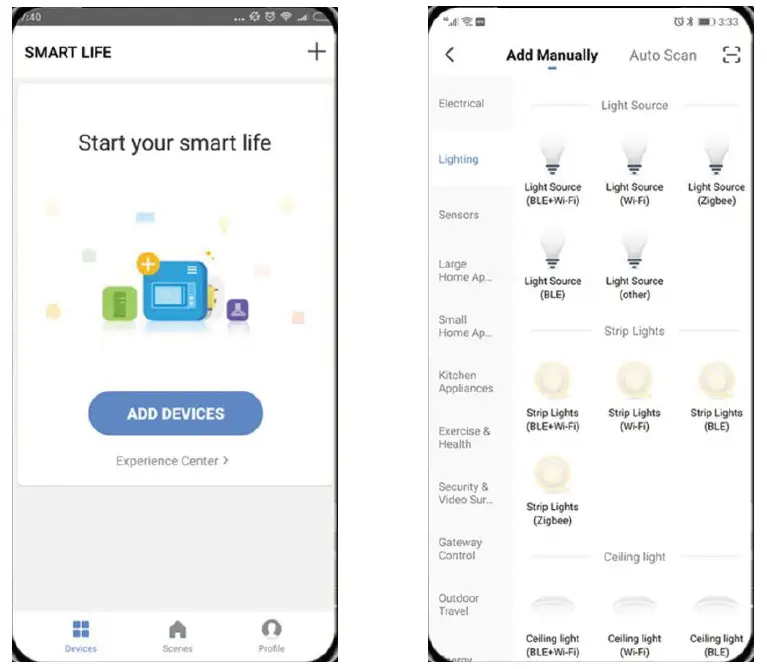
Switch on supply power. Light will blink rapidly. If it does not blink, hold the “reset” button on the Wi-Fi controller for about 10 seconds until light begins to blinks rapidly. Tap “Confirm light rapidly blink” to continue.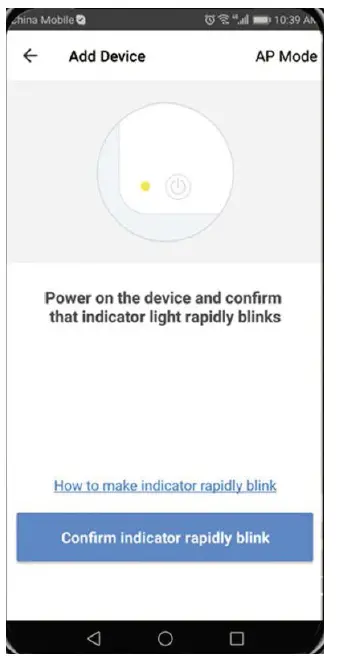
Select network for Wi-Fi controller and tap “Confirm” to connect controller.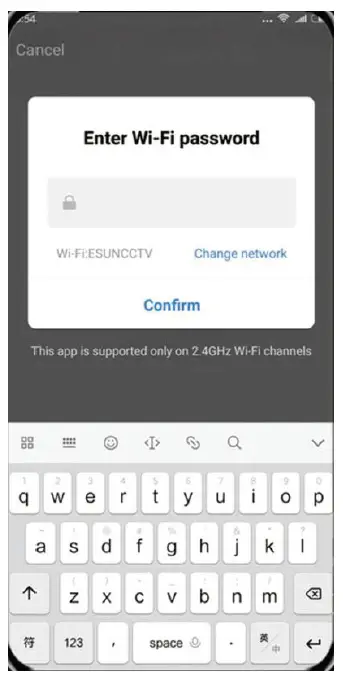
After device is added successfully, the controller can be renamed. It can also be shared with other users.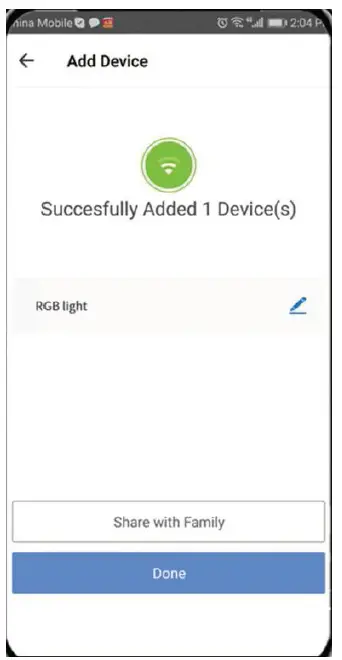
Tap light profile to enter device setting to switch connected light on/off, change the brightness, or set a timer. On RGB/RGBW model, you can change color, select scene, and sync light with music as well.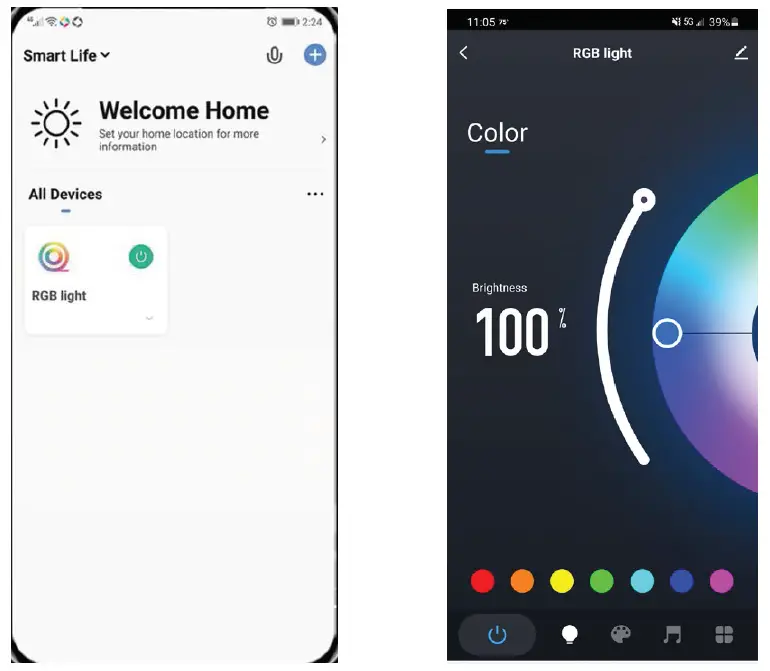
Amazon Alexa Installation Instructions
Open “Amazon Alexa” APP. Select “Skills” and search “Smart Life”. Tap “Enable” to activate.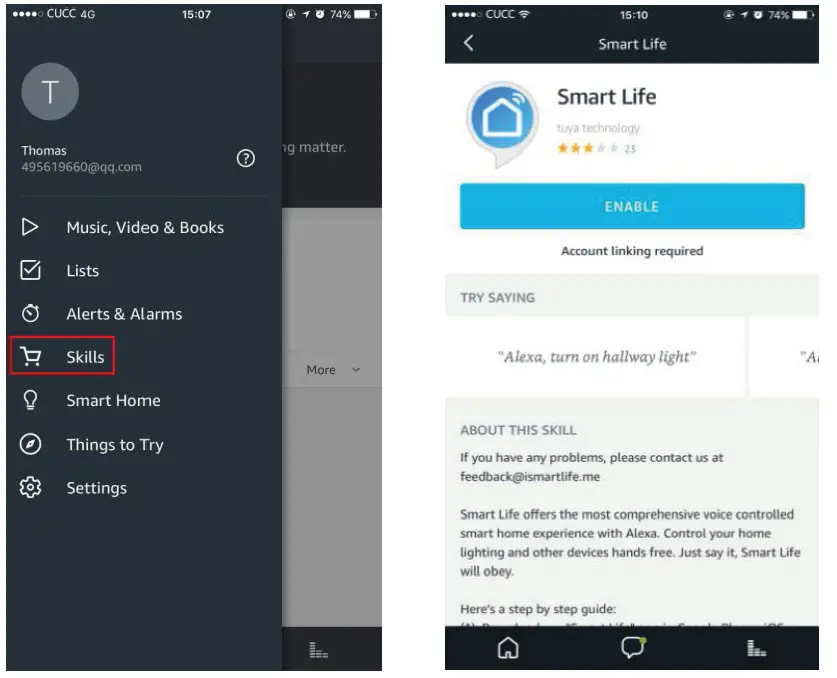
Select your country code. Enter your “Smart Life” app account name and password. Then tap “Link Now” button. After linking, close the window and go back to the Alexa app.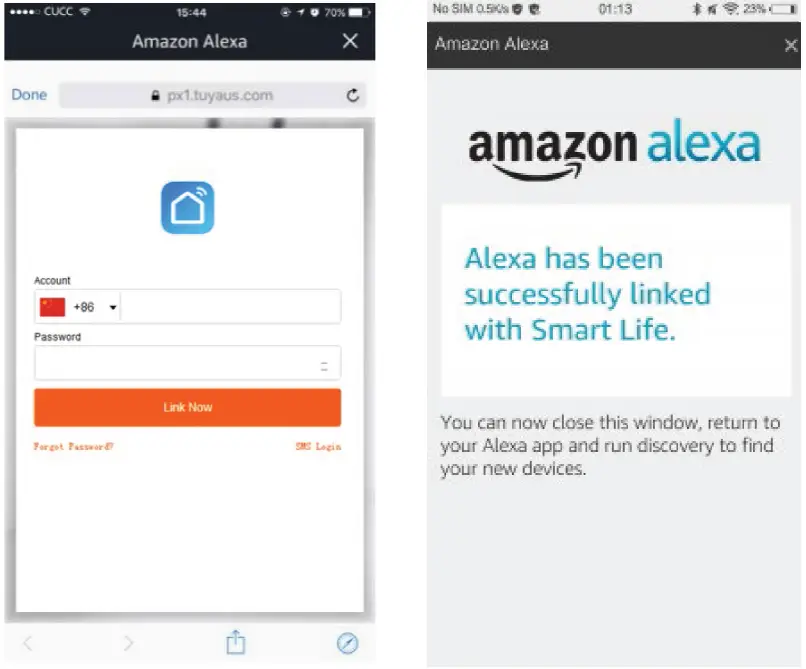
Tap “Smart Home”, then select “Devices” followed by “Discover.”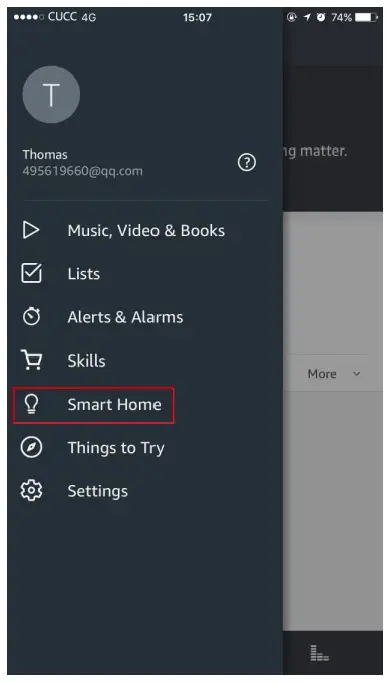
Allow about 20 seconds for Alexa to discover device.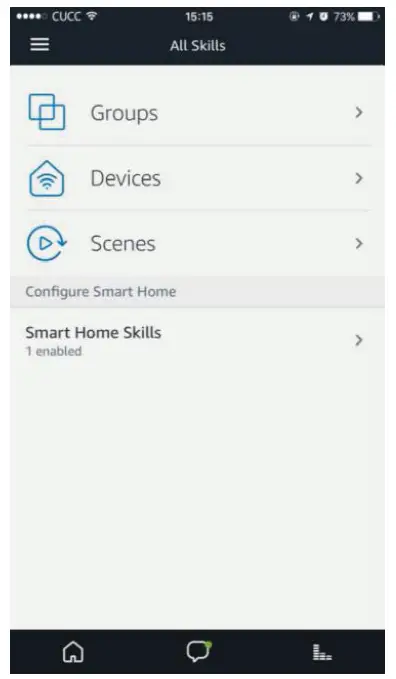
Use Alexa to control the controller. For example, “Alexa, turn on [DEVICE NAME].”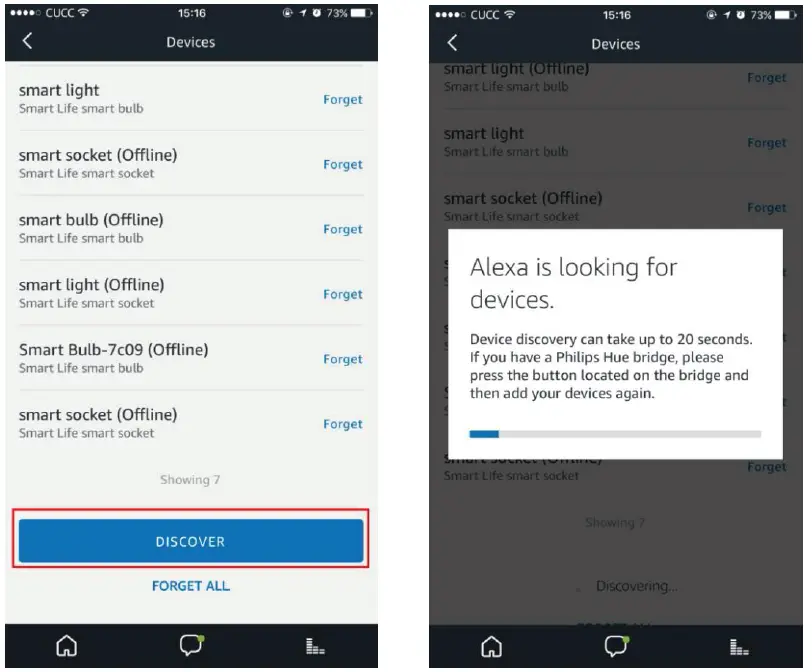
Google Assistant Installation Instructions
Open the “Google Home” or “Google Assistant” app. Go to “Home” and select “Home Control.” Tap “+” on the lower right corner to add “Smart Life” in “Add devices” list.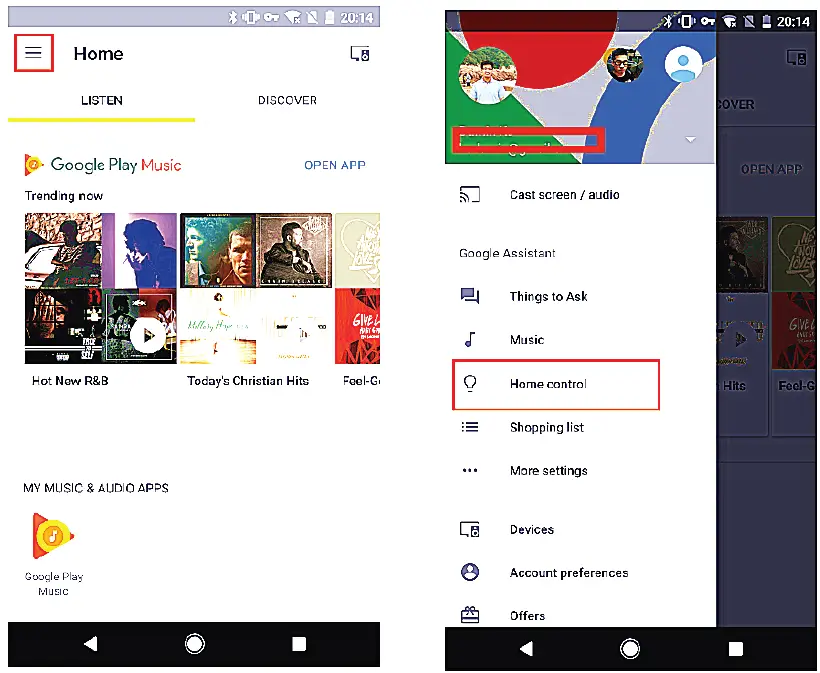
Select your country code. Enter your “Smart Life” APP account name and password.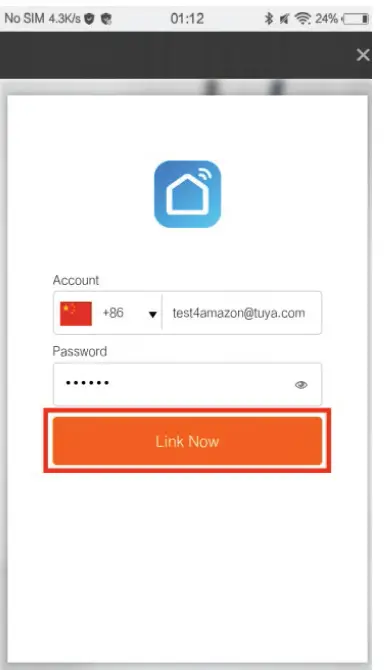
Assign rooms for device, so it will appear on the “Home Control” list.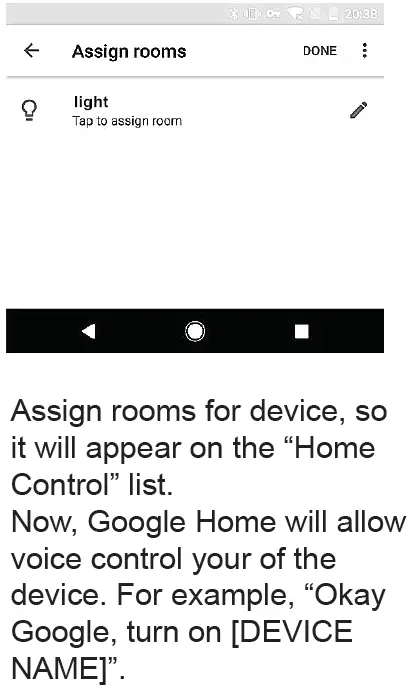 Now, Google Home will allow voice control your of the device. For example, “Okay Google, turn on [DEVICE NAME]”.
Rev Date: V2 08/12/2021
4400 Earth City Expy, St. Louis, MO 63045
866-590-3533
superbrightleds.com