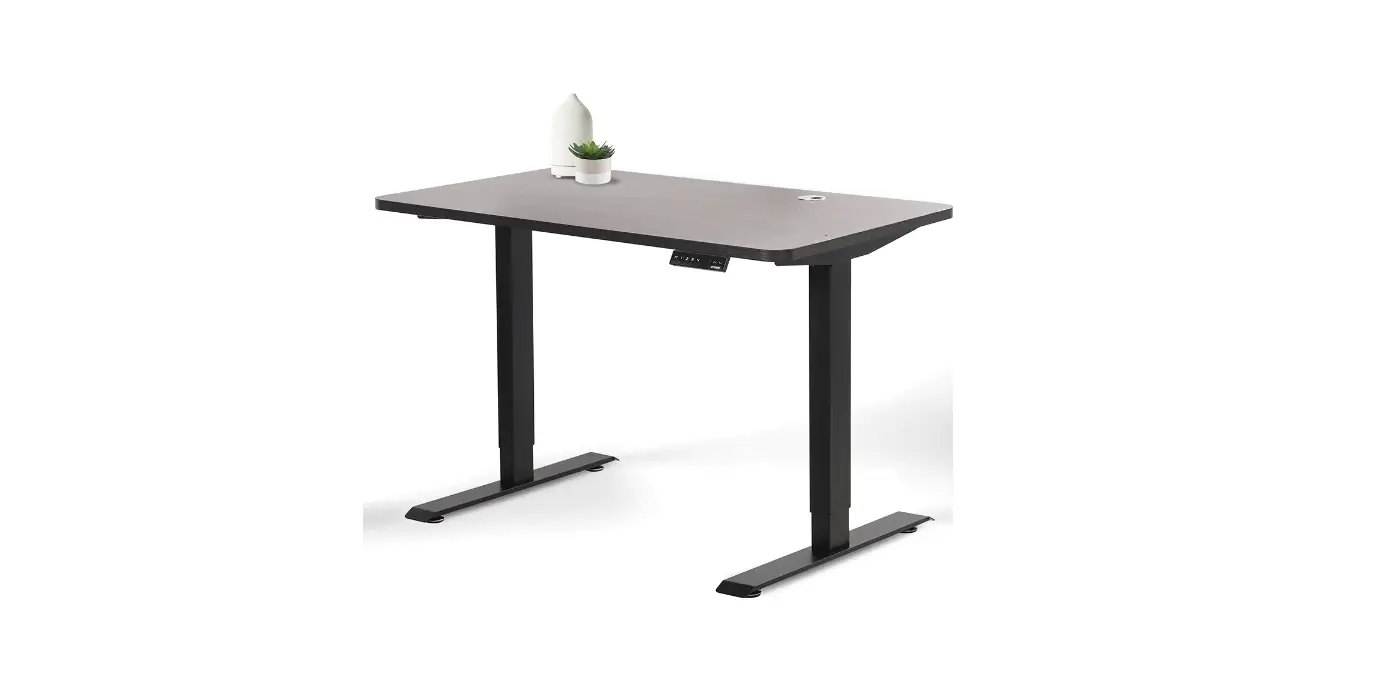
LXHDPKG 1 B Luxe Home Desk
Luxe Home Desk
Assembly Instructions
Specifications & Components
Specifications:
- Electric control part:
- Input Voltage:100-240Vac 50/60Hz
- Duty cycle:10%MAX 2min on 18min off
- Desk frame part:
- Dynamic load:60KG
- The maximum static load:80KG
- Safety warning:
- Please read this manual carefully before use.
- The product must be connected to the correct power supply.
- For any accessories connected to the control box, the plug type
and electrical characteristics must conform to its
specifications. - Indoor use only.
- If the transformer’s external cable is damaged and need to be
replaced, new accessory will be provided by the manufacturer or its
service agent. - This appliance can be used by children aged from 8 years and
above and persons with reduced physical, sensory or mental
capabilities or lack of experience and knowledge if they have been
given supervision or instruction concerning use of the appliance in
a safe way and understand the hazards involved. - Children shall not play with the appliance.
- Cleaning and user maintenance shall not be made by children
without supervision.
Parts List:
- Glass Tempered Table Top
- Stainless Steel Table Frame
- Foot Plate w/ adjustable foot
- Tools included: M5, 8 – M6 x 16, 8 – M8 x 16
- Tools required: or
Assembly Instructions
STEP 1:
- 8 – M6 x 16
STEP 2:
- 8 – M8 x 16
STEP 3:
STEP 4:
- USB Charging Port
Directions For Use
The whole handset surface is a touch panel. If there is no touch
within 10 seconds, the screen is locked and all keys are locked
correspondingly. You can touch keys to unlock screen. When screen
lightened, all keys unlocked and handset enter operation state.
Display Screen:
Display the height value of the desk.
Up & Down Key:
Please keep pressing UP/DOWN key to adjust desk height until you
get an optimum height.
Memory Key:
After setting memory keys, the desk can lift automatically to
memory height.
How to Set Memory Mode:
- Click the key when running to a specific point.
- The display screen displays S- and – flashes.
- At this time, press / button to store the position to the
corresponding label. - The memory height is successfully saved, then light press /,
the desk moves to memory height automatically.
Set Key:
Press the key when memory bits and internal parameters need to
be set.
Initialization:
- When RST is on the display screen, press the button until the
desk frame reaches its lowest point. After hearing the di sound and
desk frame rebounds, initialization is completed. (P.S. The button
cannot be released during this operation, otherwise the
initialization will fail) - Forced initialization: Press the button until the desk frame
reaches its lowest point, then release the button and press it
again for about 5 seconds until hear the di sound and desk frame
rebound, and the initialization is completed.
Luxe Home Desk
Assembly Instructions
Luxe Home Desk
Specifications & Components
Specifications:
Elecrtic control part: Input Voltage:100-240Vac 50/60Hz Duty cycle:10%MAX 2min on 18min off Desk frame part: Dynamic load:60KG The maximum static load:80KG Safety warning 1. Please read this manual carefully before use. 2. The product must be connected to the correct power supply. 3. For any accessories connected to the control box, the plug typeand electrical characteristics
must conform to its specifications. 4. Indoor use only. 5. If the transformer’s external cable is damaged and need to bereplaced,new accessory will
be provided by the manufacturer orits service agent. 6. This appliance can be used by children aged from 8 years and above and persons with
reduced physical, sensory or mental capabilities or lack of experience and knowledge if they have been given supervision or instruction concerning use of the appliance in a safe way and understand the hazards involved. 7. Children shall not play with the appliance. 8. Cleaning and user maintenance shall not be made by children without supervision.
Parts List:
Glass Tempered Table Top
Stainless Steel Table Frame
Foot Plate w/ adjustable foot Tools included: M5
8 – M6 x 16
8 – M8 x 16
Tools required: or
2
Luxe Home Desk Assembly Instructions
STEP 1:
8 – M6 x 16
Luxe Home Desk
Assembly Instructions
Luxe Home Desk Assembly Instructions
3
Luxe Home Desk
Assembly Instructions STEP 2:
8 – M8 x 16
4
Luxe Home Desk Assembly Instructions
STEP 3:
Luxe Home Desk
Assembly Instructions
Luxe Home Desk Assembly Instructions
5
Luxe Home Desk
Assembly Instructions
STEP 4:
6
Luxe Home Desk Assembly Instructions
USB Charging Port
Complete:
Luxe Home Desk
Assembly Instructions
Luxe Home Desk Assembly Instructions
7
Luxe Home Desk
Directions For Use
Up & Down key Display Screen Memory key
Set key
The whole handset surface is a touch panel. If there is no touch within 10 seconds, the screen is locked and all keys are locked correspondingly. You can touch ” ” keys to unlock screen. When screen lightened, all keys unlocked and handset enter operation state.
Display Screen
Display the height value of the desk.
Up & Down Key
Please keep pressing UP/DOWN key to adjust desk height until you get an optimum height.
Memory Key
After seting memory keys, the desk can lift automatically to memory height.
How to Set Memory Mode
Click the ” ” key when running to a specific point. The display screen displays “S-” and “-” flashes. At this time, press ” / ” button to store the position to the corresponding label. the memory height is successfully saved,Then light press ” / ” , the desk moves to memory height automatically.
Set Key
Press the ” ” key when memory bits and internal parameters need to be set.
Initialisation
1. When “RST” is on the display screen, press the ” ” button until the desk frame reaches its lowest point. After hearing the “di” sound and desk frame rebounds, initialization is completed. (P.S. The button cannot be released during this operation, otherwise the initialization will fail)
2. Forced initialization: Press the ” ” button until the desk frame reaches its lowest point, then release the button and press it again for about 5 seconds until hear the “di” sound and desk frame rebound, and the initialization is completed.
3. Restore the factory settings: When new controller is changed or the parameters need to be restored to the factory settings, press the ” ” and ” ” buttons simultaneously, you will hear the first “di” sound after about 5 seconds and second “di” sound after 10 seconds. When the display screen shows “RST”, please operate refer to the No.1 item.
8
Luxe Home Desk Assembly Instructions
Safety Function When the desktop is on the rise or down, encountered reverse resistance,the desk will rebound. Handset shows error code and solution
Error code E01,E06,E07 E02 E04 E05 E08 E11,E21,E40,E41 E12,E22,E42,E43 E18,E28 E18,E28
HOT
Fault cause Power fault Psynchronous height over 1cm Handset fault Anticollision alert Desktop sloping Connection cable failure Controller fault Motor fault Overloading
Overtime operation
Solution Change power Implement the initialization operation 1 Unplug and replug the cable of hand set Rebound reminder , normal condition check the desktop Check the connecting cable Exchange the controller change motor reduce the loading Automatic recovery after stop using for 20 minutes
Advanced Function Settings
Limited height setting:Press ” ” and ” ” key for 5 seconds till heard a bee sound, limited height setting success. (minimum limited height 96 maximum limited height 97). Cancel the function, run to the limit height, press ” ” and ” ” again for 5 seconds, hear the buzzer sound, limited height Cancel.
Luxe Home Desk
Directions For Use
Pressing ” ” key for 5 second till digital screen display “S-1″ , press ” ” or ” ” key to choose
S-1 Click ” ” Key
Metric and Inch Exchange S-2 Click ” ” Key
Metric and Inch exchange
S-3 anti collision sensitivity (sensing element)
Click ” ” Key
S-4 Click ” ” Key
down anti collison sensitivity (Current detection)
S-5 Basement height
Click ” ” Key
S-6 Memory key operation
Click ” ” Key
S-7 Overheat protection
Click ” ” Key
S-8 Click ” ” Key
Desktop tilt angle setting (Over the set value, error E08)
0 Metric 1 Inch
0 Shut Down 1 The Most Insensitive 8 The Most Sensitive
0 shut down 1 The Most Insensitive 8 The Most Sensitive
0 Shut Down 1 The Most Insensitive 8 The Most Sensitive
Use ” ” or ” ” Adjust the Basement Height 0 Long Pressing Desk Running,
Hands Off Desk Stop Running 1 Click Desk Running, Second
Click to Stop Running
0 Shut down
1 Turn on(Continuous operation for two minutes, error HOT)
0 Shut down 1 0.5º 2 1.0º 3 1.5º 4 2.0º 5 2.5º 6 3.0º 7 3.5º 8 4.0º
Click “S” Key to Back, Setting Success
Luxe Home Desk Assembly Instructions
9
Sydney 02 8188 2732 Melbourne 03 9111 0315 Brisbane 07 3733 1923 Adelaide 08 7111 0810 Perth 08 9468 2707
[email protected]
myolg.online | olgoffice.com | officedesigner.net | motionoffice.com | acoustiq.com.au
 Home - AcoustiQ
 MotionOffice – Activity Based Working Furniture
 Office Designer
 HOME - OLG Office