 LY7 Battery Capacity Tester
Instructions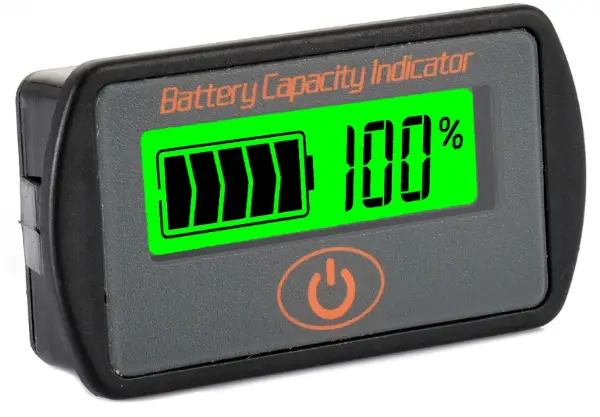 LY7 Battery Capacity Tester
— Instruction —
LY7 Battery Capacity Tester
Sketch: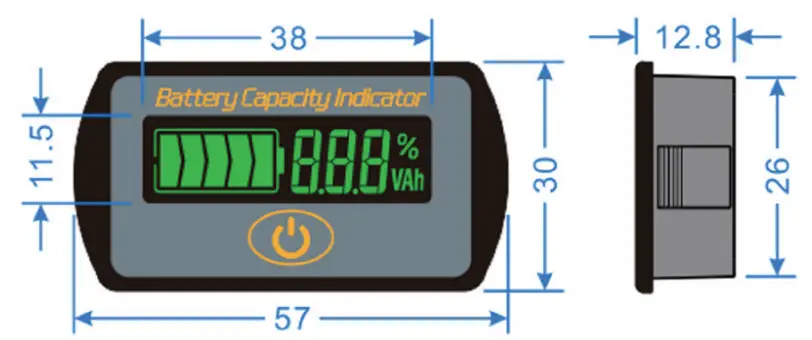
Overviews:
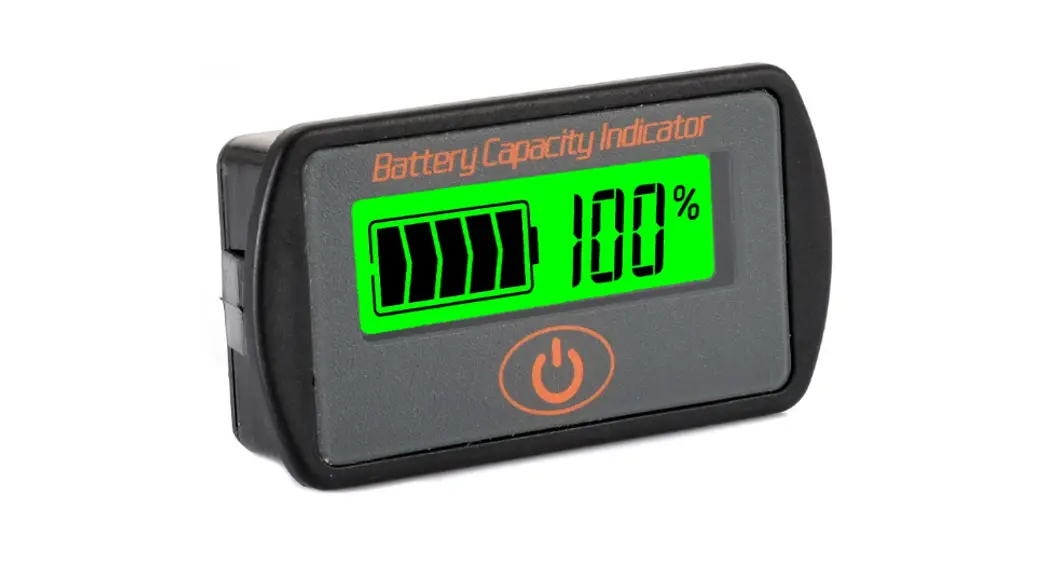
LY7 is a kind of voltage type battery capacity tester, it can test the voltage and capacity of battery, and display them with intuitive battery symbol and percentage. Users can know the state of battery in time. LY7 has function of memory. It is suitable for mobile and portable equipments, e-bike, balance cars, cleaning machines, instruments, UPS and so on.
Application:
LY7 is suitable for lithium batteries, lead-acid batteries and lithium iron phosphate batteries with working voltages ranging from 5V to 66V (lithium iron phosphate display with single full charge of 3.5V).
Basic parameters:
| Parameter | Min | Type | Max | Unit |
| Working voltage | 5.0 | 66.0 | V | |
| Working dissipation | 8.0 | 10.0 | mA | |
| Sleep dissipation | 15 | pA | ||
| Voltage accuracy | ±3.0 | ok | ||
| Capacity accuracy | ±3.0 | ok | ||
| Temperature range | 0 | 20 | 35 | °C |
| Weight | 23 | g | ||
| Size | 57x30x12 | mm | ||
Connect:
LY7 provides a connector consists of plug, black line and red line. Connect the black line to the negative, the red line to the positive, the plug to the socket of LY7. Then, power on or turn on the switch, it will be work. As shown below: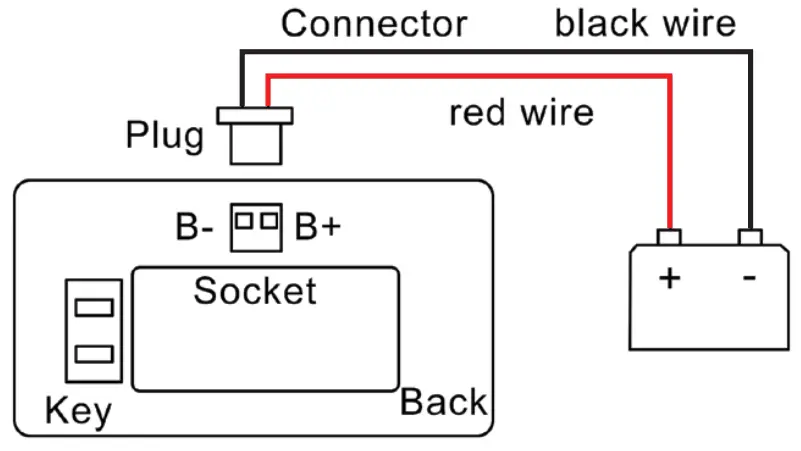
Install:
LY7 is fixed by buckles, so it is easy to install. First, open one rectangular orifice on the panel according to the size. Then put LY7 into the rectangular orifice, and make sure the buckles are locked.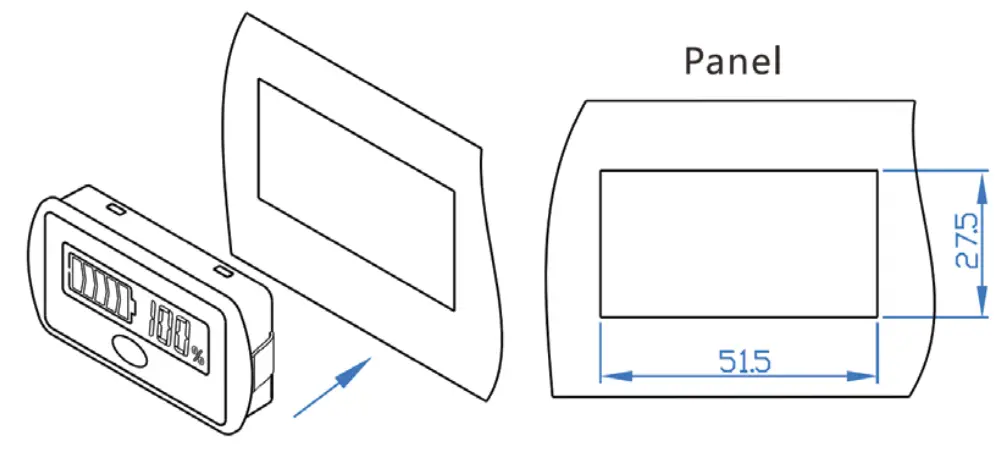 User setting:
When turn off, hold on the “K-” key on the back and power on. LY7 displays the present specification. Use “K+” and “K-” keys to adjust specifications, select suitable specification you need, then press the “OK” key on the front. LY7 will work normally (correspond code as below form).
| Lithium Battery | Min | Lead Acid Batteries | Type | Lithium iron Battery | Unit |
| 2 cells | 2C | 12VPb | 1P | 2 cells | 2 F |
| 3 cells | 3C | 24VPb | 2P | 3 cells | 3 F |
| 4 cells | 4C | 36VPb | 3P | 4 cells | 4 F |
| 5 cells | 5C | 48VPb | 4P | 5 cells | 5 F |
| 6 cells | 6C | 60VPb | 5P | 6 cells | 6 F |
| 7 cells | 7C | 7 cells | 7 F | ||
| 8 cells | 8C | 8 cells | 8 F | ||
| 9 cells | 9C | 9 cells | 9 F | ||
| 10 cells | 10C | 10 cells | 1OF | ||
| 11 cells | 11C | 11 cells | 11 F | ||
| 12 cells | 12C | 12 cells | 12 F | ||
| 13 cells | 13C | 13 cells | 13 F | ||
| 14 cells | 14C | 14 cells | 14 F | ||
| 15 cells | 15C | 15 cells | 15 F | ||
| 16 cells | 16C | 16 cells | 16 F |
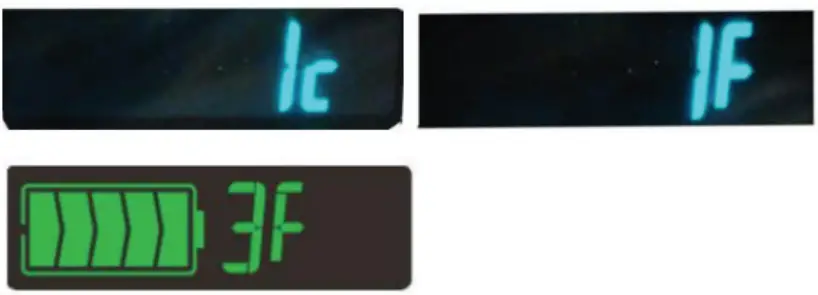 Press the “K+” key on the back to enter function setting mode. LY7 has four functions: F0 ~ F3. Use the “K+” key on the back to select F0 ~ F3. Then press the “OK” key on the front, the selected function will run. The default function is F2.
 F0: Backlight on: LY7 run all the time, LCD and backlight always on.
F1: Standby function: LY7 displays 10S and then goes into dormancy (< 15uA). LCD displays and backlight is turned off. Press the “OK” button and turn the backlight on 10S and off again.
F2: Dormancy function: LY7 shows that it enters dormancy state after 10S (< 15uA), and both liquid crystal and backlight are turned off. Press “OK” button, LCD and backlight turn on 10S and then close again.
F3: Switch control function: LY7 enters normal bright state after power-on, press the “OK” key to control the opening and closing of the display screen.
¤ Press the “K-” key on the back to enter display setting. LY7 has three kinds of display mode. Use the “K-” key on the back to change the display mode. Then press the “OK” key on the front, the selected mode will run.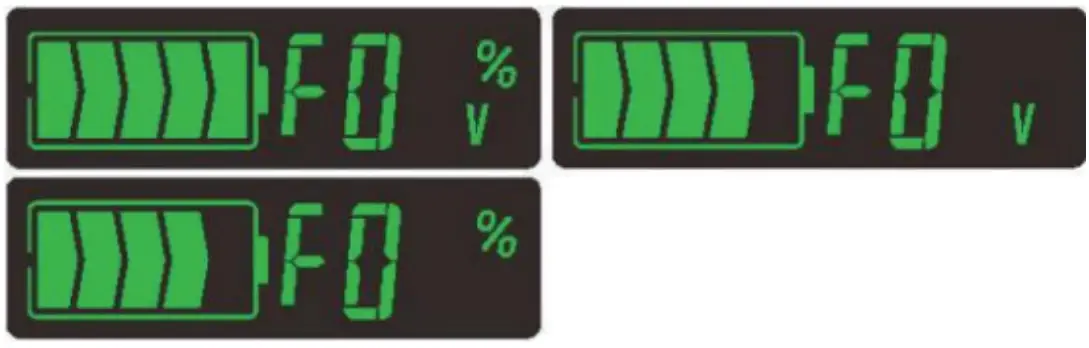 V&%: Voltage and percentage display: LY7 can display the current voltage or the current percentage of capacity. Press the “OK” key on the front can change the display content.
V: Voltage display: LY7 only display the current voltage.
%: Percentage display: LY7 only display the current percentage of capacity.
Accessory:
One connector with two lines, 20mm in length. If it is short, please lengthen it by yourself.
Attention:
LY7 cannot be exposed in the sun for a long time or in the environment with large amounts of ultraviolet radiation when using or storing, particular in winter (<-20℃) and summer (>60°C), otherwise it will shorten the life of LCD.